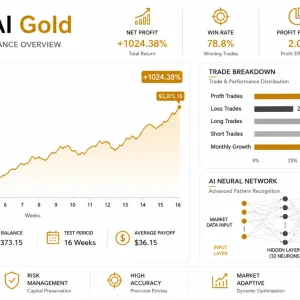
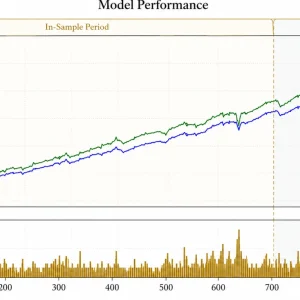
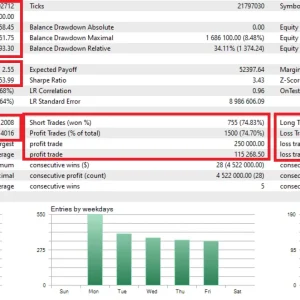
Quick product overview
| Detail |
Published product information |
| Platform / instrument |
MetaTrader 5 / XAUUSD |
| Recommended chart |
H1 |
| Published strategy |
Neural-network analysis; no martingale, grid or averaging |
| Trade exits |
Developer states that trades use Stop Loss and Take Profit |
| Publisher version checked |
1.62, updated 4 October 2026 |
| Version in this offer |
[confirm your actual file version] |
Source:
official My AI Gold listing, checked 9 October 2026. These are publisher specifications, not findings from a source-code inspection.
What does My AI Gold do?
An Expert Advisor is software that can analyse prices and place trades inside MetaTrader. It follows programmed rules rather than requiring you to enter each trade manually.
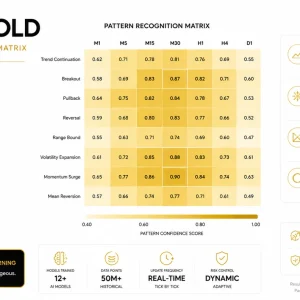
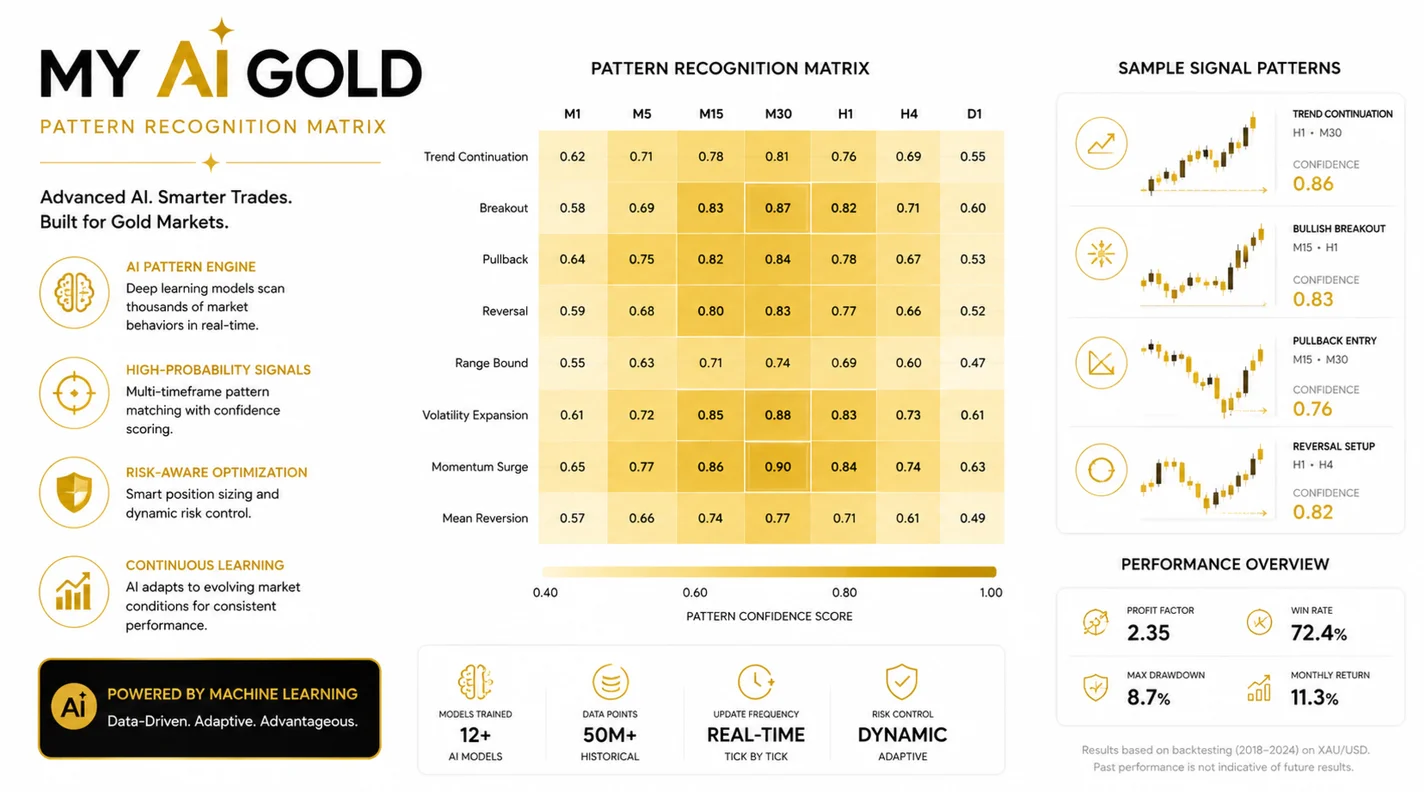
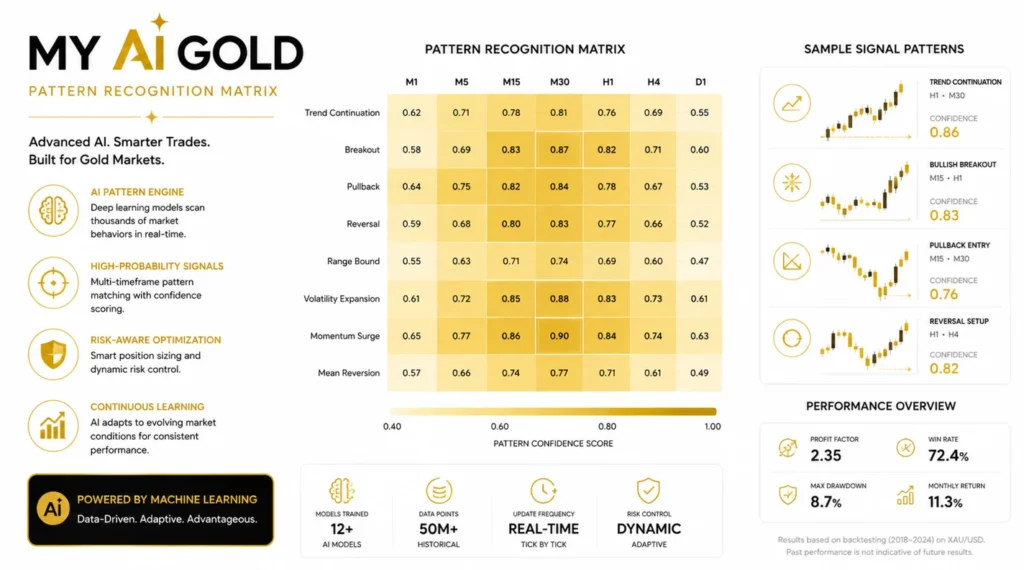
The developer describes My AI Gold as using neural networks. Public marketing does not establish the quality of that implementation or its ability to predict future prices.
Automation still requires monitoring. Check the terminal connection, account exposure and trading logs. A feature description does not establish profitability.
Public results: what the accounts show
The following accounts are linked by the publisher. They are not ForexEAtools trading accounts, and their performance is not a promise for the package sold here.
| Public account |
Snapshot checked 9 October 2026 |
Main limitation |
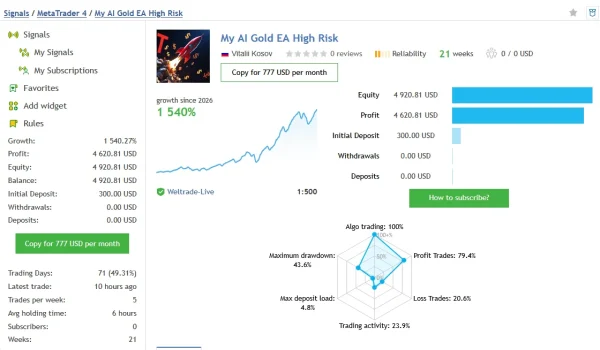
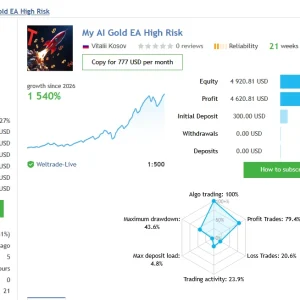
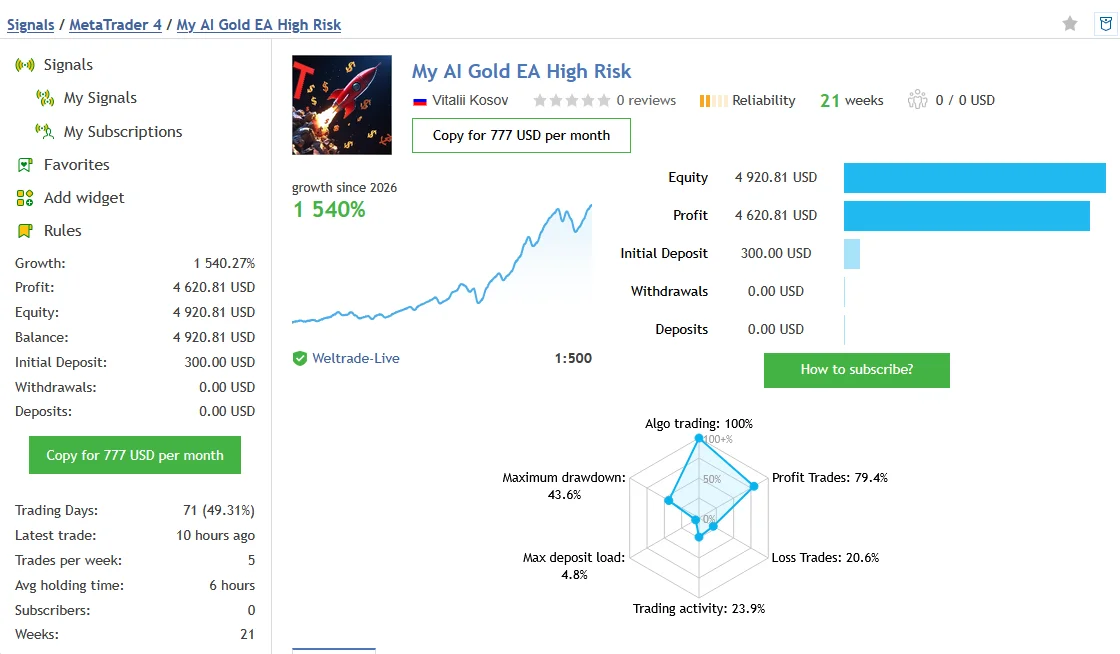
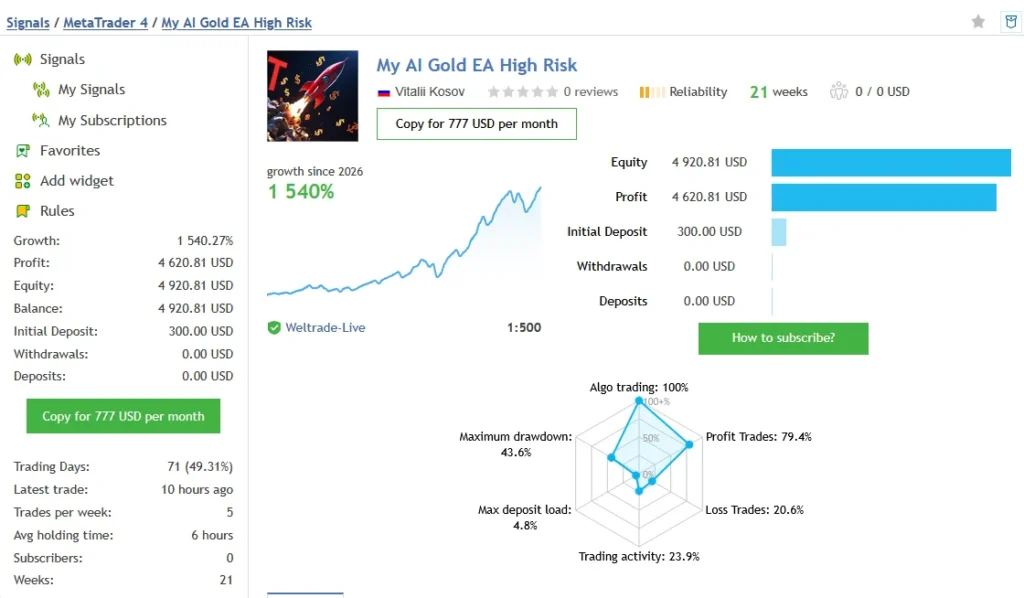
| My AI Gold EA High Risk |
Listed under MT4; reported growth 1,540.27%; 107 trades; relative balance drawdown 43.59% |
Does not independently prove performance of the supplied MT5 file |
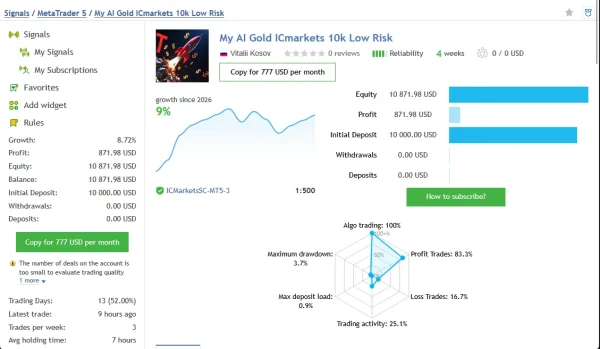
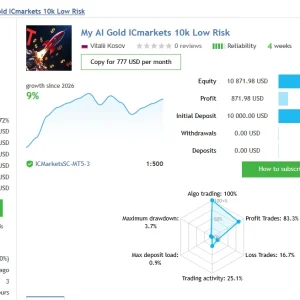
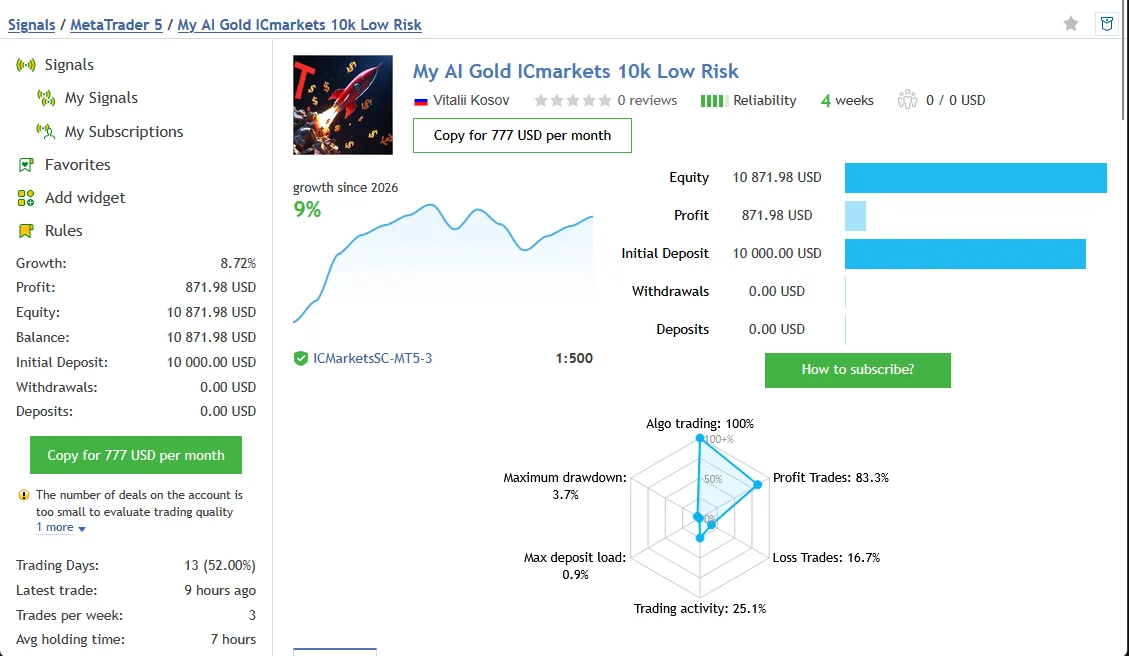
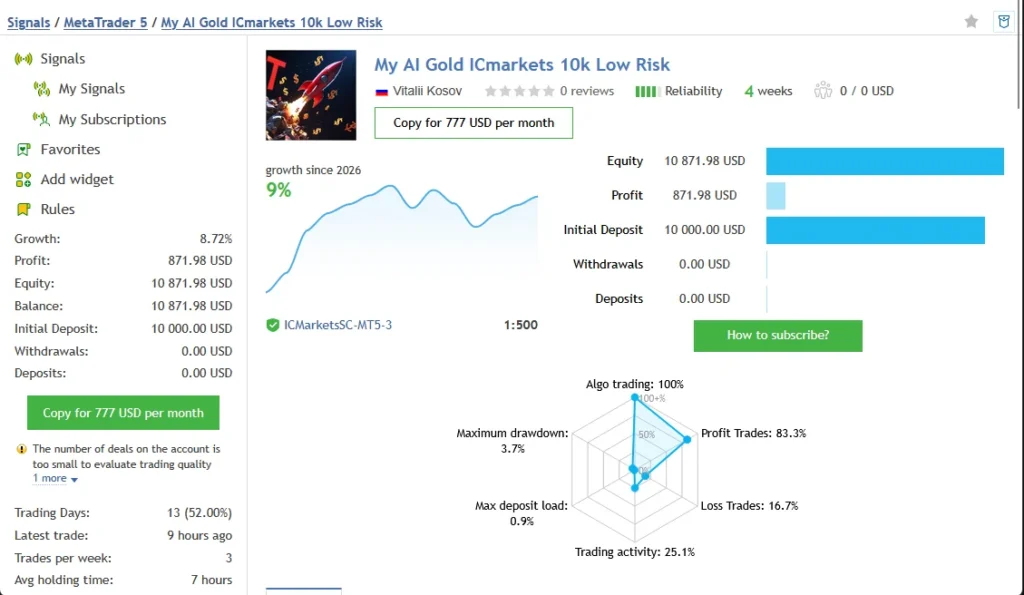
| My AI Gold ICmarkets 10k Low Risk |
Listed under MT5; reported growth 8.72%; 18 trades; relative equity drawdown 3.74% |
Small sample; the platform flags limited evidence |
Metrics can change. Open each account to review the current figures. Balance drawdown and equity drawdown are different measurements and should not be treated as equivalent.
The high-risk account shows substantial losses between gains. The MT5 account has too little evidence to establish a dependable long-term record. Neither account demonstrates that your broker, settings and supplied version will reproduce its results.
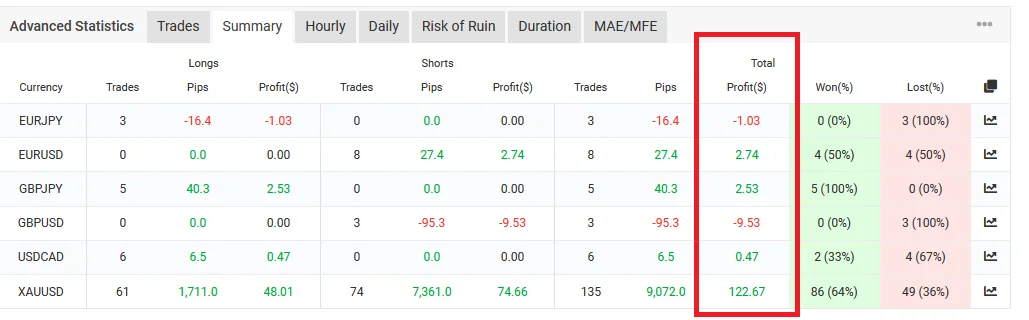
A target risk-to-reward ratio also differs from realised results. In the retrieved high-risk record, the average winning trade was $112.23 and the average losing trade was $223.58. Review actual exits and trade history alongside any advertised ratio.
My Gold AI Myfxbook Results: Growth and Drawdown
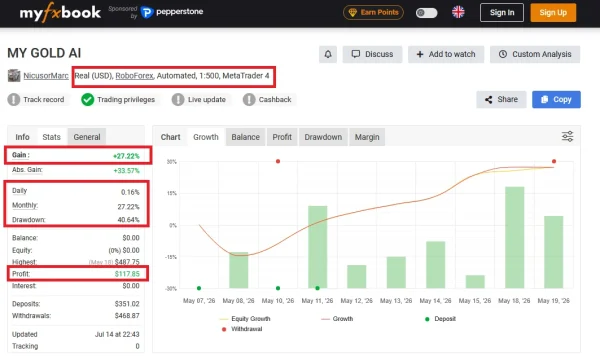
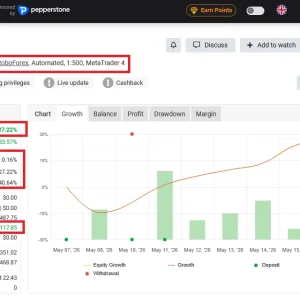
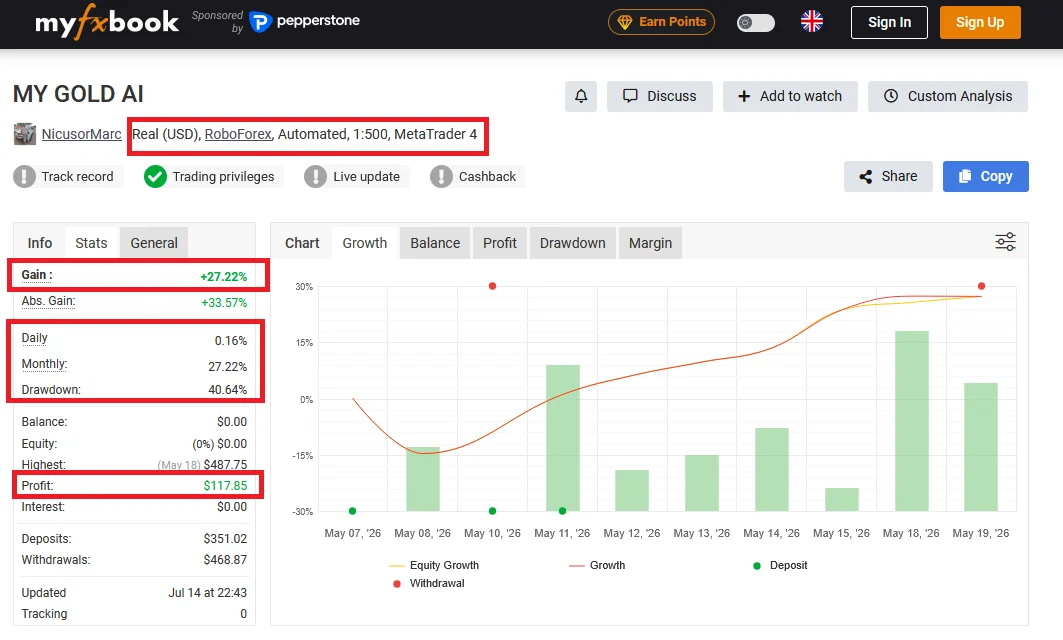
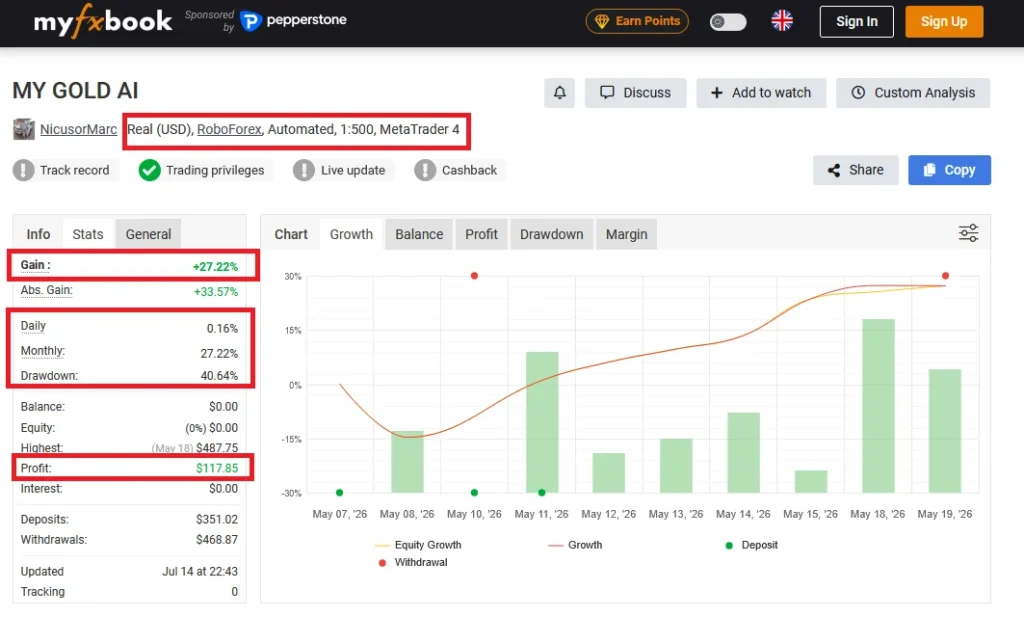
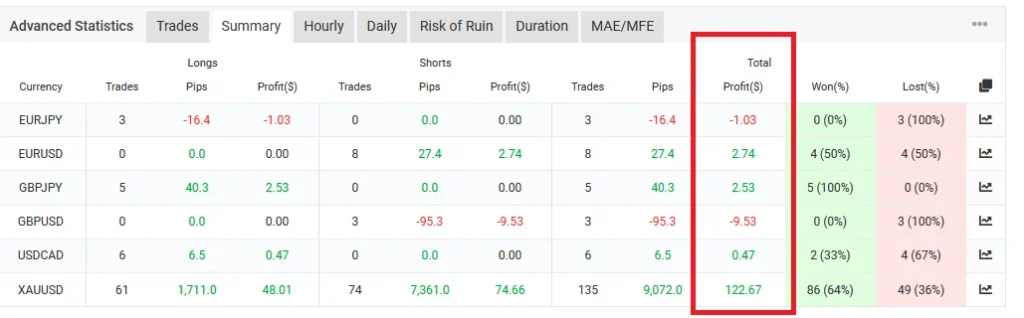
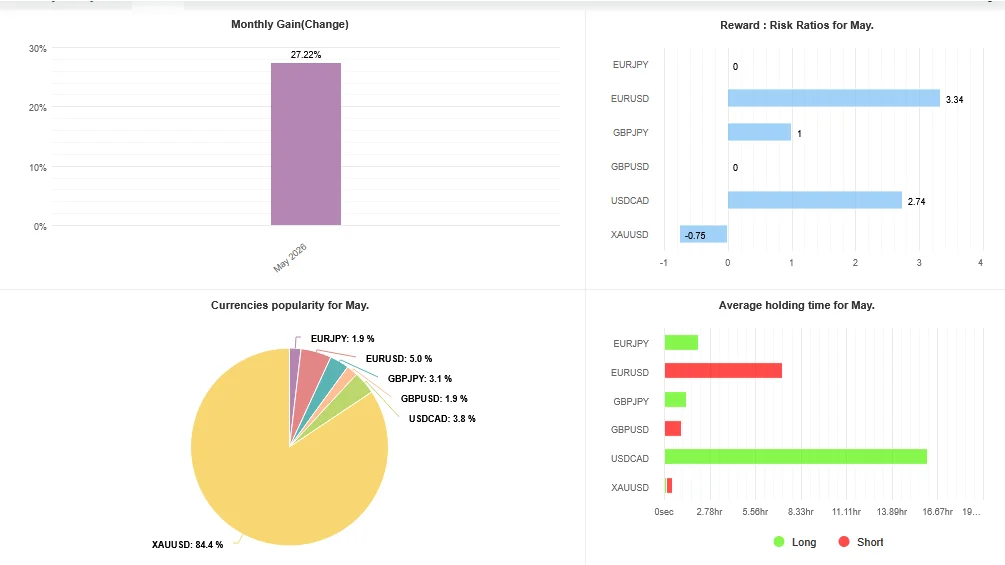
Before choosing My AI Gold EA MT5, review the linked MY GOLD AI account by NicusorMarc. Check the account’s growth alongside drawdown, trading history and update date to understand both returns and losses.
The available indexed record reports 27.22% gain and 40.64% drawdown. These figures show why a positive return should not be assessed without considering the losses experienced along the way. Open Myfxbook to check the latest figures.
This account is listed on MetaTrader 4. Its name alone does not confirm that it uses the same EA version or settings supplied with our MT5 package.
View My Gold AI Results on Myfxbook
Before relying on this record, check its verification status, broker, trading period and whether the software matches the product you intend to use. Past performance does not guarantee future results.
How to assess a backtest
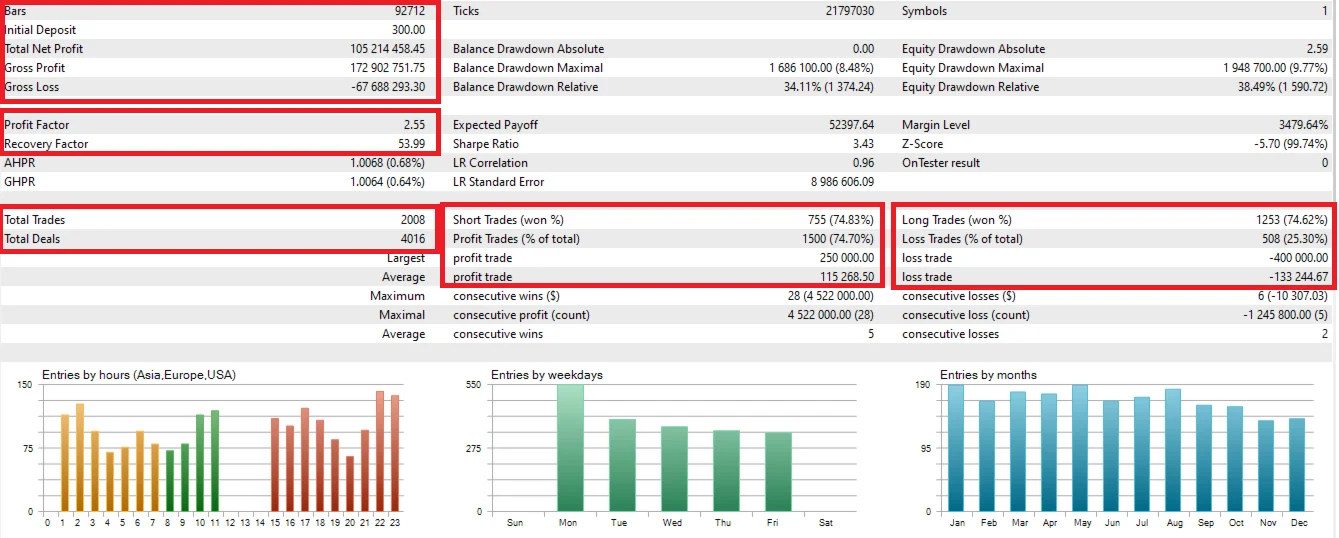
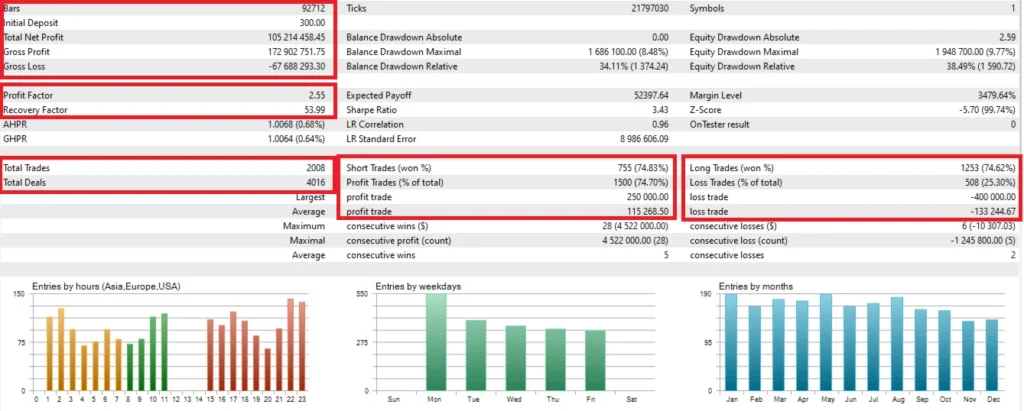
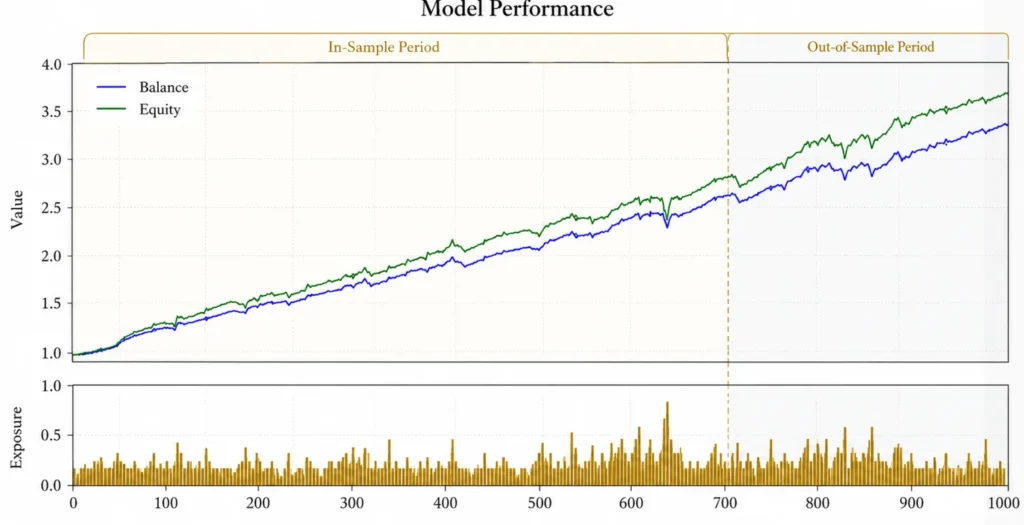
A backtest simulates a strategy using historical market data. It is useful for investigating behaviour, but it is not live trading evidence.
A useful report identifies:
- EA version and settings;
- broker, symbol and test dates;
- data model and quality;
- spread, commission and execution assumptions;
- starting balance and position-sizing method;
- trade count, losing periods and equity drawdown.
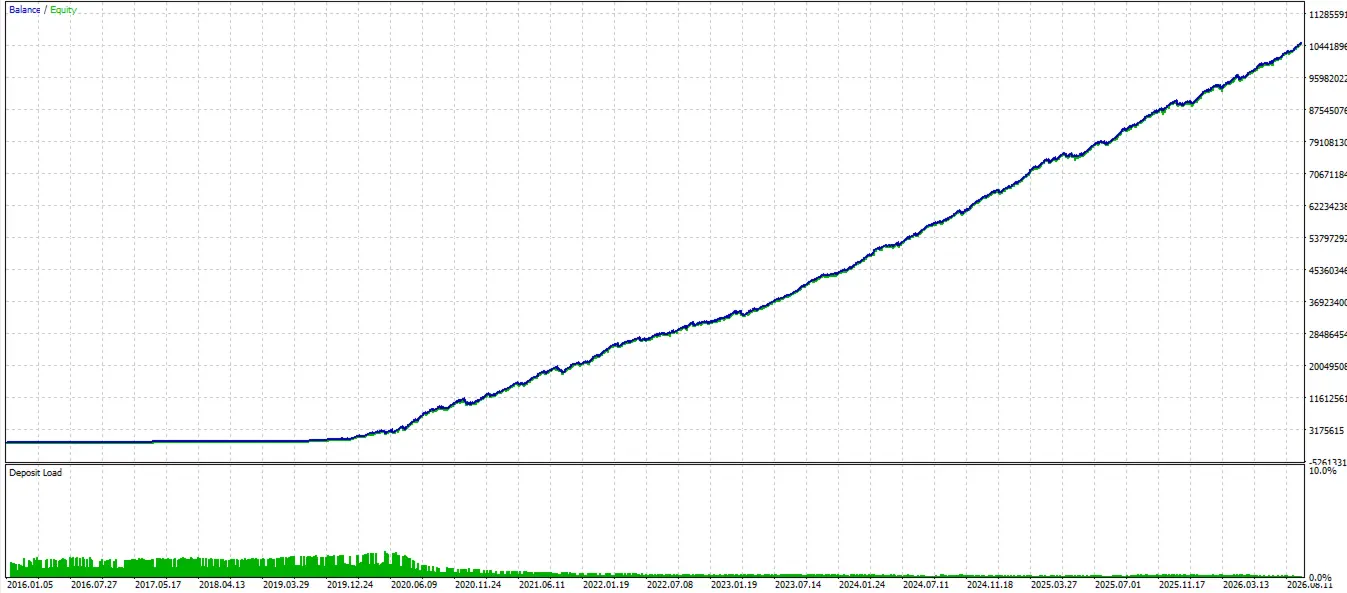
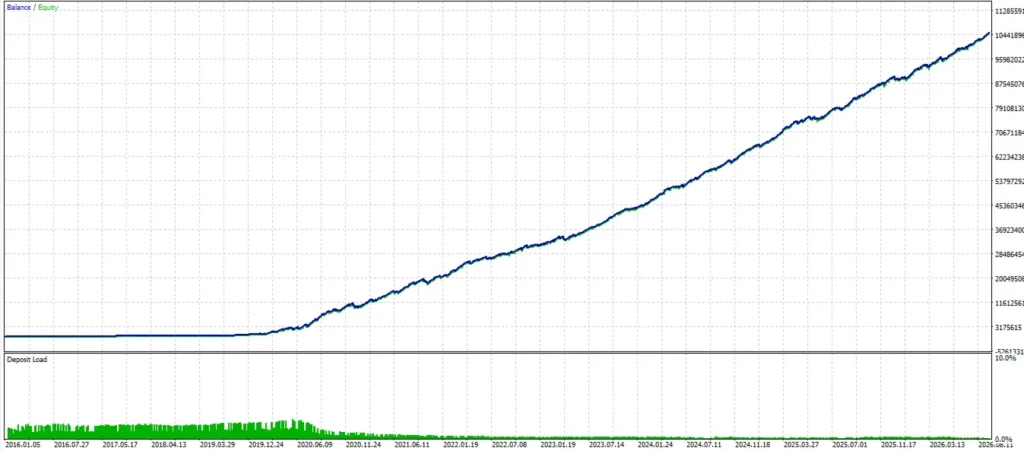
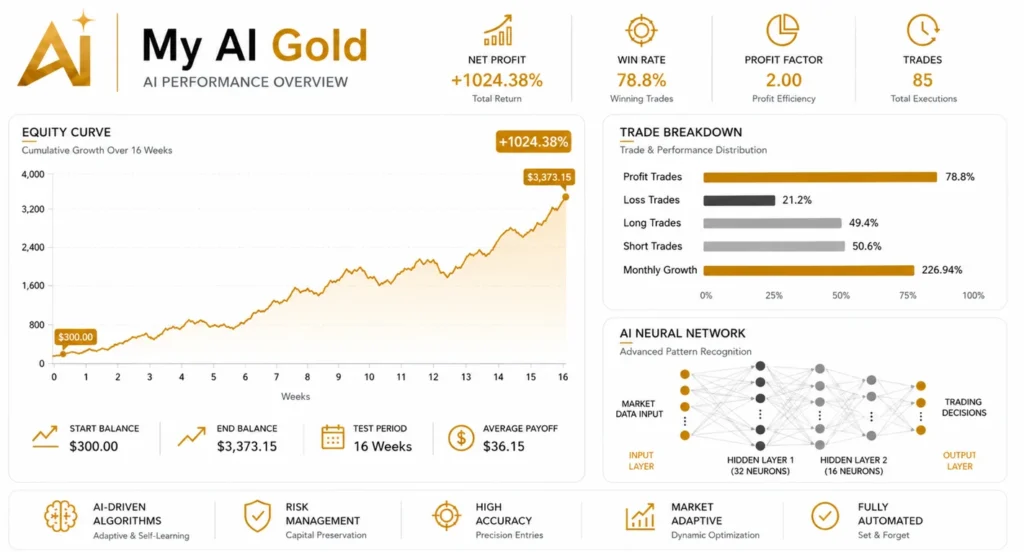
Check whether lot sizes increased as the simulated balance grew. A large compounded profit figure alone tells you little about whether the setup fits your account.
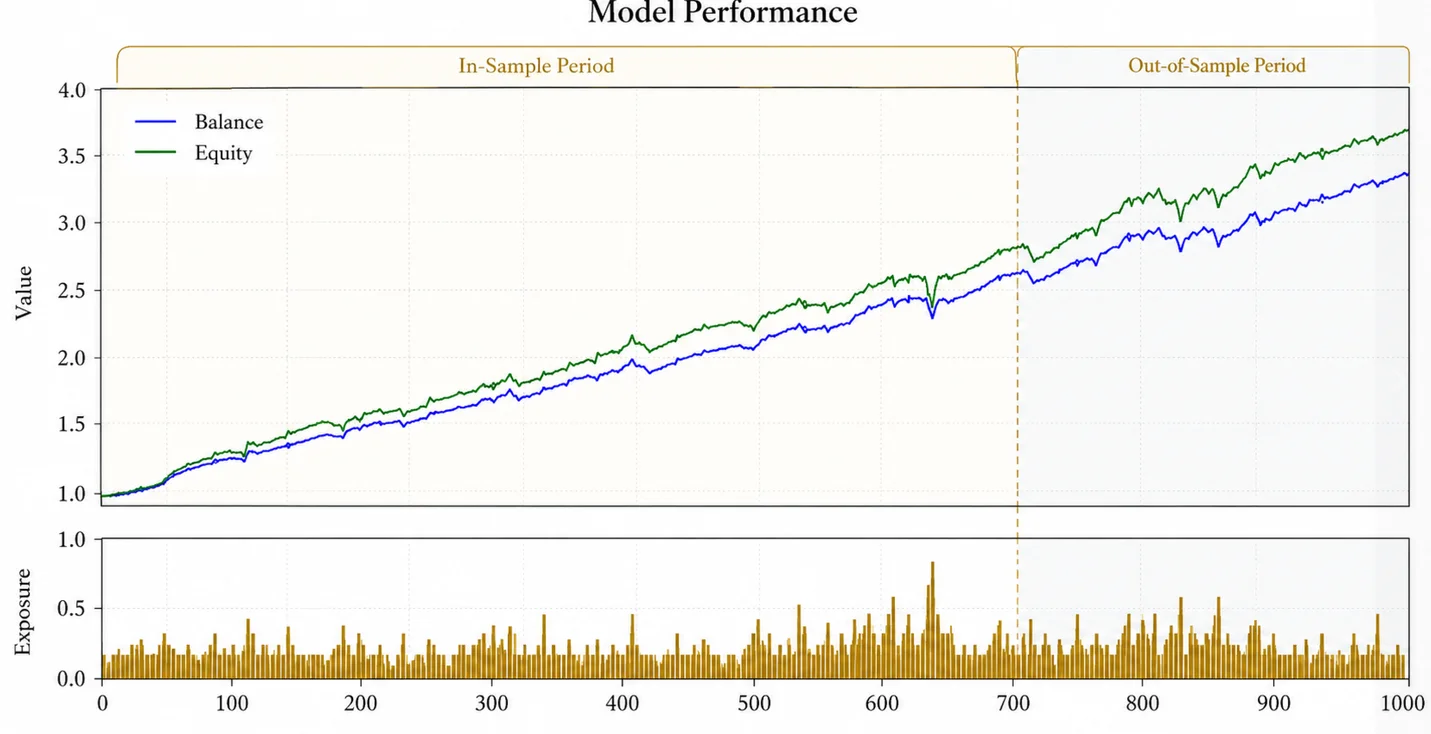
No independent ForexEAtools backtest is presented on this page.
Account size and trading risk
The publisher describes $1,000 as a normal-risk starting balance and $2,000 or more as a more conservative setup. It labels $500 or less as high risk and 200–300 as extremely aggressive.
These are the publisher’s labels, not a personal recommendation or a safety guarantee. Account balance alone does not determine exposure; settings and broker contract specifications matter.
Before live use, test your actual file and configuration. Inspect position sizes, open exposure and losing sequences. Stop Loss orders do not guarantee the exact execution price during fast markets or gaps.
What You Receive
| Purchase detail |
Included with this offer |
| EA file |
EX5 file for MetaTrader 5 |
| SET files |
Five preset files included |
| Installation manual |
Included |
| Permitted accounts or installations |
Unlimited |
| Expiry or subscription |
No expiry; one-time payment |
| DLL requirement |
No DLL required |
| Updates |
Lifetime updates |
| Delivery |
Digital delivery |
The publisher’s offer and this store’s package may have different terms. Do not assume that publisher activation limits, updates or support apply to your store purchase.
For delivery information, read
Delivery & Downloads. Check the
refund policy before ordering.
Included SET Files for My AI Gold EA MT5
This package includes five SET files. These presets let you load saved EA settings without entering each value manually.
| Included file |
Preset label and what to check |
| myai_agressive.set |
Aggressive profile. Check position sizes and total exposure carefully before testing. |
| myai_conservative.set |
Conservative profile. Review the actual settings to understand how it differs from the other presets. |
| myai_lowrisk.set |
Low-risk profile. Confirm that its trade sizes suit your account balance and broker’s Gold contract specifications. |
| myai_normalrisk.set |
Normal-risk profile. Check the configured exposure rather than assuming “normal” suits every account. |
| myai_prop(ftmo).set |
Preset labelled for FTMO use. Check its settings against your firm’s current automation and loss-limit rules. The filename does not establish approval or guarantee a challenge pass. |
Preset names describe their intended profiles; they do not confirm exact risk levels. Even a file labelled “low risk” can produce substantial losses if its settings do not suit your account.
Before using a preset
Confirm that the SET file matches your EA version. After loading it, review the lot size, risk controls and any trading limits available in the Inputs panel. Test the configuration on a demo account with your intended broker before considering live use.
For installation and SET-file loading instructions, follow our
MT5 Expert Advisor installation guide.
How to install My AI Gold on MT5
Follow the installation route supplied with your purchase. A Market purchase and a standalone licensed file may use different installation procedures.
For a package supplied as a standalone EX5 file:
- Open the MT5 terminal where you intend to test it.
- Select File → Open Data Folder.
- Place the EA in MQL5 → Experts, following any additional folder instructions.
- Refresh Navigator or restart MT5.
- Open the appropriate Gold chart and attach the EA.
- Load a supplied preset only if it matches your version and account setup.
- Review every input and enable algorithmic trading when ready for demo testing.
- Check the Experts and Journal tabs for errors.
See our
MT5 Expert Advisor installation guide for the full walkthrough and troubleshooting.
Do not enable extra permissions unless the documented package requires them.
Choosing settings
Use the manual and actual input panel supplied with your version. A preset labelled “low risk” still needs checking against your broker’s contract size, minimum lot and account balance.
Record the settings used in each test. Changing several inputs at once makes it difficult to understand why performance changed.
If you need a compatibility check,
contact ForexEAtools with your file version, MT5 build, account mode, symbol name and any error message.
Benefits and limitations
| Potential benefit |
Limitation to understand |
| Automated trade execution |
Connection problems and software errors can interrupt operation |
| Repeatable rules |
Rules can become ineffective as market conditions change |
| Less manual order entry |
Monitoring and risk decisions still remain with the user |
| Public account evidence |
Other accounts may use different platforms, versions and settings |
This page may help readers who understand leveraged trading and want to investigate an automated Gold tool. It does not establish suitability for someone who needs fixed income, guaranteed returns or guaranteed challenge completion.
Related Gold EAs
Comparing other products? Review
Mon Scalper MT5 and our
Gold Reaper EA MT5 review.
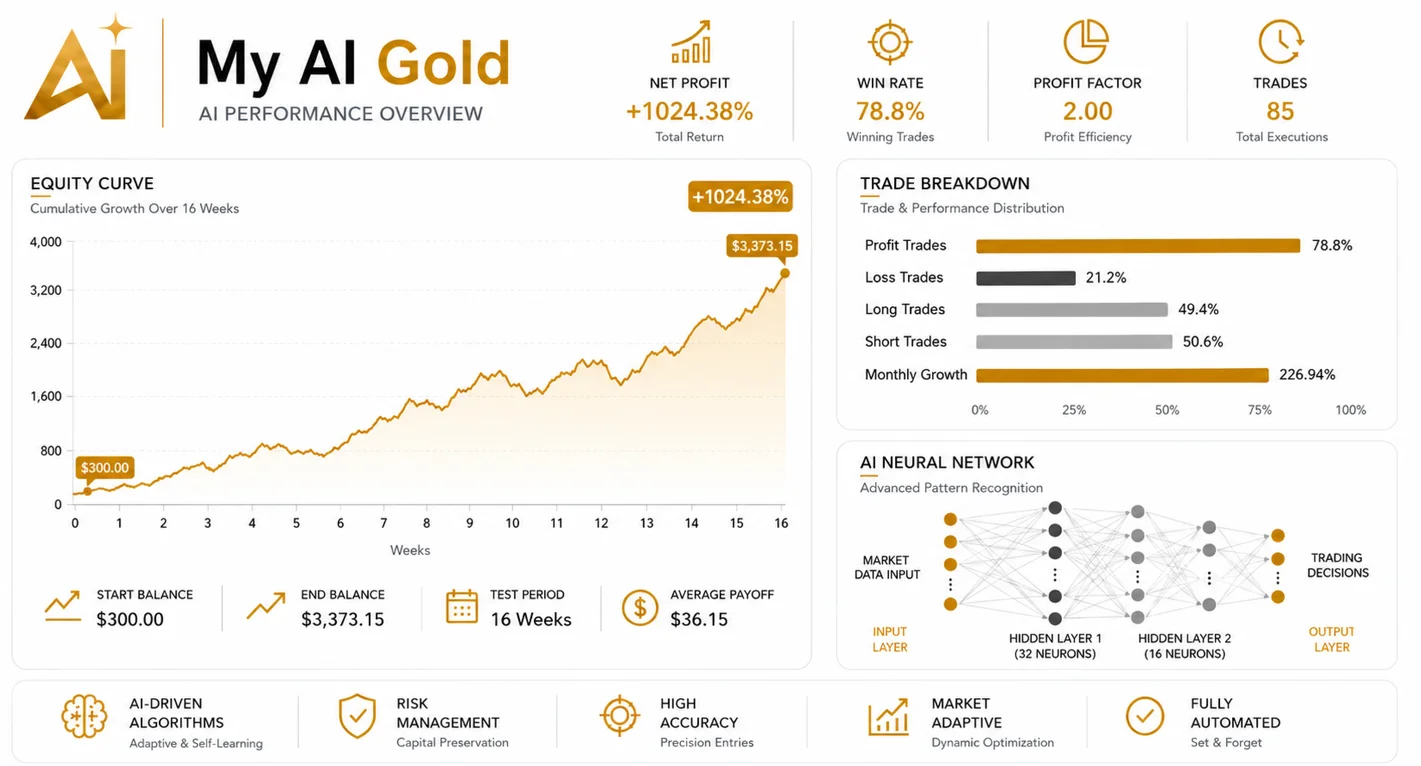
Compare the evidence period, drawdown, trading behaviour and package terms. Choose based on documented differences rather than the largest profit screenshot.
Frequently asked questions
Is My AI Gold guaranteed to make money?
No. Trading software can lose money. A winning account or backtest does not establish future income.
Does “AI” mean it can predict Gold prices accurately?
The name and developer description do not establish prediction accuracy. Judge the documented implementation and actual trading evidence.
Which version will I receive?
You will receive [confirmed supplied version]. Check the package table before ordering.
Are SET files included?
[Confirm whether presets are included and list their names.] Do not assume a preset seen on another store comes with this offer.
Can I use it with a prop-firm account?
Check your firm’s current rules and obtain clarification where needed. Automation permissions, daily-loss calculations and other restrictions can differ. This page does not claim firm approval or a guaranteed pass.
Do I need a VPS?
The EA needs a supported running environment while operating. A compatible VPS can help keep the terminal available, but does not improve the strategy’s predictive ability or guarantee profit.
What if it does not open trades?
Check trading permissions, connection, market availability and the Experts and Journal logs. A quiet period alone does not prove a fault. Follow the supplied-version documentation rather than changing risk settings to force activity.
Where can I ask a question before buying?
Use our
contact page to confirm compatibility, activation and package details.
Research and risk disclosure
This page reviews public product information and linked trading records. ForexEAtools has not independently installed, inspected the source code or forward-tested this EA for this page. Replace that statement only if documented testing has actually been completed.
Gold and leveraged trading involve substantial risk. Losses can exceed expectations, and past results do not guarantee future performance.