De Moore EA MT5 v2.36 is a Gold-trading Expert Advisor with published XAUUSD M5 setup guidance. Review the account requirements, version changes and public trading evidence before choosing it.
Check the recovery setting in your actual file and understand the combined risk of all open positions. Trading results are not guaranteed.
Pair, timeframe and account requirements
| Detail |
Developer-published requirement |
| Trading symbol |
XAUUSD / GOLD |
| Chart timeframe |
M5 |
| Account mode |
Hedging |
| Spread conditions |
Low spreads |
| Minimum deposit |
$500 |
Source:
original De Moore product page.
M5 means each candle represents five minutes. A hedging account can hold separate positions on the same symbol. Confirm the account mode with your broker before installing.
The deposit figure does not establish a safe balance for every trade size. Account requirements and acceptable loss are different questions.
What changed in v2.36?
The
official update history dates v2.36 to 21 September 2026 and lists a Recovery Order on/off option and single-trade mode.
The preceding v2.27 adjusted the closing algorithm; v2.18 changed trading time.
These short notes do not explain every detail of the recovery feature. Review the actual inputs and instructions before choosing a mode. Do not assume that recovery is off by default or that the option guarantees a losing trade will recover.
Understanding recovery and position risk
A setting called “recovery” should prompt practical questions: when can another order open, how is its size calculated, and how much can all open trades lose together?
The name alone does not prove martingale, grid trading or a particular lot multiplier. Those details need confirmation from the release instructions and observed behaviour.
A second position can increase total risk even if it is the same size as the first. For example, two trades each planned to risk $10 can expose approximately $20 before execution differences, if both lose.
A selected trading mode should be judged by its actual behaviour, not only its label.
De Moore results: what the public account shows
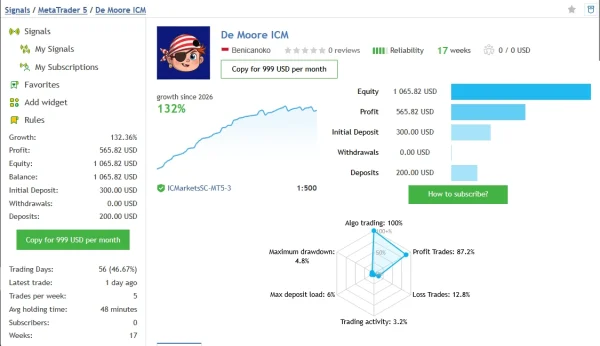
The developer links
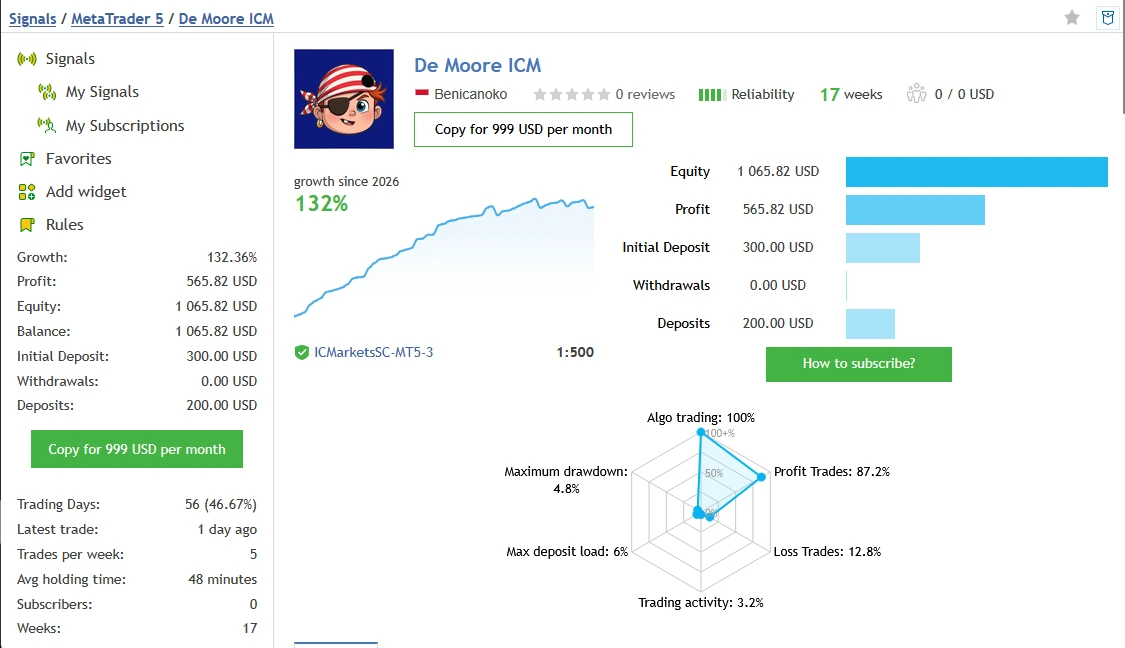
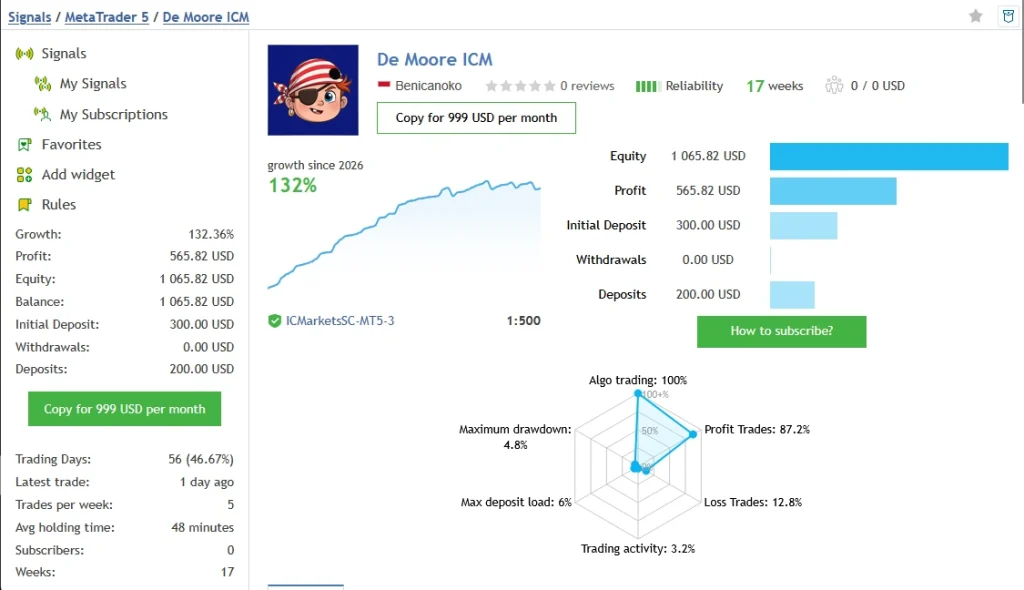
De Moore ICM on MQL5.
At the check on 21 October 2026, it displayed:
| Account metric |
Displayed value |
| Growth |
132.36% |
| Profit |
$565.82 |
| Initial deposit |
$300.00 |
| Additional deposits |
$200.00 |
| Withdrawals |
$0.00 |
| Balance and equity |
$1,065.82 |
| Trades / account history |
219 / 17 weeks |
| Relative drawdown by equity |
4.32% |
| Relative drawdown by balance |
4.81% |
These figures describe that public account at the time checked. They do not establish the settings or continuous use of v2.36 throughout its history.
Additional deposits are not trading profit. Likewise, platform growth percentages should not be treated as a simple profit-divided-by-starting-deposit calculation.
What these results cannot promise
Historical drawdown is not a maximum future loss. A short account history may not include the market conditions that cause a strategy its largest losses.
Check the current account page before relying on a saved screenshot. Compare open positions, costs, changes in trade size and the settings used. Your account may perform differently.
Buying the EA and subscribing to a trade-copying signal are separate services. A signal subscription should not be assumed to come with this product.
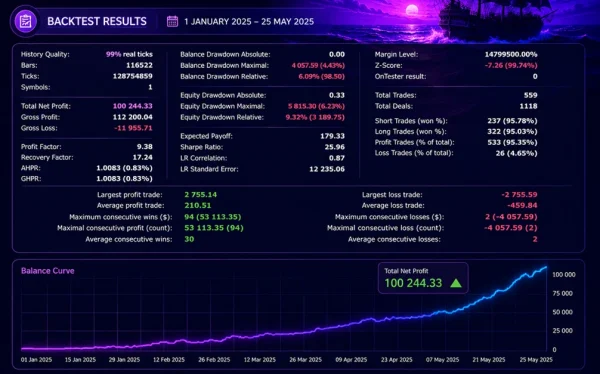
Why backtests can differ from live trading
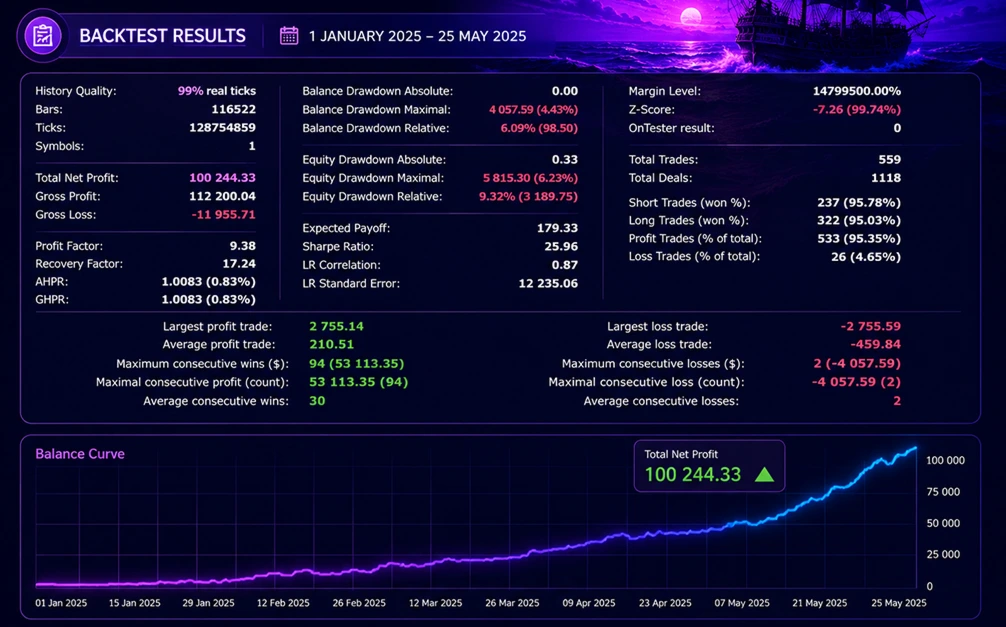
The developer states that the news filter is not applied during backtesting.
That means the test and live setup can allow different trades. Do not assume that a test with a news-filter input enabled reproduces live calendar filtering.
Other differences can include spreads, commission, order execution and the broker’s Gold contract. To compare two reports fairly, check the same version, settings, period and data assumptions.
An impressive historical curve is a reason to investigate the test, not a forecast of income.
Settings to review before trading
Use the instructions for the file you receive. Check:
- Trading mode and recovery option.
- Fixed-lot or automatic sizing behaviour.
- Total risk across simultaneous trades.
- Exit settings and what happens during connection loss.
- Spread limits and the units used.
- News-data availability and any required connection.
- Broker symbol naming and contract size.
Do not copy a lot size because it worked on another account. A broker’s minimum lot can prevent a small account from reaching its intended risk level.
If your package includes a preset, follow our
guide to loading a SET file in MT5. Review imported values before clicking OK. A SET file saves inputs; it does not activate the EA or establish a safe risk level.
Installation in MT5
For a separately supplied EX5 package:
- Extract the downloaded package.
- Open MT5 and select File → Open Data Folder.
- Place the EA in MQL5 → Experts, preserving any instructed folder structure.
- Refresh Navigator → Expert Advisors.
- Open the chart specified by the supplied instructions.
- Attach the EA and review its settings and permissions.
- Complete any required activation or external-data setup.
- Allow trading when ready and inspect Experts and Journal for errors.
Our illustrated
MT5 installation guide explains the platform steps. MQL5 Market purchases use the marketplace’s installation process.
Observe the intended configuration on demo before using real money. Keep the desktop terminal or suitable hosting connection running as required by the software.
Why is the EA not opening trades?
Start with the logs rather than immediately changing the risk setting.
Check the account connection, trading permissions, available margin, symbol, spread and any active filter or restriction. An attached EA may still be blocked from trading or waiting for its entry conditions.
For setup help, contact
Product Support with your order number, EA version and the exact error text. Never share your trading-account password.
Who should consider De Moore?
This EA may interest traders researching an automated Gold strategy who are willing to check settings and monitor performance.
It is unsuitable for anyone depending on guaranteed daily income or assuming that automation removes the possibility of losing capital.
Delivery, updates and support
Read the offer details beside the purchase button for the exact supplied files, activation, delivery and support coverage.
Our
Delivery & Downloads page explains general order access. Read the
refund policy before buying.
Frequently asked questions
Is De Moore v2.36 the same as v2.18?
They are different releases. Use the update history and instructions for your installed version rather than copying settings from an older listing.
Does a hedging account mean the strategy always hedges?
No. An account’s supported position mode does not establish how an EA chooses trades.
Is recovery trading always enabled?
The release notes identify an on/off option, but its default and detailed behaviour need checking in the actual file.
Is a SET file included?
Refer to the purchase package. Do not assume that a preset included by another seller is part of this offer.
Does low historical drawdown make the EA safe?
No. Historical results describe past conditions. Future losses can be larger.
Can I use a netting account?
Do not assume compatibility when the published requirement specifies hedging. Confirm support for your exact account mode before purchase.
Can it run inside the MT5 mobile app?
The mobile app does not run Expert Advisors. Use the desktop platform or a suitable hosting arrangement.
Are unlimited accounts or lifetime updates included?
Only if those terms are explicitly stated in this offer. Another shop’s terms do not apply automatically.
Does De Moore guarantee profit?
No. Gold and leveraged CFD trading can result in loss of capital. Public account records and backtests do not establish future returns.