Tradivo Magic EA MT5 V12 2.13 is an automated trading package supplied with SET files. Reseller descriptions focus on gold trading and basket management.
Review the preset instructions, account requirements and trading risks before use. A SET file saves input values; it does not guarantee suitable risk or profitable trades.
What is included?
| Purchase detail |
Included with this offer |
| Product |
Tradivo Magic EA MT5 |
| Supplied release |
V12 2.13 |
| Platform |
MetaTrader 5 |
| SET files |
Included |
A SET file contains saved settings. It does not install the robot, activate a licence or make the settings suitable for every account.
What is Tradivo Magic EA?
Tradivo Magic EA is sold as an automated MT5 trading robot, primarily for XAUUSD gold trading.
The
TopEAstore description describes trend filtering, counter-trend grid entries and management of several trades as a basket. These are reseller descriptions; they are not an independent inspection of the supplied program.
For a basket approach, the combined result of several positions matters. A basket can contain losing trades even when the system aims to close the group in profit.
Before live use, watch how the exact file and preset behave on a demo account. In particular, check whether it adds trades after the market moves against the first position.
Understand the risk before choosing a preset
Adding positions can increase exposure while a market keeps moving in one direction. A basket profit target does not remove the risk of a larger floating loss.
For example, a closed profit of $20 does not mean an account is ahead overall if its open positions are losing $150. That is why equity and open trades matter alongside the balance.
Check these together during testing:
- The total number and size of open positions.
- Open losses and the time baskets remain open.
- Free margin available for existing positions.
- How any loss-control setting works.
- Whether trade sizes increase during a losing sequence.
Do not assume a preset named “low risk” sets a guaranteed maximum loss. Read the values it actually loads.
Symbols, timeframe and starting balance
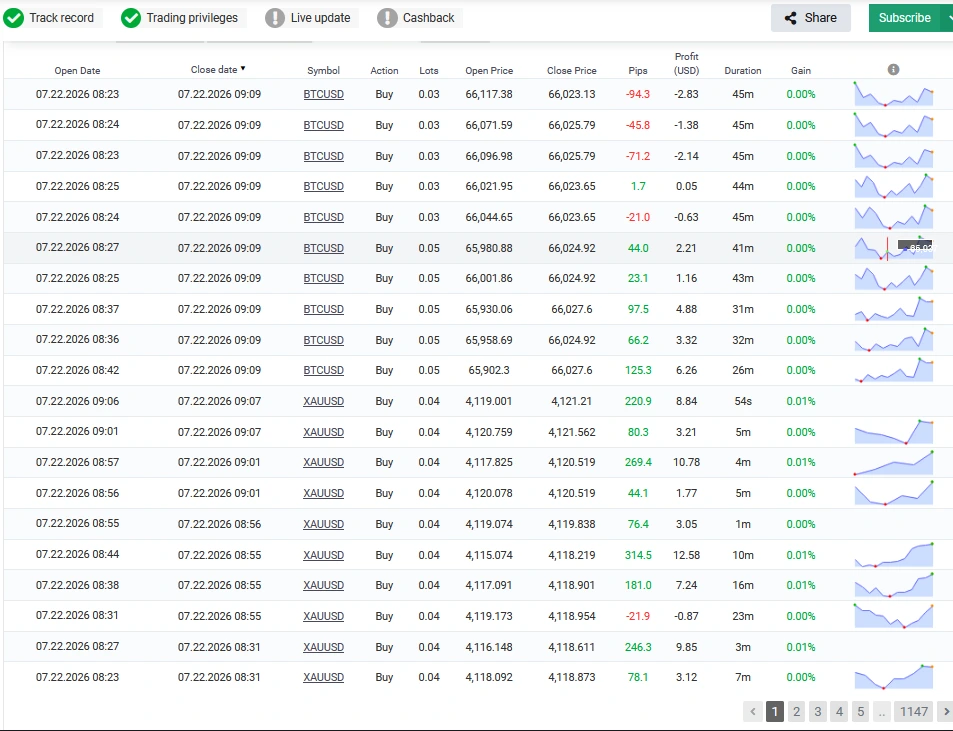
XAUUSD is the main instrument described across the reviewed reseller pages. Some listings also mention BTCUSD, but that does not establish Bitcoin support for every supplied preset.
Chart guidance is inconsistent. H1 in its overview and M1 in its feature list. Other sellers give different chart recommendations.
Use the instructions for your exact file and preset. Do not choose a timeframe simply because another seller lists it.
Several listings refer to $500, but this is not a verified universal minimum for every broker, account type or configuration. Minimum lot size, contract size, leverage and the number of open positions affect the capital needed.
A cent-account preset also needs special care. Check the account’s displayed currency and symbol specifications before copying trade-size settings from a different account.
V12 2.13: keep the release details clear
This offer is for
Tradivo Magic EA MT5 V12 2.13 with SET files.
The current
Tradivo website promotes a product named
Tradivo Profit Shield EA. Its current homepage should not be used as proof that Magic V12 2.13 has the same features, timeframe, account requirements or results.
Likewise, do not assume a listing labelled “V12.2” and a file labelled “V12 2.13” are identical. Match the EA version shown in MT5 with the settings you intend to load.
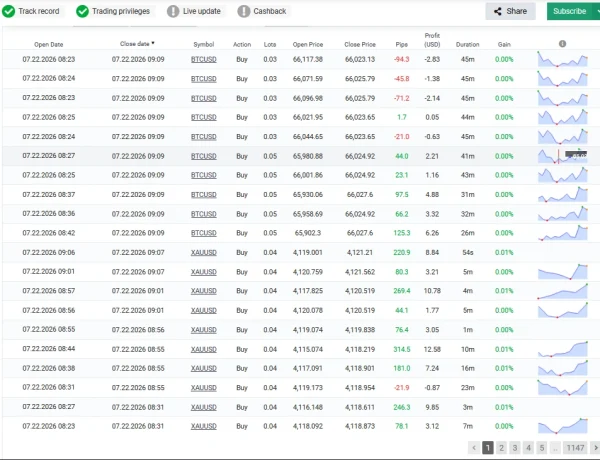
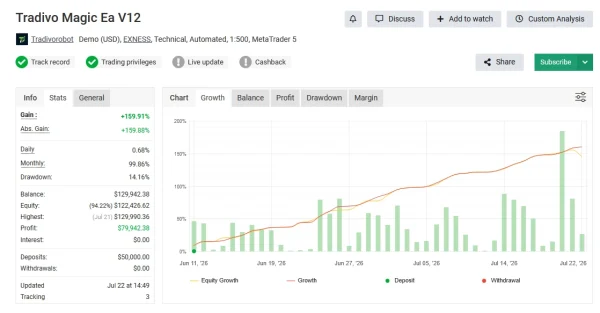
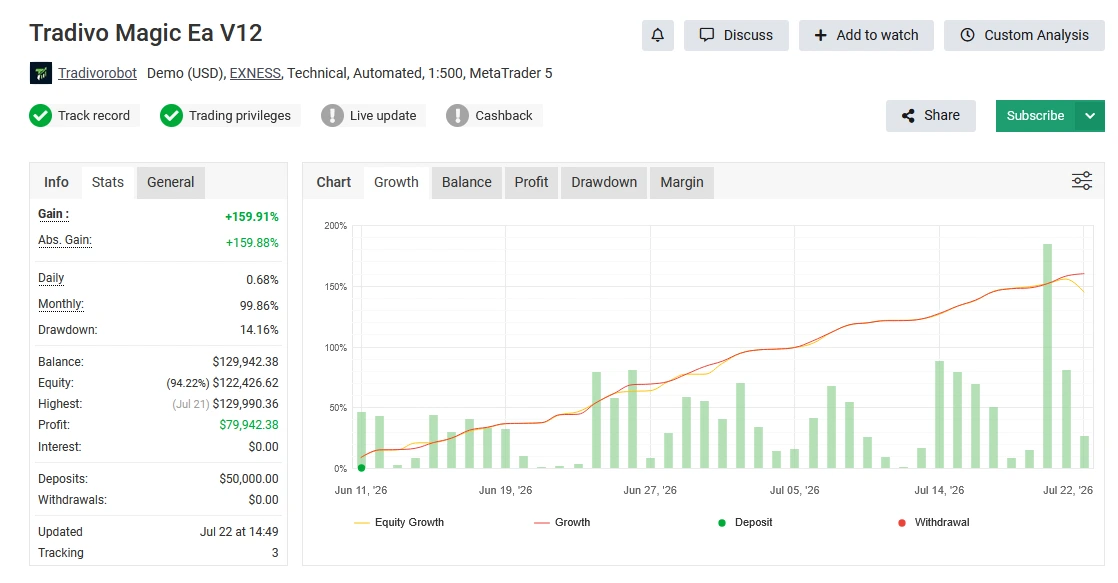
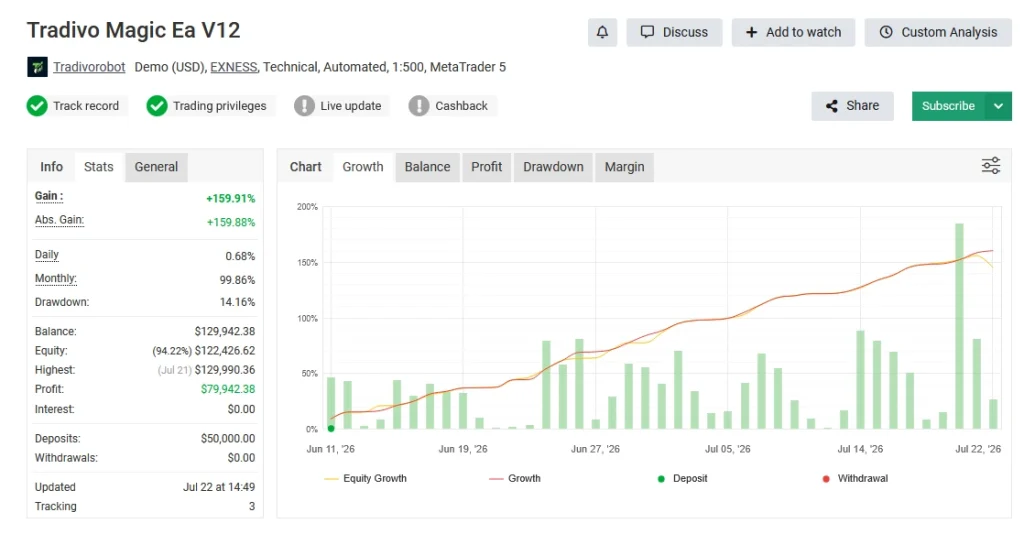
Public account reference: Tradivo Magic EA V12
Several sellers link to the
Tradivo Magic EA V12 account on Myfxbook.
Use that page to inspect the account’s current status, history and available verification labels. We could not retrieve its current statistics during this review, so we are not quoting a current return or drawdown figure.
Before comparing its results with your own setup, check:
- Whether the account is demo or real.
- The broker, account currency and leverage.
- The last update and length of the trading history.
- Open positions and equity drawdowns.
- Deposits, withdrawals and any changes in trade size.
- Whether the exact release and preset are identified.
An account name containing “V12” does not prove that every trade came from version 2.13. Past account results also do not guarantee the results of a new installation.
How to install Tradivo Magic EA in MT5
- Open your MT5 desktop terminal.
- Select File → Open Data Folder.
- Open MQL5 → Experts and copy the supplied EA program there.
- Refresh Navigator → Expert Advisors, or restart MT5.
- Open the chart specified in your matching setup instructions.
- Attach the EA and review its settings.
- Load the relevant SET file and inspect the imported values.
- Enable trading on a demo account when the configuration is ready.
- Check the Experts and Journal tabs for errors.
Our
MT5 EA installation guide explains each stage.
Enable optional permissions only when the instructions for your supplied file require them. A generic installation example from another store may not describe your package.
How to load the included SET files
Open the EA’s properties, select
Inputs, click
Load and choose the matching SET file.
Before applying it, check the lot size, symbol-related values and any available limits. Keep an unchanged backup so you can compare your changes later.
Follow our
step-by-step SET file guide for MT5 if this is your first time loading a preset.
Changing a preset while trades are open may affect their management. Check the release instructions before doing so.
Delivery, updates and support
See our
Delivery & Downloads page for order-access instructions. After payment and any required review, check your account downloads and checkout email, including the spam folder.
For installation help, contact
Product Support with your order number, product version, MT5 build, preset filename and the exact error message. Remove private account details from screenshots and never share your trading password.
Check the purchase terms for this offer’s activation requirements and update coverage.
Refund policy
Read our
Refund Policy before buying.
A reproducible technical problem is different from a trading loss. A robot can run correctly and still lose money. Refund requests are assessed under the policy and applicable legal rights.
Frequently asked questions
Does this package include SET files?
Yes. SET files are included with the V12 2.13 offer. Load a preset intended for the supplied release and review the values before use.
Can I use this MT5 package on MT4?
No. MT4 and MT5 use different EA programs. Use this package with MetaTrader 5.
Can I run it on gold and Bitcoin?
The reviewed descriptions focus on XAUUSD, and some also list BTCUSD. Use an instrument only when your supplied file and matching preset instructions support it.
Is this a no-grid EA?
Published descriptions conflict. Some sellers describe grid and basket trading, while another says no grid. We cannot confirm a no-grid claim for this release from an independent program inspection. Check its trade behaviour before live use.
What is the best SET file?
Choose a compatible preset for your account conditions and test it. A filename or past profit screenshot is not enough to establish which configuration suits an account.
Does it need a VPS?
An EA needs a running, connected MT5 terminal to manage trades. A suitable VPS can help with continuity, but it does not improve a strategy’s underlying profitability or prevent losses.
Will it make the same profit as the Myfxbook account?
There is no guarantee. Version, preset, broker conditions, execution costs and the date you start can all change the outcome.
Trading risk: Automated trading can cause substantial losses. Grid or recovery behaviour, if used by your configuration, can increase exposure during adverse moves. Demo results do not guarantee live results.