What is Smart Golden Portfolio MT5?
Smart Golden Portfolio is an Expert Advisor for Gold trading. It follows programmed entry and exit rules, with options for controlling trade size and exposure.
The exact entry formula is not fully disclosed. Avoid choosing the software only because its name contains “Portfolio”: running several Gold robots can still concentrate your account in one market.
Pair, timeframe and account requirements
| Setup item |
Published guidance |
| Platform |
MetaTrader 5 desktop |
| Intended market |
XAUUSD, including broker prefixes or suffixes |
| Strategy timeframe |
M30 by default, selected inside the EA |
| Visible chart period |
Does not override the strategy timeframe selected in Inputs |
| Starting balance reference |
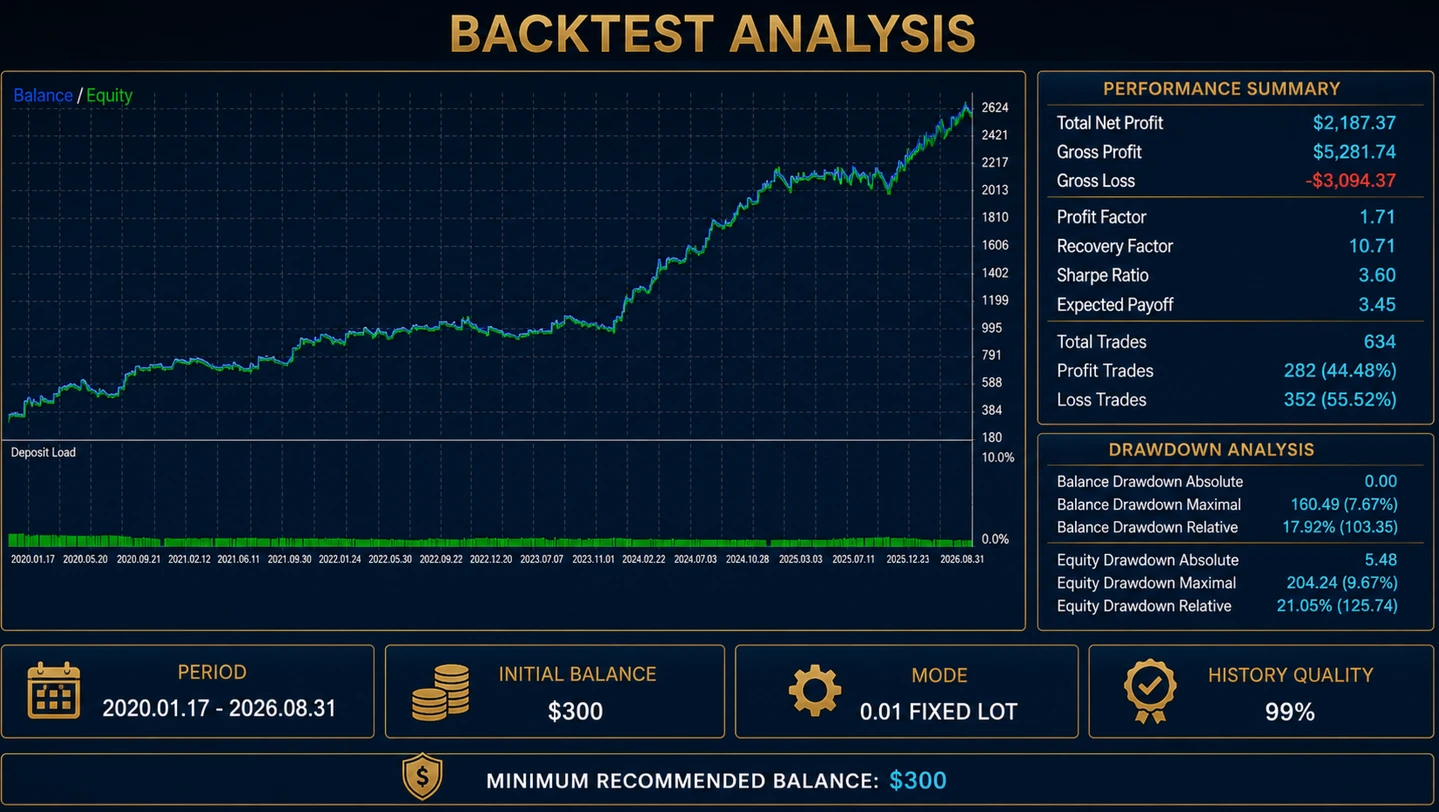
$300 advised by the developer |
| SET file |
Not required for the standard configuration |
| Account categories described |
Standard, Raw/ECN and cent accounts |
| Account mode and terminal build |
Confirm compatibility for your supplied file |
| Leverage |
Check margin requirements with your broker; no universal requirement established here |
The balance reference is not a guarantee that any lot size will fit a $300 account. Check the broker’s gold contract size, minimum volume and margin.
For example, 0.01 lot can have different money exposure where contract specifications differ. A balance displayed in cents also needs to be read in the correct currency unit.
Keep MT5 connected while it needs to manage positions. A VPS can help with uptime, but cannot prevent trading losses.
Trading approach and exposure
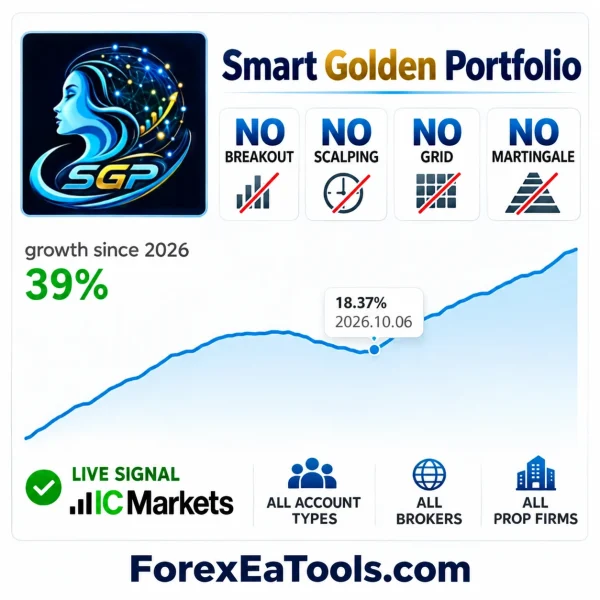
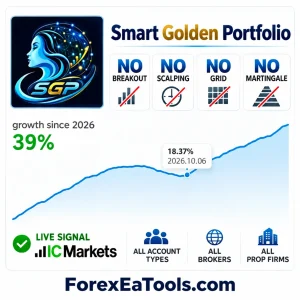
The developer states that the EA does not use grid, martingale, averaging or recovery trading. It also distinguishes this approach from scalping and breakout-dependent systems.
That describes the intended method, not proof of low risk. Stop distances, volume and the number of positions still determine exposure.
What should I check in Inputs?
Review the sizing method first. Fixed lots, lots per balance and percentage-risk sizing are different methods. Confirm which is active before interpreting any number displayed beside an inactive option.
Next, check BUY/SELL permissions and whether a second position is allowed. An additional order can increase combined risk even when it is not a recovery trade.
The EA also has internal exits, so a trade may close before reaching its visible stop or target. A printed target-to-stop ratio alone does not establish the average outcome.
Review protection settings before enabling trading
The EAStorely configuration description identifies optional daily loss, drawdown and equity controls. It also says an optional daily close-all action can affect other positions in the same account. Check that scope in your own build before combining this EA with manual trades or other robots.
It describes the USD-news pause as off by default. A feature being present does not mean it is enabled. Confirm active settings, rather than assuming every protection is working.
Our guide to
drawdown in forex trading explains why floating losses matter alongside closed profits.
Public trading results — MQL5 and Myfxbook
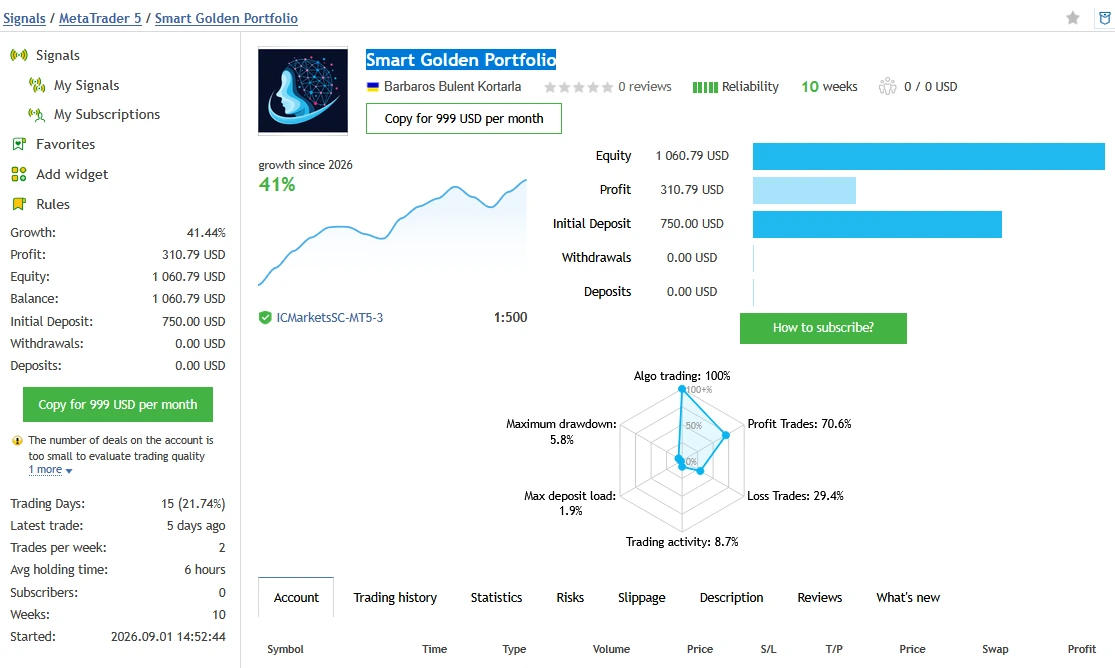
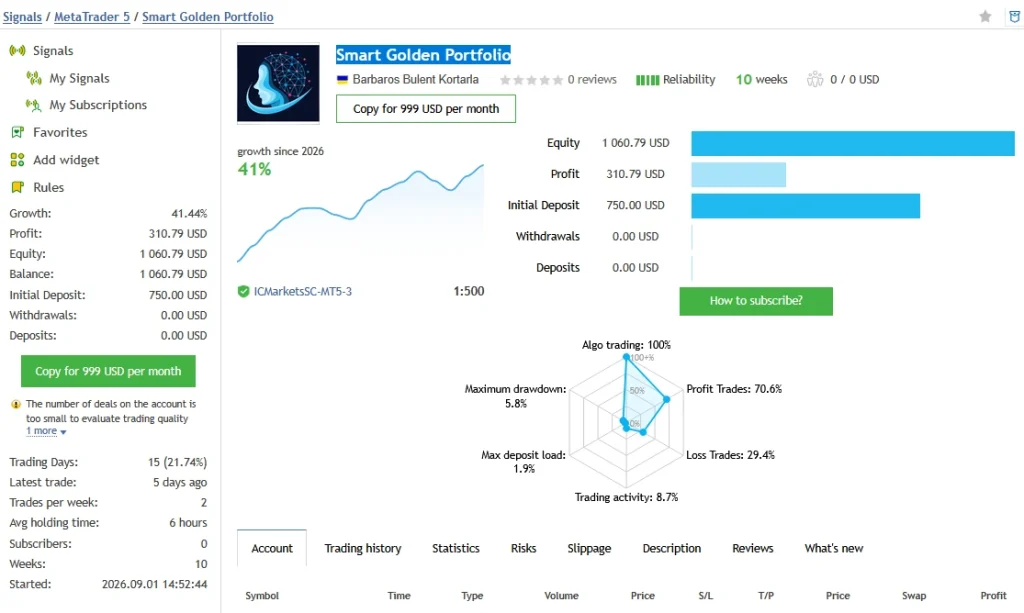
Smart Golden Portfolio live signal on MQL5
Review the
Smart Golden Portfolio live signal before buying.
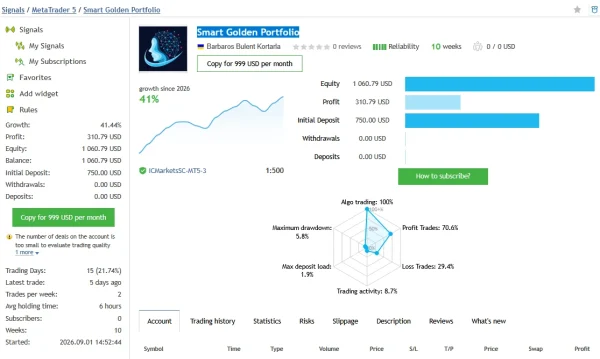
Figures rechecked on 23 November 2026 are a snapshot and can change.
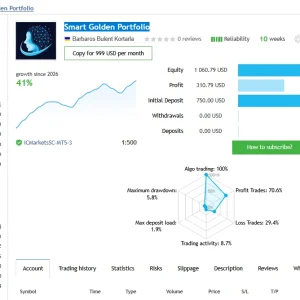
The page displayed
41.44% growth,
$310.79 profit, and
$1,060.79 balance and equity, from a
$750 initial deposit. No additional deposits or withdrawals were shown.
Relative drawdown was
5.81% by balance and
2.88% by equity. These are separate MQL5 measures; keep their labels when comparing accounts.
The record contained
17 trades: 12 winners and five losers, a
70.58% winning-trade rate, and a
4.27 profit factor. It displayed
10 weeks of history on
ICMarketsSC-MT5-3, with
1:500 leverage and an average holding time of
six hours.
What matters before buying: MQL5 still warned that the trade sample was too small to evaluate trading quality and flagged low recent activity. Seventeen trades cannot establish a dependable long-term win rate or future loss limit.
This developer-linked signal and the Myfxbook record below are separate accounts. Do not combine their results or assume they use identical settings. Buying the EA is separate from subscribing to copy trades.
Additional Myfxbook record supplied for review
You can also open the
Smart Golden Portfolio MT5 account listed under ForexEALab on Myfxbook.
Its current statistics and verification badges could not be checked during this review. We therefore do not quote a gain, drawdown, account type or verification status for it, or describe it as the developer’s account.
Before relying on that record, check its update date, account type, open trades, equity and verification status. Our guide on
how to read Myfxbook results before buying an EA walks through those checks.
Past performance does not guarantee future results.
Backtests: what to check before relying on them
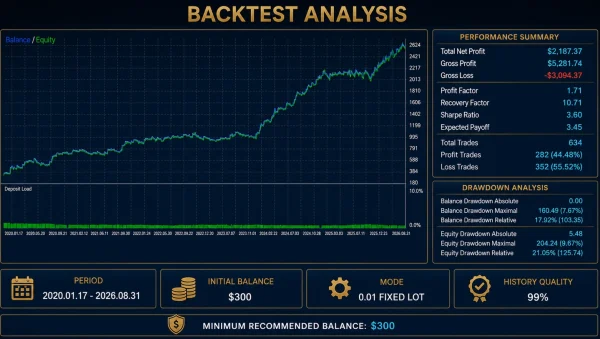
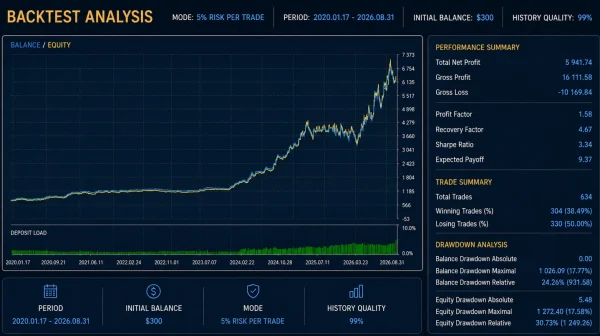
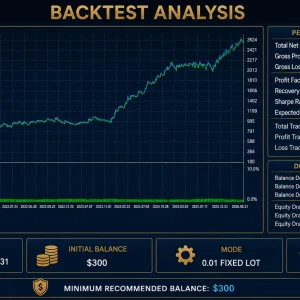
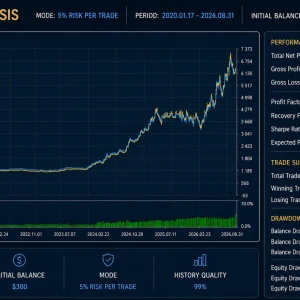
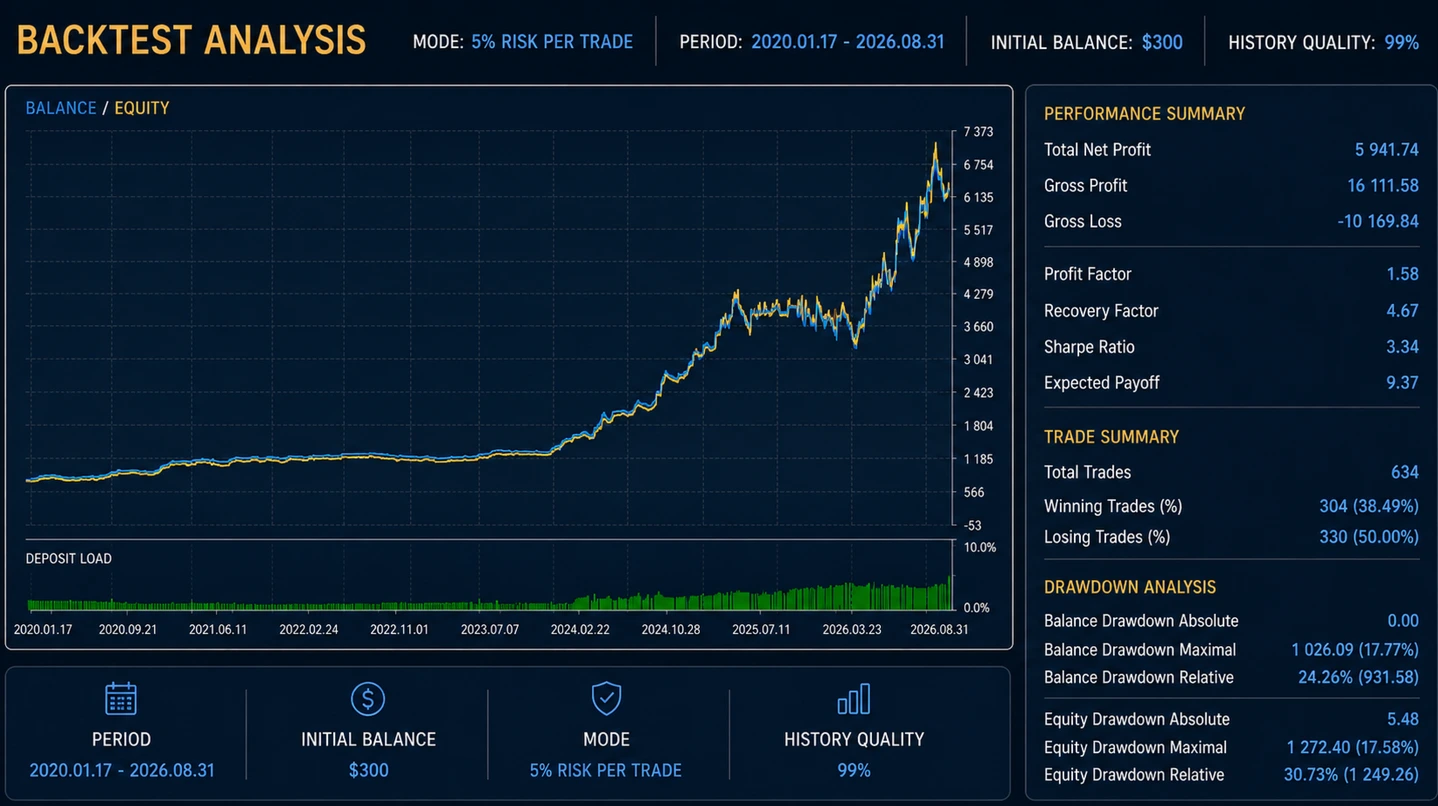
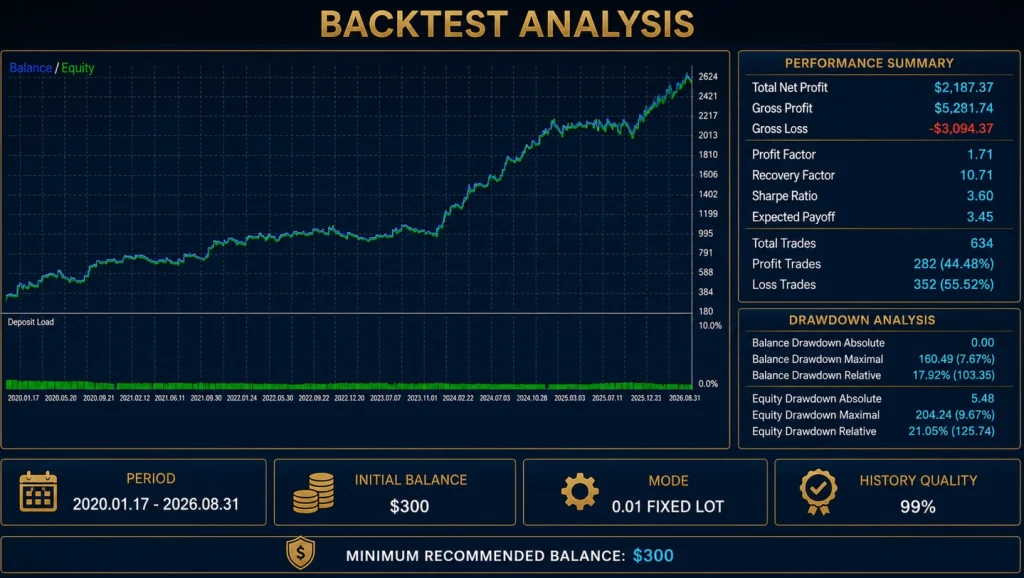
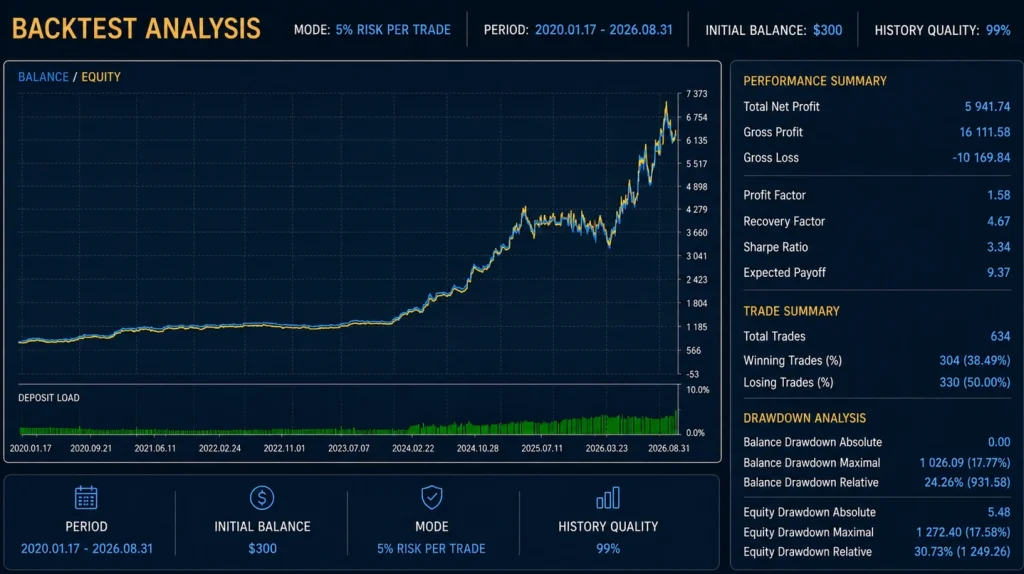
A historical report needs the exact version, settings, test dates, starting capital and trading costs to be useful. A screenshot of a rising curve cannot establish those conditions.
Compare equity drawdown, losing sequences and total exposure as well as final profit. A test with higher risk is not automatically a better configuration because its profit is larger.
ForexEaTools has not independently reproduced the historical tests for this draft. Do not treat claims of unchanged logic or close live/backtest matching as an independent audit.
How to install Smart Golden Portfolio in MT5
- Check the downloaded files against the purchase table and extract any ZIP.
- Follow our MT5 Expert Advisor installation guide for your delivery format.
- Open your broker’s Gold chart and attach the EA.
- Check the strategy timeframe in Inputs, symbol mapping, position sizing, permissions and protection settings.
- If a matching preset is supplied, load the SET file in MT5 and review the imported values.
- Enable trading for a demo test and inspect Experts and Journal for errors.
Observe losses and exits as well as winning trades. Keep a record of the settings and broker conditions used. Quiet periods do not justify increasing risk to force more activity.
Is it suitable for your account?
Consider it only if you understand the selected configuration and can accept losing trades. Its name, automated operation and protection options do not establish a dependable income.
If you are comparing products, our guide to
choosing a forex Expert Advisor helps you assess evidence, practical requirements and purchase terms.
Delivery, updates and support
Read your purchase table for delivery and update coverage. Our
Delivery & Downloads page explains general order-access procedures.
For setup help, contact
Product Support with your order number, EA version, MT5 build, broker symbol and exact error message. Hide private details and never share your trading password.
Read the
Refund Policy before buying. Setup assistance is not a promise of profitable trading.
Frequently asked questions
Is this the same as Smart Gold EA MT4?
Do not treat them as the same product. This offer is Smart Golden Portfolio for MT5. Similar names do not establish matching files, strategy or results.
Which version will I receive?
The version confirmed in the purchase table defines this offer. A version shown on another website does not establish what ForexEaTools supplies.
Which chart timeframe should I choose?
Check the setup table and the strategy timeframe inside Inputs. Changing the visible chart period does not necessarily change the EA’s analysis.
Are SET files included?
Only files named in the purchase table are included. A separate preset is different from built-in defaults.
Does it trade every day?
Do not expect a fixed daily trade count. Check permissions, connection and error logs if it remains inactive, then consider whether its entry conditions have occurred.
Can I use it on a funded account?
Check the firm’s current rules on third-party EAs, position limits and daily loss calculations. Software controls do not establish approval or guarantee a pass.
Can I run it from the MT5 phone app?
The mobile app does not host desktop EAs. Run the trading terminal on a suitable computer or VPS.
Will my results match the public account?
That is not guaranteed. Costs, contract specifications, execution, settings and software versions can differ.