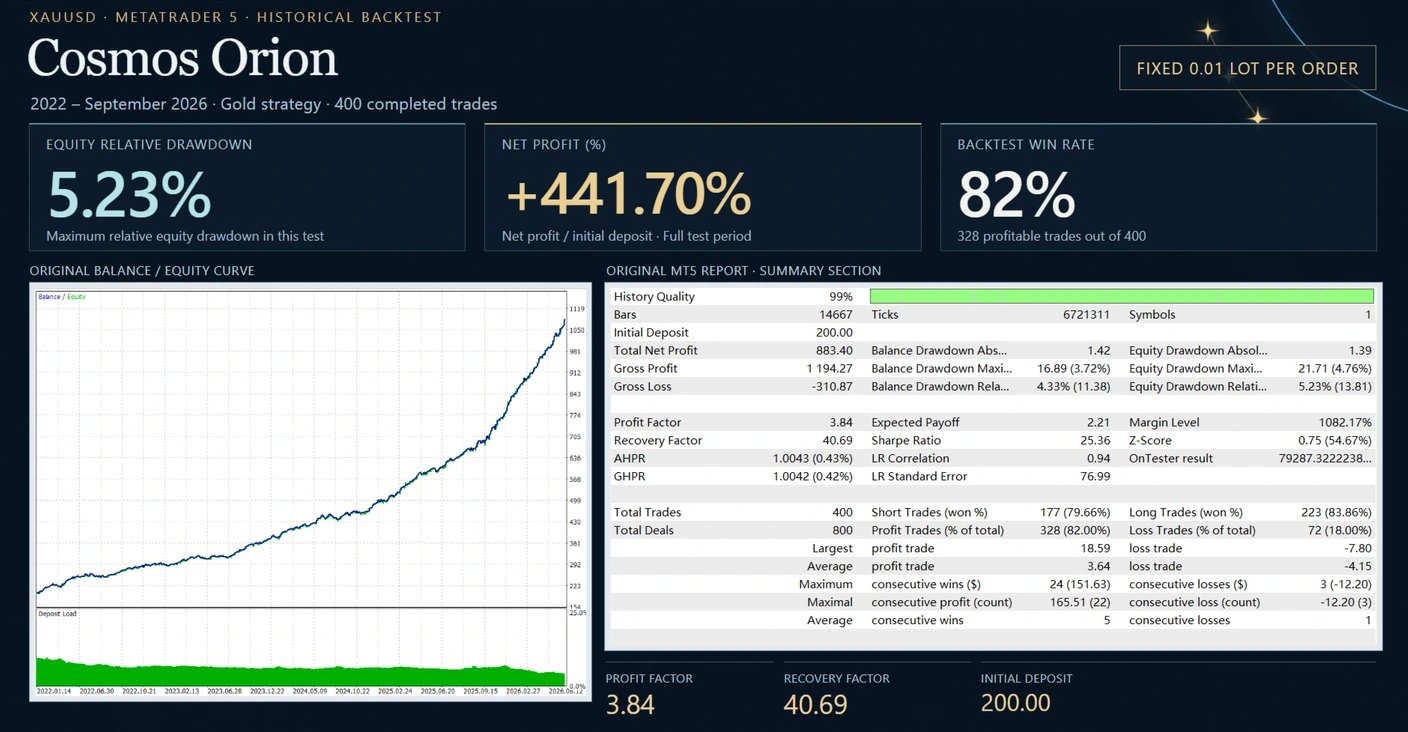
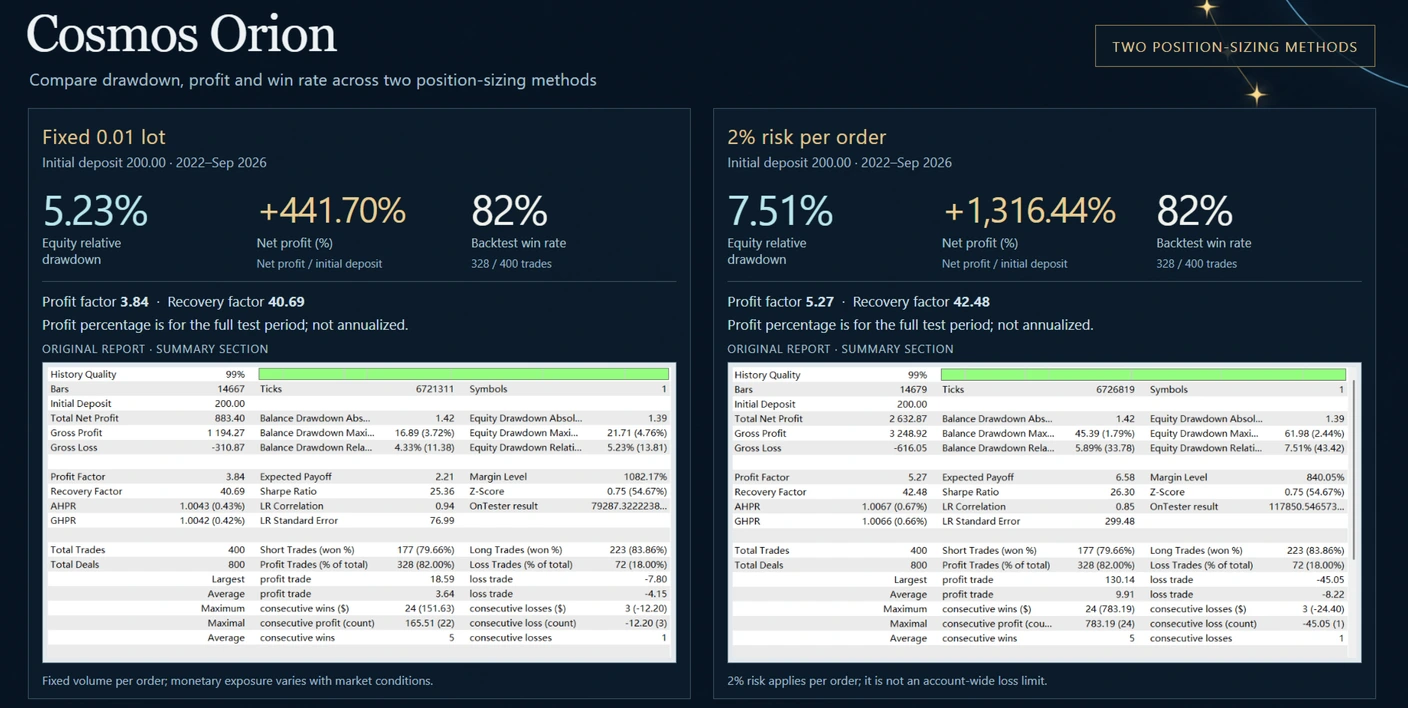
Cosmos Orion v2.1 MT5 is a Gold breakout EA that uses confirmed three-point structures from H2 candles. It prepares pending orders and manages trades with stop-loss, take-profit and adjustable exit settings.
A hedging account is required. Check your broker, position sizing and package details before buying. A breakout can still reverse and result in a loss.
| Detail |
Developer-published guidance |
| Platform |
MetaTrader 5 |
| Market |
XAUUSD / GOLD; supported suffixes are described in the documentation |
| Signal timeframe |
H2, calculated internally |
| Account mode |
Hedging required; netting unsupported |
| Installation scope |
One chart only |
| Recommended minimum deposit |
$200 |
| Broker conditions |
Low-spread ECN / Raw account recommended |
| VPS |
Recommended for continuous operation |
The
official Cosmos Orion listing showed version 2.1 when checked. These are published requirements, not an independent compatibility test of your account or the supplied file.
How does Cosmos Orion work?
The published approach uses three confirmed swing points from completed H2 candles. Once its conditions are met, the EA can place a Buy Stop or Sell Stop near the relevant level. An expired or invalid setup can have its pending order removed.
In simple terms, it waits for a pattern and then a price trigger. Using completed candles avoids making that pattern decision from an unfinished candle, but it does not guarantee that the following breakout will succeed.
A trade may open as price crosses the selected level and then lose if price reverses. Spread and execution differences can also affect the outcome.
H2 signals and chart timeframe: what is the difference?
H2 means two-hour candles. The developer says the EA calculates its signals from H2 data internally, so changing the viewing chart timeframe does not change that signal logic.
For a clear initial setup, use a Gold H2 chart unless the matching manual says otherwise. Attach one instance while testing. Do not add extra charts simply to make it trade more often.
The account mode is a separate requirement. An ECN or Raw account label does not establish that it uses hedging rather than netting. Confirm that setting with your broker.
Understand the risk settings
Published descriptions list L1–L5 sizing choices, corresponding to 1%–5% intended risk per order, along with fixed-lot and custom-percentage modes. Check the available inputs in your actual v2.1 package.
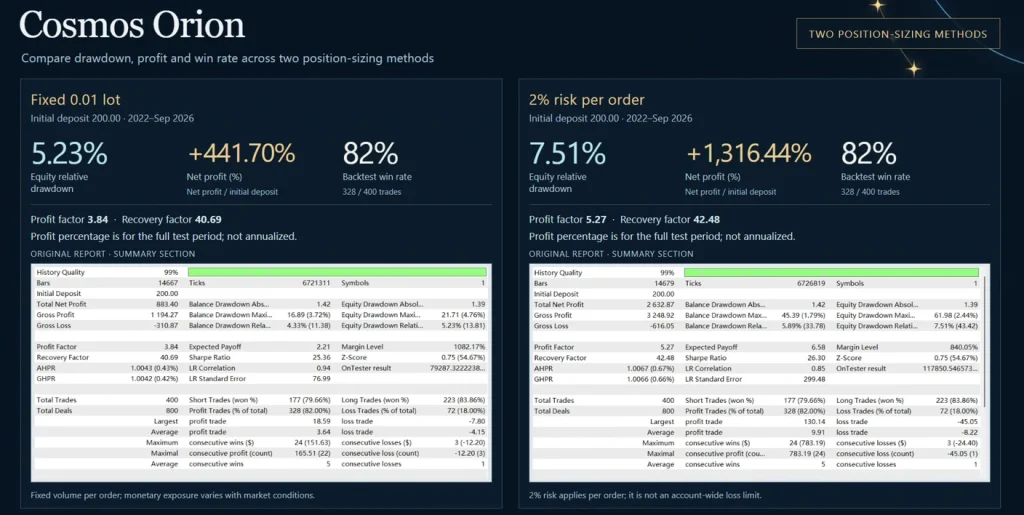
Per-order risk is not the same as the maximum loss of the whole account. Repeated losing trades can create a much larger drawdown, and actual fills may differ from planned prices.
For illustration, 1% of $1,000 is $10, while 5% is $50. Five consecutive losses at 5% of the remaining balance reduce $1,000 to about $774 before extra execution costs—a loss of roughly 22.6%. This example is not a forecast of Cosmos Orion’s results.
Is $200 enough to run it?
The developer recommends a $200 minimum, but also warns that minimum lot size can make actual exposure higher than the selected percentage on small accounts.
Check the calculated trade size and expected money loss at the stop on your broker. If the smallest permitted volume exceeds your risk budget, a smaller percentage input alone may not solve the problem.
A stated minimum deposit is a setup guideline, not a safe-account threshold.
Trade management and weekend behaviour
Published descriptions include hard stop-loss and take-profit levels, break-even management, trailing stops and partial profit-taking. These controls change how a trade is managed; they do not remove the possibility of losses.
The weekend guard removes unfilled pending orders before Friday close. It should not be interpreted as a promise that every open position closes before the weekend: the developer says existing positions remain managed.
Similarly, pausing new entries after two consecutive wins does not guarantee that the account cannot lose money later. Entry filters and pauses need to be understood according to what they actually control.
Broker time and entry filters
The published feature set includes broker-time detection, a manual fallback and filters for spread, volatility, margin and selected macroeconomic windows.
Check the status panel and logs after installation. If automatic time detection fails, use the documented manual configuration rather than guessing an offset. A filter blocking new entries does not necessarily close existing positions or eliminate news-related risk.
Public trading evidence: check which EA the account uses
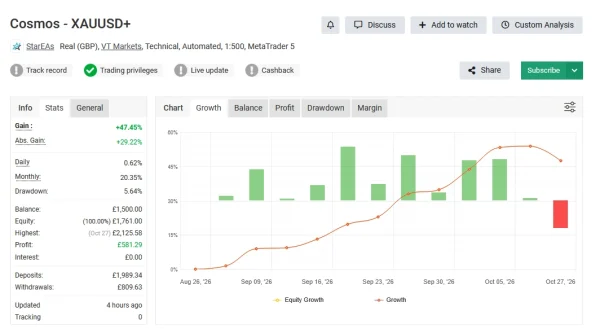
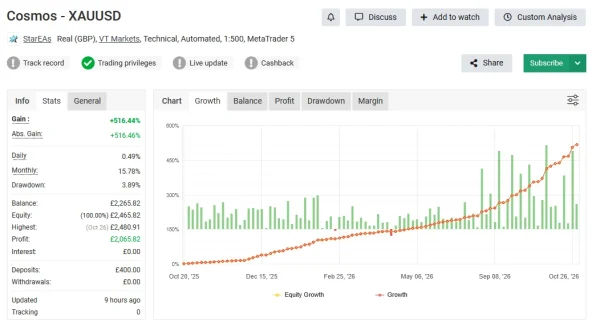
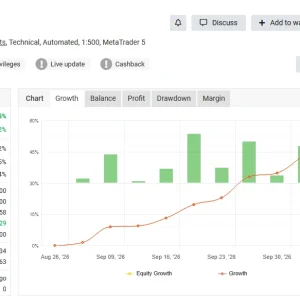
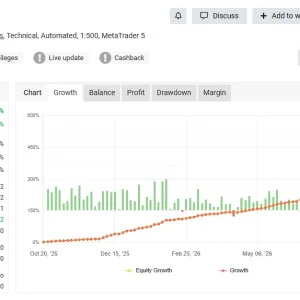
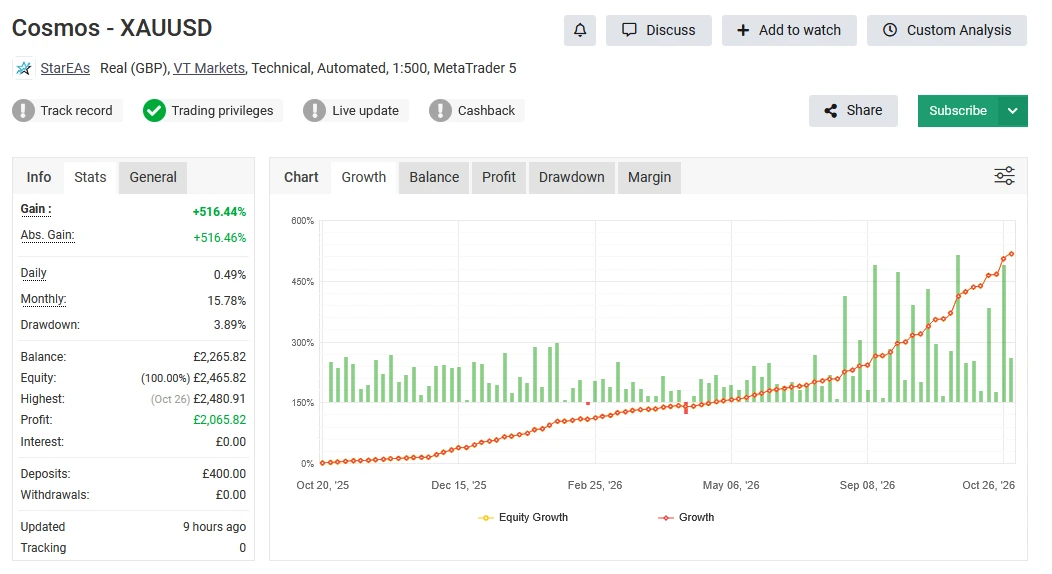
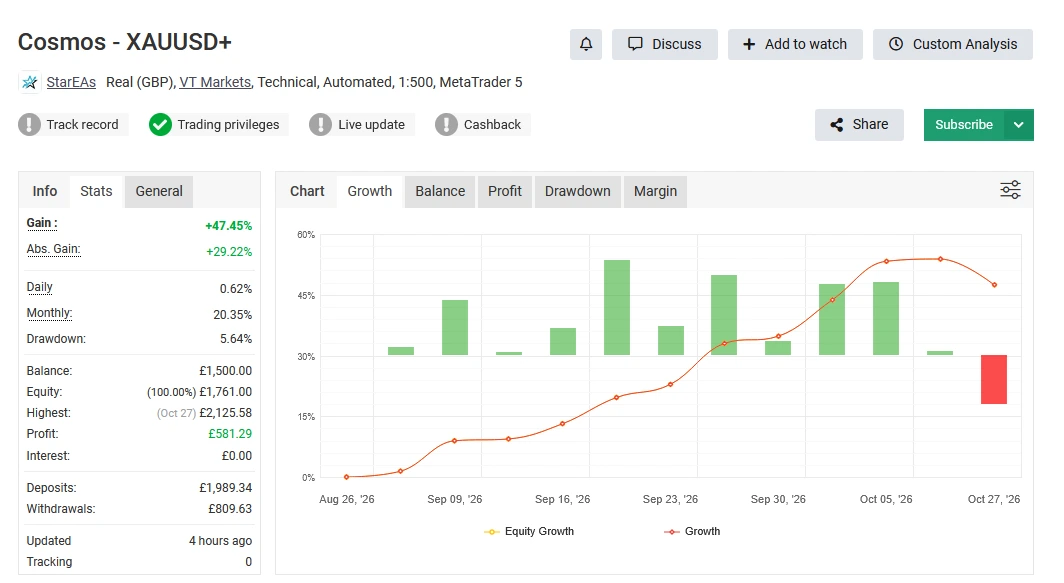
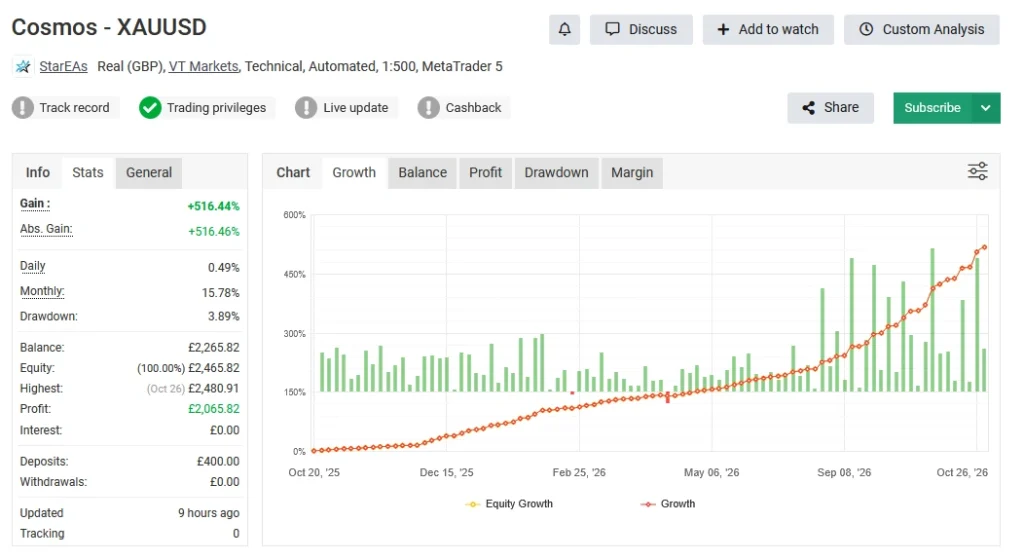
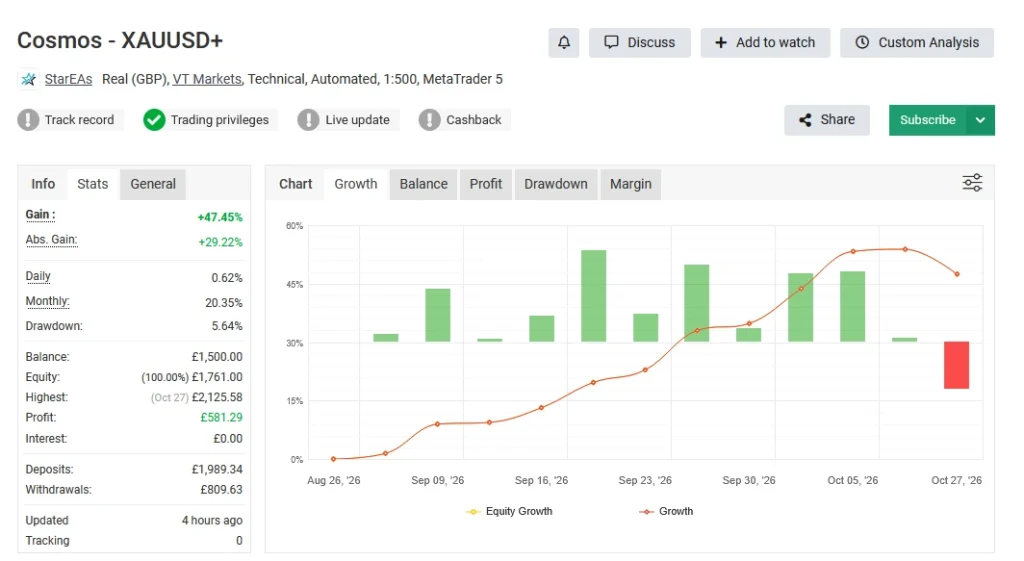
Performance links need careful identification. A record from the same developer is not automatically a standalone Cosmos Orion record.
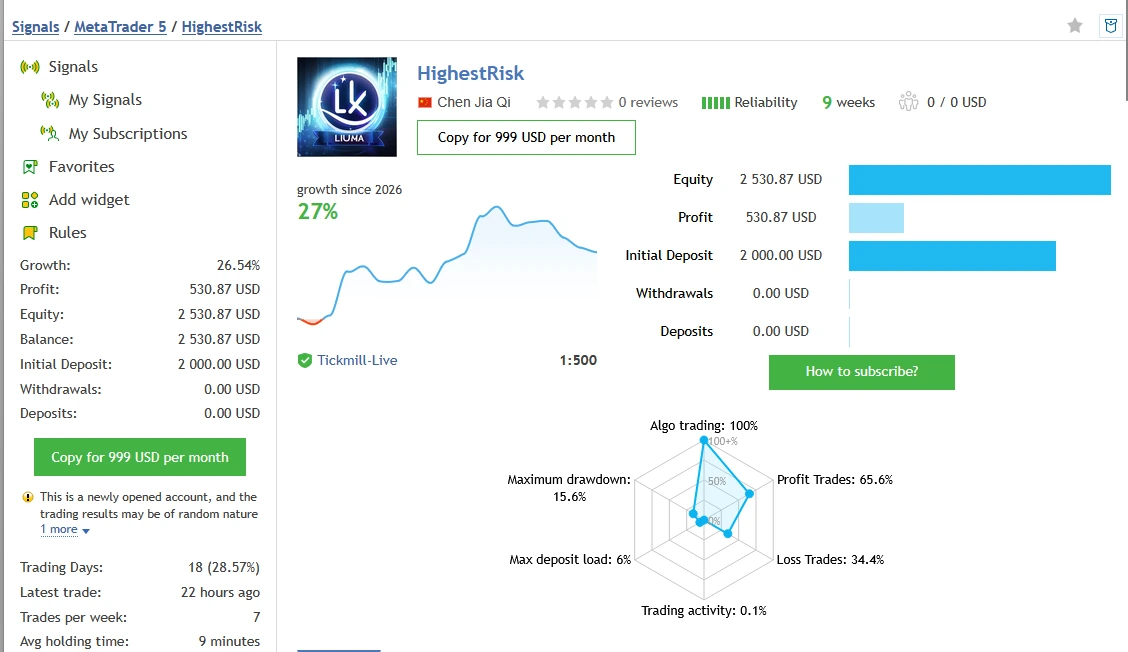
Separate gift-EA signal
The current English product description labels
signal 2388805 as the
gift EA’s live signal. The signal page is named
HighestRisk. Some reseller pages link it under Cosmos Orion performance, but that does not establish that its account results come from Orion alone.
It should not be advertised as verified Cosmos Orion v2.1 returns.
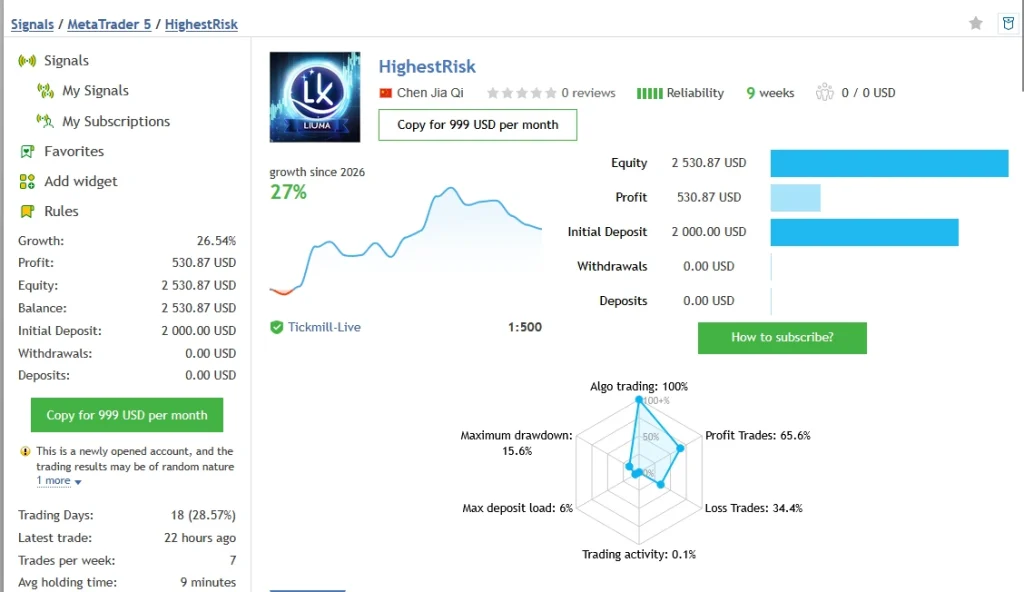
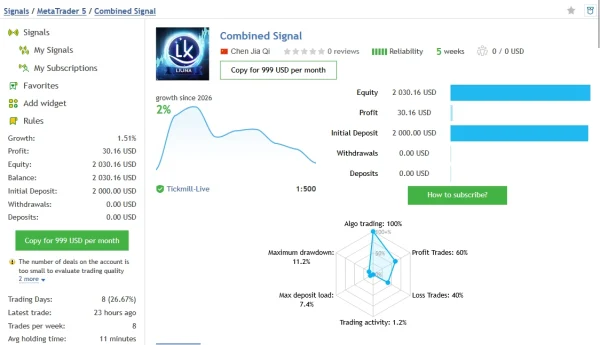
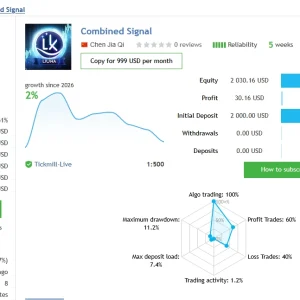
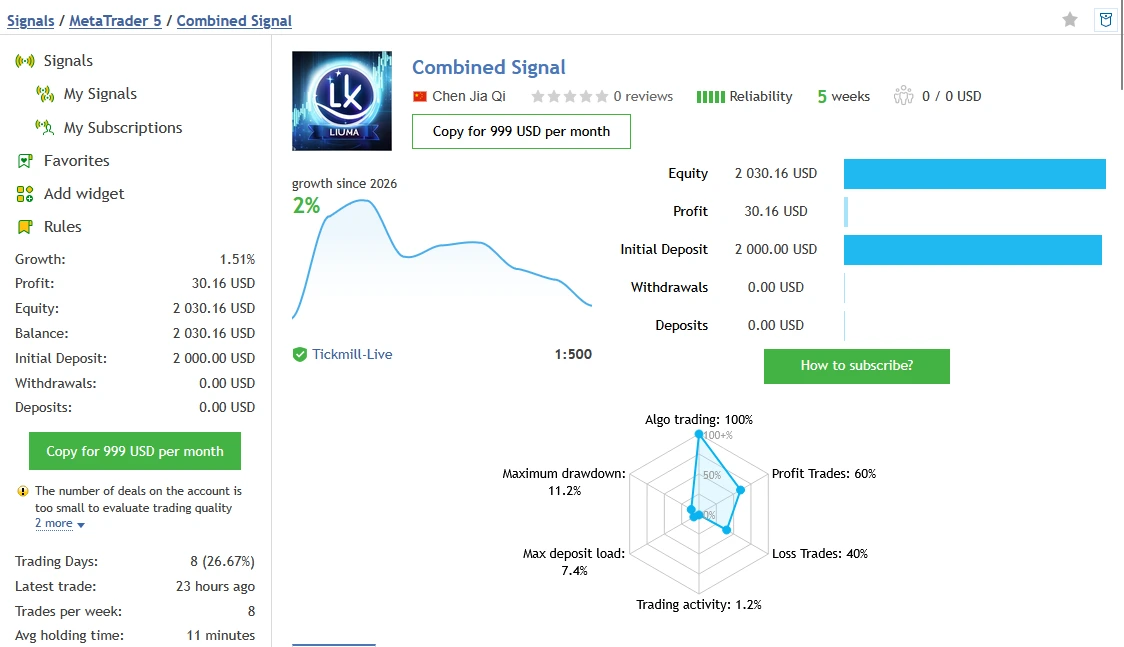
Account now named Combined Signal
An older translated product description refers to
signal 2394082 as an Orion live record. The retrieved signal page is now named
Combined Signal.
That name does not establish which strategies produced each historical trade. Confirm the account’s strategy composition and relevant dates before attributing its full results to Orion. No combined-account returns are presented here as standalone Orion results.
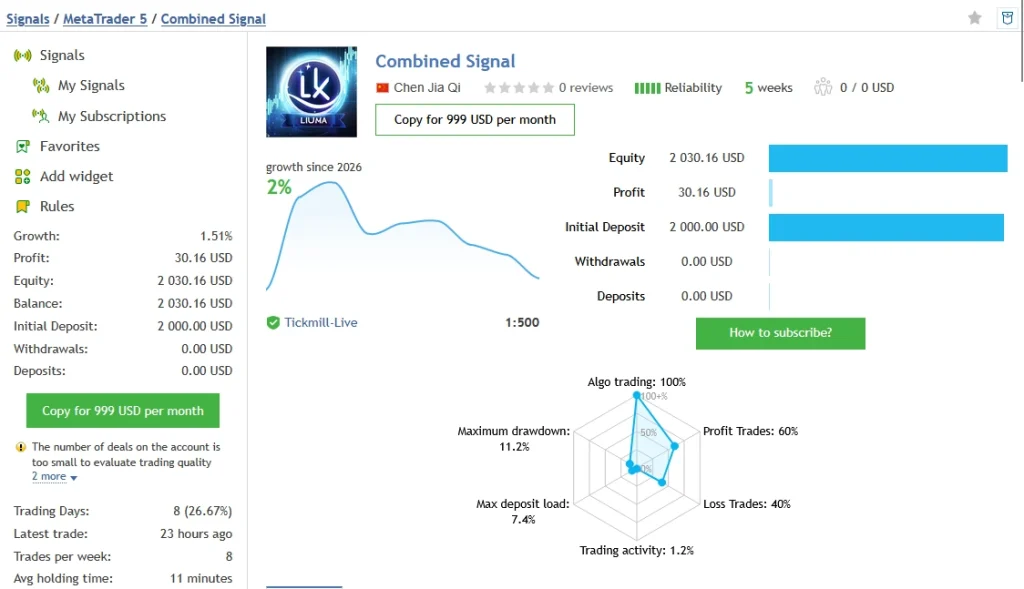
Two Myfxbook references
Reseller pages link
Cosmos XAUUSD account 12244621 and
Cosmos XAUUSD account 12244637.
Direct access to both pages was blocked during this review. Their current statistics, verification badges and exact EA configurations could not be independently checked, so no unconfirmed growth or drawdown figures are quoted.
How to assess the evidence
Look for an exact product match, account type, latest update, trading period, deposits and withdrawals, open losses and the settings used. A screenshot or “verified” badge on a store page is not enough to establish all of those details.
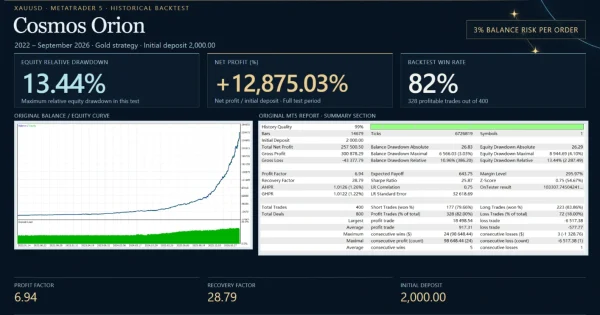
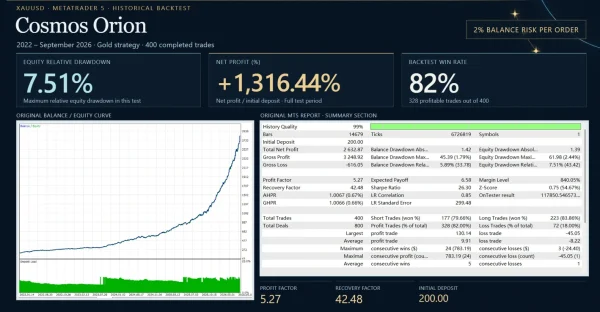
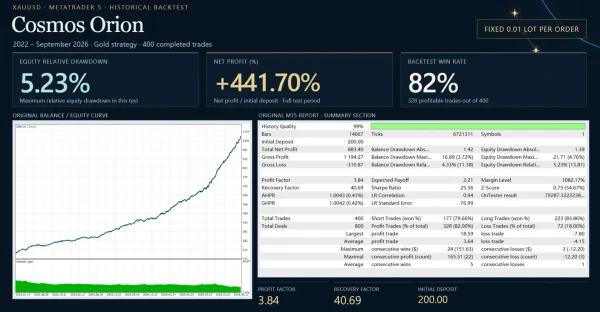
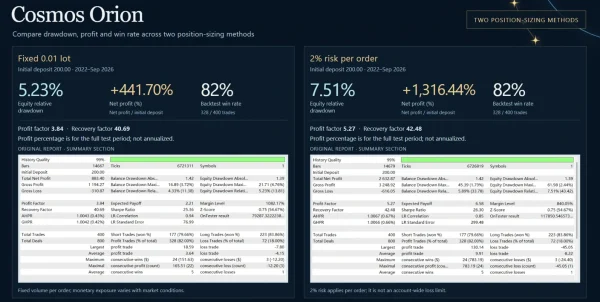
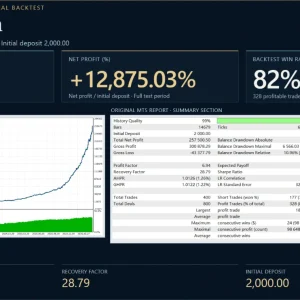
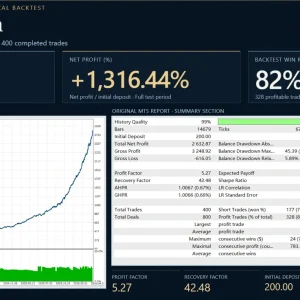
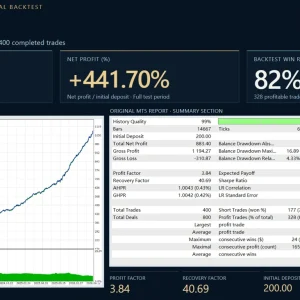
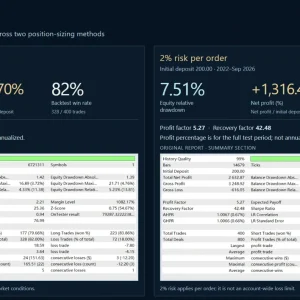
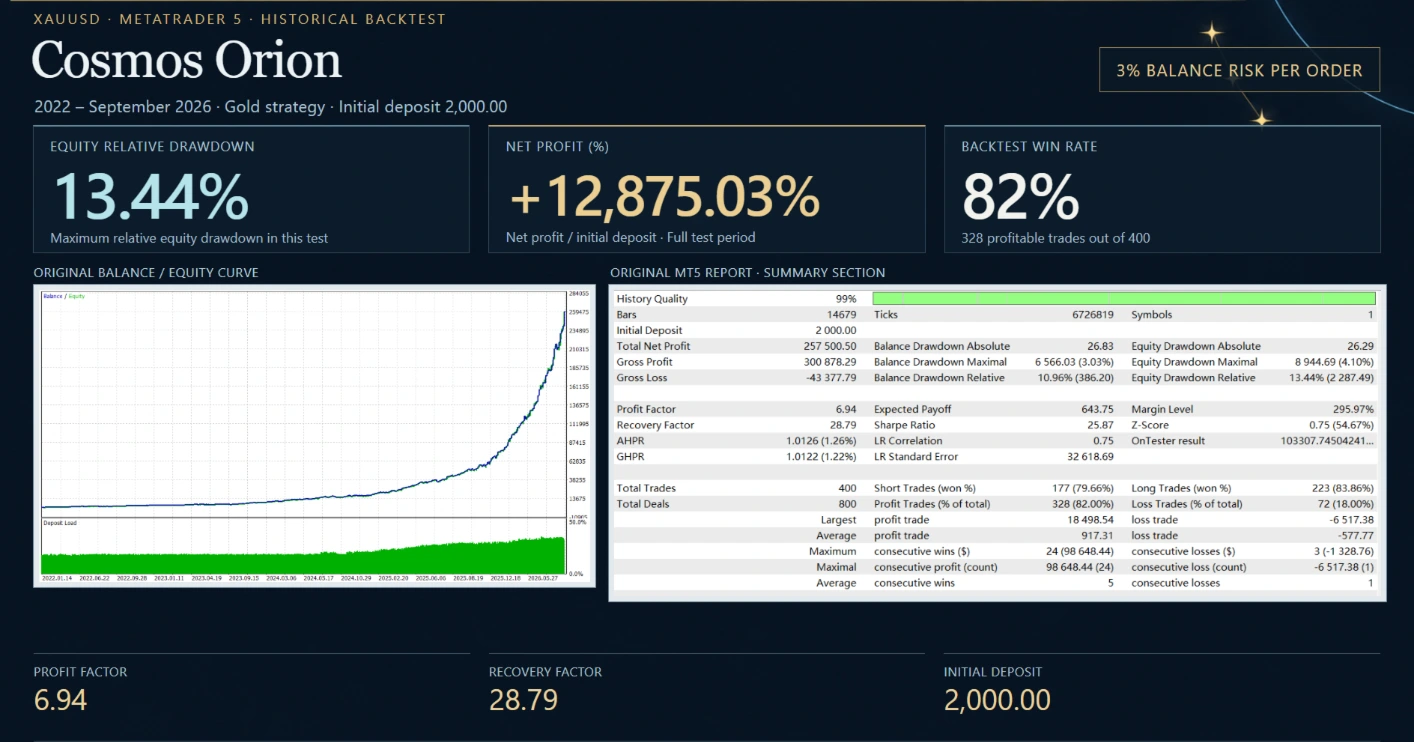
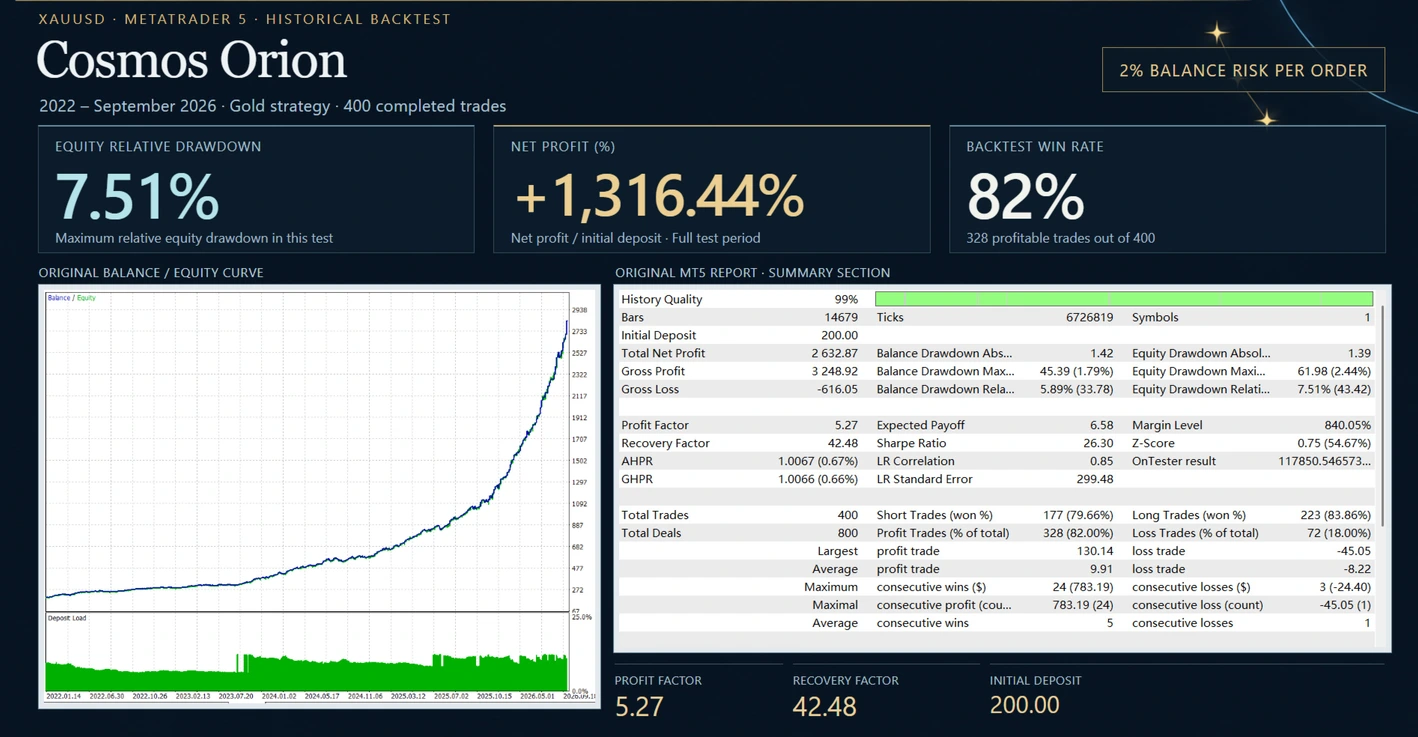
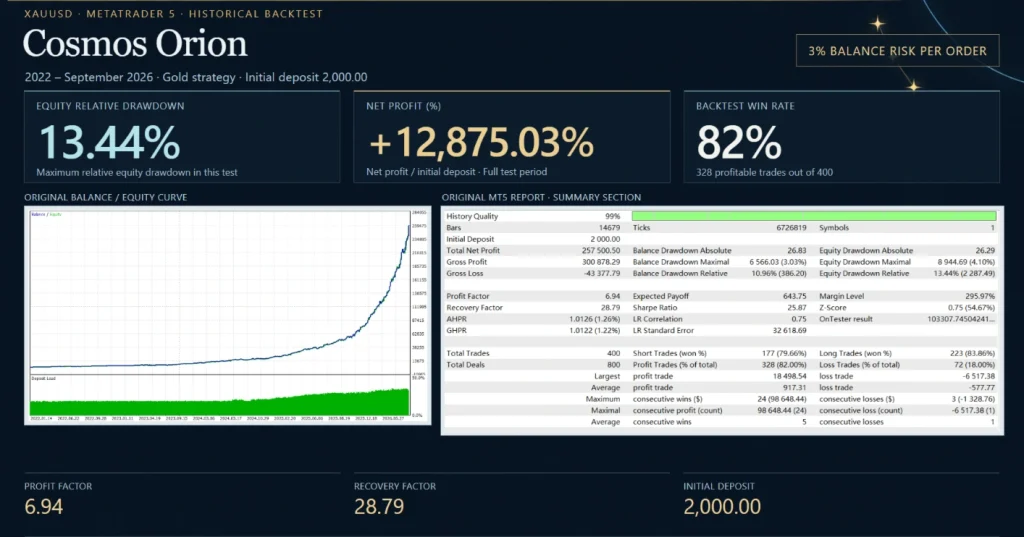
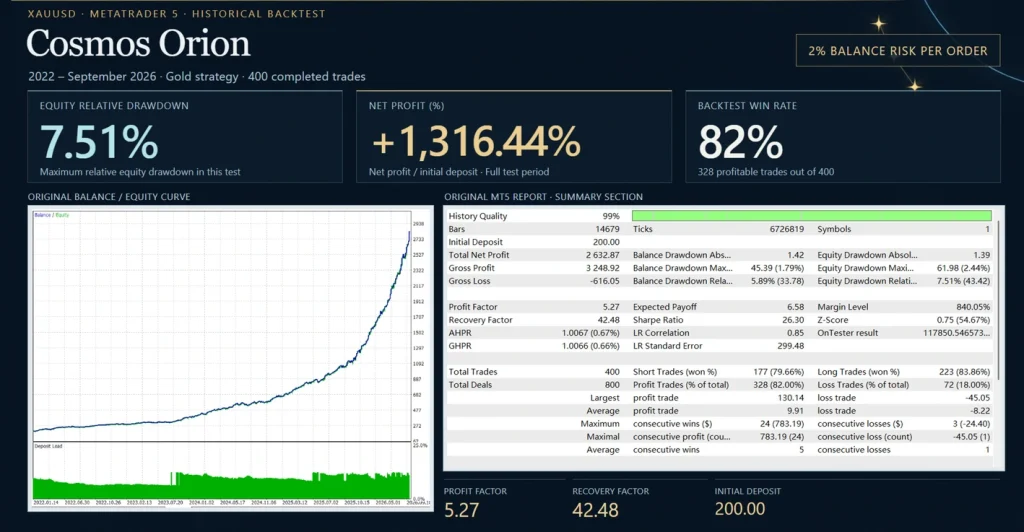
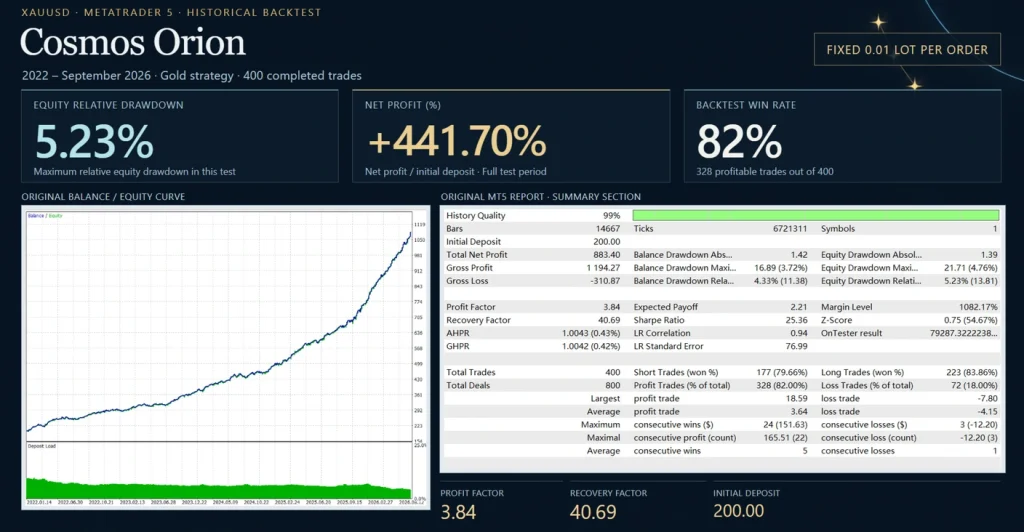
These are external records, not ForexEaTools trading accounts. No account result guarantees the outcome of the supplied file. Backtests should also be labelled as historical simulations, rather than live results.
BackTests trading evidence
What is included with this offer?
| Purchase detail |
Confirmed offer information |
| Product |
Cosmos Orion MT5 |
| Supplied version |
2.1 |
Only the product and version have been confirmed for this offer. Do not assume that another store’s SET files, licence or update terms apply to your purchase. Clarify any required package detail through support before ordering.
How to install Cosmos Orion in MT5
For a manually supplied EA:
- Open MT5 desktop and confirm that the account is a supported hedging account.
- Select File → Open Data Folder.
- Follow the package instructions to put the EA in MQL5 → Experts.
- Refresh Navigator → Expert Advisors.
- Open a supported Gold chart and attach one EA instance.
- Review sizing, broker-time detection and trading permissions.
- Load a matching preset only if it is supplied for this release and setup.
- Test on demo where permitted and check Experts and Journal for errors.
Our
MT5 EA installation guide explains the general steps. Purchases installed through MQL5 Market use its own installation process.
If your package includes a separate preset, follow
how to load a SET file in MT5. A SET file saves inputs; it does not install the EA, activate a licence or prove that the risk suits your account.
Delivery and downloads
Cosmos Orion is a digital product. After successful payment and any required order review, check your account and checkout email for access to the files. Check your spam folder if the message is missing.
See
Delivery & Downloads for the general order-access process. Any product-specific activation or delivery lead time should be stated with the purchase details.
Updates and setup support
Check the package details for the update period and support included with your order. Do not assume lifetime updates unless they are explicitly included in the offer.
For a covered issue, contact
Product Support with your order number, EA version, MT5 build, broker symbol, account mode and exact error message. Never send your trading-account password.
Refund policy
Read our
Refund and Returns Policy before buying. Contact support if files are missing, inaccessible or affected by a technical problem so the issue can be reviewed.
Trading losses or disappointing returns do not by themselves establish a software defect. Requests are reviewed under the published policy and applicable consumer rights.
Frequently asked questions
Does Cosmos Orion run on MT4?
This offer is for MT5. An MT5 EA cannot run as an MT4 program.
Can I use a netting account?
The developer specifies a hedging account and says netting is unsupported. Confirm your account mode before purchase.
Will it trade every day?
Do not expect a fixed number of daily trades. It must find a qualifying structure, and filters can block entries. Check logs and settings before treating a quiet period as a fault.
Does “No Grid” mean low risk?
No. A non-grid system can still lose through failed breakouts, repeated stops, large sizing or poor execution. Check the actual exposure and losing periods.
Does the Friday guard close every position?
The published description says it removes pending orders while existing positions remain managed. Do not assume that this guarantees a flat account before the weekend.
Is it approved for every prop firm?
No universal approval has been established. Check each firm’s current rules, especially loss calculations, news, holding periods and automated trading.
Are profits guaranteed?
No. Gold trading can involve sharp moves and losing sequences. Historical performance and protective features do not guarantee future returns or a fixed maximum loss.