Stock Trader Pro MT5 is an Expert Advisor that looks for pullbacks in US stocks and opens buy positions. Recent developer releases offer an optional AI filter. Before ordering, check which version you’ll receive, whether your broker offers the right instruments, and how much it costs to hold them.
Setup at a glance
|
|
| Platform |
MetaTrader 5 |
| Strategy |
Buy-side pullbacks; medium- to long-term positions |
| Example preset symbols |
AAPL, AMZN, GOOGL, MSFT and TSLA |
| Instrument type |
Stocks or stock CFDs, subject to broker specifications |
| Recommended balance |
From $1,000, depending on broker, symbols and minimum trade size |
| Chart timeframe |
Follow the instructions for the supplied version and preset |
Source:
Stock Trader Pro MT5 developer listing.
Check the exact broker symbol before attaching the EA. A ticker can appear with a prefix or suffix in MT5. Also check whether you are buying shares or trading a CFD. Holding costs and margin can differ, even when both instruments track the same company
.
How the EA manages trades
The developer describes a long-only strategy with stop loss and take profit, without grid or martingale. That does not remove risk. A stock can open below its previous closing price, and a stop may fill at a worse price than expected. Several positions can also fall together if they are exposed to the same market move.
Does Stock Trader Pro need an AI API key?
Only if you use AI Verdict on a release that supports it. The developer describes two setups:
| Setup |
What to know |
| Base strategy |
Uses the built-in S&P 500 filter. No OpenRouter key is needed. You can use this mode in MT5 Strategy Tester. |
| Optional AI Verdict |
Reviews news and company information. Requires an OpenRouter API key and MT5 WebRequest permission. API usage is billed separately. Use on demo or live; the AI layer cannot run in Strategy Tester. |
Follow the developer’s instructions to choose the appropriate filter. If you want to observe AI output before allowing it to influence trading, use advisory mode where available. AI can misunderstand news; a backtest of the base strategy does not validate the AI filter. Keep API keys private.
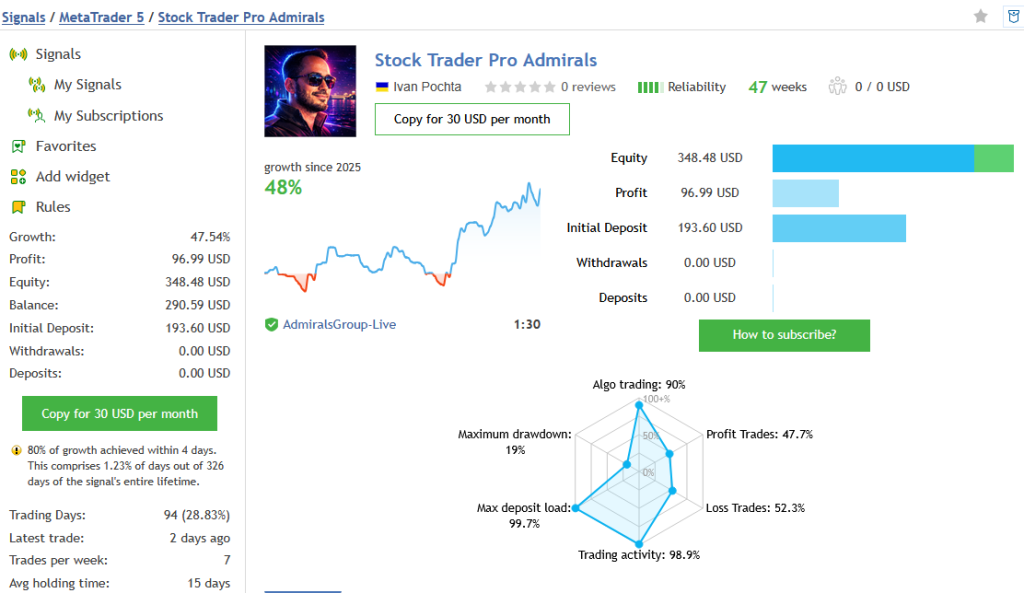
Stock Trader Pro public trading results
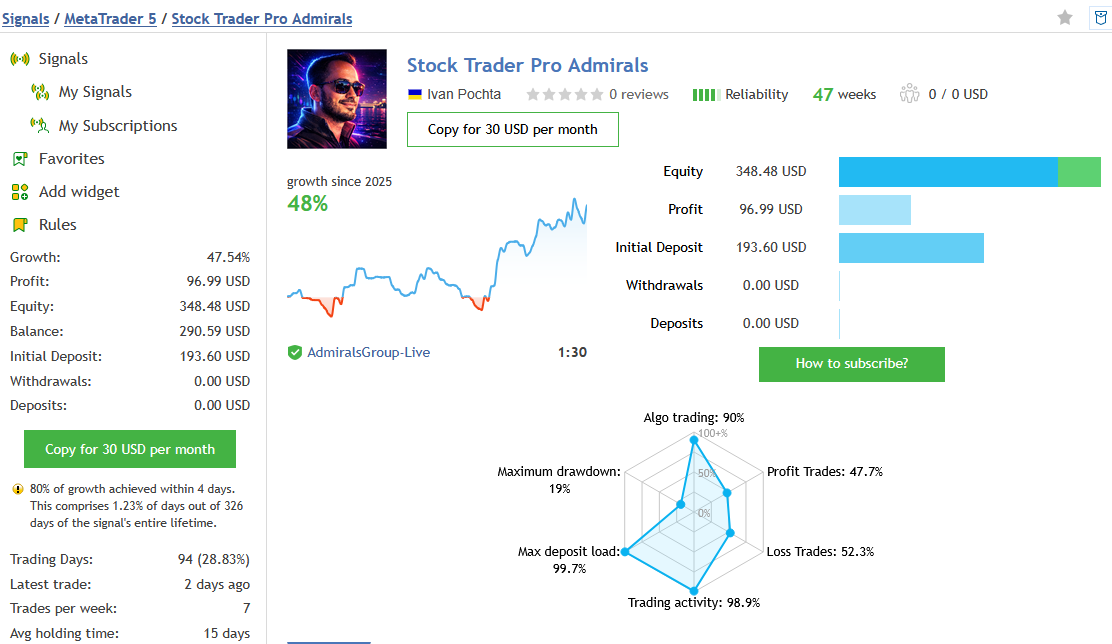
The developer links to
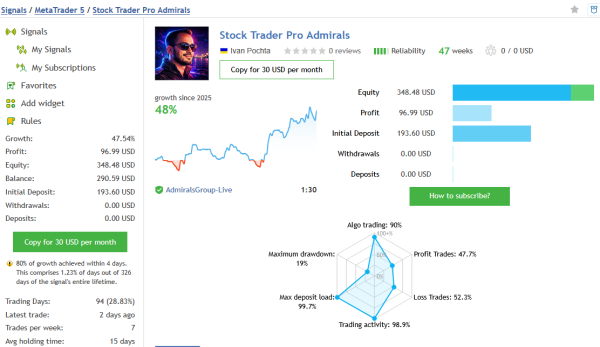
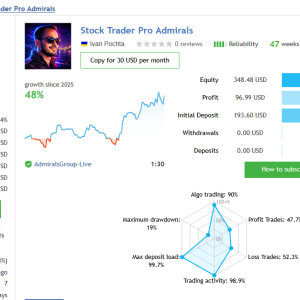
Stock Trader Pro Admirals on MQL5. On
4 November 2026, the account showed:
| Metric |
Reported figure |
| Growth |
47.54% |
| Profit |
$96.99 |
| Initial deposit |
$193.60 |
| Balance / equity |
$290.59 / $348.90 |
| Trades / account history |
130 / 47 weeks |
| Relative balance / equity drawdown |
19.00% / 4.53% |
| Maximum deposit load |
99.67% |
Look beyond growth. MQL5 flags that 80% of the reported growth came in four days. The maximum deposit load also shows that margin use was very high at one point. Balance and equity drawdown are different measurements; check both in the original account.
This account began before versions 4.0 and 4.1. Its full history does not isolate either release or prove that AI Verdict improved returns. The signal’s starting deposit is an account fact, not a replacement for the developer’s current balance guidance. Results change and do not predict what your account will earn.
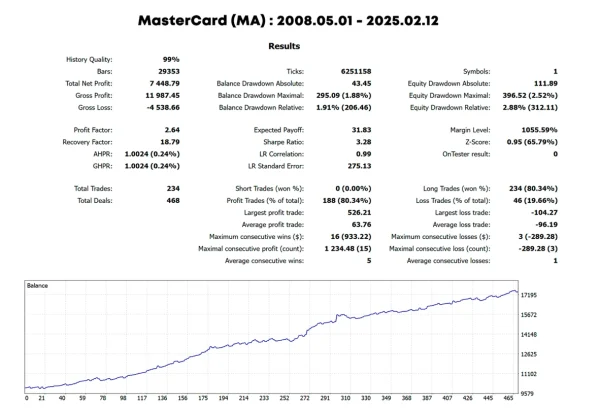
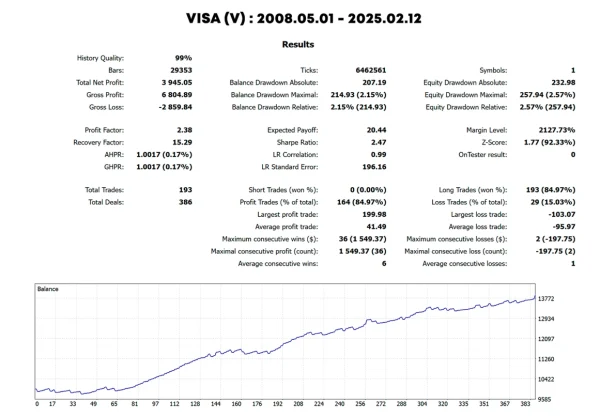
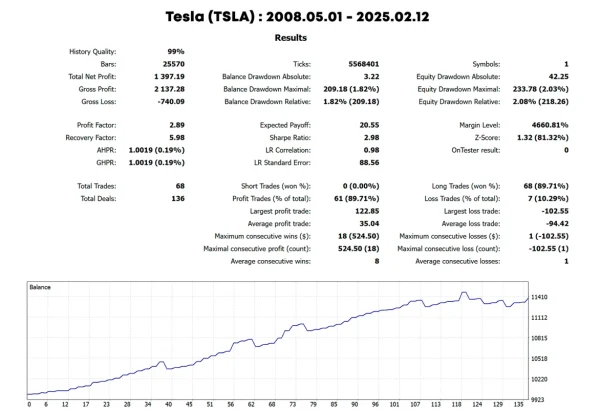
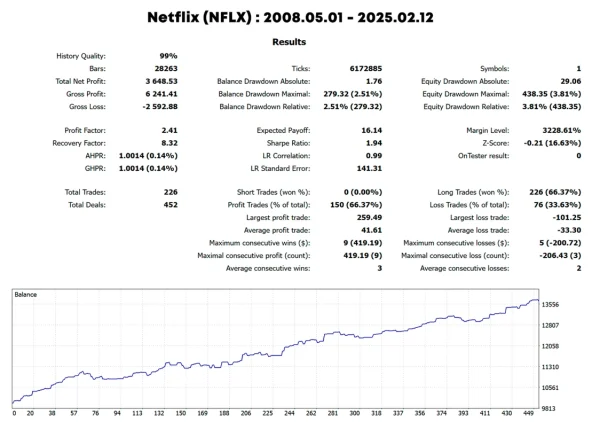
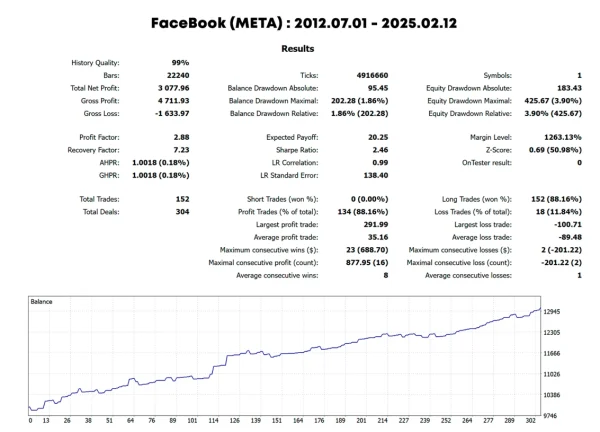
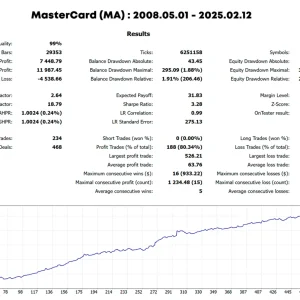
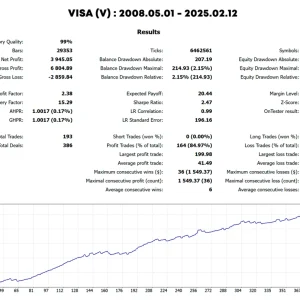
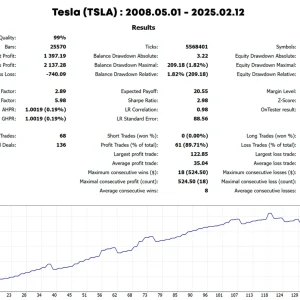
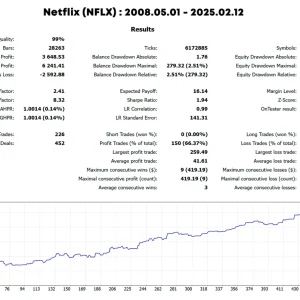
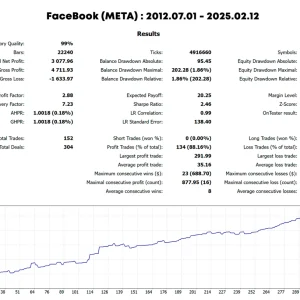
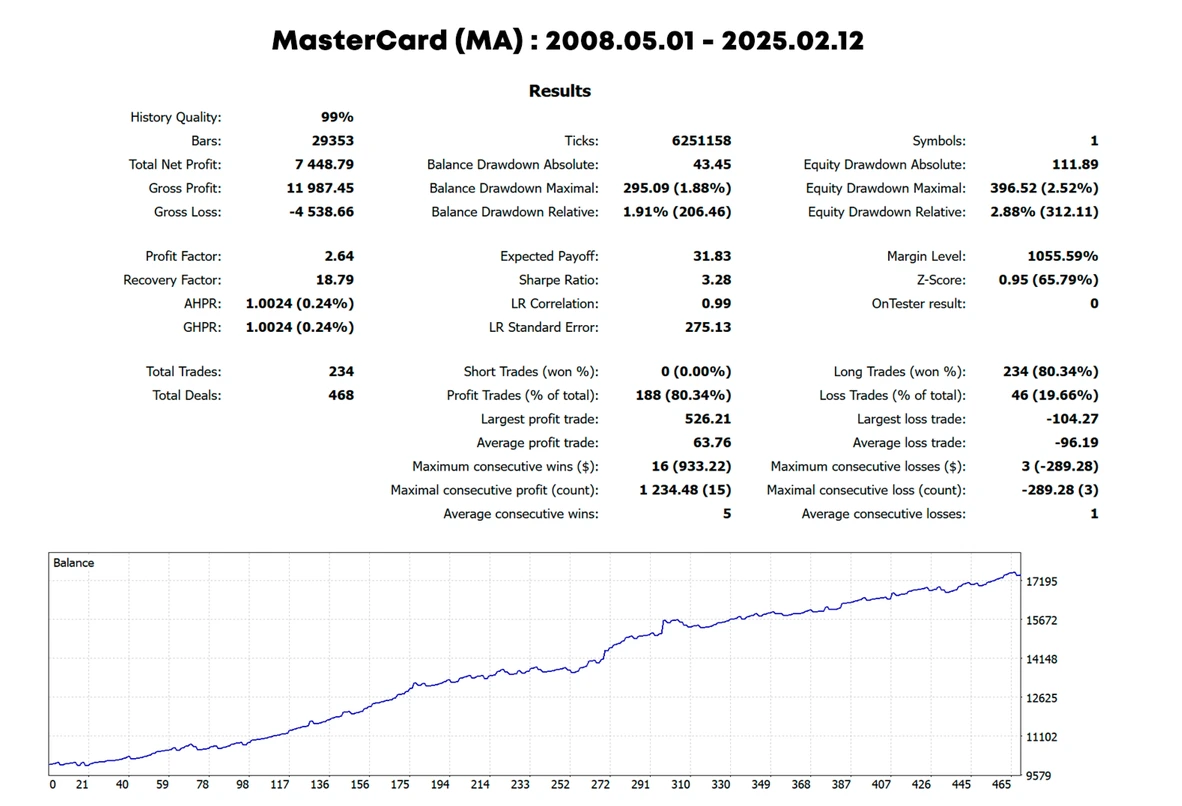
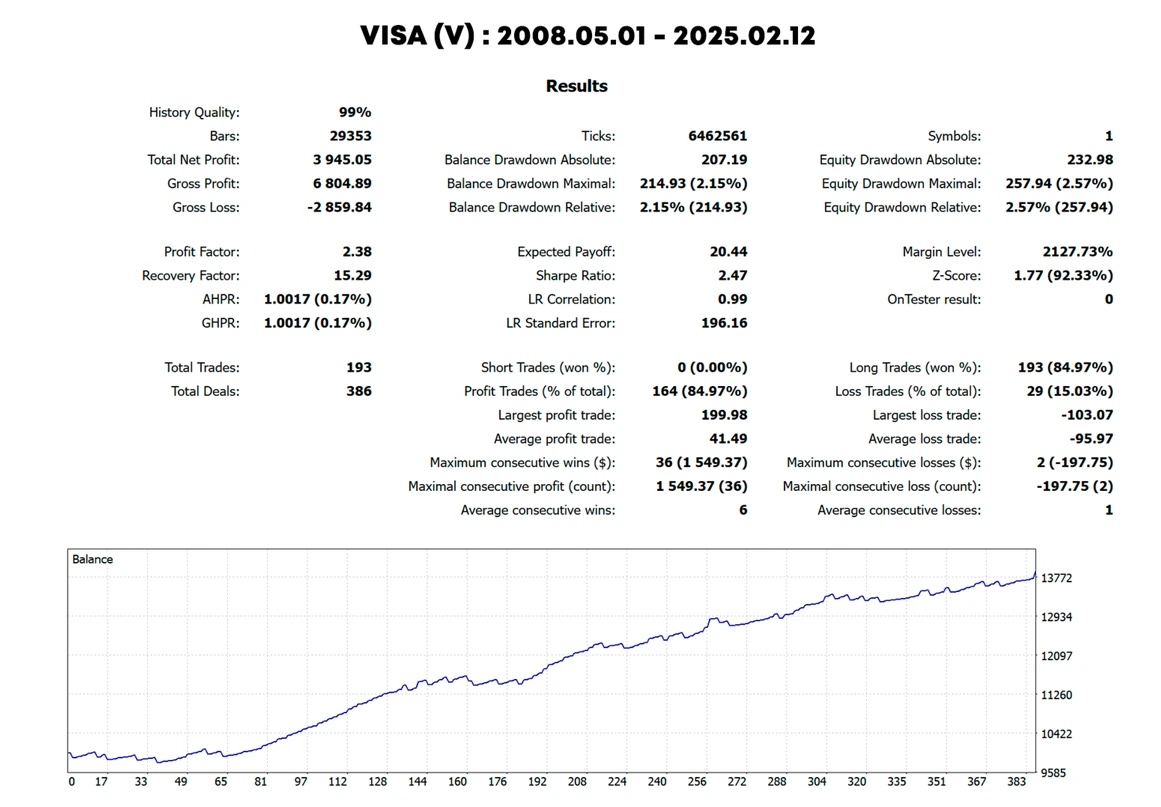
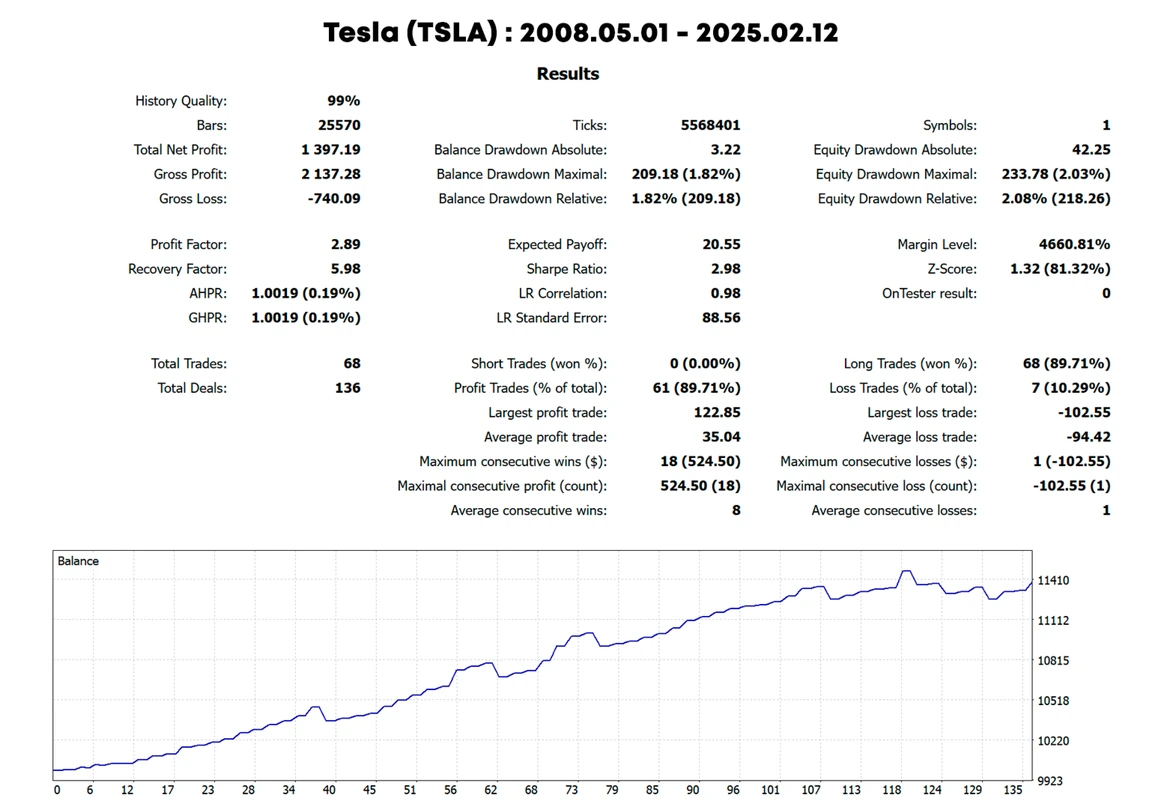
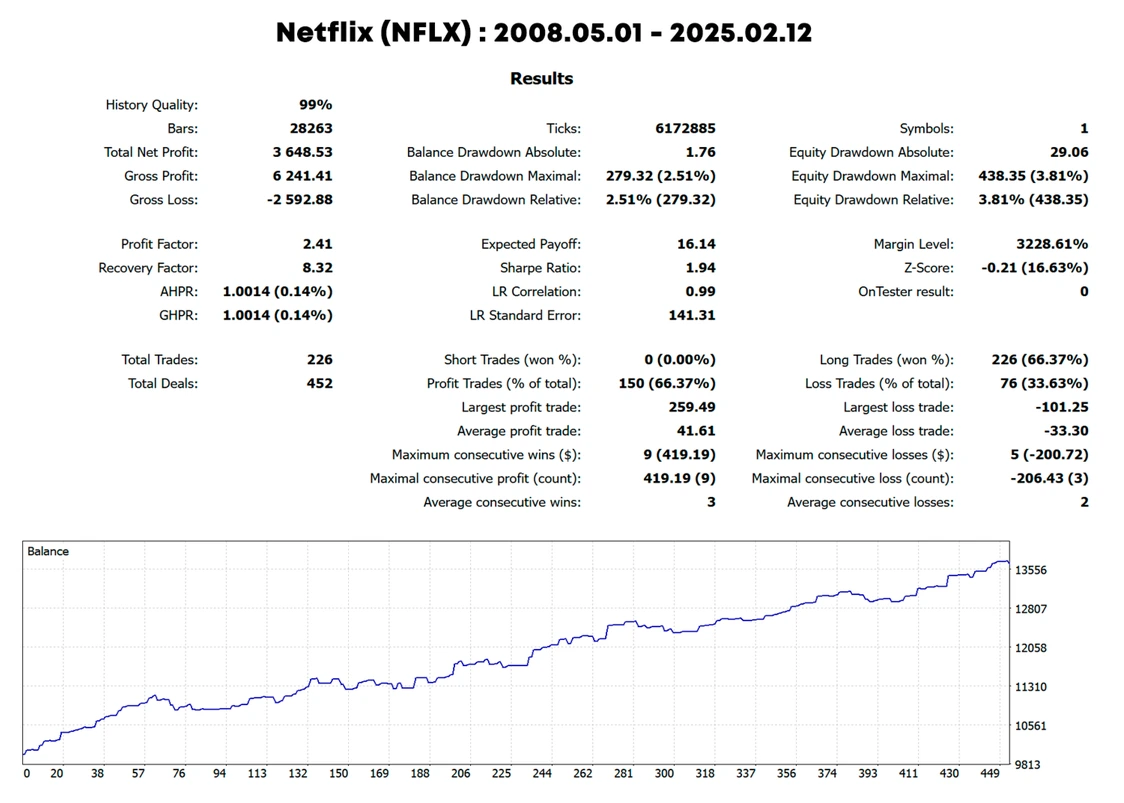
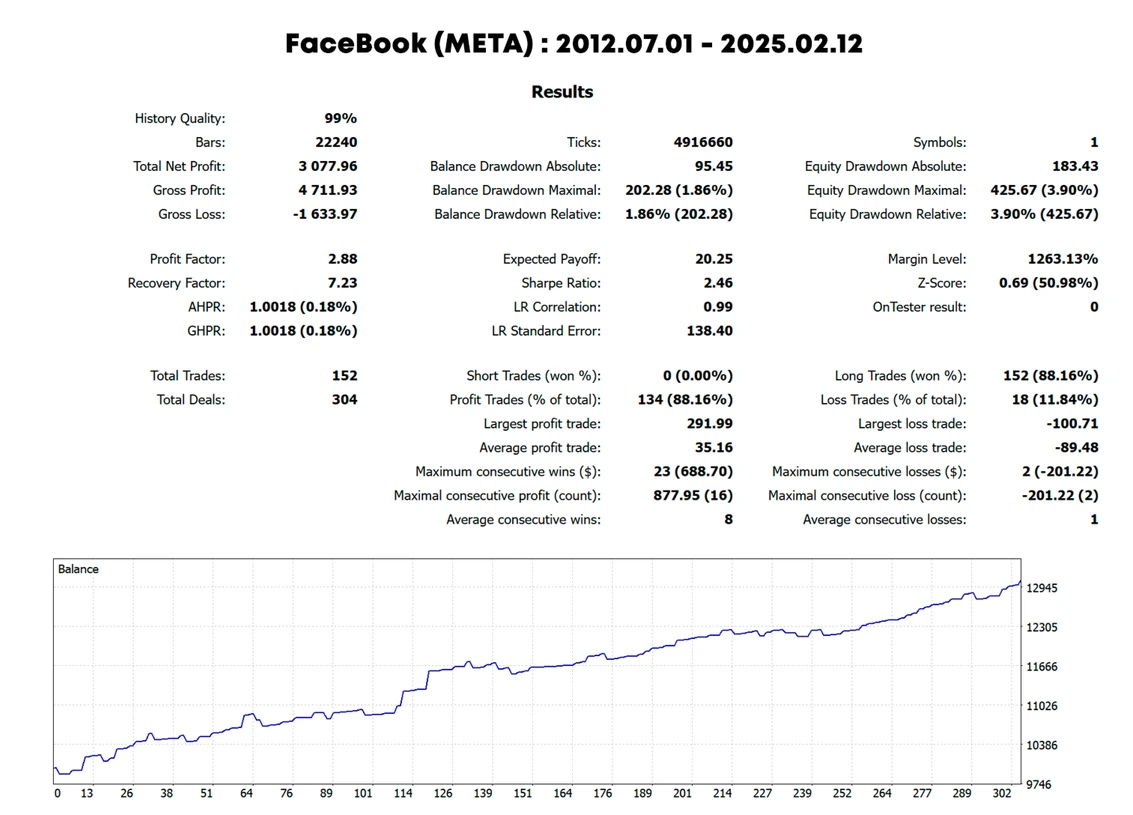
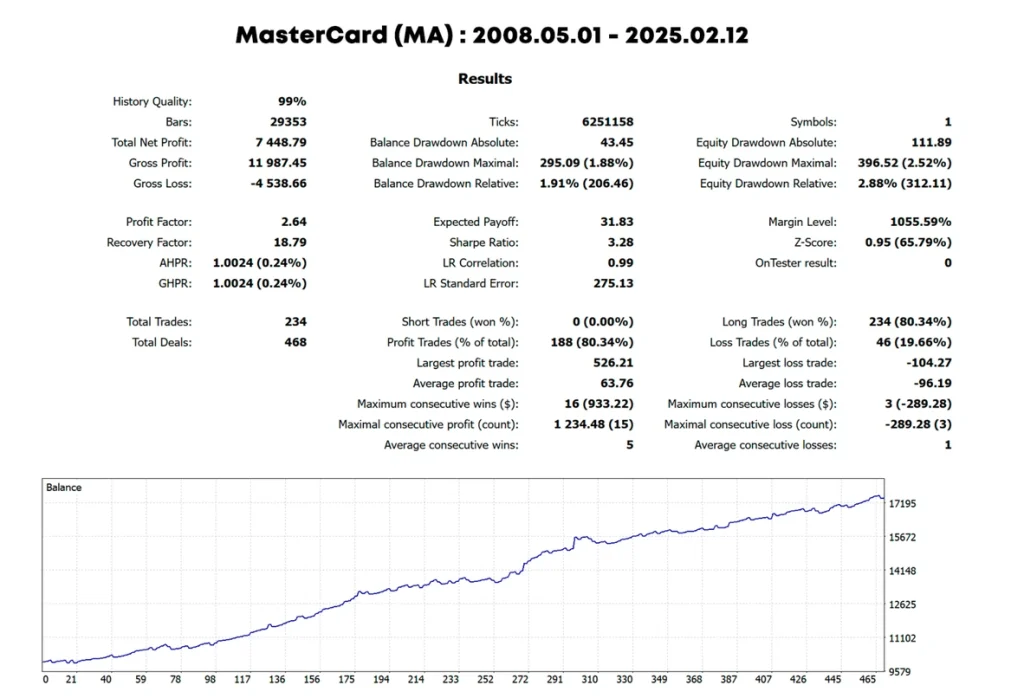
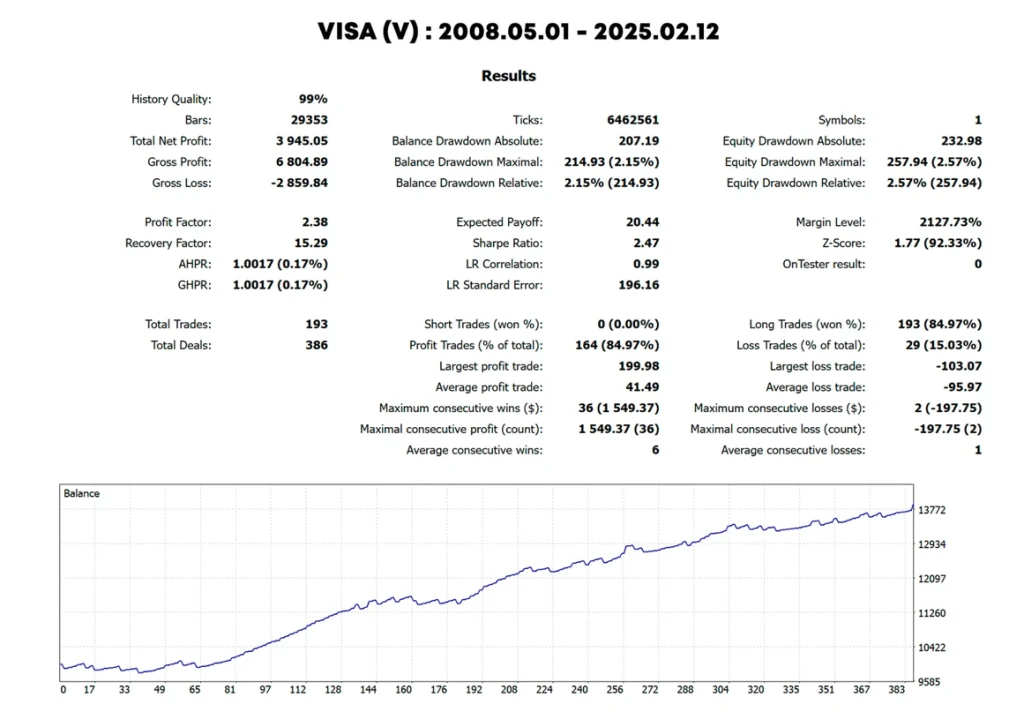
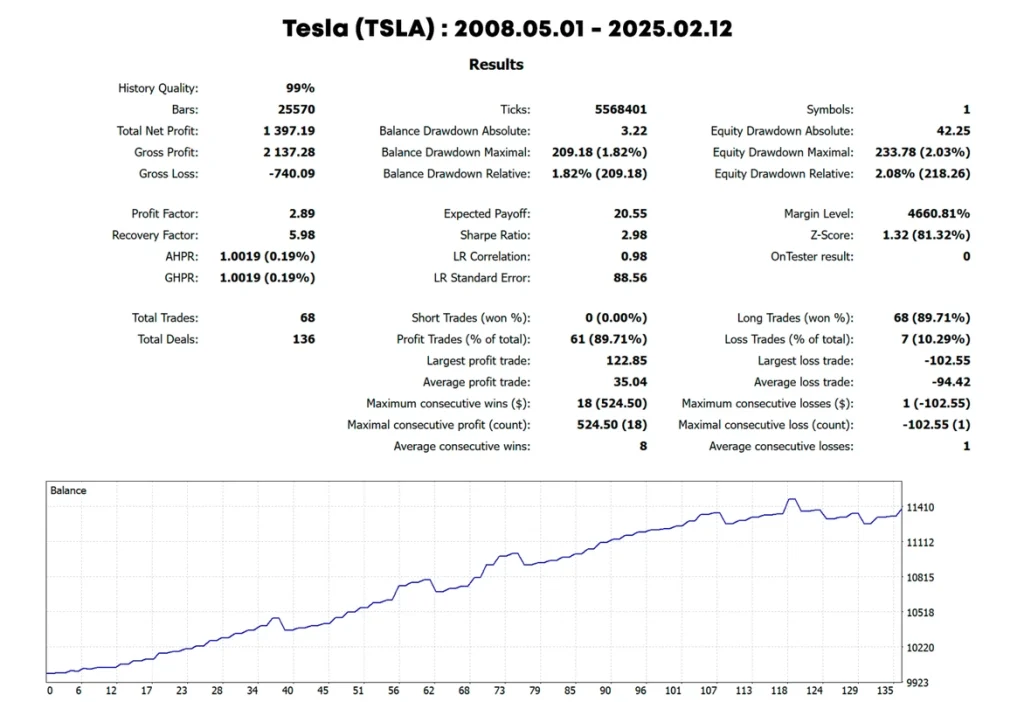
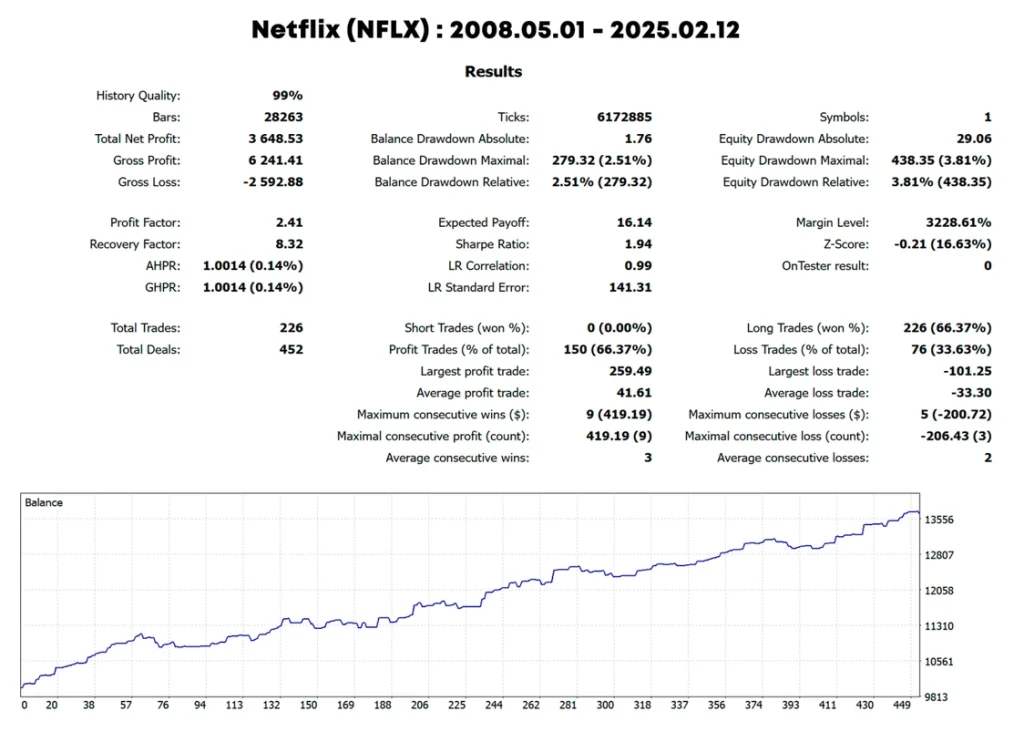
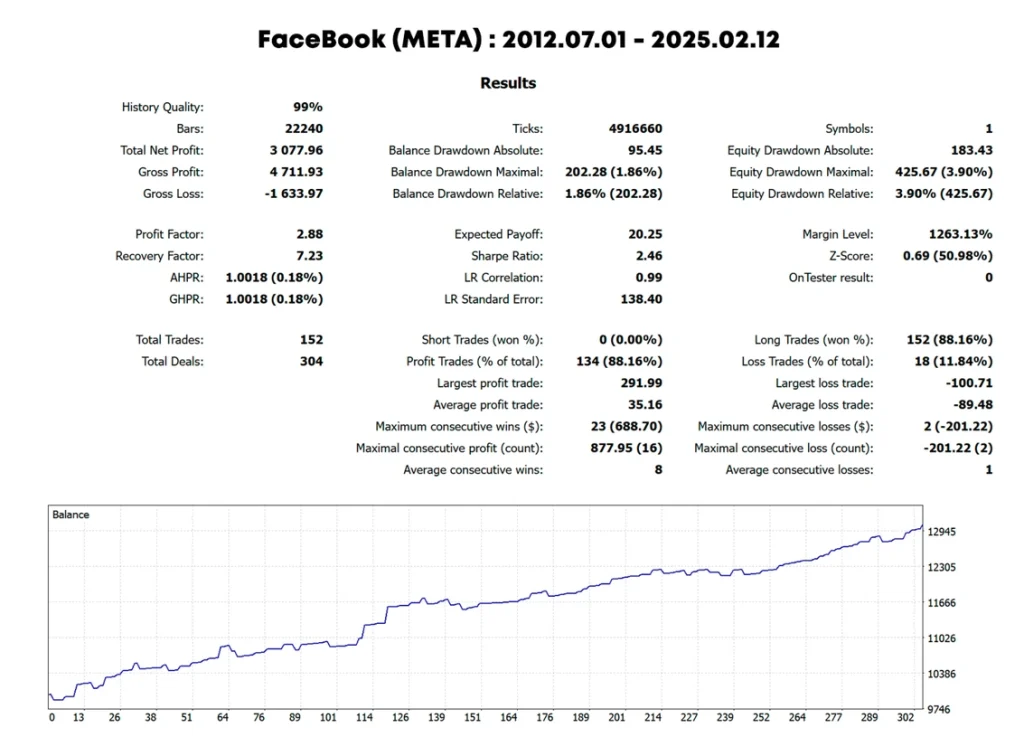
Stock Trader Pro Backtest Results
How to install Stock Trader Pro in MT5
- Open MT5 desktop and find the stock symbols your broker offers.
- For a manually supplied EA, open File → Open Data Folder → MQL5 → Experts and copy the EA file there.
- Refresh Navigator → Expert Advisors. Attach the EA to the chart specified in the instructions for your version.
- If you have a compatible preset, load the SET file in MT5 and check the position size and exit settings.
- Choose the filter for your setup. Configure API access only if you intend to use the optional AI mode.
- Enable Algo Trading when ready to test on demo. Check the Experts and Journal tabs for errors.
For screenshots and troubleshooting, see our
MT5 EA installation guide.
Product details
| Item |
Offer information |
| Product |
Stock Trader Pro MT5 |
| Platform |
MetaTrader 5 |
| Product type |
Expert Advisor (EA) |
If you need a specific release, preset or file format, confirm it with
Product Support before ordering.
Delivery, support and refunds
See
Delivery & Downloads for order access. For installation help, send
Product Support your order number, EA version, broker symbol and error message. Keep your trading password and API key private.
Read the
refund policy before ordering. It explains how to report a technical problem and request help.
Frequently asked questions
Can I run this offer in MT4?
This listing is for MetaTrader 5. A separate MT4 product, where available, is a different package.
Does a stock preset work with every broker?
Check the exact symbol, contract size, minimum order volume, trading hours and holding costs. A preset is a starting configuration. It does not make the same trade size suitable across accounts.
Can I backtest AI Verdict?
The developer says the AI layer does not run in the MT5 Strategy Tester. Use the base strategy for historical testing and evaluate AI behaviour separately on demo.
Does the public signal guarantee similar returns?
No. Broker costs, settings, position size and market conditions can change the outcome. Automated trading can lose money.