





Gold Snap EA MT5 – XAUUSD Robot & Live Results
$19.99
Gold Snap EA MT5 is an automated gold-trading Expert Advisor for MetaTrader 5, designed for XAUUSD breakout trading. Explore its public trading results, backtests and setup requirements, then check the included files, version and licence details before buying.
Description
Gold Snap EA MT5 is an Expert Advisor designed to trade gold automatically on MetaTrader 5. It uses a breakout strategy with stop-loss, take-profit and trailing-stop management, according to the developer.
Explore the trading results, backtests and setup requirements before you buy. Check the included files, product version and licence details to understand what you receive and whether it fits your MT5 setup.
Quick product facts
| Detail | Developer’s published information |
| Platform | MetaTrader 5 |
| Instrument | XAUUSD / GOLD |
| Developer | Chen Jia Qi |
| Listed version | 2.2, updated 28 September 2026 |
| Entry and exit approach | Breakouts with faster exits and adaptive stop loss, take profit and trailing settings |
| Grid / martingale | Developer says neither is used |
| Chart | Can attach to any timeframe; see the version note below |
| Deposit guidance | $100 minimum; $200 or more recommended by the developer |
| Leverage guidance | 1:30 or higher |
| Broker guidance | Low-spread ECN/RAW account; gold spread within 25 points |
| Hosting | VPS recommended |
Source: Gold Snap’s official product listing. Published specifications are not findings from our own software test. The version supplied by this store is stated in the purchase details.
What does an Expert Advisor do?
An Expert Advisor, or EA, is software that follows programmed trading rules inside MetaTrader. It can place and manage orders automatically, but you still need to review its settings and monitor the account.
A breakout means price moves beyond a level a strategy is watching. That move may continue or reverse. Automation does not make every signal correct.
Chart and settings: an important version difference
This package currently includes Gold Snap EA MT5 v2.0 and a SET file. Updates will be provided when available through our store.
Follow the setup instructions for the included v2.0 release. Later versions may use different chart settings or features, so check the instructions again when installing an update. You can view the developer’s changes in the official Gold Snap update history.
Before enabling trading, review the SET file’s lot-size and risk settings. Make sure they suit your account balance and broker, and test the setup on a demo account first.
Gold Snap live trading results
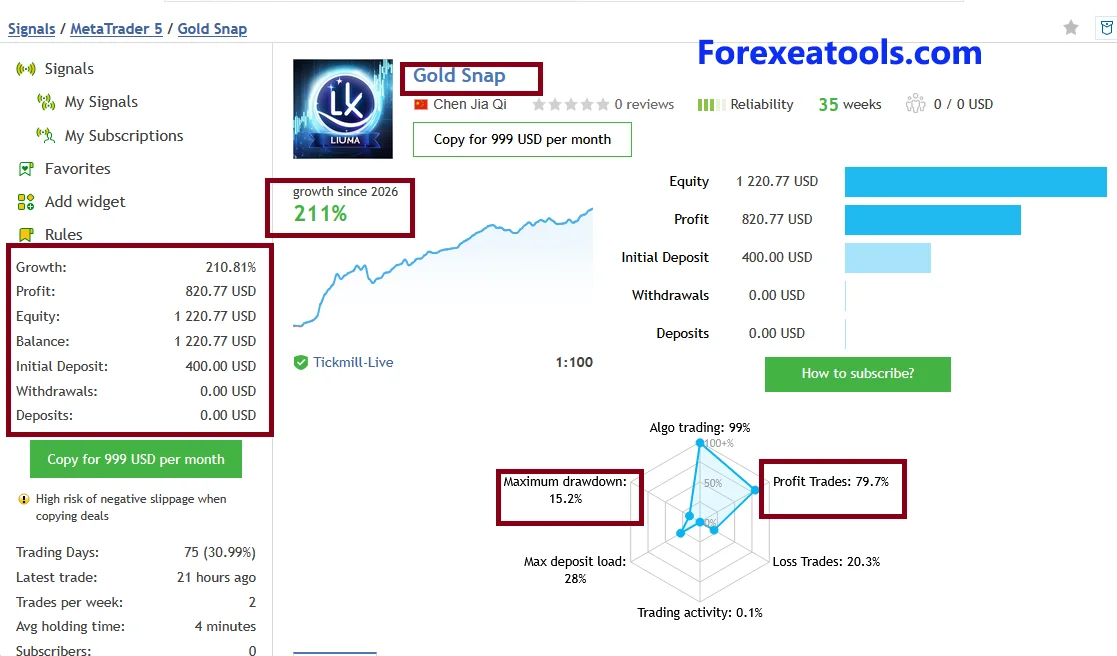
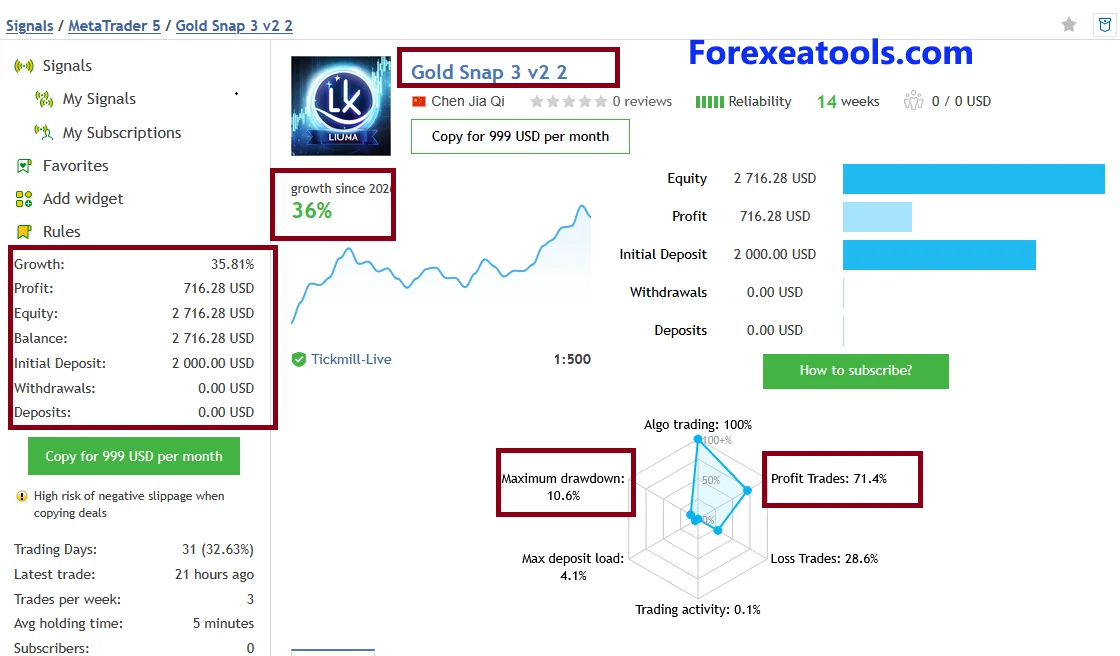
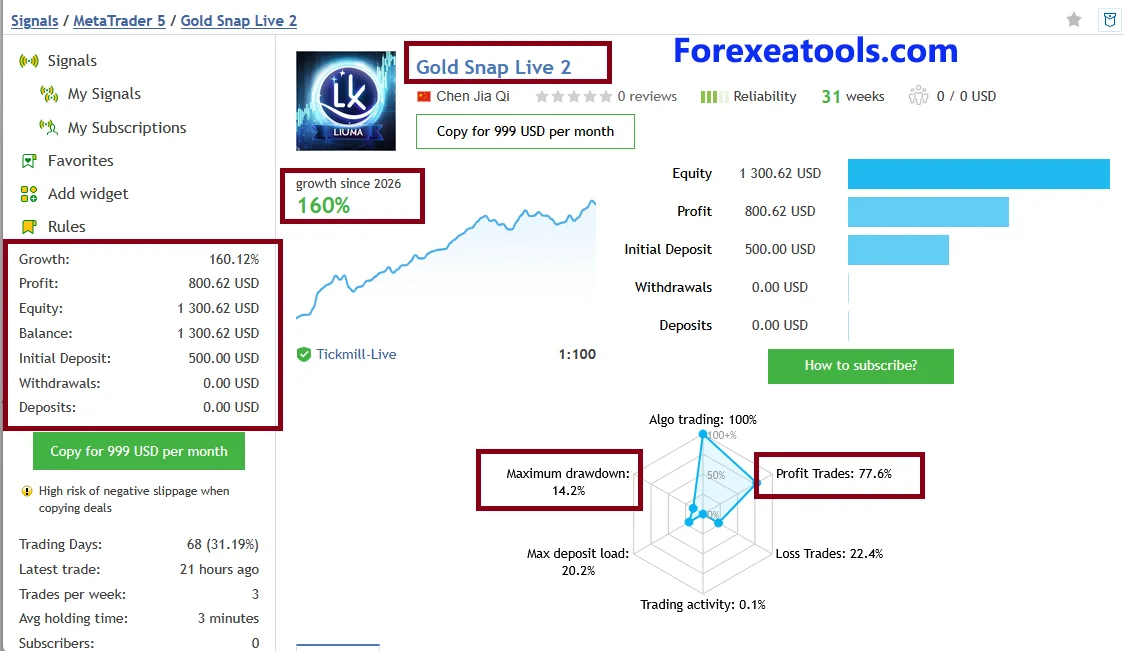
The following public accounts are linked by the developer. They provide evidence to review, not a promise that your purchase will produce the same returns.
Snapshot checked: 7 October 2026. Figures can change.
| Public MQL5 account | Reported growth | Reported maximal balance drawdown | Trades | Average holding time |
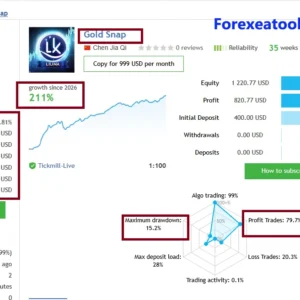
| Gold Snap | 209.87% | 15.20% | 120 | 4 minutes |
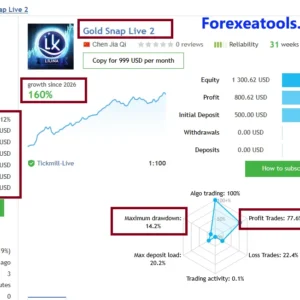
| Gold Snap Live 2 | 172.43% | 14.18% | 100 | 3 minutes |
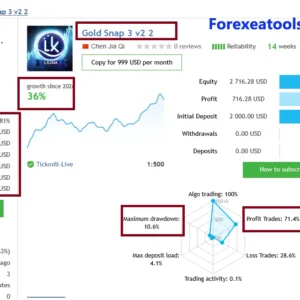
| Gold Snap 3 v2 2 | 36.95% | 10.61% | 44 | 5 minutes |
The drawdown column uses the specific maximal drawdown by balance field. It is not equity drawdown. Drawdown describes a decline from an earlier peak; open-position losses also matter when reviewing risk.
These account totals should not be treated as isolated tests of the file offered here. For example, the first account’s history includes GBPUSD as well as XAUUSD. A signal’s title also does not prove the same version and settings were used throughout its history.
The records show warnings about adverse execution differences when copying trades. The third account also reports that much of its growth was concentrated in a few days. Review those warnings and losing trades alongside growth.
These are developer-linked records, not ForexEAtools trading accounts. Buying an EA from this page does not include an MQL5 signal subscription unless the purchase terms explicitly say so.
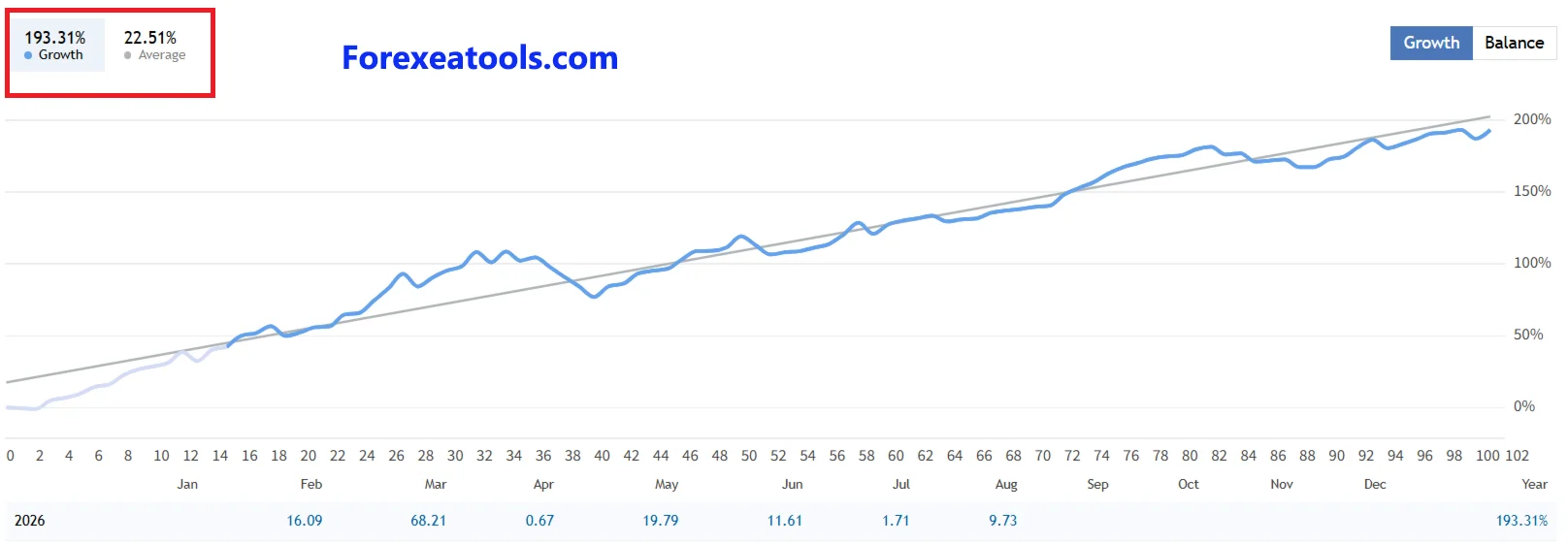
Gold Snap live Myfxbook results
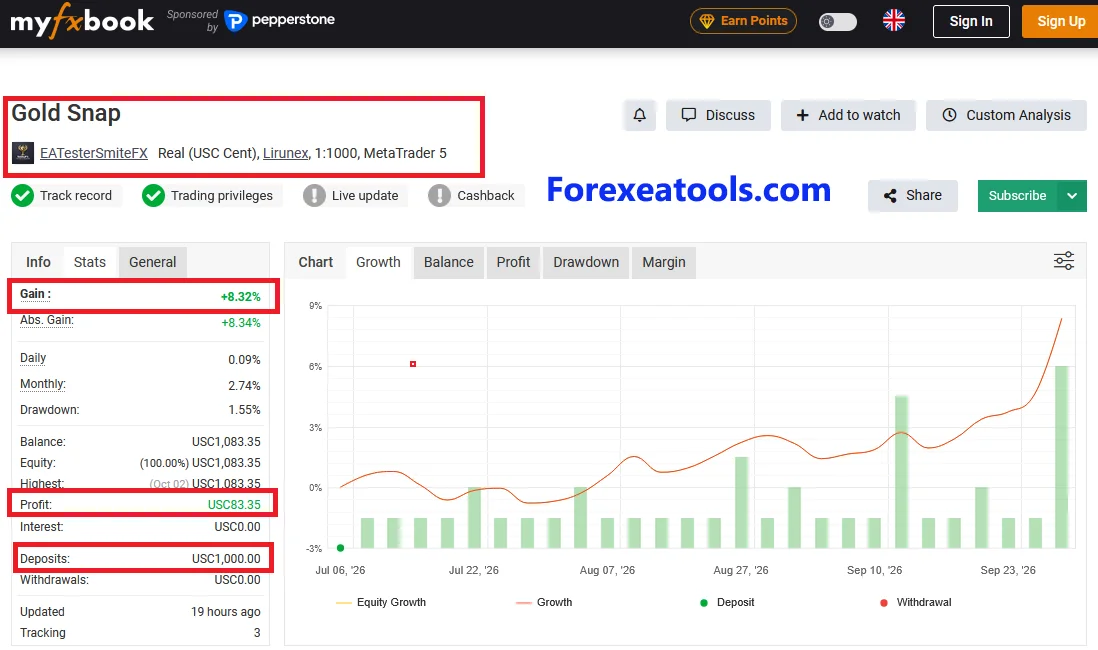
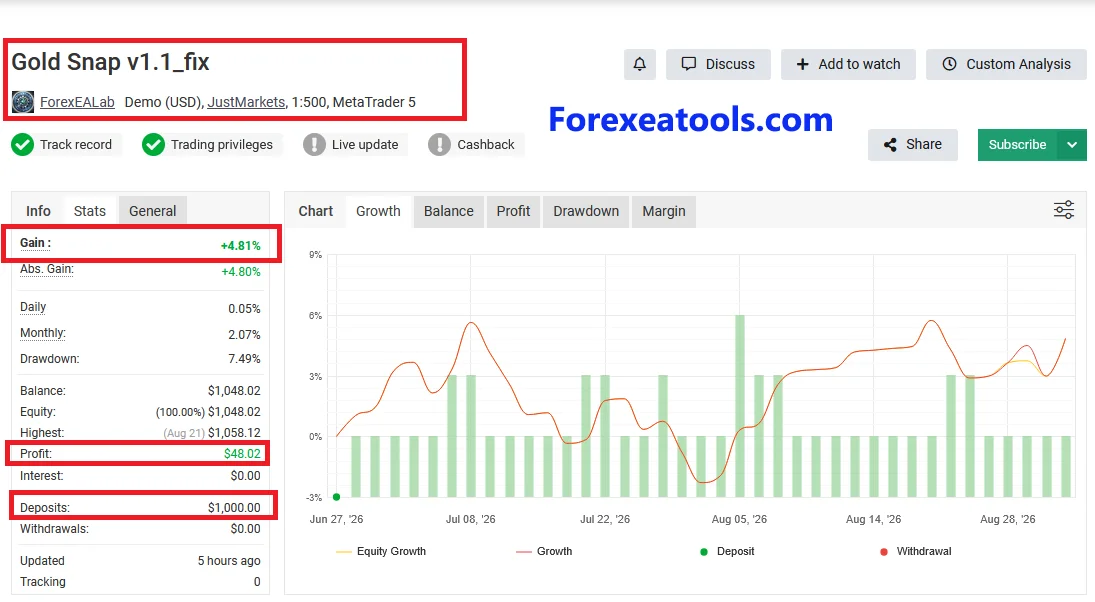
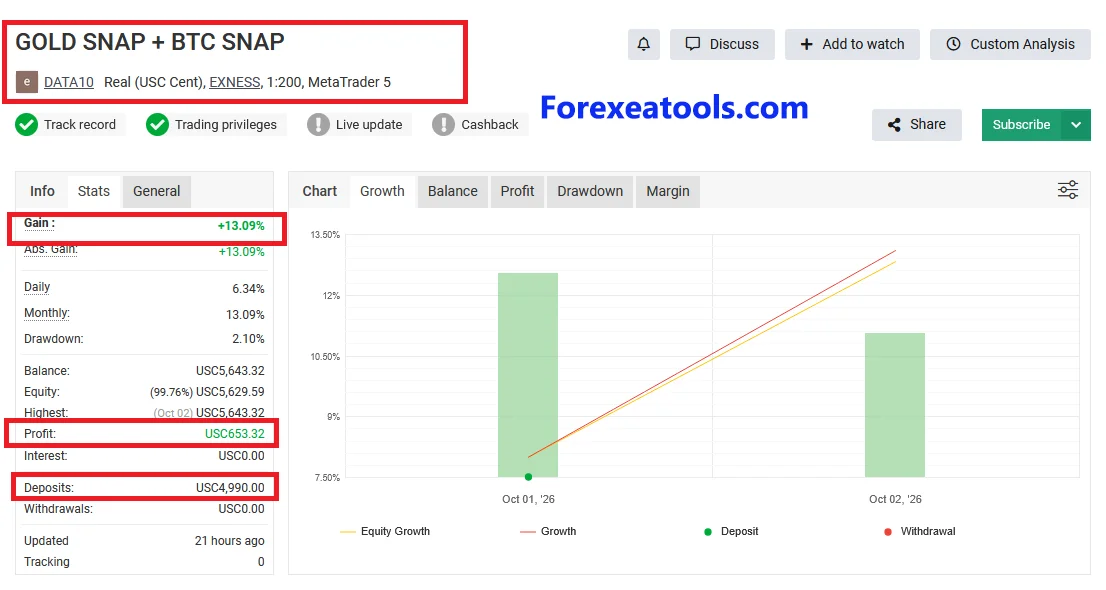
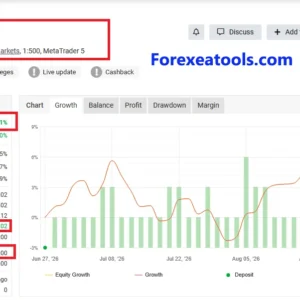
Review these three Myfxbook records before buying Gold Snap EA MT5.
# The Gold Snap account by EATesterSmiteFX shows 8.32% gain and 1.55% reported drawdown. This is a real MT5 cent account with Lirunex, displaying green Track Record and Trading Privileges badges. Check its trading history, EA version and settings when comparing it with your planned setup.
# The Gold Snap v1.1_fix account by ForexEALab shows 4.81% gain and 7.49% reported drawdown. It is a demo USD account with JustMarkets, showing $48.02 profit from $1,000 in deposits. This record covers the named v1.1_fix version, so its results may differ from other releases or settings.
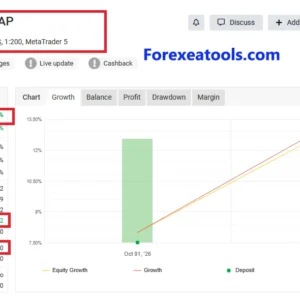
# The third Gold Snap Myfxbook record should be checked alongside your third screenshot, titled GOLD SNAP + BTC SNAP. That screenshot shows 13.09% gain and 2.10% reported drawdown on a real Exness cent account, with only October 1–2, 2026 visible on the chart. Confirm that the link matches this screenshot. If it does, treat it as a combined account: its full results cannot be credited to Gold Snap alone.
Compare gain with drawdown, then check the history length, trade count, version and last update. Cent-account money figures are shown in cents rather than standard US dollars. Past results do not guarantee future profits.
What about backtests?
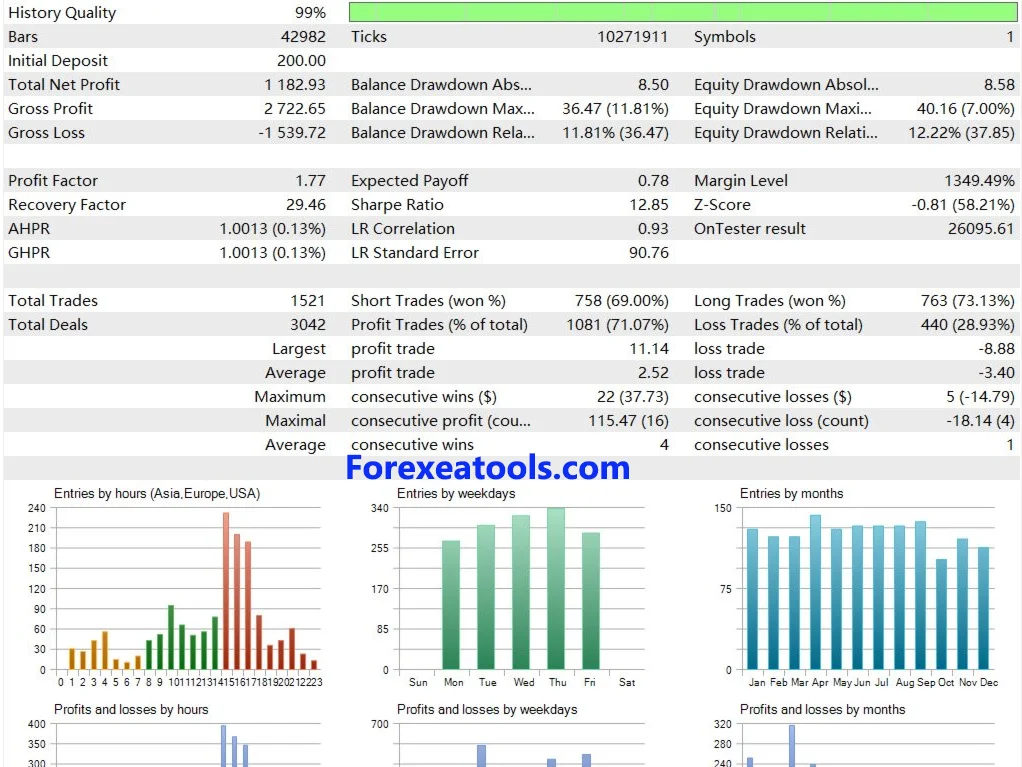
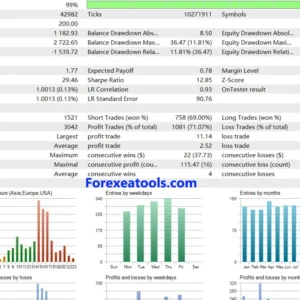
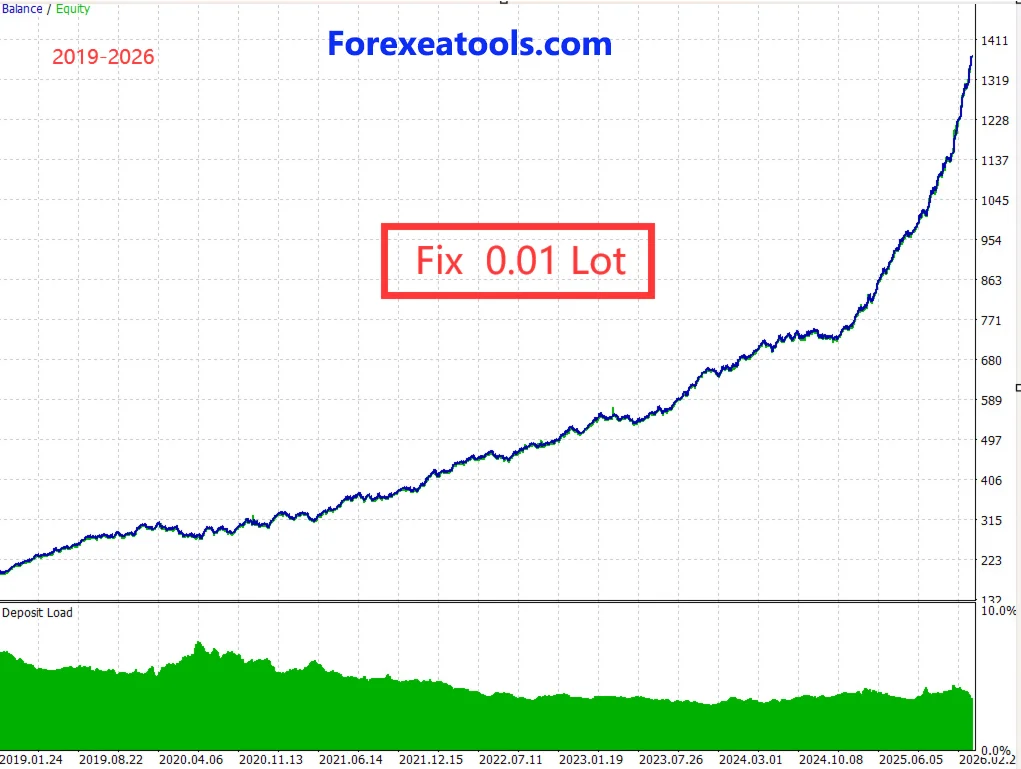
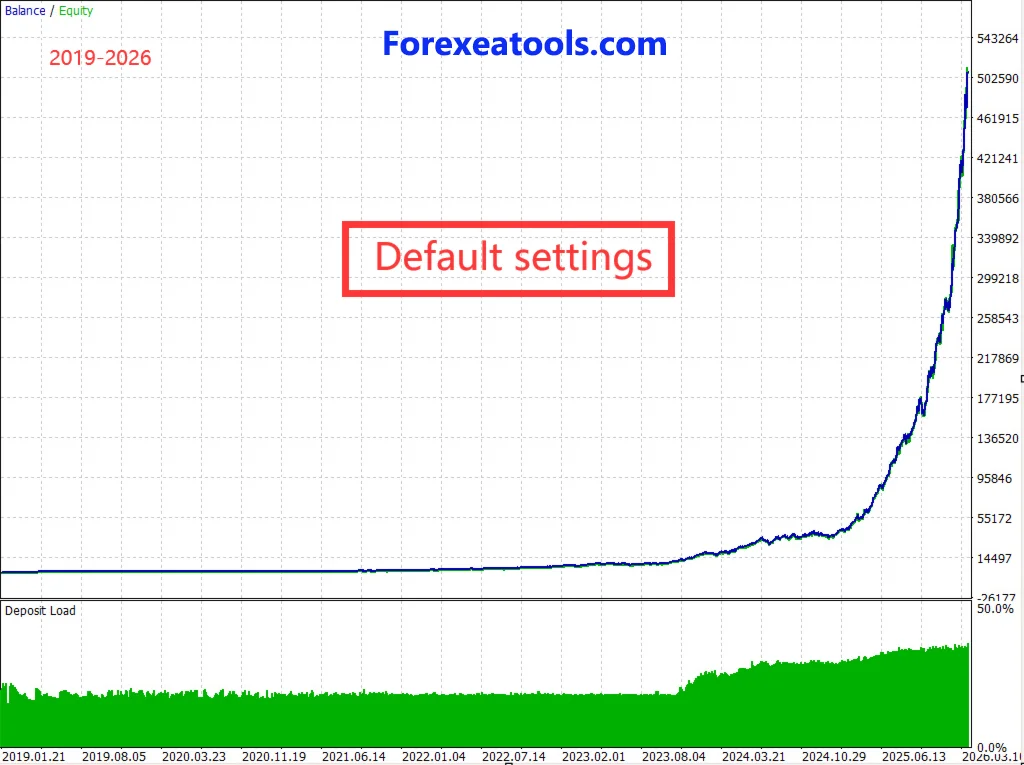
The published Gold Snap backtest recorded 1,182.93 in net profit from a starting deposit of 200, across 1,521 trades. It achieved a 71.07% winning-trade rate and a profit factor of 1.77, meaning gross profits were 1.77 times gross losses during the test.
Relative balance drawdown reached 11.81%, while relative equity drawdown reached 12.22%. Equity drawdown includes open-trade losses, so it helps you assess risk alongside the profit figures.
The report lists 99% history quality. Before comparing these results with your own setup, check the full test dates, account currency, EA version, settings and trading costs. This is a historical simulation; live results may differ, and future profits are not guaranteed.
Broker and trading-cost checks
Confirm your broker’s gold symbol, contract size, minimum trade size and order rules before enabling the EA.
The spread is the gap between the buy and sell price. Its cost, commission and execution differences can affect short trades. The meaning of a “point” depends on the symbol’s quote precision, so compare the published spread guidance with your broker’s specifications.
The published deposit figures are setup guidance, not a safe starting balance for everyone. A larger balance does not remove the possibility of losses. Do not increase leverage simply because an account record uses it.
What you receive
| Purchase detail | Included with this offer |
| EA and version | 2.0 Version |
| SET files and manual | Set File included |
| Licence / activation | Unlimited |
| Expiry / subscription | Lifetime |
| DLL and external services | No |
| MT5 build and account mode | 5977+ |
| Updates and support | Contact Us |
| Delivery | By Email |
This is a digital software offer. Check this table before ordering. If a requirement is unclear, ask about compatibility before buying.
How to install Gold Snap in MT5
For an order supplied as a standalone EA file:
- Extract the archive, if your download is a ZIP.
- In your intended MT5 terminal, open File → Open Data Folder.
- Put the EA program in MQL5 → Experts. Place extra files where the package instructions specify.
- Refresh Navigator → Expert Advisors, then attach the EA using the chart instructions for your release.
- Review its inputs and load a matching SET file if supplied.
- Allow trading for the EA and enable platform Algo Trading when ready.
- Read Experts and Journal for setup or licence errors.
Enable DLL imports only if the verified package requires them. A Market purchase follows the Market installation and activation route instead.
For illustrations and common errors, follow our MT5 Expert Advisor installation guide.
Delivery, support and refunds
Read the product’s delivery terms above. Our download instructions explain where to find files and what to do if access is missing.
If installation fails, request help with setup. Include your order number, version, MT5 build and exact log message. Hide account passwords and licence keys.
Update access follows the coverage stated for this offer. Read our refund and returns policy before purchasing. Trading losses are not proof of a software fault.
Frequently asked questions
Can I run the MT5 file in MT4?
No. The platforms use different program formats. Renaming the file will not convert it.
Is the version on the developer’s website the version I receive?
Check the supplied-version field on this page. A developer update does not automatically establish which file is in a seller’s package.
Does the EA need DLL imports?
Use the verified dependency information in the purchase table. Do not enable DLL access just because a general installation guide tells you to.
Are SET files included?
Only the presets listed in this offer are included. A preset from another version may contain different inputs or risk settings.
Can I run it on my phone?
The standard MT5 mobile app does not execute desktop EAs. Run the software in a supported desktop or hosted terminal; the mobile app can monitor the account.
Why is it attached but not opening trades?
Check account access, permissions, symbol, settings and logs. It may be waiting for its entry conditions. Do not remove filters or increase trade size just to force a trade.
Can I use it for a prop-firm challenge?
Do not assume acceptance. Check the firm’s current automation, strategy and loss-limit rules against the exact setup you intend to use.
How much will I earn?
There is no reliable fixed income figure. Review losses and costs as well as gains. A public account’s results cannot guarantee what your account will earn.
Before you order
Check the supplied version, files, licence and compatibility. Review the public records and confirm how you will test the setup where permitted. Then use Add to Cart to buy the package described above.




Reviews
There are no reviews yet.