Aura Bitcoin Hash v2.1 MT5 is an automated BTCUSD trading EA that combines a neural-network model with trading rules. This offer supplies version 2.1 for MetaTrader 5.
Review its published H1 setup, update notes and public trading record before buying. Pay attention to floating losses as well as closed profits, and test the settings on demo before using real money.
| Item |
Developer-published guidance |
| Platform |
MetaTrader 5 |
| Market |
Bitcoin — BTCUSD or the broker’s corresponding Bitcoin symbol |
| Chart timeframe |
H1 |
| Minimum deposit guidance |
$100 |
| Minimum leverage guidance |
1:20 |
| Broker guidance |
ECN recommended |
Source:
official Aura Bitcoin Hash listing.
A $100 minimum is not a promise of suitable risk. Your broker’s contract size, minimum lot, margin rules and trading costs affect the exposure. Available leverage also does not tell you how much you should trade.
How Aura Bitcoin Hash works
The developer says the system uses an MLP neural network to identify patterns and combines that model with trading rules. Its published design avoids grid, martingale and averaging, with stop loss and take profit on each trade.
These are developer descriptions, not findings from our own code audit. A model can make losing decisions, and a stop order cannot guarantee an exact exit price during gaps or fast markets.
The name “Hash” does not mean this is Bitcoin-mining software. This is a trading EA used in MT5. Check the exact instrument your broker offers; placing a trade does not necessarily mean buying Bitcoin into a wallet.
What changed in version 2.1?
The
official update history dates
v2.1 to 13 September 2026. The developer describes minor neural-network retraining and says the update is not critical.
Earlier releases include different changes. Version 2.0 updated the model, algorithm and EA core. Version 1.815 introduced Trading Intensity modes, a maximum-lot input and balance-step sizing options. Version 1.715 changed the trading logic and enabled both directions by default.
This is why a guide for v1.715 or v1.915 should not be treated as a complete v2.1 setup guide. Match any preset and instructions to your actual release.
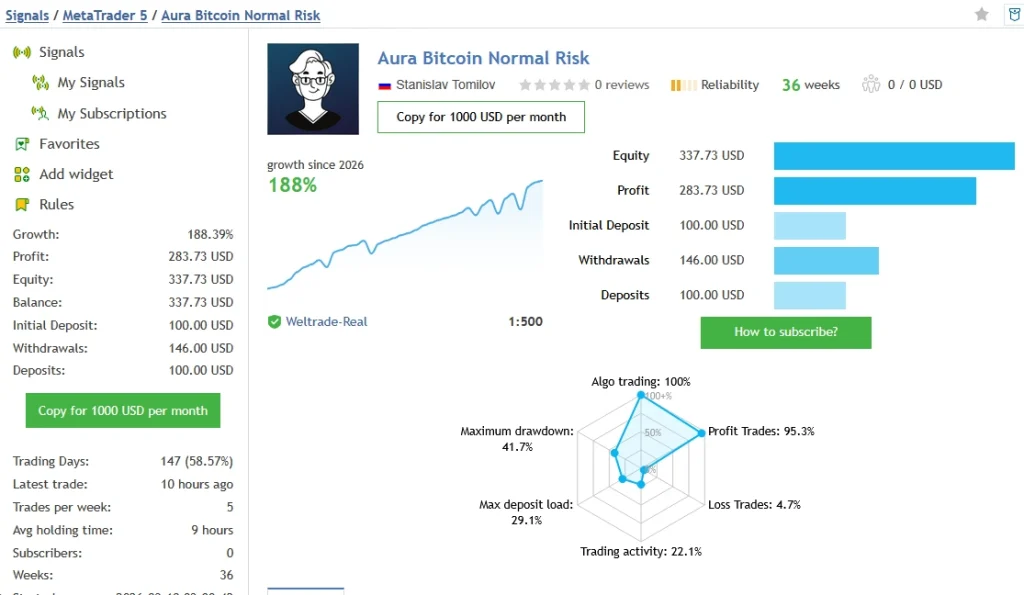
Public account evidence: growth and drawdown together
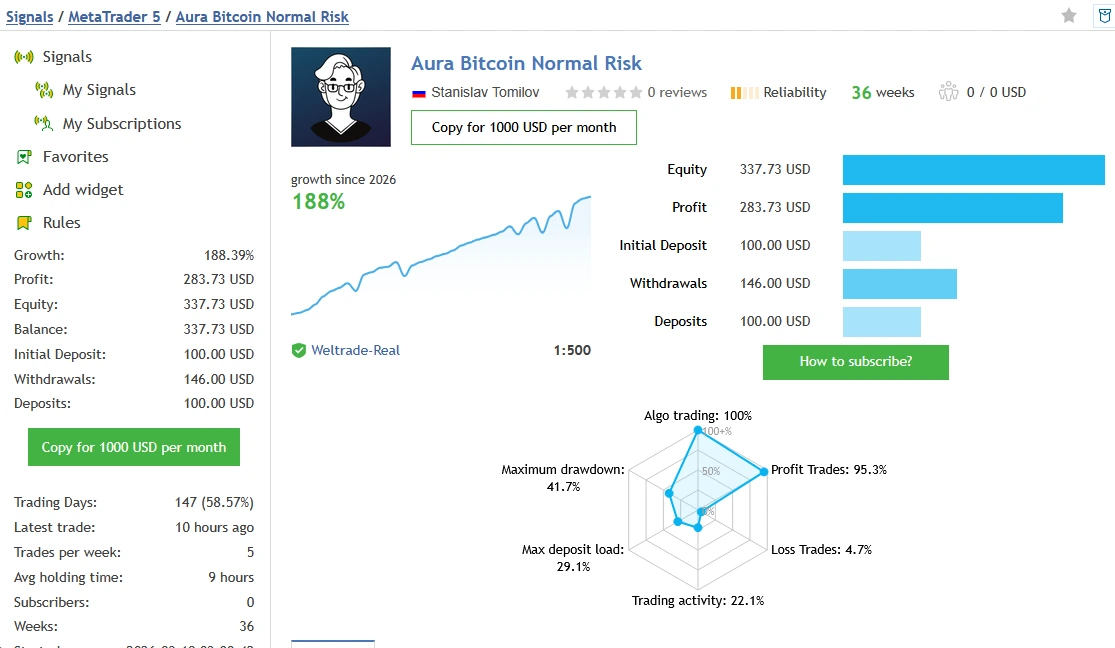
The developer links to
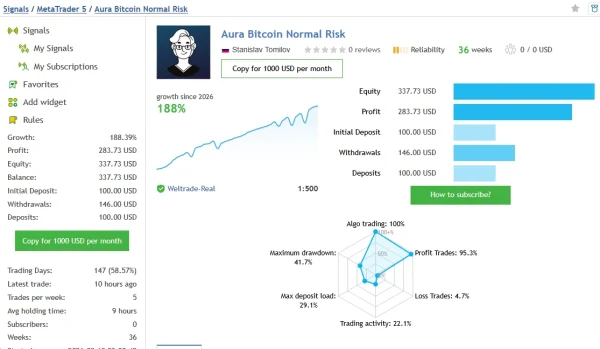
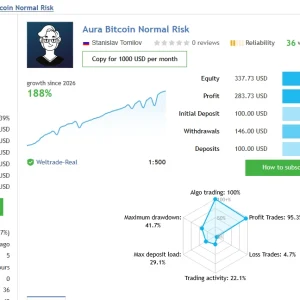
Aura Bitcoin Normal Risk on MQL5. The snapshot checked on
2 November 2026 showed
188.39% growth,
$283.73 profit and
$337.73 balance/equity. It began with
$100, recorded
$100 in additional deposits and
$146 in withdrawals. Growth is not simply profit divided by the initial deposit.
The record showed
149 trades over 36 weeks, a
95.30% win rate and a
2.40 profit factor. However,
relative equity drawdown reached 41.71%, compared with
15.13% relative balance drawdown. The worst trade was
−$40.82; average profit was
$3.43, while average loss was
−$29.04.
Those losses matter even though most trades won. The “Normal Risk” account name is not a safety rating. The record also began before v2.1 was released, so its full history cannot be presented as a v2.1-only test.
Open the account for updated figures. Its broker, inputs and trade sizes may differ from yours; these are third-party results, not a return forecast or our own test.
What to check before live trading
Position size and account exposure
Check whether the EA is using a fixed lot or another sizing method. Understand what each active input changes. Do not assume a preset labelled normal or low risk suits every balance.
Look at the money that could be lost on a trade, rather than judging risk only by the lot number. Bitcoin contract values and minimum volumes can differ between brokers.
Costs and broker conditions
Check spread, commission, overnight charges, trading hours and minimum margin for the exact BTCUSD symbol. The underlying Bitcoin market can move while a broker’s trading service is unavailable. Keep enough margin for adverse moves and understand the broker’s stop-out rules.
Backtests and forward tests
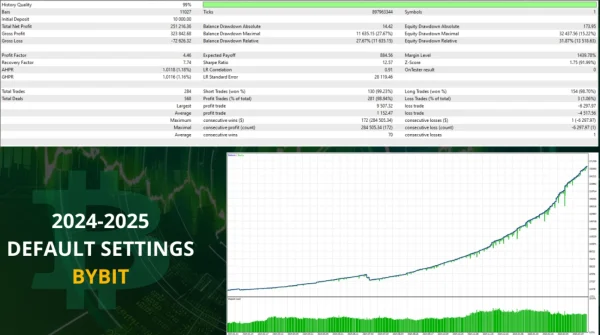
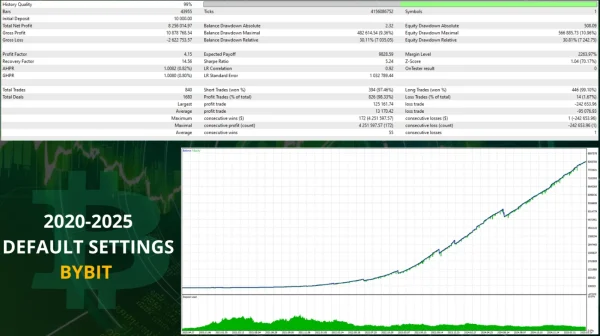
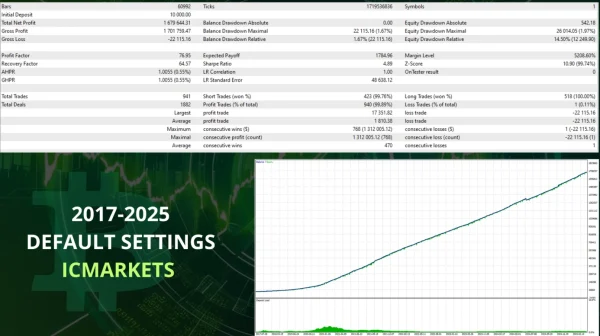
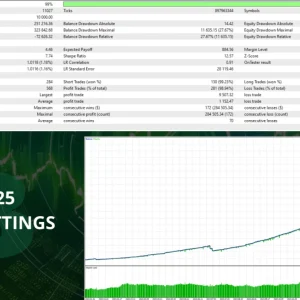
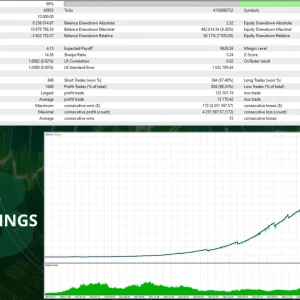
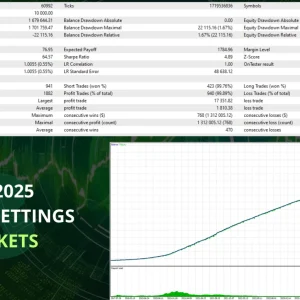
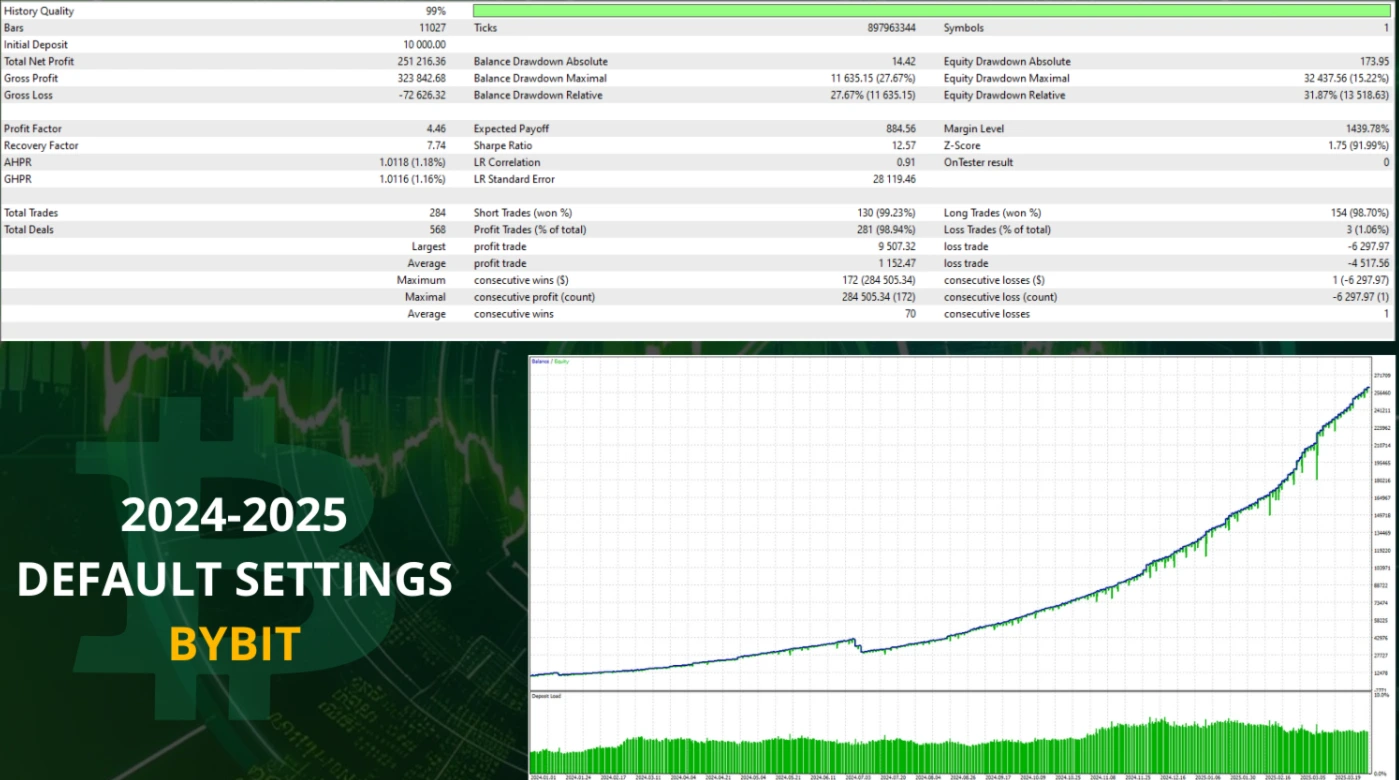
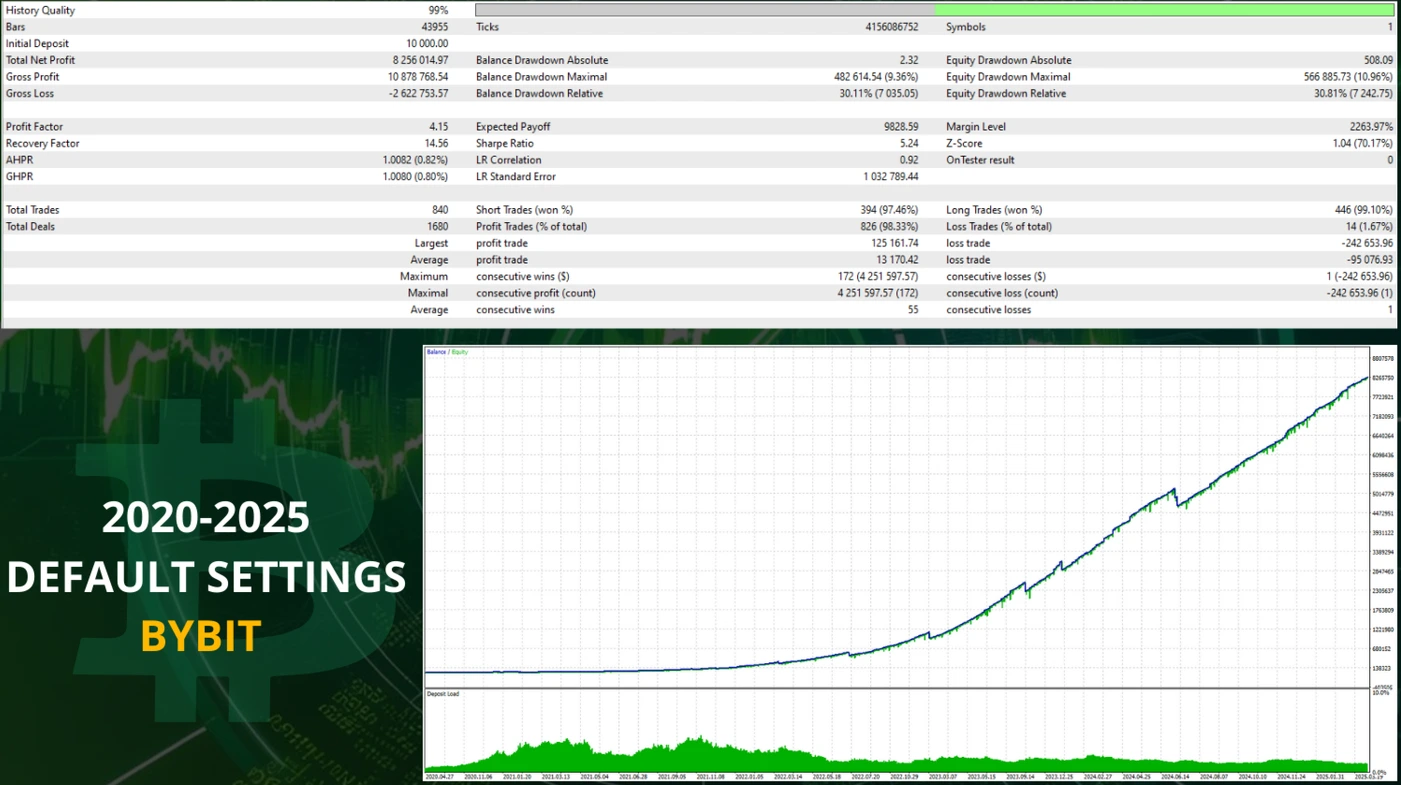
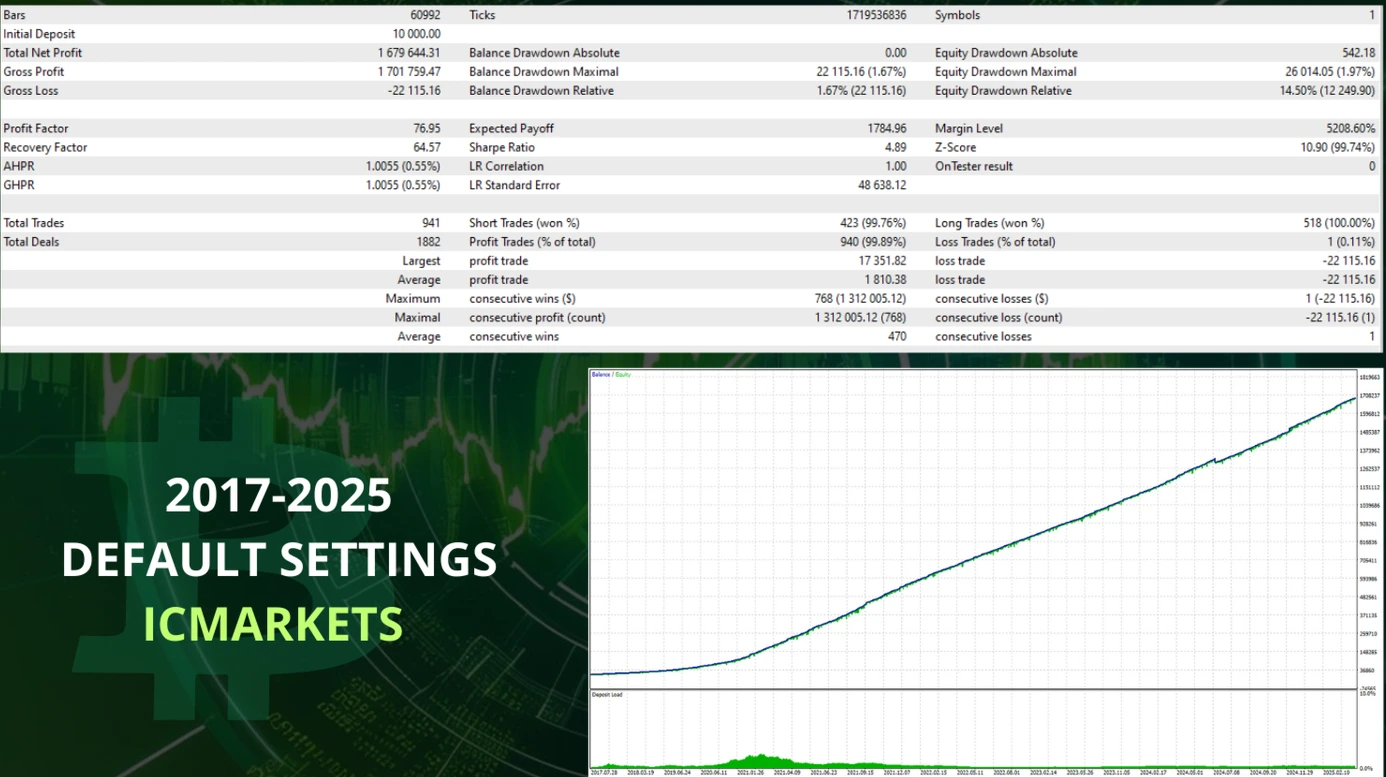
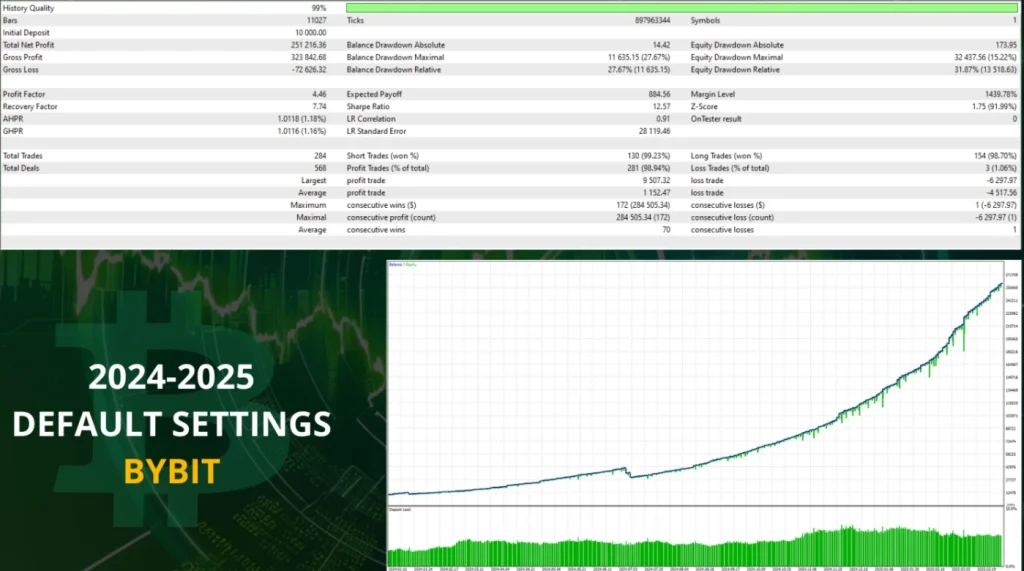
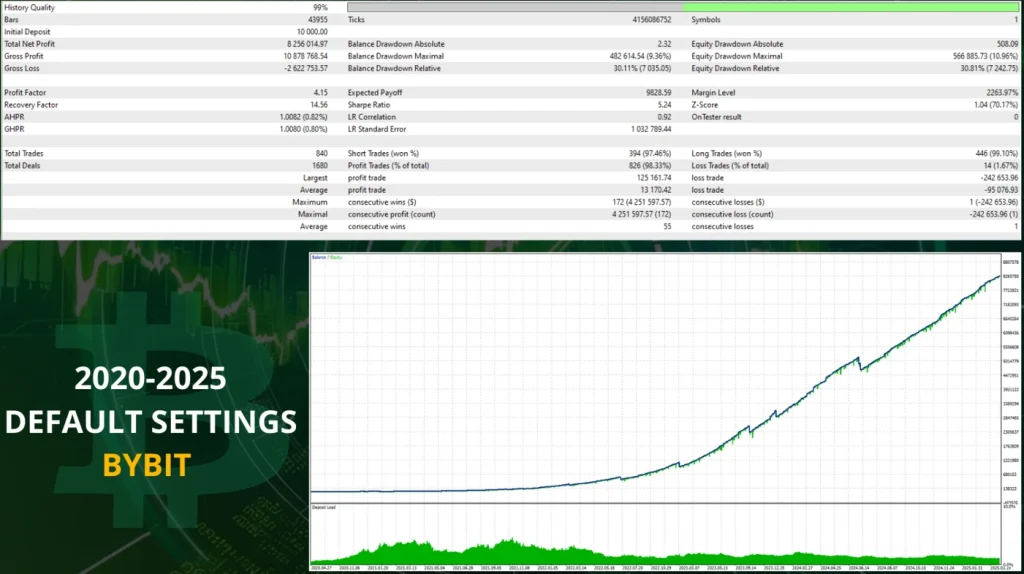
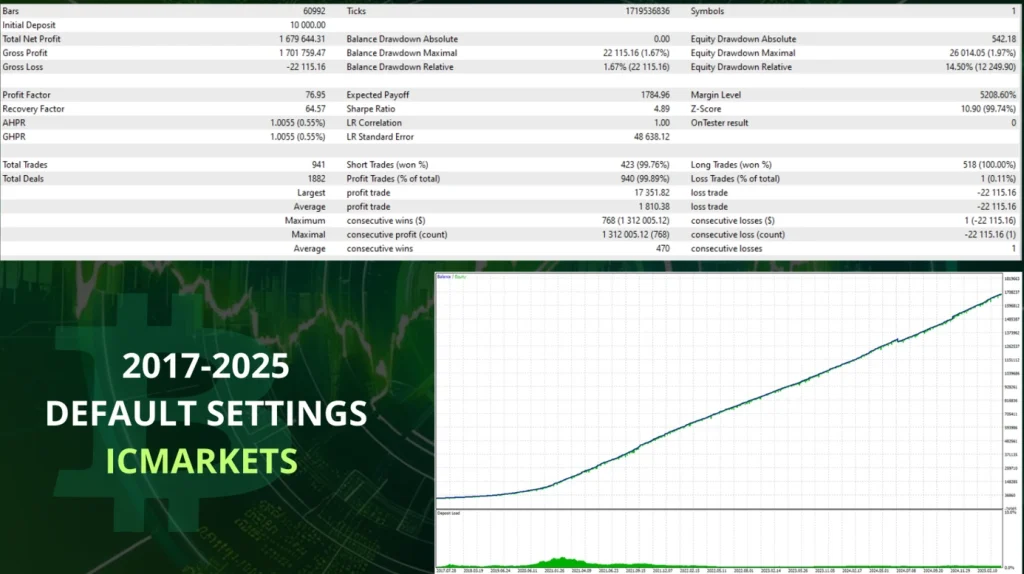
A backtest is a simulation. Before relying on one, check the EA release, date range, inputs, modelling method and trading costs. A report from an earlier version does not automatically describe v2.1.
Then run a demo forward test with your broker. Record errors, trade sizes and stop behaviour. Do not increase exposure just because the first few trades win.
How to install Aura Bitcoin Hash in MT5
- Open the MT5 desktop terminal you intend to use.
- Select File → Open Data Folder, then open MQL5 → Experts.
- Copy the supplied EA file into that folder and refresh Navigator → Expert Advisors.
- Open your broker’s corresponding Bitcoin chart on H1.
- Attach the EA and follow the instructions for your supplied release, including activation and any required dependencies.
- Review trade size, trading mode and all active risk controls. Load a matching SET file only if you have one.
- Enable the required trading permissions when ready to test on demo.
- Check the chart and the Experts and Journal tabs for errors. Keep the trading terminal connected while the EA runs.
Our
MT5 EA installation guide explains the general process. If you use a preset, follow
how to load a SET file in MT5 and review the imported values before trading.
You can also consult the
developer’s installation guide. Follow your package instructions where activation or file delivery differs.
Your purchase
| Purchase detail |
Included with this offer |
| Product |
Aura Bitcoin Hash |
| Supplied version |
2.1 |
| Platform |
MetaTrader 5 |
Delivery, support and refunds
See
Delivery & Downloads for general order-access information. Check the package details for the exact included files and any activation requirements.
For an installation problem, contact
Product Support with your order number, EA version, MT5 build and the relevant error message. Hide personal account details in screenshots. Never send your trading-account password.
Read our
refund policy before buying. A software installation fault and dissatisfaction with trading returns are different issues; review the conditions and help process.
Frequently asked questions
What does Aura Bitcoin Hash trade?
The published strategy targets Bitcoin trading in MT5. Check the corresponding BTCUSD instrument and its contract specification with your broker.
Is it Bitcoin-mining software?
No. It is a trading Expert Advisor, not a mining service or wallet.
Is $100 enough?
That is the developer’s published minimum guidance. It does not establish suitable risk for your broker, inputs or intended position size. Check those conditions and test on demo first.
Can it run on MT4 or a phone?
This offer is for MT5. The EA needs a supported desktop or hosted terminal to run. Installing the mobile trading app does not run the EA on your phone.
Can I use it for a prop-firm challenge?
Check the firm’s current EA, crypto, overnight-holding and loss-limit rules. Do not assume the product’s marketing guarantees acceptance or that the EA will pass a challenge.
Does the public signal prove v2.1 will be profitable?
No. Its history covers time before this release and does not prove your package uses identical settings. Past trades do not guarantee future results.
Is profit guaranteed?
No. Automated Bitcoin trading can cause substantial losses. Understand the potential loss and use only money you can afford to lose.