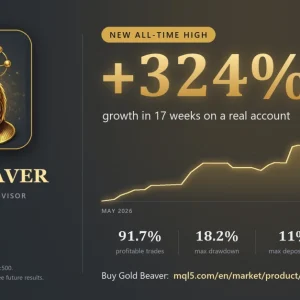
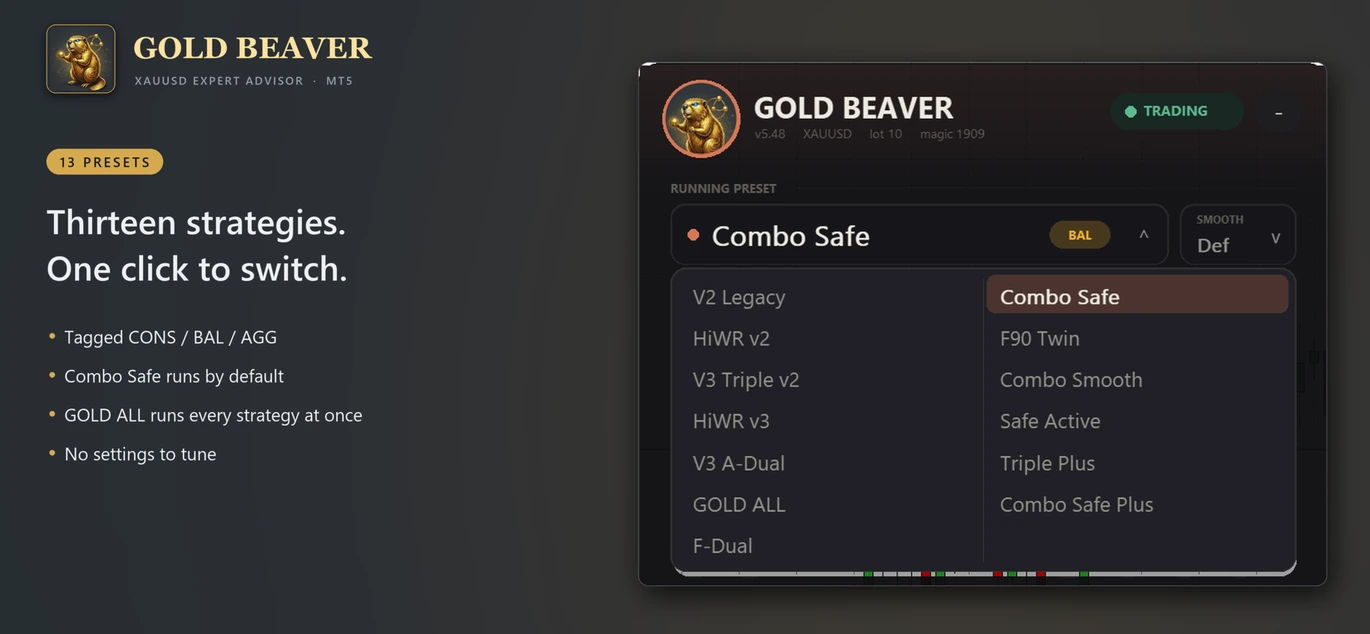
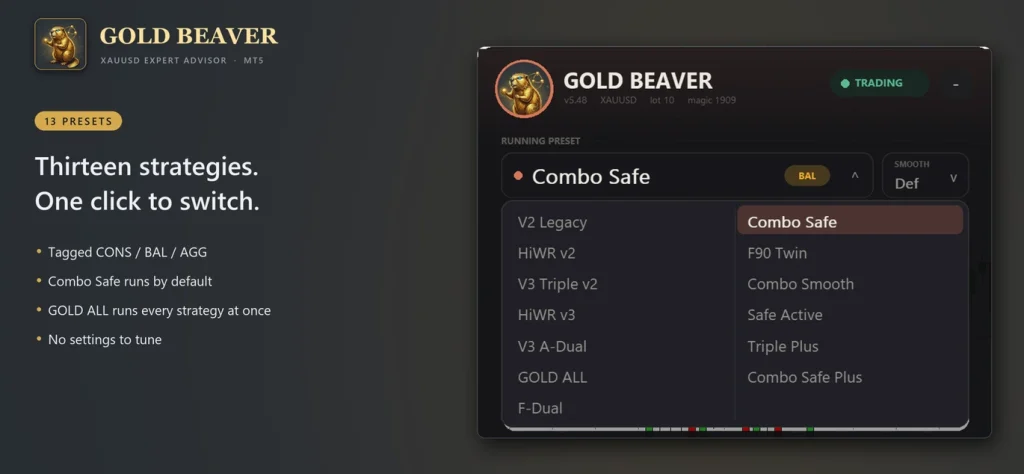
Gold Beaver v5.56 MT5 is an automated gold trading Expert Advisor for MetaTrader 5. It offers 13 selectable strategy presets, a broker-based Strategy Rank panel, smoothing options and optional daily-loss controls.
The EA works on XAUUSD charts and checks signals around M15 candle boundaries. Explore the presets, MT5 setup, risk controls and public performance record before using it on a demo or live account.
Setup at a glance
| Item |
Published guidance |
| Platform |
MetaTrader 5 (MT5) desktop |
| Market |
XAUUSD (Gold) |
| Supplied version discussed |
v5.56 |
| Chart timeframe |
Any XAUUSD timeframe; signals checked at M15 candle boundaries |
| Trading type |
Automated, non-HFT gold trading |
| Presets |
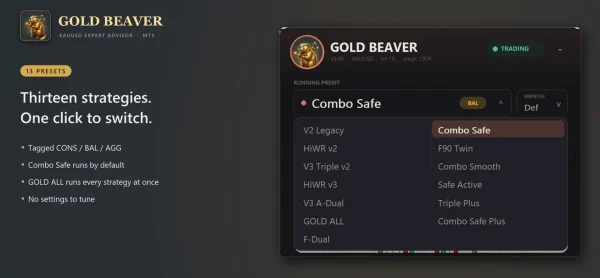
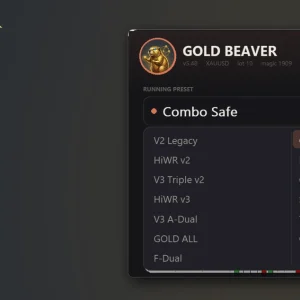
13, including Combo Safe and GOLD ALL |
| Default preset |
Combo Safe |
| Position management |
Stop Loss when a position opens, according to developer |
| Risk options |
Fixed or balance-scaled lots, spread filter, optional loss limits |
| Connection |
Stable MT5 terminal; special low-latency VPS not required |
| DLLs |
Developer says no DLLs or external services required |
Gold Beaver does
not need to run on an M15 chart merely because its signals are evaluated at M15 candle boundaries. The developer says you can attach it to any XAUUSD chart timeframe.
How does Gold Beaver MT5 work?
Gold Beaver checks the gold market using a selected trading preset. When the conditions match, the EA can place and manage trades automatically.
The developer describes it as a
non-HFT system. That means it is not designed around extremely fast, millisecond-level trading. The signals are assessed around 15-minute candle boundaries.
The developer also states that Gold Beaver avoids martingale, grid trading and averaging down. Each position is designed to receive a stop loss when it opens. These are published design claims, not an independent audit of the v5.56 source code.
A stop loss cannot guarantee that the exit will happen at the exact set price during a gap or fast market move.
Gold Beaver trading presets explained
You can choose a trading style instead of using the same settings for every account.
| Preset group |
Examples |
What to expect |
| CONS — Conservative |
HiWR-V3, HiWR-V2, F-Dual |
Fewer trades, according to developer |
| BAL — Balanced |
Combo Safe, Combo Safe Plus, Combo Smooth, Safe Active, F90 Twin, V2-Legacy |
Moderate trading activity |
| AGG — Aggressive |
V3-Triple-V2, V3-A-Dual, Triple Plus |
More activity and potentially larger account swings |
| ALL |
GOLD ALL |
Runs all strategies together; combined risk can be higher |
Where should beginners start? The developer recommends
Combo Safe as the default starting preset. This does not mean it is low risk or suitable for every account.
Avoid switching straight to GOLD ALL or aggressive presets just because a backtest shows higher profit. More active strategies can create more exposure and deeper losses.
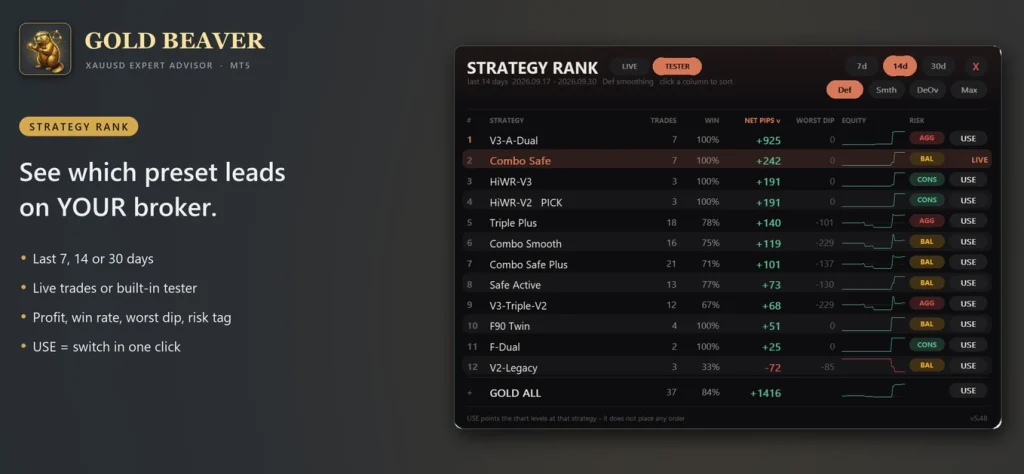
Strategy Rank — compare presets on your broker
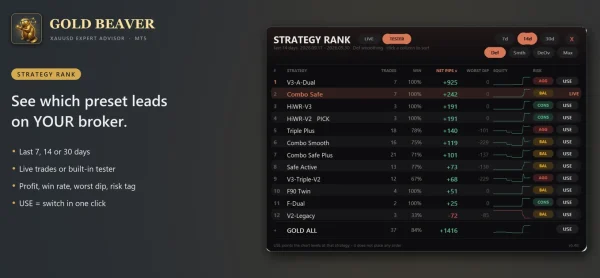
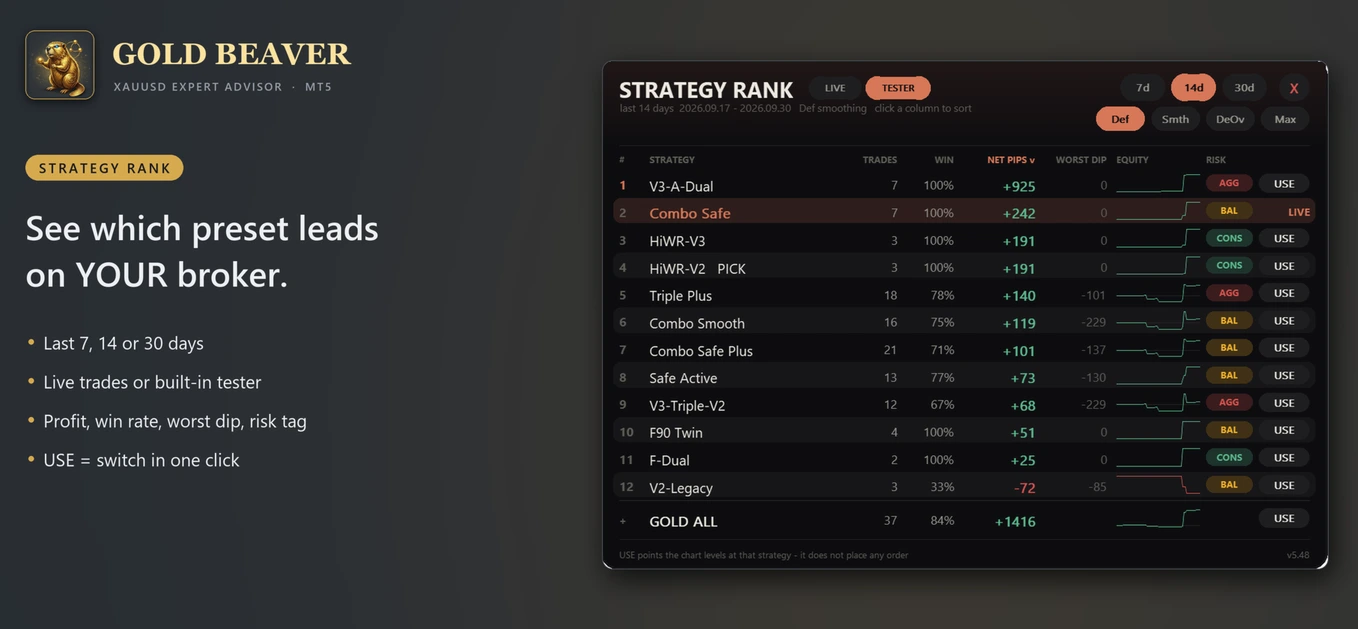
Gold Beaver includes a
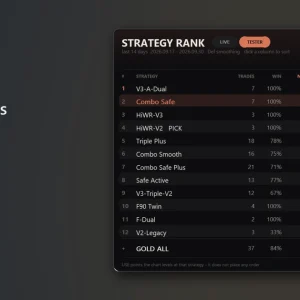
Strategy Rank panel. The developer says it compares presets over recent
7-, 14- or 30-day periods using your broker’s data.
You can inspect a preset’s performance before choosing it. The separate equity view can show its equity curve, worst dip, trade count and win rate.
These short-term rankings are
not forecasts. A preset that ranked first during the last month can lose money in the next month. Broker spreads, symbol specifications and market conditions can change the results.
Smoothing and account protection
Gold Beaver lists four smoothing options:
Default, Smooth, De-Overlap and Max. These are intended to reduce overlapping trade exposure while using the underlying strategy signals.
The EA also offers an optional
Prop Firm Guard, with daily-loss and maximum-loss percentage controls. The developer says this feature is
off by default.
If you want to use it, check the rules of your own prop firm first. Some firms measure daily loss from equity, some use different reset times, and many have additional rules. An EA setting cannot guarantee that you will pass a challenge or stay within the rules.
Gold Beaver v5.56 MT5 settings
Review these inputs before enabling automated trading:
| Setting |
Why it matters |
| Strategy preset |
Determines which trading approach is active |
| Fixed lot or floating lot |
Controls how trade size is calculated |
| Maximum spread |
Can block trades when trading costs are too high |
| Base magic number |
Helps MT5 identify the EA’s orders |
| Prop Firm Guard daily loss |
Optional daily-loss limit; confirm whether enabled |
| Prop Firm Guard maximum loss |
Optional total-loss limit |
| Close all on breach |
Review what happens if a configured limit is reached |
| Smoothing option |
Changes how overlapping exposure is handled |
The developer says the on-chart panel can suggest a lot size based on account balance and preset. Small accounts may be forced to use the broker’s minimum of 0.01 lot, which can be
too risky for the available capital.
Do not assume one lot size or set file will be suitable for all brokers and accounts.
Does Gold Beaver v5.56 include SET files?
Gold Beaver has built-in strategy presets. An external
.set file is different: it saves a particular collection of MT5 input settings.
Package contents must be confirmed for this ForexEaTools.com offer. Some third-party sellers advertise separate set files for other releases, but that does not establish that v5.56 includes them here.
If a compatible SET file is supplied, load it through the EA’s
Inputs tab and check the preset, lot sizing and loss limits before trading.
See our
MT5 SET-file guide only after confirming that page exists.
Gold Beaver v5.56 MT5 vs other versions
This page covers
v5.56. Earlier seller listings also mention v5.53, while the official MQL5 product listing showed
v5.57 when researched on 4 November 2026.
Do not assume that backtests, files, settings or feature changes from another version apply exactly to v5.56. The complete release-specific change list for v5.56 has not been independently verified here.
Check the version displayed by MT5 and keep any accompanying release notes with your download.
Public live results — what can you verify?
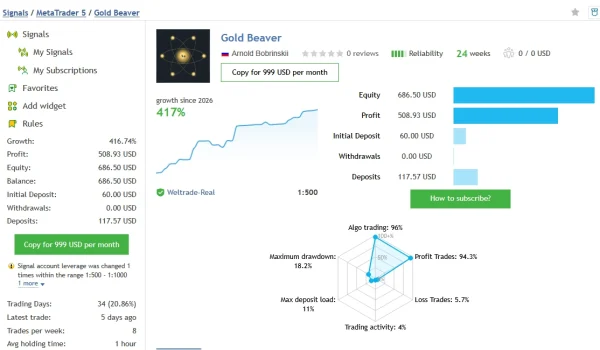
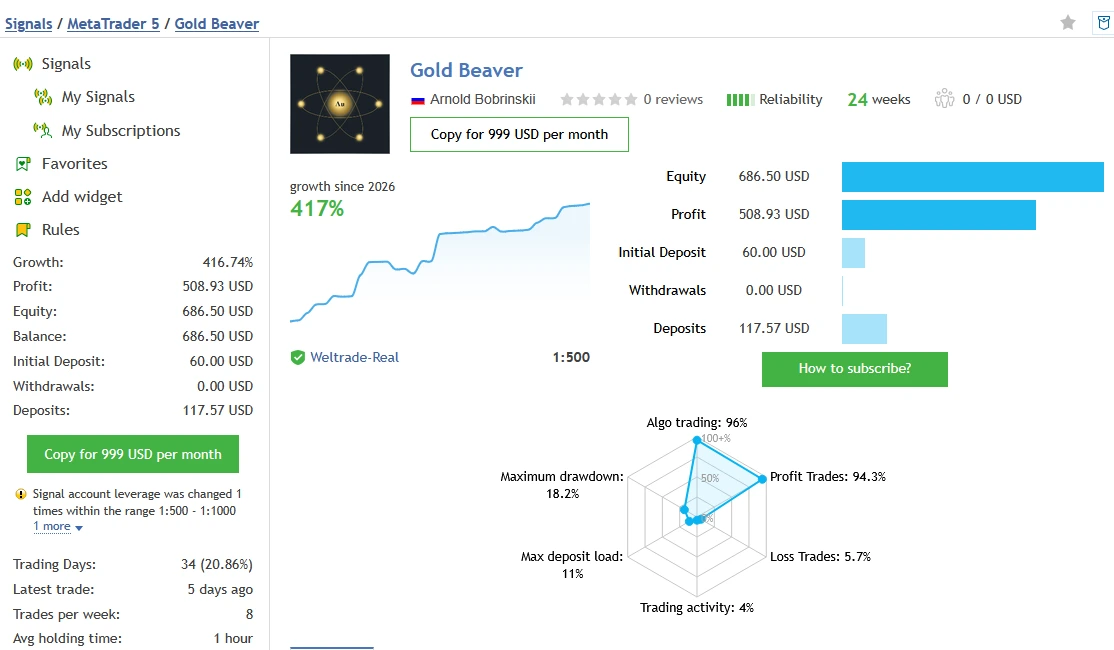
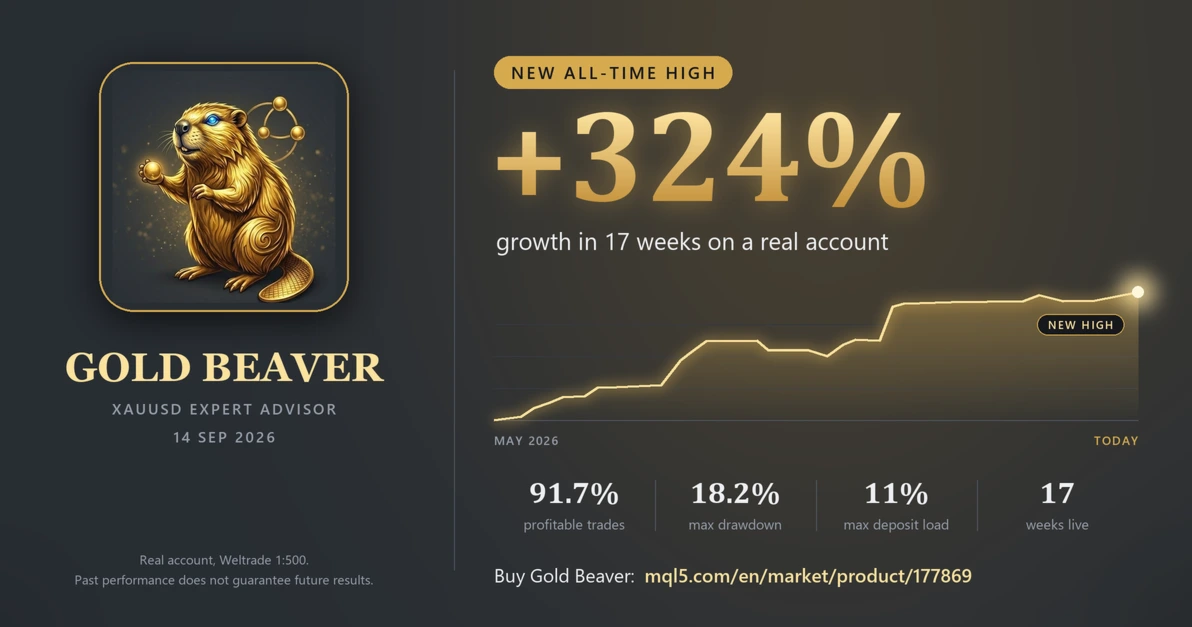
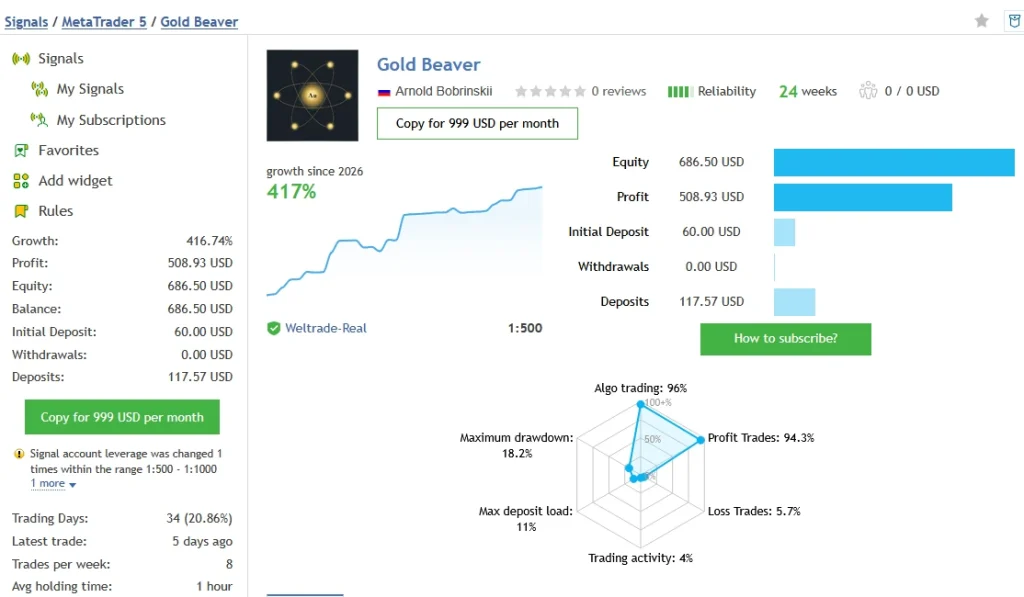
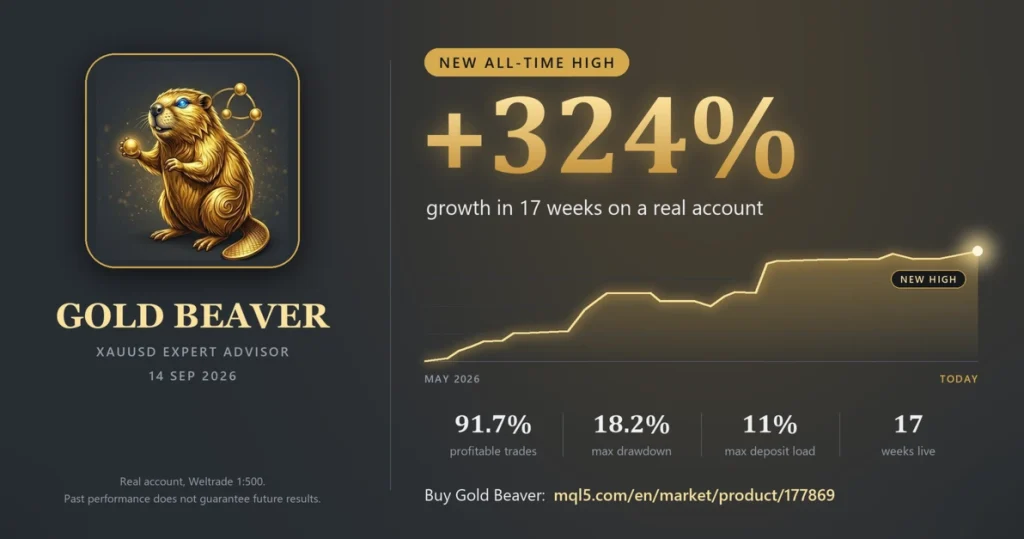
The developer links a public MQL5 signal named
Gold Beaver:
Public signal: https://www.mql5.com/en/signals/2375536
When researched, the signal showed approximately
321.58% growth,
$382.51 profit,
$560.08 balance and equity,
80 trades, and about
15 weeks of recorded history. The platform also warned that no trading activity had been detected for the previous
11 days. These values are a
dated snapshot, not guaranteed current numbers.
The account records also showed an initial deposit of
$60 and additional deposits of
$117.57. Do not confuse growth percentage with a simple return calculated from the initial deposit alone.
A public signal is helpful, but it does
not prove that your v5.56 file, chosen preset, broker and risk settings will perform the same way. It may reflect an earlier version or a different configuration.
Before judging any EA results, check: current equity, maximum equity drawdown, deposits and withdrawals, open positions, sample length, broker conditions and trading frequency. Positive closed trades can hide open losses.
How to install Gold Beaver v5.56 on MT5
- Install the desktop version of MetaTrader 5 and sign into a demo account.
- Choose File → Open Data Folder in MT5.
- Open MQL5 → Experts.
- Copy the trusted, compatible .ex5 file into the Experts folder.
- Restart MT5 or refresh Navigator → Expert Advisors.
- Open your broker’s XAUUSD chart, using a supported chart timeframe.
- Drag Gold Beaver onto the chart and open its Inputs settings.
- Select the desired preset. Check lot sizing, spread limits, optional Prop Firm Guard and any matching SET file.
- Enable algorithmic trading when ready to test, and review the Experts and Journal tabs for errors.
- Watch the EA on demo across different trading conditions before considering real money.
The normal MT5 mobile app cannot host or run an EA by itself. The EA needs the supported desktop terminal or a suitable VPS. The developer says that Gold Beaver is not HFT, so a special low-latency VPS is not necessary, but a stable connection is still useful.
Backtesting Gold Beaver MT5
The developer suggests testing on your own broker’s XAUUSD data. In the MT5 Strategy Tester,
1 minute OHLC can be used for faster trials;
Every tick based on real ticks is more detailed when suitable data are available.
Test more than one market period. Include spreads, commissions and realistic order execution assumptions. Record both balance and equity drawdown, not just total profit.
A positive backtest does not prove that live trading will match it. Be especially careful if results cover only one favorable period or depend on an unusually high lot size.
Common problems and fixes
Gold Beaver is not opening any trades
Check that the XAUUSD symbol is correct, algorithmic trading is enabled, the market is open and the spread is within your selected limit. Some presets trade less often; several quiet days do not automatically mean the EA is broken. Check the Journal for errors.
The EA does not appear in Navigator
Place the correct MT5 file inside
MQL5/Experts and restart or refresh MT5. MT4 files will not run as MT5 Expert Advisors.
Preset results are different from screenshots
Broker spreads, trading hours, price data, account size and the selected period can change performance. A 7-day Strategy Rank is not the same as a long-term test.
My lot size is larger than expected
Check whether fixed or balance-scaled sizing is selected. A small account may still use the broker’s minimum lot. Stop trading if the resulting risk is too high.
Prop Firm Guard is not limiting losses
The developer says it is off by default. Check the actual inputs, the enabled limits, how the EA handles open equity and whether any other EAs or manual trades are outside its control. Do not rely on it as your only protection.
EA stopped after restarting my computer
Confirm MT5 is running, connected to your account and allowed to trade. The developer describes restart-safe order reconstruction, but you should still check every open position and pending order.
Your Gold Beaver v5.56 purchase
| Purchase detail |
This offer |
| Product |
Gold Beaver EA |
| Discussed version |
v5.56 |
| Platform |
MetaTrader 5 |
| Trading market |
XAUUSD |
Delivery, support and refunds
See
Delivery & Downloads for general order-access information. Check the package details for the exact included files and any activation requirements.
For an installation problem, contact
Product Support with your order number, EA version, MT5 build and the relevant error message. Hide personal account details in screenshots. Never send your trading-account password.
Read our
refund policy before buying. A software installation fault and dissatisfaction with trading returns are different issues; review the conditions and help process.
Frequently asked questions
What is Gold Beaver v5.56 MT5?
It is an automated Expert Advisor for MetaTrader 5 designed to trade XAUUSD using a selectable strategy preset.
Does Gold Beaver work on XAUUSD only?
The developer recommends XAUUSD (gold). Other symbols are not established as supported for this product.
What timeframe should I use?
The developer says Gold Beaver can be attached to XAUUSD on
any chart timeframe. Its trading signals are evaluated around
M15 candle boundaries.
How many strategies are included?
The official description lists
13 selectable presets, including conservative, balanced, aggressive and GOLD ALL choices.
What is the default Gold Beaver preset?
Combo Safe is the developer’s default. It is a starting option, not a guarantee of safety or profit.
Does Gold Beaver use martingale or grid trading?
The developer states that it uses neither martingale nor grid trading, and does not average down. This review has not independently audited the EA’s code.
Does Gold Beaver have a stop loss?
According to the developer, every position receives a stop loss when opened. Slippage and price gaps can still produce larger losses.
Does Gold Beaver include a prop-firm mode?
It has an optional Prop Firm Guard with daily and maximum loss controls. It is disabled by default, and compliance with any particular firm’s rules is not guaranteed.
Does Gold Beaver need a fast VPS?
The developer describes it as non-HFT, so no special low-latency VPS is required. A stable terminal connection remains important.
Can I use Gold Beaver on MT4 or my phone?
This version is for
MT5 desktop. Standard MT5 mobile apps cannot execute Expert Advisors themselves.
Are SET files included in v5.56?
Not confirmed for this specific ForexEaTools.com package. Check the actual product files before publication or purchase.
Is the Gold Beaver source code included?
Not confirmed. A compiled EX5 product is different from an editable MQ5 source-code edition. Do not assume one includes the other.
Can Gold Beaver make money every day?
No. Some days or weeks may have no trades, and trading losses can occur. No preset guarantees profits.
Where can I see Gold Beaver results?
See the developer-linked public signal at
https://www.mql5.com/en/signals/2375536 . Check current equity, drawdown, account history and warnings rather than relying on promotional percentages.
Final review — is Gold Beaver v5.56 worth testing?
Gold Beaver offers more choice than a basic single-strategy gold EA. Its main points of interest are the
13 presets,
Strategy Rank, smoothing options, and optional daily-loss controls.
However, a flexible EA can still lose money. A strong-looking short backtest or public signal does not tell you what will happen on your account.
Start with a demo account, review the Combo Safe preset, and measure equity drawdown before choosing more aggressive settings.
Editorial note: This page summarizes the developer’s description, public signal and third-party product pages. ForexEaTools.com should disclose any actual hands-on testing separately. This content is educational information, not personal financial advice. Leveraged trading can result in substantial losses.