Want to automate a Gold breakout setup without using a recovery grid? Gold AQF MT5 is described by its developer as a system built for that approach. Review the exact package, account restrictions and setup information below before deciding whether it fits your needs.
What you receive
| Purchase detail |
Included with this offer |
| Product |
Gold AQF MT5 |
| EA file |
EX5 file |
| Demo/live account use |
No restriction |
| SET files |
Not included |
| Setup instructions |
Included |
| Licence and activation |
No limit |
| Expiry or subscription |
No expiry |
| DLL and external services |
No DLL |
| Delivery |
Digital |
A product description on another store does not confirm what is included here. Check this offer’s details and contact support if a requirement is unclear.
How Gold AQF trades
The official listing describes four selectable XAUUSD breakout strategies for an H1 chart, with multi-timeframe analysis, strategy-specific Stop Loss, Take Profit and trailing profiles. It describes fixed-lot or percentage-risk sizing, one-shot entries per direction, and no martingale, grid or post-loss lot multiplication. Its news filter blocks new entries during news windows while leaving existing position management active.
These are developer statements, not findings from an independent code inspection. See the
official Gold AQF listing.
In simple terms, a breakout approach looks for movement beyond a price area used by the strategy. Such a move can continue or reverse. A trade that meets the entry rules can still lose money.
Choosing a strategy and risk setting
The strategy selector lets you choose a profile. Do not assume that having several profiles means they all run together. Check the behaviour of your supplied release and test one configuration at a time so you can identify what produced the results.
With a fixed lot, trade volume remains at the value selected, but monetary risk can vary with the stop distance and contract specifications. With a percentage-risk setting, check the input’s calculation basis, minimum lot rounding and the size of the resulting order. Neither option guarantees an exact final loss.
Save a record of the selected strategy and inputs before testing. Avoid changing several values after a losing trade without understanding their effects.
Account and broker requirements
| Published setup item |
Official overview |
| Platform |
MetaTrader 5 |
| Instrument / chart |
XAUUSD / H1 |
| Listed minimum deposit |
USD 100 |
| Execution conditions |
Low spread and commission, fast execution; ECN/Raw-type or similar |
The $100 figure is a publisher recommendation, not a safe-deposit promise. Actual trade size, margin requirements and potential losses depend on your broker and settings. A small account may be unable to use the intended risk percentage because of its minimum trade size.
Check your exact Gold symbol, contract size, commission, spreads and supported account mode. A familiar broker name does not prove that every account offered by that broker is compatible.
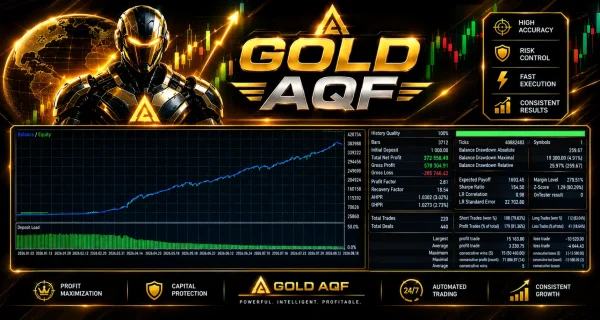
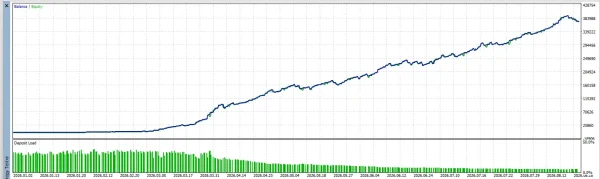
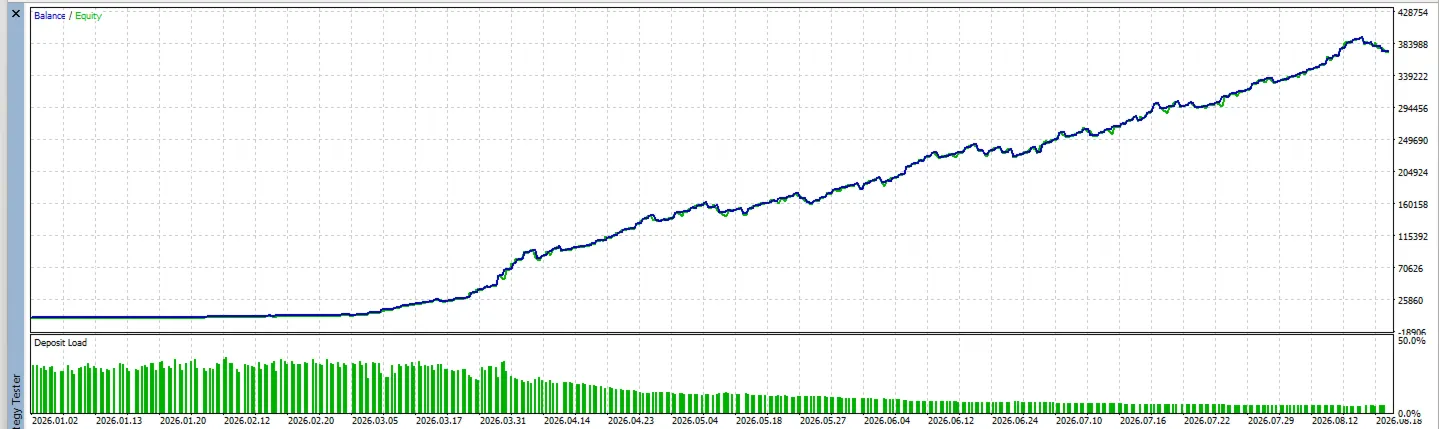
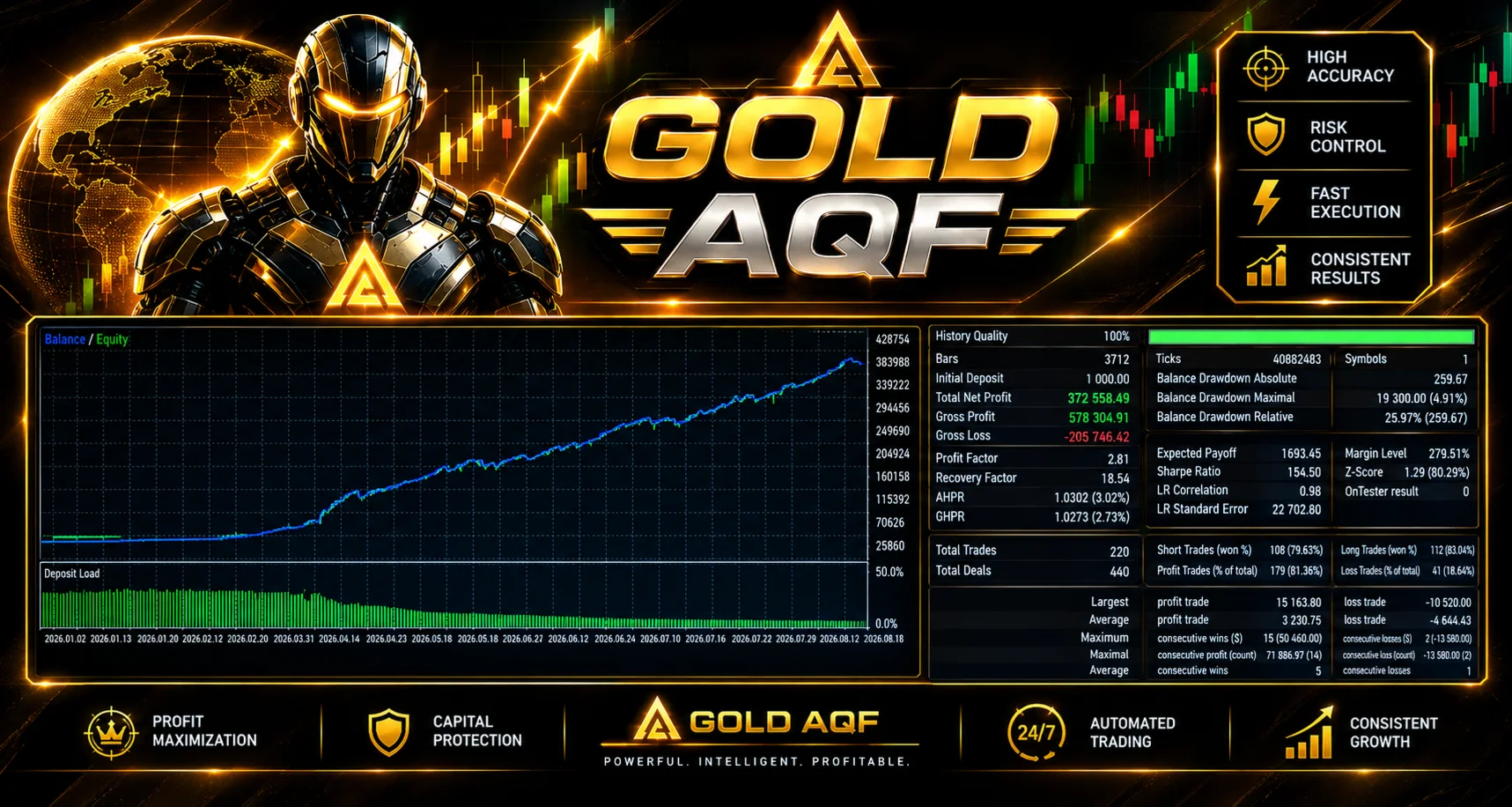
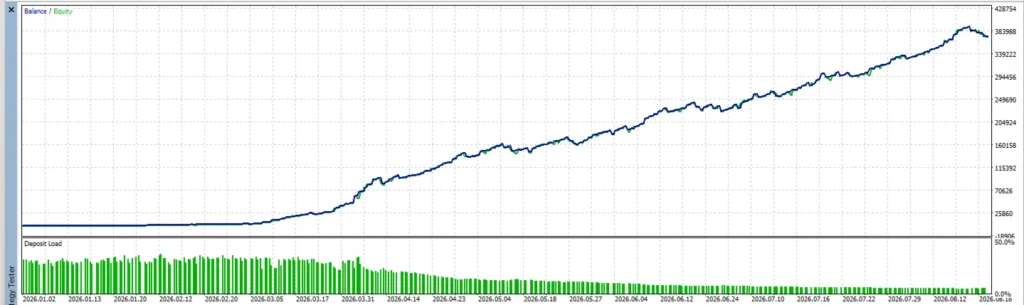
Gold AQF MT5 – View Backtest Results
Explore Gold AQF MT5, an Expert Advisor for automated gold trading. Review the supplied backtest charts, trading statistics and drawdown before buying. Your package includes the EX5 file and setup instructions, with unlimited activations, no expiry and no DLL requirement.
These screenshots show historical strategy-test results. Backtest performance does not guarantee future returns.
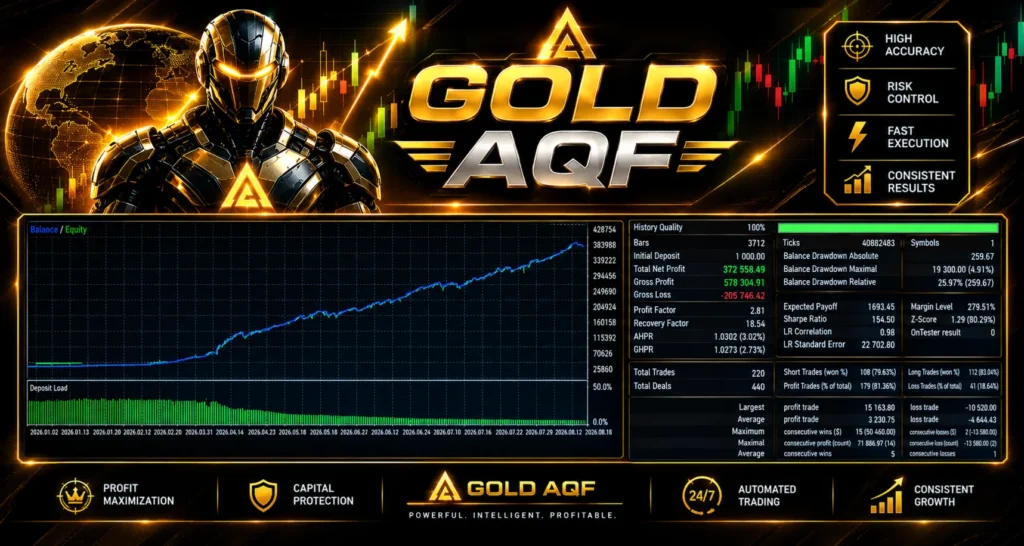
What results can you verify?
During our source review on
14 October 2026, we did not identify a direct Gold AQF live-signal or Myfxbook link in the official overview. We therefore do not present a verified growth figure, winning-trade percentage or maximum drawdown here.
This does not prove that no account record exists. It means a matching public record has not been established by this page’s research. We have also not independently forward-tested the supplied file.
If you compare a backtest or public account, check its version, strategy, dates, account type, settings and open losses. A screenshot by itself does not show that the record matches the package you are buying.
Our
guide to drawdown in forex trading explains why balance growth alone can miss risk from open trades and how to read equity drawdown.
Important risks before using the EA
Breakouts can fail: price may cross a level and then reverse. Spread, commission and slippage also affect the outcome. A Stop Loss is a loss-control instruction, not a guarantee of the exact closing price under every market condition.
A news filter may pause new entries without closing trades already open. Check its status and documented setup requirements instead of assuming it removes exposure during an announcement.
The absence of grid or martingale does not make an EA risk-free. Review total exposure, losing periods and execution costs alongside any profitable test.
How to install Gold AQF in MT5
For a supplied standalone EX5 file, follow these steps with its activation instructions:
- Open MetaTrader 5 → File → Open Data Folder.
- Copy the EA file into MQL5 → Experts.
- Return to MT5 and refresh Navigator → Expert Advisors.
- Open the supported Gold chart and select the required timeframe.
- Attach the EA and review its strategy and risk inputs.
- Set only the permissions required by the supplied package. Follow its documented news-service instructions if applicable.
- If a matching SET file is included, load it through Inputs → Load and check the resulting values.
- Click OK, enable platform Algo Trading when ready, and review the Experts and Journal tabs for errors on a permitted demo account.
Use our
MT5 Expert Advisor installation guide for the file and chart steps. If your package includes a preset, see
how to load a SET file in MT5.
For an MQL5 Market purchase, use the Market installation and activation process instead of assuming a manually copied file has a valid licence.
Delivery and support
This is a digital software offer. Read the package section for the supplied files and delivery method, and our
Delivery & Downloads page for general order-access information.
For an installation issue, contact
Product Support with your order number, supplied version, MT5 build, account mode and relevant error message. Never send your trading-account password.
Please read our
refund policy before purchasing. Trading performance and a reproducible technical fault are different issues.
Frequently asked questions
Can I use the supplied file on a live account?
Use only the account types confirmed in the package table. Some third-party Gold AQF offers are demo-only, so do not assume live use from the product name or the word “Unlimited.”
Which version will I receive?
You receive the version shown in this offer’s package section. The official listing displayed v1.0 at our source check; that does not verify another seller’s delivered file.
Are SET files included?
Check the package table. If none are supplied, follow the matching instructions and review the default inputs. Defaults are a starting configuration, not a guarantee of suitable risk.
Does one-shot mean only one trade on the whole account?
Not necessarily. The published wording is “per direction.” Do not interpret that as a verified one-position account limit. Check the supplied file’s actual order behaviour and position limits.
Which strategy performs best?
We have not independently compared the profiles. Test them separately under the same conditions and compare losses, drawdown and costs as well as profit. Do not invent a strategy ranking from its dropdown position.
Does a news filter protect an already-open trade?
Pausing new entries and closing an existing trade are different actions. Confirm the actual package’s behaviour and monitor open exposure during news.
Is it suitable for a $100 account?
The listed deposit alone cannot establish suitability. Check contract size, minimum lots, margin and potential loss under the chosen settings. No risk-free account size is promised.
Why is it not trading immediately?
Check initialization, account permissions, strategy inputs and logs. If the file is operating correctly, it may be waiting for an entry or blocked by a filter. Increasing lot size will not correct an installation issue.
Does it guarantee a monthly return or prop-firm pass?
No. Performance varies, and losses can occur. Check a prop firm’s current automation and loss-limit rules before using any EA there.
Trading risk: Automated Gold trading can cause significant losses. Test the exact file and configuration on demo where permitted. Historical results do not guarantee future returns.