SomaOil MT5 v3.3 is an automated WTI crude oil trading EA. It brings 20 breakout strategies together on one chart, with separate trading rules and adjustable position sizes.
Review the setup, public account records and version details below before choosing it for your account. Oil prices can move sharply, and several strategies may lose at the same time.
Version supplied: 3.3. The official MQL5 listing currently shows v3.5, so this offer should not be described as the latest release.
| Detail |
Published guidance |
| Platform |
MetaTrader 5 |
| Market |
WTI crude oil |
| Strategy |
Multi-strategy breakout |
| Chart setup |
One EA on one supported WTI chart |
| Chart timeframe |
Any; strategy timeframes are read internally |
| Internal timeframes |
H1, H4, H8, H12 and D1 |
| Broker conditions |
ECN / RAW spreads recommended |
| Minimum recommended balance |
$2,000 for the developer’s default risk setup |
| VPS |
Recommended for stable operation |
These are published setup guidelines, rather than proof of compatibility with every broker or a test of the supplied file. See the
official SomaOil listing.
How does SomaOil work?
A breakout system looks for price to move beyond a selected level. A move can continue, or it can reverse and create a losing trade.
SomaOil combines several breakout approaches. Its strategies use different settings and timeframes, with their trades identified separately. This gives users one chart to manage rather than many separate EA charts.
That does not remove concentration risk. All the strategies trade oil, so an oil-market shock can affect several positions together. Twenty strategies should not be read as twenty unrelated investments.
Which oil symbol should you use?
Look for your broker’s
WTI crude oil instrument. Symbol names vary, so confirm the instrument and contract details before attaching the EA.
The current developer documentation lists prefixes including XTIUSD, USOUSD, USOIL, WTI, SpotCrude and CRUDE. Check acceptance in your v3.3 file, particularly if your broker uses a different name or suffix.
Do not choose a chart only because it contains the word “oil.” A Brent contract, a spot WTI contract and an expiring oil futures contract can have different trading conditions. Check the contract size, minimum lot, trading hours, spread and expiry arrangements with your broker.
Minimum deposit: what does $2,000 mean?
The developer recommends
$2,000 for default risk. This is a setup guideline, not a safe-account threshold.
Small accounts can face a sizing problem: the minimum permitted trade volume may stop you from reducing exposure as much as you intend. Check the calculated order sizes on your broker before enabling live trading. A smaller account does not automatically mean a smaller percentage loss.
What changed in version 3.3?
The
official SomaOil update history dates v3.3 to
17 September 2026. It added dashboard information for trading costs, all-time closed profit and loss, pending orders and broker limits. It also added an MCP Risk Multiplier based on margin-call-protection sizing.
Later releases contain additional changes:
- v3.4: More account-currency support, currency-pair suffix handling and changes to order placement when margin is tight.
- v3.5: An optional mode for managing trailing and break-even exit levels internally. The developer says this mode needs real-tick backtesting.
Those later additions should not be assumed to exist in v3.3. Match the manual and settings to your installed release.
Public account evidence
The developer links two MQL5 signals. The figures below were checked on
25 October 2026 and can change.
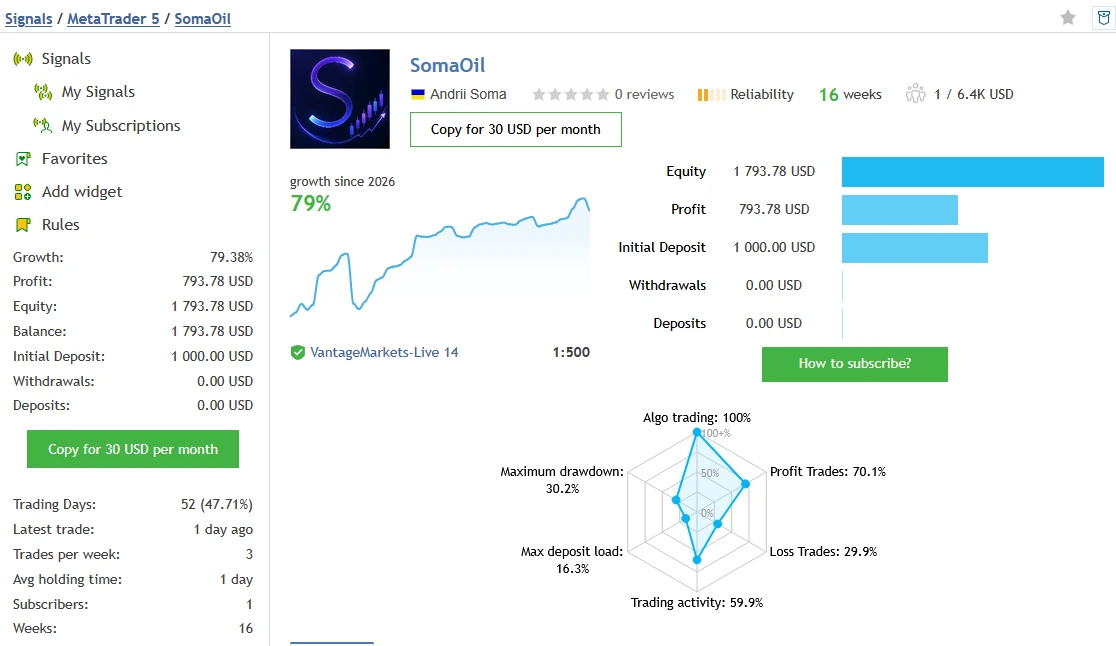
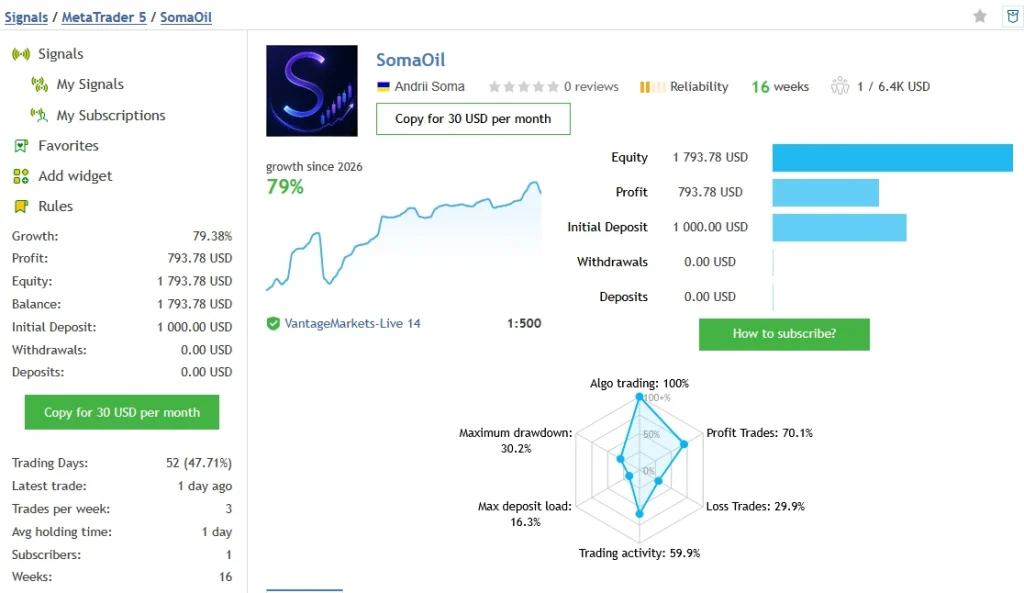
Original SomaOil account
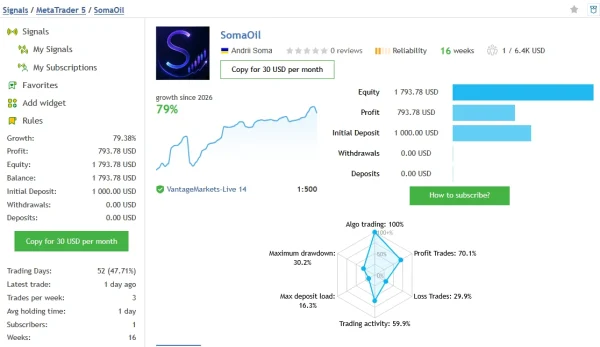
The
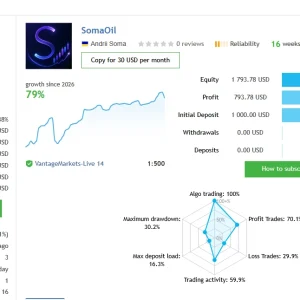
SomaOil MQL5 signal shows
79.38% growth and
$793.78 profit from a
$1,000 initial deposit, with no additional deposits or withdrawals shown. Its displayed history covers
16 weeks and 134 trades.
MQL5 reports
30.20% relative balance drawdown and
23.41% relative equity drawdown. The record also includes six consecutive losing trades totalling
$400.13. These losses matter alongside the positive growth.
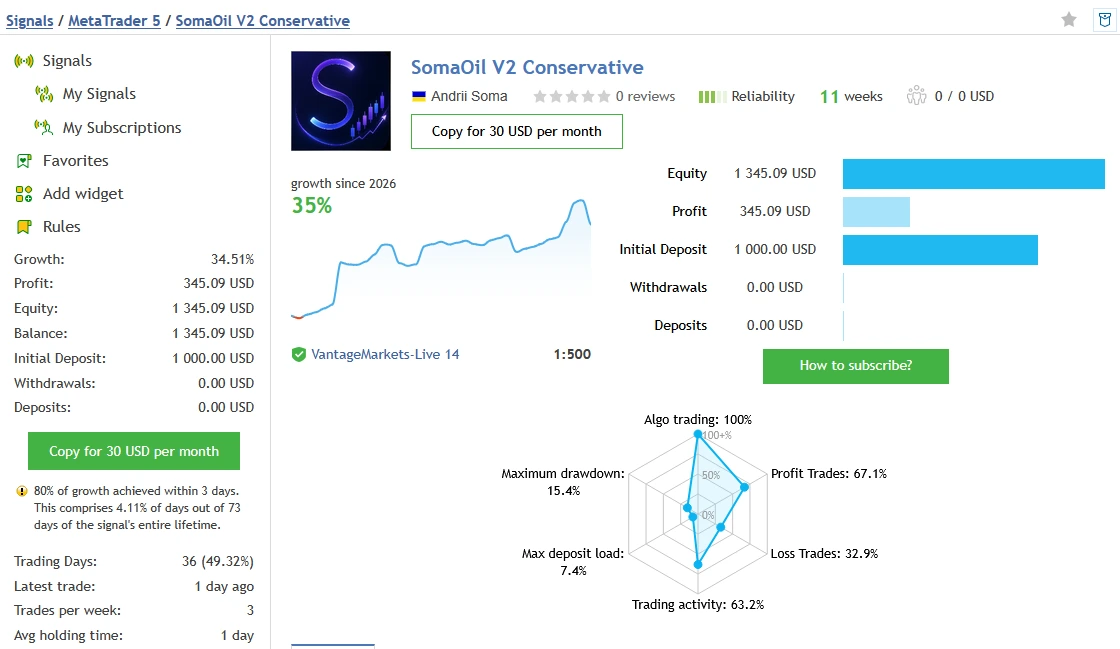
SomaOil V2 Conservative account
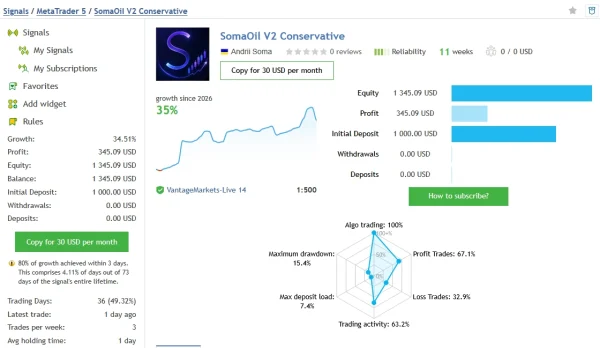
The
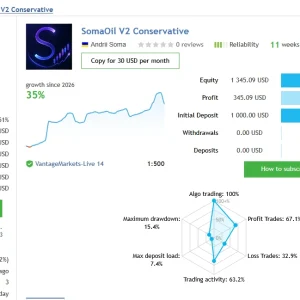
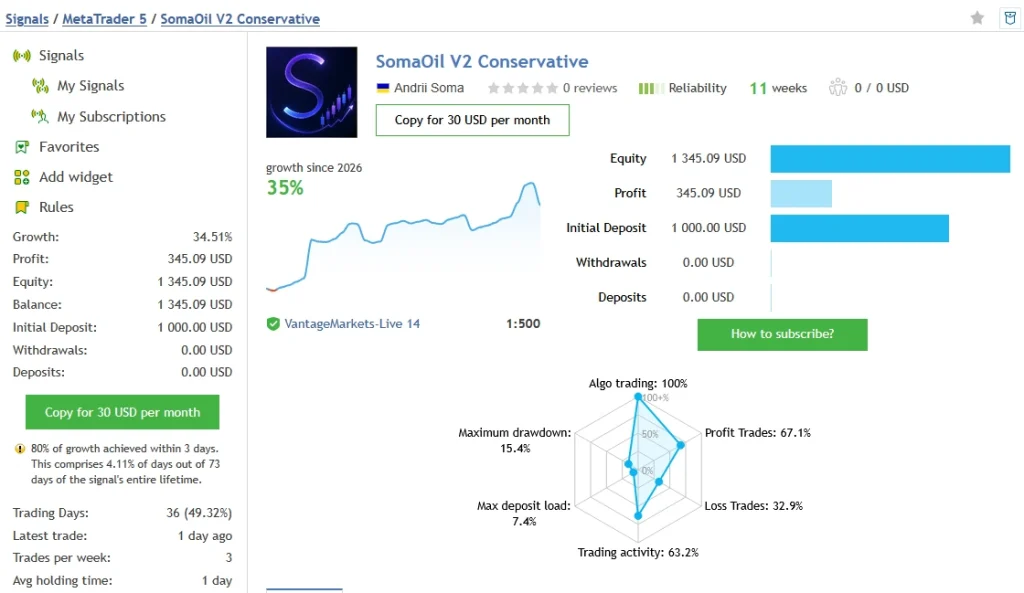
SomaOil V2 Conservative signal shows
34.51% growth and
$345.09 profit from a
$1,000 initial deposit, with no additional deposits or withdrawals shown. Its displayed history covers
11 weeks and 76 trades.
MQL5 lists
6.63% relative balance drawdown and
15.37% relative equity drawdown. It also flags that
80% of growth occurred within three days. This suggests the gains were concentrated in a short part of the record, rather than spread evenly across the period.
How to read these results
Balance reflects closed trading results. Equity also includes open profits and losses. The figures above keep MQL5’s separate drawdown labels rather than presenting one selected number as the whole risk picture.
These are developer-linked accounts, not ForexEaTools trading accounts. Their histories do not establish that every trade used v3.3 or the exact settings in this offer. The two accounts also cover different periods, so they are not a controlled comparison of risk presets.
The $1,000 starting deposits in those records do not replace the developer’s current $2,000 default-risk recommendation. Past performance does not guarantee future results.
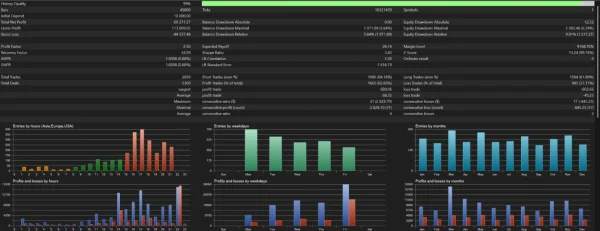
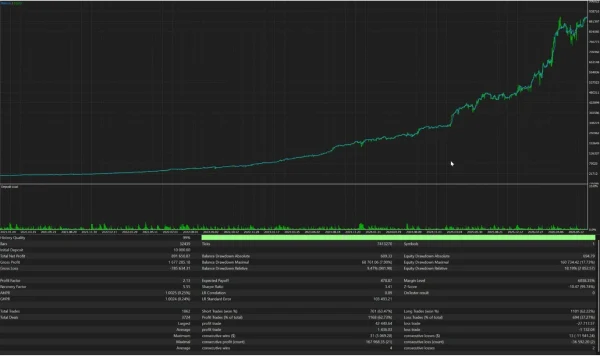
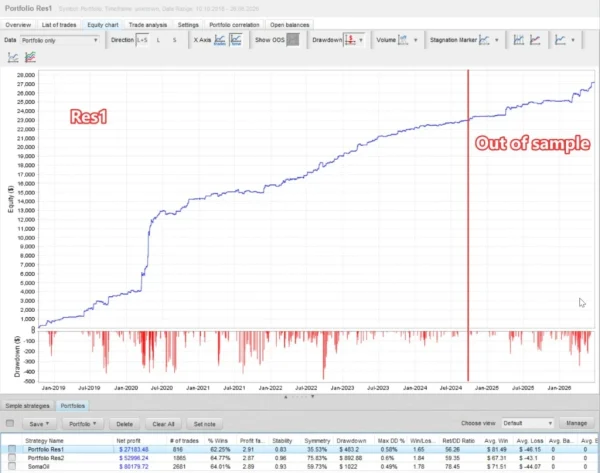
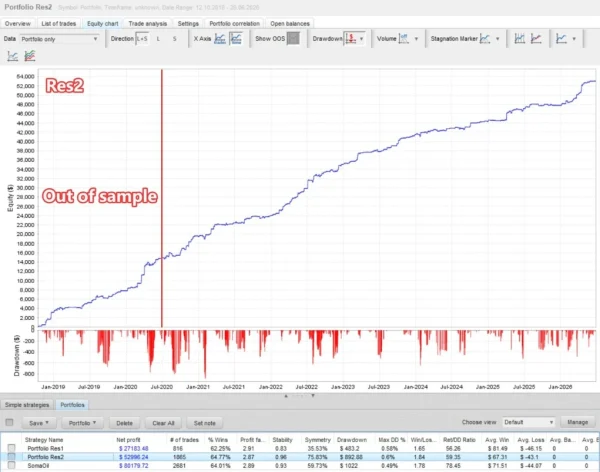
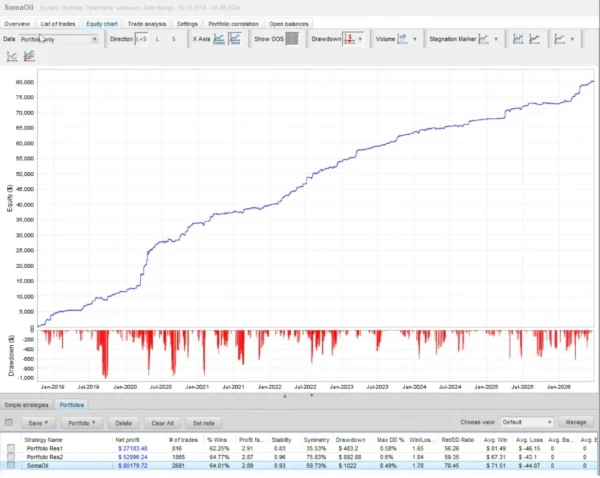
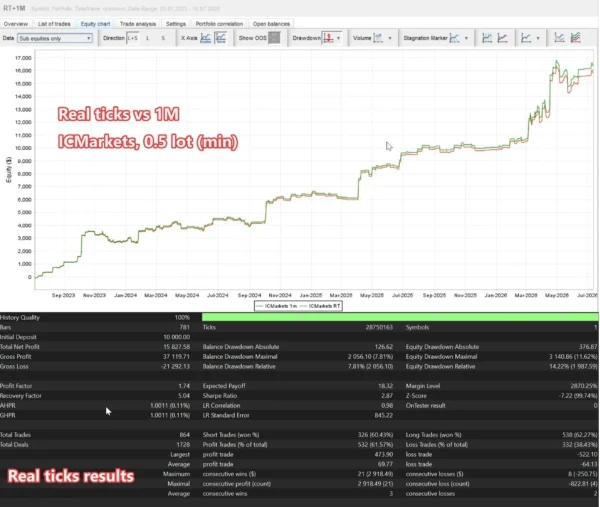
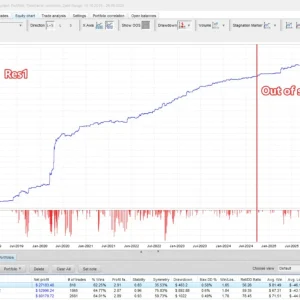
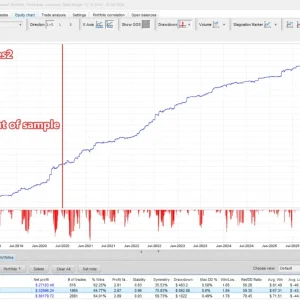
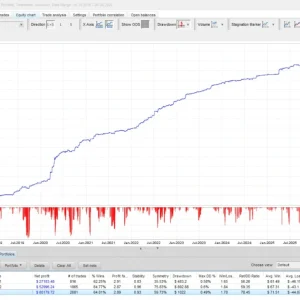
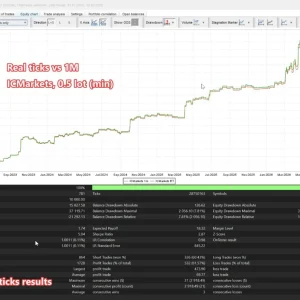
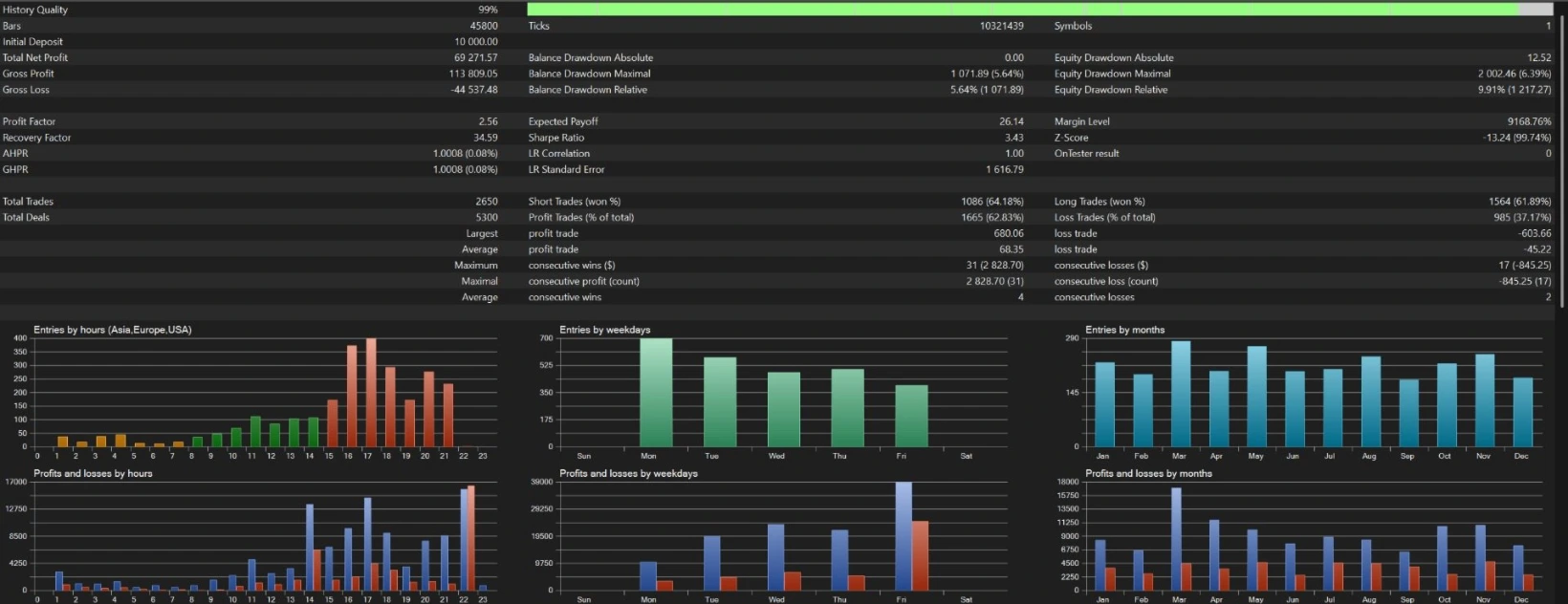
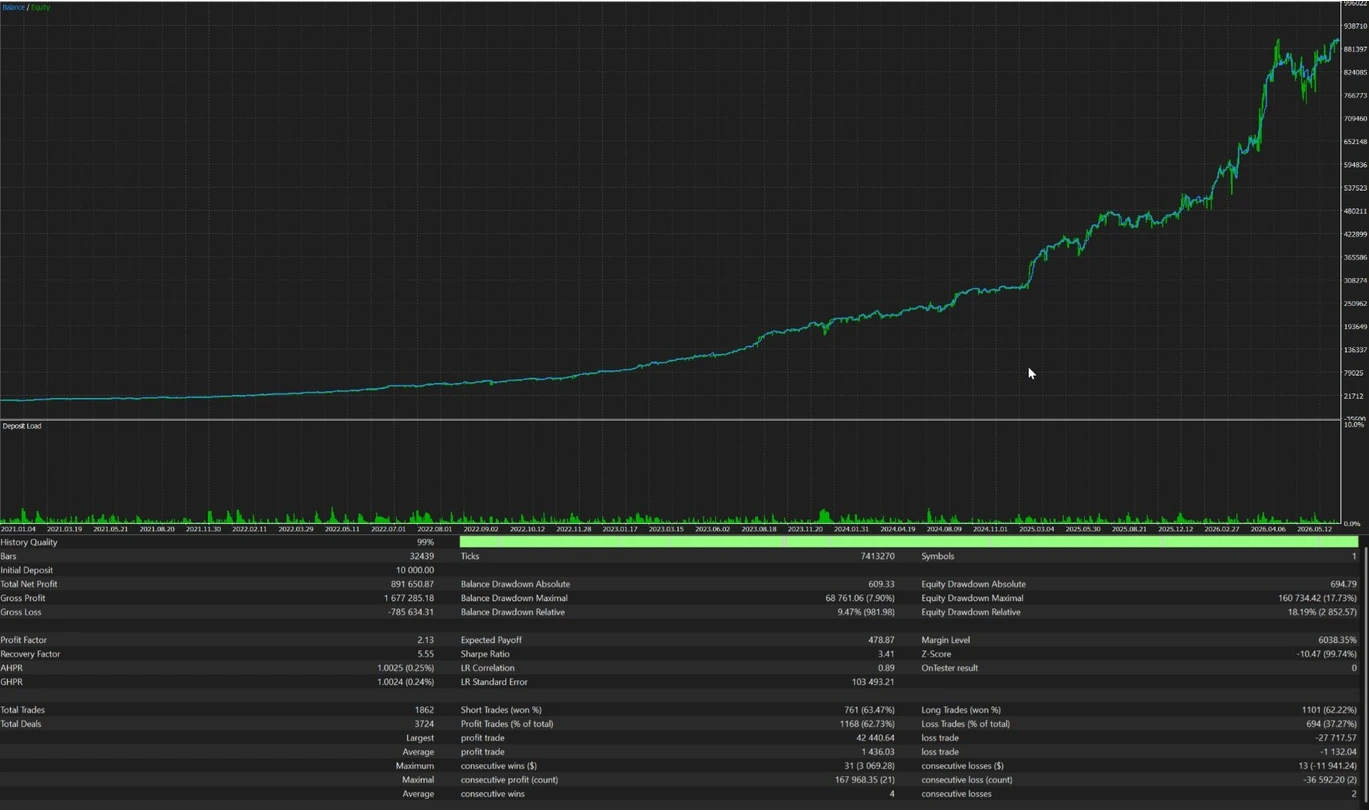
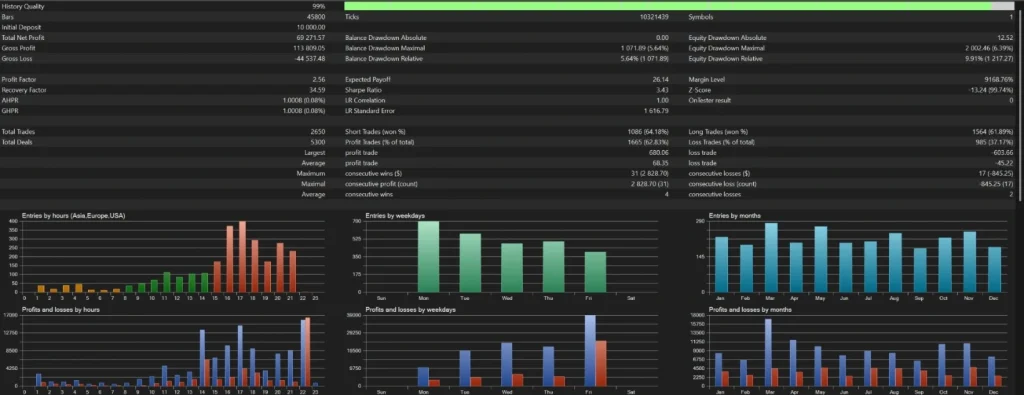
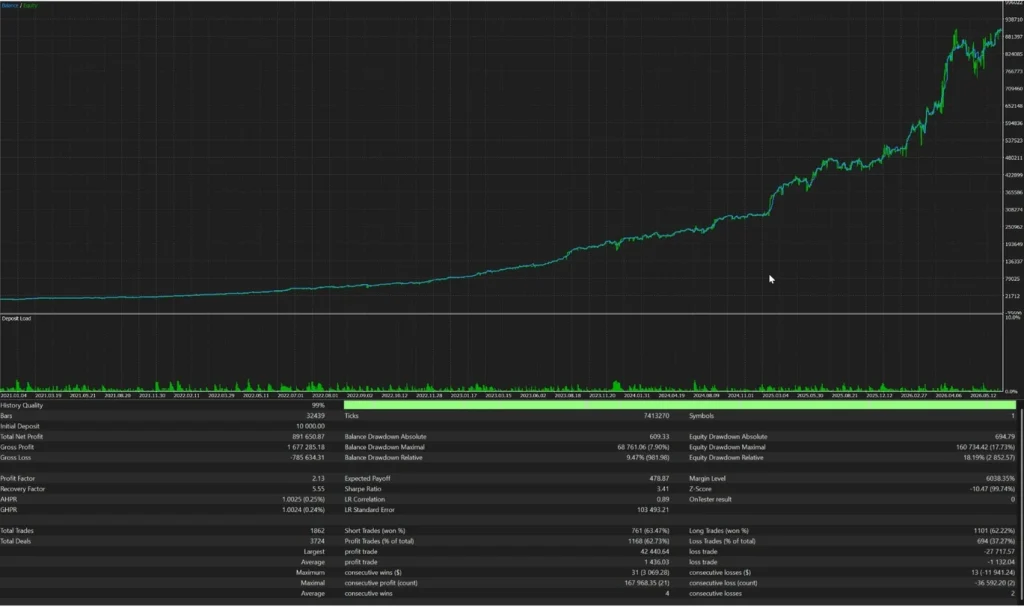
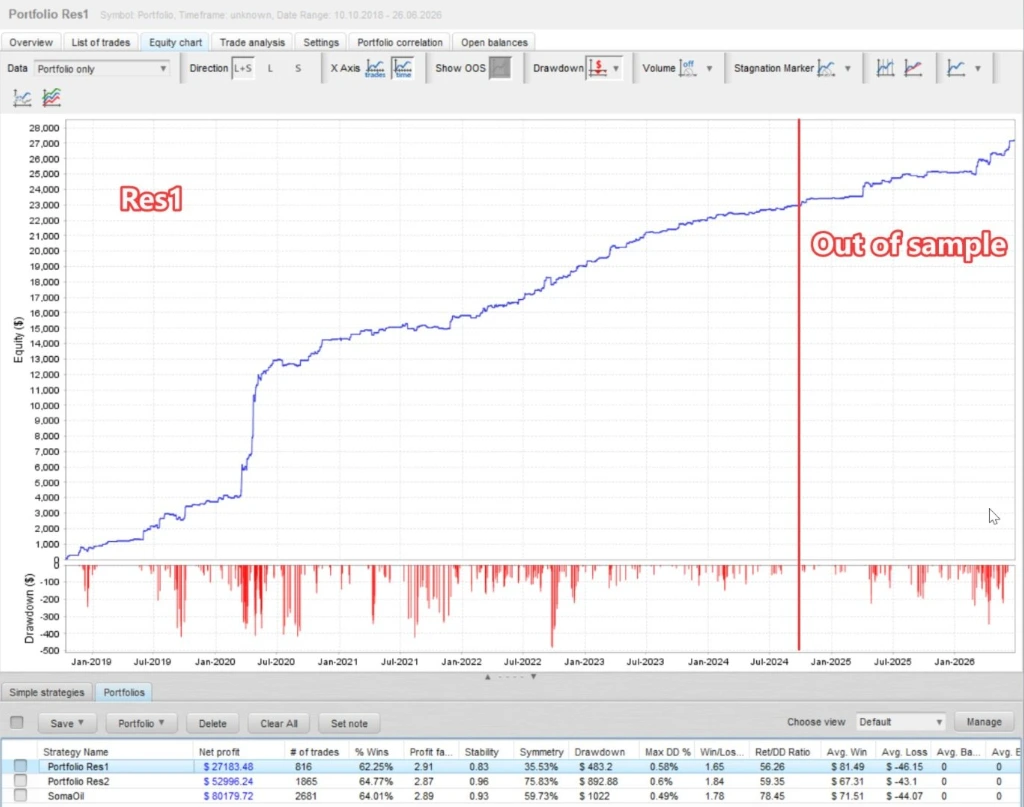
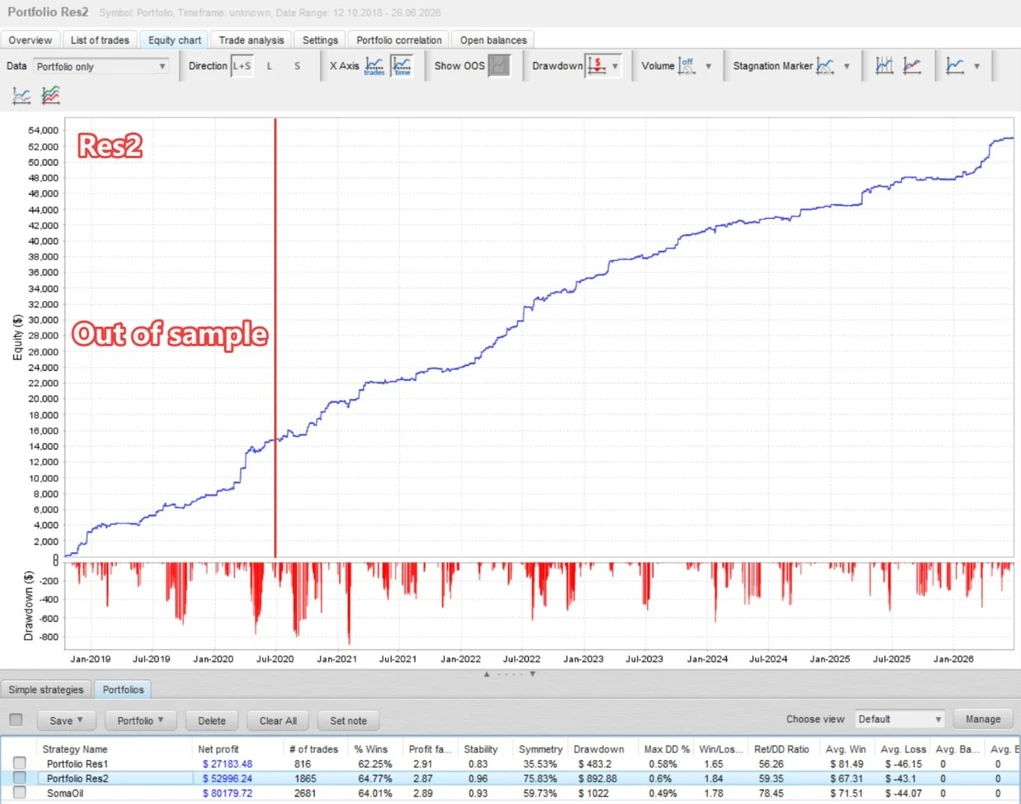
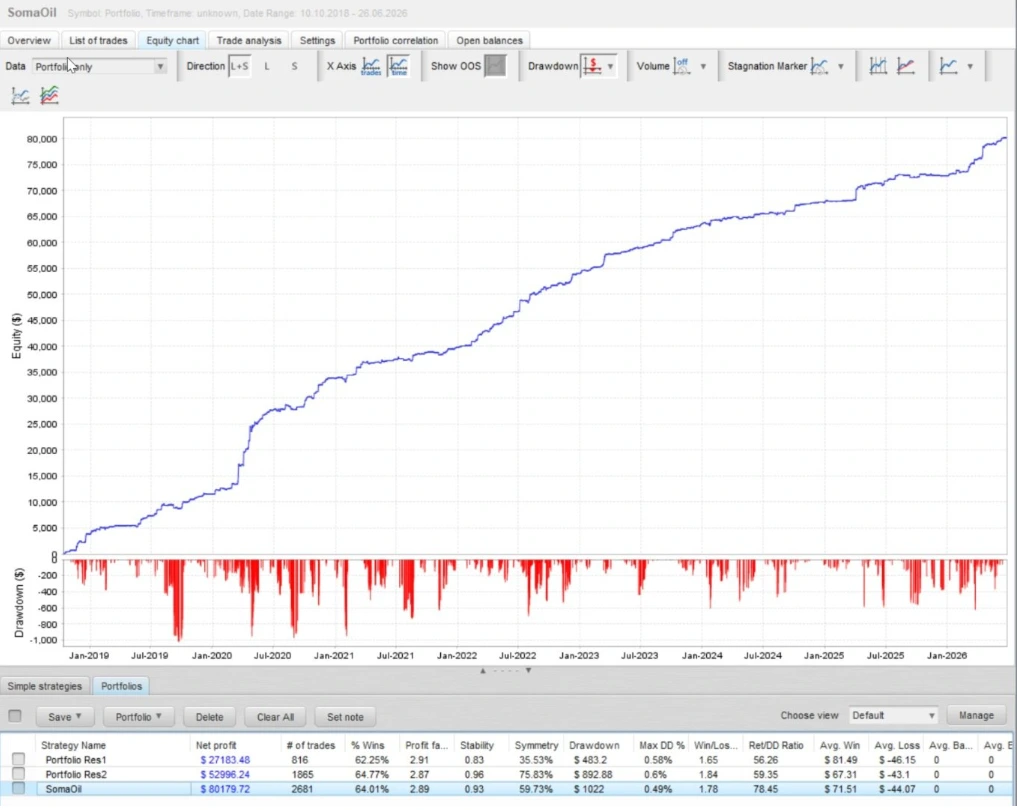
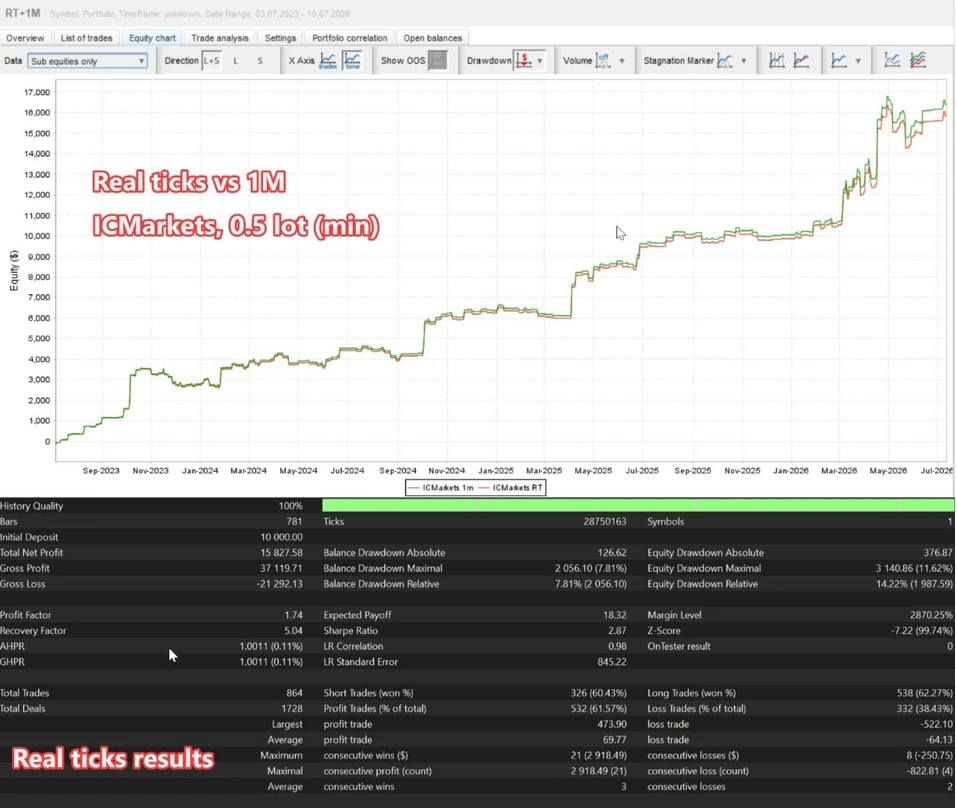
SomaOil Backtest Reviews
Checks before installation
Before using your file, check:
- The EA version matches your manual and any preset.
- Your broker provides the intended WTI instrument.
- Your account mode is supported; do not assume both hedging and netting work.
- The proposed trade sizes fit your account and the broker’s contract specifications.
- Required external connections and activation steps are clear.
The current official instructions list two allowed WebRequest addresses: https://ea-license-server.somatrade.org and https://www.worldtimeserver.com/. Follow the documentation for your supplied release.
“No DLL” does not mean “no external services.”
How to install SomaOil in MT5
For a manually supplied EA file:
- Open the MT5 desktop terminal you intend to use.
- Select File → Open Data Folder.
- Put the EA file in MQL5 → Experts, following any package-specific instructions.
- Refresh Navigator → Expert Advisors.
- Open the correct WTI chart and attach one EA instance for your initial test.
- Review trade sizes, trading permissions and any required external connections.
- Test on demo, where the licence permits, and check the Experts and Journal tabs.
Use our
MT5 Expert Advisor installation guide for the full steps. Purchases installed through MQL5 Market follow its own installation process.
If you receive a separate matching preset, follow
how to load a SET file in MT5. A SET file stores settings; it does not install or activate the EA. Separate SET files are not confirmed as part of this offer.
Understand the risk before buying
Check the combined exposure of all open positions. Several small orders can create a larger total loss than one order suggests.
A useful demo check is to record each trade’s size, planned stop loss and expected money loss at that stop. Add the exposure across positions that could lose together. Allow for trading costs and the possibility that execution differs from the requested price.
Do not treat a news filter, margin-control feature or a “Conservative” label as a promise that losses cannot exceed a certain amount. Oil trading can involve sharp price changes, wider spreads and poor fills.
Is SomaOil suitable for a prop-firm account?
Compatibility depends on the firm’s rules and the EA’s actual behaviour. Check automated-trading permissions, daily loss calculations, news restrictions, holding periods and position limits before using it.
A store category such as “Prop Firm” is not proof of approval. Test the exact configuration against the rules of your chosen account.
Questions before purchase or help with setup
Use
Product Support to clarify the supplied files, activation requirements and covered setup help. For an existing order, include your order number, EA version, MT5 build, broker symbol and exact error message. Do not send your trading-account password.
Frequently asked questions
Does SomaOil MT5 v3.3 work on MT4?
This offer is for MT5. An MT5 program cannot be installed as an MT4 EA.
Is v3.3 the latest version?
No. The official listing showed v3.5 when checked on 25 October 2026. This offer is for v3.3.
Does it trade gold or forex pairs?
The published strategy is designed for WTI crude oil. Do not attach it to gold or a forex pair based on the shop’s wider product categories.
Do I need to keep MT5 running?
The EA needs a running, connected trading environment to carry out its programmed work. A VPS can help maintain availability, but it cannot guarantee uninterrupted operation or profitable trades.
Are trading returns guaranteed?
No. Public signals show historical account results. Your settings, broker, costs and market conditions can produce different outcomes, including losses.