Scraper Gold MT5 v3.7 is a gold breakout EA with four trading engines and a choice of entry and exit profiles. It is designed for XAUUSD trading in MetaTrader 5.
Review the H1 setup guidance, v3.7 changes and public account results below. Understand the combined trade exposure before enabling several engines, and test your selected settings on demo first.
| Item |
Published developer guidance |
| Platform |
MetaTrader 5 |
| Trading symbol |
XAUUSD, standard contract size 100 |
| Recommended chart |
H1; run on one XAUUSD chart only |
| Starting balance |
From $200, with a 0.01 minimum lot |
| Broker conditions |
RAW/ECN, low spreads and fast execution |
| Hosting |
VPS near the broker, running during the trading week |
The starting balance is a setup reference, not a safe-deposit promise. Contract size, lot size, available margin and the number of open trades affect how much you can lose.
Source:
official Scraper Gold specification.
How the strategy works
The developer describes a breakout system with four components:
Scrap A, B, C and D. It places pending orders around price structure and manages entries and exits automatically.
The published design avoids grid, martingale and averaging down, and attaches stop loss and take profit to orders. These are developer claims; they are not findings from our own code audit.
Several entries can still create meaningful exposure. “No grid” does not mean only one trade can be open, and a stop loss does not guarantee an exact exit price during a fast move or price gap.
What changed in v3.7?
The
official update history dates version
3.70 to 19 October 2026.
The main change is
Fixed Entry becoming the default profile. It uses fixed entry distances and wider exits. Classic, Adaptive Entry and Wide Exit remain available.
The release also adds per-engine direction and exit controls, live slippage compensation and a virtual trailing fallback when the broker rejects a closer stop. Fixed Entry allows Scrap A to hold up to five positions; Scrap B closes trades at its session end.
These changes matter when comparing old and new results. A Classic account is not evidence that the new default profile will produce the same trades.
Understand the settings before using a preset
First check which engines are enabled, which profile each uses and how each engine calculates trade size. A small setting on one component does not describe the total risk when several components trade together.
Check the selected sizing mode before interpreting an input. A percentage value shown in the panel may not control position size if another sizing method is active. Do not copy numbers from a screenshot without checking the active mode and account conditions.
If you have a matching SET file, review the values after loading it. A preset can change more than the lot size. Our
guide to loading a SET file in MT5 explains the steps.
Public trading accounts: compare the profiles separately
The following are dated snapshots from public MQL5 records, checked on
1 November 2026. They are different accounts and configurations; their returns should not be combined. Figures can change.
Classic profile
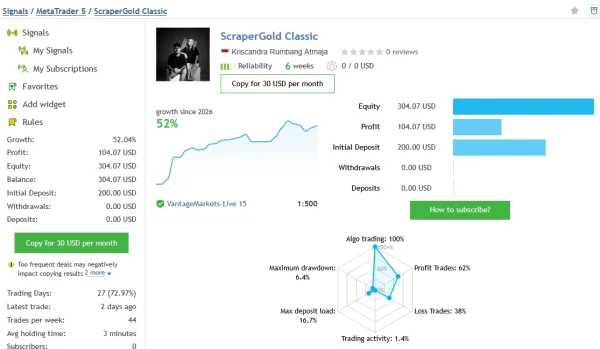
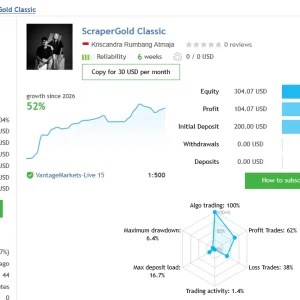
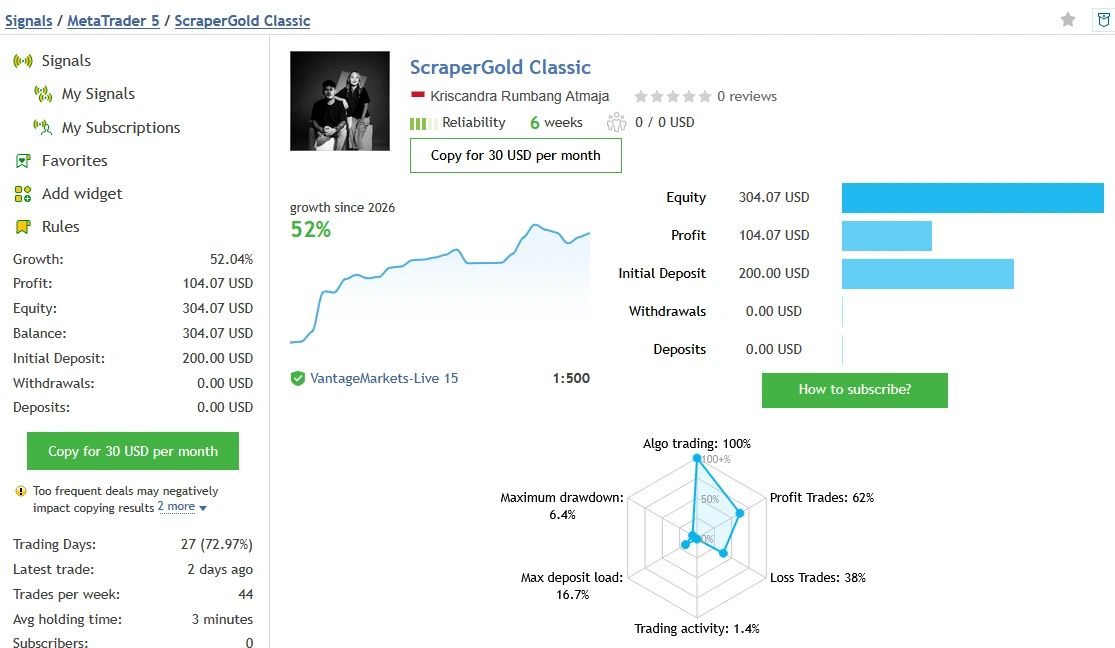
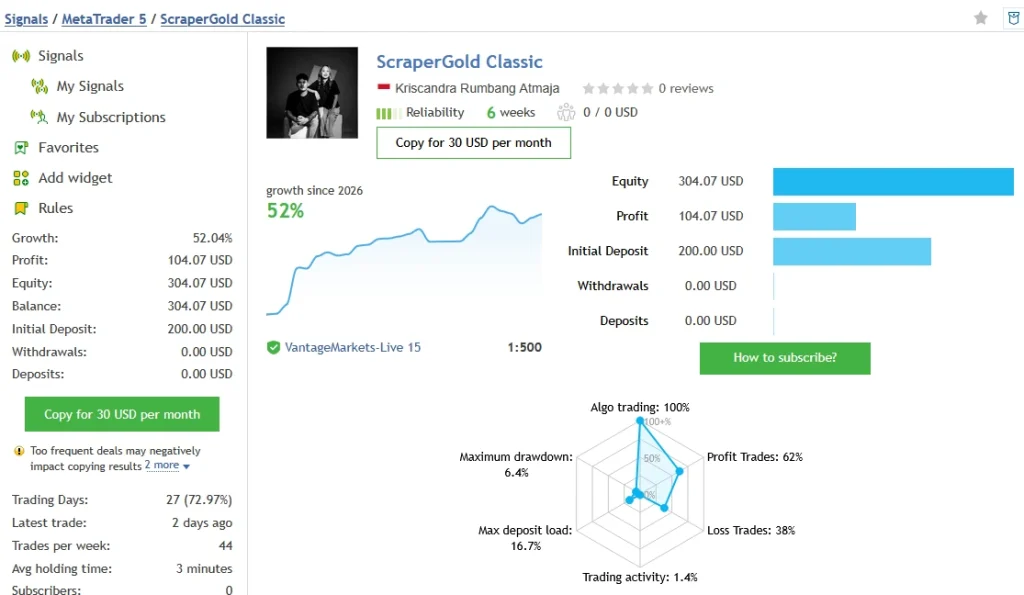
The
ScraperGold Classic account showed
52.04% growth,
$104.07 profit and
$304.07 balance/equity, from a $200 initial deposit. It showed 184 trades and six weeks of history. Relative drawdown was
6.43% by balance and
5.19% by equity.
MQL5 displayed warnings about the account’s short history and trade-copying risks. This is a limited sample, rather than proof of long-term reliability.
Fixed Entry profile
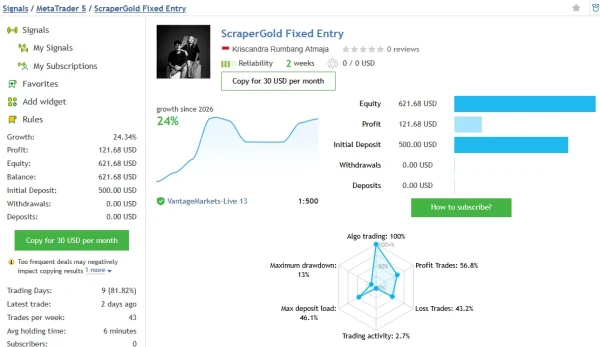
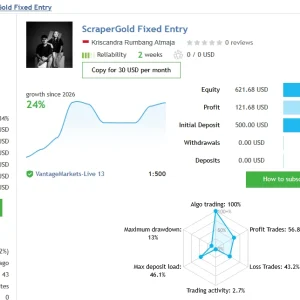
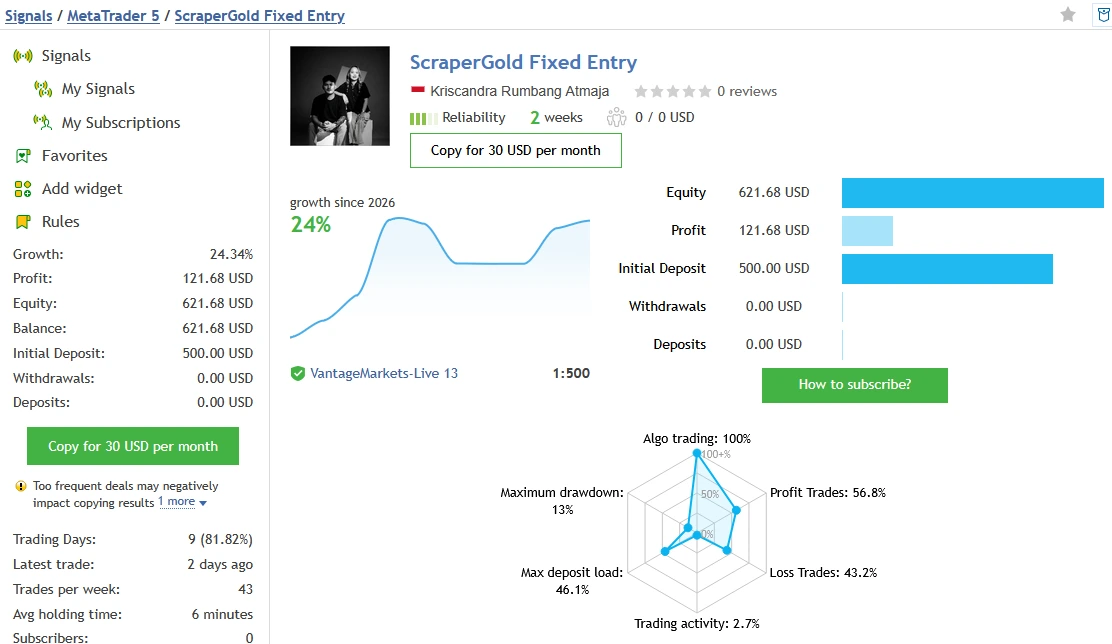
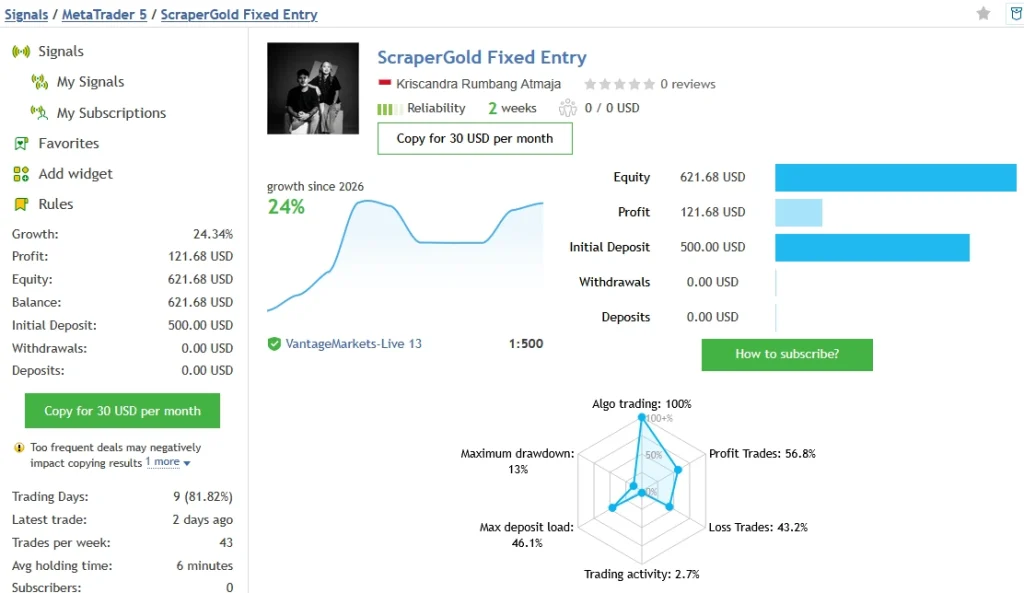
The
ScraperGold Fixed Entry account showed
24.34% growth,
$121.68 profit and
$621.68 balance/equity, from $500. It had 74 trades and two weeks of history. Relative drawdown was
13.04% by balance and
4.36% by equity.
The developer identifies this signal with the v3.7 default profile and fixed lots. Its short history cannot establish performance across different market conditions. MQL5 also displayed new-account and frequent-trade warnings.
Wide Exit profile
The
ScraperGold Wide Exit account showed
10.20% growth,
$51.00 profit and
$551.00 balance/equity, from $500. It had 83 trades. Relative drawdown was
8.27% by balance and
7.45% by equity.
A different exit profile changes the comparison. Review the trade history and settings context before treating one account as representative of another.
Open each source for updated figures. Balance and equity drawdown are separately labelled measures; do not replace them with one unexplained “maximum drawdown” number. These records do not promise the results of your broker or settings.
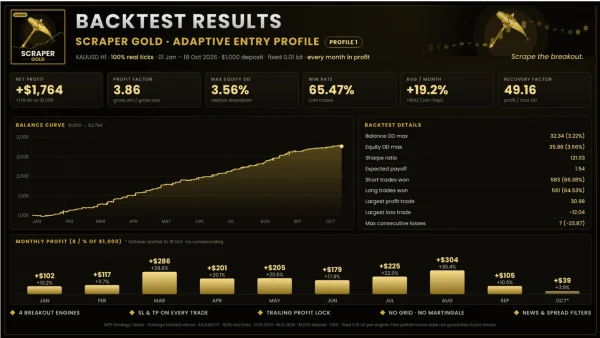
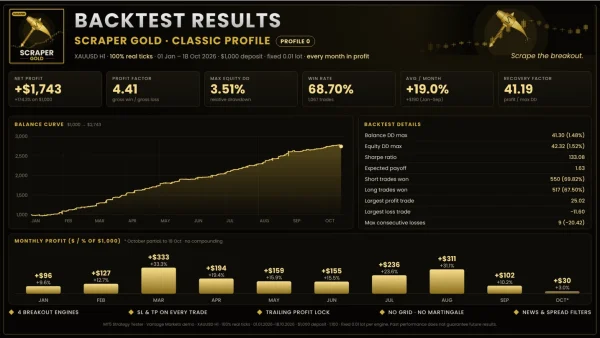
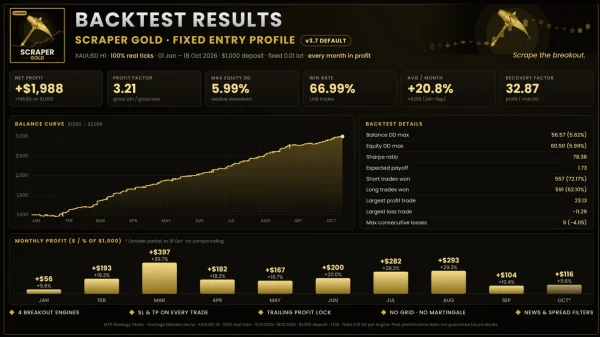
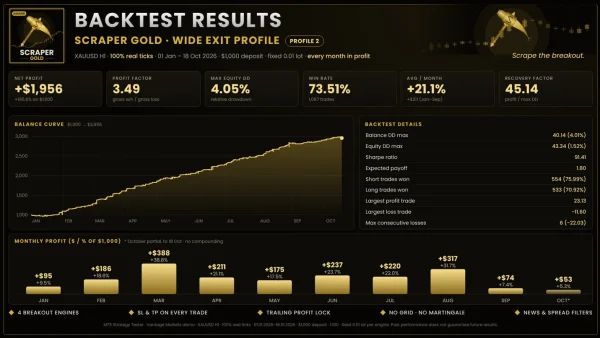
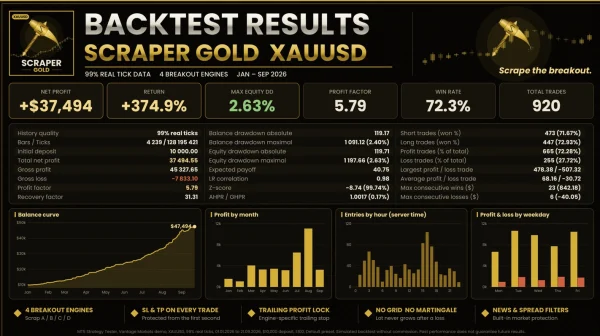
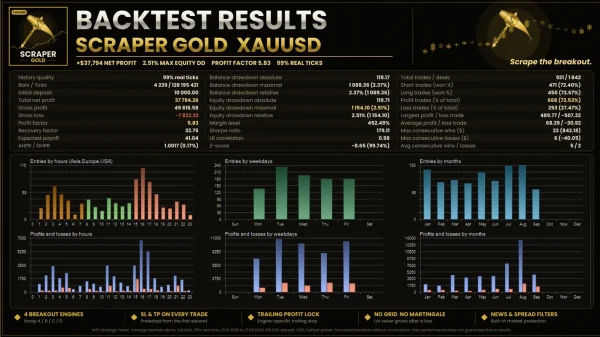
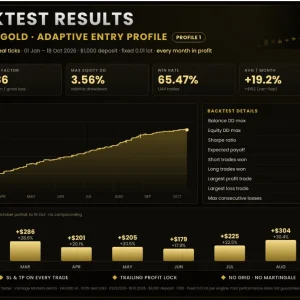
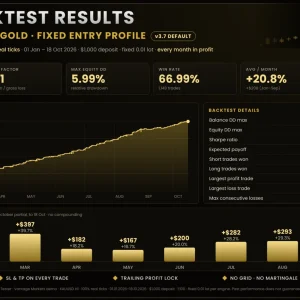
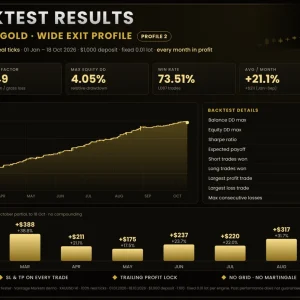
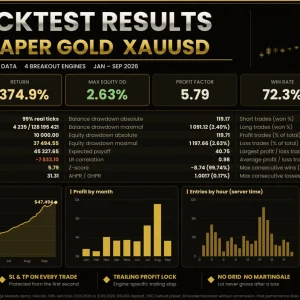
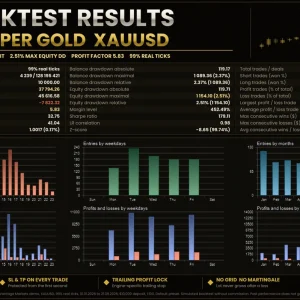
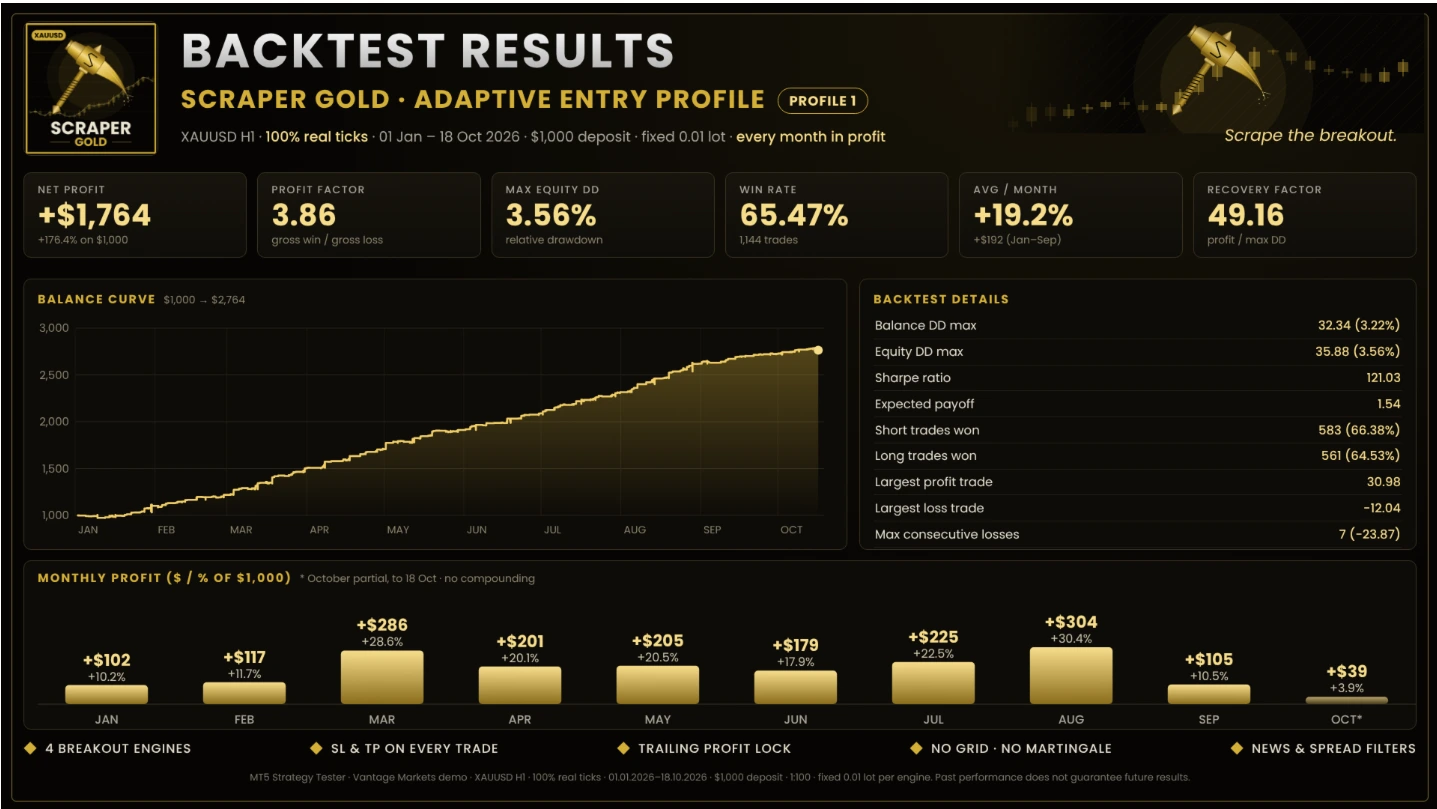
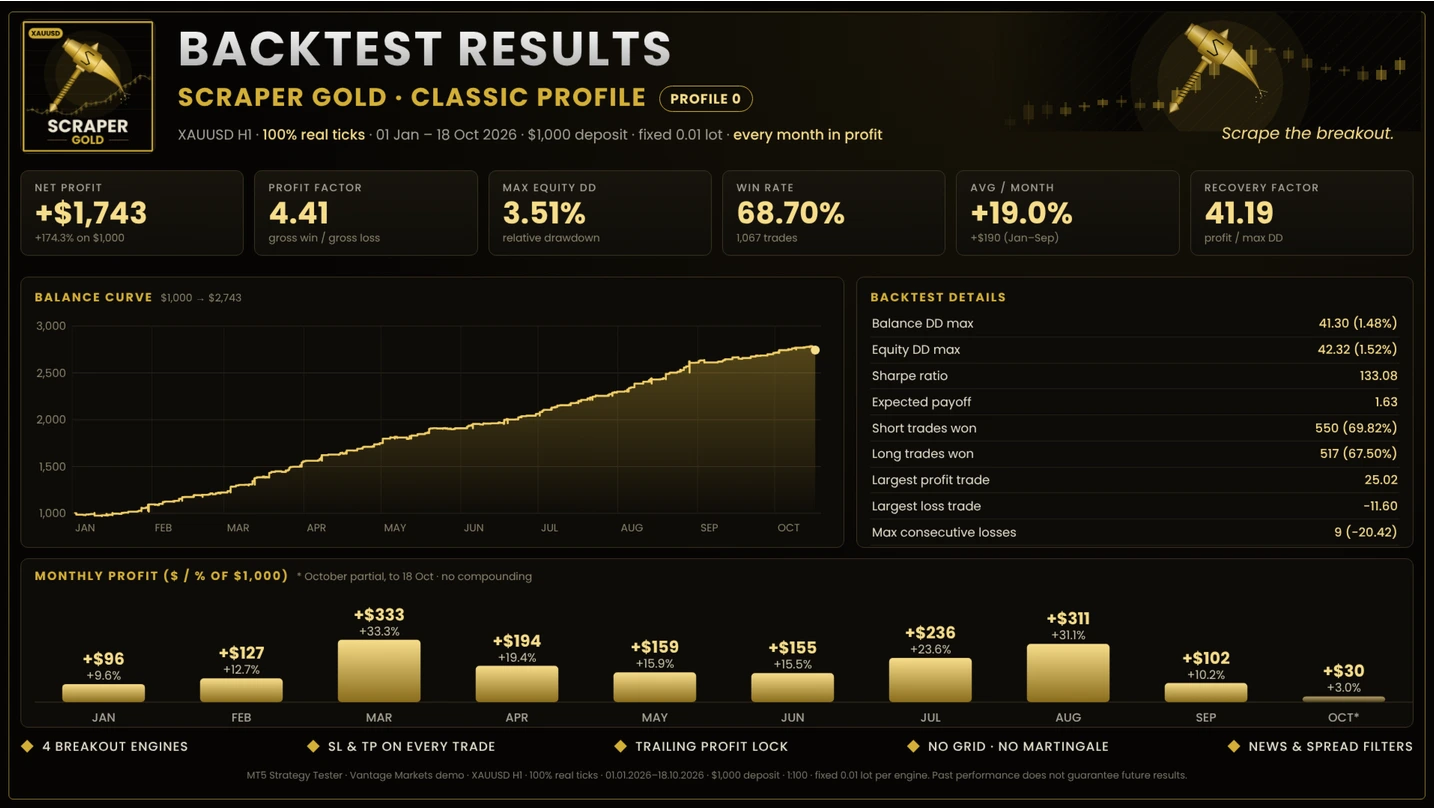
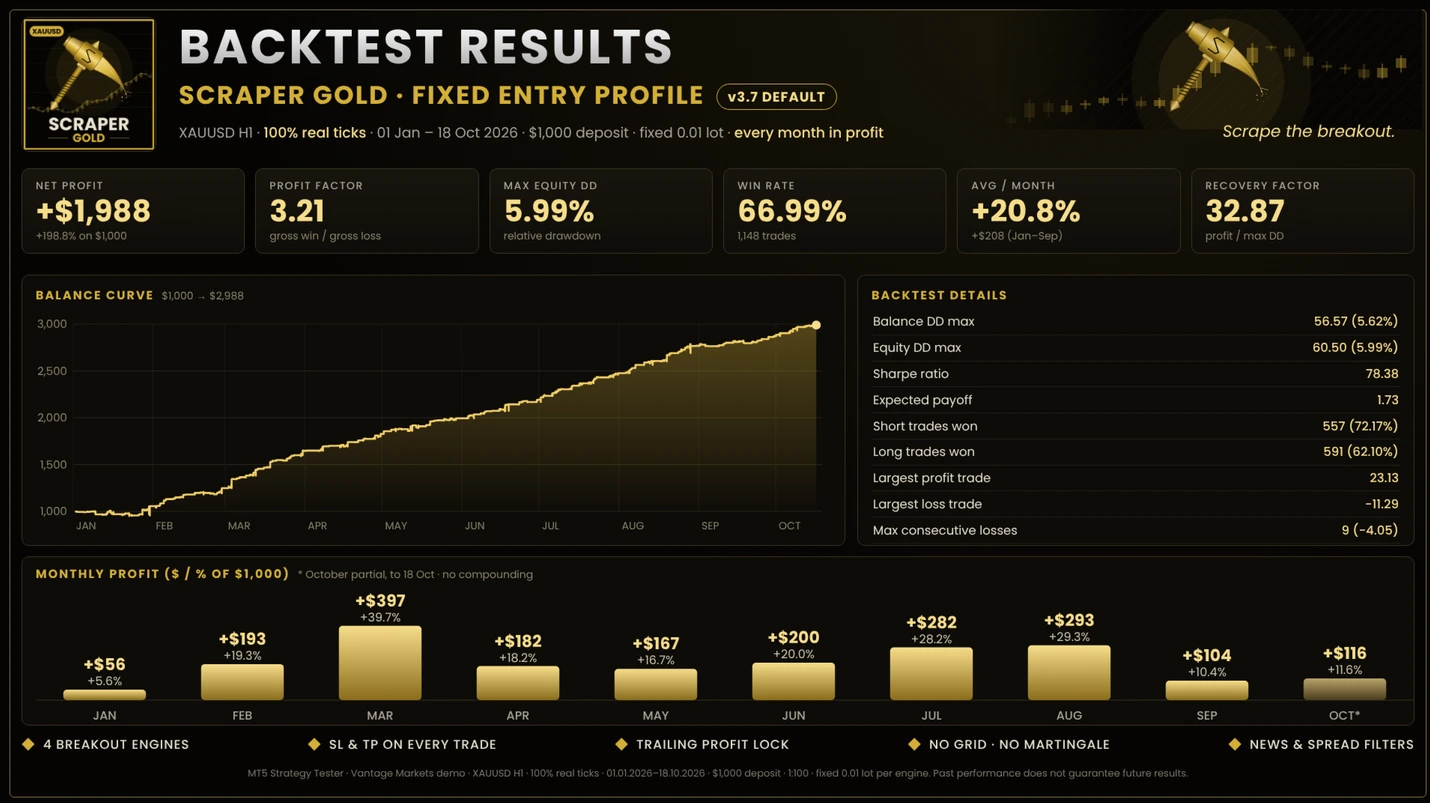
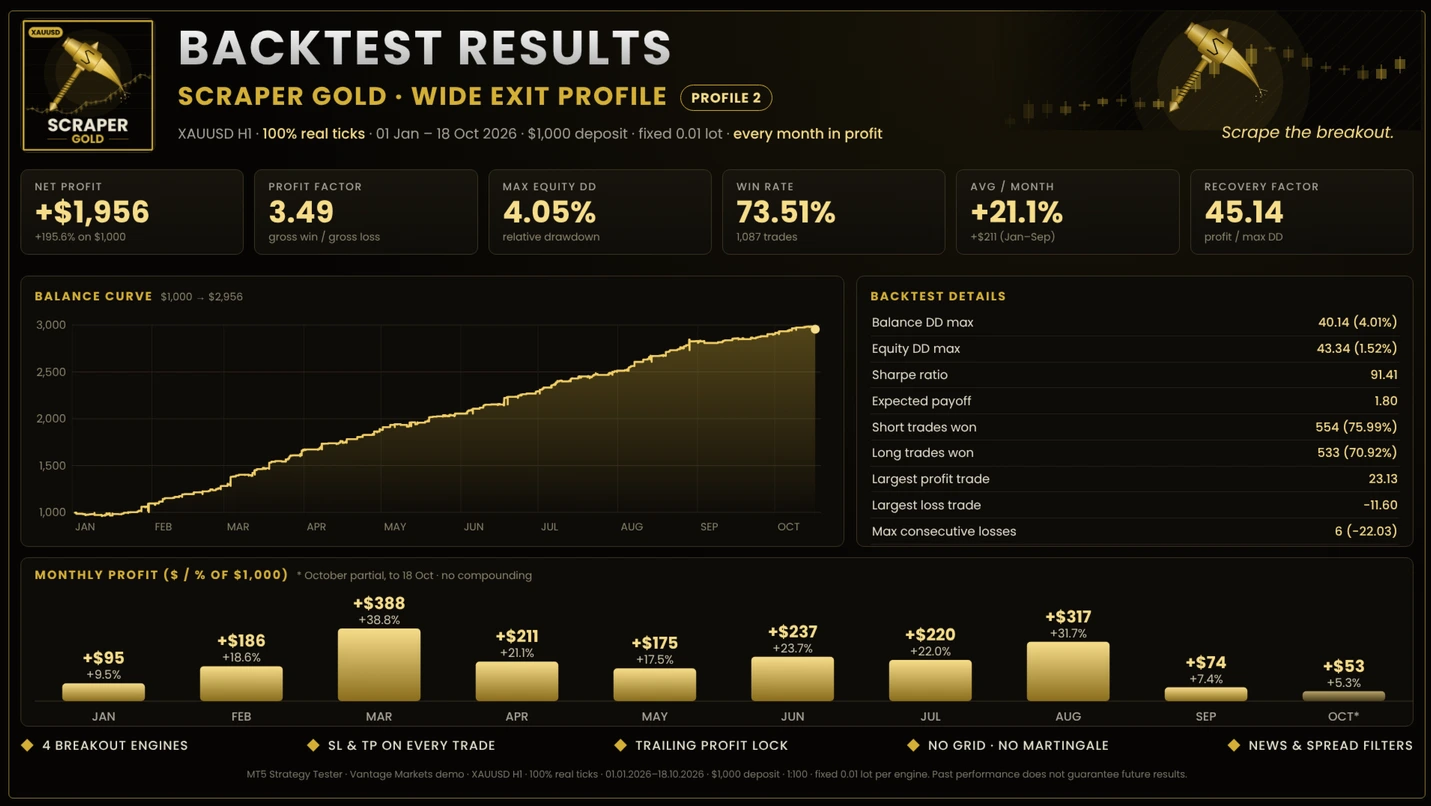
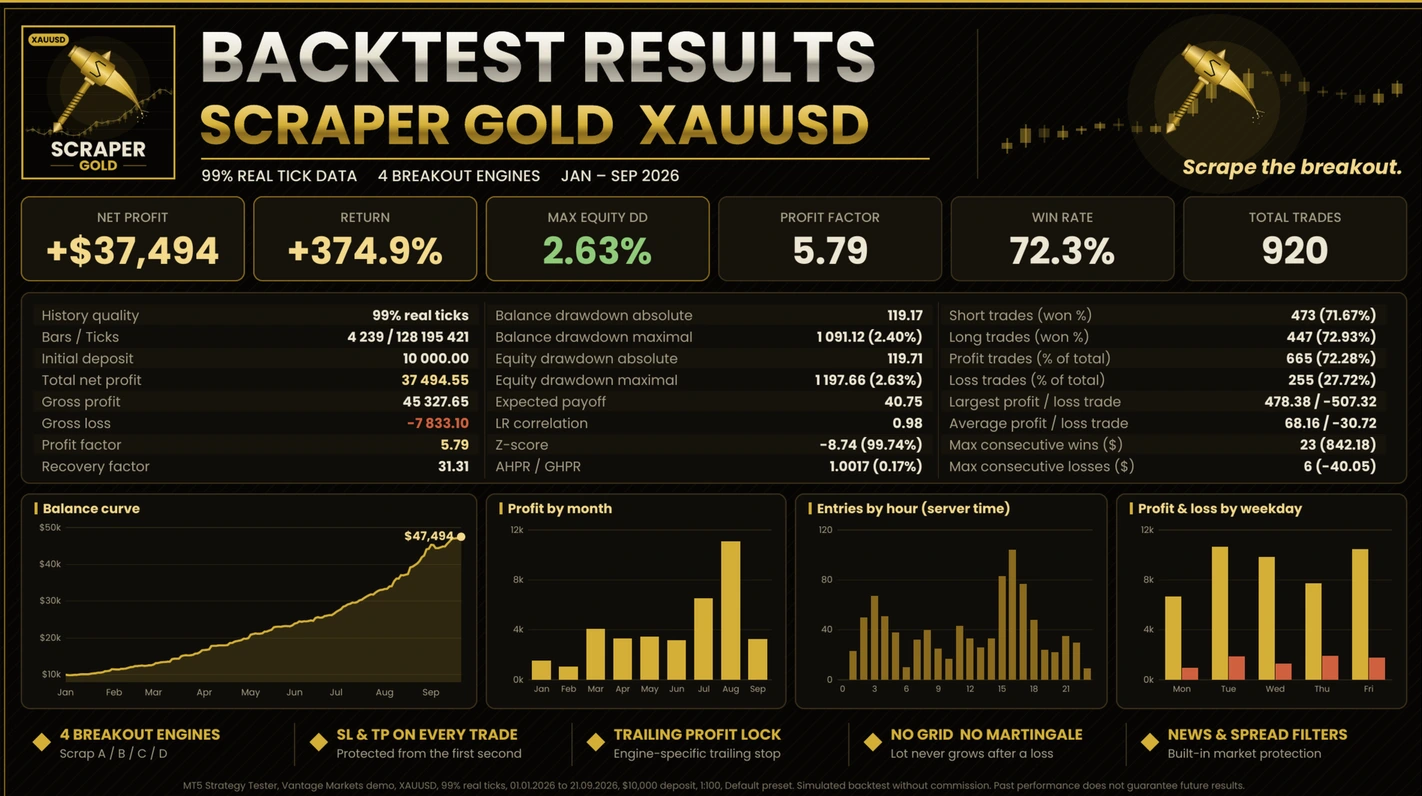
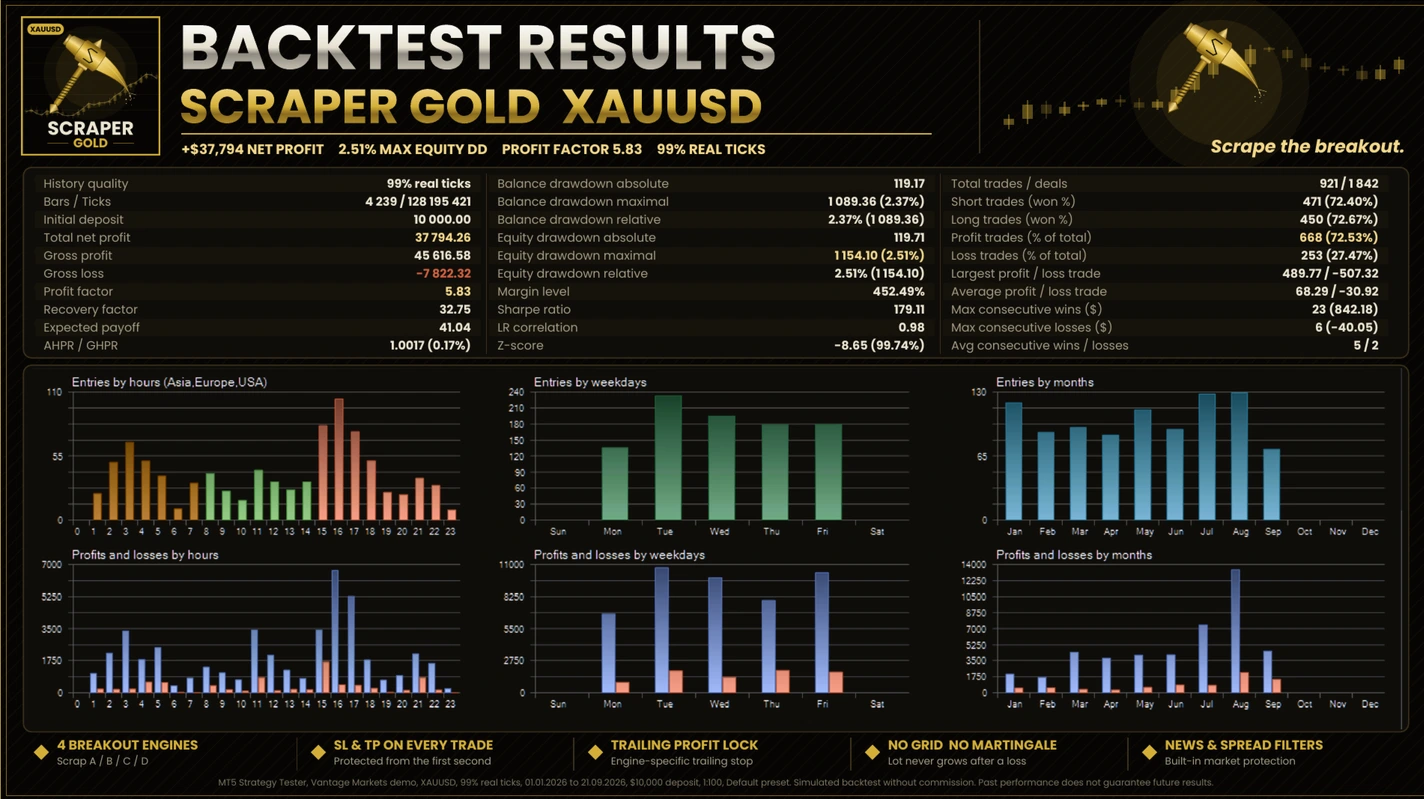
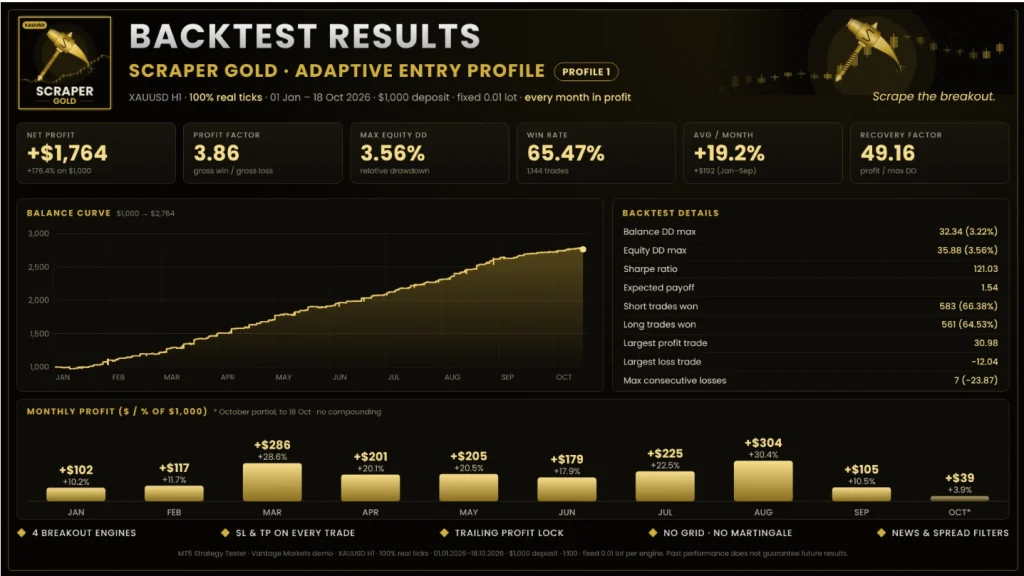
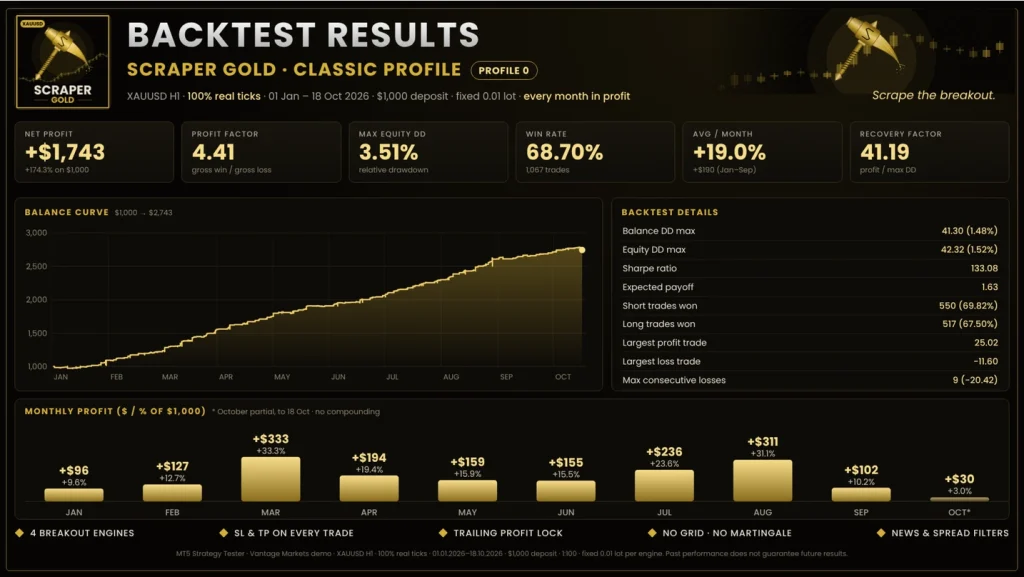
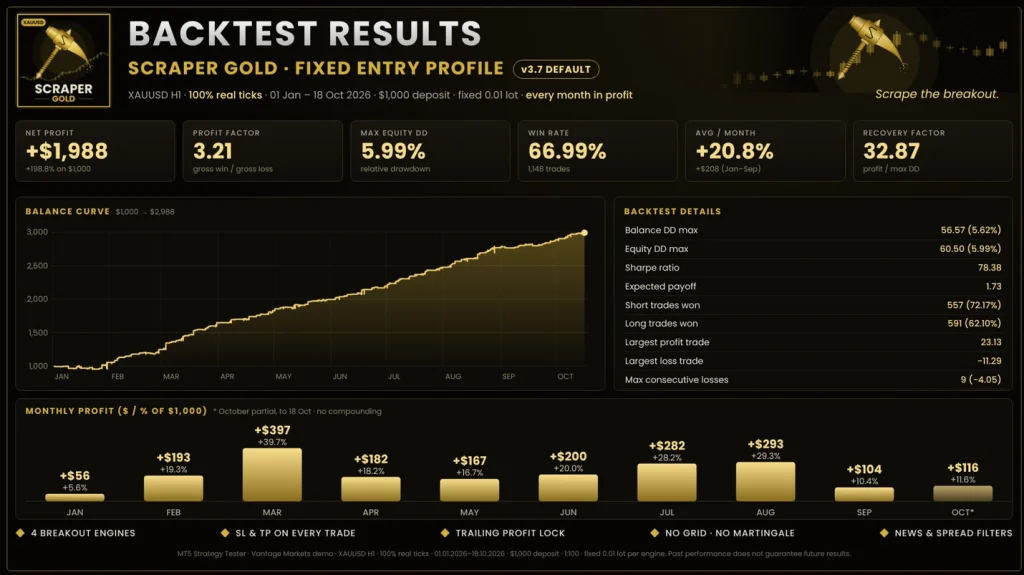
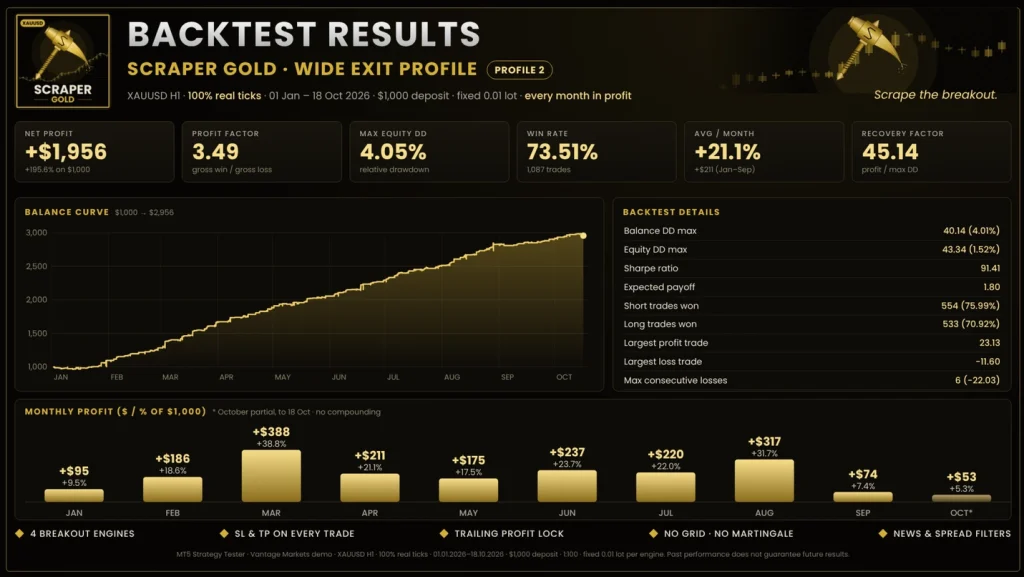
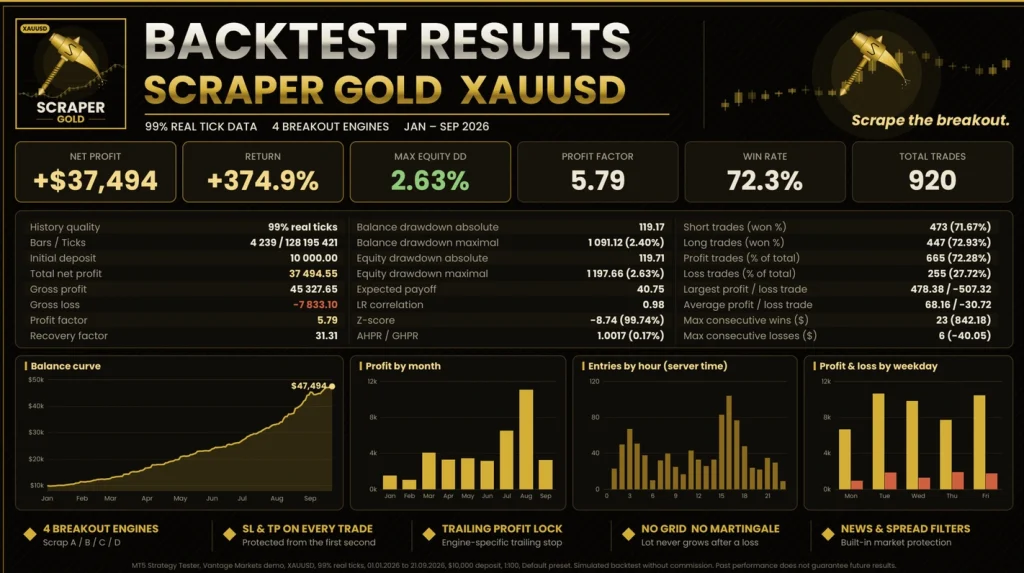
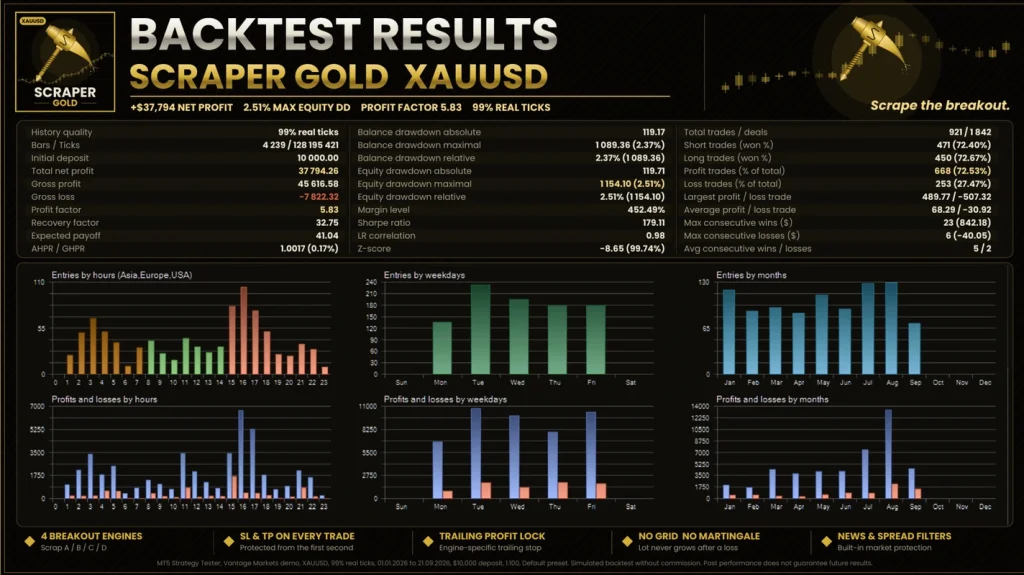
BackTest Evidence
Execution, news settings and virtual trailing
Gold can move quickly. Spreads, commissions and slippage can change the outcome of short trades. Test with realistic costs and your broker’s symbol specification.
Virtual trailing requires the EA to run and remain connected. Keep the terminal or VPS available while it manages trades. Do not assume a software-managed trailing exit has already become a broker-side stop order.
Review news permissions and daily-loss controls in the actual supplied release. A filter can reduce selected entries; it cannot prevent every loss. A daily limit also needs to be checked against all trading activity on the account.
How to install Scraper Gold MT5 v3.7
- Open your MT5 desktop terminal and select File → Open Data Folder.
- Open MQL5 → Experts and copy the supplied EA file into that folder.
- Return to MT5 and refresh Navigator → Expert Advisors.
- Open one XAUUSD H1 chart and attach the EA.
- Follow the release instructions for permissions, news-data access and any dependencies.
- Review enabled engines, profiles, position sizes and exit settings. Load a compatible preset only if you have one.
- Enable trading when ready to test on demo. Check the Experts and Journal tabs for errors.
For more detail, follow our
MT5 EA installation guide.
When updating an existing installation, follow the developer’s instructions for removing the old instance, reattaching the EA and clearing old Scraper Gold pending orders. Check open positions before making changes; do not delete another strategy’s orders.
Your purchase
| Purchase detail |
Included with this offer |
| Product |
Scraper Gold MT5 |
| Supplied version |
3.7 |
| Platform |
MetaTrader 5 |
Delivery, support and refunds
Our
Delivery & Downloads page explains general order access. Check the package information for included files and any product-specific requirements.
For an installation issue, contact
Product Support with your order number, EA version, MT5 build and exact error message. Hide account numbers in screenshots and never share your trading password.
Read the
refund policy before buying. It explains how to request help and the applicable conditions. Trading losses and technical installation faults are different issues.
Frequently asked questions
Which currency pair does Scraper Gold trade?
The published strategy is designed for XAUUSD, or gold. Check your broker’s symbol and contract size against the setup guidance.
Should I use M15 or H1?
The developer’s recommended launch chart is H1. Do not confuse the strategy’s internal candle scans with the chart you should attach it to.
Can several trades be open at once?
Yes. The v3.7 notes describe multiple positions for Scrap A in Fixed Entry. Assess combined exposure across enabled engines.
Is it suitable for a prop-firm challenge?
Check the firm’s current rules yourself, including EA permission, maximum exposure, news restrictions and how daily loss is calculated. A daily-loss setting does not guarantee compliance or a successful challenge.
Can I use it on MT4 or a phone?
This offer is for MT5. Run the EA in a supported desktop terminal or suitable hosted terminal. A mobile app is not a replacement for the terminal running the robot.
Does it guarantee profit?
No. Automated gold trading can lose money. Backtests, public accounts and stop settings cannot guarantee future returns.