What is Hedgehog MT5?
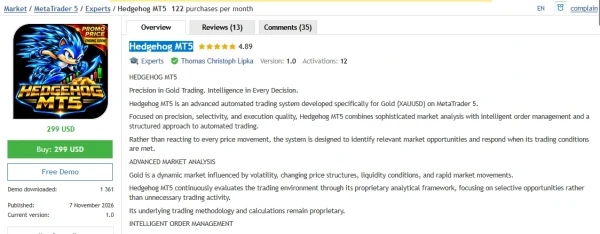
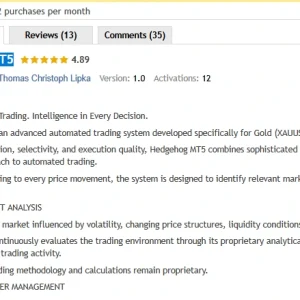
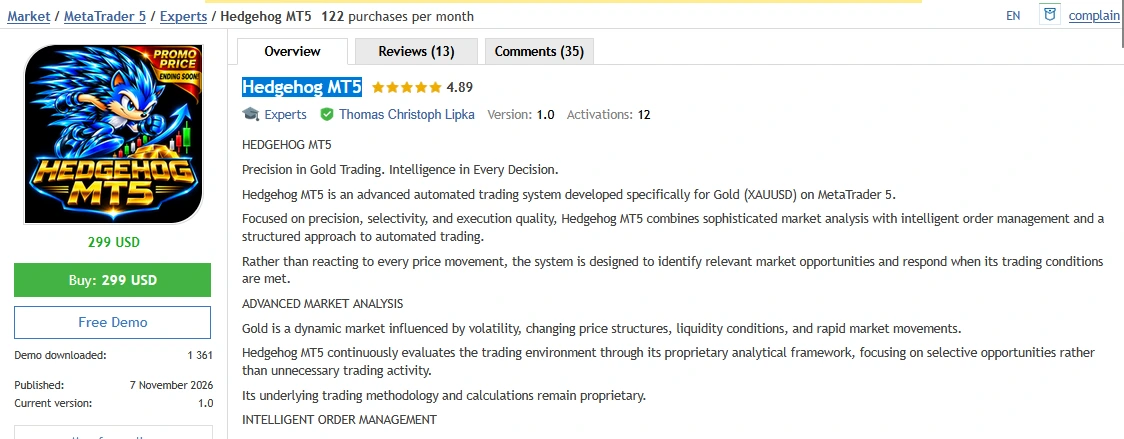
Hedgehog is an Expert Advisor (EA) for MetaTrader 5. It looks for selected trading conditions on gold, so it does not place an order on every price move. The developer does not publish the exact entry rules. Its
MQL5 listing describes stop-loss and take-profit management, trailing stops, a news filter and options for choosing trade size.
The H1 setting refers to the chart you attach it to. It does not mean each trade stays open for an hour. Gold spreads and execution prices can change quickly, so results may differ between brokers.
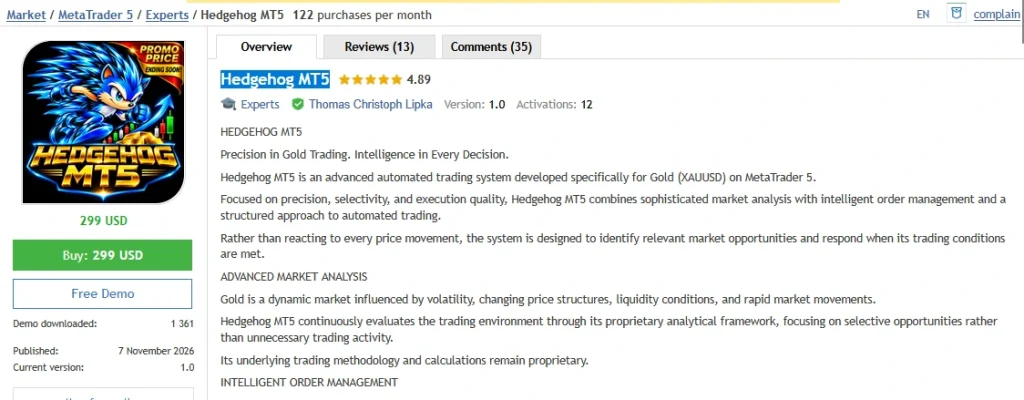
Hedgehog MT5 settings and account requirements
| Setup item |
Developer guidance |
| Platform |
MetaTrader 5 desktop |
| Symbol |
XAUUSD (gold); check your broker’s symbol name |
| Timeframe |
H1 (one hour) |
| Fixed-lot balance reference |
About $300 with 0.01 lot |
| Automatic sizing balance reference |
$1,000 or more |
| Account type |
ECN, Raw Spread or Pro recommended |
| VPS |
Recommended to keep the terminal running |
These balance figures are guidance, not guaranteed margin requirements or loss limits. Check your broker’s gold contract size, minimum lot, spread and margin before deciding whether the setup fits your account.
What should I check in Inputs?
Start with the lot-sizing mode and exit profile. If the EA is set to a standard exit profile, do not assume that numbers displayed under custom settings are the stop or target values currently in use. Check the instructions for the file you receive and test the intended settings on demo.
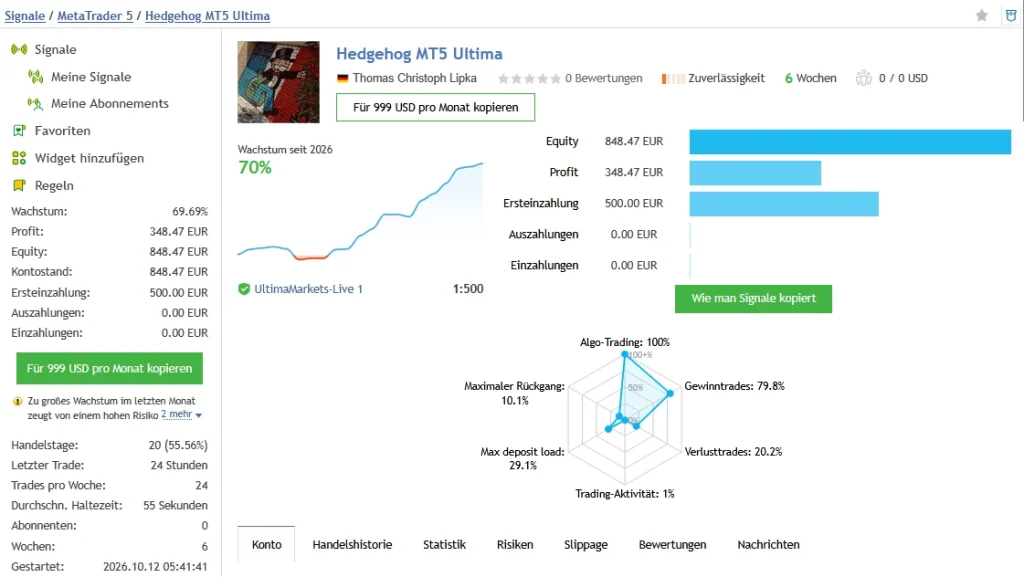
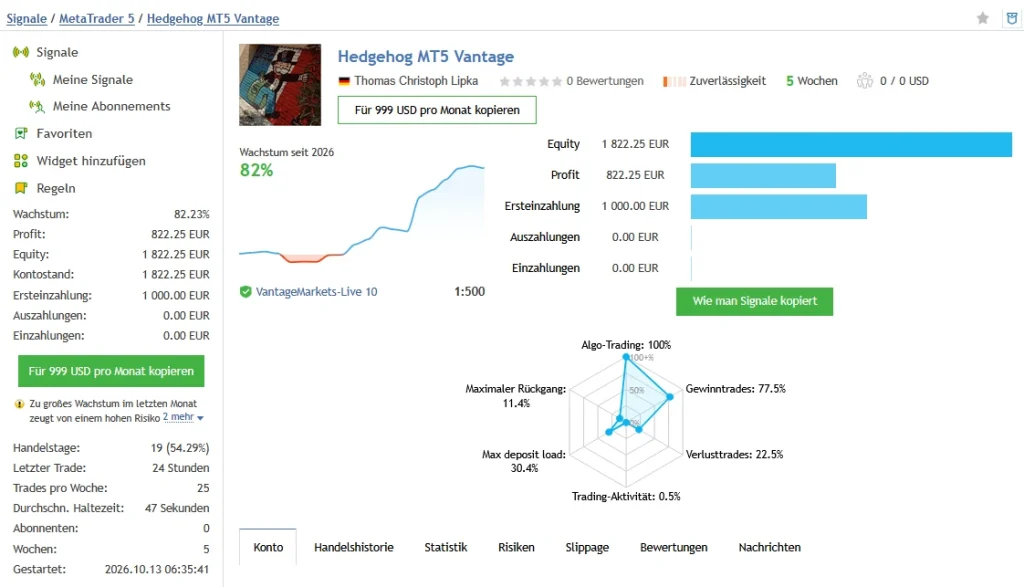
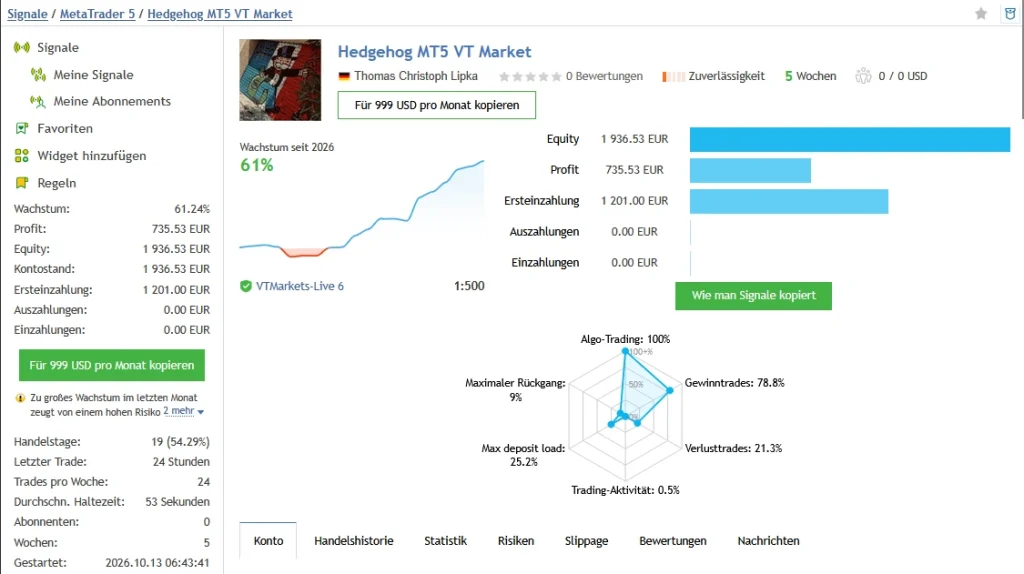
Hedgehog MT5 live results on MQL5
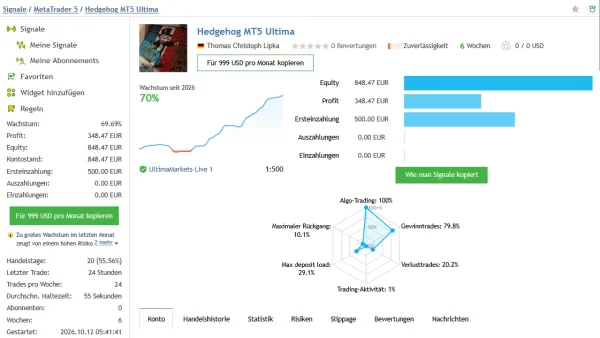
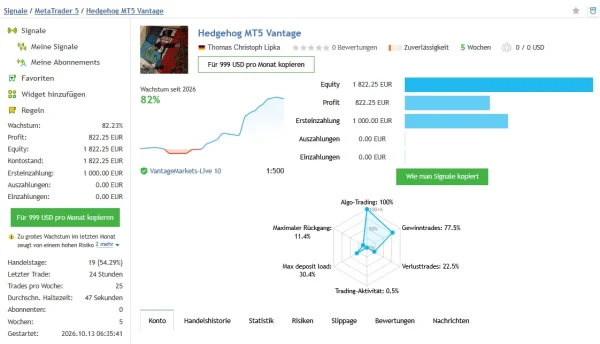
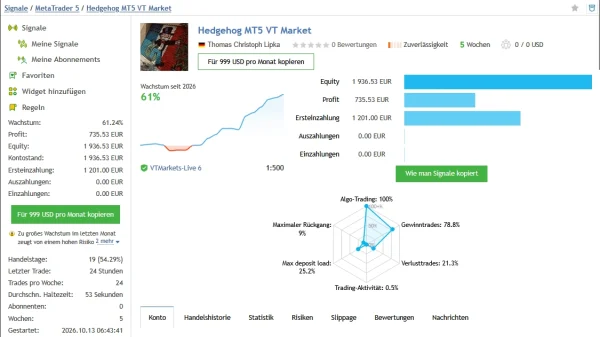
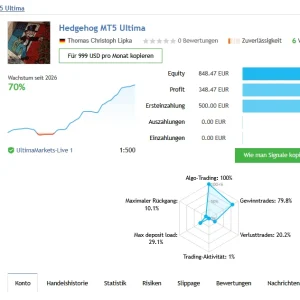
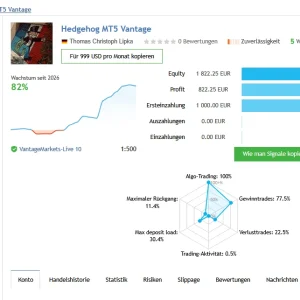
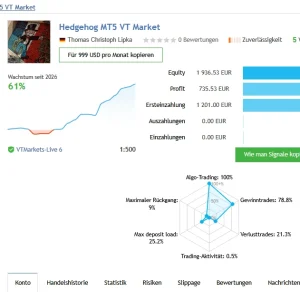
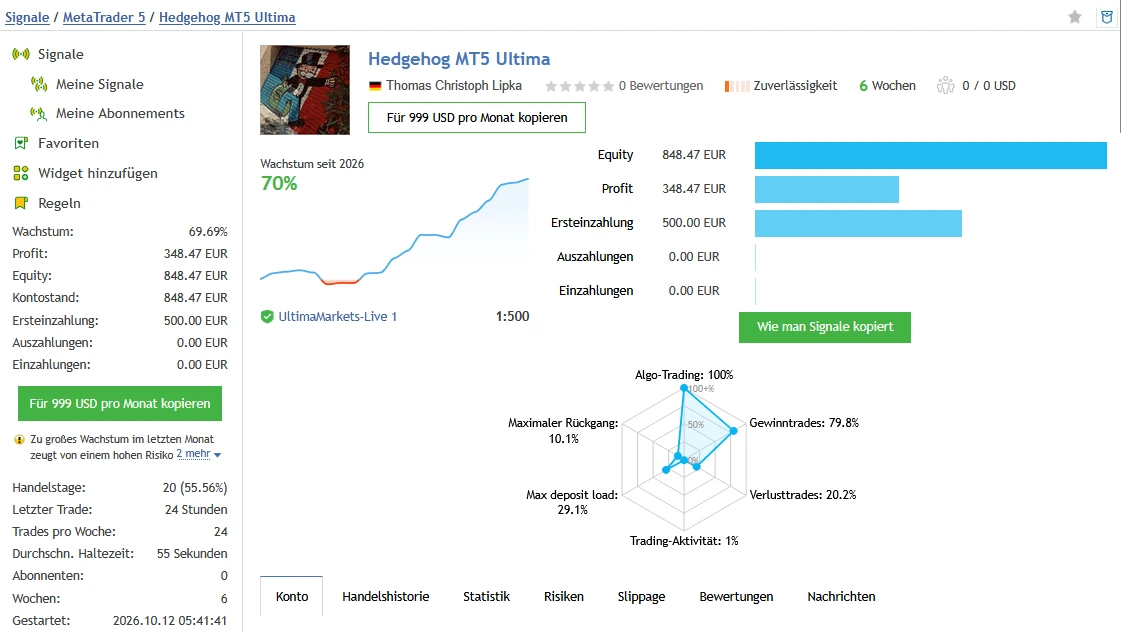
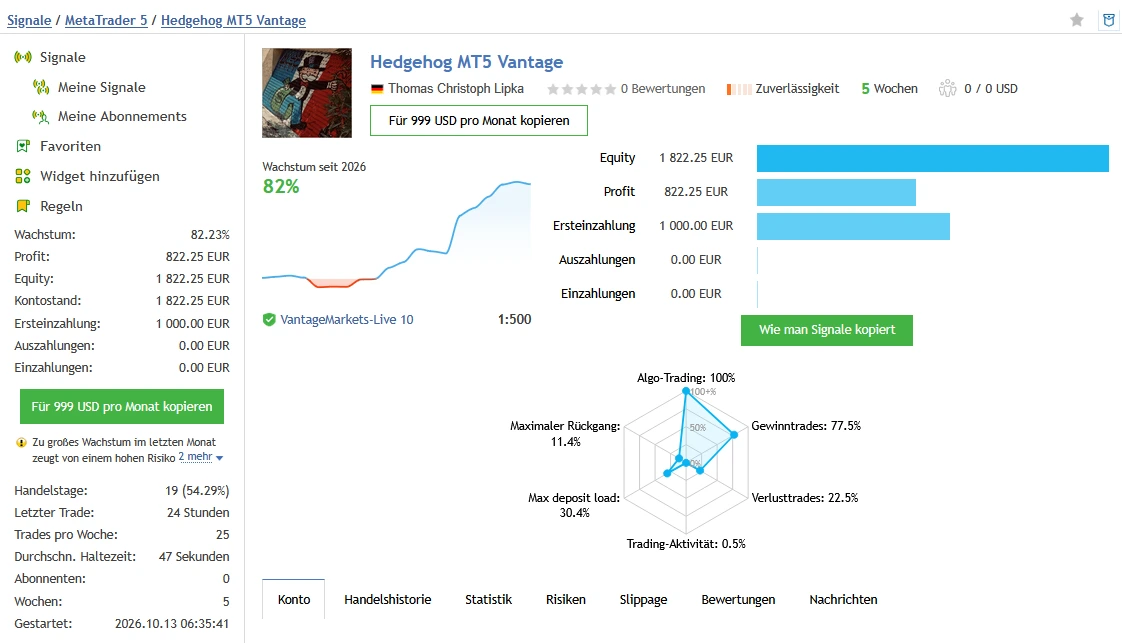
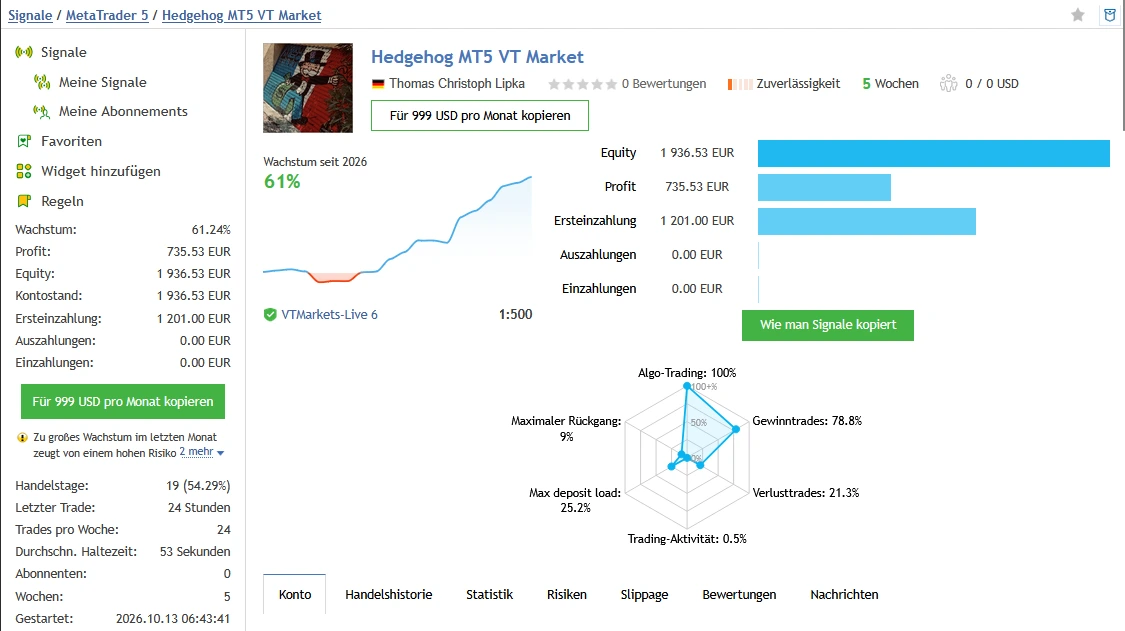
The developer links to three public Hedgehog accounts. Below are the figures displayed when checked on
17 November 2026. Each row is a separate account. Figures can change.
| Public signal |
Starting deposit |
Reported growth |
Relative balance drawdown |
Relative equity drawdown |
History shown |
| Ultima Markets |
€500 |
+69.69% |
10.13% |
1.34% |
6 weeks |
| Vantage Markets |
€1,000 |
+82.23% |
11.36% |
0.99% |
5 weeks |
| VT Markets |
€1,201 |
+61.24% |
8.97% |
0.81% |
5 weeks |
Read both drawdown figures. Balance reflects closed trades, while equity also includes gains and losses from open positions. The figures are separate MQL5 measures, so do not compare one account’s balance drawdown with another account’s equity drawdown as if they were the same measure.
All three pages showed
1:500 leverage and warnings about short history, rapid recent growth and the risk of getting worse prices when copying trades. The records cover only five to six weeks and do not prove how Hedgehog will perform through different market conditions. The broker, settings and trade sizes can differ from yours. Past performance does not guarantee future returns. Buying the EA is separate from subscribing to a signal.
How to install Hedgehog in MT5
- Follow our MT5 Expert Advisor installation guide.
- Open your broker’s gold chart and select H1.
- Attach Hedgehog from Navigator → Expert Advisors and check the lot size, selected exit profile and permissions.
- If the order includes a matching preset, load the SET file in MT5 and review the imported values.
- Enable Algo Trading when ready to test on demo. Check Experts and Journal for any errors.
Delivery, updates and support
Read
Delivery & Downloads to find your order. For setup help, contact
Product Support with your order number, EA version, MT5 build and exact error. See the
Refund Policy before buying.
Frequently asked questions
Should I use H1 or M1?
The developer specifies
XAUUSD on H1. Use the instructions for your delivered build before changing the timeframe.
Can I use Hedgehog with a $300 account?
The developer gives about
$300 at 0.01 fixed lot as a reference. Check margin and total exposure with your broker. The three signal accounts had different deposits, and their results cannot establish what a $300 account would earn.
Can I trade other symbols?
The developer documents the gold setup. Compatibility with other markets was not established by the sources reviewed.
Is the standard exit profile the same as custom settings?
Do not assume so. Check which profile is active and whether your build uses the custom fields when that profile is selected.
Does it work on MT4 or on a prop firm account?
This offer is for MT5. For a prop firm account, confirm that the firm allows third-party EAs and that the EA’s settings fit its rules. A product category or risk setting does not mean the firm has approved the tool.