Gold Trade Pro v7.2 MT5 is an XAUUSD breakout EA for the daily chart. It includes eight selectable strategies and uses stop loss, take profit and trailing trade management. Start with your broker’s gold symbol on
D1 and test your chosen strategies on demo.
Setup at a glance
| Item |
Details |
| Platform |
MetaTrader 5 |
| Version |
7.2 |
| Market |
Gold (XAUUSD); use the matching symbol in your broker’s MT5 terminal |
| Timeframe |
D1 (daily) |
| Strategy |
Eight selectable daily breakout strategies |
| Developer balance guidance |
$1,000 on MQL5; the developer’s website separately lists $600 |
| Smaller-account setup |
The MQL5 listing discusses strategies 3, 4 and 7 for balances of 500–1,000 |
Which balance figure should you use? These are different published setup references. Neither tells you whether your broker’s smallest trade size fits your risk limits. On demo, check the contract size, minimum lot, margin and potential loss at the stop. Check the combined exposure if several strategies trade at once.
How it trades
A breakout happens when price moves beyond a level where it previously stalled or turned. The EA looks for these moves on gold and manages trades according to the strategies you enable. The developer describes the design as avoiding grid, martingale and averaging down.
A breakout can reverse after entry. Even with a stop loss, gaps and slippage can lead to a worse exit price. Running several strategies on one gold symbol can increase exposure to the same move.
What changed in v7.2?
The official update history lists v7.2 on
28 October 2026 and describes a fix involving WorldTimeServer. Version 7.1 changed how withdrawals affect the balance used with OnlyUp, and v7.0 fixed an issue with the NFP news filter.
Check the instructions for your exact file before changing news, time or online-service settings. A fix listed for the developer’s release does not establish the dependencies of every package sold elsewhere.
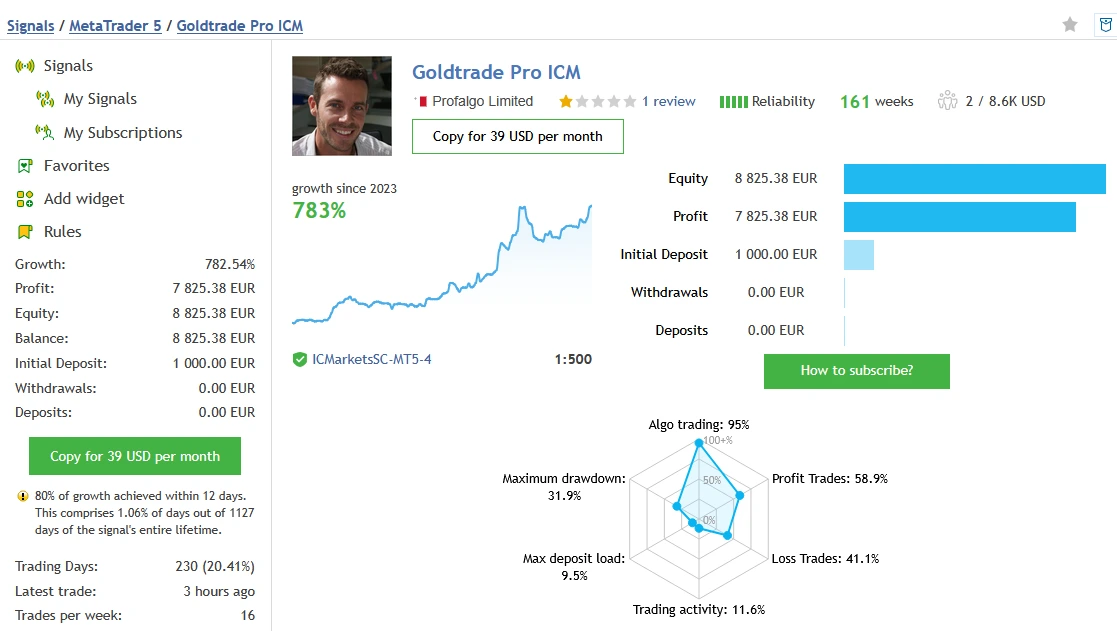
Gold Trade Pro live results and Myfxbook
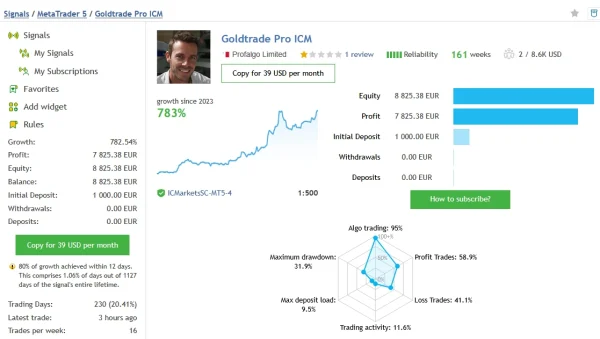
On
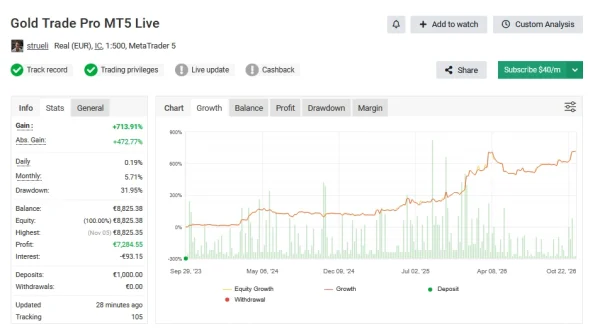
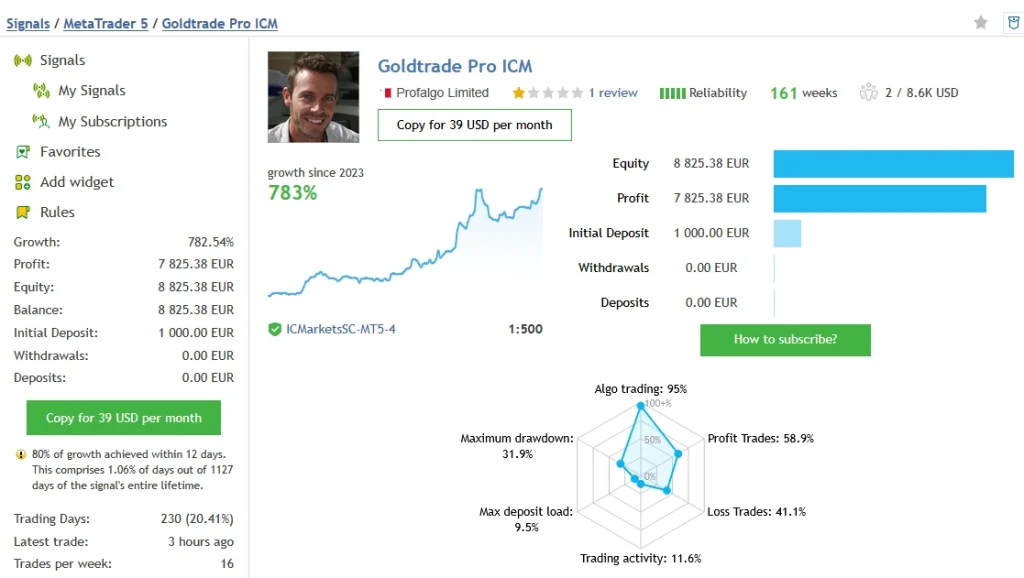
5 November 2026, the first MQL5 signal displayed
782.54% growth and
€7,825.38 profit on an initial
€1,000 deposit. MQL5 also flagged that
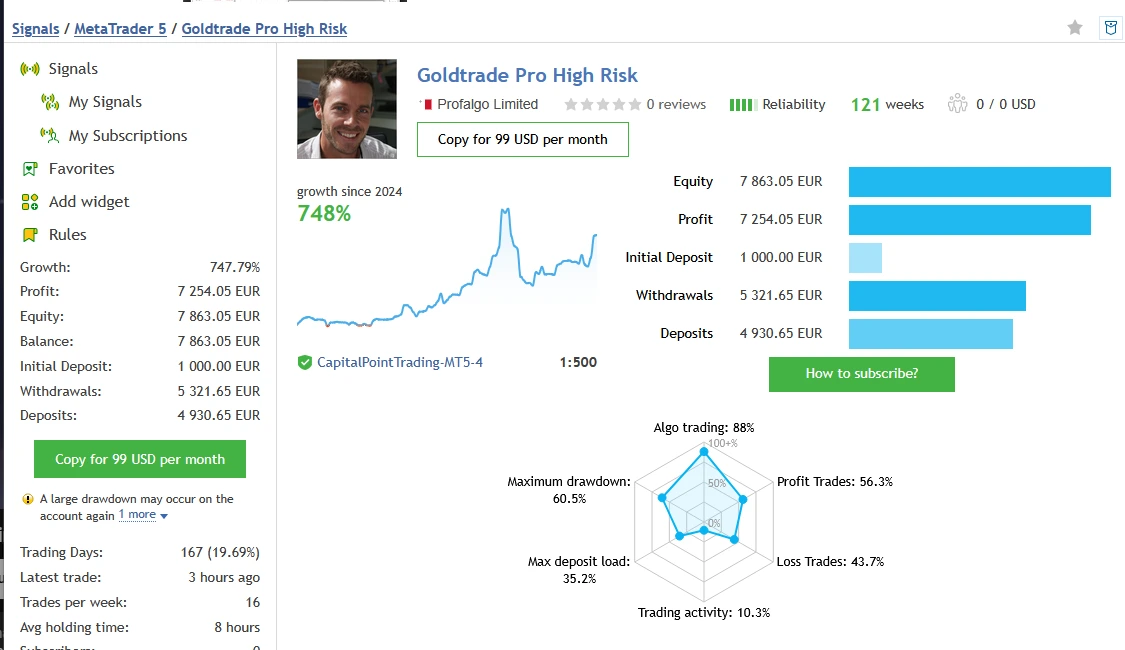
80% of the growth occurred within 12 days. Check the live page’s Risks and Statistics tabs for drawdown and account exposure before comparing results.
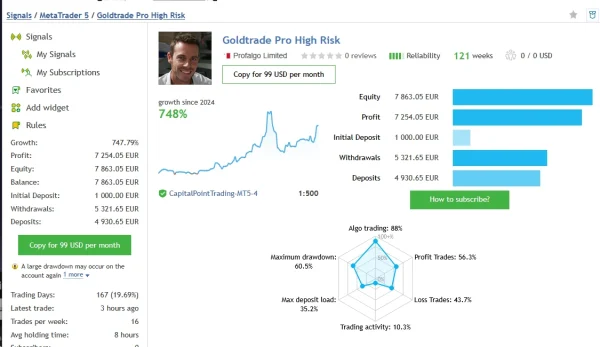
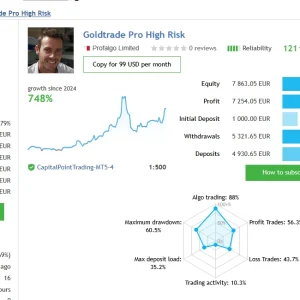
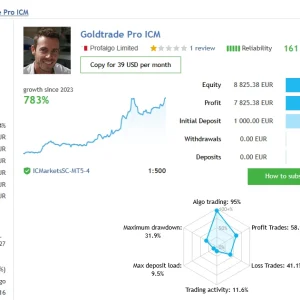
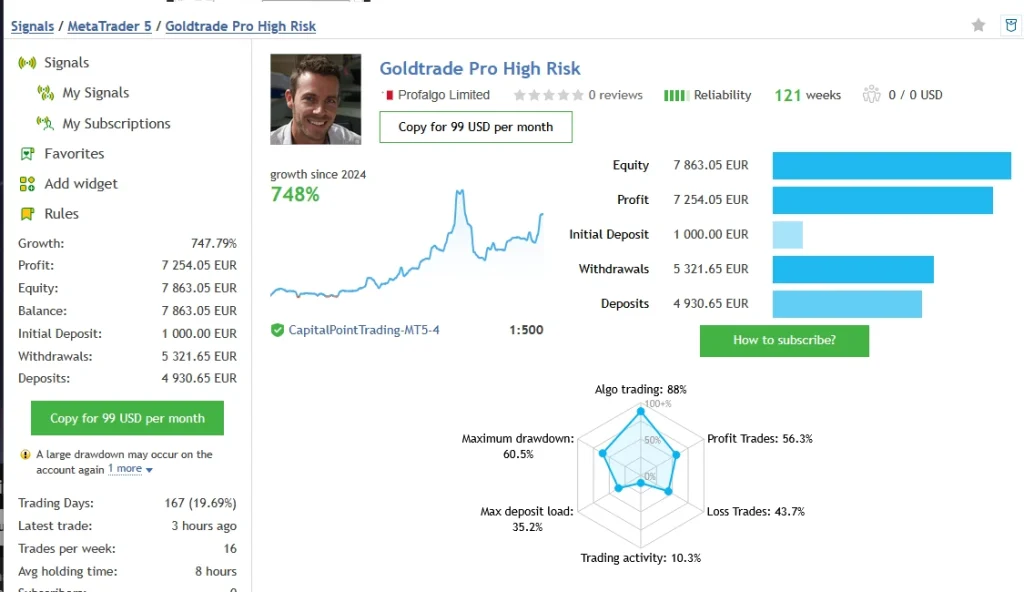
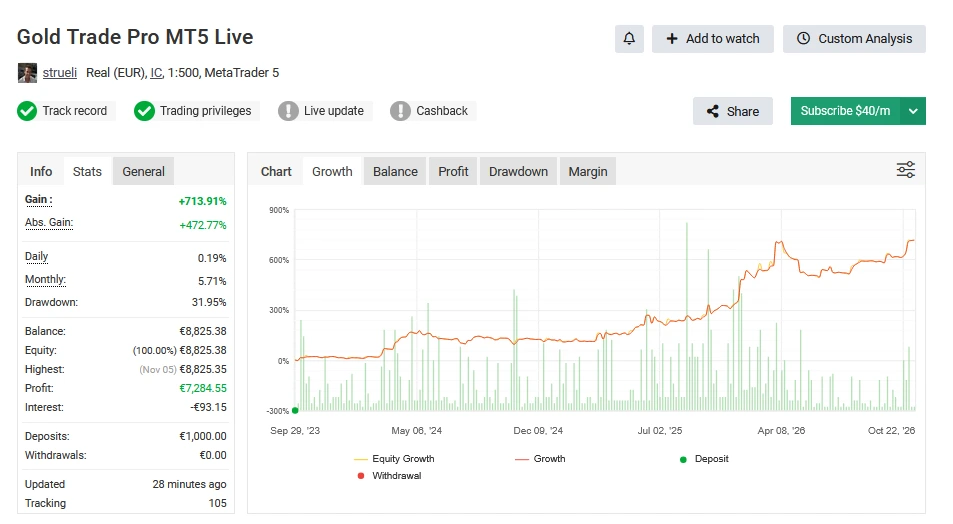
These records are separate accounts or configurations. Do not combine their figures or assume all trades used v7.2. The Myfxbook page could not be checked directly, so no current figures from it are quoted here. A backtest is a simulation and should be labelled separately from live results. Past performance does not guarantee future results.
How to install Gold Trade Pro in MT5
- In MT5 desktop, open File → Open Data Folder → MQL5 → Experts for a manually supplied EA.
- Copy the EA file there and refresh Navigator → Expert Advisors.
- Attach it to your broker’s gold symbol on D1.
- Review the active strategies and position size. If you have a compatible preset, follow our MT5 SET-file guide.
- Enable Algo Trading when ready to test on demo. Check Experts and Journal for errors.
See our
step-by-step MT5 installation guide for screenshots.
What comes with the order?
This listing is for
Gold Trade Pro v7.2 for MetaTrader 5. If you need a particular SET file, licence option or update arrangement, confirm it with
Product Support before ordering.
Delivery, support and refunds
See
Delivery & Downloads for order access. Confirm the exact included files or activation requirements with
Product Support if you need a specific package. Read the
refund policy before ordering.
Frequently asked questions
Does this version run in MT4?
This offer is for MT5. MT4 builds are separate.
Do I need SET files?
A SET file stores input values. Check whether your package includes one and whether it matches the release. A preset labelled for a live account or prop firm does not guarantee the same trades or rule compliance.
How much can I earn?
There is no reliable earnings figure for your account. The result depends on market conditions, trade size, settings and broker execution. Automated trading can lose money.