Logan MT5 v2.94 + SET Files
Want to set up Logan on MT5 without entering every setting by hand? This package includes
Logan v2.94 and SET files to help you get started. Review what you receive, check the saved settings and test the setup before trading with real money.
This offer is for v2.94. Newer developer releases are separate from the version supplied here. Please check the package details before placing your order.
What you receive
| Purchase detail |
Included with this offer |
| Product |
Logan MT5 |
| Supplied version |
2.94 |
| SET files |
Included |
| Setup instructions |
Included |
| Licence and permitted use |
No limit |
| Expiry or subscription |
No expiry |
| DLL required |
No |
| Updates |
Lifetime updates |
| Delivery |
By email |
How Logan trades gold
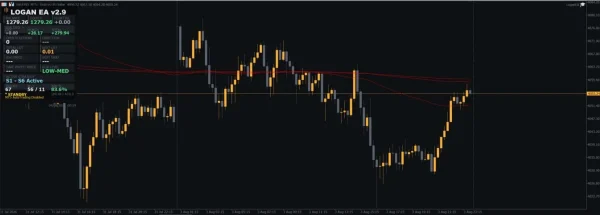
The developer describes Logan as an XAUUSD M15 EA using several entry checks and adaptive recovery orders. If price moves against an entry, it can add positions and manage them toward a combined basket target.
The current published setup lists regular hedging or netting accounts, recommends Raw/ECN execution, and advises against cent accounts. It lists $1,000 at 0.01 lots, a recommended balance of $2,000+, and leverage of 1:100 or higher. These are publisher guidelines, not a safe-deposit promise or verified requirements for your supplied file. Check v2.94 instructions and broker compatibility before use.
Source:
official Logan MT5 overview.
Understand recovery risk before buying
When more trades are added to a losing position, more money can be exposed to the same market move. The account may need additional margin while those trades stay open. A group of small wins can still be outweighed by one large loss.
For this reason, review the maximum number of positions, lot-size increases and what happens when a loss limit is reached. A setting that pauses new entries has a different effect from one that closes open trades. Check the exact action in your v2.94 inputs.
Loss limits do not guarantee an exact final loss. Execution delays and fast price changes can affect where trades close. Use money you can afford to lose and avoid treating an EA as a fixed-income product.
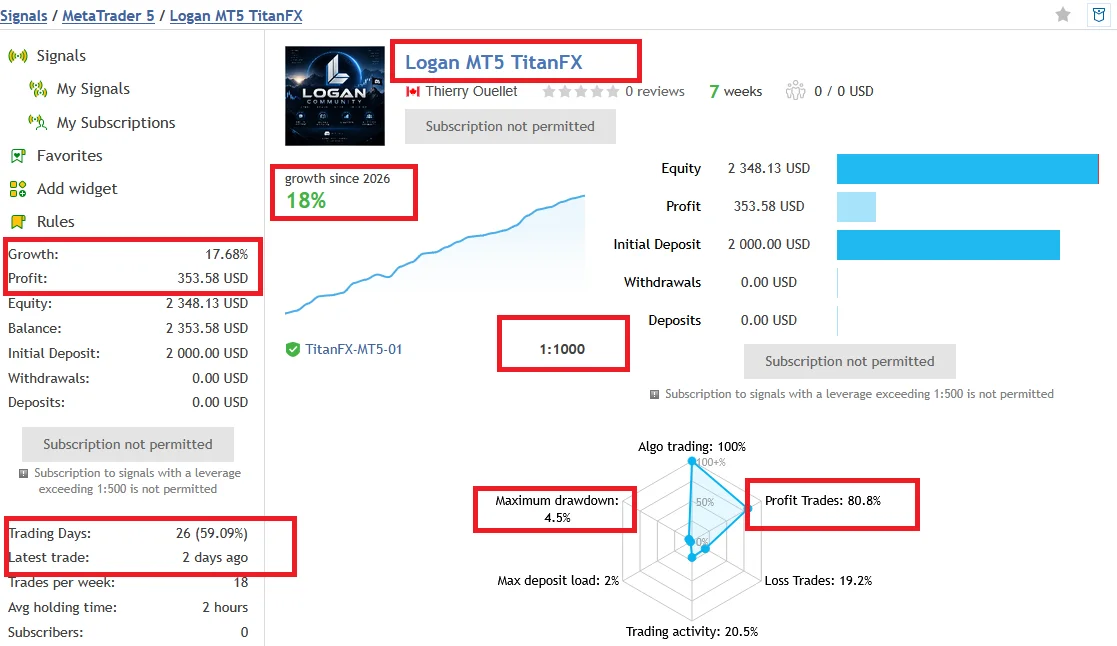
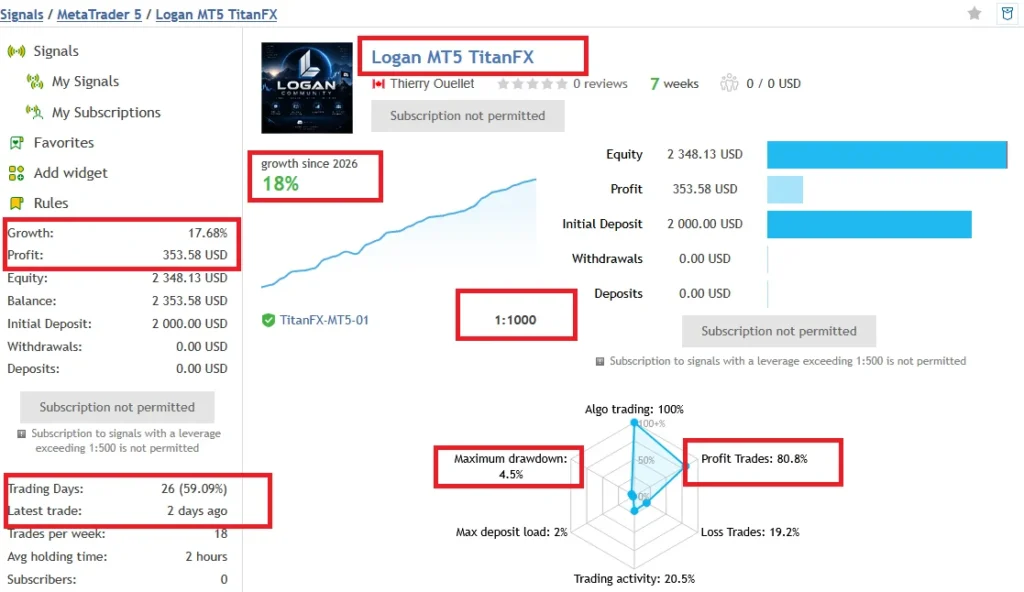
Logan MT5 Trading Results: TitanFX Account Performance
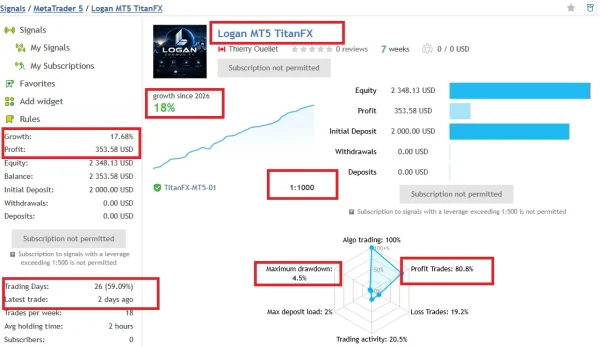
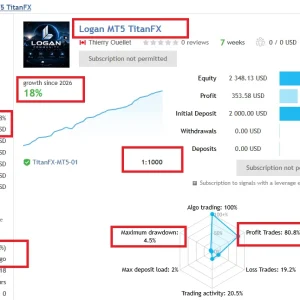
Want to see how Logan has traded? The public TitanFX account reports
19.21% growth and
$384.28 profit from a
$2,000 starting deposit over seven weeks.
Its recorded
maximum drawdown is 4.5%. This shows the account’s largest reported decline and helps you compare risk with the return.
80.7% of trades were profitable, but a high win rate does not guarantee future profits.
The account averages
10 trades per week, with trades held for around
three hours.
Does this match the version sold here? The signal describes a newer enhanced Logan version. These results should not be treated as verified performance for our
v2.94 package. Seven weeks is also a short trading history.
View Logan’s public trading results on MQL5
Figures reflect the account snapshot shown here and may change. Your results can differ with settings, broker conditions and market movements.
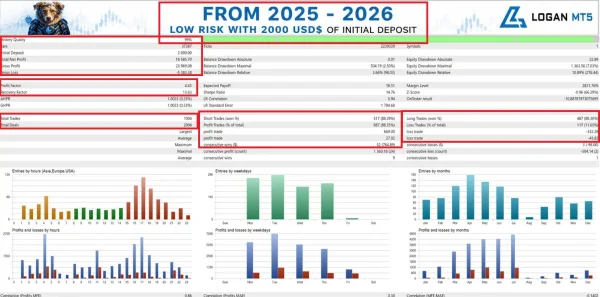
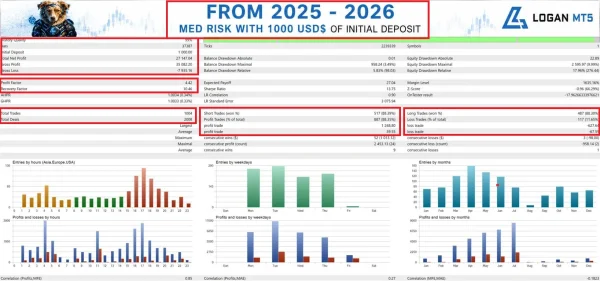
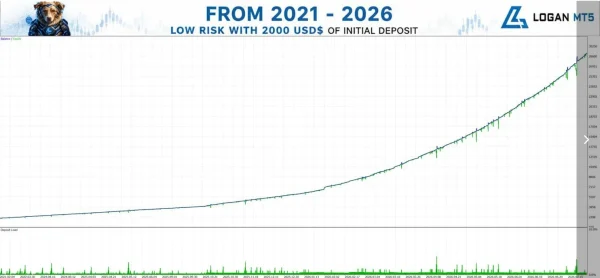
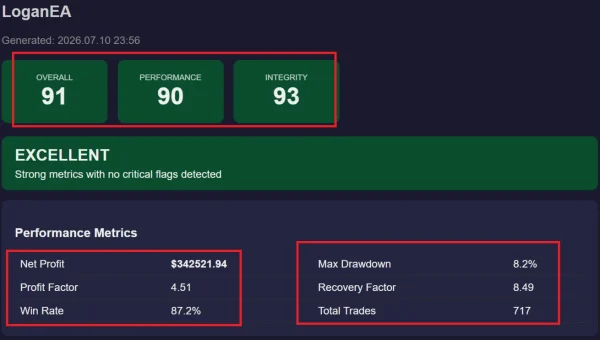
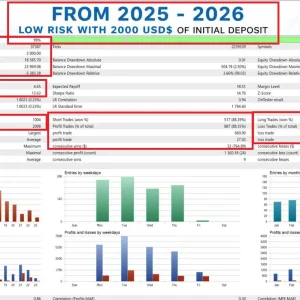
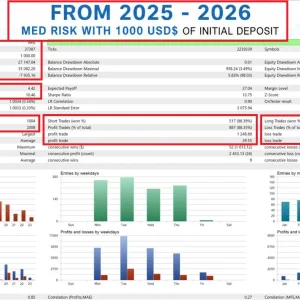
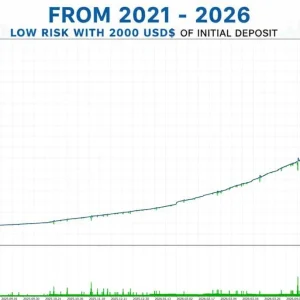
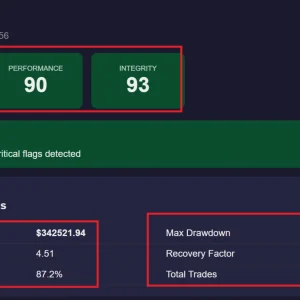
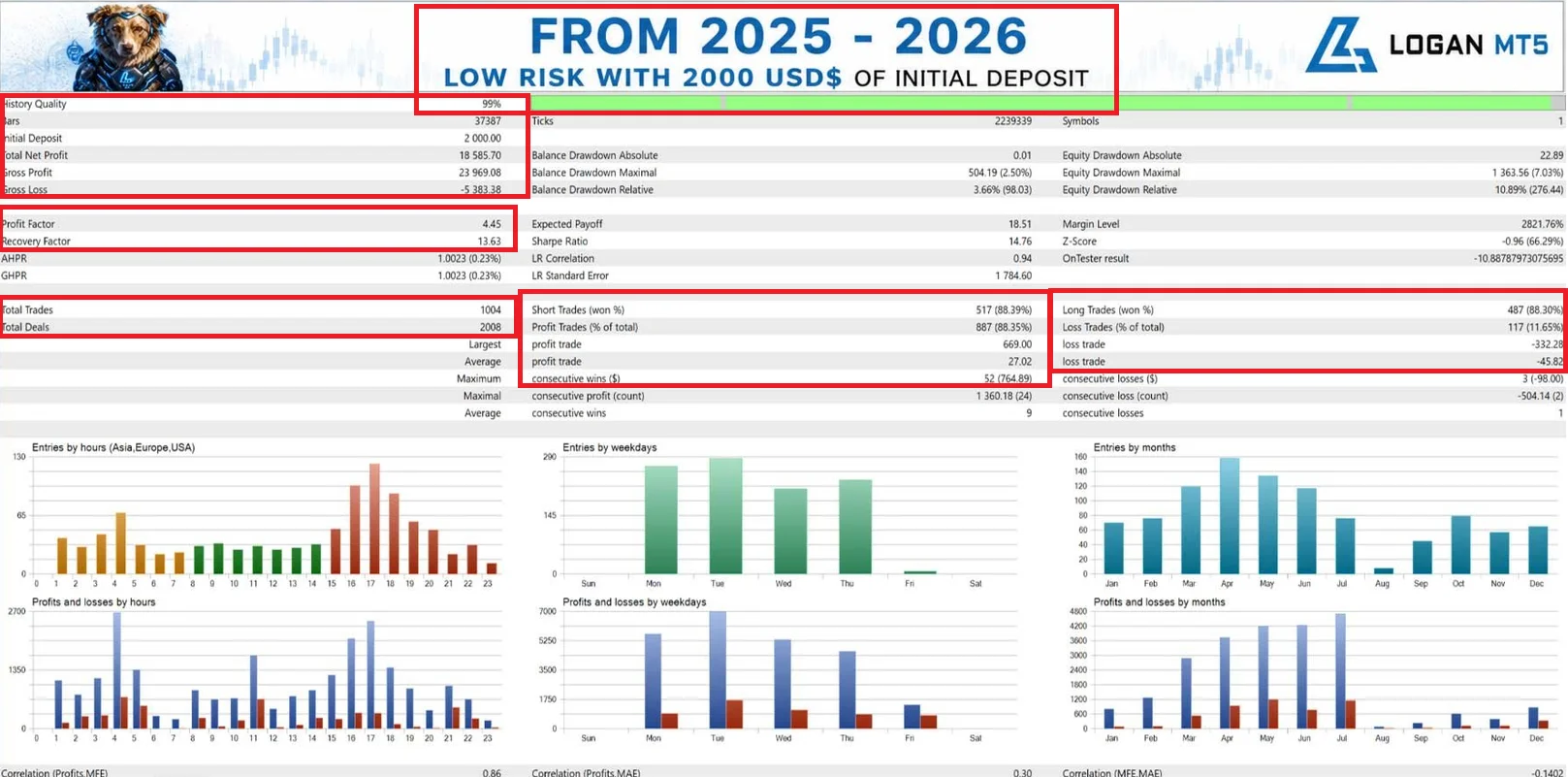
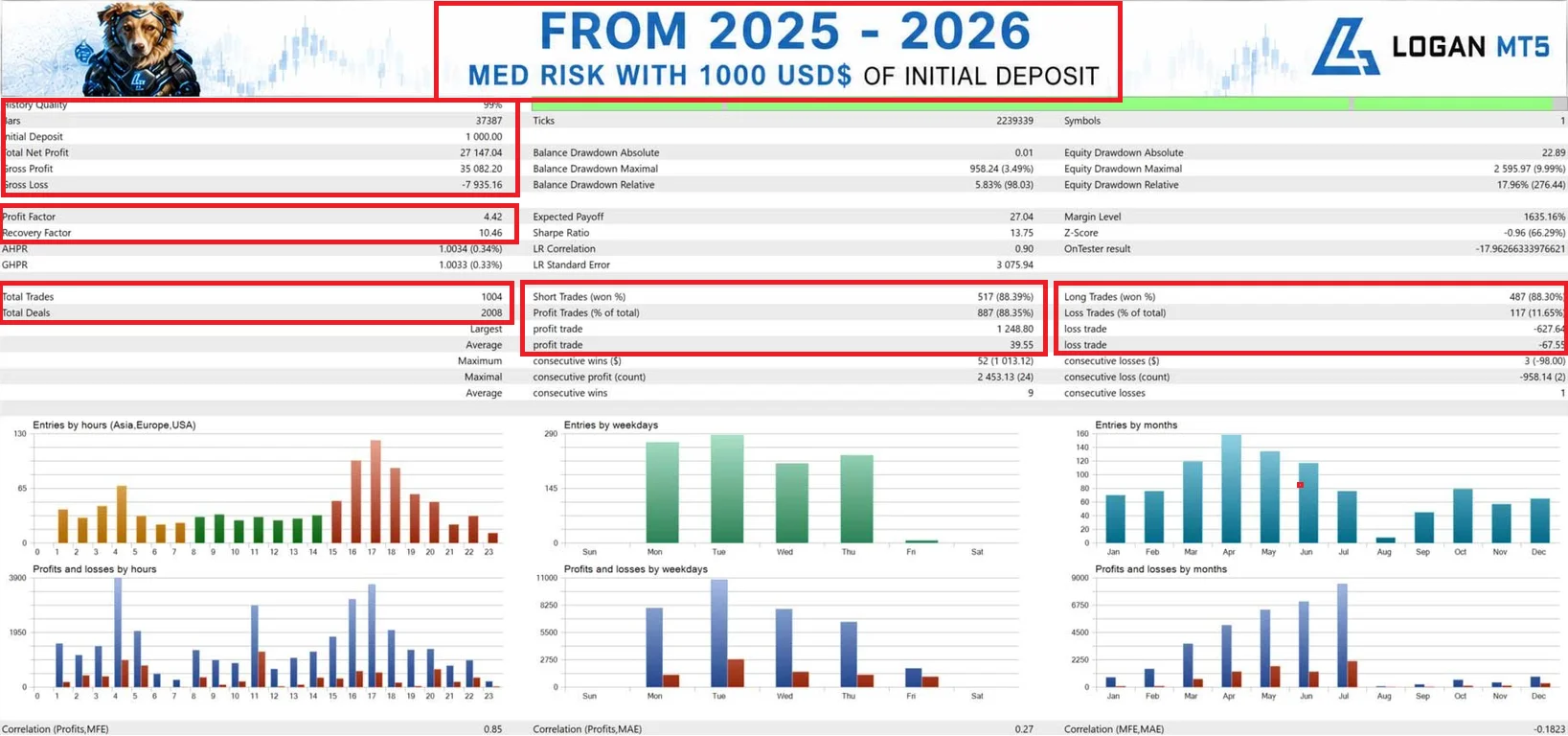
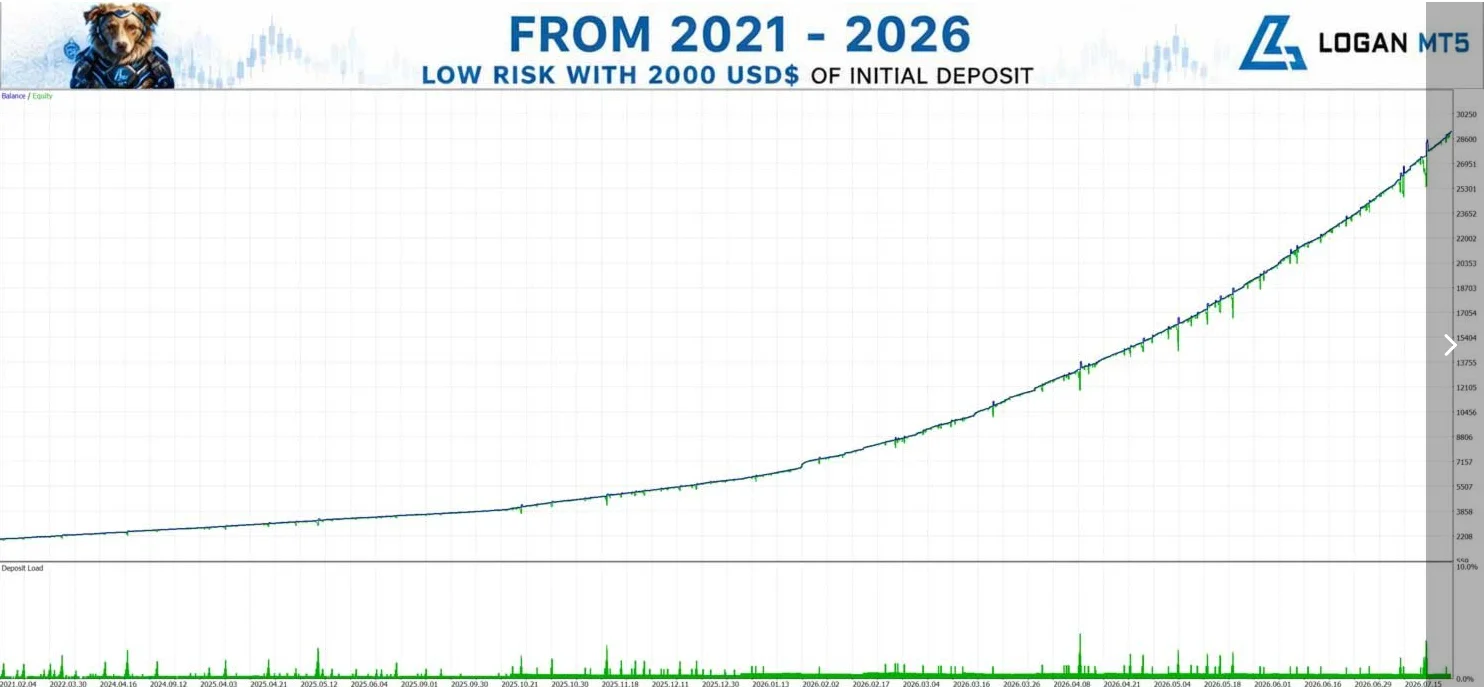
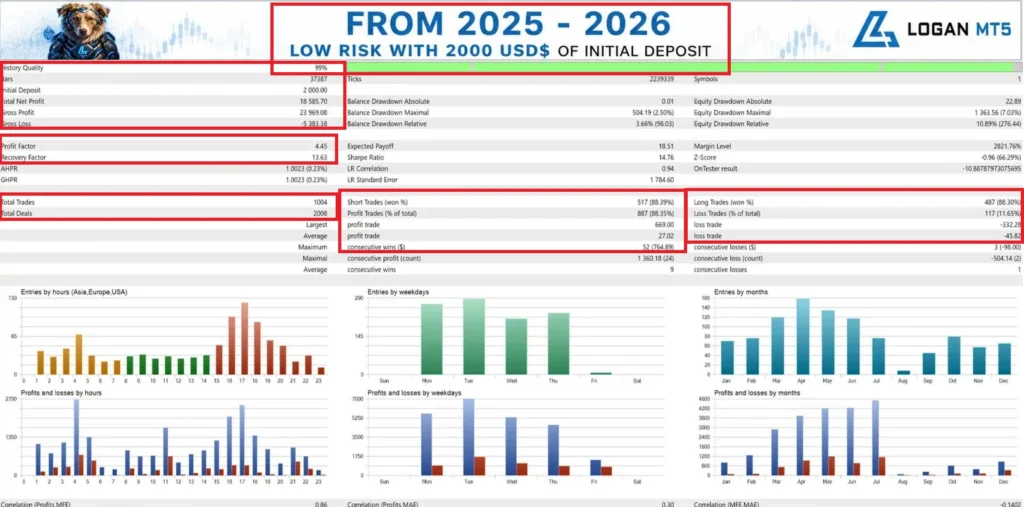
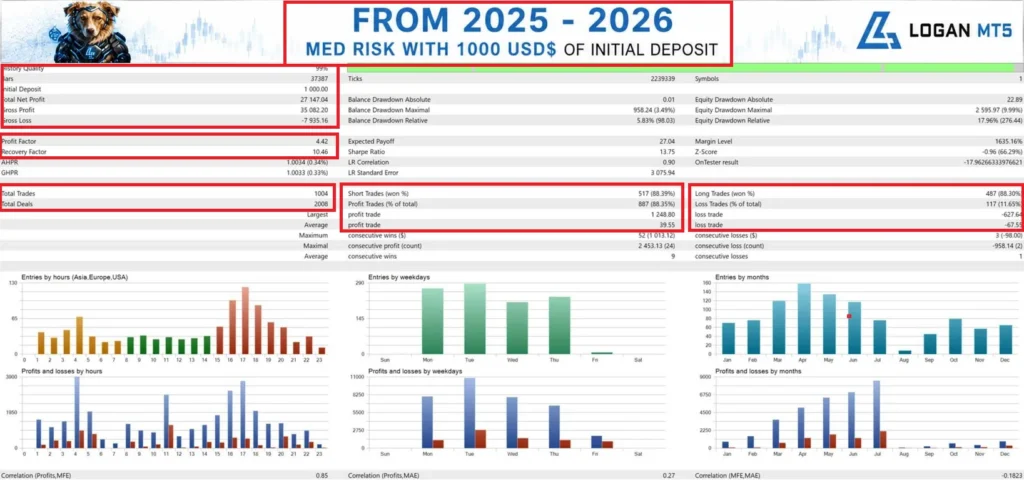
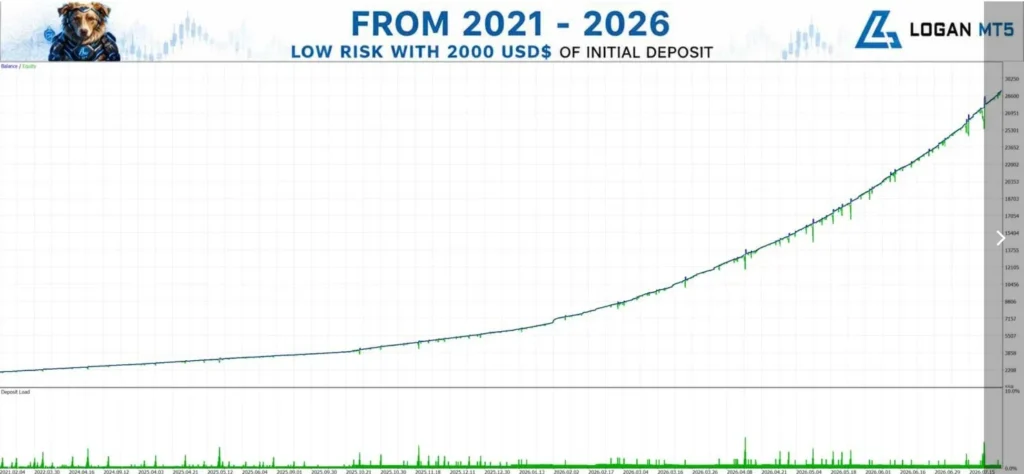
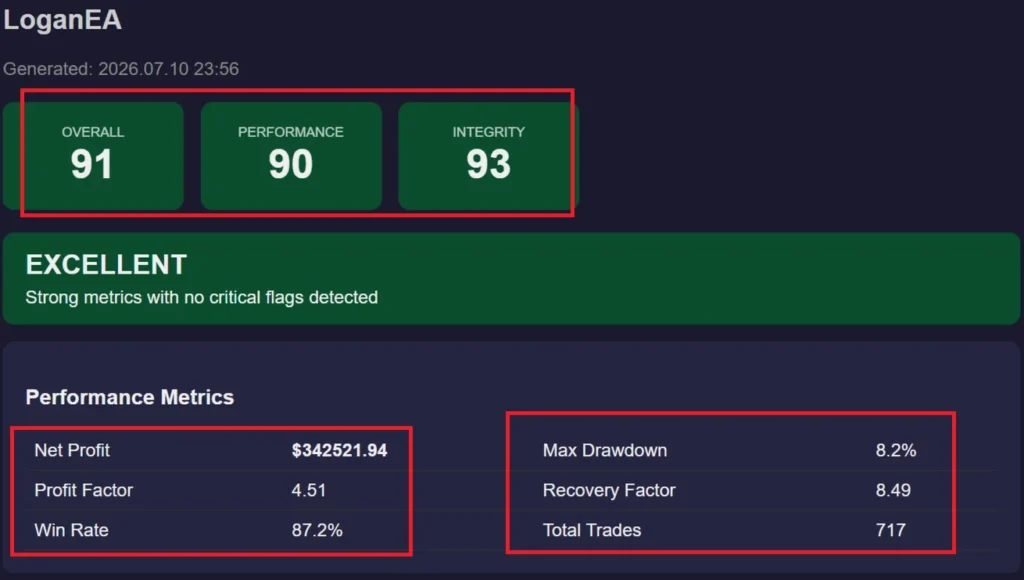
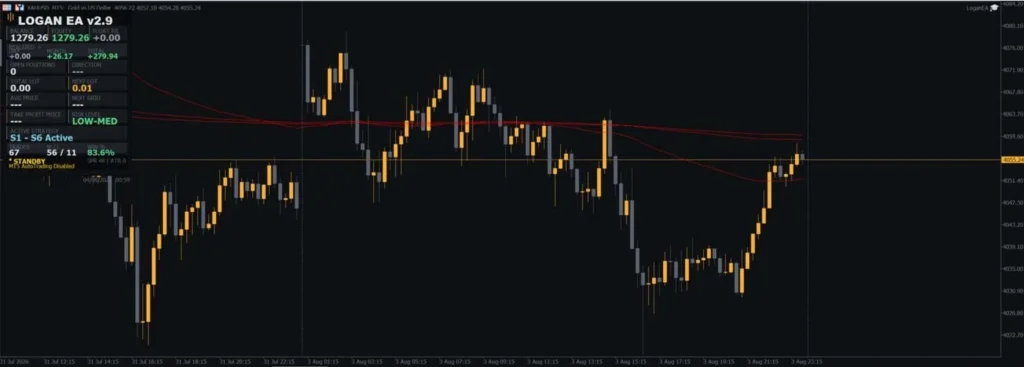
Logan BackTest Results
What changed in version 2.94?
The developer’s update notes date v2.94 to
12 August 2026. They describe a post-news entry buffer, a broker-server time correction for VPS use, a daily-loss protection fix and a correction to high-impact news filtering.
The same history places a new Strategy 7 in v2.95. Do not assume that feature is included in v2.94. At our source check on 11 October 2026, the official overview displayed v3.19.
See the
official Logan update history to compare releases. Use instructions and presets that match the file you receive.
Public trading results: what should you check?
You can view the developer-linked
Logan MT5 TitanFX signal before deciding.
The signal description refers to a newer enhanced version. It should not be presented as proof that this v2.94 package will produce the same results. Check the account’s history, equity drawdown, open trades, deposits, withdrawals and recent activity. Also look for information about the version and settings used.
Account growth alone cannot tell you how much risk was taken. A short record also gives limited information about difficult market periods. Results can change with the broker, trading costs and settings. Past results do not guarantee future returns.
How to install Logan and load the SET files
- Open your MT5 desktop terminal and select File → Open Data Folder.
- For a supplied standalone EX5 package, copy the EA file into MQL5 → Experts. Follow any separate activation instructions provided with your purchase.
- Return to MT5 and refresh Navigator → Expert Advisors.
- Open the chart required by your matching v2.94 instructions.
- Attach Logan to the chart and open the Inputs tab.
- Click Load, select the matching SET file and review the values that appear.
- Check trade size, position limits, loss-protection actions, trading hours and any broker-specific inputs.
- Set only the permissions required by this package. If its news function needs WebRequest access, use the exact URL in the matching instructions.
- Click OK, enable Algo Trading when ready, and check the Experts and Journal tabs for errors on a demo account.
New to MT5? Follow our
MT5 Expert Advisor installation guide for the file and chart steps. Our
guide to loading a SET file in MT5 shows how to apply a preset and check that the inputs changed.
Do not enable DLL imports simply because a general guide says to. First check whether the supplied package actually requires them.
Choosing the right SET file
Choose a preset made for
the supplied version and your intended account conditions. Check its description instead of selecting the file with the most attractive name or backtest.
After loading it, review the settings yourself. Account currency, broker contract size, minimum lot size and available margin can differ. A preset used on someone else’s account may take a different level of risk on yours.
Keep a backup of the original SET files. If you change settings, save the new preset under a different filename so you can identify what you tested.
Delivery and setup help
This is a digital product. Our
Delivery & Downloads page explains order access, email download links and what to do if your files do not arrive.
For a setup problem, contact
Product Support with your order number, MT5 build and the relevant error message. A screenshot of the Inputs tab can also help. Never send your trading-account password.
Please read our
refund policy before purchasing, including how technical problems and trading-performance complaints are handled.
Frequently asked questions
Are SET files included?
Yes. This offer includes SET files. See the package section for the supplied filenames and their intended use. Load a matching preset and review its values before enabling trading.
Is version 2.94 the latest Logan release?
No. This listing is specifically for v2.94. Check the version shown in the package section rather than assuming you will receive the newest developer release.
Can I use an MT4 file with this package?
This is an MT5 offer. Use the supplied MT5 EA and its matching presets; do not assume an MT4 file or preset is compatible.
Does a SET file make setup automatic?
It loads saved input values. You still need to install the EA, complete activation if required, choose the right chart and check trading permissions.
Can Logan lose money?
Yes. Market movements can create losing trades and larger losses during recovery. No preset or backtest removes that risk.
Is it guaranteed to pass a prop-firm challenge?
No. Check the firm’s current EA rules and loss limits, including how it treats floating losses and recovery trading. A preset name is not approval from the firm.
What if the EA does not open a trade immediately?
Check its status message and logs, then verify permissions and the loaded settings. Waiting for an entry condition is different from an installation error. Do not increase risk just to make the EA trade sooner.
How do I receive a newer version?
Update eligibility follows the terms in the package section. Contact Product Support to ask which release is available for your order.
Trading risk: Gold and other leveraged markets can cause significant losses. Test the exact EA and preset on demo before considering live use. Historical results are not a promise of future returns.