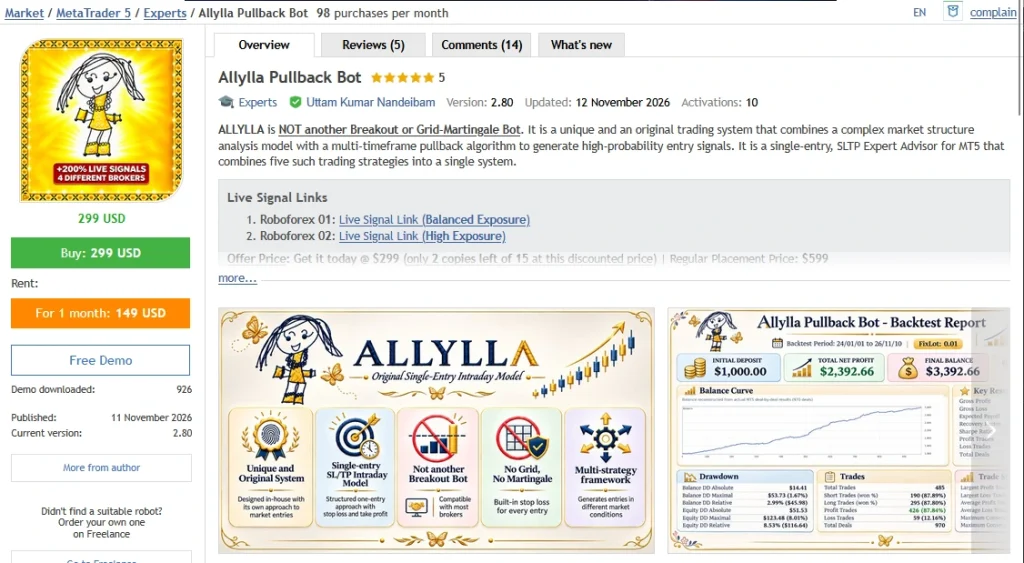
What is Allylla Pullback Bot MT5?
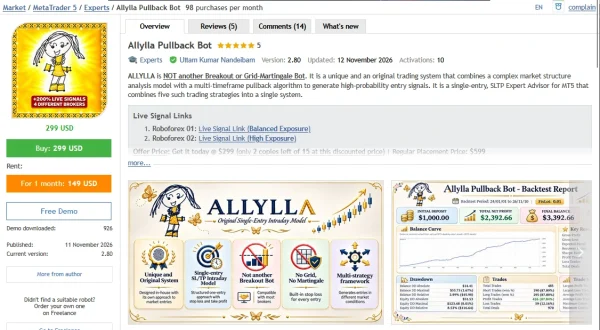
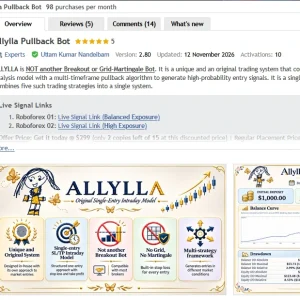
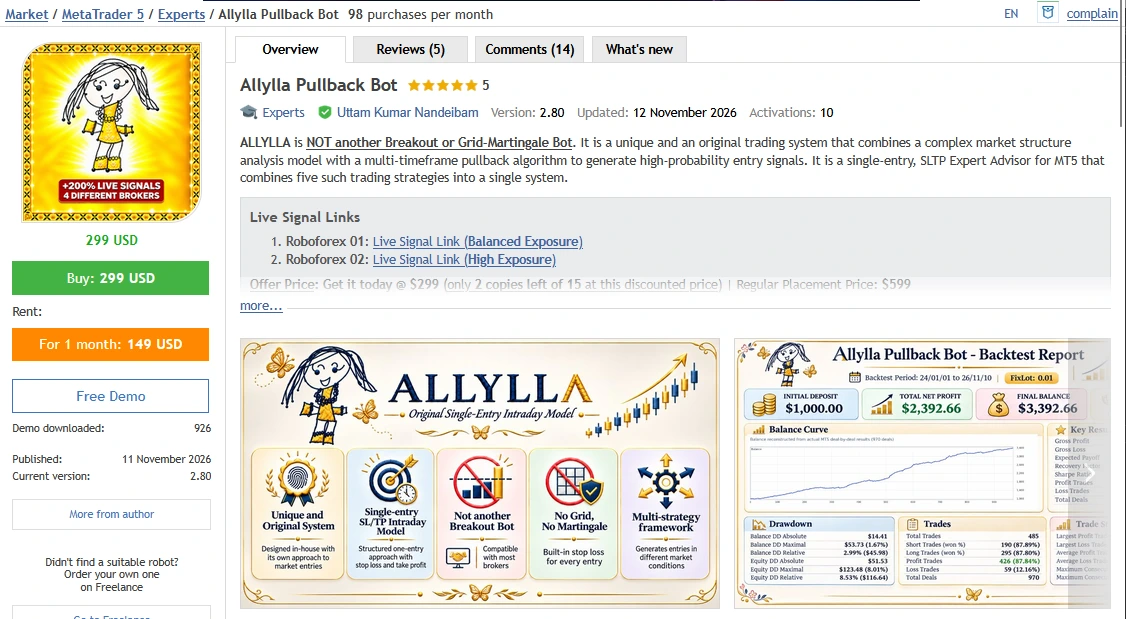
Allylla is an Expert Advisor (EA) from Uttam Kumar Nandeibam. It studies price structure and waits for a pullback before entering. The developer describes five strategies built from eight entry models. It can analyse several timeframes internally, so the chart you attach it to does not have to match one fixed timeframe.
It is not described as a bot that simply leaves pending buy and sell stop orders around a price range. The developer says it does not use grid or martingale recovery. If you are comparing methods, see our guide to
grid, martingale and breakout EAs. That comparison explains the differences; it does not classify Allylla as a breakout EA.
Allylla setup and risk checks
| Setup item |
What to check |
| Platform |
MetaTrader 5 desktop |
| Market |
Your broker’s XAUUSD/GOLD symbol |
| Chart timeframe |
Any host timeframe; internal timeframes provide the analysis |
| Account mode |
A hedging account is recommended in the reviewed setup guidance; confirm against your build’s manual |
| Position size |
Review fixed-lot or automatic sizing and the combined exposure of active strategies |
| Developer’s current build |
v2.80 when checked; your delivered version is listed below |
Do not choose your account balance by copying a signal’s starting deposit. Check the gold contract size, minimum volume, margin and planned stop-loss amount with your broker.
Can several trades be open at once?
Yes. The developer says the strategies can overlap when simultaneous trades are allowed. “Single entry” does not mean only one position across the whole account. Check the active strategies and execution mode as well as the size of each position.
Two or more gold trades can lose together. Start on demo and review the combined exposure before allowing several strategies to trade at once. Our guide to
choosing a forex Expert Advisor explains other checks to make before purchase.
What changed in v2.80?
The developer’s release note dated 12 November 2026 says v2.80 fixed a bug that could block new entries when other orders were open. It reports no changes to strategy logic, trade management or defaults. Use the instructions for the build you actually receive.
Allylla Pullback Bot MT5 live results
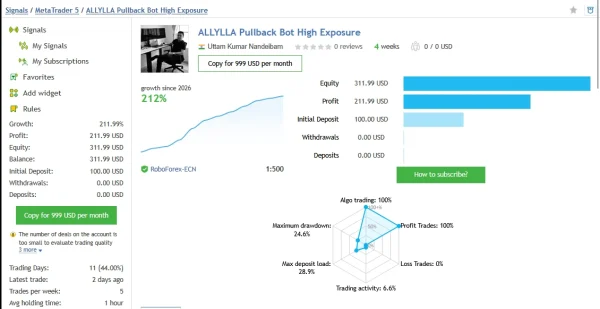
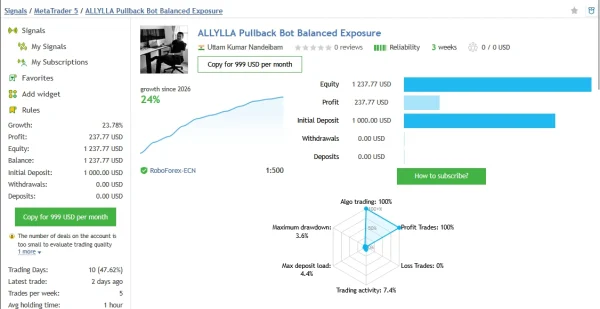
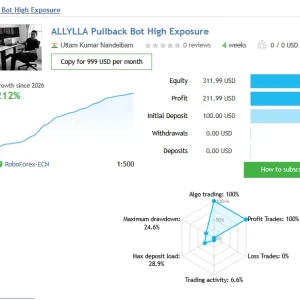
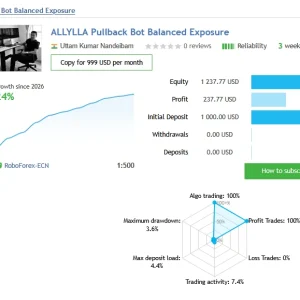
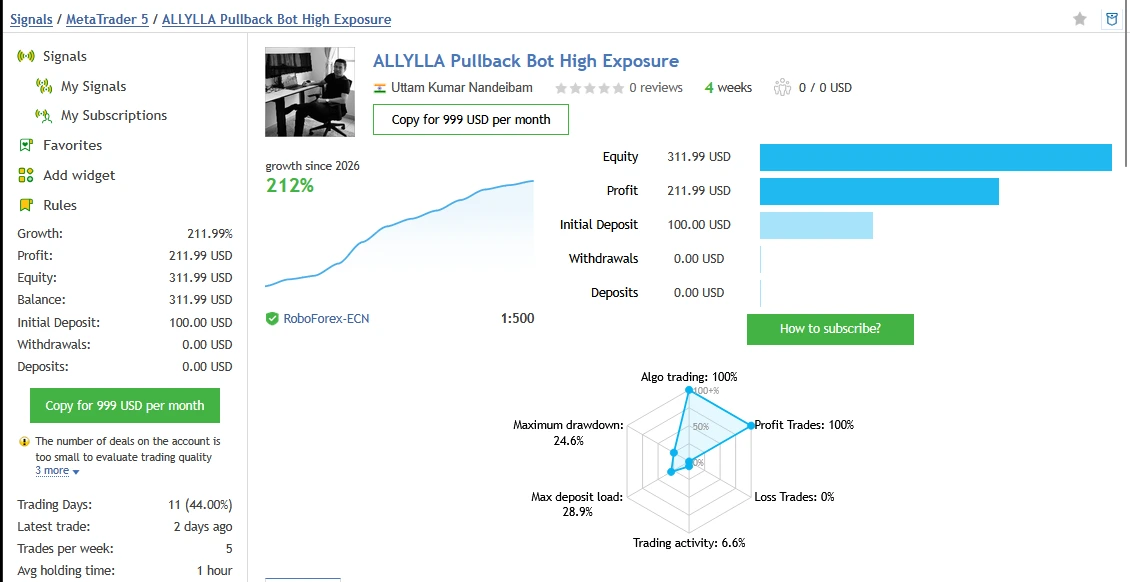
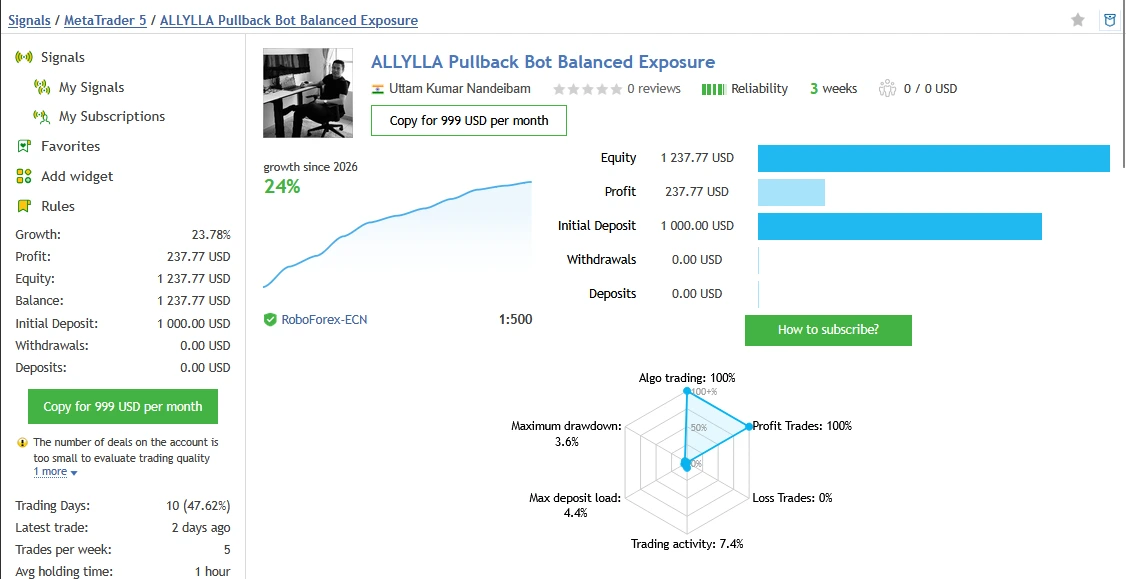
The developer publishes accounts with different exposure levels. The account supplied for this review is explicitly named High Exposure. The table also includes the developer-linked Balanced Exposure record for context. These are separate accounts, not one combined test.
| Public MQL5 account |
Initial deposit |
Reported growth |
Relative equity drawdown |
Trades |
History shown |
| High Exposure |
$100 |
+211.99% |
24.55% |
25 |
4 weeks |
| Balanced Exposure |
$1,000 |
+23.78% |
3.58% |
27 |
3 weeks |
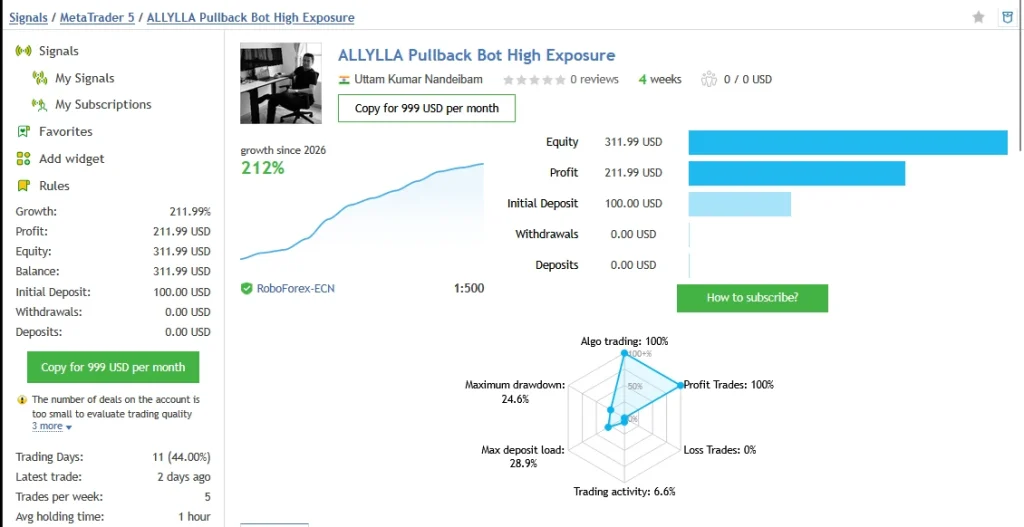
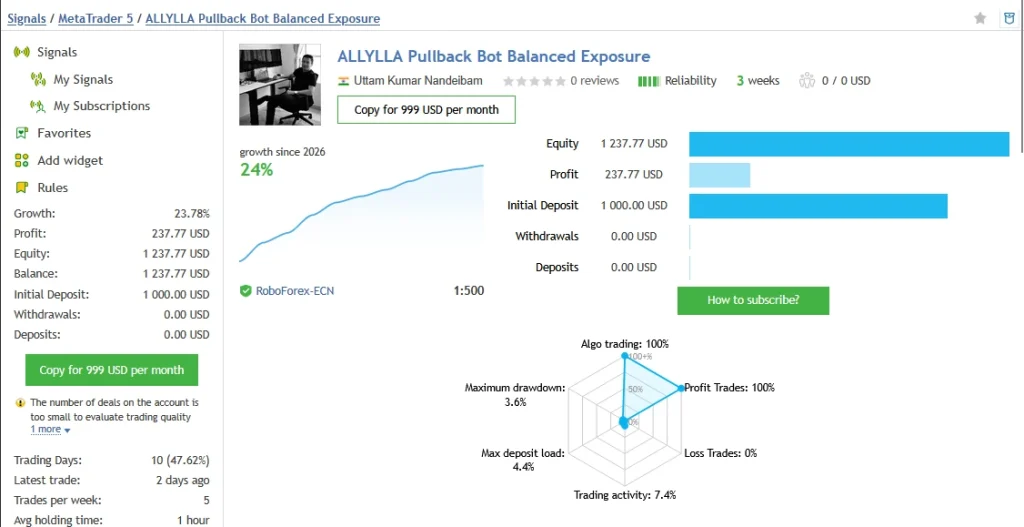 Snapshot checked 18 November 2026. Values may change.
MQL5 warned that both accounts were new and had too few deals to assess trading quality. It also flagged rapid growth on High Exposure. The histories began before the public product release and include dates before v2.80, so they do not establish results for that build alone.
Equity drawdown includes changes in account value while positions are open. For a plain explanation, read
what drawdown means in forex trading. Neither historical drawdown nor an account label sets a limit on future losses. The signal settings may not match your purchase or account. Buying the EA is separate from subscribing to copy trades.
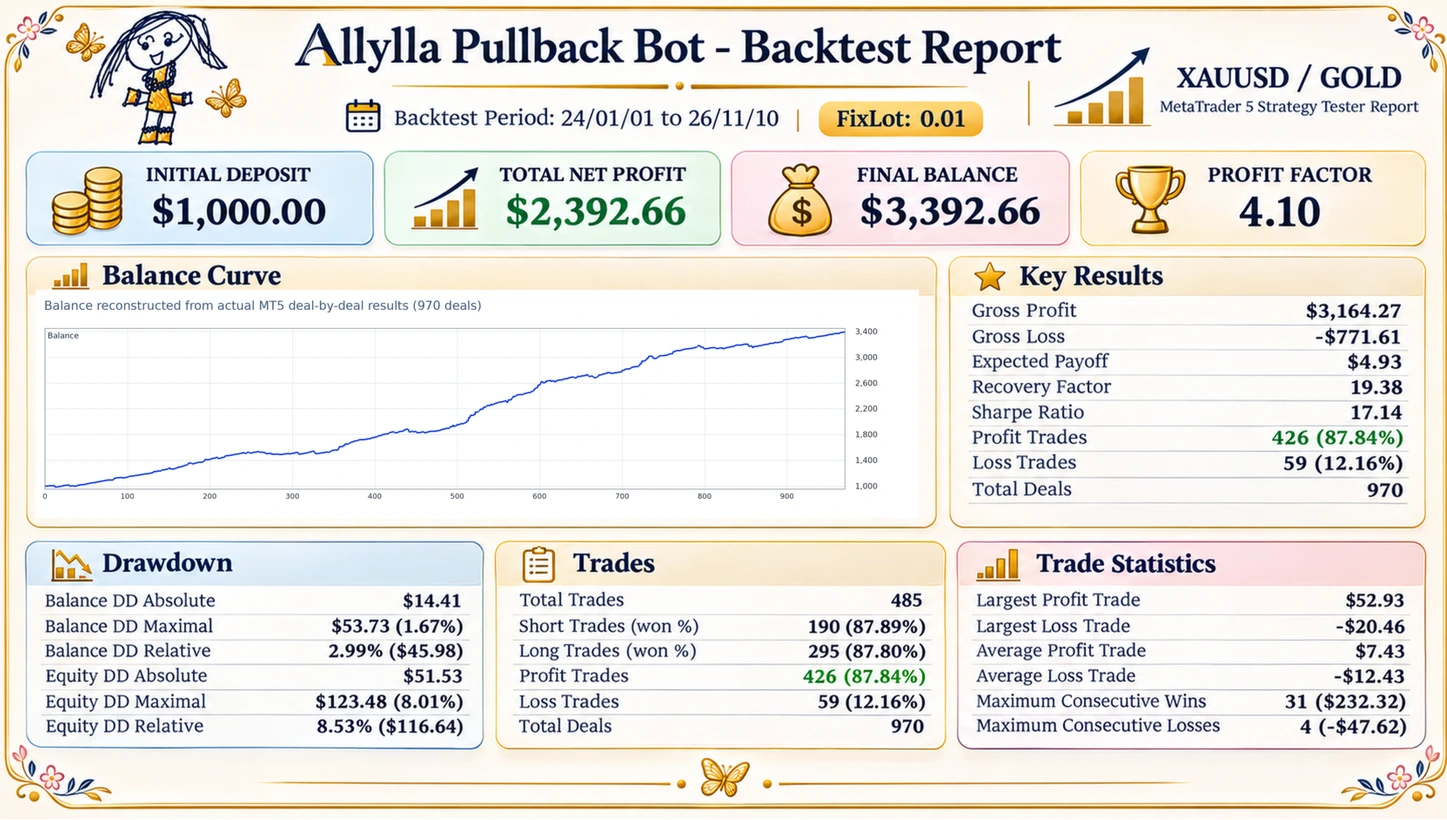
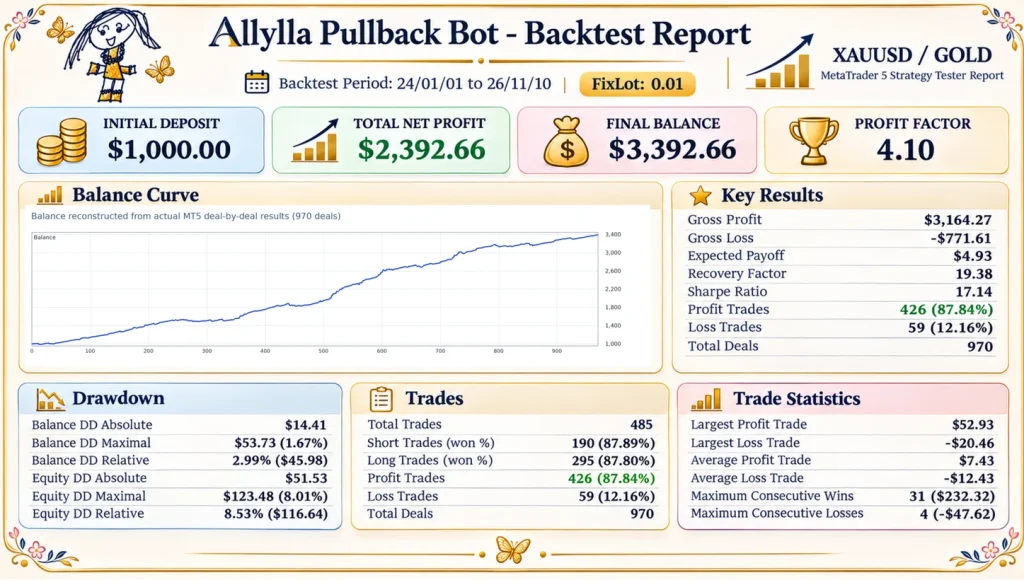
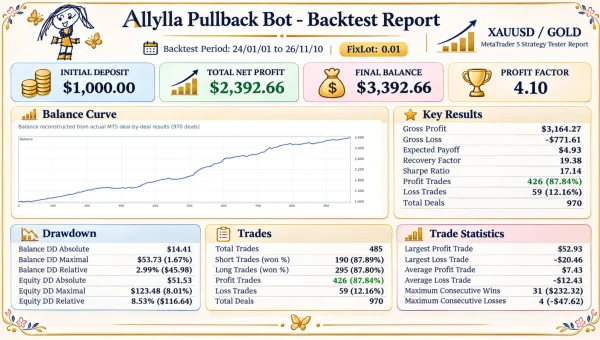
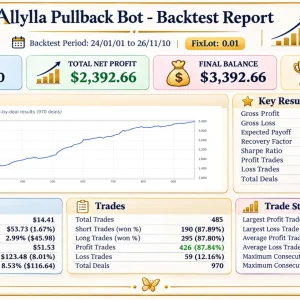
Allylla Pullback Bot MT5 Backtest
How to install Allylla in MT5
- Follow our MT5 EA installation guide for the file supplied with your order.
- Open your broker’s XAUUSD/GOLD chart.
- Attach Allylla from Navigator and review the account mode, strategy switches, execution mode and lot sizing.
- If a matching preset is included, load the SET file in MT5 and check the imported values.
- Enable Algo Trading when ready to test on demo. Check Experts and Journal if it does not start.
Delivery, updates and support
Use
Delivery & Downloads to access your order. For setup help, contact
Product Support with your order number, EA version, MT5 build and exact error. Read the
Refund Policy before buying.
Frequently asked questions
Which timeframe should I use?
The developer says Allylla can attach to any host chart timeframe because it scans timeframes internally. Use the supplied manual for any additional settings.
Can I run it with $100?
The High Exposure signal started with $100. That does not establish a suitable minimum for your account. Its snapshot included 24.55% relative equity drawdown. Check margin, lot size and the possible overlap of gold positions before using a small account.
Does no martingale mean low risk?
No. A strategy can still lose repeatedly or have several positions exposed to the same move. The absence of martingale does not establish a low-loss or safe setup.
Why does Allylla have no trades?
It may be waiting for a qualifying pullback. Check permissions, market hours, filters, execution mode and logs. Do not increase the lot size to make a signal appear. If using an older build, ask support whether the v2.80 entry-blocking fix is relevant.
Does it run on MT4?
This offer is for MT5. For a separate MT4 robot, use our
MT4 EA installation guide.
How should I compare these results with a Myfxbook account?
These records are on MQL5. If another seller supplies a Myfxbook account, our guide to
reading Myfxbook results before buying an EA explains how to check verification, version and settings separately.
Can I use it on a prop firm account?
Check the firm’s rules for third-party EAs, simultaneous positions and loss limits. A stop loss or an account label does not establish approval or guarantee a pass.



 Snapshot checked 18 November 2026. Values may change.
MQL5 warned that both accounts were new and had too few deals to assess trading quality. It also flagged rapid growth on High Exposure. The histories began before the public product release and include dates before v2.80, so they do not establish results for that build alone.
Equity drawdown includes changes in account value while positions are open. For a plain explanation, read what drawdown means in forex trading. Neither historical drawdown nor an account label sets a limit on future losses. The signal settings may not match your purchase or account. Buying the EA is separate from subscribing to copy trades.