BTC Anchor MT5 v1.6 is an Expert Advisor for MetaTrader 5. Check the package details and your broker’s compatibility before buying. Use the setup guide and public signal below to understand what to check before running the EA on a demo account.
Product details
| Item |
Details |
| Product |
BTC Anchor |
| Version offered |
1.6 |
| Platform |
MetaTrader 5 |
| Product type |
Expert Advisor (EA) |
If you need a specific file type, preset or activation option, contact
ForexEaTools Product Support before ordering.
Check your chart and account before buying
Use the
BTC Anchor developer listing to check the supported symbol, chart timeframe and any account requirements. If the listing describes a newer release, confirm which instructions apply to
v1.6.
Check the exact symbol in your broker’s MT5 terminal. Contract size, minimum lot, trading hours, margin and trading costs can differ across accounts. A deposit figure or lot size copied from someone else’s setup does not tell you how much risk you will take.
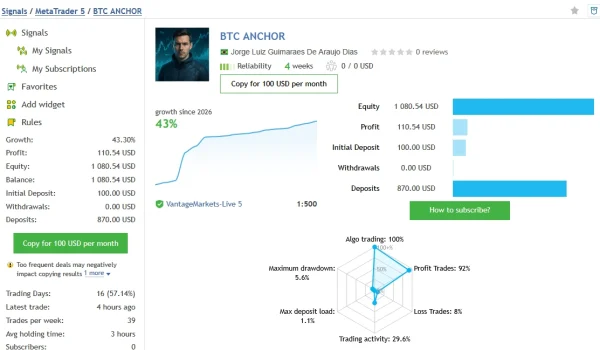
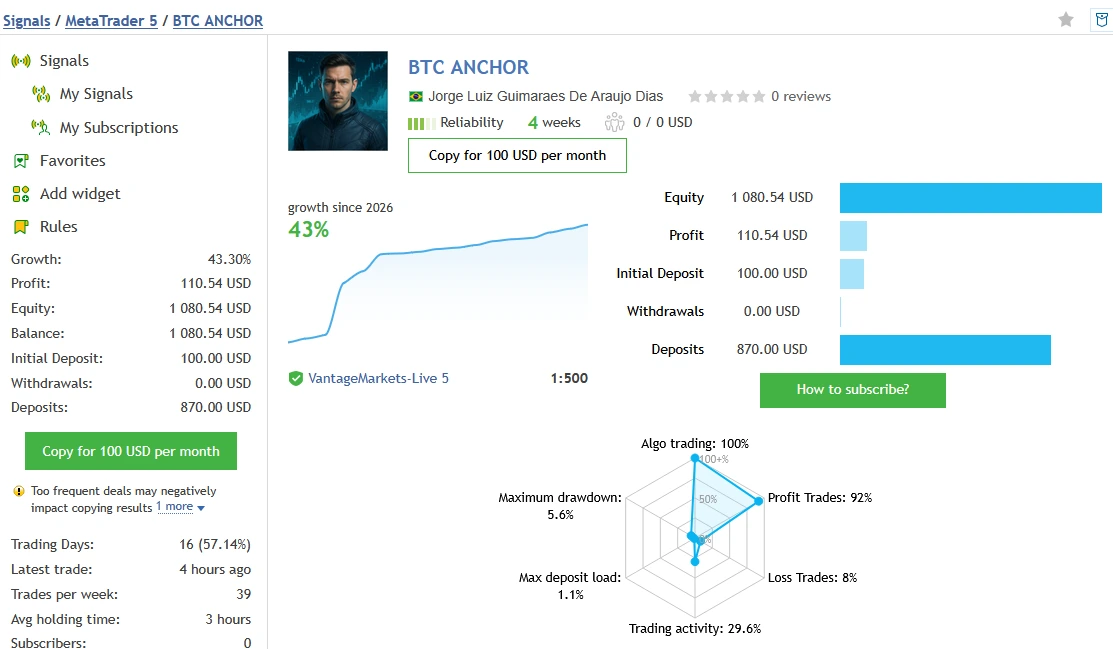
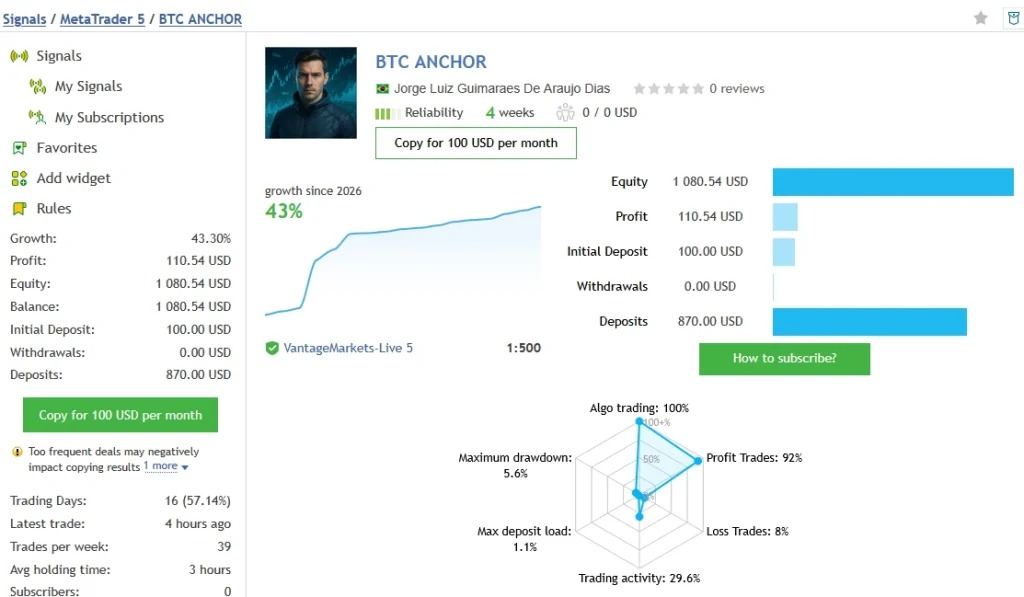
BTC Anchor public trading record
Review the
public MQL5 signal before relying on a performance claim. Check the account age and trade count, then compare growth with equity drawdown. Equity reflects the effect of open positions, so looking only at closed profits can miss periods of floating losses.
Check deposits and withdrawals before comparing the starting deposit with the ending balance. Also look for the EA version, broker and settings. If the record does not identify the version for the full trading period, do not treat it as a v1.6-only test.
The signal is a separate trading record. Its results are not a forecast for your account or a promise of what this software will earn.
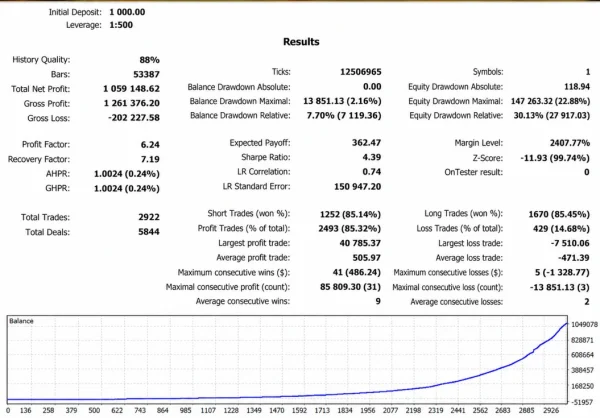
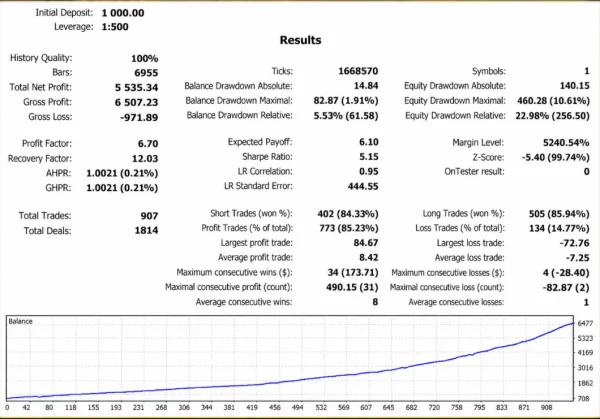
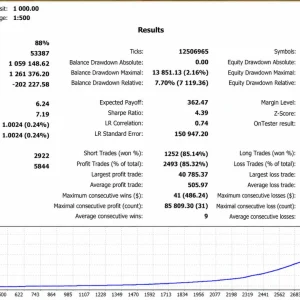
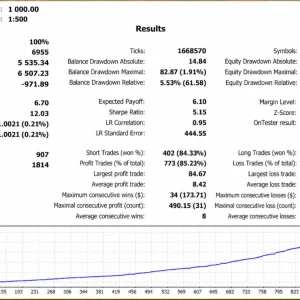
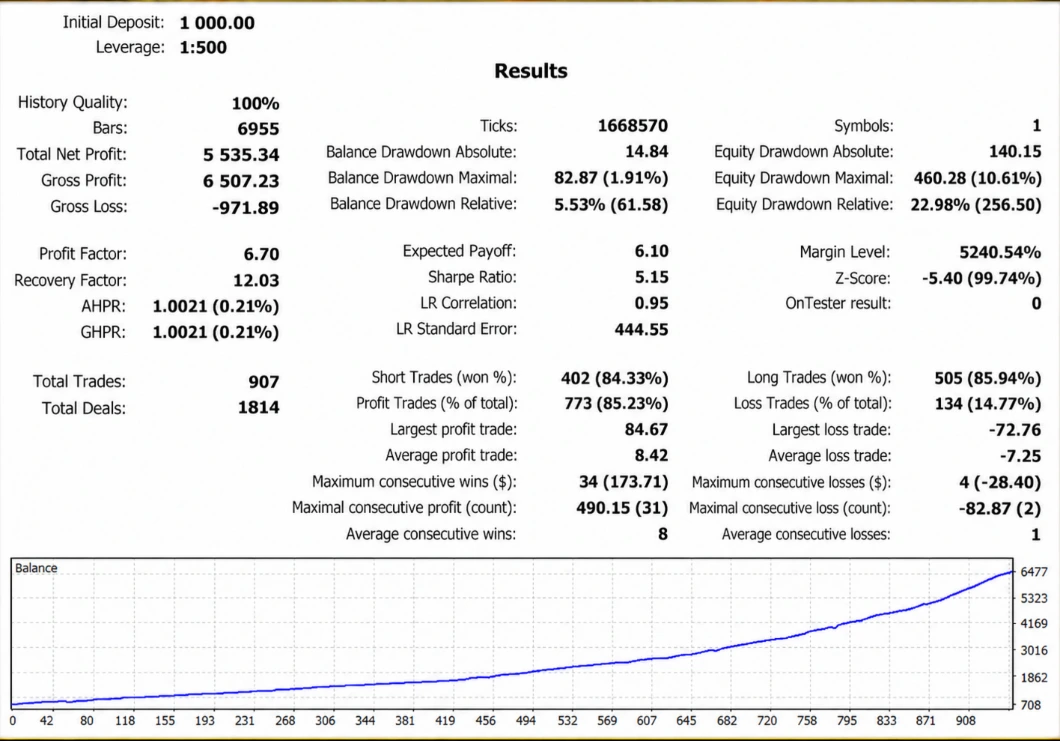
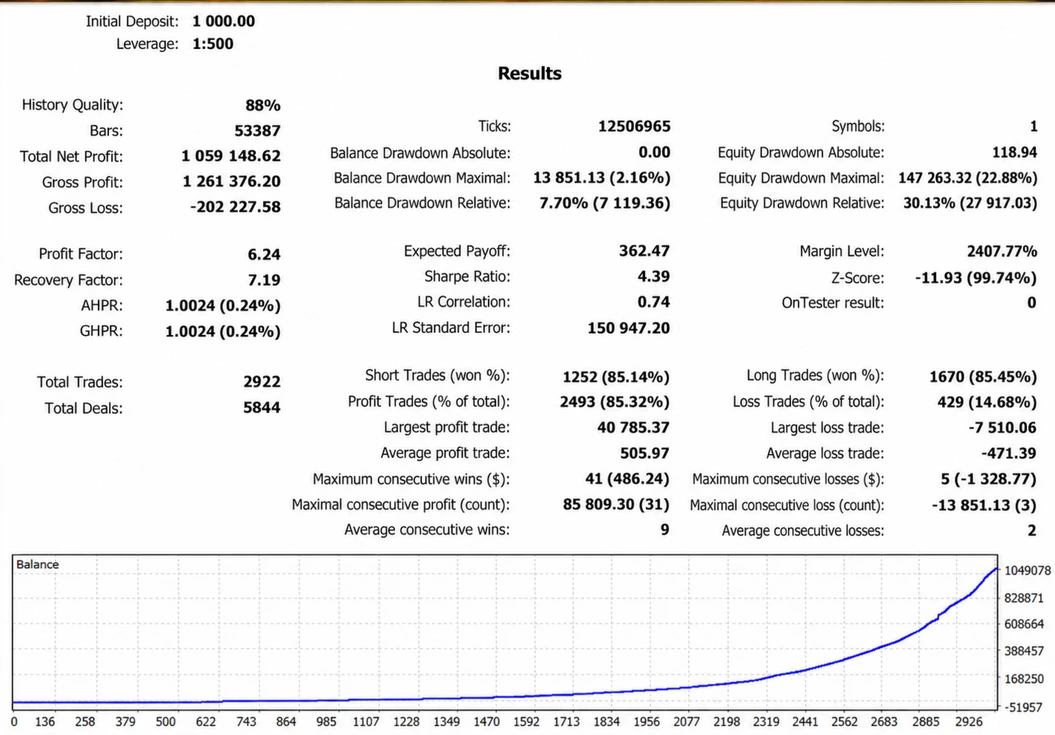
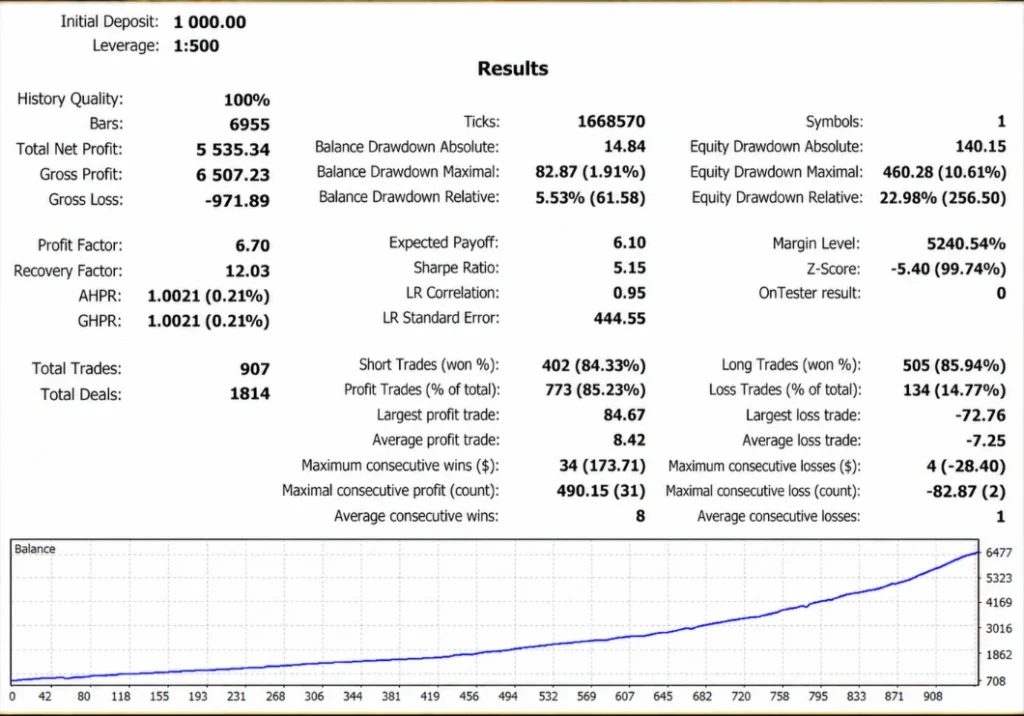
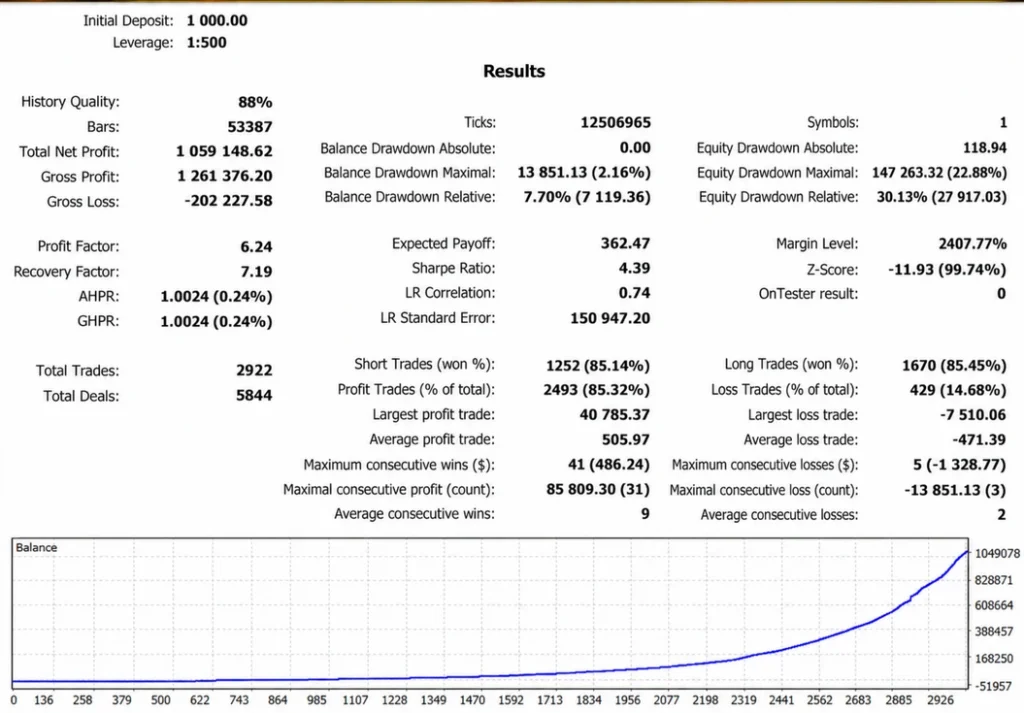
BTC AnchorBackTests
How to install BTC Anchor in MT5
- Open your MT5 desktop terminal. For a manually supplied EA file, go to File → Open Data Folder → MQL5 → Experts.
- Copy the EA file into the folder, then refresh Navigator → Expert Advisors.
- Open the broker symbol and timeframe specified for your release. Attach the EA to the chart.
- Review the position size and risk settings. If you have a compatible preset, follow our guide to loading a SET file in MT5.
- Follow any package-specific activation steps. Enable Algo Trading when ready to test on demo.
- Check Experts and Journal for errors. Confirm the EA is working as expected before considering live use.
For screenshots and troubleshooting, see
How to Install an Expert Advisor in MT5.
Delivery, support and refunds
See
Delivery & Downloads for order access. If the EA does not appear or will not attach, contact
Product Support with your order number, MT5 build and the exact error message. Hide account numbers in screenshots and never send your trading password.
Read the
refund policy before ordering. It explains how to report a technical issue and request help.
Frequently asked questions
Does BTC Anchor v1.6 work in MT4?
This offer is for MetaTrader 5. Check your platform before ordering.
Is a SET file the same as the EA?
No. A SET file stores input values. You load it after installing the EA. Check whether a matching preset is included and review the values it changes.
What timeframe and deposit should I use?
Check the developer’s instructions for v1.6 and your broker’s contract details. A published minimum deposit does not mean the smallest available trade fits your risk limits.
Will I get the same results as the public signal?
There is no guarantee. Broker execution, trading costs, settings and position size can change results. Automated trading can lose money.