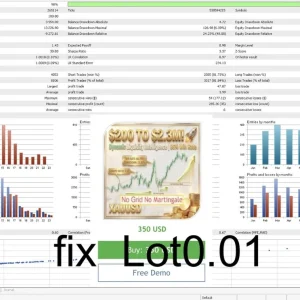
Dynamic Liquidity Intelligence MT5 v2.27 is a Gold-focused breakout EA. Its published approach uses pending orders around recent price levels.
Review the setup, risk settings and public trading evidence before buying. A failed breakout can produce a losing trade, and no-grid trading does not remove account risk.
Setup at a glance
| Detail |
Developer-published guidance |
| Symbol / timeframe |
XAUUSD / M15 |
| Account mode |
Hedging |
| Deposit |
$300 minimum; 500–1,000 recommended |
| Account conditions |
Low-spread ECN, Raw or Razor |
| Leverage |
1:100 minimum; 1:500 recommended |
| Hosting |
VPS recommended |
These are operating guidelines from the
original listing, not a guarantee of suitability or safe capital.
M15 means each candle represents 15 minutes. Check the broker’s exact Gold symbol and contract specifications. A hedging account’s capabilities do not establish that the EA always opens opposite-direction positions.
Higher leverage reduces margin requirements for a given position under comparable conditions. It does not reduce the market loss on that position.
How does it trade?
The developer describes volatility-based analysis of recent highs and lows, with Buy Stop and Sell Stop entries at potential breakout levels. It states individual position management, no grid, martingale or averaging, and stop-loss/take-profit protection.
A pending stop order waits for its trigger. It is not proof that price will continue after the entry. A quick move beyond a level can reverse and cause a loss.
The name “liquidity intelligence” should not be read as evidence that the EA sees every institution’s orders.
What changed in v2.27?
The
official release history dates v2.27 to 17 July 2026 and says the take-profit setting changed. It does not explain the exact new value or establish a new entry strategy.
Earlier v2.26 notes refer to a default-setting fix. Check the installed version and the supplied inputs rather than borrowing an older screenshot.
A preset can overwrite values. Review the inputs after loading one.
Risk settings: lots are not the same as money at risk
A fixed lot size describes position volume. It does not show the loss at the stop.
For illustration, assume a USD account and a Gold contract of 100 ounces per lot. A 0.01-lot trade represents one ounce. A $10 adverse move then represents about $10 loss, while a $30 move represents about $30, before costs and execution differences.
Those are hypothetical contract assumptions, not verified broker specifications or proposed settings.
Check the stop distance and total open exposure alongside the lot size. A small account can have a high percentage loss even when it uses the broker’s minimum volume.
Execution, break-even and exit checks
Compare the requested pending-order price with the actual fill. Fast movement, spread and broker order rules can affect execution.
The listing advertises break-even and trailing-stop management. Confirm when these activate and what they change in your release.
Moving a stop to the entry price does not guarantee a zero-loss result after costs. An ordinary stop also does not guarantee execution at the exact requested price during gaps or rapid moves.
Check what continues working if MT5 disconnects. Do not assume a terminal-managed feature has the same behaviour as an order already held by the broker.

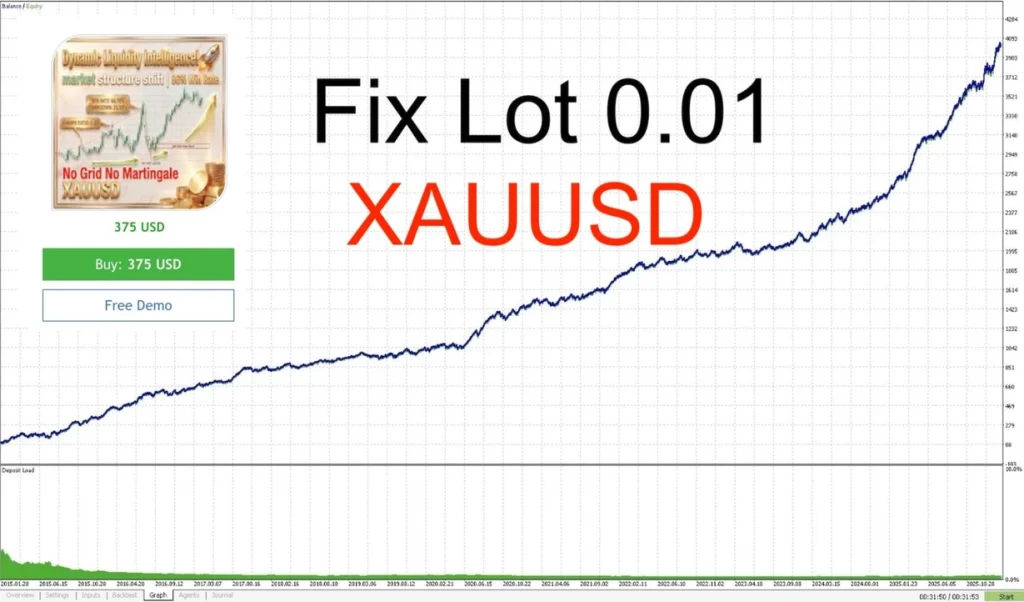
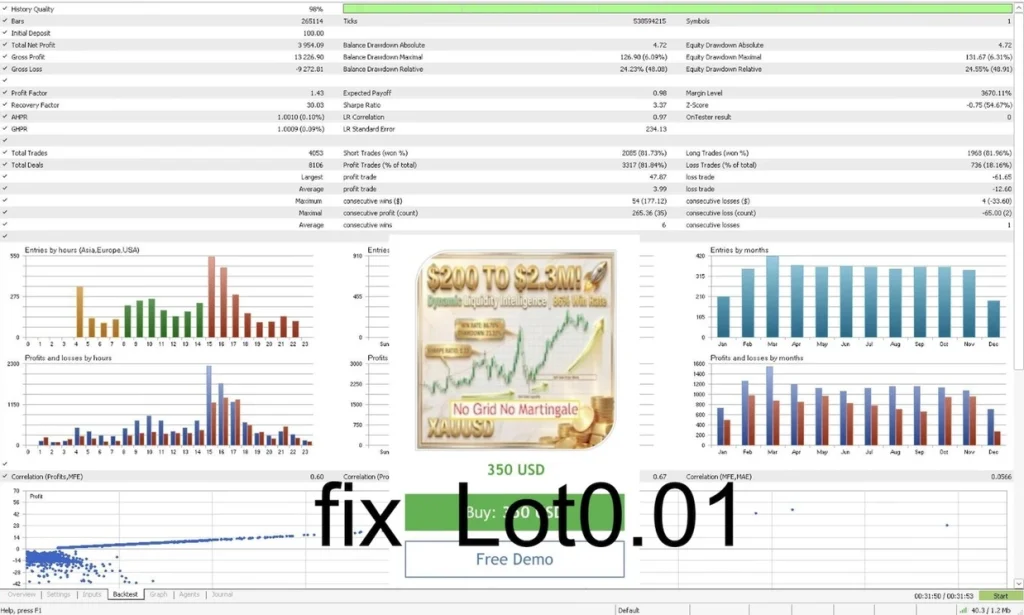
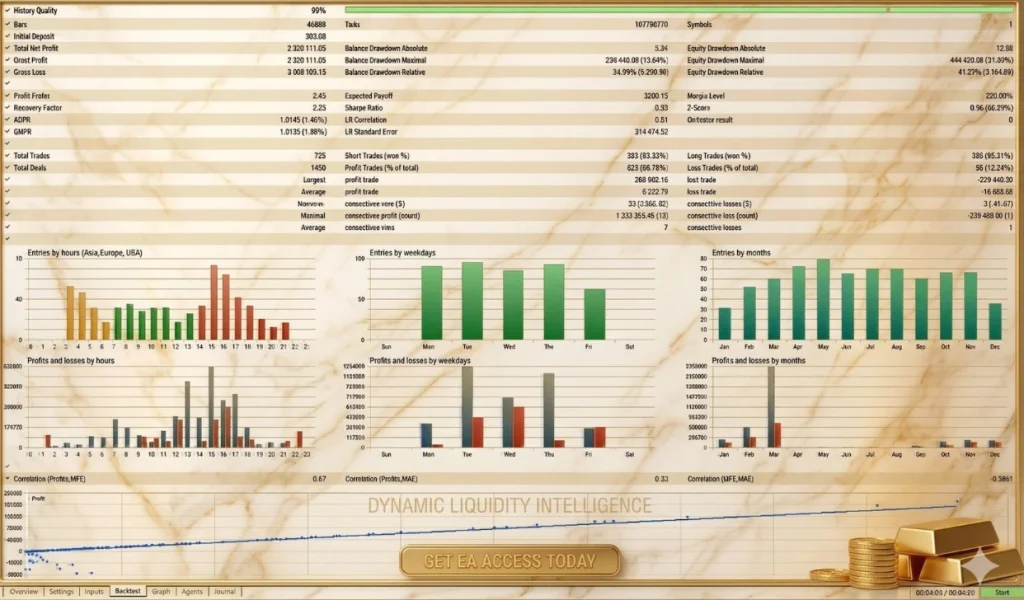
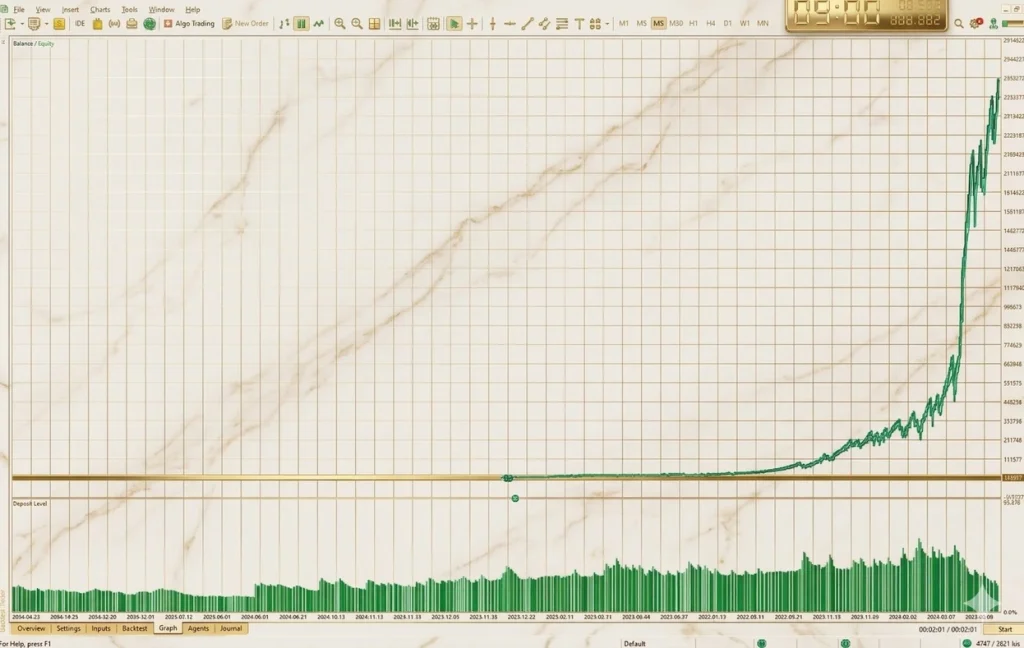
Public Account Evidence: Four MQL5 Trading Records
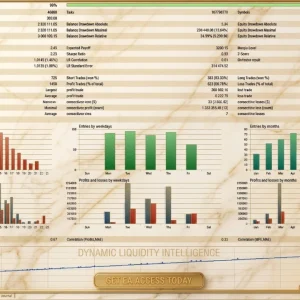
Dynamic Liquidity Intelligence has four public MQL5 signal accounts you can review before buying. These records show different account sizes and trading results. Check both growth and losses to understand the trading risk.
Figures checked on 24 October 2026. Results change as new trades close.
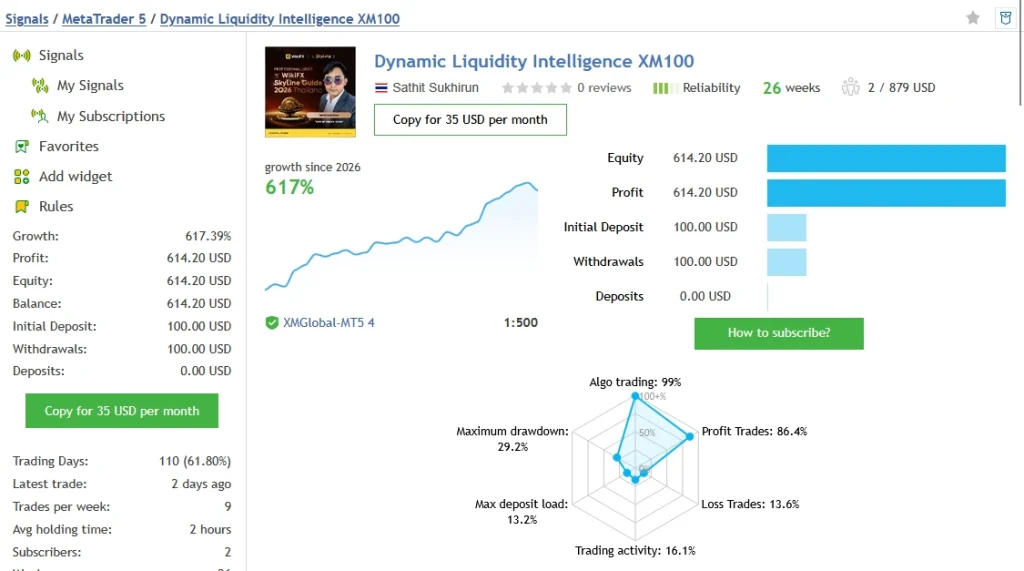
XM100 — Small Starting Account
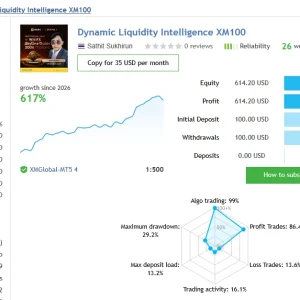
The
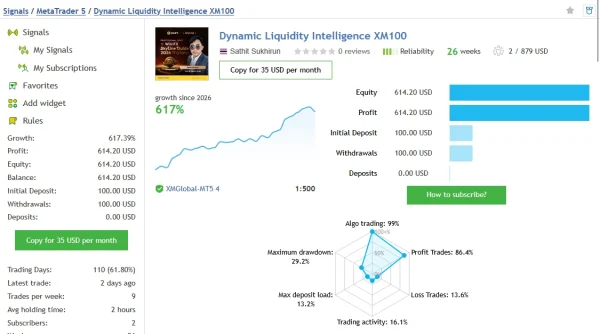
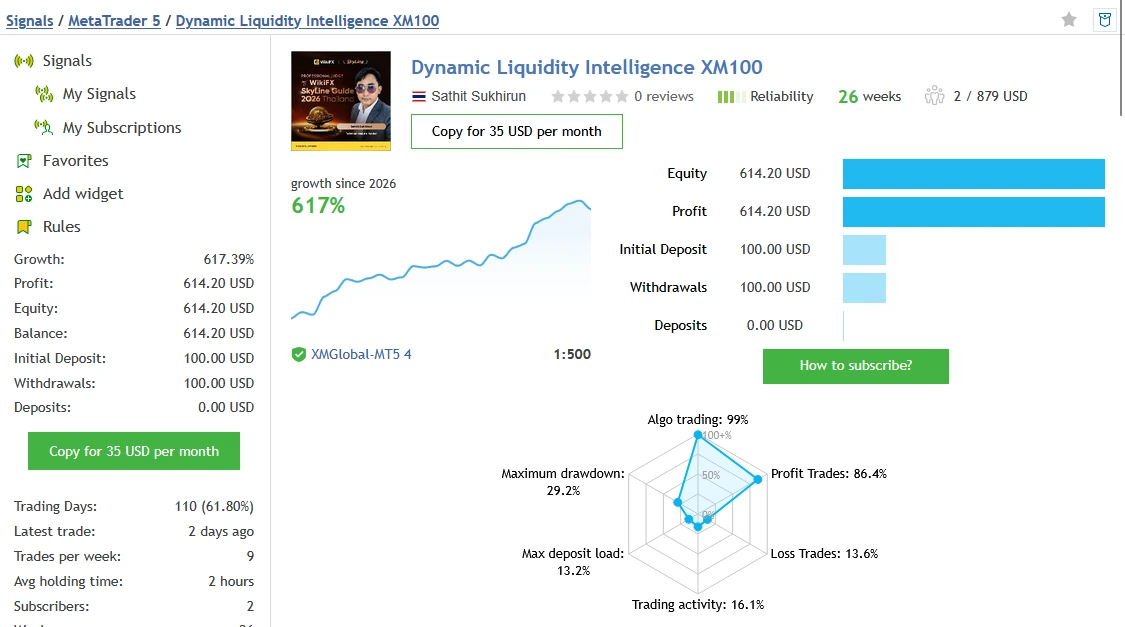
Dynamic Liquidity Intelligence XM100 account shows 617.39% growth and $614.20 profit from a $100 initial deposit, with $100 withdrawn. Its record covers 26 weeks and 220 trades, with 86.36% winning trades.
MQL5 lists 28.51% relative balance drawdown and 29.18% relative equity drawdown. The average winning trade was $8.58, while the average losing trade was $33.87. This means one average loss could take roughly four average wins to recover.
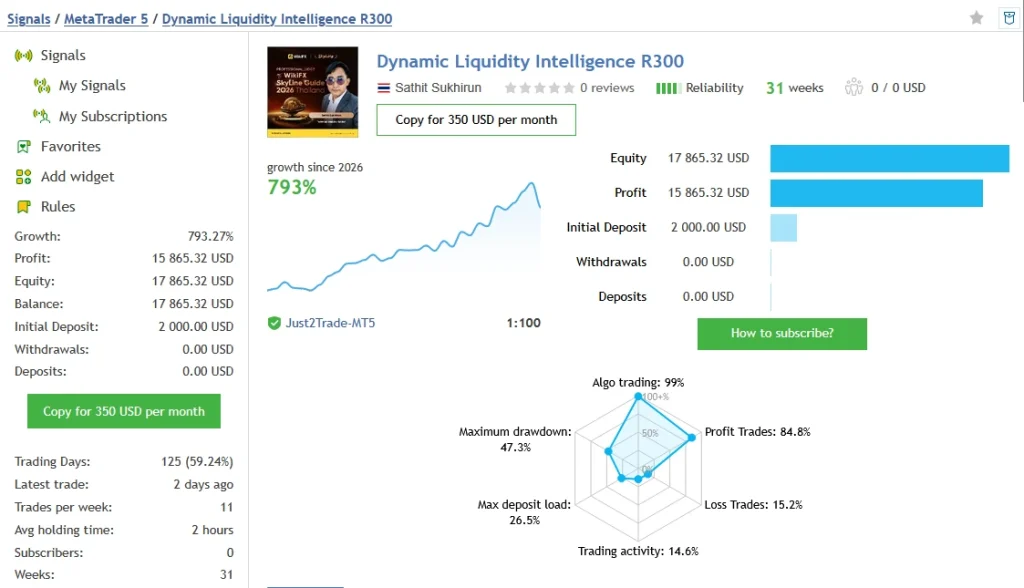
R300 — Higher Growth With Larger Drawdowns
The
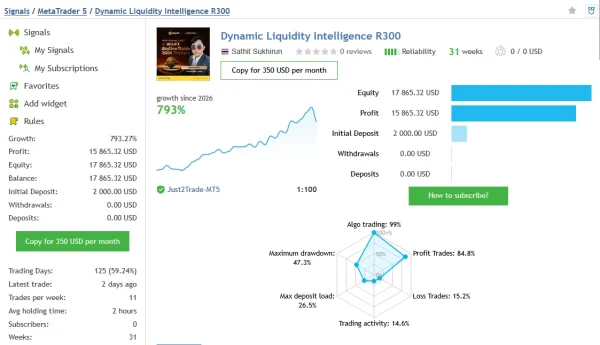
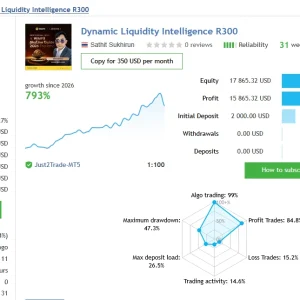
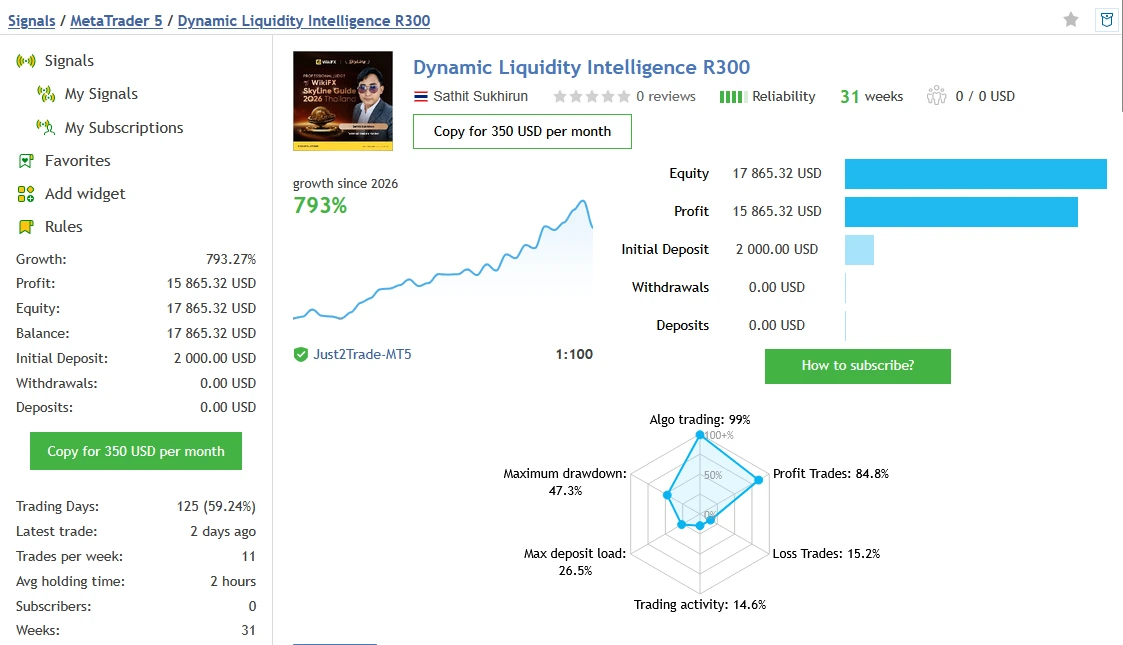
Dynamic Liquidity Intelligence R300 account shows 793.27% growth and $15,865.32 profit from a $2,000 initial deposit. Its record covers 31 weeks and 257 trades, with 84.82% winning trades.
The losses deserve close attention: MQL5 lists 47.34% relative balance drawdown and 24.71% relative equity drawdown. Its worst single trade lost $2,391.75. These figures show why the highest growth should always be reviewed alongside the size of past losses.
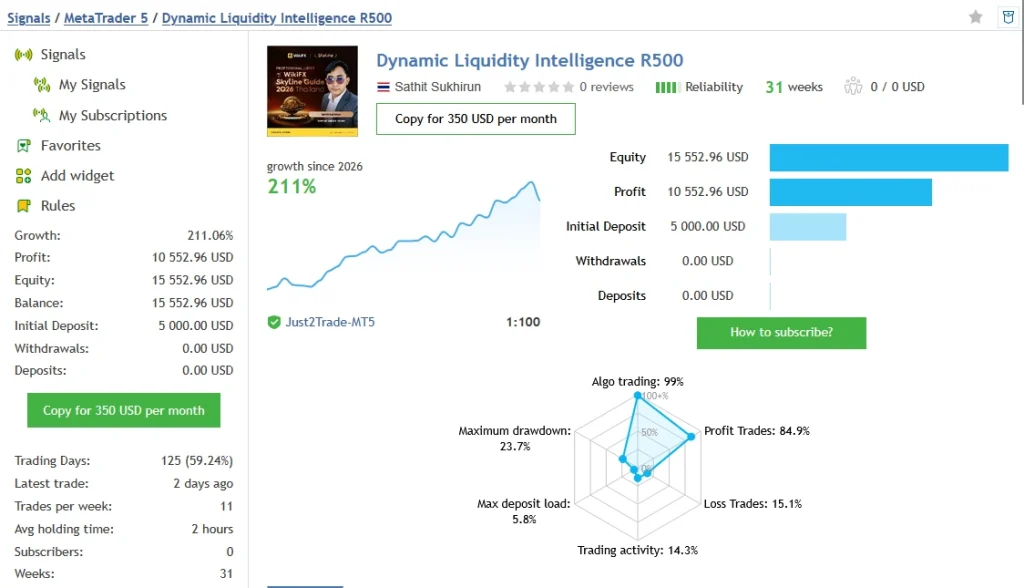
R500 — A Different Balance of Growth and Risk
The
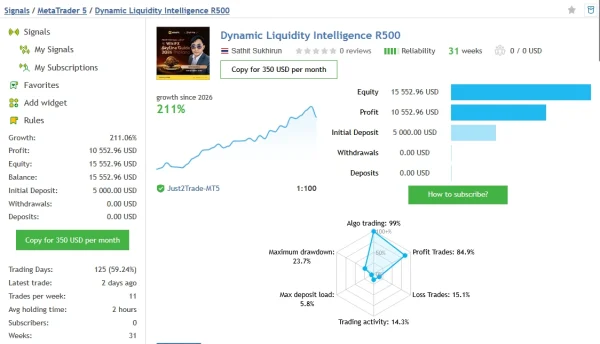
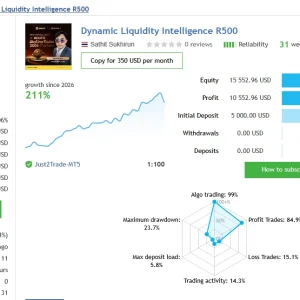
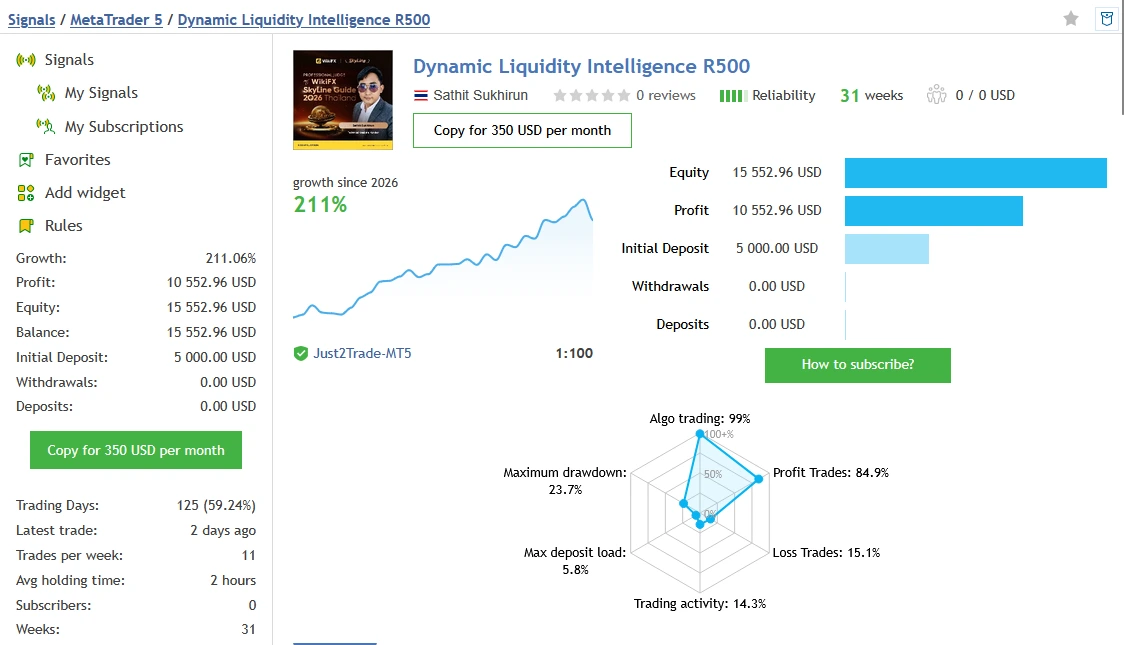
Dynamic Liquidity Intelligence R500 account shows 211.06% growth and $10,552.96 profit from a $5,000 initial deposit. Its record covers 31 weeks and 258 trades, with 84.88% winning trades.
MQL5 reports 23.74% relative balance drawdown and 7.25% relative equity drawdown. The worst single trade lost $1,128.80. Although its recorded drawdowns are lower than R300’s, this account has still experienced meaningful losses.
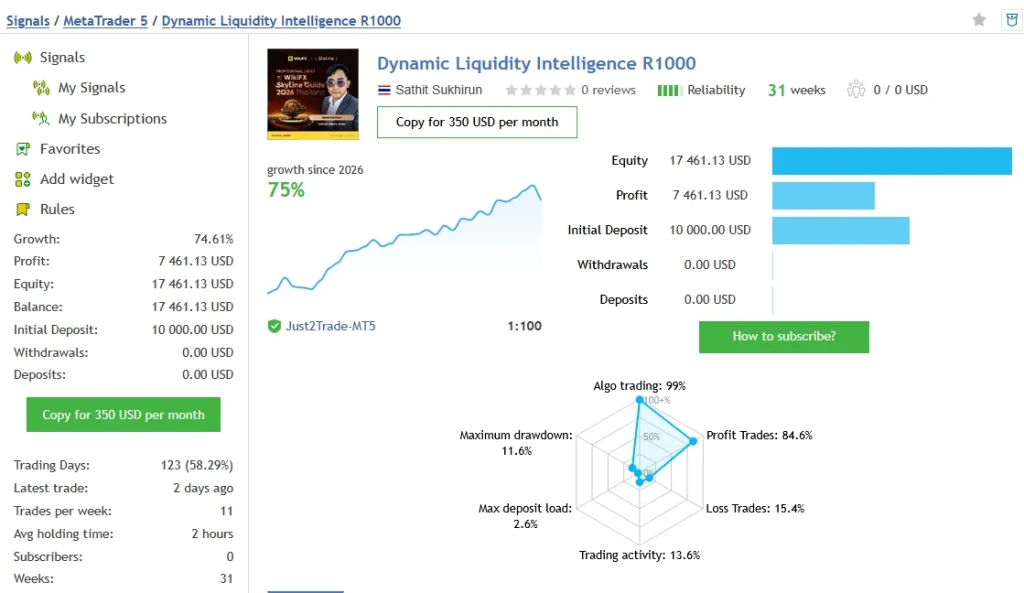
R1000 — Lower Recorded Drawdowns Among These Accounts
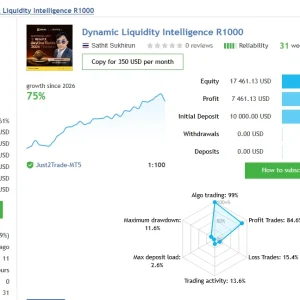
The
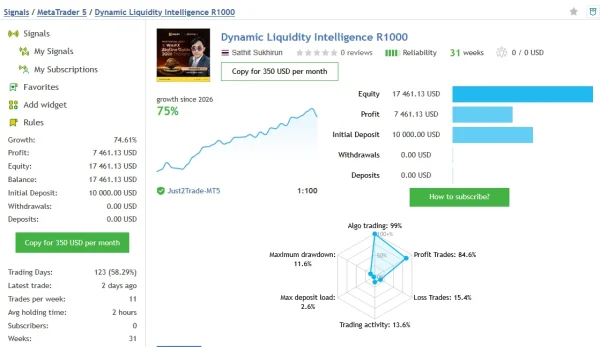
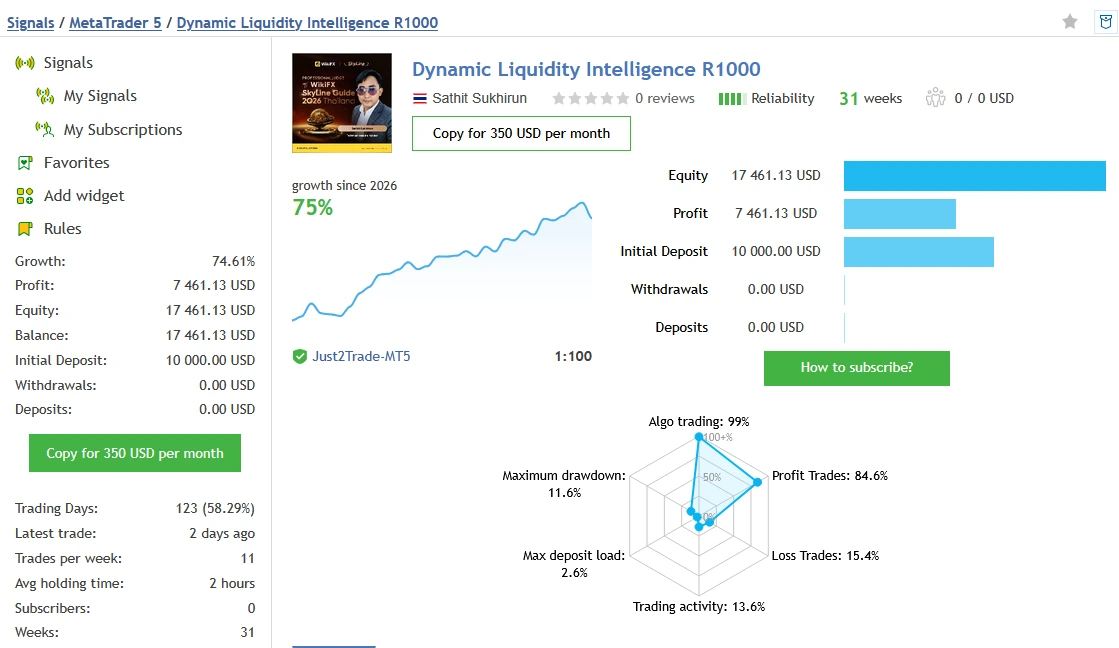
Dynamic Liquidity Intelligence R1000 account shows 74.61% growth and $7,461.13 profit from a $10,000 initial deposit. Its record covers 31 weeks and 254 trades, with 84.64% winning trades.
MQL5 lists 11.63% relative balance drawdown and 3.42% relative equity drawdown. Its worst single trade lost $597.60. These are the lowest reported relative drawdowns among the four accounts at the time checked, but they do not set a limit on future losses.
What Should You Check Before Buying?
A high win rate does not mean small losses. Across these four records, the average losing trade was roughly four times larger than the average winning trade. Review the losing periods and trade sizes alongside the growth figures.
Balance reflects closed trading results. Equity also includes open profits and losses. MQL5 displays separate drawdown measurements for each, so the figures above keep those labels separate.
These are public records from the signal provider, rather than ForexEaTools trading accounts. Their full histories do not establish that every trade used version 2.27 or the exact settings supplied with your purchase. Your broker, spread, settings and trade size can produce different results. Past performance does not guarantee future returns.
What to test before using real funds
Use the intended broker and configuration. Check:
- Orders appear on the correct symbol and chart.
- Entry prices, stop distances and lot sizes match the instructions.
- Spread and session restrictions work as expected.
- Open positions and pending orders are handled correctly around closing periods.
- Losses and costs are recorded alongside profits.
- A connection interruption does not create an unexpected exposure.
Do not repeatedly alter settings to make one historical period look better. Keep a record of each tested configuration.
Installation in MT5
For a separately supplied EX5 package:
- Extract the package.
- Open File → Open Data Folder.
- Place the EA inside MQL5 → Experts, preserving any instructed folders.
- Refresh Navigator → Expert Advisors.
- Open the chart specified by the release instructions.
- Attach the EA and review inputs, activation and required permissions.
- Enable trading when ready.
- Inspect Experts and Journal for errors.
Follow our illustrated
MT5 EA installation guide. MQL5 Market purchases use the marketplace’s installation route.
If your offer includes a matching preset, our
SET-file guide explains how to load it. A SET file saves inputs; it does not install or activate the EA.
Why has it not opened a trade?
Check whether trading is permitted, the account is connected and the selected symbol is supported. Inspect messages for activation, order-distance or margin problems.
An EA may be waiting for its entry conditions or blocked by a filter. Do not increase risk simply to force activity.
For an installation issue, contact
Product Support with your order number, EA version and exact error message. Never share your trading-account password.
Who should consider it?
This product may interest traders who understand pending breakout entries and want to investigate automated Gold trading.
It is unsuitable for anyone relying on guaranteed daily income, assuming high historical growth means low risk or copying settings without checking potential loss.
Frequently asked questions
Does no grid mean no drawdown?
No. Failed entries, losing streaks and trade size can produce substantial drawdown without a grid.
Is every pending order filled at its requested price?
No. Triggering and execution are different stages, and execution conditions can affect the fill.
Does v2.27 guarantee improved profits?
No. The release note identifies a setting change, not a profit guarantee.
Are SET files included?
Check the specific offer. Presets advertised by another seller are not automatically included.
Can I run the EA in MT5 mobile?
The mobile app does not run Expert Advisors. Use the desktop terminal or a suitable hosting arrangement.
Will it pass a prop-firm challenge?
No pass can be guaranteed. Check the firm’s current software, news, exposure and loss-limit rules.
Are unlimited accounts, No DLL and lifetime updates included?
Only if those terms are explicitly stated for this offer. Confirm actual package requirements and coverage.
Will my results match XM100?
That cannot be promised. Version, settings, broker contracts and execution may differ.
Leveraged Gold trading can result in loss of capital. Historical results and backtests do not guarantee future performance.