NeonGamer EA MT5 is a Gold trading robot that combines filtered entries with grid-based position management. Review the supplied version, preset files, public account evidence and setup requirements before buying. Grid recovery can increase open exposure, so understand the settings before enabling trading.
What you receive
| Purchase detail |
Included with this offer |
| Product |
NeonGamer EA MT5 |
| Supplied version |
1.4 |
| EA file |
EX5 |
| SET files |
Included |
| Setup instructions |
Provided |
| Licence and activation |
No limit |
| Demo/live account use |
No restrictions |
| Expiry or subscription |
Lifetime use |
| DLL and external services |
No DLL |
| Delivery |
Digital |
Read the supplied version and licence carefully. A public account or another store’s package does not confirm what is included with this offer.
How NeonGamer trades
The developer describes an XAUUSD M15 grid EA that filters initial entries using trend, momentum, volume, volatility, spread and candle checks. It can add ATR-spaced recovery orders after adverse movement and close a basket at its target. Published controls include daily-loss protection, optional position closing, spread and session filters, and fixed or balance-based lot sizing.
These are publisher descriptions, not findings from a code inspection. Source:
official NeonGamer listing.
In simple terms, adding recovery trades means more positions can be exposed while the original move remains unfavourable. A basket target is an intended exit rule; it does not guarantee the market will reach it.
Understand the grid risk
Several small profitable baskets can be outweighed by a larger losing period. Review total trade size, maximum positions and the action taken when a loss limit triggers.
Pausing new entries is different from closing trades already open. Check whether a protection function needs the terminal online. Fast moves, gaps and execution problems can also affect the final loss.
Our
drawdown guide explains why balance growth alone can miss losses on open positions. Review equity as well as closed results.
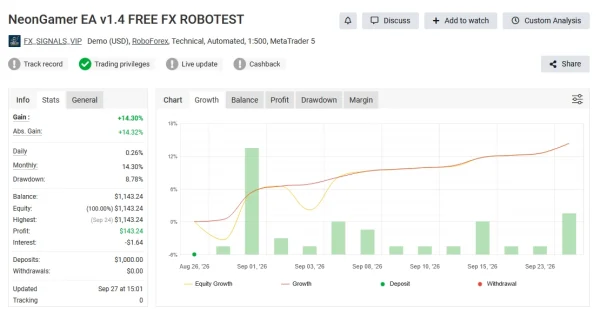
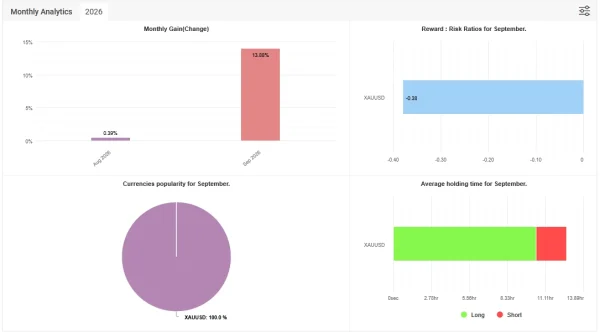
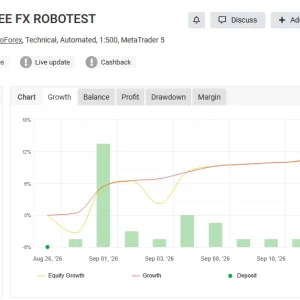
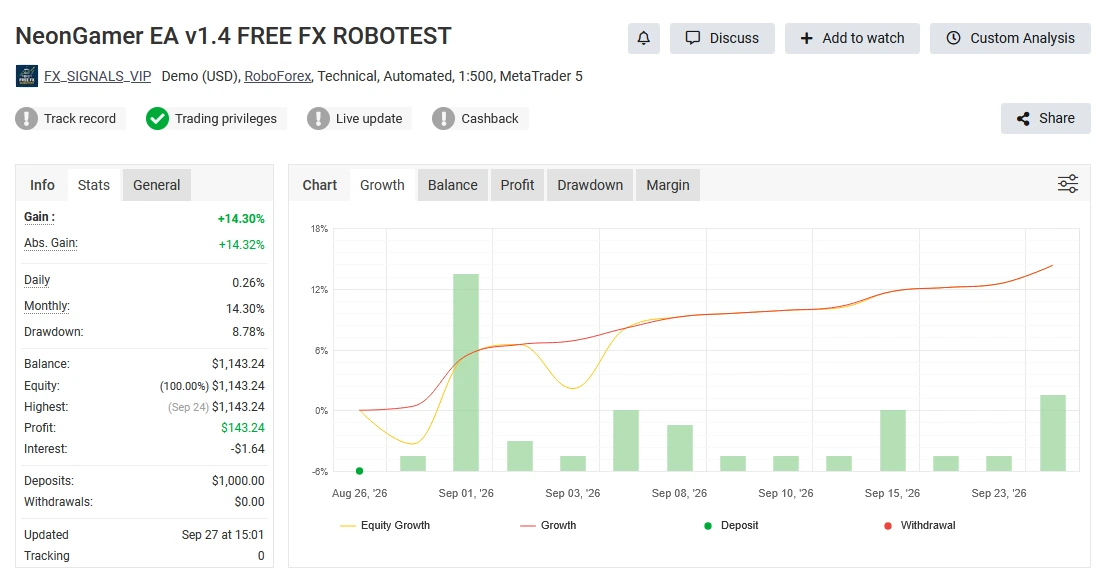
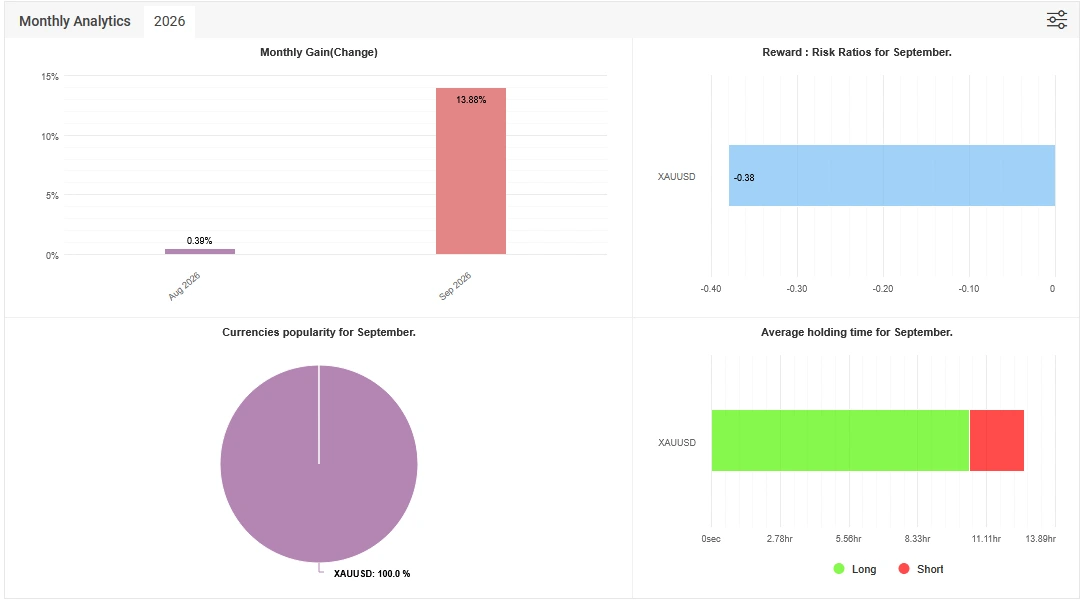
Public NeonGamer trading results
The
developer-linked MQL5 signal displayed
2.99% growth,
$79.36 profit and
33.57% relative drawdown by equity when checked on
16 October 2026. It showed
192 trades over a reported
23 weeks, with additional deposits and withdrawals.
The snapshot also reported
87.50% profitable trades, but
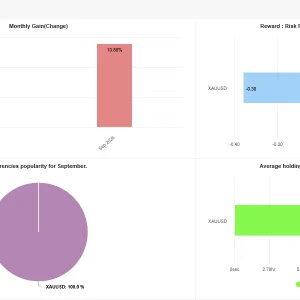
−33.02% monthly growth. This illustrates why winning percentage alone does not establish consistent performance. The page flagged that 80% of growth was achieved within two days.
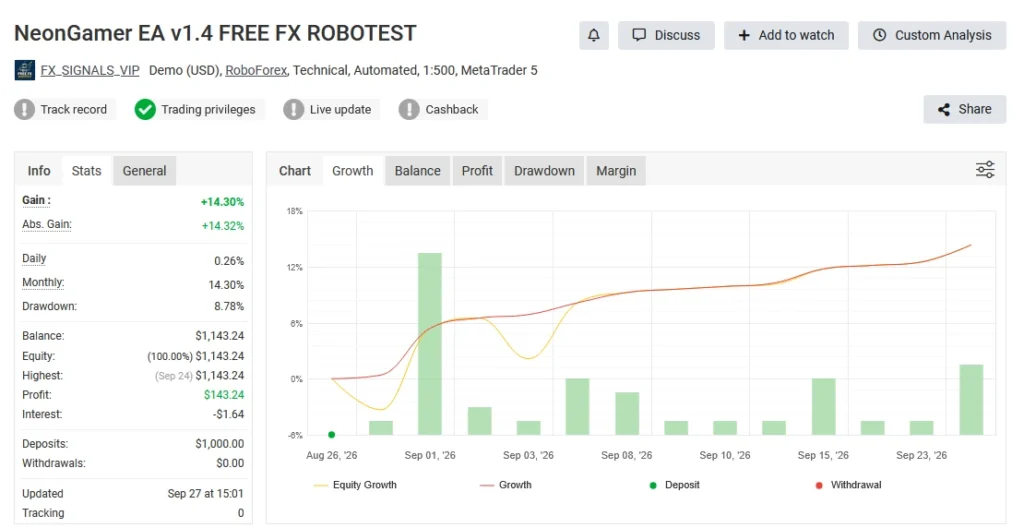
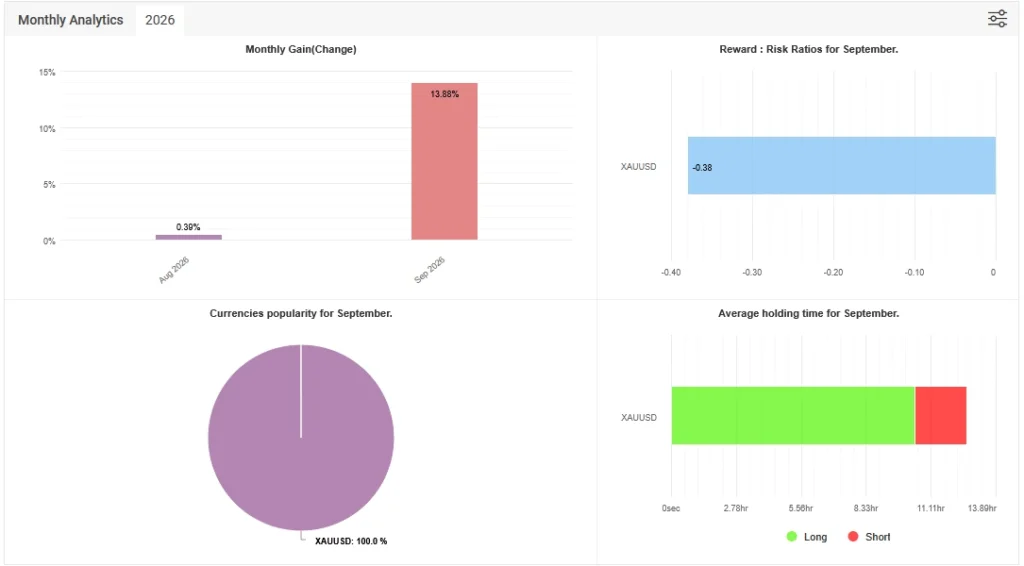
These are changing account statistics, not a promise for this package. We have not verified that the full record used the version and presets sold here. Open the source for current figures, cash flows, warnings and trade history before deciding. Historical drawdown is not a maximum limit on future losses.
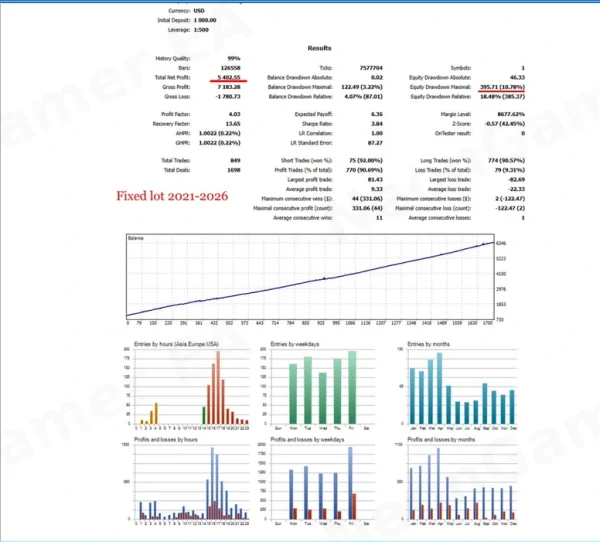
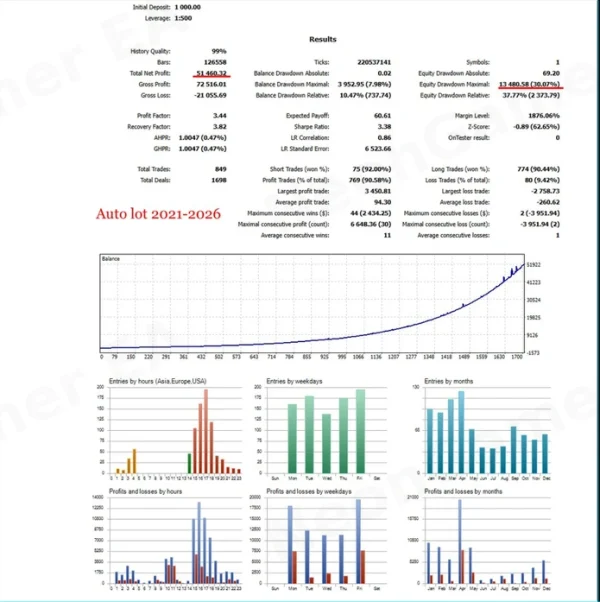
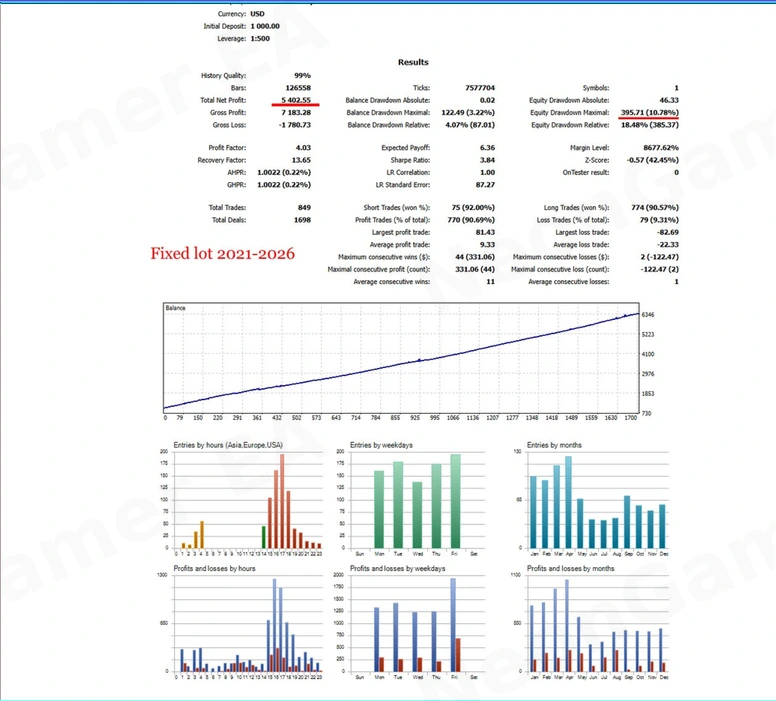
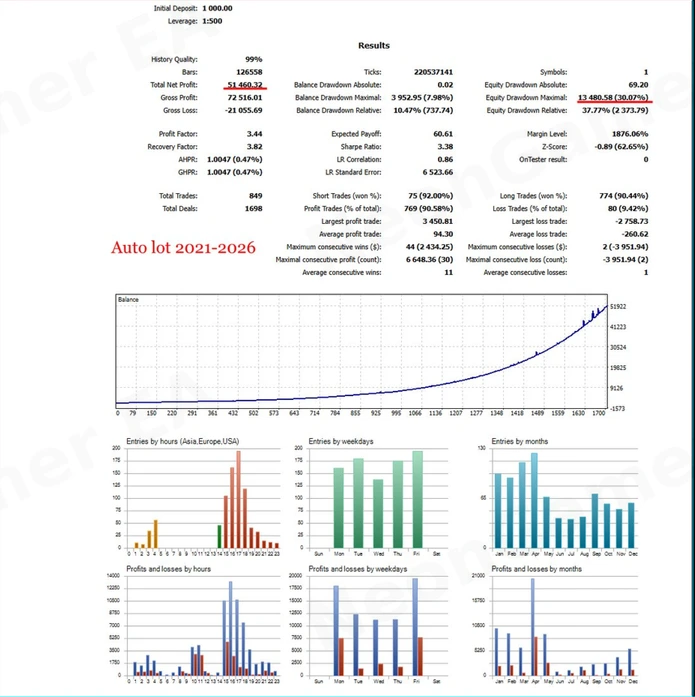
BackTest Reviews
Version differences and the news filter
The official history lists
v1.7 dated 29 September 2026. That does not establish the version delivered with this offer.
For earlier-release buyers, one practical difference is the news feed: v1.4 notes describe the built-in MT5 calendar, while v1.5 notes replace it with a downloaded ForexFactory feed requiring WebRequest access to https://nfs.faireconomy.media. The v1.5 notes also state that this WebRequest news filter is inactive in Strategy Tester backtests.
Read the
official NeonGamer update history and follow the instructions matching your exact release. Do not assume a backtest reproduced the live news filter, or that newer features are present in an older file.
Published account requirements
The official overview lists hedging or netting accounts, ECN/Raw Spread conditions, $1,000 at 0.01 lot, a recommended balance of $2,000+, leverage of 1:100+, and VPS use. These are publisher guidelines, not verified compatibility for every file or a promise that an account size is safe.
Check your broker’s Gold symbol, minimum volume, contract size, margin and costs. Higher leverage does not reduce the loss caused by a fixed-size position moving against you. Confirm the supplied file supports your account before purchasing.
Review the preset before trading
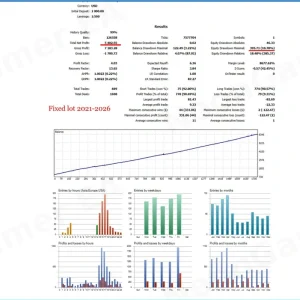
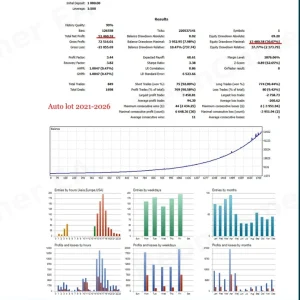
If SET files are included, choose one made for the supplied release and review what it changes. A name such as FixedLot or AutoLot does not tell you the complete account risk.
Check trade size, position limits, loss-protection actions, broker profile and trading hours. Save a backup before editing. A preset cannot install or activate the EA and does not guarantee suitable risk.
Our
MT5 SET-file guide explains how to load a preset and confirm that its values changed.
How to install NeonGamer EA in MT5
For a standalone EX5 package, use these steps alongside the supplied activation instructions:
- Open MT5 → File → Open Data Folder.
- Copy the EA into MQL5 → Experts.
- Return to MT5 and refresh Navigator → Expert Advisors.
- Open the symbol and chart required by the matching release instructions.
- Attach the EA and review its inputs. Load a matching SET file if supplied.
- Configure only the permissions and external services required by that release.
- Confirm the values, click OK, enable Algo Trading when ready and inspect the Experts and Journal tabs on a permitted demo account.
Follow our
MT5 Expert Advisor installation guide for the detailed file and chart steps. For an MQL5 Market purchase, follow the Market installation and activation process.
Do not enable DLL imports simply because a general installation template tells you to. Check the actual package’s requirements.
Delivery, updates and support
Your delivery method and update coverage are shown in the package section. Our
Delivery & Downloads page explains general order-access procedures.
For a setup problem, contact
Product Support with your order number, EA version, MT5 build and relevant error message. Never share your trading-account password.
Read our
refund policy before buying. An installation fault and dissatisfaction with trading returns are different issues.
Frequently asked questions
Does NeonGamer use a recovery grid?
Yes, that is the design described by the developer. Do not treat it as a single-entry, no-grid system.
Which version will I receive?
You receive the release stated in the package table. The current developer version and the supplied store file may differ.
Should I use M5, M15 or H1?
Follow the developer instructions for your supplied release. Do not select a timeframe from a general download article or assume every chart is supported.
Are SET files included?
Check this offer’s package table. A competitor’s filenames do not establish which files you receive here.
Does a daily loss limit guarantee the final loss?
No. Check its calculation and action. A pause in new entries does not necessarily close open exposure, and execution can affect losses.
Can I run it on Exness?
Confirm the exact account and supplied-release instructions. A broker profile is not proof of compatibility with every account the broker offers.
Does the news filter work in backtests?
This is release-dependent. Check the version notes and test environment; a historical report may not include the live news filter’s behaviour.
Is it suitable for a prop-firm challenge?
No approval or pass is promised here. Check the provider’s current rules, grid restrictions and daily/equity loss calculations before use.
Is the signal subscription included?
An EA purchase and a signal subscription are separate services unless the offer explicitly states otherwise.
Trading risk: Automated Gold trading and recovery grids can cause significant losses. Test the supplied file and settings on demo where permitted. Past performance does not guarantee future returns.