What is Institutional SMC Robot MT5?
Institutional SMC Robot is an Expert Advisor, or EA, for MetaTrader 5. An EA is software that can analyse a chart and place or manage trades automatically.
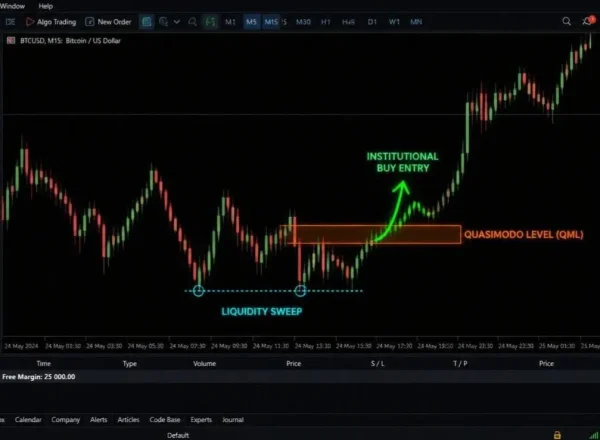
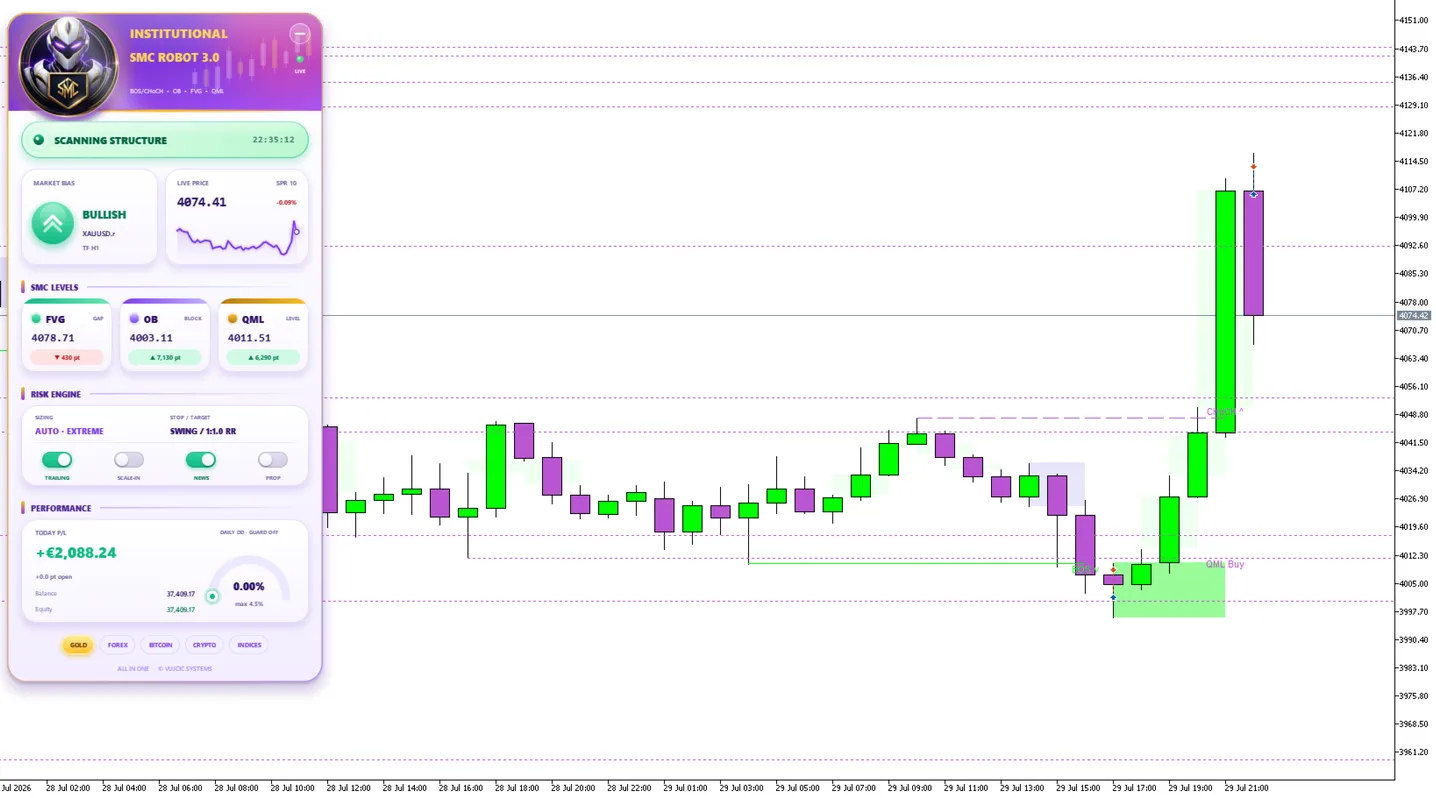
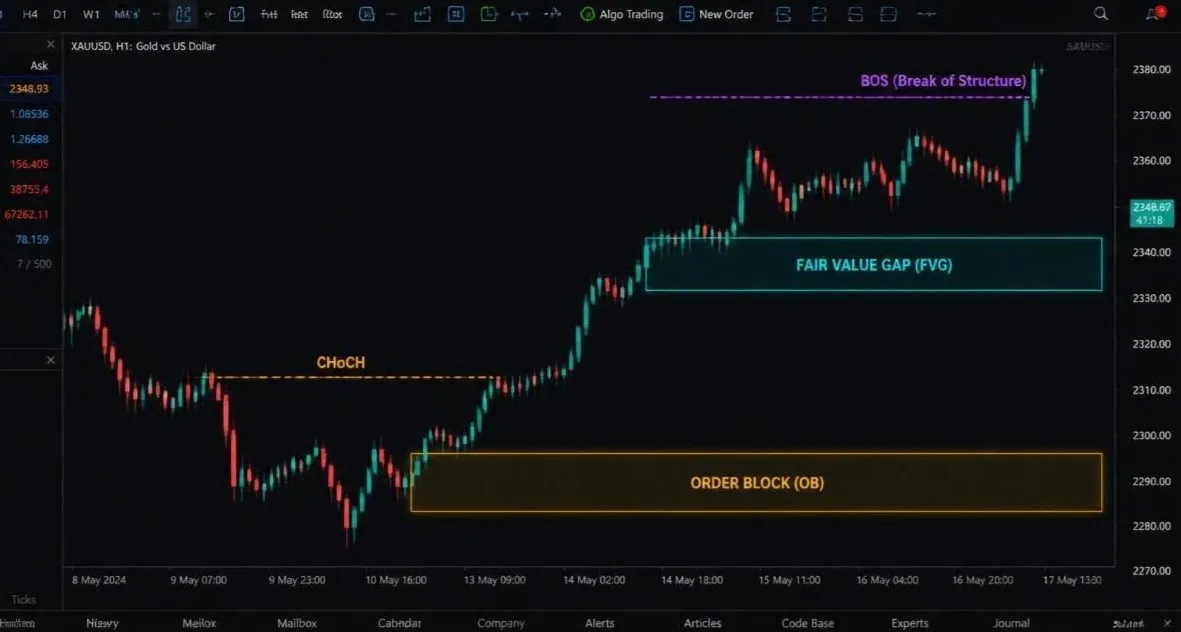
The developer describes a Smart Money Concepts approach using market structure, order blocks and fair value gaps. Put simply, it looks for programmed price patterns rather than asking you to watch every move yourself.
“SMC” is a strategy label. It does not mean that a bank backs the robot or that its trades are guaranteed to win.
What is included with this offer?
| Purchase detail |
Included with this offer |
| Product |
Institutional SMC Robot MT5 |
| Supplied version |
V1.70 |
| Limitations |
No limitations |
| Updates |
Lifetime updates |
| Setup support |
Included |
| Telegram support |
Included |
This table describes the ForexEAtools offer. “No limitations” describes the supplied software offer; trading still depends on broker conditions, account permissions and the chosen settings.
Need to check a package detail before ordering? Visit
Product Support.
Trading Strategy & Setup Requirements
Platform: MetaTrader 5 (MT5)
Strategy: Smart Money Concepts (SMC)
Supplied version: V1.70
Supported markets: The developer lists Gold (XAUUSD), Nasdaq (US100) and Bitcoin (BTCUSD). Matching settings for your supplied V1.70 release still need confirmation.
Minimum deposit: Not confirmed for V1.70.
Setup support: Included
Telegram support: Included
Updates: Lifetime updates
Read this before using V1.70
The official release history dates V1.70 to 9 September 2026. It added trailing management for additional trades opened at profit steps and linked their closure to the main position.
The next release, V1.80, lists a fix for additional-trade lot sizing. The notes do not explain the full scope of that issue. Do not assume your V1.70 file contains the later correction.
If you plan to use additional positions, contact setup support about an updated release containing the correction before live use.
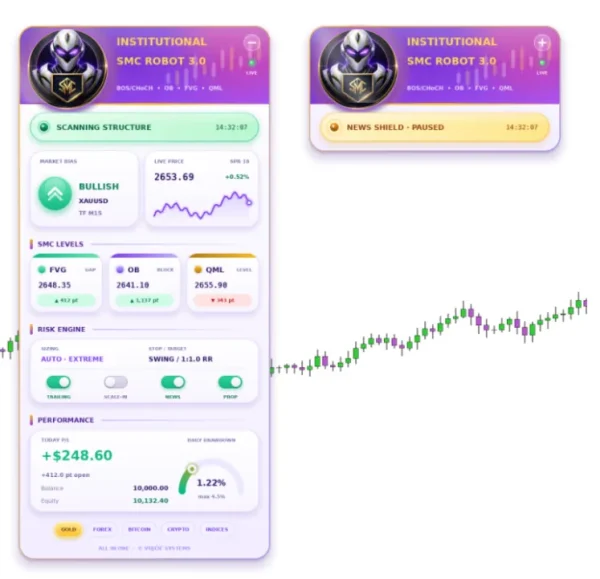
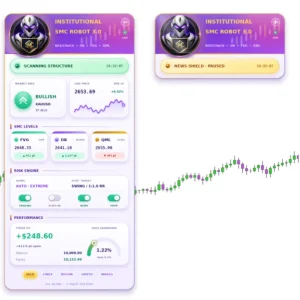
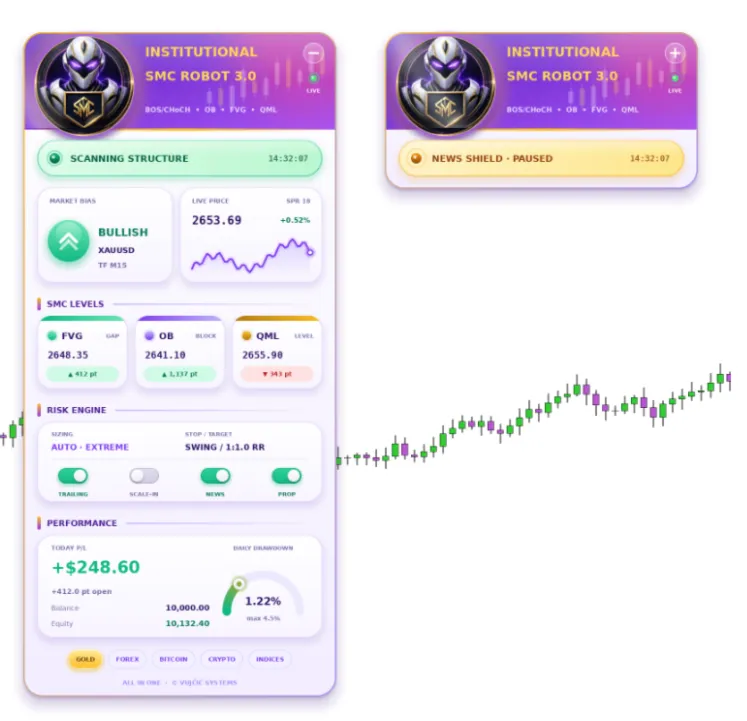
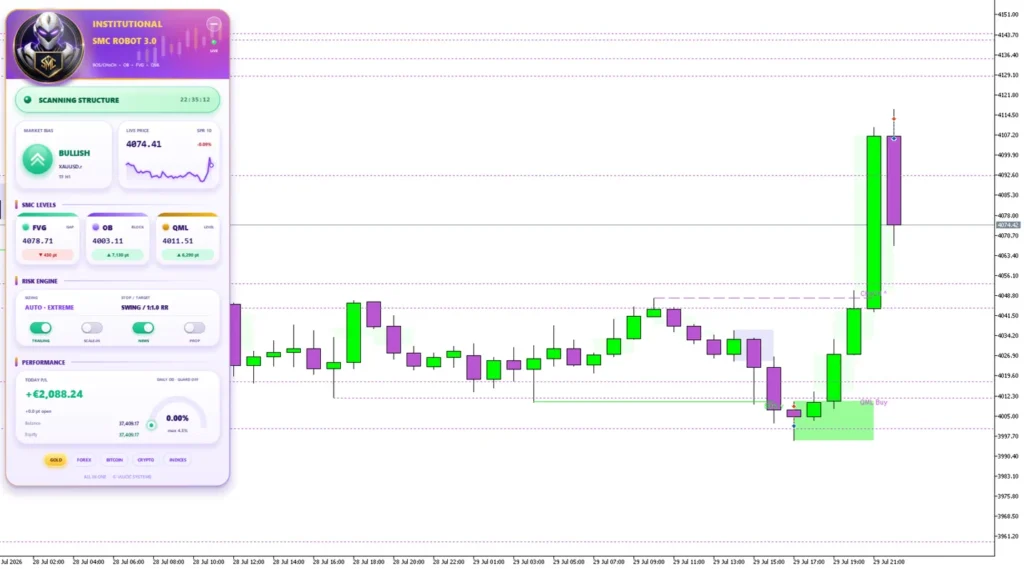
Later releases also introduced other changes. For example, news protection is listed under V2.0, and the redesigned dashboard under V3.0. Those later additions should not be assumed to exist in this V1.70 package.
Read the
official Institutional SMC Robot update history. Lifetime updates are included with this offer; the version currently supplied here is V1.70.
How does the SMC approach work?
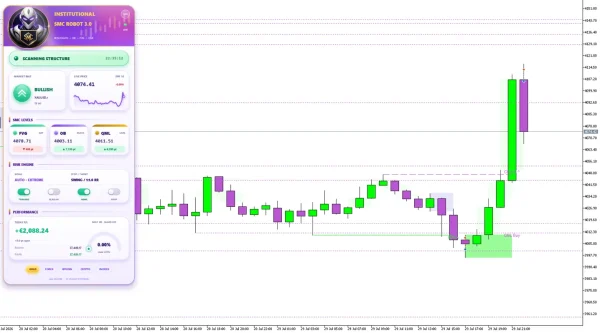
The product’s published approach includes several chart concepts:
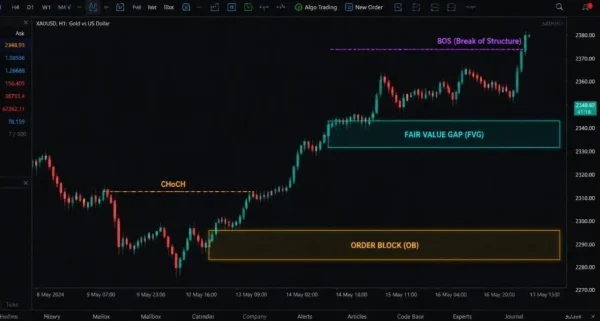
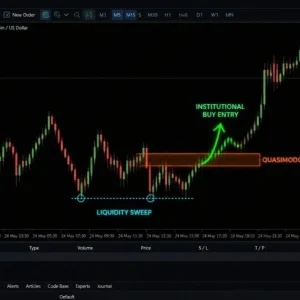
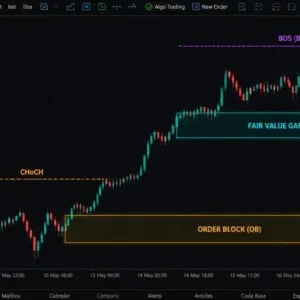
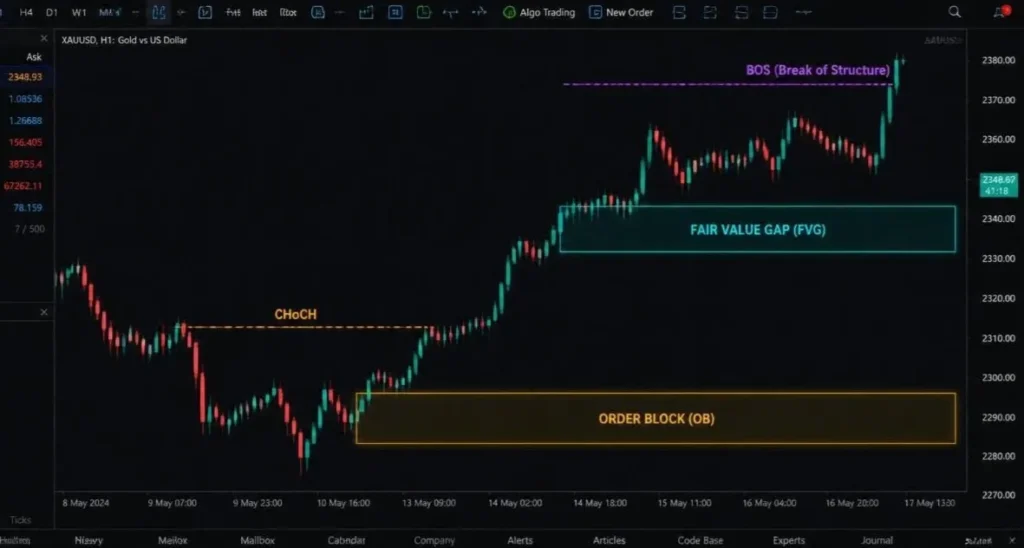
- Break of Structure, or BOS: price moves beyond a tracked swing high or low.
- Change of Character, or CHoCH: a possible change in the direction of the tracked structure.
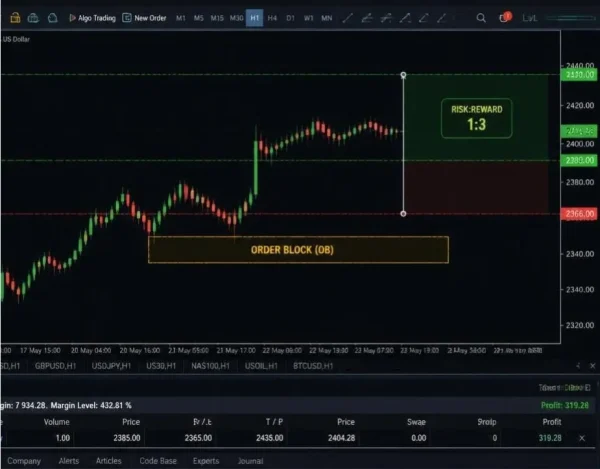
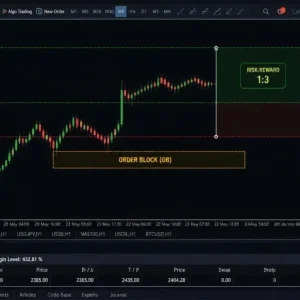
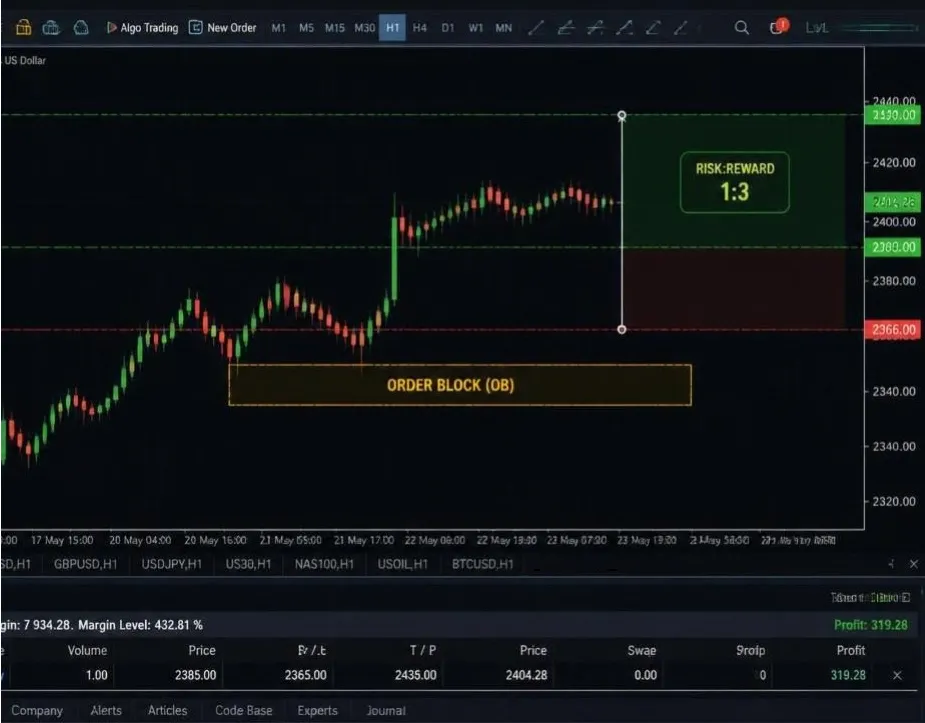
- Order blocks: selected price zones used to filter possible entries.
- Fair value gaps, or FVGs: price-imbalance areas used by the strategy.
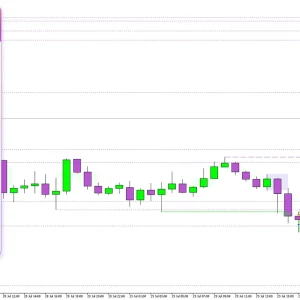
These are simplified explanations of the terms, not the complete entry formula. The EA’s actual trades depend on its code, active filters and input values.
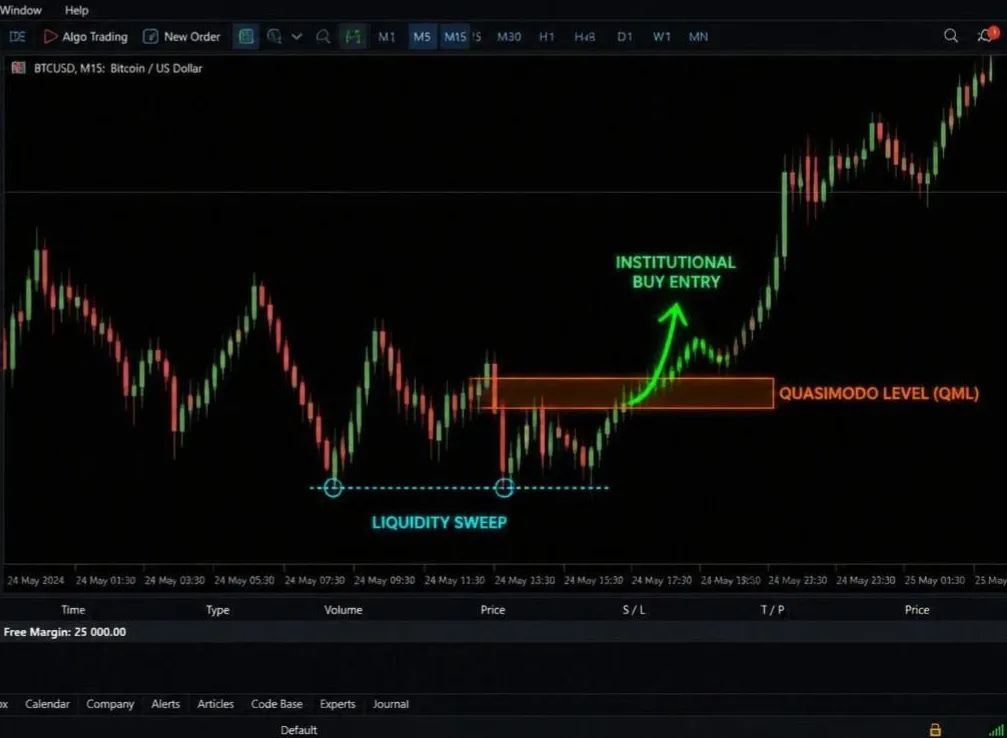
A marked zone is a possible setup, not a promise that price will reverse or continue.
Public results: look at risk as well as growth
The official listing links to two public MQL5 accounts. The following figures were checked on 17 October 2026 and will change.
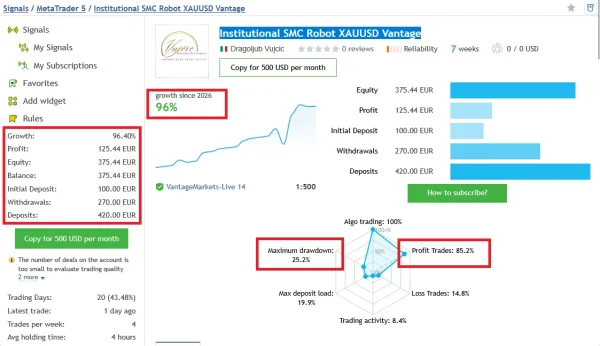
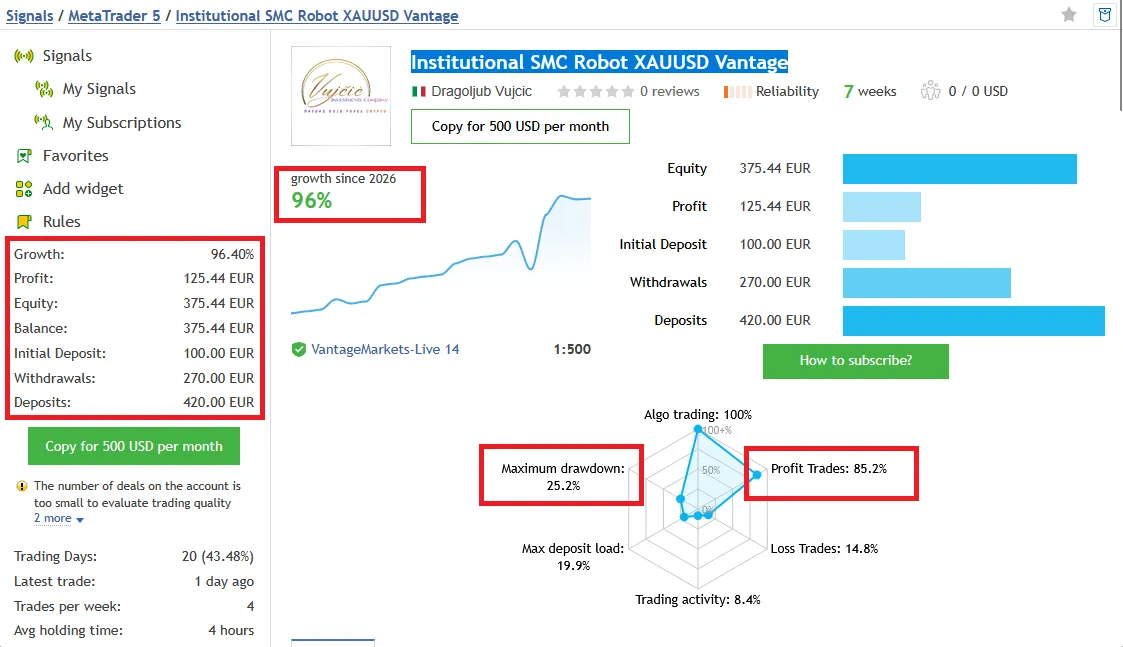
Gold account — XAUUSD Vantage
The
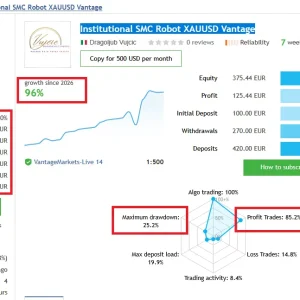
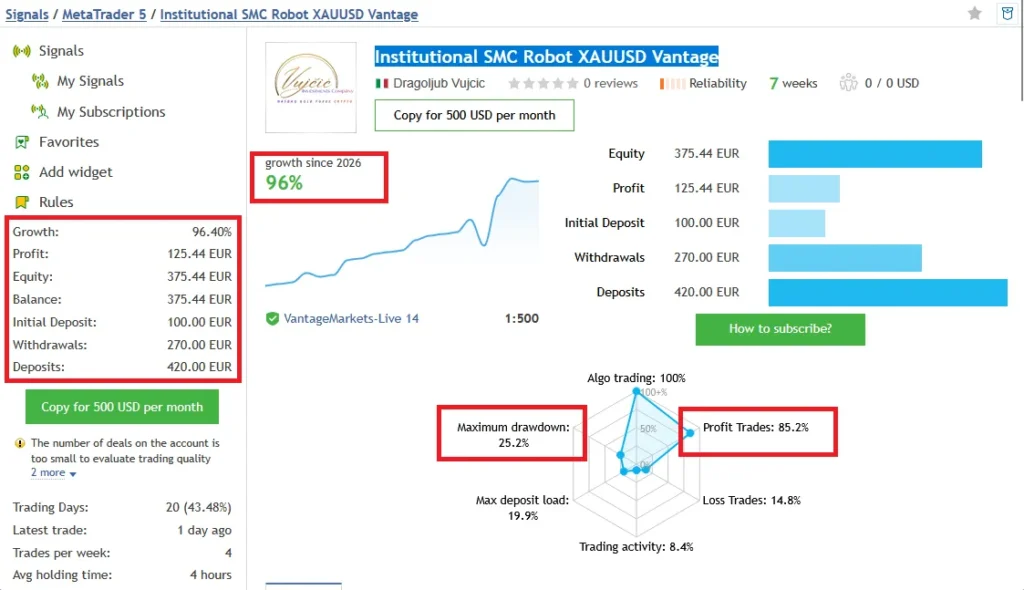
Institutional SMC Robot XAUUSD Vantage signal showed 96.40% growth, €125.44 profit and 27 trades. Its reported relative equity drawdown was 25.18%.
It showed an initial €100 deposit, €420 in additional deposits and €270 withdrawn. Growth is the platform’s reported figure; it should not be calculated simply by dividing the latest balance by the initial deposit.
MQL5 displayed warnings about the new account, limited trade sample and high recent growth. These are important context when viewing the positive return.
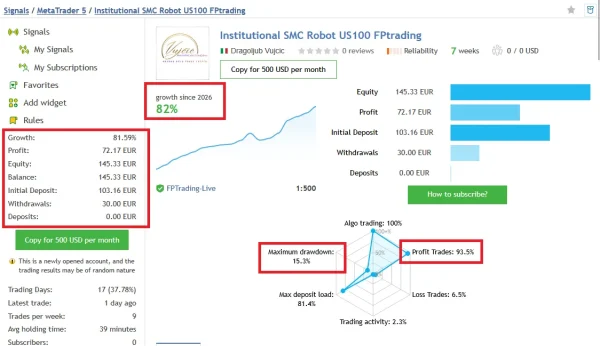
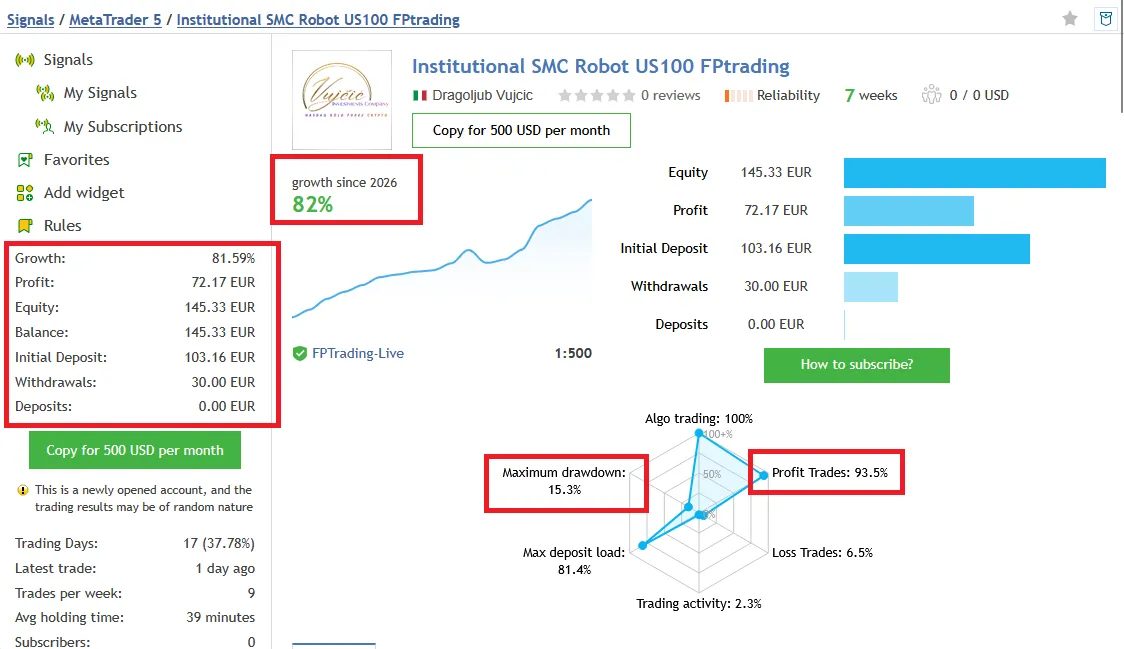
Nasdaq account — US100 FPTrading
The
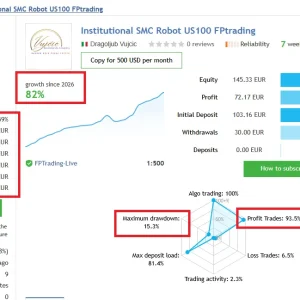
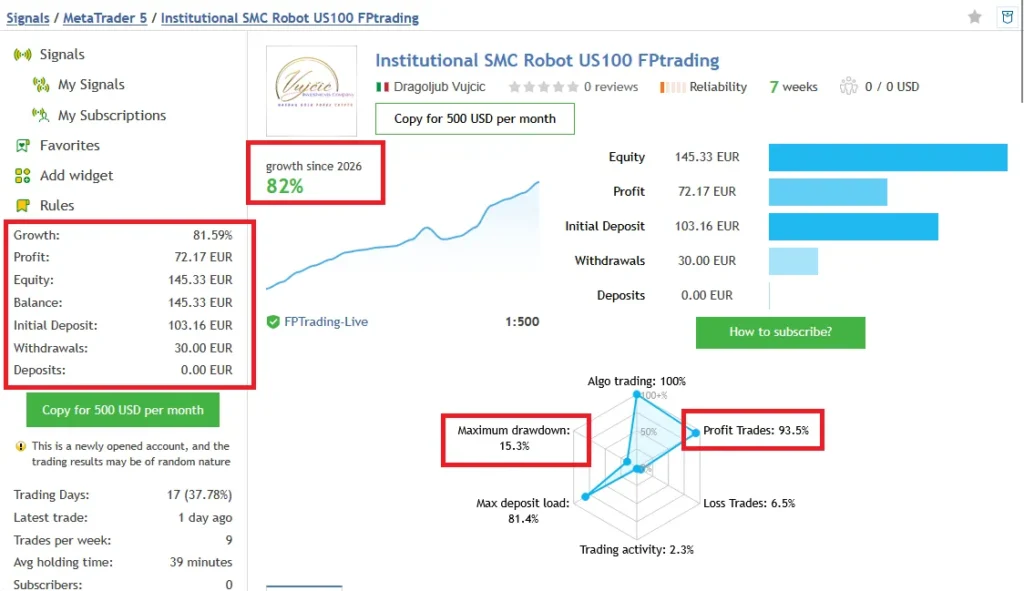
Institutional SMC Robot US100 FPTrading signal showed 81.59% growth, €72.17 profit and 31 trades. Its reported relative equity drawdown was 15.26%.
The account showed €103.16 initial funding, no additional deposits and €30 withdrawn. Its maximum deposit load was 81.37%. Deposit load measures margin use and is different from drawdown. MQL5 also marked this as a newly opened account.
What do these results mean for your purchase?
Both records began in September 2026. They are short account histories, and neither establishes long-term results for your particular V1.70 file and settings.
These are third-party account records, not a ForexEAtools trading test. We have not independently forward-tested this file or audited its source code. The linked signals do not confirm that V1.70 was used unchanged throughout their histories.
Check the newest figures, losing trades, open exposure and account funding before making a decision. Read our simple guide to
drawdown in forex trading if you are unsure what the decline percentages mean.
Buying this EA does not include an MQL5 signal-copying subscription.
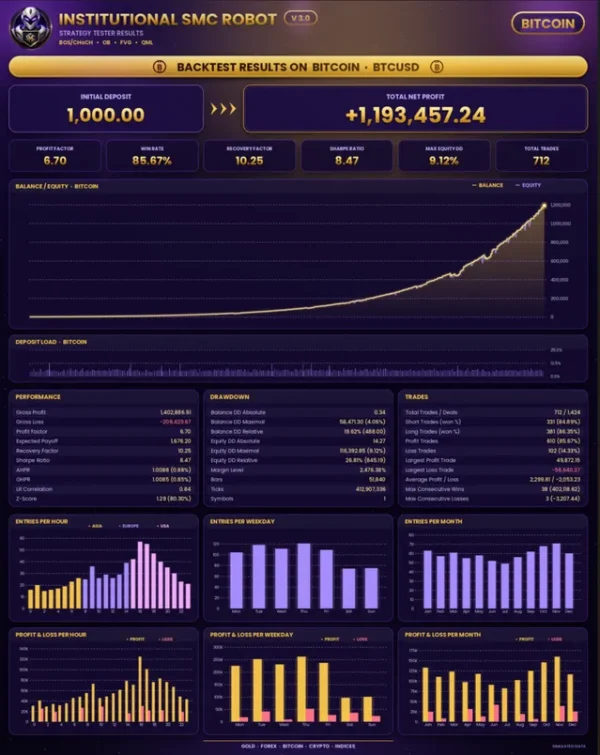
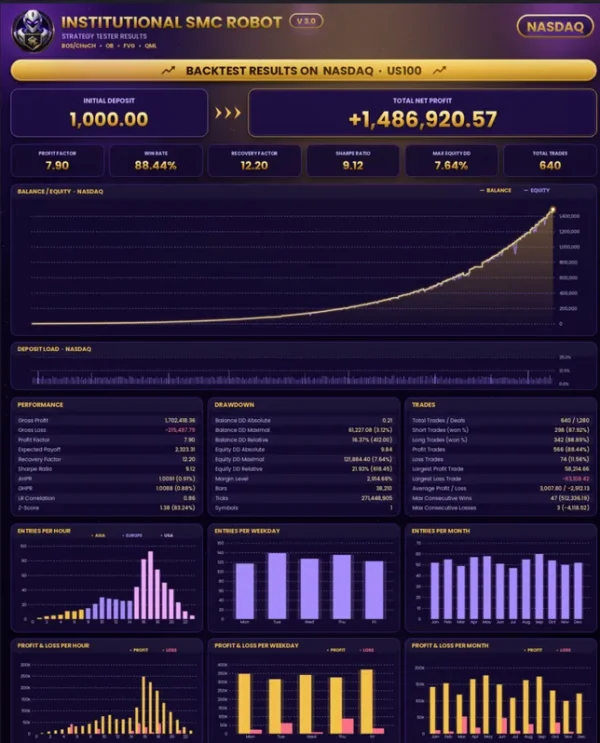
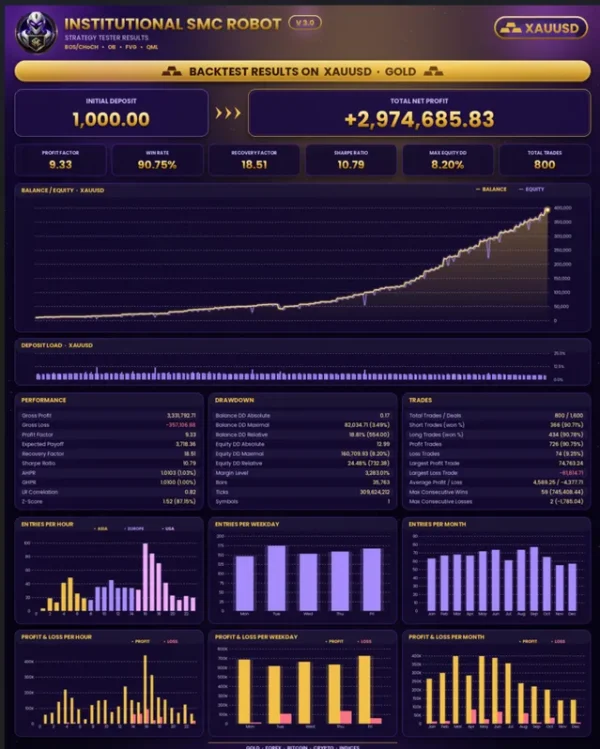
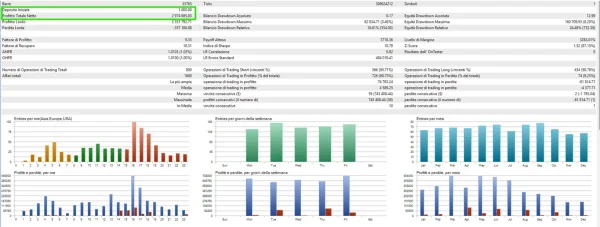
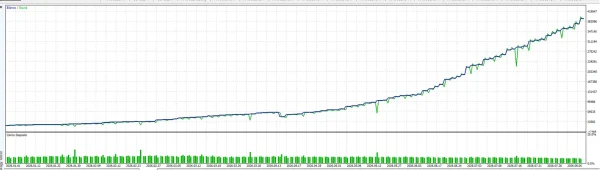
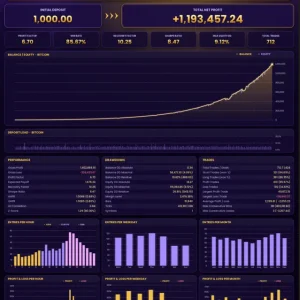
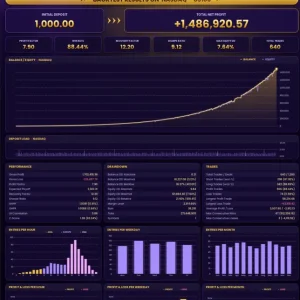
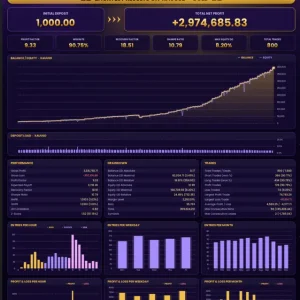
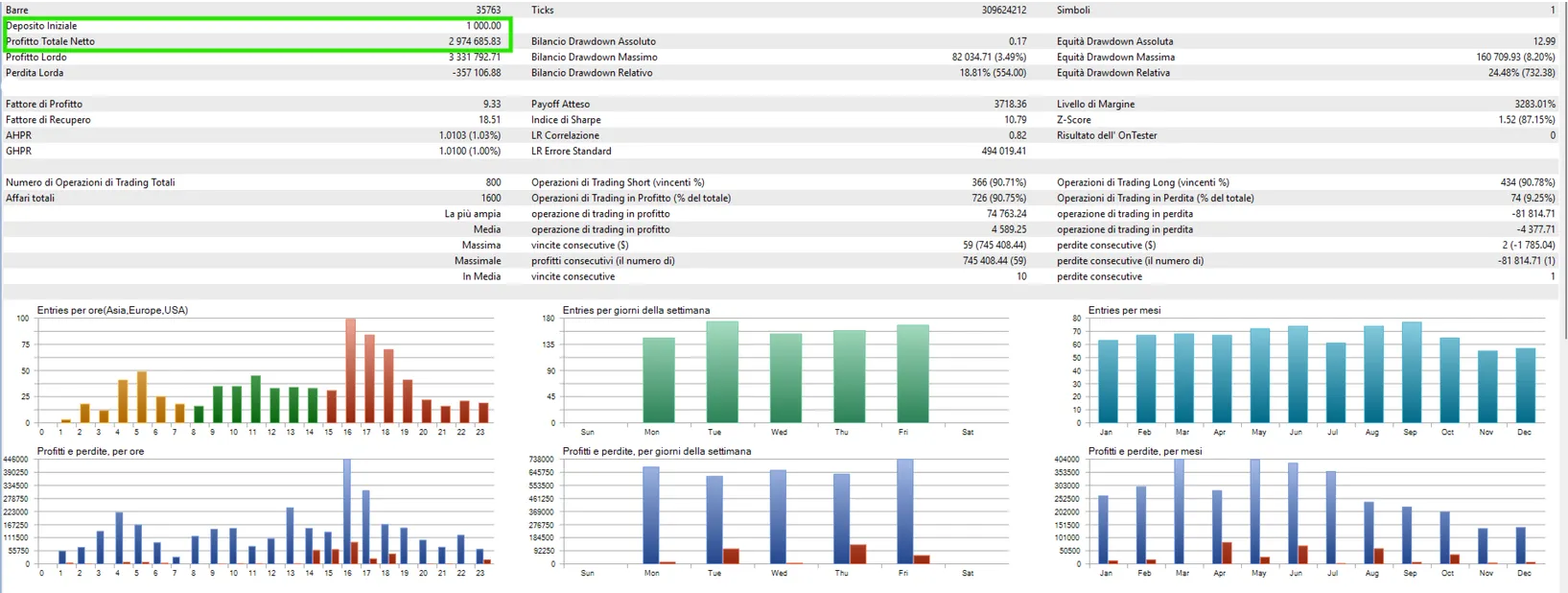
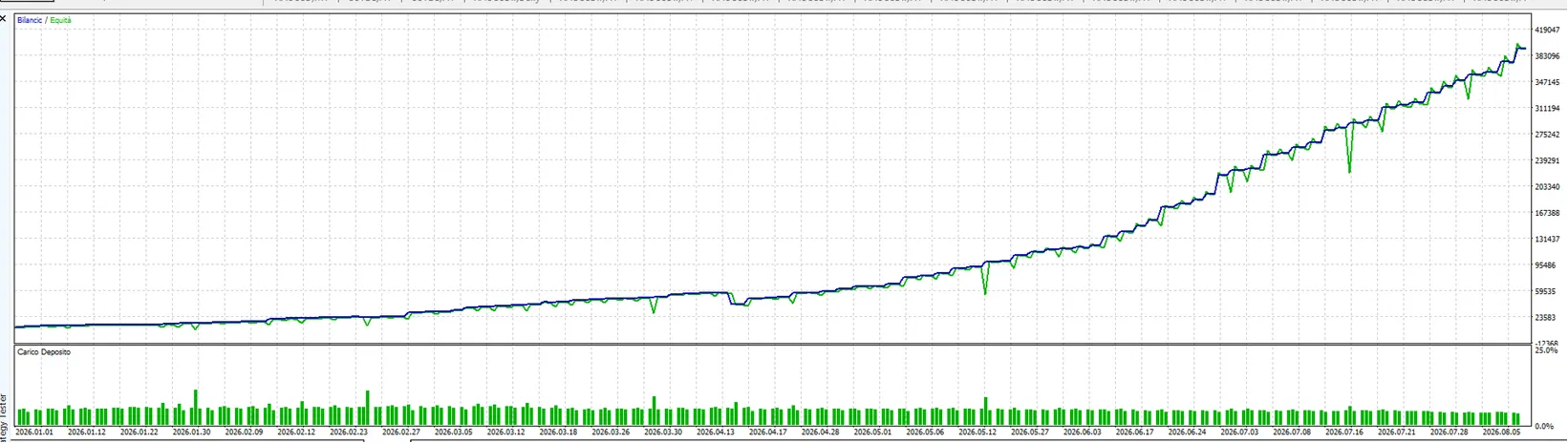
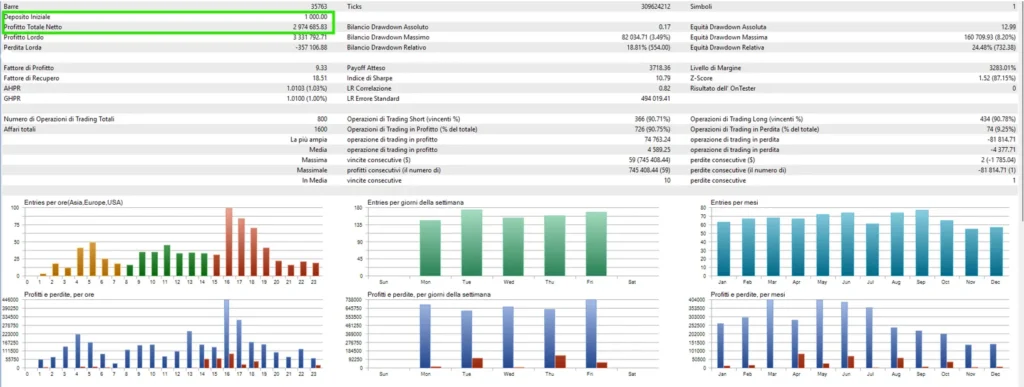
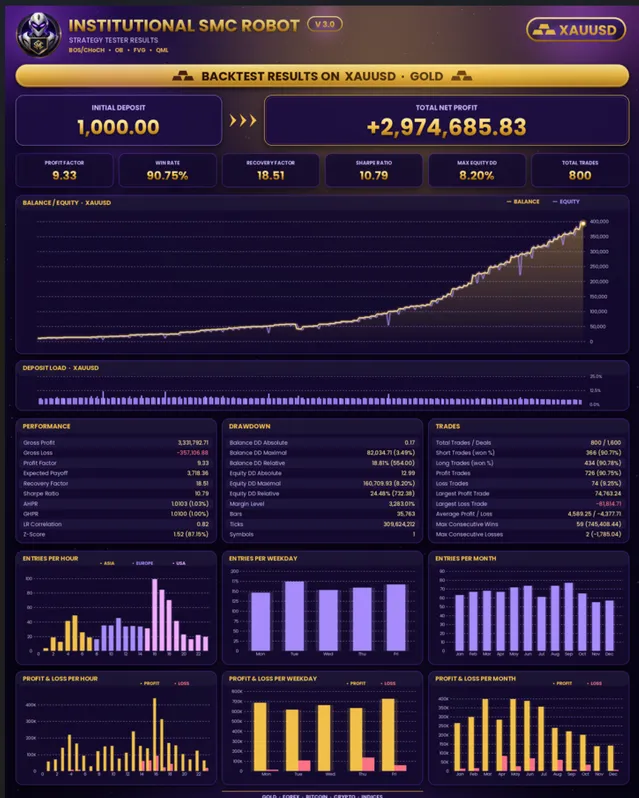
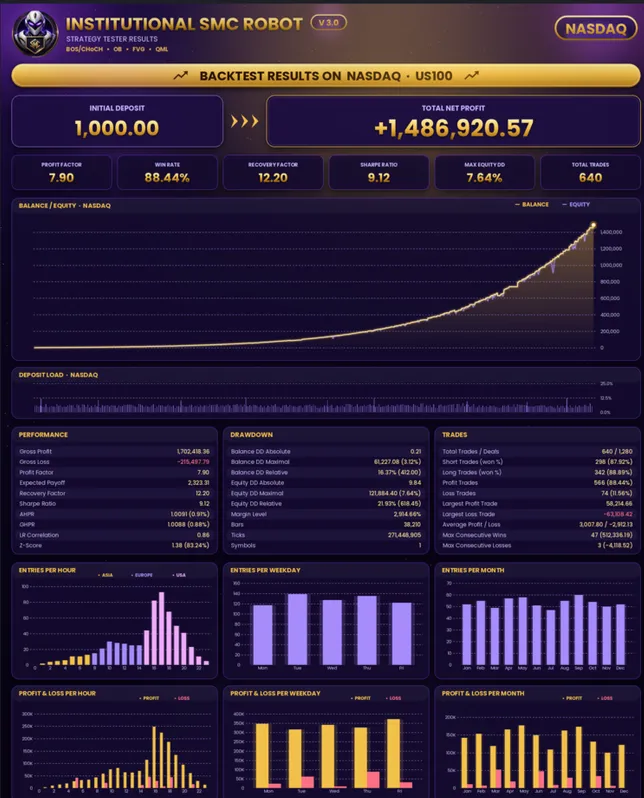
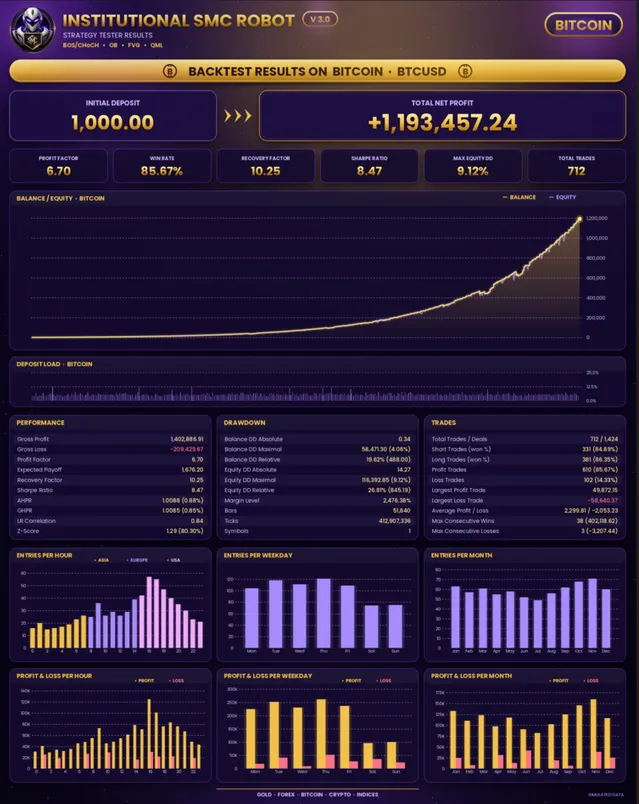
Institutional SMC Robot BackTest Results
Which chart and account should you use?
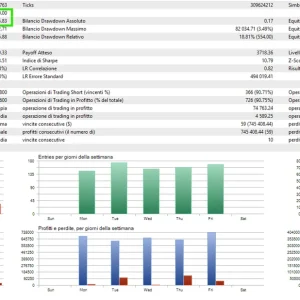
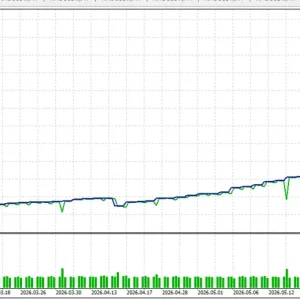
The current official overview gives XAUUSD H1 with default settings as its gold backtesting reference. It also discusses other markets, but a current overview is not a complete setup manual for an older release.
For your V1.70 file, ask setup support to confirm the symbol, timeframe and inputs before trading. Do this especially if you want to trade Nasdaq, Bitcoin or forex pairs.
Check your broker’s symbol name, quote precision, minimum lot size and stop-distance rules. A configuration used on one broker may need changes on another.
There is no single deposit amount that makes an EA safe. The trade size, stop distance, combined positions and contract size all affect the money at risk.
Understand additional positions before enabling them
V1.70’s extra-position feature deserves attention because several open trades can create more exposure than one trade.
For example, if three positions each lose $10, the combined loss is $30 before other charges. Checking only the first order would miss the full exposure.
Before running the EA, understand how many positions can open, how each is sized and how they close. A stop or loss guard may not close a trade at the exact intended price during a gap or fast market.
For a funded account, check the firm’s current rules on EAs, news, daily loss and total drawdown. A feature called a prop-firm guard is not approval from the firm.
How to install Institutional SMC Robot MT5
- Open the MT5 desktop terminal you want to use.
- Select File → Open Data Folder.
- Put the supplied MT5 EA file in MQL5 → Experts, following any package instructions.
- Return to MT5 and refresh Navigator → Expert Advisors.
- Open the chart and timeframe confirmed for your V1.70 setup.
- Attach the EA and review its inputs.
- Load a matching SET file only if you have one for this release.
- Allow algorithmic trading for the EA and enable platform Algo Trading when ready to test.
- Check the Experts and Journal tabs for errors.
Follow our
MT5 EA installation guide for more help. If your setup uses a preset, see
how to load a SET file in MT5.
A SET file saves input values. It does not install the robot or make its risk settings suitable for every account.
Setup help, Telegram support and lifetime updates
Setup support and Telegram support are included with your purchase. If you need help, provide your order number, MT5 build, broker, chart symbol and the exact error message.
Please avoid sending account passwords. A screenshot of the error and the relevant log entry usually gives support a better starting point.
For help with your order or installation, use
Product Support. Review our
refund and returns policy before purchasing.
Frequently asked questions
Which version will I receive?
This offer currently supplies Institutional SMC Robot MT5 V1.70. Lifetime updates are included. Check this page for the supplied version rather than assuming it matches the newest developer release.
Does it work on MT4?
This offer is for MetaTrader 5. An MT5 EA cannot be installed as an MT4 EA.
Are SET files included?
This page does not promise SET files with the package. Ask support to confirm whether a matching preset is available for your selected market.
Can I use it on my phone?
Run the EA through a compatible MT5 desktop terminal or suitable hosting environment. The MT5 mobile app is not where you install and run the EA file.
Does it guarantee profit or a funded-account pass?
No. Market losses remain possible, and funded-account rules vary. A profitable public account or backtest does not guarantee your outcome.
Will the linked accounts match my results?
Not necessarily. The EA release, inputs, broker, costs, account conditions and trading dates can differ. The linked records are not a version-specific guarantee.
What should I do if it does not open trades?
Check Algo Trading permissions, the market session, chart setup and terminal logs. A robot may wait when its entry conditions are absent. Send any error message to setup support before changing risk settings.
Are updates and support included?
Yes. This offer includes lifetime updates, setup support and Telegram support.
Choose your setup with support
Want to use Institutional SMC Robot MT5 V1.70? Check the version notes, review the public account records and confirm your setup before ordering.
V1.70 · No limitations · Lifetime updates · Setup support · Telegram support
Ask a setup question
Risk notice: Forex and CFD trading can lead to substantial losses. Automated trading does not remove that risk. Historical and public account results do not guarantee future performance.