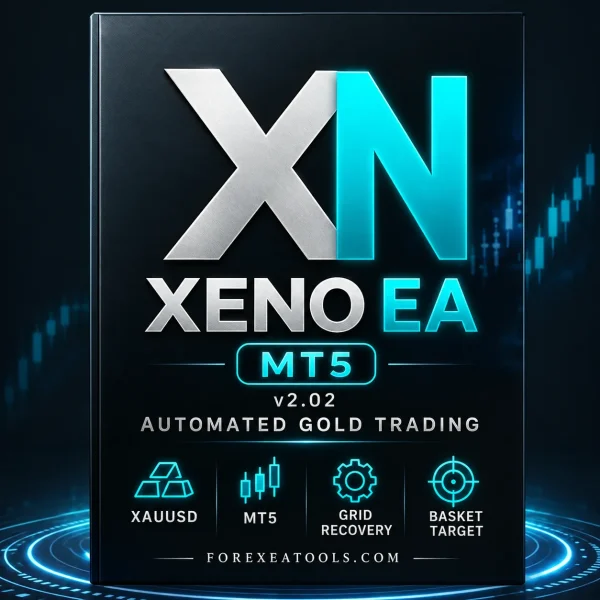
XENO EA MT5 v2.02 is a Gold trading robot for MetaTrader 5. Explore its settings and recovery approach before choosing it for your account.
XENO’s published strategy uses additional positions to manage a losing trade basket. That can increase open losses and account exposure. Check the setup requirements and risks below before using real money.
- Platform: MetaTrader 5
- Market: Gold — XAUUSD
- Supplied version: v2.02
- Strategy reference: Grid recovery with basket trade management
Trading can result in substantial losses. Historical results do not guarantee future profits.
Trading strategy and setup requirements
| Detail |
Information |
| Product |
XENO EA MT5 |
| Supplied version |
v2.02 |
| Trading platform |
MetaTrader 5 |
| Trading market |
XAUUSD — Gold |
| Published strategy reference |
Pending entries, grid recovery and a shared basket profit target |
| Publisher’s current minimum-equity guidance |
$200 USD / 20,000 USC |
| Publisher’s current recommended cent-account balance |
50,000 USC or more — equivalent to $500 on a USD-cent account |
The balance figures come from the current
XENO vendor website. They are not a confirmed minimum for every v2.02 configuration or a guarantee that an account can withstand a losing period.
The exact chart timeframe, preset and account mode must match the instructions for the supplied file. Do not choose a timeframe just because another store recommends it.
XENO EA MT5 Review
How XENO’s published strategy works
The vendor describes this sequence:
- Place pending buy and sell orders on opposite sides of the market.
- Remove the opposite order after one side fills.
- Add recovery positions if price moves against the open side.
- Recalculate the basket target and close the group when that target is reached.
This describes the vendor’s published approach, rather than a code audit of the supplied v2.02 file. Compare it with the actual inputs and matching instructions before trading.
A basket means several trades managed together. Individual positions may be losing even when the system aims to close the group at a profit.
Grid recovery: understand the open risk
Adding positions changes the amount of money exposed to the market. A move against the first trade can become a larger account loss as more positions open.
For example, three open trades each showing a $10 loss create a combined $30 floating loss before any other costs. Looking at only the first order misses the total exposure.
A recovery target does not guarantee that price will return to it. If available margin becomes too low, positions may be closed by the broker before a recovery happens.
Check the total open volume, maximum position count, lot progression and loss-control behaviour. Read our guide to
drawdown in forex trading to understand the difference between closed-trade results and open losses.
Minimum deposit: dollars and cents are different
A USD-cent account displays the balance in cents:
- 20,000 USC = $200 USD
- 50,000 USC = $500 USD
A displayed balance of 50,000 does not mean $50,000 unless the account is actually denominated in dollars. Confirm the account currency before comparing screenshots or copying trade sizes.
A starting-balance figure alone cannot tell you how much risk a setup takes. Contract size, lot size, stop behaviour and the number of open positions also matter. A larger deposit does not remove the possibility of a large loss.
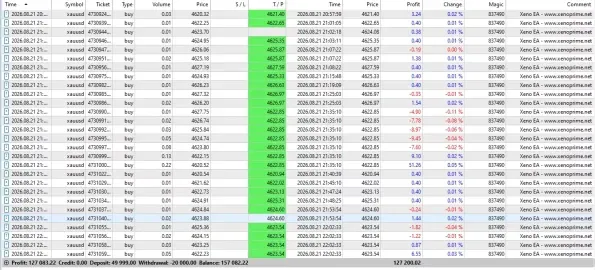
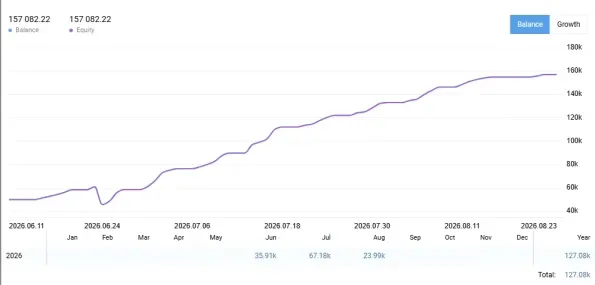
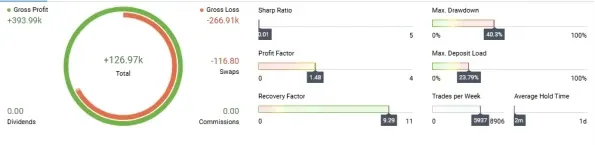
Live results: inspect the account behind the chart
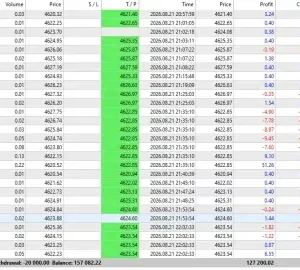
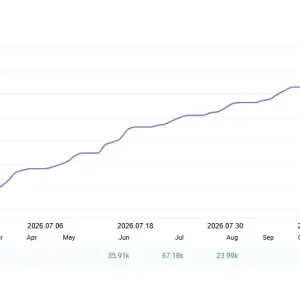
The vendor website provides investor access to a Vantage trading account. Open the
XENO vendor website and select “Live proof” for current access details.
A view-only account helps you inspect trading history, but it does not establish that your purchased file uses the same version, preset or trade size.
Before relying on any result, check:
- Whether the account is real or demo, and whether it is denominated in dollars or cents.
- How recently the history was updated.
- Deposits and withdrawals, separate from trading profit.
- Open positions and floating losses.
- Losing periods and the exact drawdown measure.
- Whether the EA version and settings match your planned setup.
We have not independently logged into or tested the vendor’s account, audited the source code or forward-tested this v2.02 file. No current return or maximum-drawdown figure is presented here as a verified finding from our own test.
DLL, activation and preset requirements
Check the exact package instructions before installation. Do not assume that another store’s “DLL,” “Unlimited” or “Default settings” label describes this offer.
Account limits, activation, external connections and supported terminal builds can affect whether an EA runs correctly. These details should be clear before payment.
Only enable DLL imports or add WebRequest addresses when the supplied instructions explain the requirement and you trust the files and destination. “Unlimited” does not by itself mean that software has no technical dependencies.
If a preset is used, it must match the EA release and intended account conditions. A SET file stores input values; it does not install the EA or make a configuration suitable for every balance.
How to install XENO EA in MT5
Follow the instructions supplied for your package. For a file-based MT5 installation:
- Open the MT5 desktop terminal you want to use.
- Select File → Open Data Folder.
- Copy the EA file into MQL5 → Experts.
- Install any required supporting files according to the package instructions.
- Return to MT5 and refresh Navigator → Expert Advisors.
- Open the Gold chart and timeframe specified for the setup.
- Attach the EA and review its inputs.
- Load a matching preset if your setup uses one.
- Complete the required activation and trading permissions.
- Check the Experts and Journal tabs for errors, then observe the setup on demo.
Our
MT5 EA installation guide explains the general process. If you use a preset, follow
how to load a SET file in MT5.
Do not enable trading while installation errors or unclear risk settings remain unresolved.
Who should consider XENO EA?
It may interest MT5 Gold traders who understand recovery systems and are willing to inspect settings, test execution and monitor open positions.
If you are new to forex, learn how margin, lot size and floating losses work first. Being able to install a robot does not mean you are ready to manage the risk it creates.
This type of setup is unsuitable for anyone expecting guaranteed income or relying on money they cannot afford to lose.
Delivery and purchase help
Read the written package details for the supplied files, licence terms, delivery timing and update coverage before ordering. Another seller’s offer may include different files or services.
Our
Delivery & Downloads page explains general order-access procedures. For order or installation questions, visit
Product Support.
When reporting an error, include your order number, EA version, MT5 build and the relevant log message. Never send your trading-account password.
Please read our
refund and returns policy before purchasing.
Frequently asked questions
What is XENO EA MT5 v2.02?
It is the v2.02 release of XENO EA for MetaTrader 5. This offer is presented for Gold trading. Check the file version after delivery against the version shown on the product page.
Does XENO EA work on MT4?
This page is for the MT5 edition. An MT5 EA file cannot be installed as an MT4 EA.
Which market does it trade?
XAUUSD, commonly shown as Gold. Brokers may use different symbol names or suffixes. Do not assume support for forex pairs, indices or Bitcoin without matching product instructions.
What is the best timeframe?
Use the chart timeframe specified for your exact v2.02 setup. Public store recommendations conflict, so this page does not present an unverified timeframe as a confirmed requirement.
Does grid recovery guarantee that losing trades will recover?
No. Additional positions can increase losses. Price may continue moving against the basket until its loss limit or the broker’s margin limits are reached.
How much money should I deposit?
The published reference figures appear above. They are not personalised funding advice or proof that a particular preset is suitable. Confirm the account denomination and understand the setup’s total possible exposure before funding it.
Does it require DLL files?
That must be established from the actual package and its dependencies. Do not treat this product page as a “No DLL” promise.
Are SET files included?
This description does not promise SET files. Check the package contents shown with the offer. A preset used by a public account may not be included with a separate purchase.
Can I run the EA on my phone?
The mobile MT5 app is not where you install and run a custom EA. Use a compatible desktop or hosting environment. Phone monitoring and running the trading software are separate tasks.
Do I need a VPS?
You need a reliable environment that keeps the required terminal connected. A compatible VPS can help when your own computer cannot stay online. Check hosting compatibility, especially if the package requires DLL files.
Why is the EA not opening trades?
Check permissions, activation, connection, market hours, chart setup and the Experts and Journal messages. The robot may also be waiting for its conditions. Do not increase lot size to fix a missing-trade problem.
Is XENO EA suitable for a prop-firm account?
Do not assume approval. Check the firm’s current rules for automated trading, recovery positions and drawdown. A risk-control feature does not guarantee compliance.
Are lifetime updates or unlimited accounts included?
Only if the written terms of this specific offer say so. Software use, account limits, updates and support are separate purchase details.
Can I expect the same profit as a public account?
No. File version, inputs, account size, broker costs, execution and trading dates can differ. A public account is evidence to examine, not an earnings promise.
Review your setup before buying
Choose XENO EA MT5 v2.02 with a clear understanding of its recovery approach, account requirements and package contents.
Need help with an order detail?
Contact Product Support.
Risk notice: Forex and CFD trading can lead to substantial losses, including the loss of your deposit. Automated trading does not remove market risk. Backtests and other accounts’ results do not guarantee future performance.