What is DragonFly EA?
This page refers to the Dragon Fly Auto Trader linked through Six Figure Trading Coach. The source describes account-wide management, configurable hedging, ATR-based controls, trailing and break-even tools, automatic lot sizing and alerts.
See the
publisher’s Dragon Fly product overview for the published description. These are source-described capabilities, not results from our own inspection of the supplied software.
A similarly named trend/reversal EA exists elsewhere. Match your purchase to the product and version stated in the offer.
DragonFly EA MT5 helps automate the management of forex trades. Its published approach focuses on monitoring positions across an account, with configurable management tools and hedging options.
Explore how the system is described, what its controls can and cannot do, and what to check before selecting a setup.
- Platform: MetaTrader 5
- Product focus: Forex trade management and automation
- Evaluation: Check the exact release, inputs and account compatibility before trading
Trading can cause substantial losses. Automation does not guarantee profits or remove the need to monitor your account.
Published features explained simply
| Published feature |
Why a buyer should check it |
| Centralised trade management |
Understand which open trades the EA is allowed to control. |
| Account-wide drawdown monitoring |
Establish whether a control measures a decline, sends an alert or closes positions. |
| Adjustable hedging |
Understand how additional or opposing positions affect costs, margin and exits. |
| ATR-based management |
ATR measures recent price movement; changing a volatility-based setting can change trade-management distances. |
| Trailing and break-even controls |
Check when stops change and whether costs are included in any break-even calculation. |
| Dynamic lot sizing |
Read the sizing rule rather than assuming “automatic” means low risk. |
| Alerts |
Know what triggers a notification and what action, if any, the EA takes itself. |
The input names and available options can differ by release. Review your file’s settings before assuming a feature is active.
Performance
Understand hedging before enabling it
A hedge adds a position intended to offset some exposure. It does not automatically remove the loss already on the account.
For example, if an existing position shows a $100 loss, opening an opposing trade does not erase that $100. It can change the account’s response to later price movement while creating additional costs and exit decisions.
Check:
- When a hedge can open.
- How its volume is calculated.
- Whether more positions may follow.
- How the original and hedge positions close.
- What happens if the terminal disconnects.
Keep enough attention on the full account to understand open losses and available margin. Do not treat “hedging” as a promise that the deposit is protected.
Currency pairs and timeframe
Some v1.10 store listings describe an M15 setup covering
EURUSD, GBPUSD, USDJPY, USDCHF, USDCAD, AUDUSD and NZDUSD. That is a retailer setup reference, not a verified compatibility test of the file supplied with this offer.
Use the market list and chart instructions matching your exact release. Broker symbols may include prefixes or suffixes, and contract specifications can vary.
Several major pairs involve the US dollar. Trading more pairs does not automatically create independent risks.
For example, buying EURUSD and GBPUSD creates two positions that are both exposed to US-dollar movements. Consider their combined exposure rather than judging each order separately.
Account balance and risk settings
There is no single balance that makes every configuration safe.
Your chosen markets, trade size, simultaneous positions, leverage and management settings affect the amount of money exposed. A starting-balance figure without those details is incomplete.
Before funding a live setup, understand the lot-sizing method, margin use and account-loss controls. Do not select a higher risk value simply because a backtest shows a larger return.
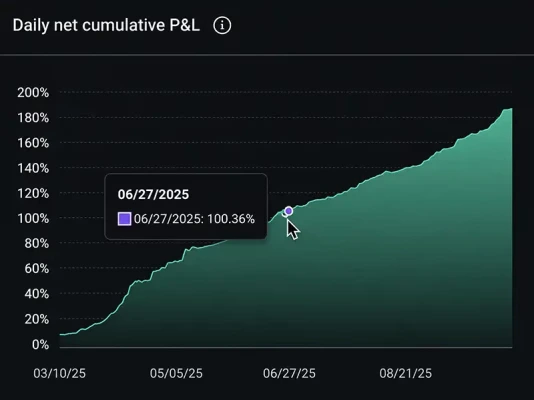
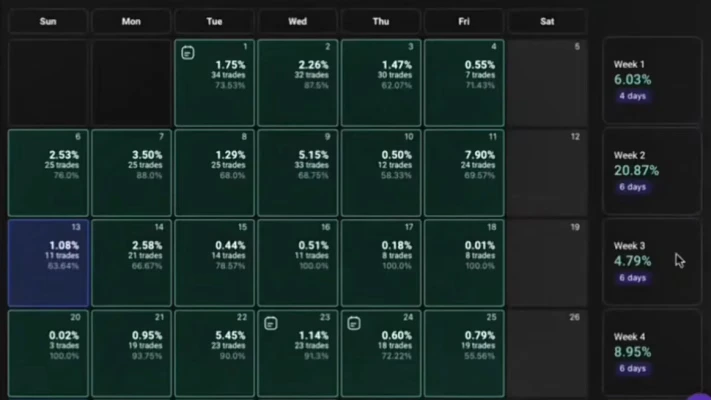
Performance: what can you rely on?
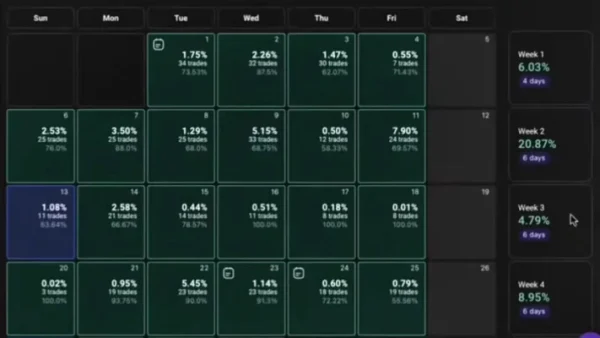
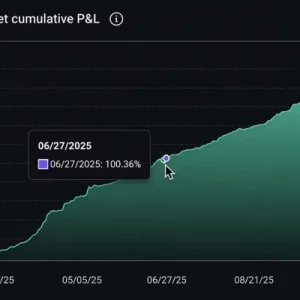
No matching independently inspectable live account was established from the references reviewed for this page.
We have not independently forward-tested the supplied file, reproduced a backtest or audited its source code. We therefore do not advertise a monthly return, survival rate or maximum future drawdown as a verified result.
A training video or screenshot can explain a feature, but it does not establish a long-term real-money record.
When reviewing evidence, check the EA release, input settings, account type, dates, broker costs, deposits, withdrawals and open losses. Confirm that any displayed results belong to this particular DragonFly product.
Check the package before ordering
| Purchase detail |
Product covered by this page |
| Product |
DragonFly EA |
| Platform edition |
MetaTrader 5 |
Read the written offer for the supplied release, file contents, activation, permitted accounts and delivery. Software access, updates, support and access to a separate training course are different items.
If a purchase detail is unclear, use
Product Support before paying.
How to install DragonFly EA on MT5
Follow the instructions for the actual package. For a file-based MT5 installation:
- Open the MT5 desktop terminal you will use.
- Select File → Open Data Folder.
- Copy the supplied MT5 EA into MQL5 → Experts.
- Install supporting files only where the package instructions specify.
- Refresh Navigator → Expert Advisors.
- Open the required chart and attach the EA.
- Review the inputs and complete any activation.
- Load a matching preset if your package provides one.
- Enable trading permissions when ready to test.
- Check the Experts and Journal tabs for errors.
Our
MT5 EA installation guide explains the general process.
If a SET file is supplied, follow
how to load a SET file in MT5. A preset stores input values; it does not install or activate the EA.
DLL and hosting requirements
Some competing packages advertise DLL use while others advertise No DLL. This page does not promise either requirement without checking the delivered file.
Only enable DLL imports when the actual package needs them and you trust the software. Check compatibility before choosing a hosted environment; hosting services do not all support the same dependencies.
Who might consider DragonFly?
It may interest MT5 users who want to evaluate account-level trading management and are prepared to learn the position-sizing and exit rules.
Beginners should first understand lot size, margin and floating losses. Being able to install an EA does not mean its settings suit your account.
A trading robot is unsuitable for anyone expecting a guaranteed salary or relying on funds they cannot afford to lose.
Delivery, updates and support
Check the offer for delivery timing, licence limits, update coverage and support scope. Our
Delivery & Downloads page explains general order access.
For an installation problem, contact
Product Support with your order number, EA version, MT5 build and exact error message. Never share your trading-account password.
Read our
refund and returns policy before purchasing.
Frequently asked questions
What is DragonFly EA MT5?
It is the MT5 edition of the trading and trade-management product described on this page. Match the exact file and written offer before installation.
Is it the same as the Dragonfly EA listed on MQL5?
That has not been established. The referenced products have different published descriptions. A similar name does not prove identical code or settings.
Does it use hedging?
The publisher reference describes configurable hedging. Verify how the supplied release implements it and whether your configuration enables it.
Is it a no-grid or no-martingale EA?
This draft does not make those claims. They require matching documentation or a proper review of the file’s behaviour. Hedging, averaging and martingale are different concepts.
What timeframe should I use?
Use the instructions for your release and configuration. An M15 reference in another store’s listing is not a universal setup instruction.
What is the minimum deposit?
The appropriate balance depends on the tested configuration and exposure. No universal verified amount is presented here.
Are SET files included?
Only if the written package details say they are. Do not assume presets from the publisher’s course are included in a separate store purchase.
Does the purchase include the publisher’s videos or community?
Only if explicitly included. A link to the course does not grant access to paid lessons, downloads or chat groups.
Is a stop loss a guarantee of a fixed maximum loss?
No. Gaps, execution conditions and other open positions can affect the actual account loss.
Is this suitable for a prop-firm challenge?
Check the firm’s current EA, hedging, drawdown and trading rules. A store category is not approval from the firm.
Can I run it on MT4?
This offer is for MT5. A separately supplied MT4 edition requires its own files and instructions.
Why is DragonFly not opening trades?
Check activation, permissions, chart setup, connection and the logs. Also check whether the chosen configuration allows new trades or only manages existing positions. Waiting may be normal when entry conditions are absent.
Can it guarantee a monthly profit?
No. Trading results can vary, and losing periods are possible. Historical simulations and promotional return claims do not guarantee your outcome.
Choose a setup you understand
Review the product identity, exact package and account requirements before buying DragonFly EA MT5. Test the settings and understand the full account exposure before allowing live trades.
Ask a product question
Risk notice: Forex and CFD trading can cause substantial losses. Automated management and hedging do not remove market risk. Past results do not guarantee future performance.