BROKK Intraday MT5 v1.70 is an automated trend-following Expert Advisor. Its published design combines moving-average signals, volatility-based trade management and additions to profitable positions.
Review the setup and version details before buying. Adding to a winning trade still increases exposure, and public results from newer releases do not establish v1.70 performance.
Product details
| Purchase detail |
This offer |
| Product |
BROKK Intraday |
| Platform |
MetaTrader 5 |
| Supplied version |
1.70 |
Check the offer’s file list, activation terms and compatibility details before ordering.
How does BROKK Intraday work?
The published design uses fast and slow Simple Moving Averages to assess direction, with Average True Range to measure volatility. ATR is a measure of how much price has been moving.
The EA can protect a profitable position with a break-even stop before considering additions. This is often called pyramiding: building a position during a favourable move.
See the
developer’s BROKK listing for the published strategy overview. Its current description covers a newer release, so compare it with your v1.70 instructions.
Why profit scaling still needs risk control
Suppose the first trade is ahead and another trade opens later at a less favourable price. If the market reverses, the newer trade can lose money even when the earlier trade has a protected stop.
Review the combined position size and possible loss across all open trades. A break-even stop on one position does not guarantee a break-even result for the entire account.
Symbols, timeframe and starting balance
The developer identifies XAUUSD as the default setup, with broader support for forex, crypto and indices. Settings are not automatically interchangeable between those markets.
Current developer guidance lists $1,000/€1,000 for the default gold setup and recommends $2,000+ for risk-percentage sizing. These are published configuration figures, not a guarantee of suitable funding.
Some sellers specify M30, while others say the EA can be configured for different timeframes. Use the chart and inputs documented for your actual v1.70 setup. “Any timeframe” does not mean identical results on every chart.
Before funding, check your broker’s minimum lot, contract size, margin requirements and trading costs. A balance sufficient to open one trade may not support several scaled positions.
A note for cent accounts
The developer warns that gold symbols with different decimal precision need matching point-based settings. Use a dedicated, compatible preset when required.
Do not multiply every input by ten just because an account is called “cent.” Account currency units, price digits and contract specifications are separate details.
Position sizing and session controls
Published sizing options include fixed lots, risk-percentage sizing and ATR-based sizing. The system also describes daily trading limits and session-close controls.
Choose a mode you understand. Fixed lots keep the selected trade volume constant; they do not keep the money at risk constant when stop distances change.
For risk-based sizing, inspect how the stop distance and minimum lot affect the actual volume. With additions enabled, also check the risk of the whole group.
Check session times against your broker’s server clock. An automatic close rule cannot guarantee execution during a disconnection, market closure or extreme price gap.
Important version note: this offer is v1.70
On 31 October 2026, the
official listing showed
v2.10, updated
25 October 2026.
This offer is
v1.70. Features, presets and trading records associated with a newer release should not automatically be attributed to it.
Use instructions matching the supplied version. A full changelog for v1.70 could not be retrieved during this review, so we are not claiming specific changes introduced in that release.
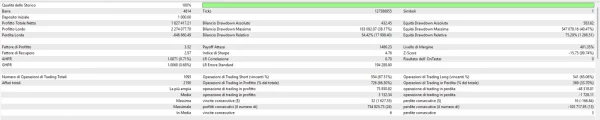
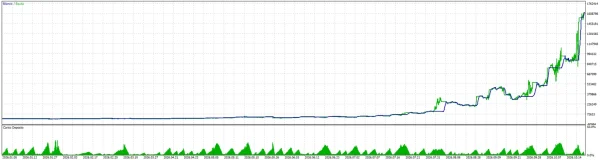
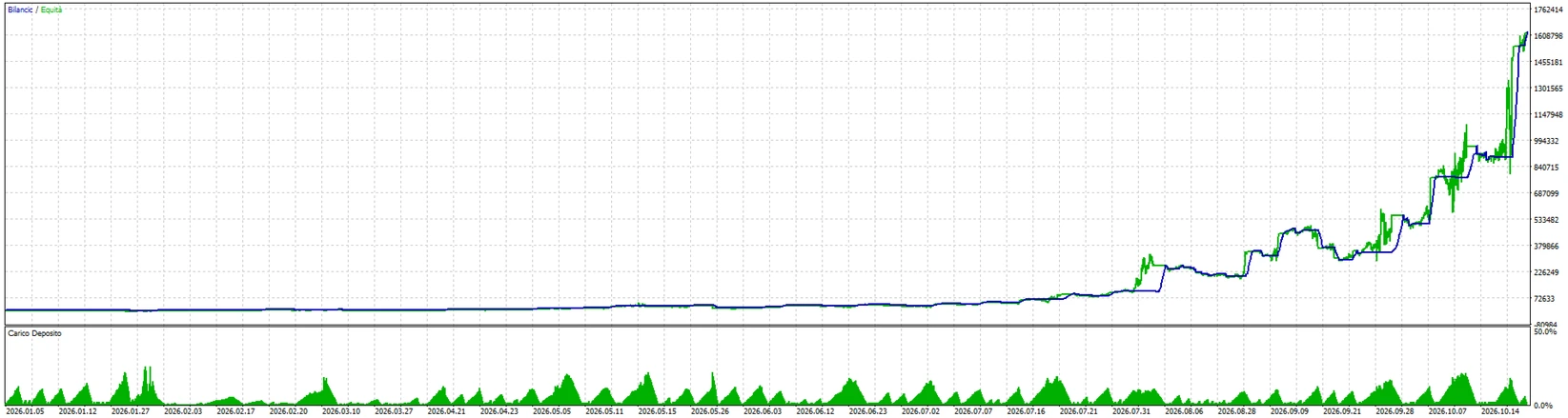
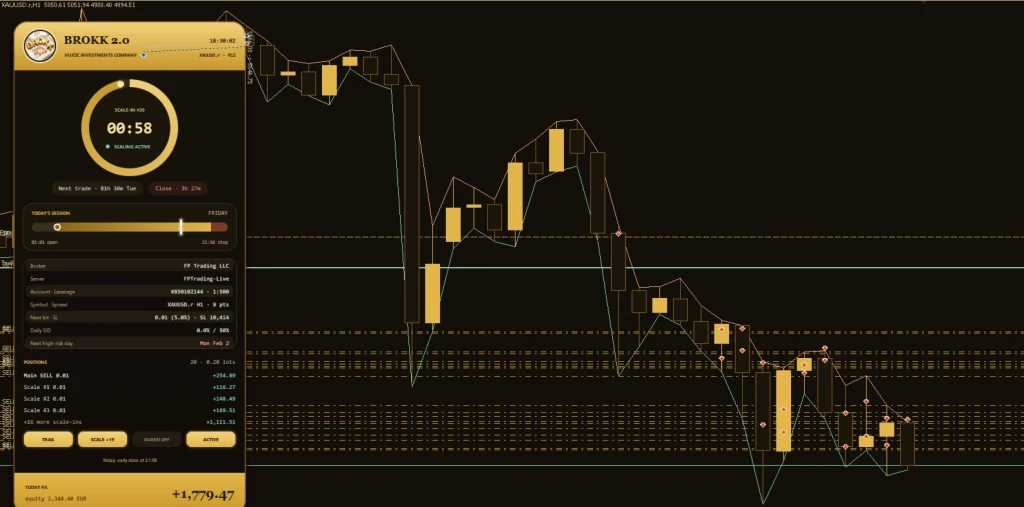
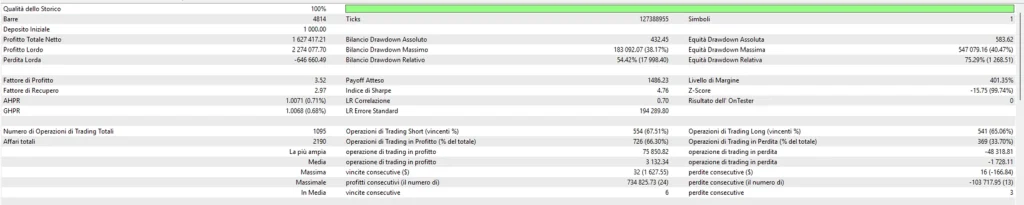
BackTests account evidence:
Public account evidence: BROKK signal
The developer currently links to the
Brokk MQL5 signal.
During our
31 October 2026 review, it displayed
0.34% growth and
−€18.73 profit across
90 trades. The account showed a €200 initial deposit, €713 in additional deposits, no withdrawals and €894.27 balance/equity.
It reported
10.73% relative equity drawdown,
45.82% relative balance drawdown,
70.87% maximum deposit load and a
0.98 profit factor. These are different measures; do not combine them into one “maximum drawdown” claim.
The description identified
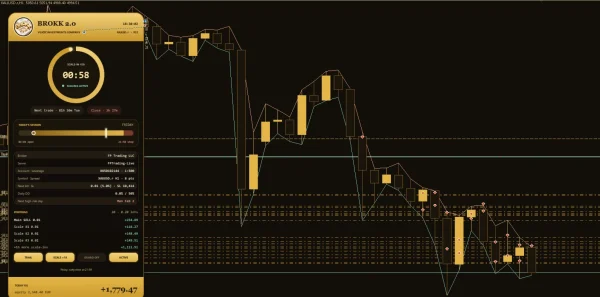
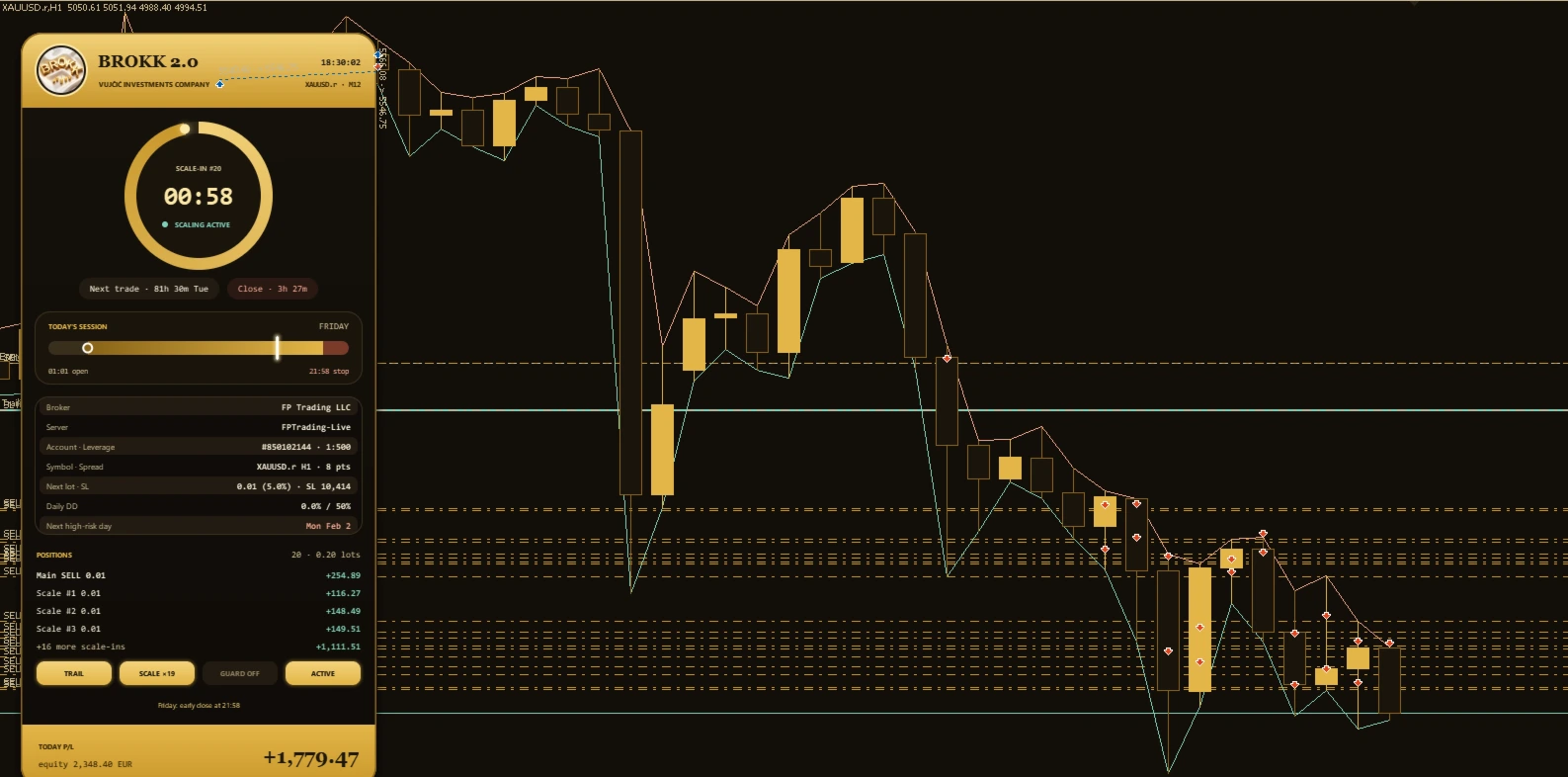
BROKK 2.0 at 10% risk per trade. It therefore does not establish v1.70 results. The page also warned that the account was newly opened and that much of its growth occurred in one day.
How to interpret that evidence
The small positive growth percentage and negative money profit are both platform-reported figures. Deposit timing can affect percentage calculations, so do not replace one metric with the other.
A high deposit load indicates substantial margin use on that account. It is not a suggested setting for a new buyer.
Review the current
signal statistics and trading history directly. Neither a short record nor a newer version’s results predicts what your setup will do.
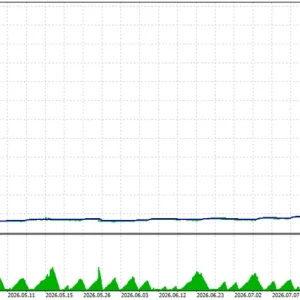
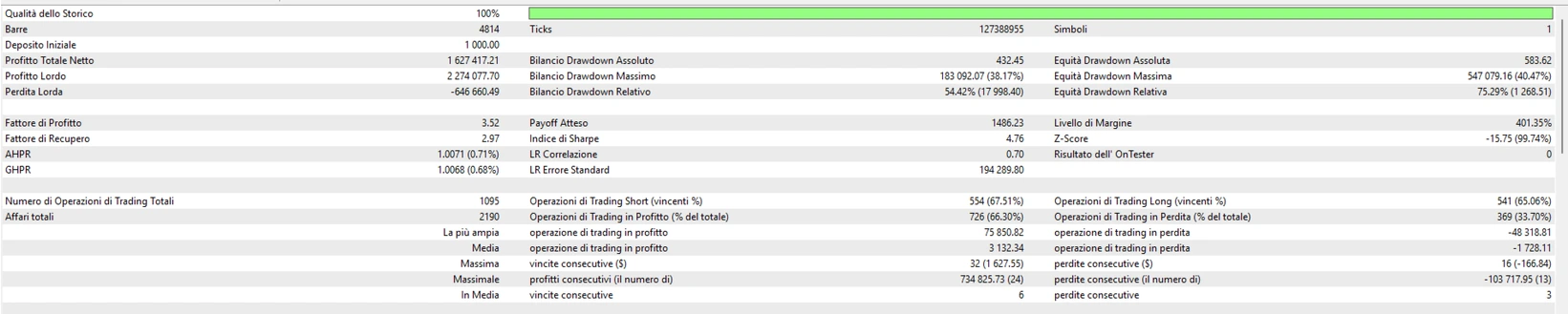
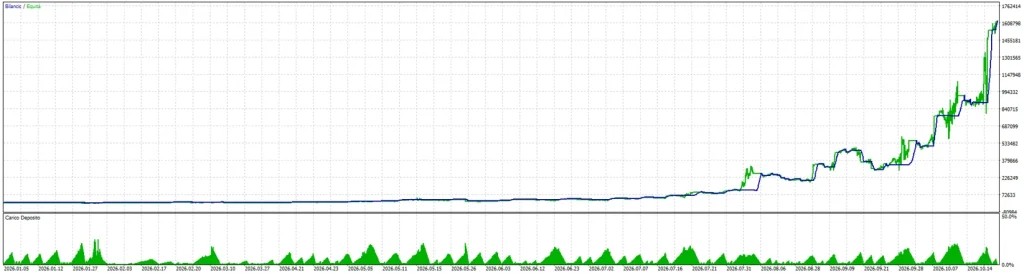
What about the large backtest profits on other pages?
A backtest is a simulation using historical data. It is useful for checking behaviour, but it is different from live trading.
Before relying on a report, look for the exact version, date range, broker data, tick model, spread, commissions, leverage, lot mode and preset. Check the equity curve as well as closed results.
Very large compounded returns deserve particular care. A small difference in execution, trade size or losing sequence can change the outcome substantially.
We do not present reseller backtest figures as independently verified results for this v1.70 offer.
DLL requirements and VPS compatibility
Several reseller listings describe a DLL-based package. This does not establish the requirements of the file supplied with this offer.
Check the actual package before choosing hosting. MetaTrader’s built-in virtual hosting does not allow DLL calls. A package that requires them needs a compatible environment, such as a suitable Windows setup, instead.
See the
MetaTrader virtual-hosting rules. Enable only the permissions required by your supplied instructions.
How to install BROKK Intraday in MT5
- Open the MT5 terminal you intend to use.
- Select File → Open Data Folder.
- Put the EA program in MQL5 → Experts.
- Place any required supporting files as directed by the package instructions.
- Refresh Navigator → Expert Advisors, or restart MT5.
- Open the chart specified for your v1.70 setup.
- Attach the EA and review trade sizing, stop settings, scaling and session times.
- Start on a demo account and check the Experts and Journal tabs.
Our
MT5 EA installation guide explains the file-placement process.
If you use a compatible preset, follow our
guide to loading a SET file in MT5. A preset saves input values; it does not install the EA or guarantee suitable risk.
Delivery, updates and support
Our
Delivery & Downloads page explains general order access. After payment and any required order review, check your account downloads and checkout email, including spam.
For an installation problem, contact
Product Support with your order number, EA version, MT5 build, symbol and exact error message. Never send your trading password.
Check this offer’s file list and purchase terms for activation, included presets and update coverage.
Refund policy
Read our
Refund Policy before buying.
A reproducible technical fault is different from a robot that runs correctly but makes losing trades. Trading losses do not, by themselves, establish a software defect. Applicable legal rights still apply.
Frequently asked questions
Is BROKK a grid or martingale EA?
The developer describes adding to profitable, protected positions. That differs from averaging into losses or increasing size to recover a loss. Check the behaviour of the actual file and configuration before live use.
Is v1.70 the latest version?
No. The official listing showed v2.10 during this review. This product offer is for v1.70.
Are SET files included?
Review the file list for this offer before purchasing. Only use a preset confirmed for the supplied release and intended account conditions.
Does the current signal prove v1.70 is profitable?
No. Its description identifies BROKK 2.0, and the record is short. It should be assessed as separate, version-specific account evidence.
Is it suitable for a prop-firm account?
Check the firm’s current rules and test the full configuration. Session controls and stops do not establish compliance with daily-loss, total-loss, news or strategy restrictions.
Does a break-even stop guarantee no loss?
No. Costs, slippage, gaps and newer added positions can still lead to an overall loss.
Can I run it on MT4?
This offer is for MetaTrader 5. An MT5 EA program does not run on MT4.
Risk notice: Leveraged trading can cause substantial losses. Adding positions increases exposure, even when the first trade is profitable. Past or simulated results do not guarantee future returns.