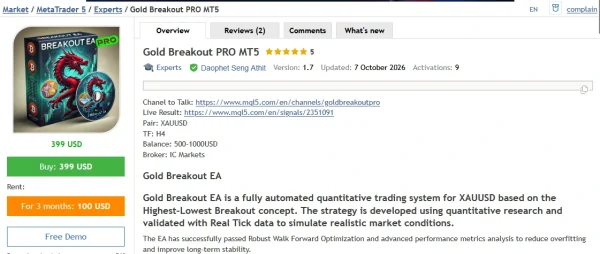
Gold Breakout PRO is an Expert Advisor by Daophet Seng Athit. It looks for breakout trades when gold moves above a recent price high or below a recent price low. Some breakouts reverse soon after entry, so the strategy can lose money even when it follows its rules.
The developer describes stop-loss, take-profit and cut-loss controls, and says the EA does not use grid or martingale trading. Check the position size and exit settings before trading. Stops can fill at a different price during fast moves or gaps.
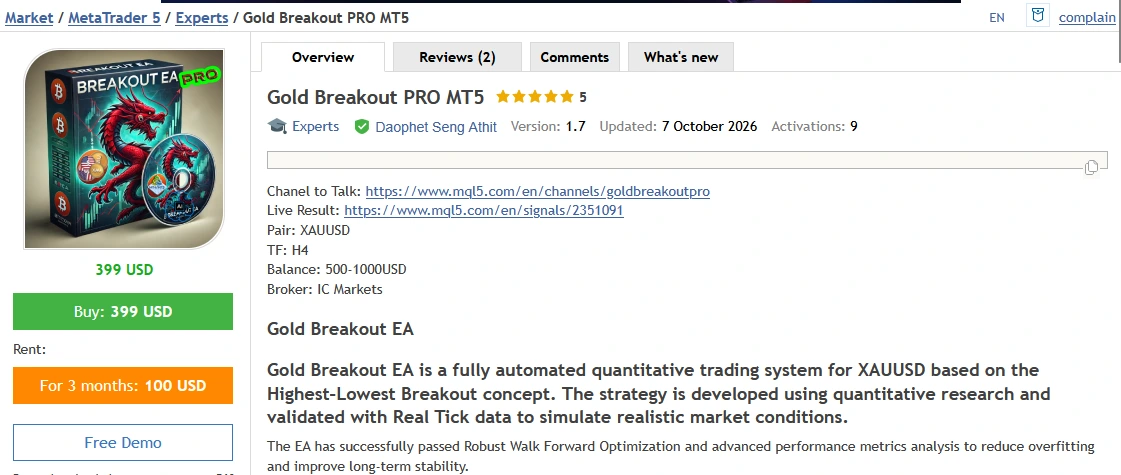
Platform: MT5 desktop ·
Symbol: XAUUSD (gold) ·
Chart: H4 (four hours)
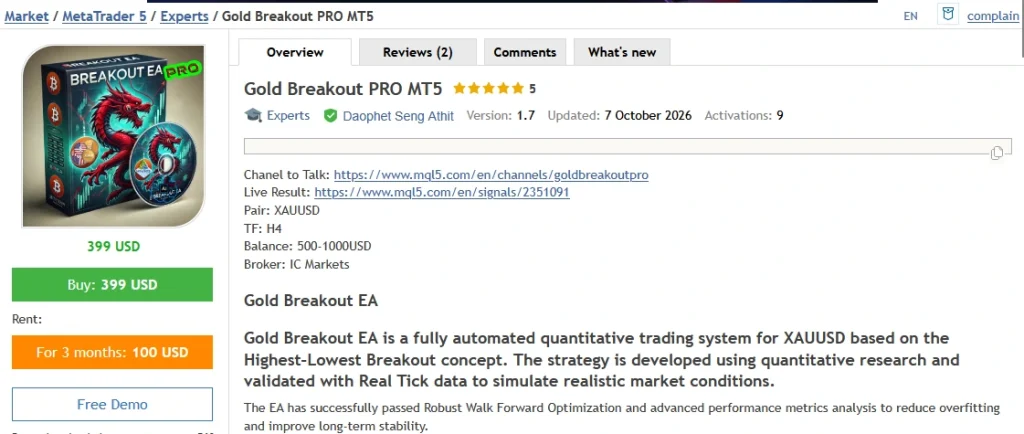
Gold Breakout PRO MT5 settings and requirements
| Setup detail |
Developer’s published reference |
| Platform |
MetaTrader 5 |
| Trading symbol |
XAUUSD |
| Chart timeframe |
H4 (four hours) |
| Account balance reference |
USD 500–1,000 |
| Broker listed |
IC Markets |
| Developer’s listed version |
v1.7, checked 14 November 2026 |
The balance range is a setup reference. It is not a universal minimum deposit or a guarantee of suitability. Check your broker’s minimum lot, gold contract size and margin requirements. IC Markets is the developer’s reference, not a promise that the EA works with every broker or account.
What comes with your order?
| Package detail |
ForexEaTools offer |
| EA file |
ex5 |
| Version |
1.7 |
| SET files |
Use default settings |
| Licence |
Unlimited |
| Expiry |
No |
| DLL |
No |
| Delivery |
Digital — see Delivery & Downloads |
| Updates |
Lifetime |
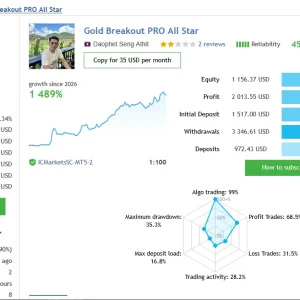
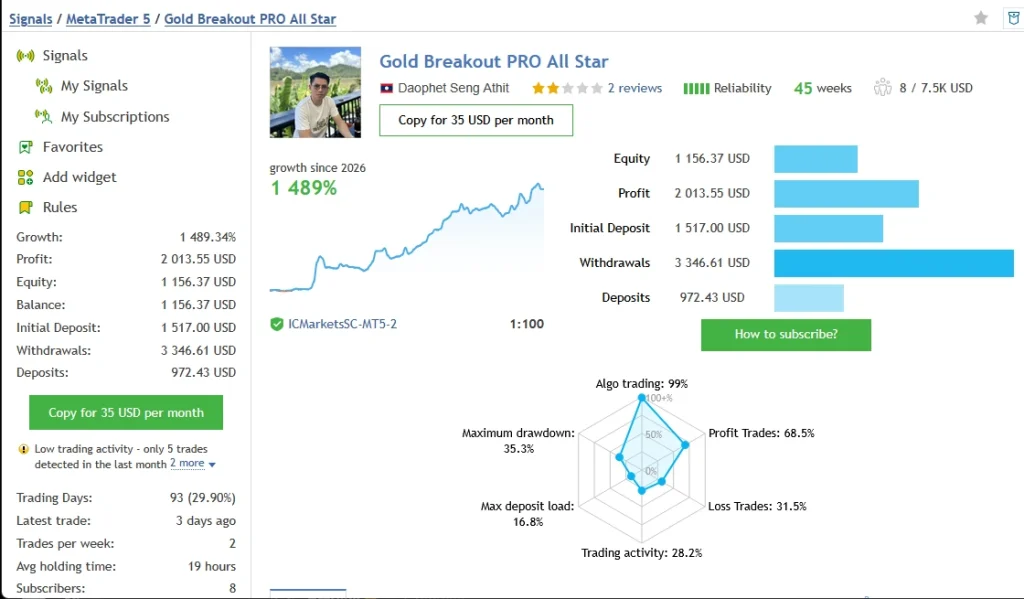
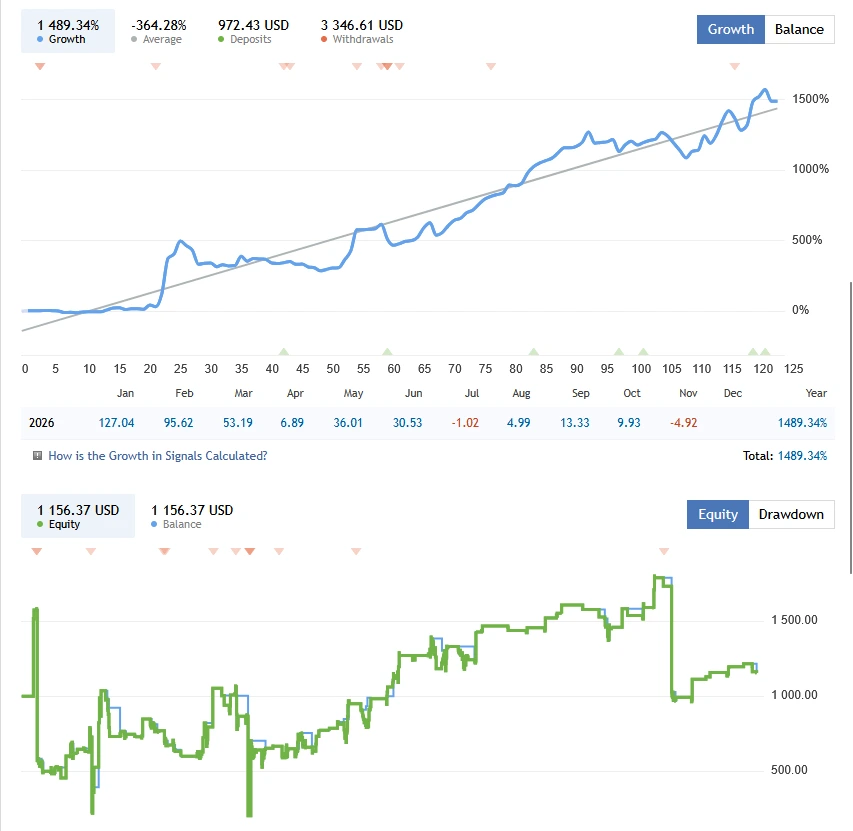
Gold Breakout PRO live results and drawdown
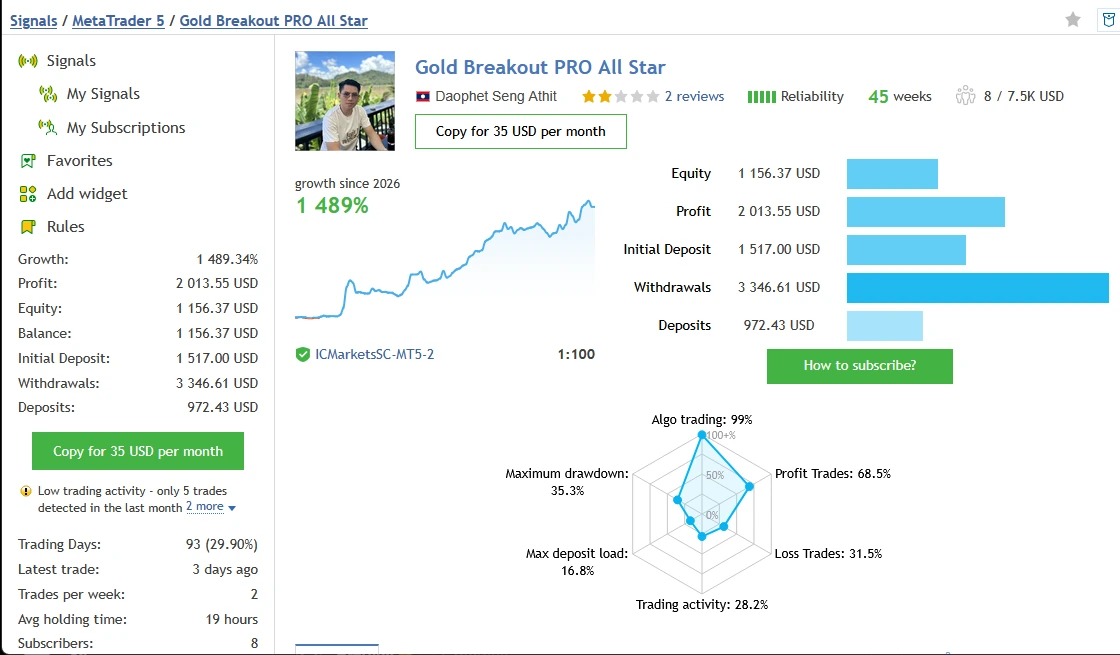
The developer links to the
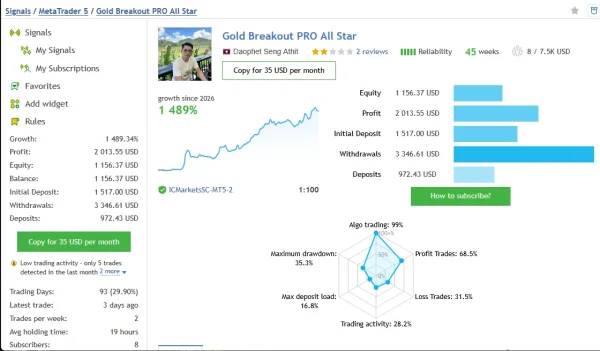
Gold Breakout PRO All Star signal. This snapshot was checked on
14 November 2026.
| Signal metric |
MQL5 snapshot |
| Reported growth |
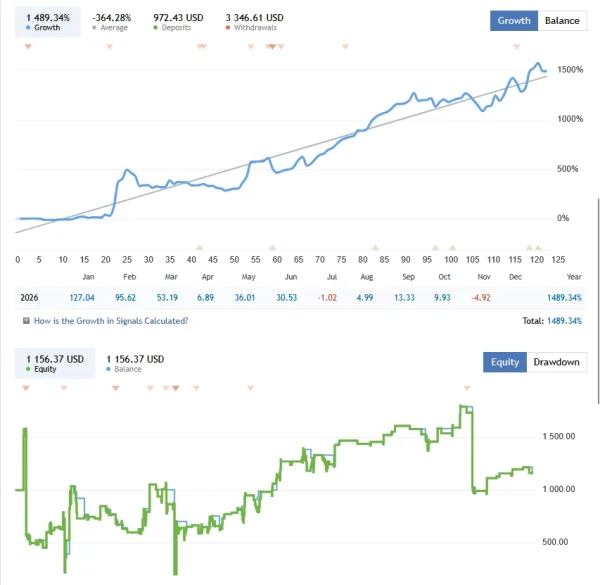
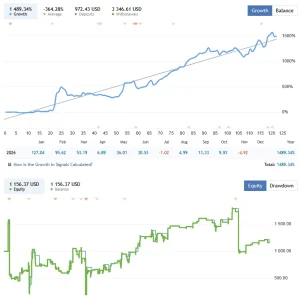
+1,489.34% |
| Relative equity drawdown |
24.99% |
| Relative balance drawdown |
35.31% |
| Reported profit |
$2,013.55 |
| Initial deposit |
$1,517.00 |
MQL5 reported that
80% of growth came within 10 days. It also flagged low recent trading activity and noted that the account’s leverage changed. The growth figure is a performance measure, not the current account balance. This account also had deposits and withdrawals.
The account history began before the v1.7 update. Its full results cannot establish how v1.7 alone performed or how your copy will perform. The signal description lists
3.5% risk per trade for that account; check your own EA inputs rather than assuming it is the default. Past performance does not guarantee future returns.
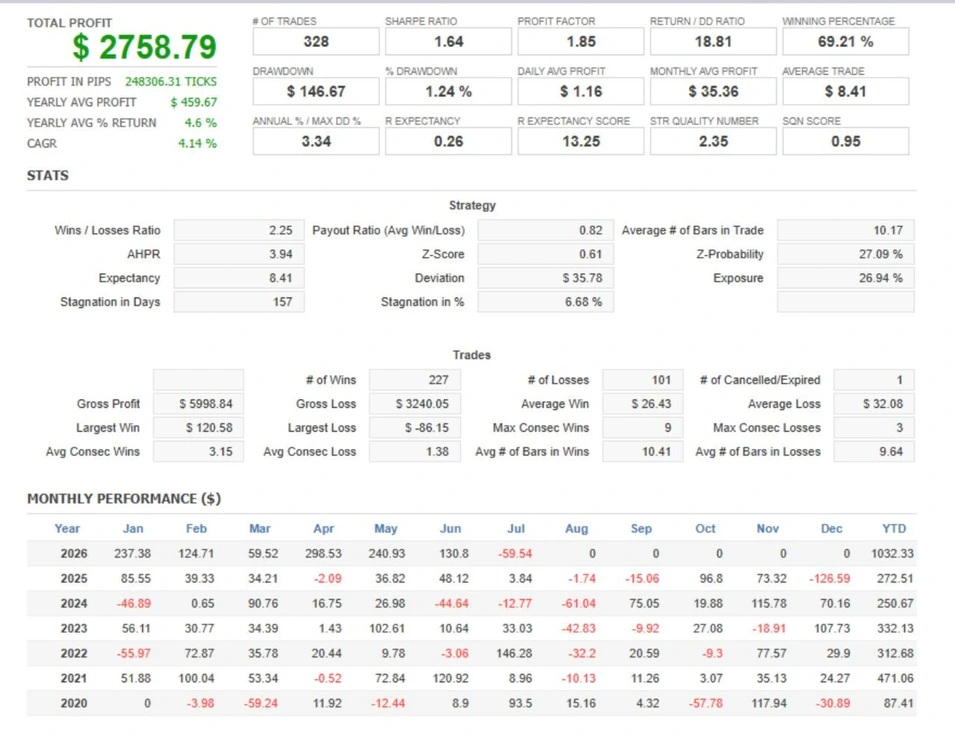
How are the backtests different?
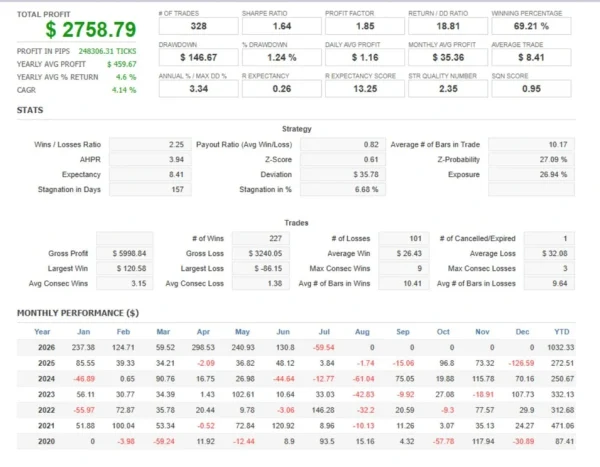
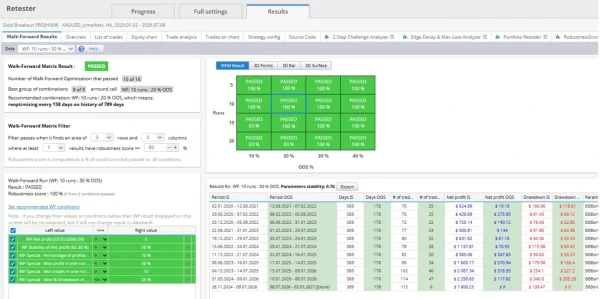
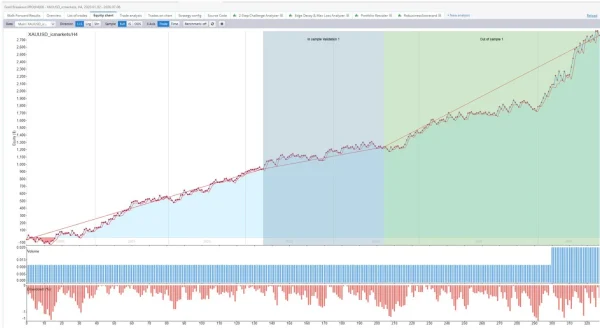
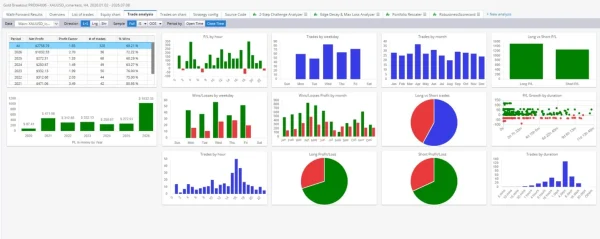
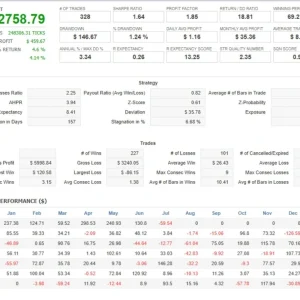
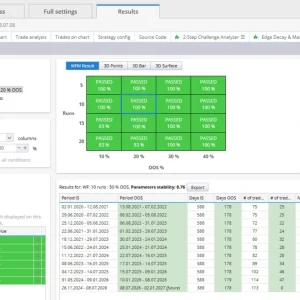
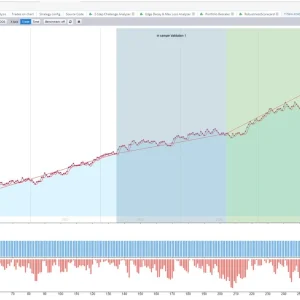
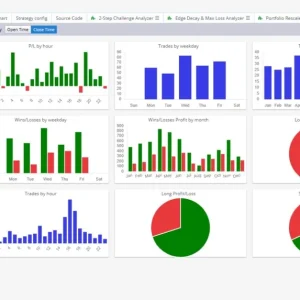
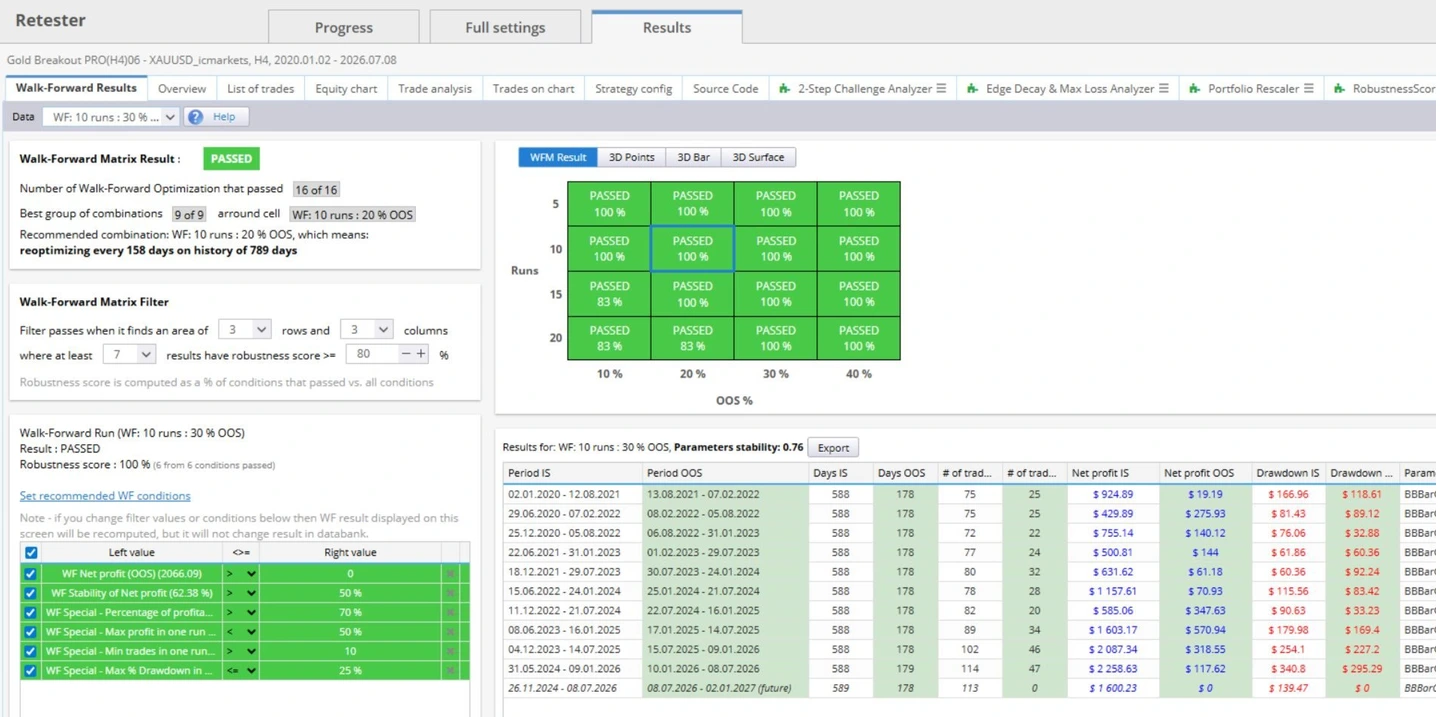
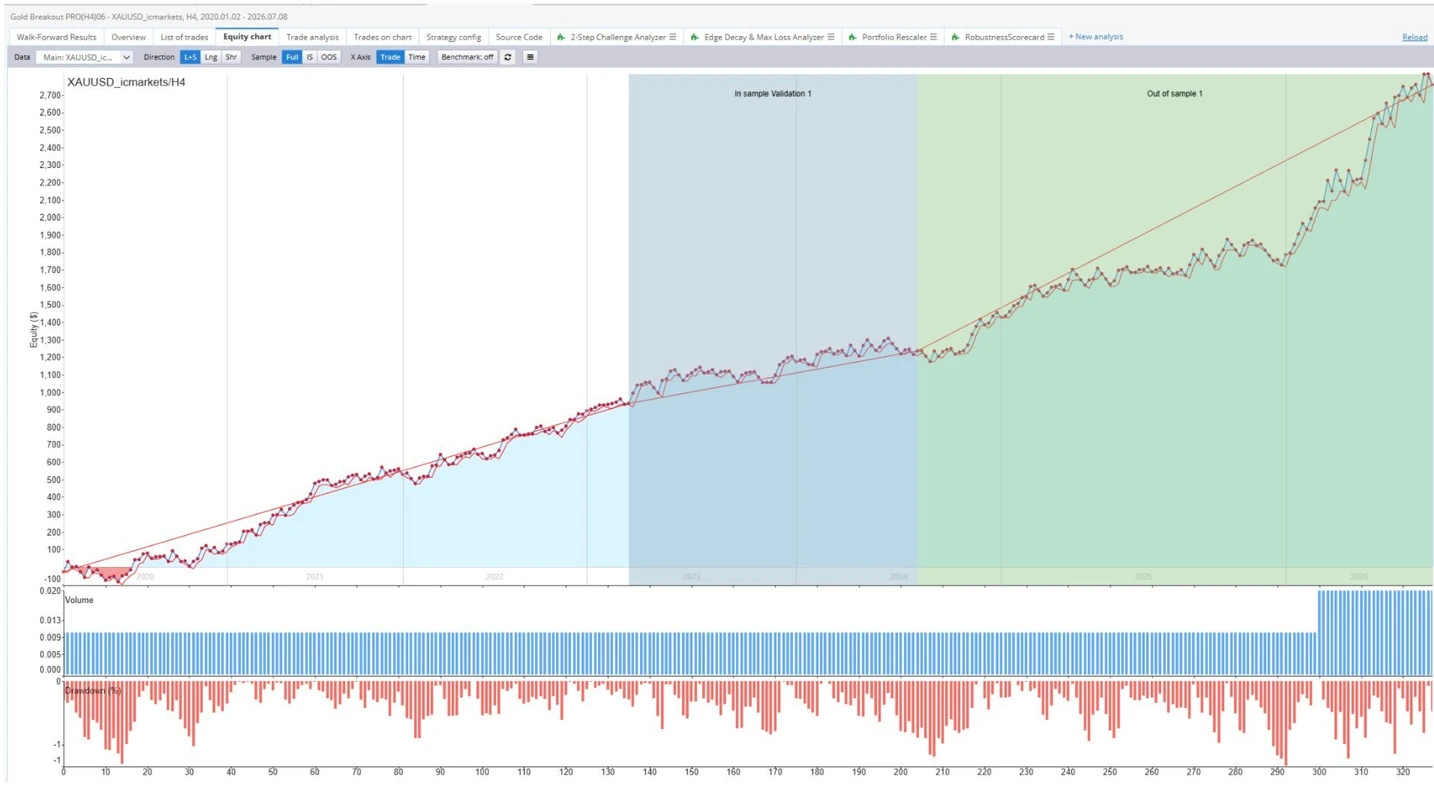
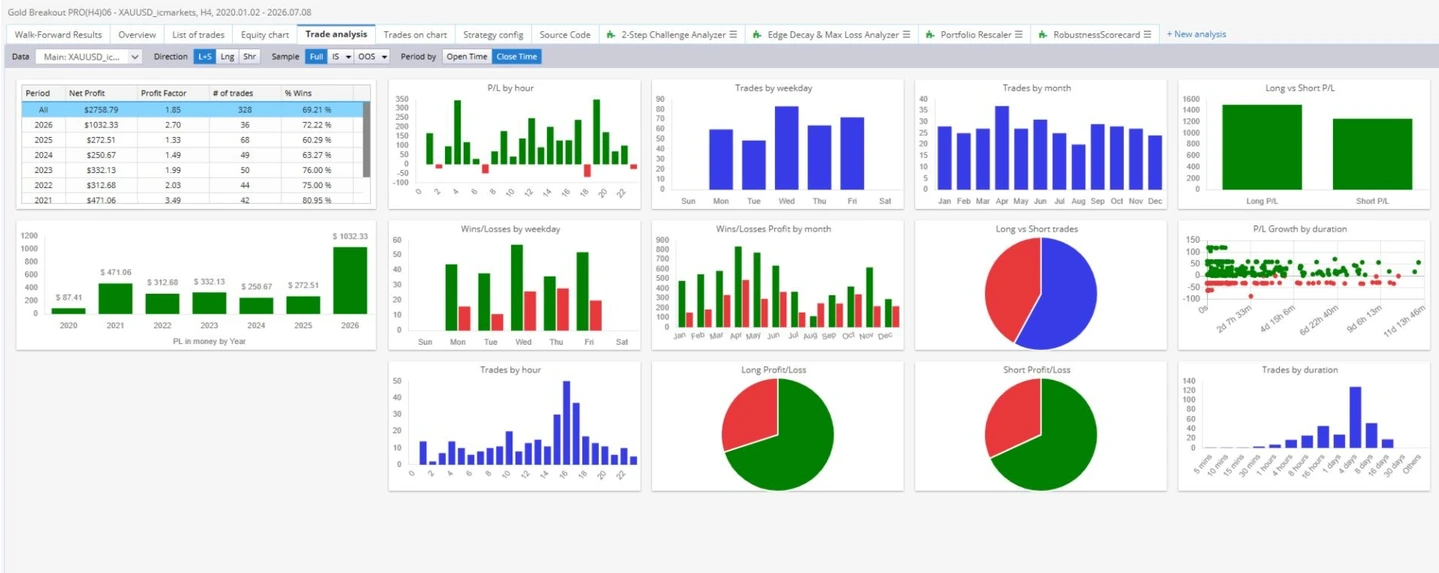
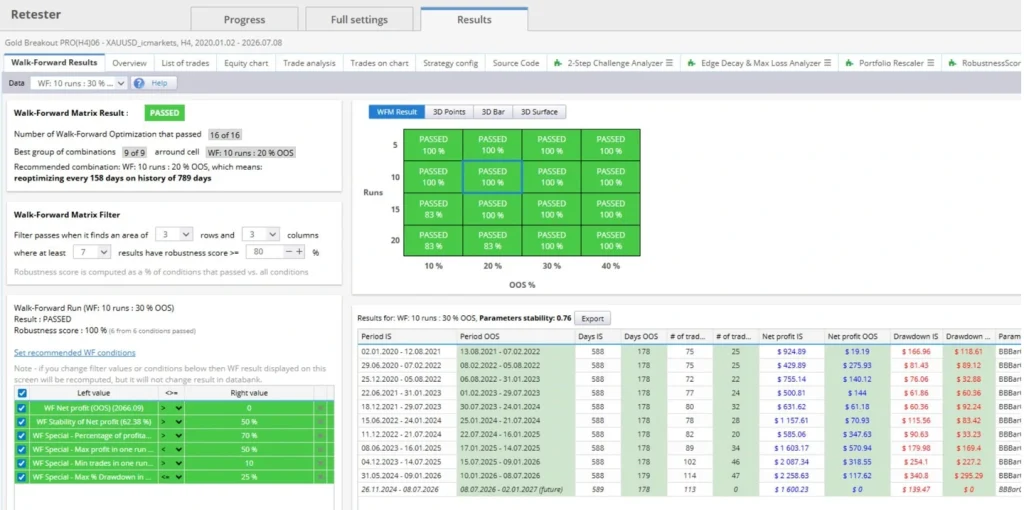
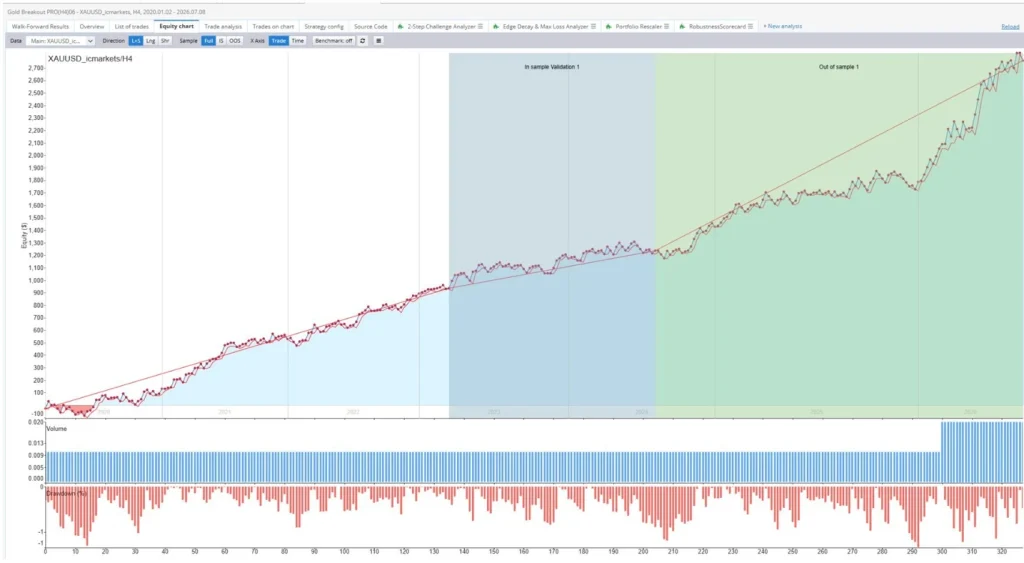
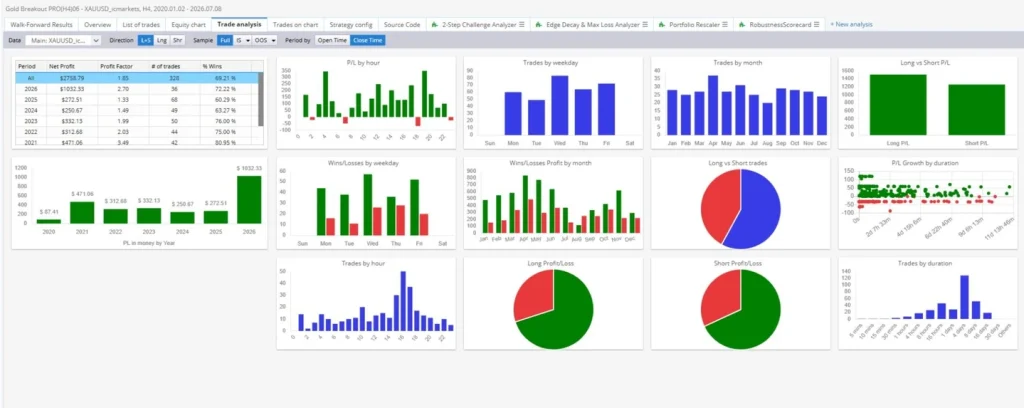
The developer describes historical testing with real tick data and checks across different periods. These are simulations. The public signal is a separate account record. Neither tells you how the EA will perform with your broker, settings or trade size.
Gold Breakout PRO Backtest
How to install Gold Breakout PRO in MT5
- Follow the MT5 Expert Advisor installation guide to install the supplied file.
- Open your broker’s gold chart and select H4.
- Attach the EA and review the trade size, risk and exit settings.
- If your package includes a matching preset, load the SET file in MT5 and review the imported values.
- Enable Algo Trading when ready to test on demo. Check the Experts and Journal tabs for errors.
Delivery, updates and support
Use
Delivery & Downloads to access your order. Check the package table for updates. For installation help, contact
Product Support with your order number, EA version and error message. Read our
Refund Policy before buying.
Frequently asked questions
Should I use H1 or H4?
Use
XAUUSD on H4 for the developer’s published setup. Follow the instructions provided for your exact version.
What is the minimum deposit?
The developer lists
500–1,000 as a balance reference. How much margin you need depends on your broker, the gold contract and your position size. Test the intended settings on demo first.
Are SET files included?
Check the package table. A SET file contains saved settings. It does not install the EA or guarantee the same results as a public signal.
Will it run on MT4?
This offer is for
MetaTrader 5. An MT5 EA does not run on MT4.
Why is the EA not opening trades?
A breakout setup may take time to appear. Check the gold symbol, H4 chart, Algo Trading permissions and the Experts and Journal tabs before changing settings.
Can I use it on a prop firm account?
Check the firm’s current rules on third-party EAs and loss limits. The developer’s references to challenge testing do not establish firm approval or guarantee a pass.