What is OilVector X MT5?
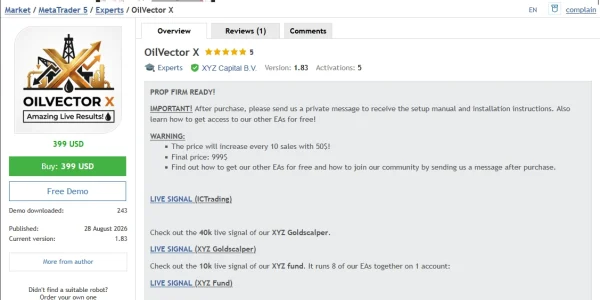
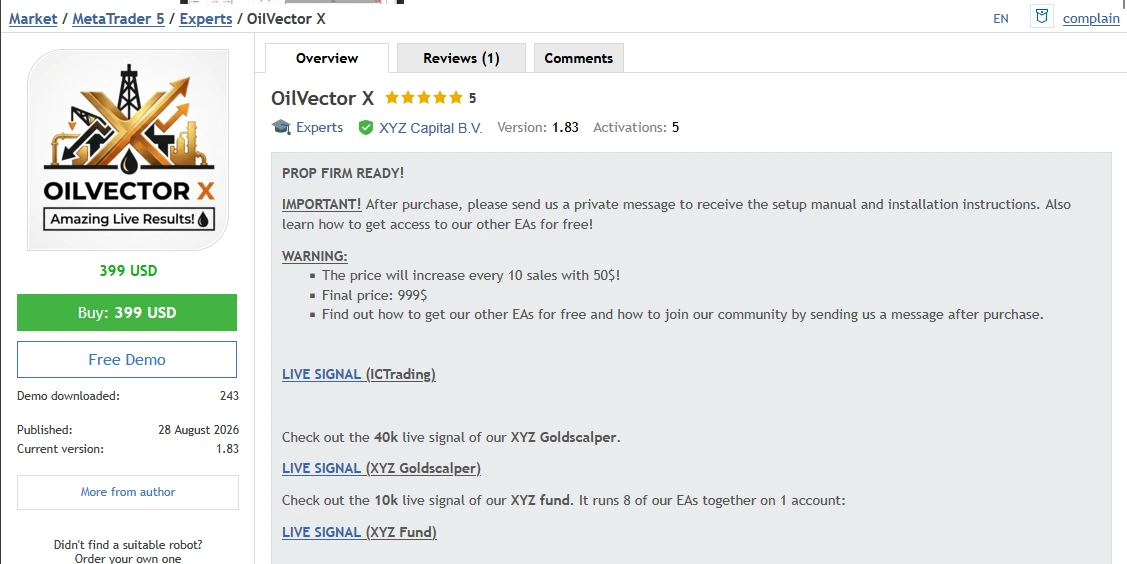
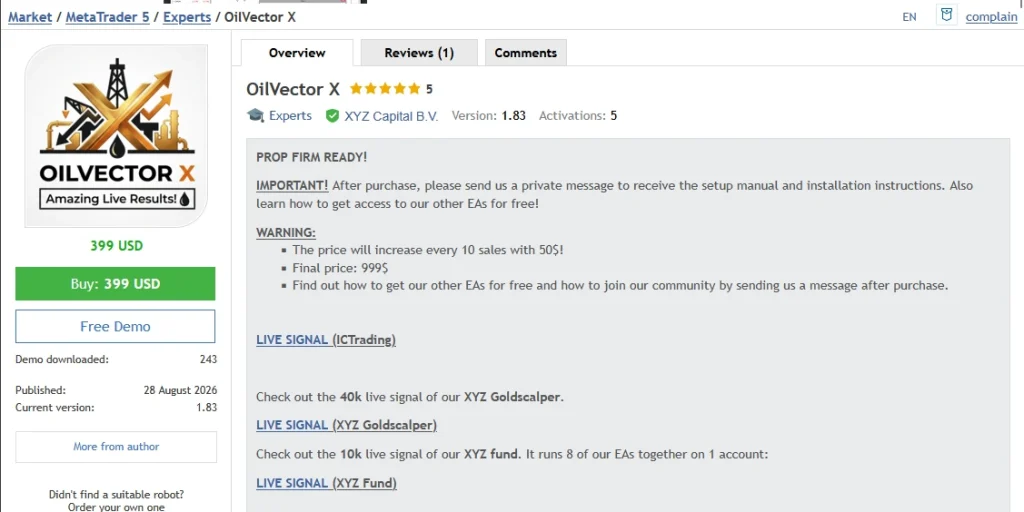
OilVector X is an Expert Advisor (EA) from XYZ Capital for trading WTI crude oil in MetaTrader 5. It looks for breakouts around daily price levels. If the price breaks out and then quickly reverses, the trade can lose money.
The
developer’s MQL5 listing describes a stop loss and a fixed take-profit level on each trade, with no grid or martingale recovery. A stop loss can fill at a different price during a gap or fast move, so it does not guarantee an exact loss amount.
OilVector X settings and broker requirements
| What to check |
Developer guidance |
| Platform |
MetaTrader 5 desktop |
| Market |
WTI crude oil |
| Broker symbol |
Often XTIUSD, USOUSD or WTI; names vary |
| Chart timeframe |
The developer says chart timeframe does not change strategy timing |
| Broker reference |
Darwinex preferred; IC Markets or IC Trading named as alternatives |
| VPS |
Recommended to keep MT5 running |
| Developer version |
v1.83 when checked; see the package below for the version you receive |
Look up the symbol’s description in MT5 before attaching the EA. Confirm it represents
WTI crude oil, rather than Brent or a different contract type. Compare the minimum lot, contract size, spread, overnight costs and trading hours. The developer says results are broker-sensitive, so start on demo with the same broker and symbol you plan to use.
What is the minimum deposit for OilVector X?
The developer uses
$1,000 or more as a backtest starting balance. The live setup guidance ties the minimum balance to the lot-sizing mode and risk setting. A backtest starting balance is not a universal live-account minimum. Check your broker’s contract size, minimum lot and margin on demo before funding an account.
OilVector X MT5 Live Results on MQL5
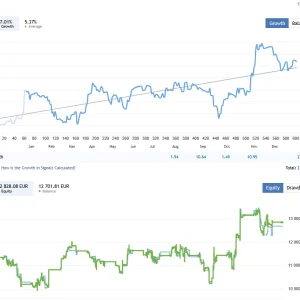
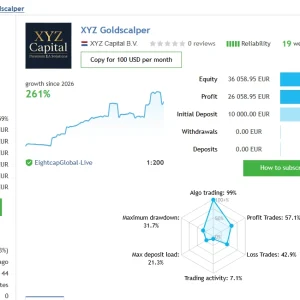
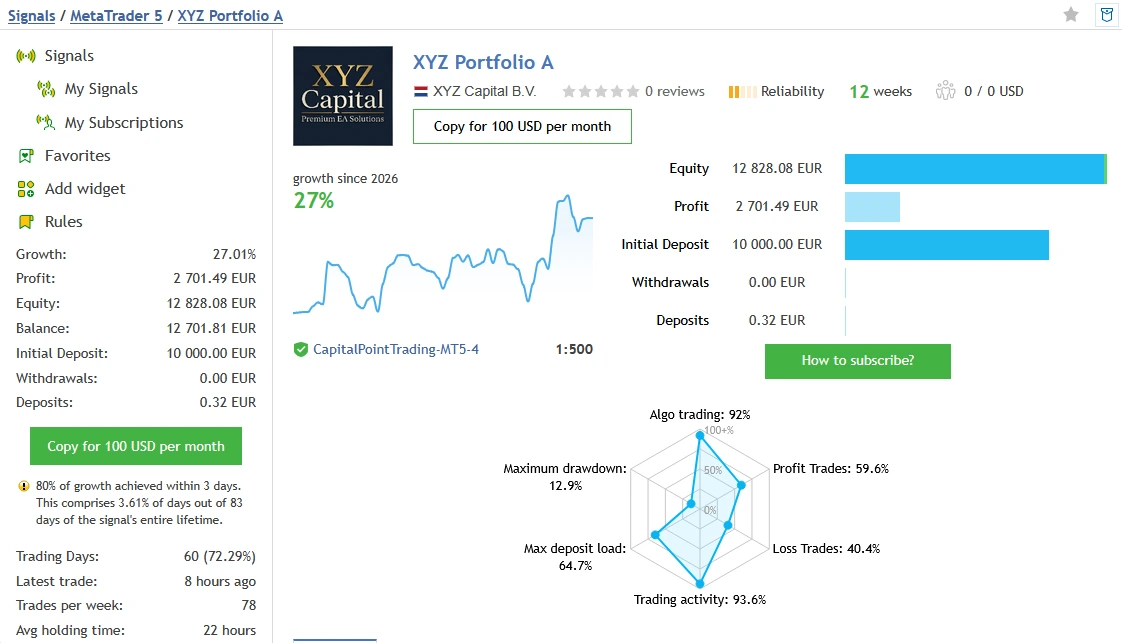
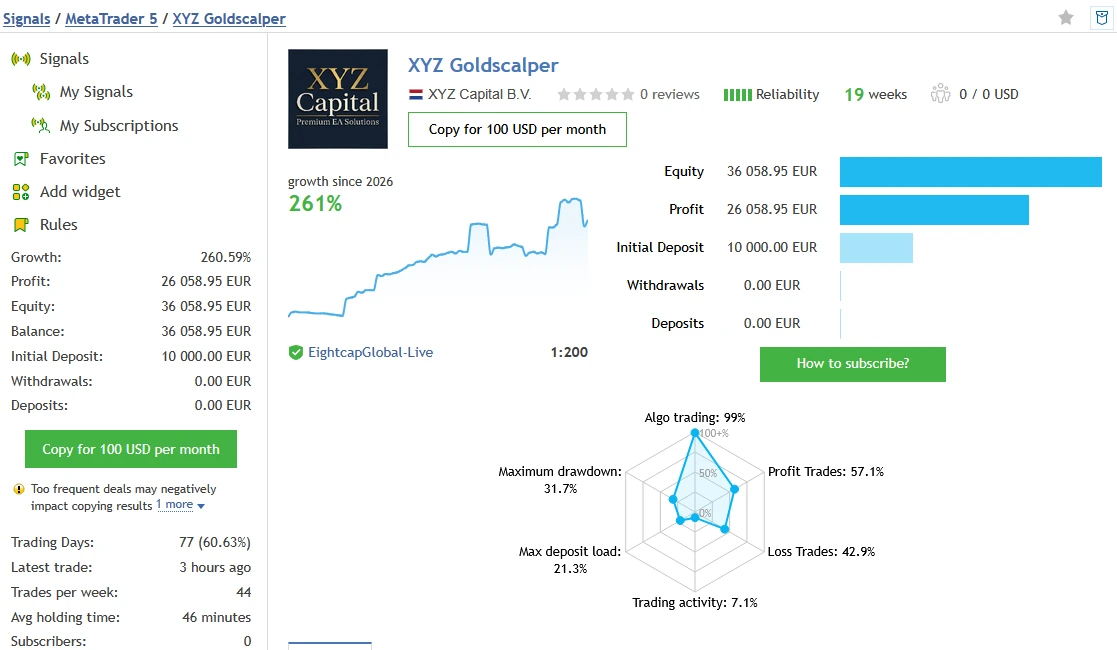
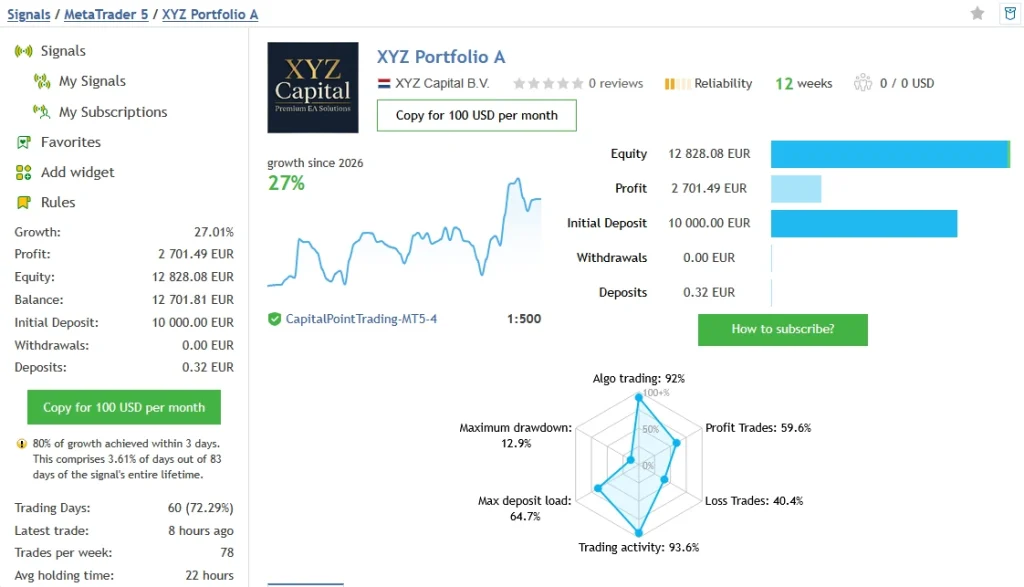
XYZ Capital publishes three public trading records relevant to this page.
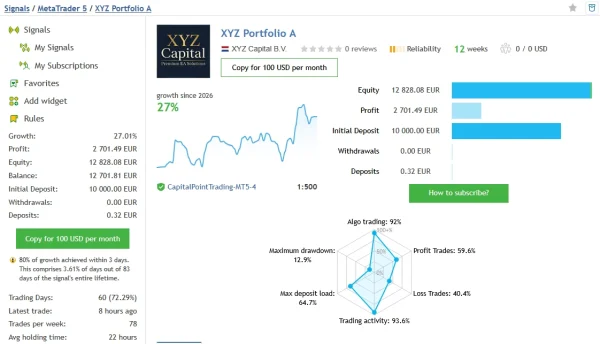
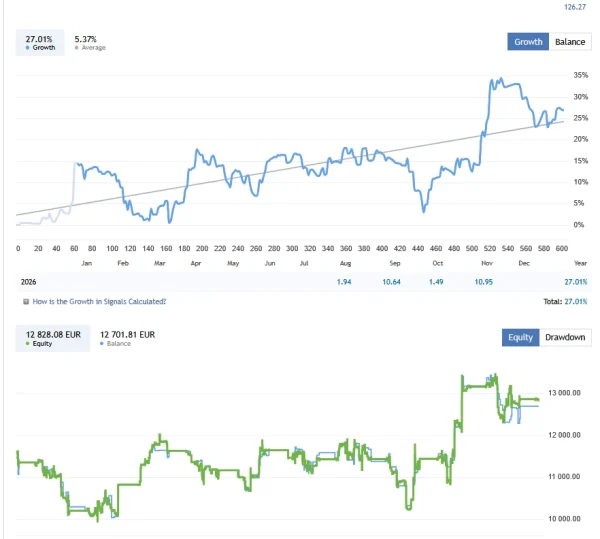
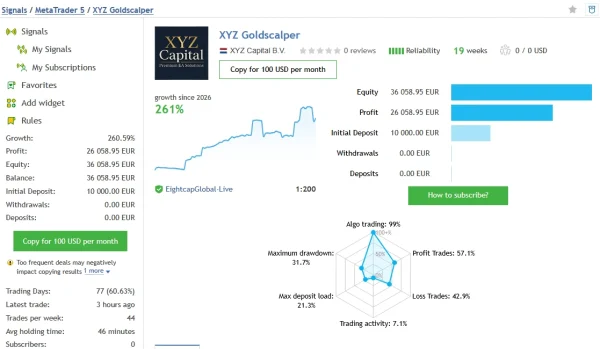
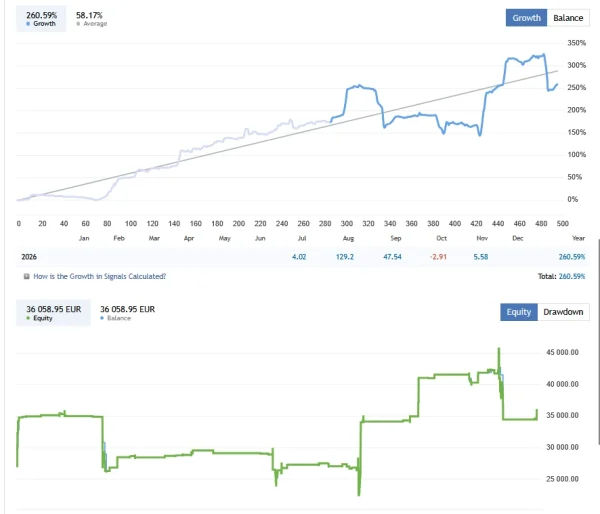
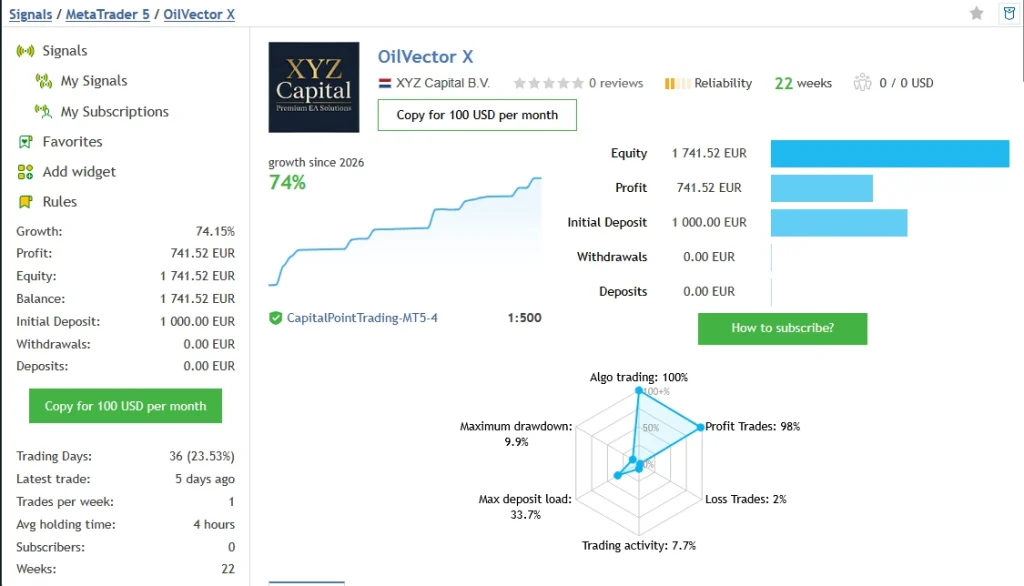
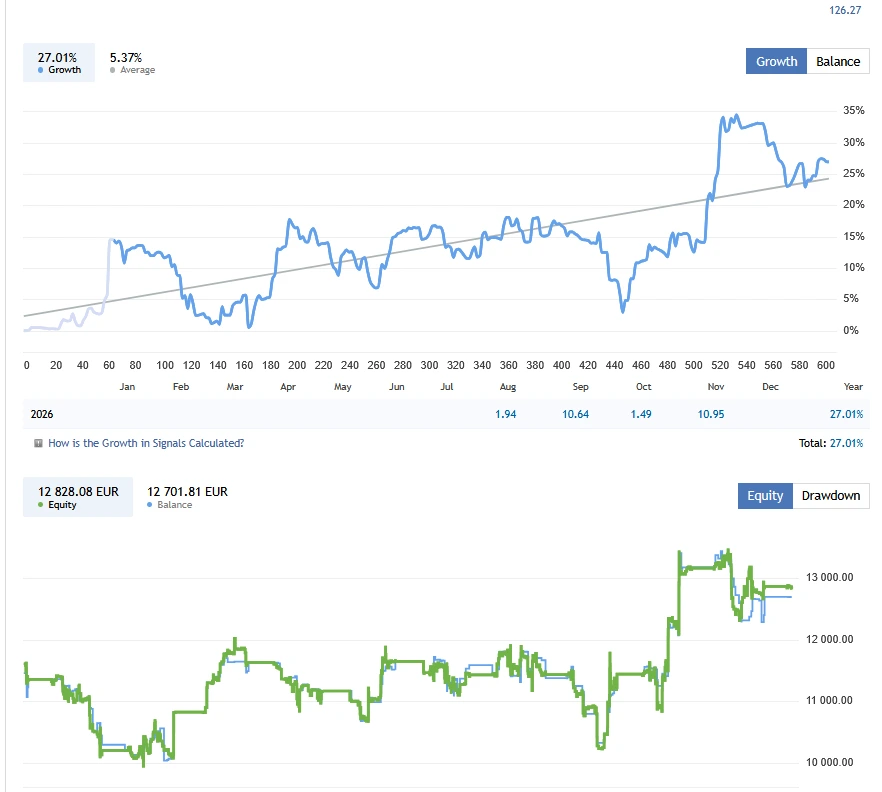
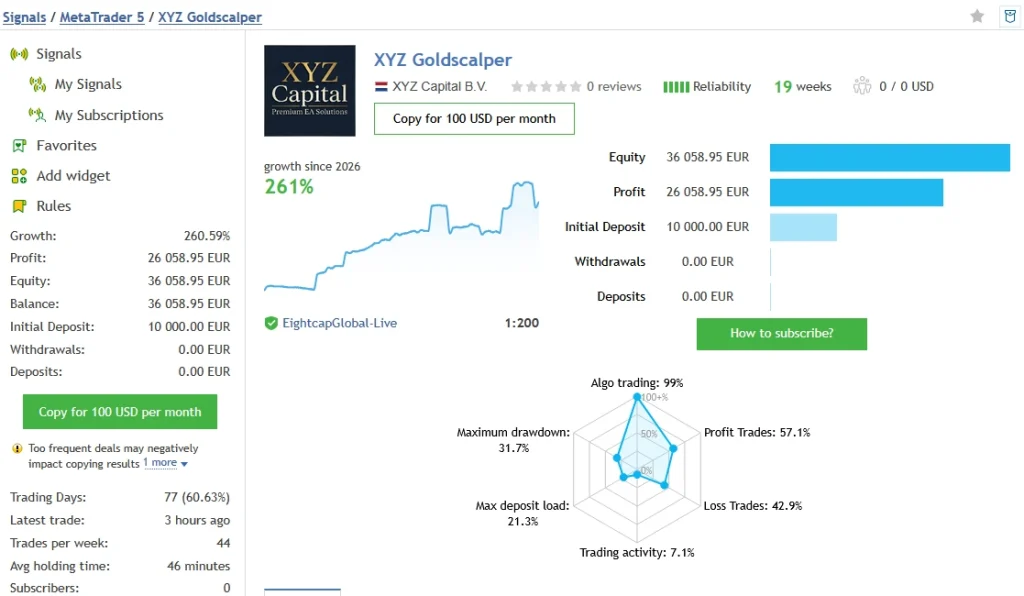
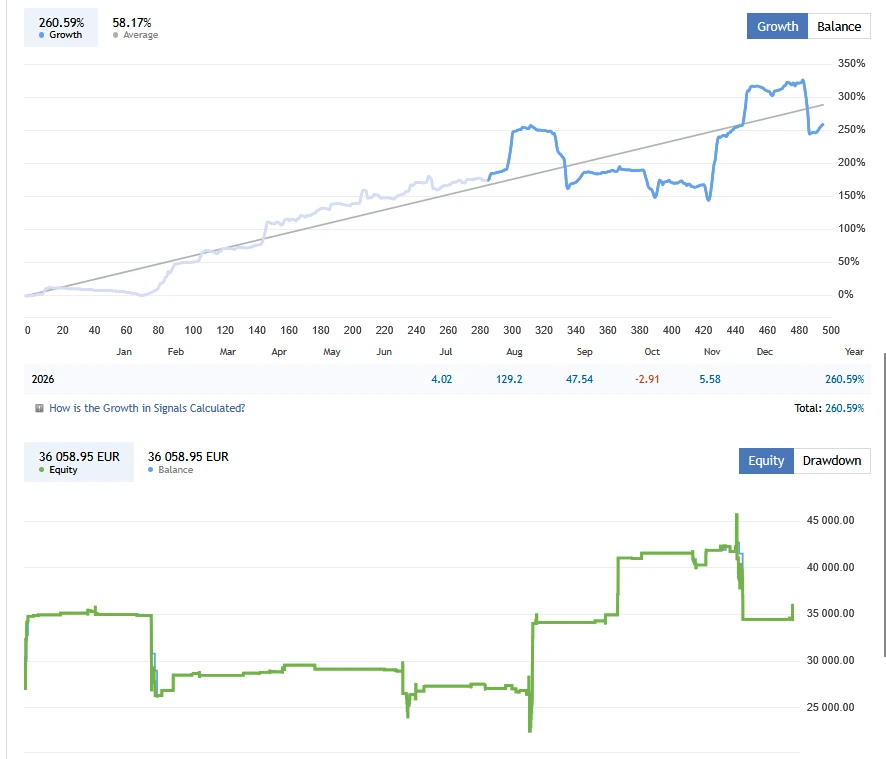
OilVector X is the account to review for WTI oil performance. XYZ Portfolio A combines several markets, and XYZ Goldscalper tracks a separate gold strategy. Their results should be read separately.
| Public MQL5 signal |
What it tracks |
Reported growth |
Relative equity drawdown |
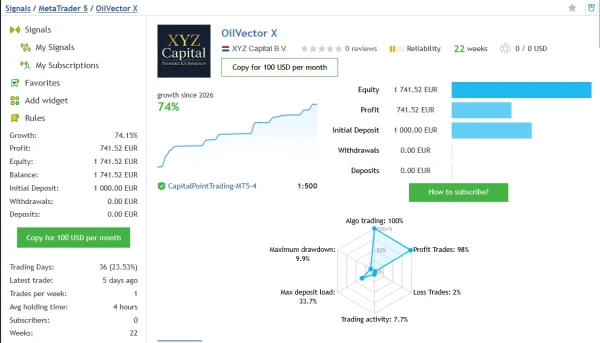
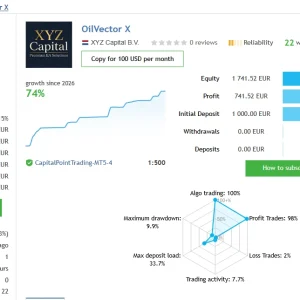
| OilVector X |
Dedicated WTI oil account trading XTIUSD |
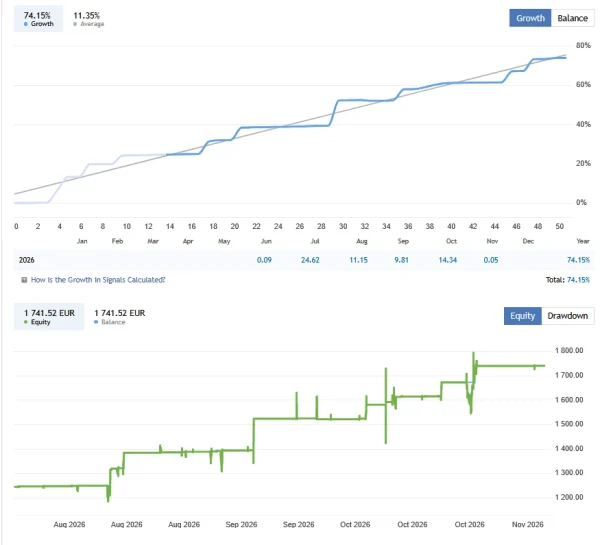
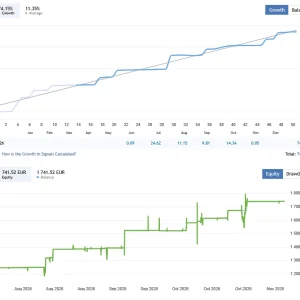
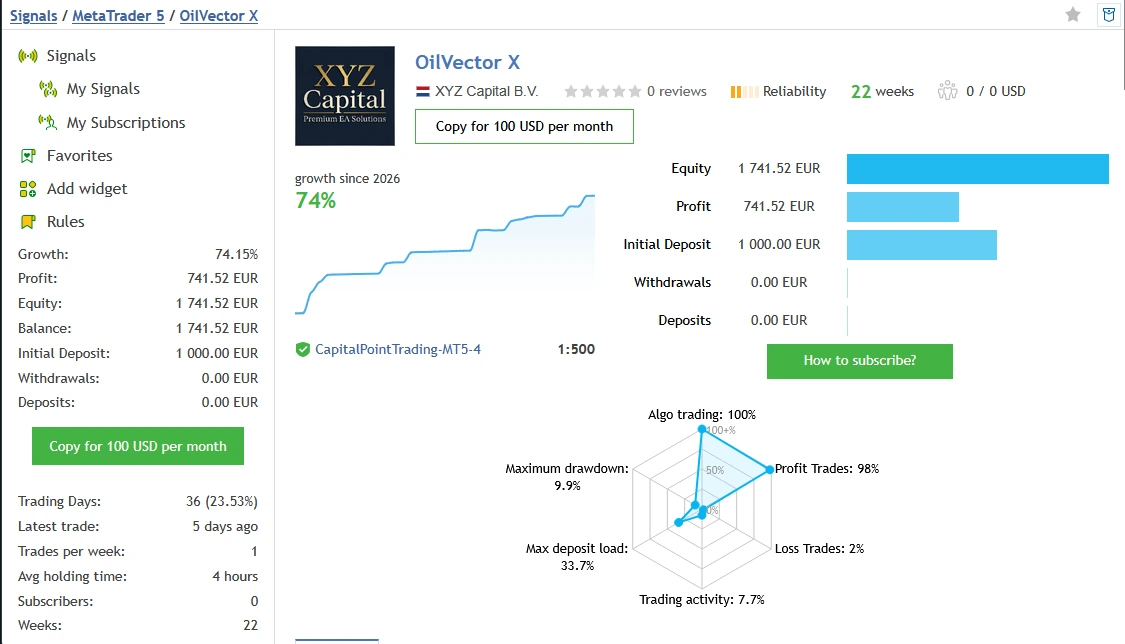
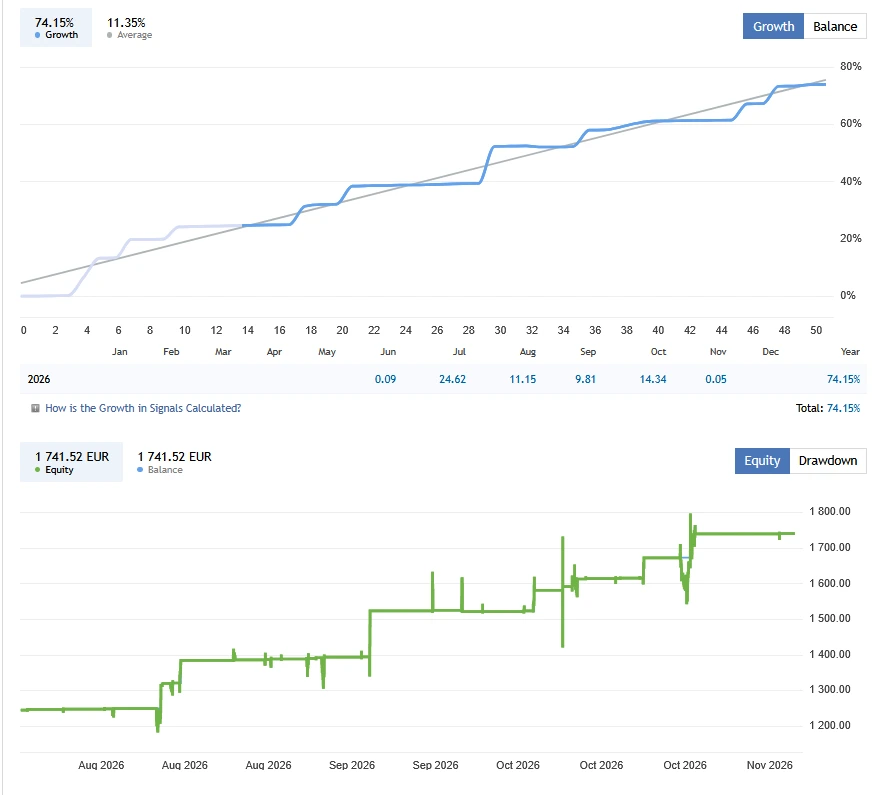
+74.15% |
9.94% |
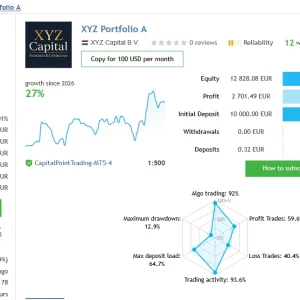
| XYZ Portfolio A |
Mixed portfolio trading oil alongside gold, indices, forex and Bitcoin |
+31.41% |
4.29% |
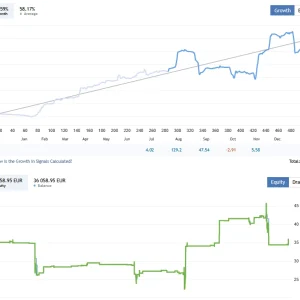
| XYZ Goldscalper |
Separate gold strategy |
+244.89% |
16.15% |
Figures are from the public MQL5 snapshots reviewed on 16 November 2026 and may change.
What should you check before buying?
On the OilVector X account, MQL5 reported
0.23% relative balance drawdown and
9.94% relative equity drawdown. Equity includes gains and losses on open trades, so looking only at the balance would miss part of the risk shown in this record. The account started with
€1,000; that is the signal’s starting deposit, not a minimum deposit for the EA.
Open the OilVector X signal and review its
Equity,
Trading History and
Risks tabs. The figures describe one account using its own broker and settings. Buying the EA is separate from subscribing to the signal, and past results do not guarantee future returns.
OilVector X
XYZ Portfolio A
XYZ Goldscalper
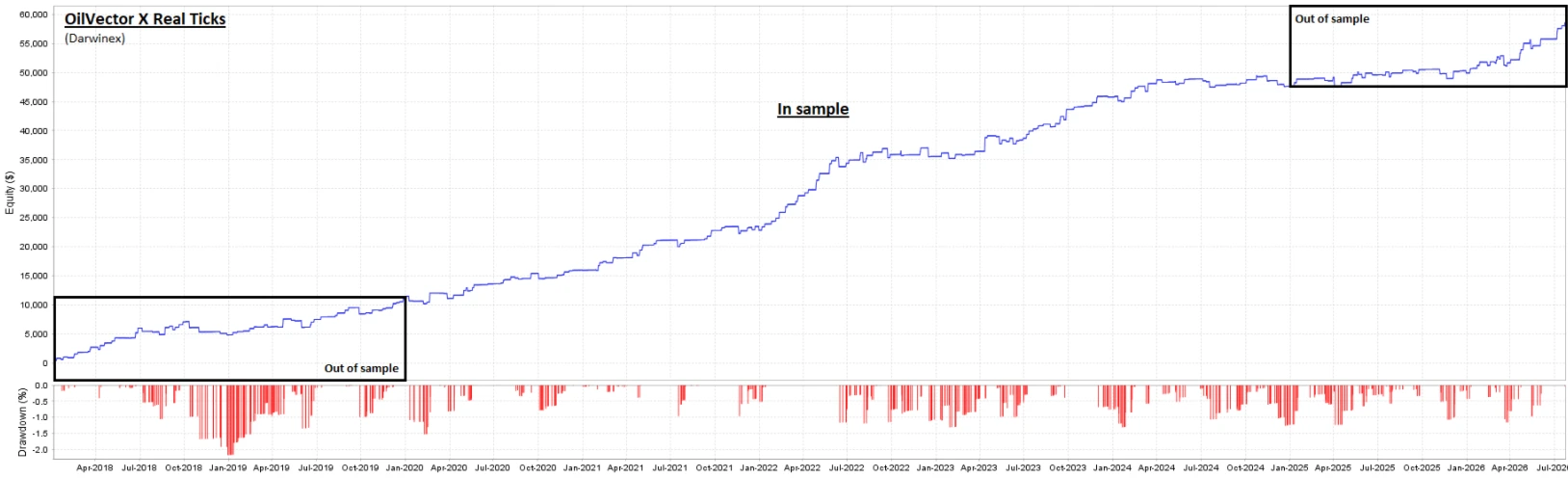
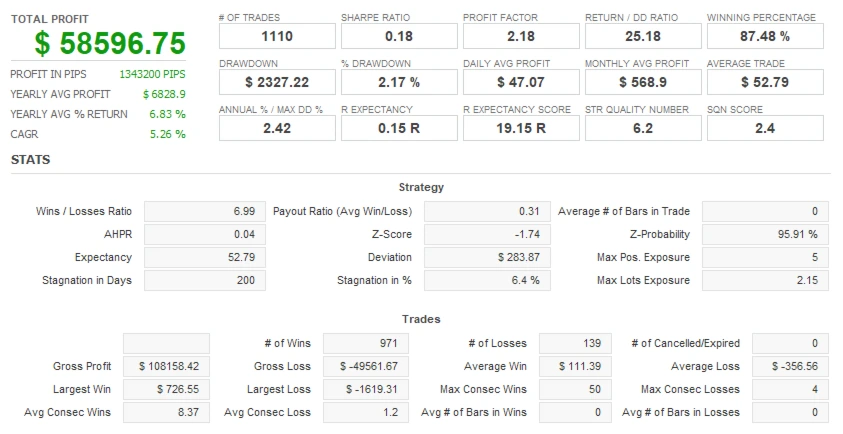
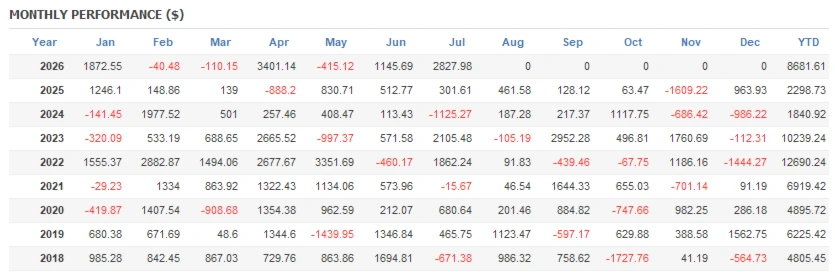
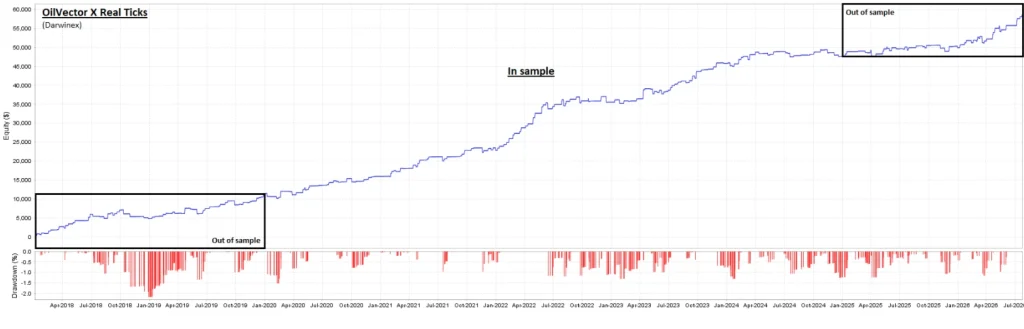
OilVector X MT5 Backtest
How to install OilVector X in MT5
- Follow our MT5 Expert Advisor installation guide.
- Open your broker’s WTI crude oil chart and attach OilVector X from Navigator → Expert Advisors.
- Check the lot-sizing mode, risk and any account loss limits in Inputs.
- If your order includes a matching preset, load the SET file in MT5 and check the imported settings.
- Turn on Algo Trading when ready to test on demo. Look in Experts and Journal if the EA does not start or place orders.
Delivery, updates and support
Check
Delivery & Downloads to find your order. See the package table for update terms. For setup help, contact
Product Support with your order number, EA version, broker symbol and any error message. Read the
Refund Policy before buying.
FAQs
Does OilVector X need a D1 chart?
The EA uses daily breakout levels, but the developer says the attached chart’s timeframe does not change strategy timing. Follow the instructions for the version you receive.
Can it trade Brent crude or gold?
The developer documents
WTI crude oil. A similar name in your broker’s symbol list does not confirm compatibility with Brent, gold or another instrument.
Can I use OilVector X with a prop firm?
The developer describes a mode with daily and total loss controls, but it does not mean a firm approves the EA or that it will pass an evaluation. Check the firm’s current rules, how it counts open losses and when its trading day resets. An EA that pauses new trades does not necessarily close existing positions.
Do I get SET files with my purchase?
Check the package table above. A SET file loads saved inputs; it does not install the EA or guarantee that the settings suit your account.
Why is OilVector X not opening trades?
Confirm the oil symbol, market hours and Algo Trading permissions. Then check the
Experts and
Journal tabs and any risk limits. Without a qualifying breakout, the EA may simply wait.