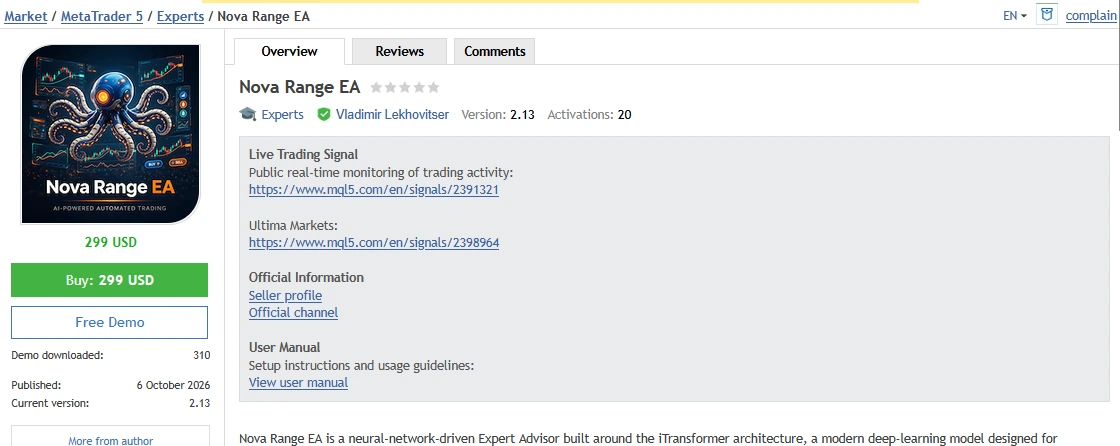
What is Nova Range EA MT5?
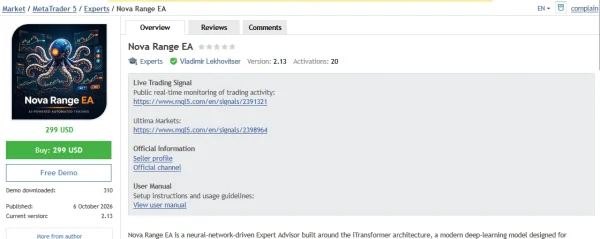
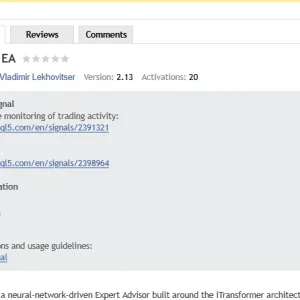
Nova Range is an Expert Advisor from Vladimir Lekhovitser. The developer says it uses a trained model called iTransformer to look for patterns in gold price data. It waits until its conditions are met, so there may be periods without trades. The full entry formula is not public.
The developer describes a predefined stop loss on each trade, a limit of two simultaneous positions, and no grid, martingale or averaging. Two gold positions can still expose your account to the same price move. Stops can also fill at a different price when gold moves quickly.
If you are comparing several trading robots, our guide to
choosing a forex Expert Advisor explains what to check before buying. For the differences between common strategies, see
grid vs. martingale vs. breakout EAs.
Nova Range EA settings and requirements
| Setup item |
Developer guidance |
| Platform |
MetaTrader 5 desktop |
| Symbol and chart |
XAUUSD (gold), M5 (five minutes) |
| Account mode |
Hedging |
| Minimum deposit |
$500 |
| Leverage |
1:30 or higher |
| Developer’s listed version |
v2.13 when reviewed; see package details for your supplied version |
Check your broker’s exact gold symbol, contract size, minimum lot and margin rules. A similar gold symbol name does not mean every broker uses the same contract. The $500 figure is the developer’s stated minimum and does not guarantee sufficient margin with every setup.
What should I check in the settings?
Check the lot-sizing mode, trade size, spread limit and trading hours. If you load a preset, review the values it changes before enabling trading. The developer lists several risk settings with expected drawdowns; treat those estimates as guidance, not limits on what an account can lose.
Nova Range EA MT5 live results
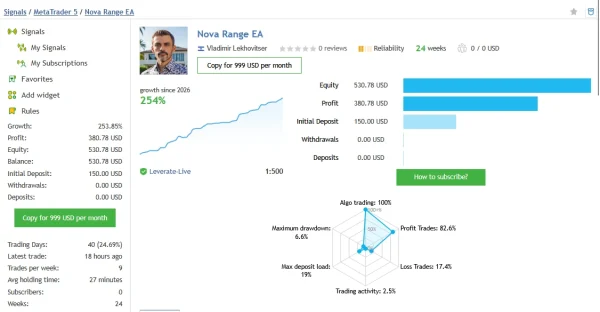
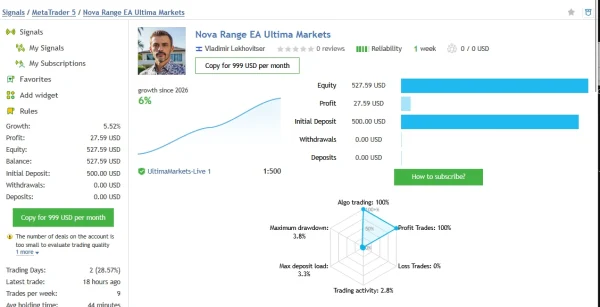
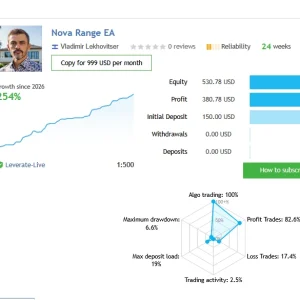
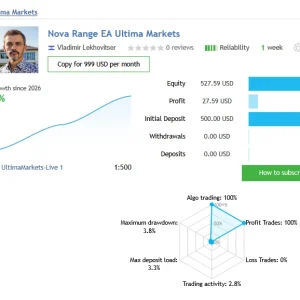
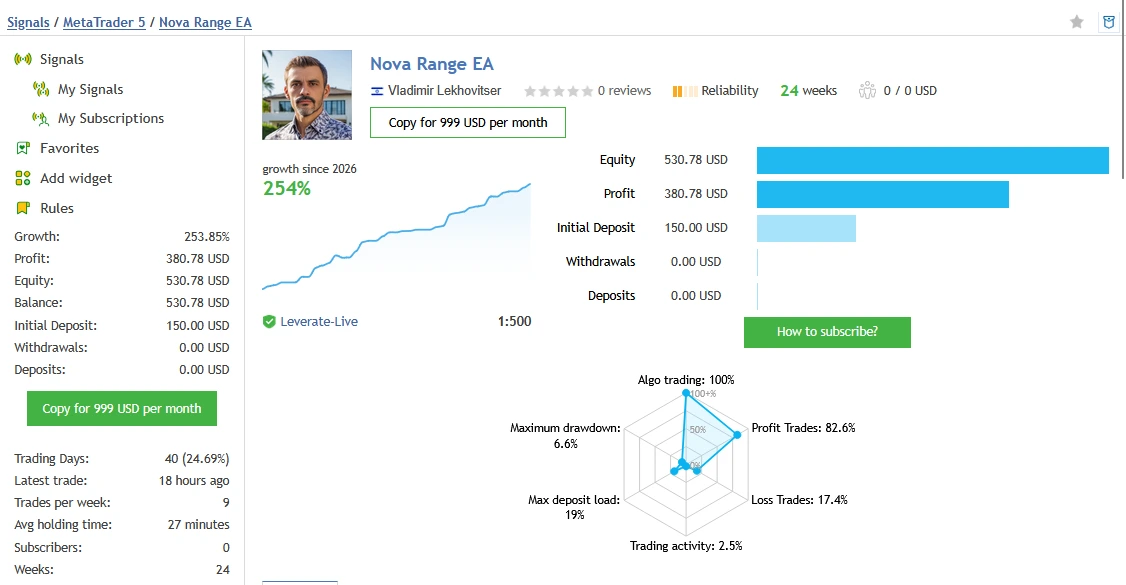
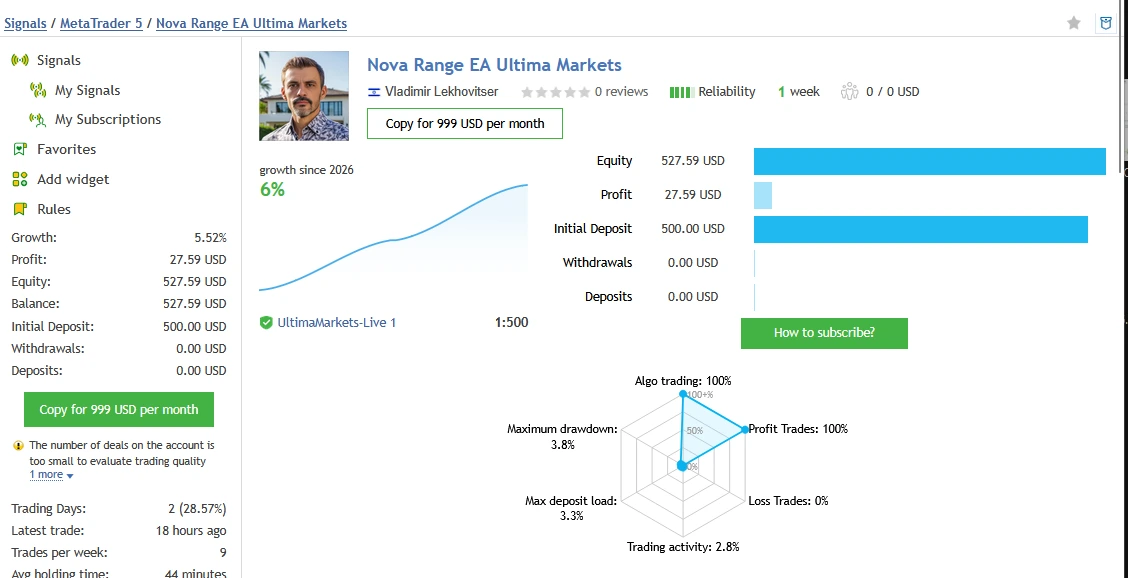
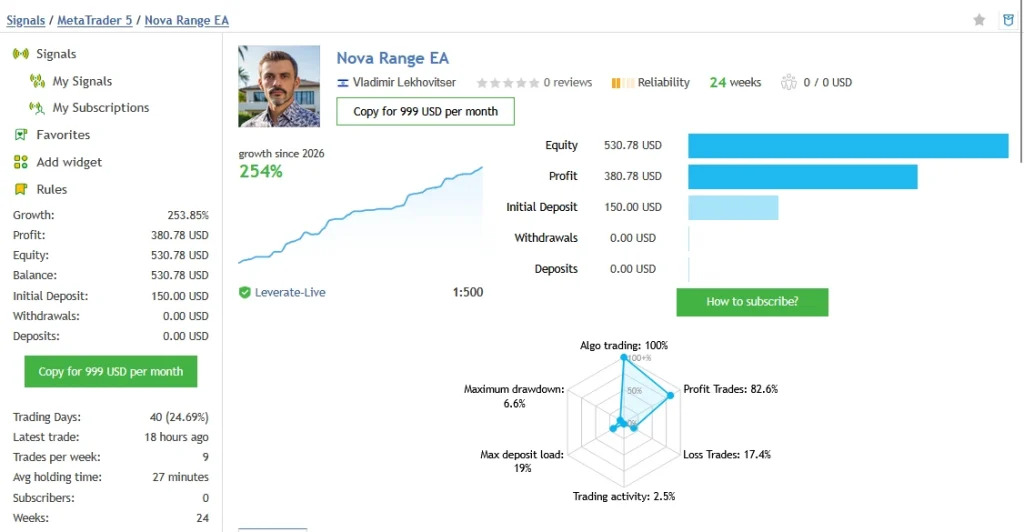
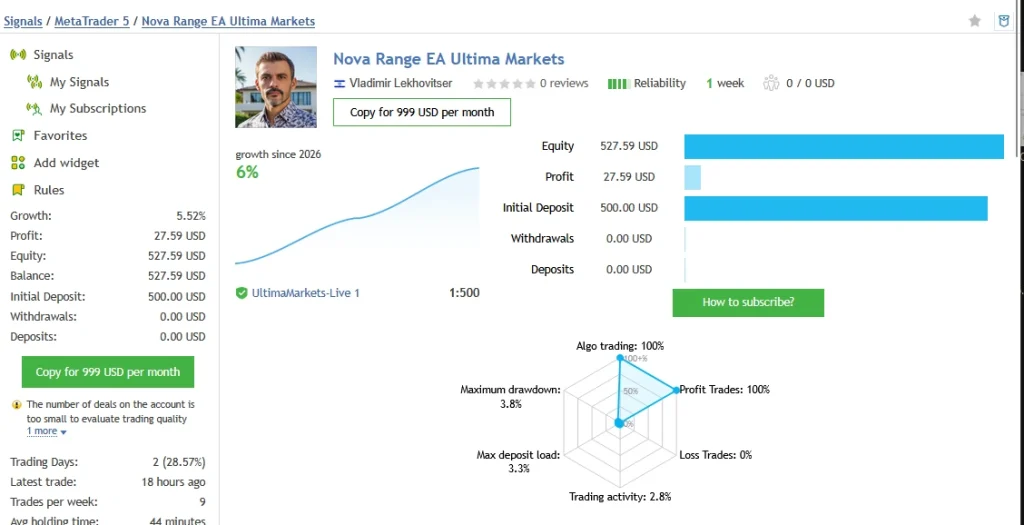
These are two public MQL5 signals published by the developer. The figures below are a snapshot checked on 17 November 2026 and will change as the account histories update.
MQL5 flagged the Ultima account as new and the trade sample as too small to judge trading quality. The Leverate record includes trading history that starts before the EA’s public release. It does not show how the exact file and settings you receive will perform. The two accounts use different brokers and cover different periods.
The $150 starting deposit on Leverate does not change the developer’s $500 minimum guidance. Relative equity drawdown includes changes in account value while trades are open; it is a historical measure, not a future loss limit. Past results do not guarantee future returns. Buying the EA and subscribing to a signal are separate purchases.
New to these figures? See
what drawdown means in forex trading. The two accounts above are on MQL5. If you’re comparing them with a seller’s Myfxbook report, our guide to
reading Myfxbook results before buying an EA explains how to check which version and settings a record actually covers.
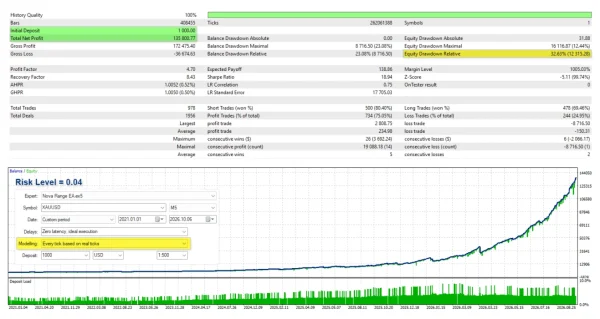
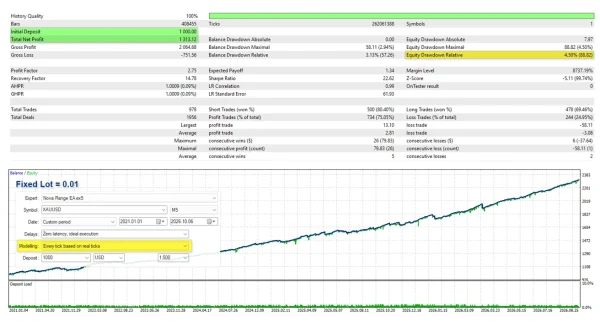
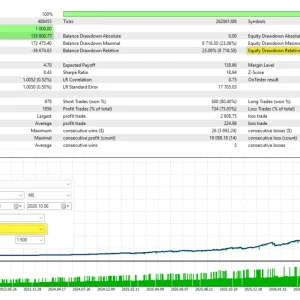
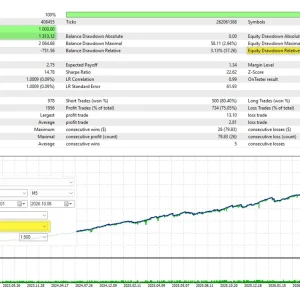
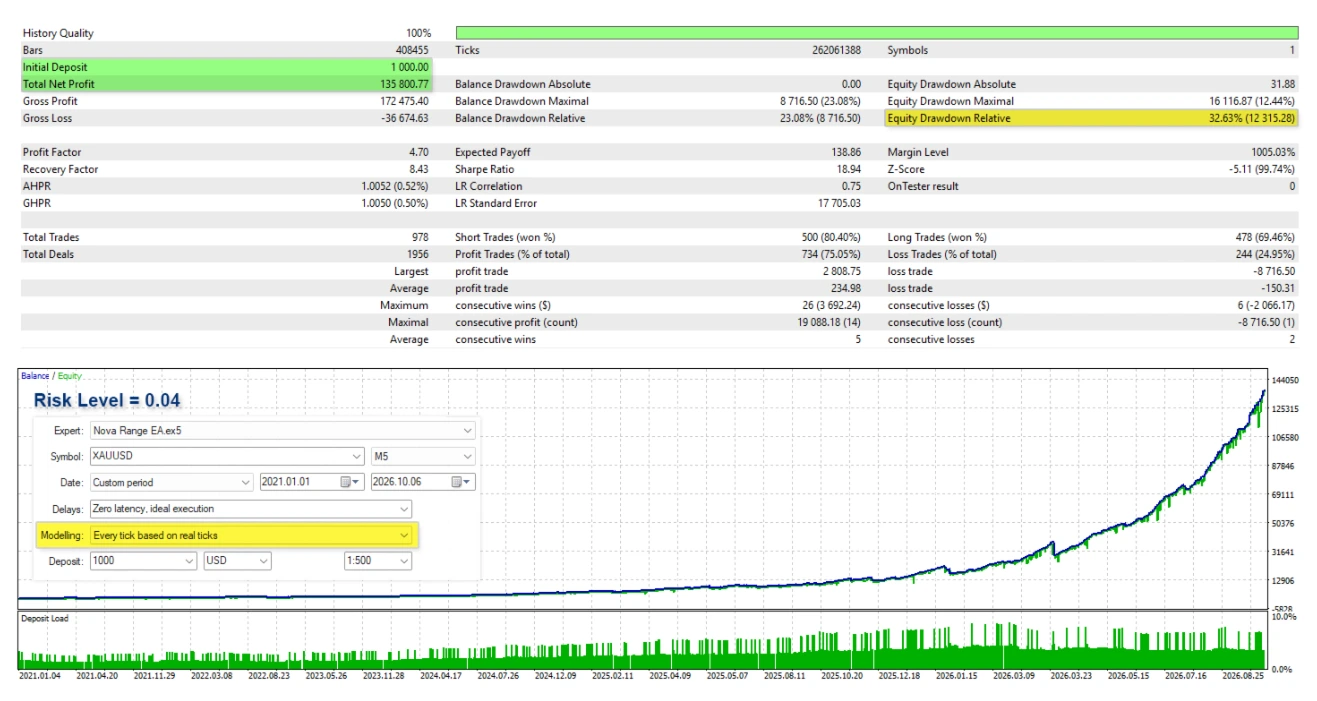
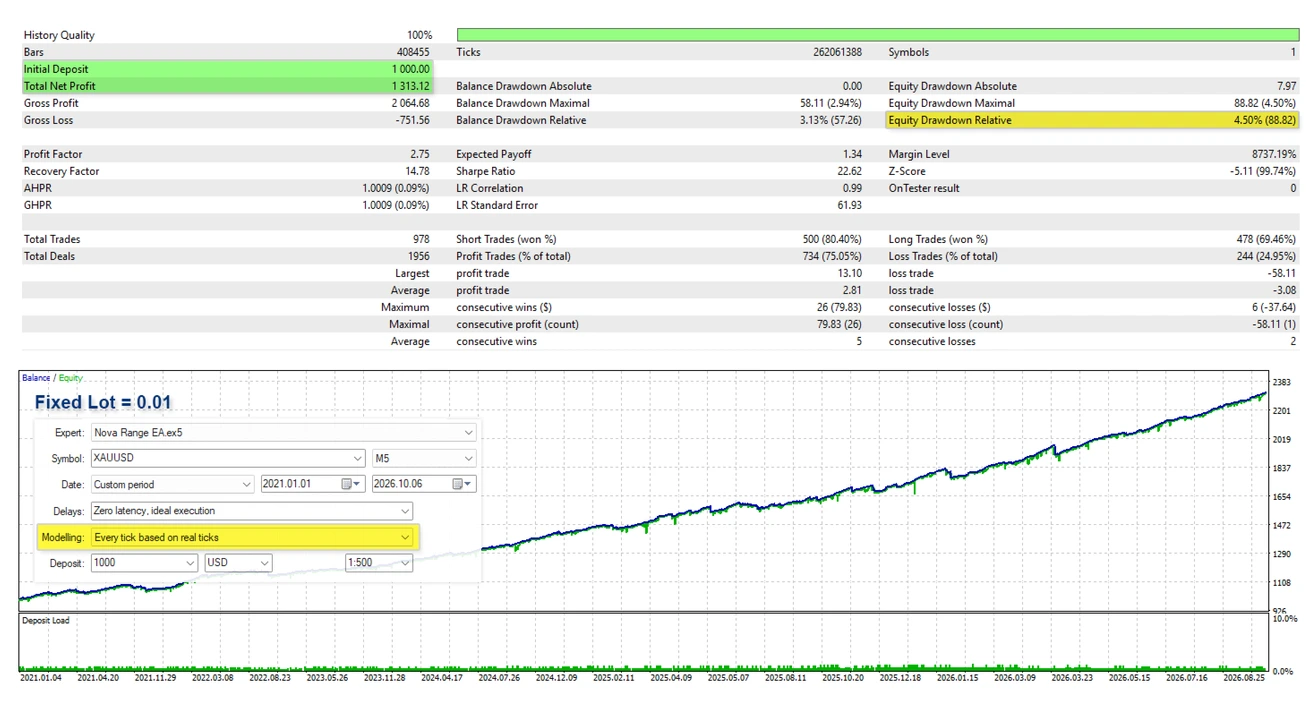
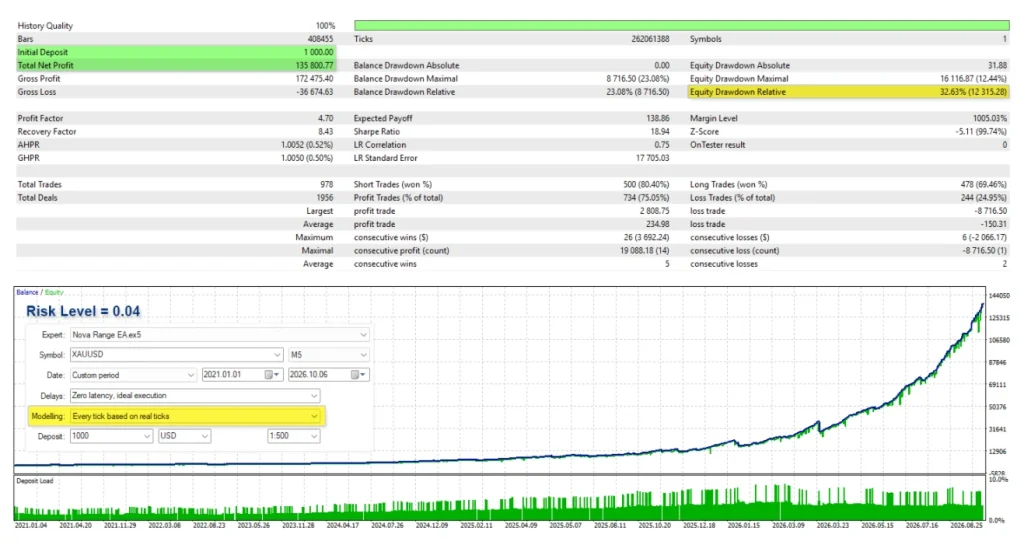
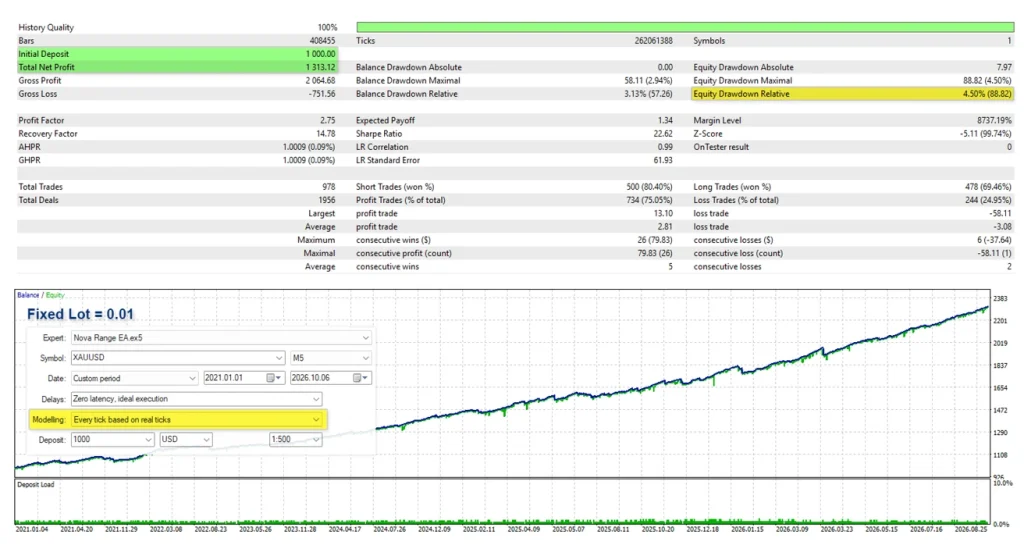
Nova Range EA Backtests
How to install Nova Range EA in MT5
- Follow our MT5 Expert Advisor installation guide.
- In an MT5 hedging account, open your broker’s gold chart and select M5.
- Attach Nova Range EA from Navigator → Expert Advisors.
- If a matching preset is supplied, load the SET file in MT5 and check the imported lot size and filters.
- Enable Algo Trading when ready to test on demo. For setup errors, check the Experts and Journal tabs.
Delivery, updates and support
See
Delivery & Downloads to access your order. Check the package table for update terms. If you need help, contact
Product Support with your order number, EA version, MT5 build and exact error. Read our
Refund Policy before buying.
Frequently asked questions
Does Nova Range EA MT5 work on MT4?
No. This product is for MetaTrader 5. If you have a separate MT4 EA, follow our
MT4 Expert Advisor installation guide for that file.
Can I use a netting account?
The developer specifies hedging mode. Check your account mode with your broker before buying.
Can I start with $150?
The Leverate signal started at $150, but the developer lists $500 as its minimum. One trading record does not establish that a smaller balance is suitable for your broker and settings.
Is a SET file the same as source code?
No. A SET file stores settings. An EX5 file is the compiled program. An MQ5 file is editable source code and is included only if listed in your package.
Why is Nova Range not opening trades?
The EA may be waiting for a setup. Check the gold symbol, M5 chart, account mode, Algo Trading permissions and any spread or time filters. Look in Experts and Journal before changing settings.
Can I use it with a prop firm?
Check your firm’s rules for third-party EAs, gold trading and loss limits. A stop loss or a risk setting does not establish firm approval or guarantee a pass.