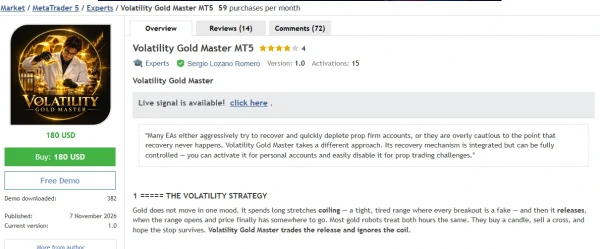
What is Volatility Gold Master?
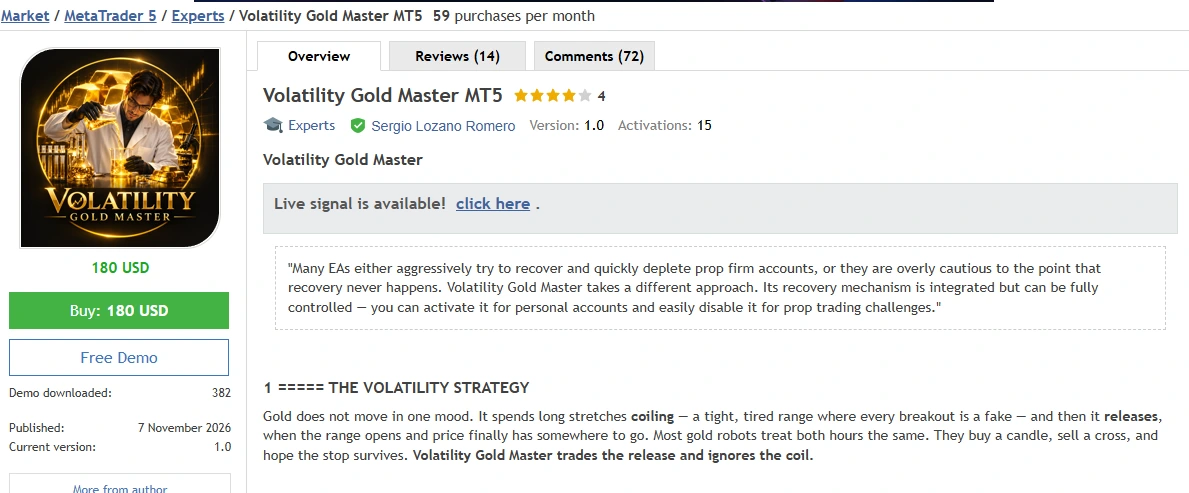
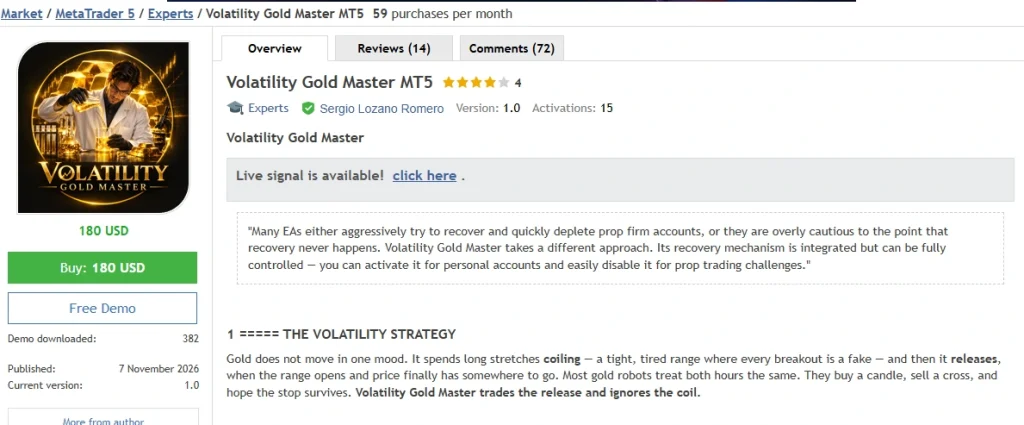
The developer describes a system that waits for gold’s trading range to expand, checks the structure of the move and adjusts stop distance and position size to market conditions.
Recovery is a separate option. The published modes include Full, Passive and OFF, with a limit on recovery steps. More positions can mean more money at risk. A recovery feature does not guarantee that a loss will be recovered.
For a plain-English comparison of position-management methods, read our guide to
grid, martingale and breakout EAs. Check the actual Inputs and manual rather than deciding how an EA works from its name.
Settings and account requirements
| Setup item |
What to check |
| Platform |
MetaTrader 5 desktop |
| Trading symbol |
XAUUSD; check the broker’s gold symbol |
| Chart |
M30; one EA instance |
| Recovery mode |
Review the selected mode before trading |
| Minimum deposit |
No universal minimum was established in the developer description reviewed |
| Broker requirements |
Check contract size, minimum lot, margin, spread and commission |
| Account mode |
Confirm hedging or netting compatibility for your supplied build |
| Extra permissions |
Confirm DLL, WebRequest and any additional files before setup |
A deposit figure alone cannot tell you whether a setup fits your account. For example, two brokers can offer gold with different contract sizes or margin requirements. Check the money at risk at the smallest available lot, including any extra positions.
Keep MT5 connected while the EA needs to manage trades. A VPS can help with uptime, but it cannot prevent trading losses or poor execution.
Public trading results: what does the account show?
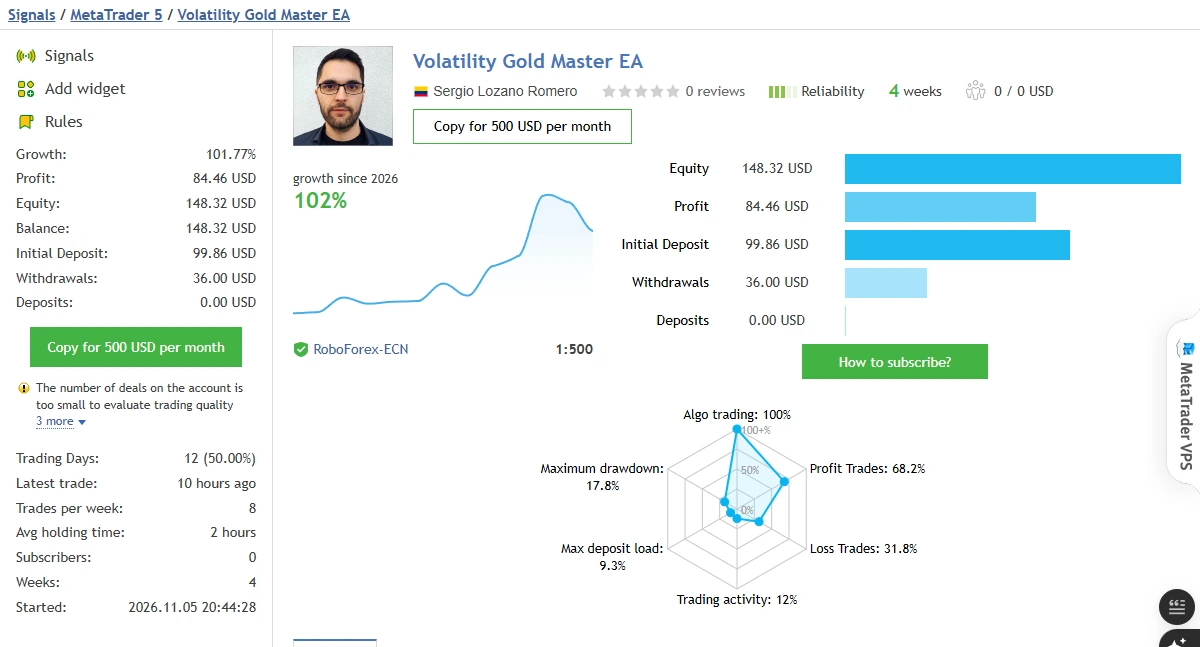
The
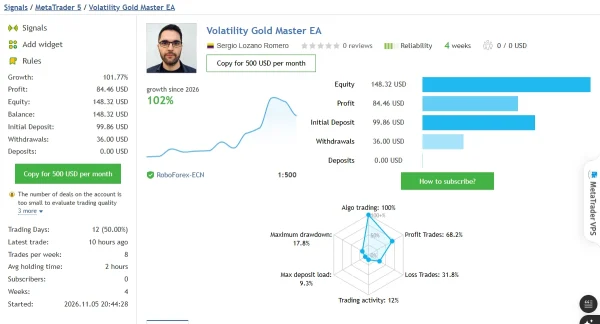
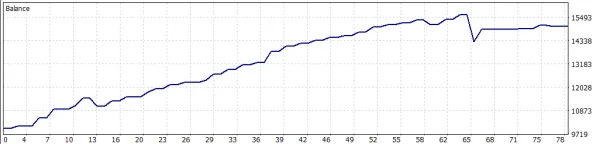
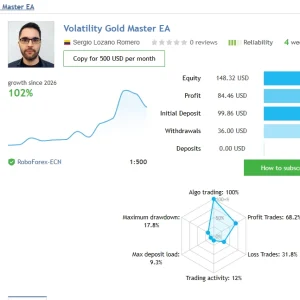
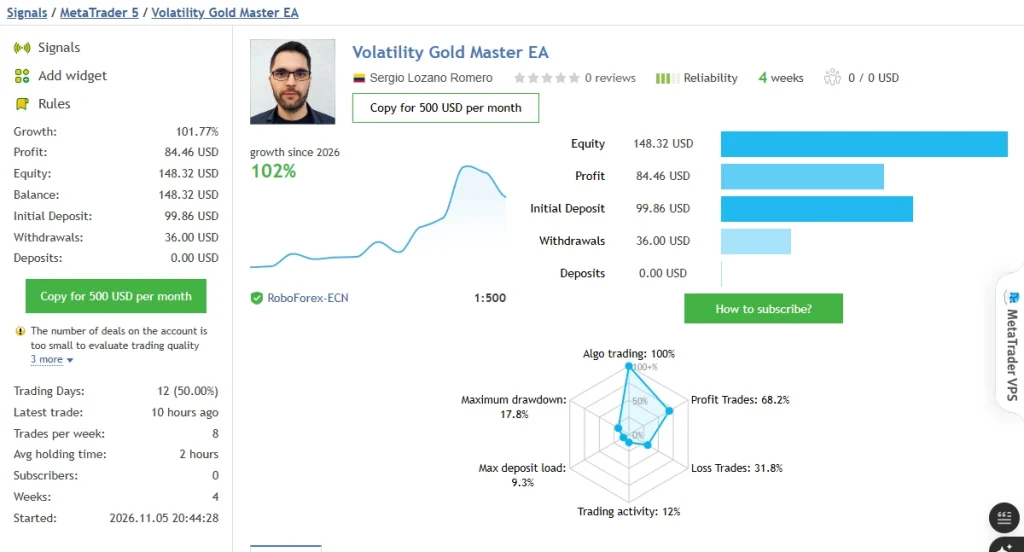
public Volatility Gold Master MQL5 signal displayed
124.48% growth and
$101.15 profit when checked on
19 November 2026. It showed a
$99.86 initial deposit,
$36 withdrawn, no additional deposits, and balance and equity of
$165.01.
The page reported
15.11% relative balance drawdown and
10.85% relative equity drawdown. These are separately labelled measures. Maximum deposit load was
9.33%, which is not a drawdown figure.
There were only
21 trades, with a
71.42% winning-trade rate and a
2.41 profit factor. The page displayed four weeks of history and a signal start date of 5 November 2026; those fields should not be treated as the same date measure. MQL5 warned about the small trade sample, new account and rapid growth.
This is early evidence, not a long-term performance record. It does not establish which settings or build you will receive. Buying the software is separate from paying to copy a signal.
If these measures are new to you, our guide to
drawdown in forex trading explains why losses matter alongside growth. Past performance does not guarantee future returns.
Backtests: check the configuration first
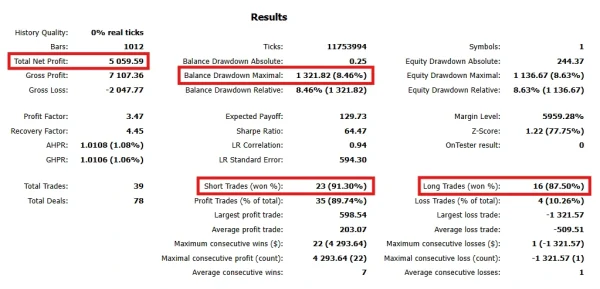
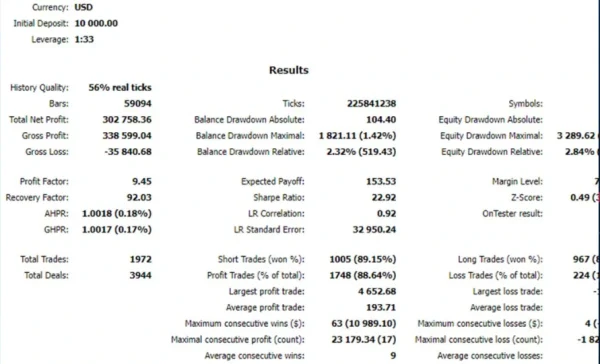
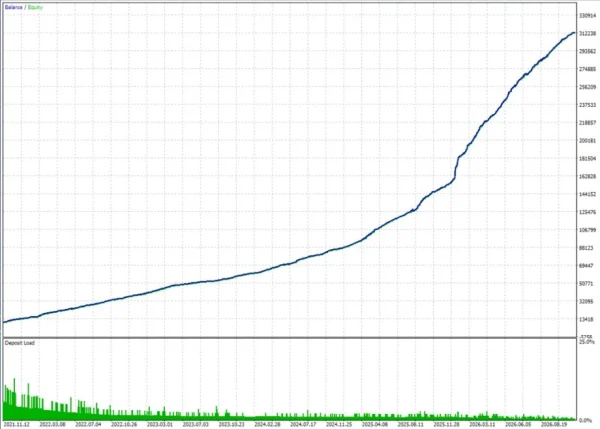
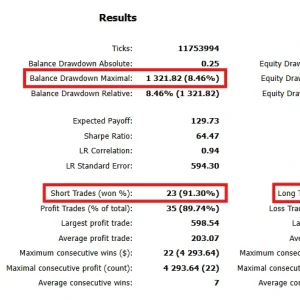
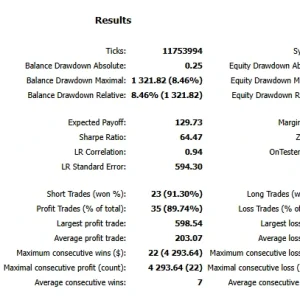
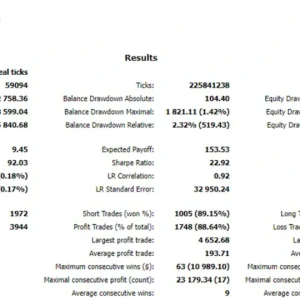
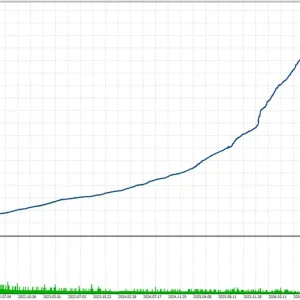
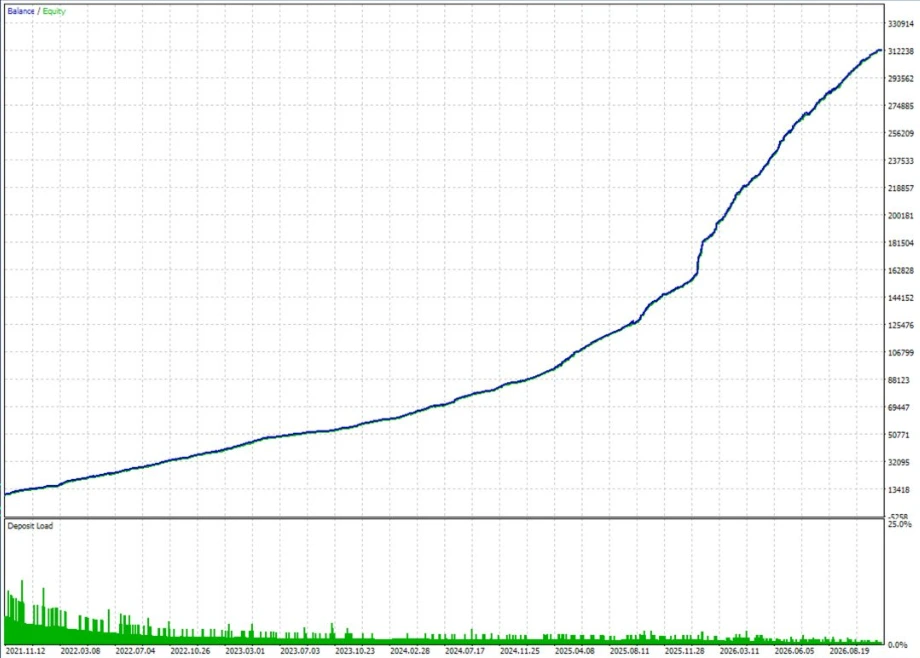
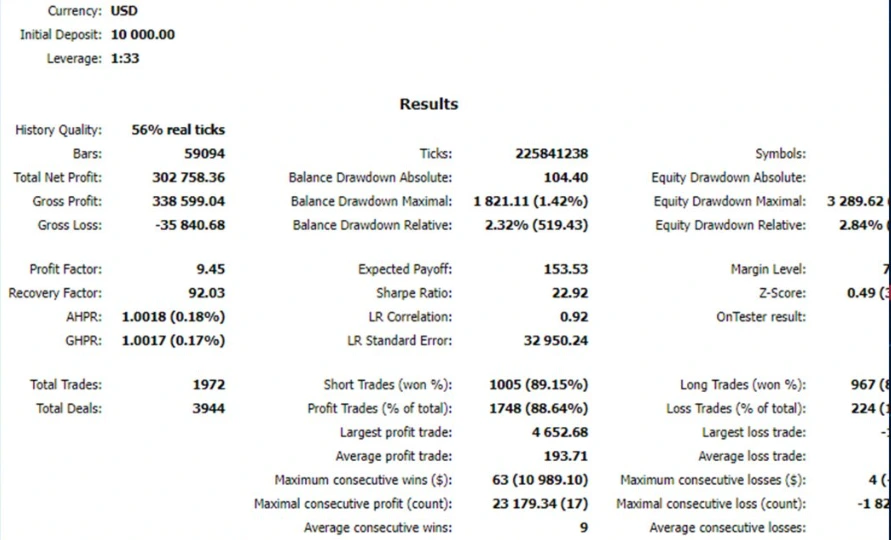
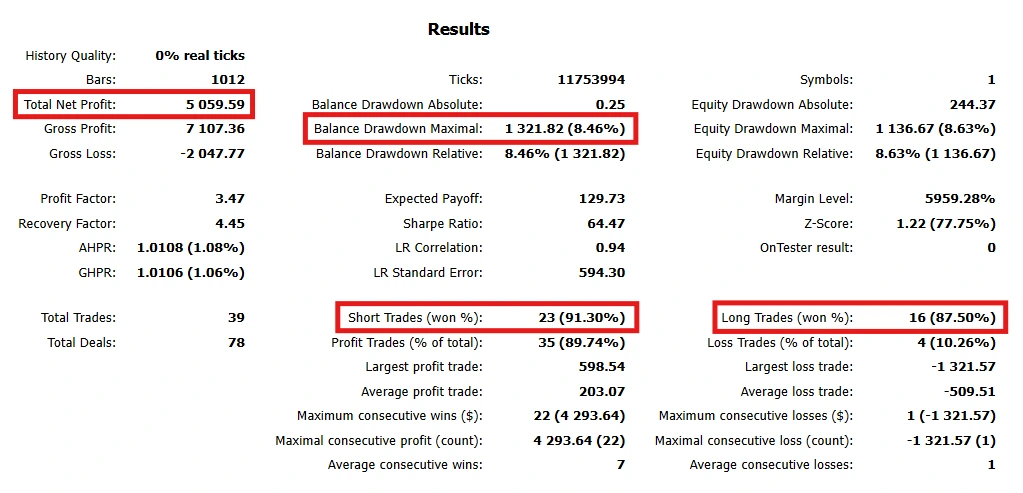
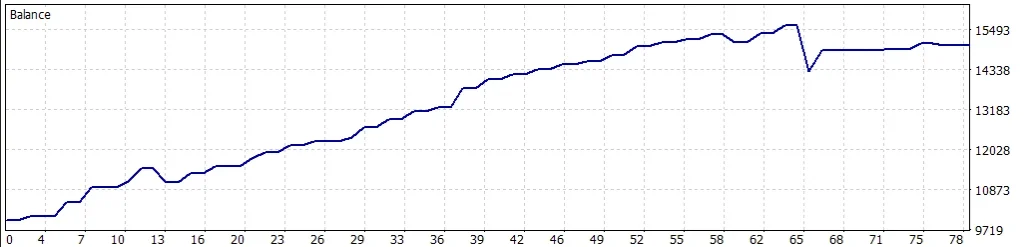
The developer says recovery testing needs a specific configuration; default tester settings may misrepresent its behaviour.
Before relying on a report, check its date range, EA version, preset, recovery mode, starting balance, costs and modelling settings. A report without these details is hard to reproduce. A backtest simulates past conditions; it is not a live account.
ForexEaTools has not independently reproduced the developer’s tests for this draft.
How to install and test
- Download your package and extract any ZIP file.
- Follow our MT5 Expert Advisor installation guide to place the program in the correct folder.
- Open the chart specified in the setup table and attach the EA.
- Review trade size, recovery limits and permissions before enabling trading.
- If a matching preset is supplied, load the SET file in MT5. Check the imported values; a preset can change your risk.
- Test on demo and inspect the Experts and Journal tabs for errors.
Before moving to real money, check that orders open and close as expected and that you understand the loss exposure. A short profitable demo run does not prove future results.
Is this EA right for you?
Consider this product if you want an automated gold strategy and are prepared to review settings, monitor the account and accept losing trades.
If you need dependable income, cannot tolerate a loss or do not understand the selected recovery mode, take time to learn before buying. Our guide on
how to choose a forex Expert Advisor can help you compare software and evidence.
Delivery, updates and support
Check the package table for this order’s delivery and update terms. Read
Delivery & Downloads for general order-access help.
For an installation issue, contact
Product Support with your order number, EA version, MT5 build and exact error message. Hide private account details in screenshots and never share your trading password.
Read the
Refund Policy before buying. Setup assistance is not a promise of trading profit.
Frequently asked questions
Which version will I receive?
The supplied version must be stated in the package table beside the offer. A developer’s current release does not confirm which file a store supplies.
Does it work in MT4 or on a phone?
This offer is for MT5 desktop. An MT5 program does not run in MT4. The mobile app does not host a desktop EA; the trading terminal must run on a suitable computer or VPS.
What is the minimum deposit?
Check the requirements table and your broker’s margin and contract details. The starting balance of a public account is not a tested minimum for your setup.
Are SET files included?
Only the files named in the package table are included. A SET file saves input settings; it does not install the EA or make the settings suitable for every account.
Can I use it on a prop firm account?
Check the firm’s current rules, including third-party EAs, position sizing and daily loss calculations. Turning off a recovery option does not establish firm approval or guarantee a challenge pass.
Why is the EA not opening trades?
First check trading permissions, connection, market availability and error messages. A selective system may also wait because its entry conditions are not met. Avoid raising risk or changing settings simply to force a trade.
Can I expect the same results as the public account?
No. Your broker, costs, settings, starting date and execution can differ. Losses may exceed those previously shown.