Akali EA MT5 is an automated Gold scalper for
XAUUSD on M1. The developer specifies a low-spread Raw/ECN account and offers two trailing modes. Before ordering, check the supplied version, broker costs and how the EA handles losing trades. See the public signal below for both returns and drawdown.
| Setup |
Developer’s published details |
| Platform |
MetaTrader 5 |
| Symbol |
XAUUSD (Gold) |
| Chart |
M1, the one-minute chart |
| Account |
Raw/ECN with low spreads |
| Modes |
Tighter Trailing and Wider Trailing |
| Continuous operation |
Developer calls for a VPS to keep MT5 running and connected |
Tighter Trailing vs Wider Trailing
A tighter trailing stop stays closer to the market price. It may exit sooner during a small reversal. A wider setting gives the trade more room, which can also mean giving back more of a favourable move. Compare the two on the same broker and preset before deciding which one to use.
The developer also mentions a recovery feature. The public listing alone does not establish how recovery behaves in every mode. Before live use, check whether your settings change trade size after a loss or add positions. Do not assume the recovery label means losses will be recovered.
Will it work with my broker?
Check your broker’s Gold symbol in MT5, including any suffix. Then check the actual spread, commission and minimum order size for your account. A low headline spread tells you only part of the cost. With a tight trailing stop, small differences in entry or exit prices can matter.
Follow the setup instructions for the supplied version, especially any broker server-time settings. If you are unsure about compatibility, send
Product Support your broker, MT5 build and Gold symbol before ordering.
What is the minimum deposit?
A single minimum deposit for all setups has not been established. The balance needed depends on the broker’s minimum trade size, margin rules and the lot size used by your preset. The starting deposit on the public signal is a fact about that account, not a funding recommendation.
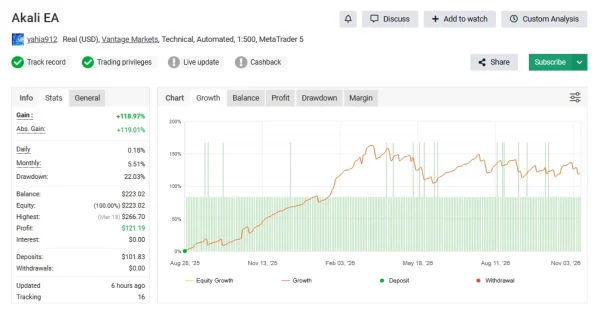
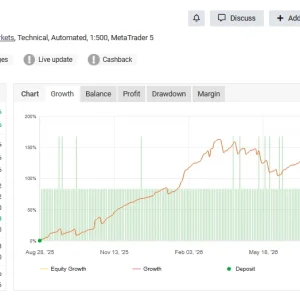
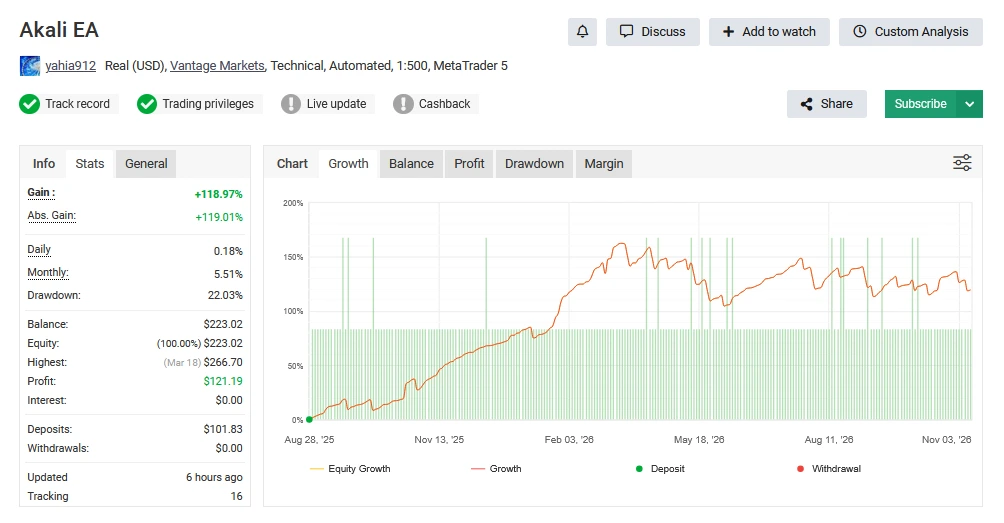
Akali EA public MQL5 signal
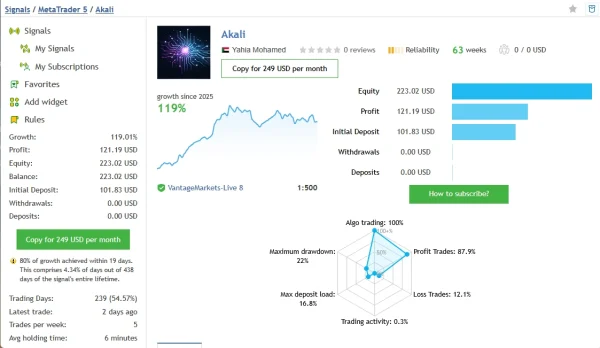
The developer links to the
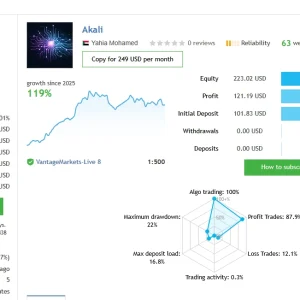
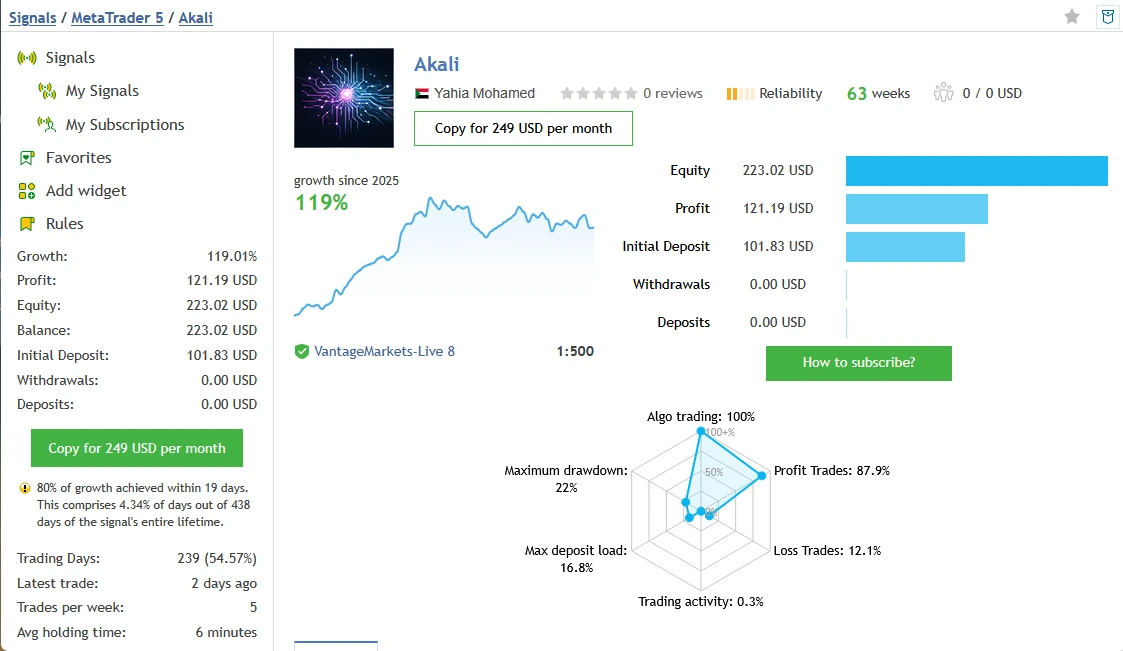
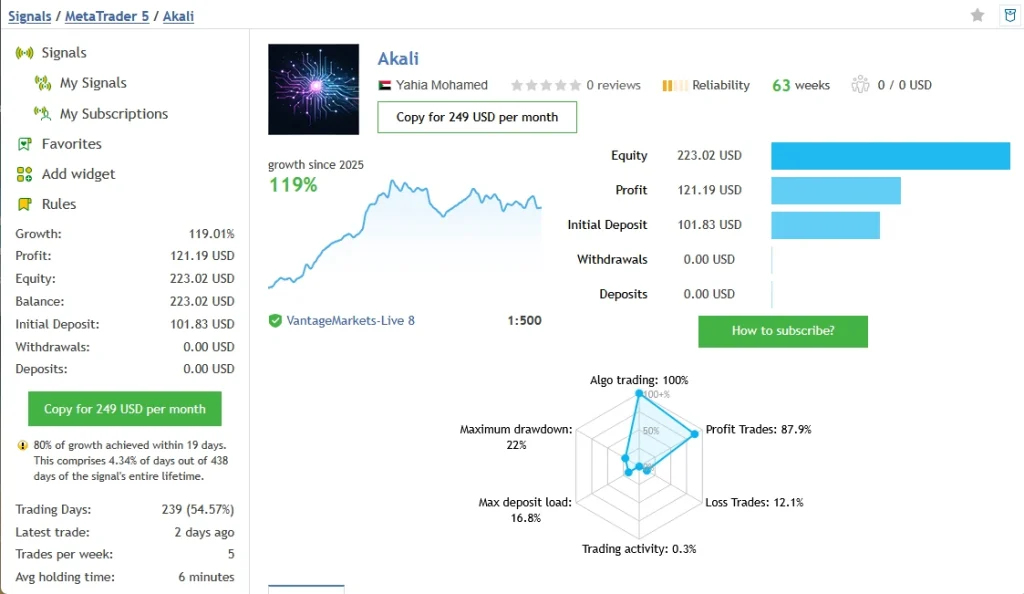
Akali trading signal on MQL5. The account uses the VantageMarkets-Live 8 server and traded XAUUSD+. The figures below are a
snapshot checked on 11 November 2026 and can change.
| Signal metric |
Published snapshot |
| Initial deposit |
$101.83 |
| Growth |
119.01% |
| Profit |
$121.19 |
| Trades |
257 |
| Winning trades |
87.93% |
| Average winning trade |
$1.83 |
| Average losing trade |
−$9.45 |
| Relative drawdown by balance |
22.02% |
| Relative drawdown by equity |
7.33% |
| Average holding time |
6 minutes |
Read the risk alongside the return. The average loss was about five times the average win. MQL5 also flagged that 80% of growth occurred within 19 days. The headline growth does not show how evenly the account earned it or what your account might earn. Balance and equity drawdown are different measures; equity includes open trades.
The signal started before v1.41 was released. It does not confirm which version and settings were used for each trade. This is the developer’s account history, not a ForexEaTools test of the supplied file. Buying the EA and subscribing to the MQL5 copy signal are separate purchases. Past performance does not guarantee future results.
Akali EA Myfxbook
Live Link
How to install Akali EA in MT5
For a standalone EX5 package:
- Open desktop MT5 and select File → Open Data Folder.
- Place the EA file in MQL5 → Experts. Refresh Expert Advisors in Navigator.
- Open your broker’s Gold chart on M1 and attach the EA.
- Review the trailing mode and trade size. If supplied, load only the SET file made for your version and check the imported values.
- Allow Algo Trading when you are ready to test. Use a supported demo account first and check Experts and Journal for errors.
See our
MT5 EA installation guide for file placement and troubleshooting. If you receive a preset, follow
How to Load a SET File in MT5.
Delivery, support and refunds
See
Delivery & Downloads for order access and missing downloads. For installation help, send your order number, EA version, MT5 build and error message to
Product Support. Remove passwords and private account details from screenshots. Read the
Refund Policy for eligibility and request instructions.
Frequently asked questions
Which chart should I use for Akali EA?
The developer specifies XAUUSD on M1. Check your broker’s exact Gold symbol before attaching the EA.
Which version will I receive?
Check the version in the package details next to the price. The version on the developer’s Market listing does not establish which file this store supplies.
Are SET files included?
Only if the package details list them. A SET file contains saved inputs; it does not install the EA or make the settings suitable for every account.
Does Akali use grid or martingale?
We have not independently confirmed whether the supplied build uses either technique. Check the recovery rules and observe what happens to position count and lot size after a loss before enabling live trading.
Do I need a VPS?
The developer calls for one for continuous operation. MT5 must stay running and connected while the EA manages orders. Hosting helps with uptime; it does not remove broker costs or trading risk.
Does Akali EA work on MT4?
This page is for the MT5 edition. A standalone EX5 file cannot run in MT4.
Can I use Akali on a prop-firm account?
Check your firm’s current rules on third-party EAs, scalping, news trading and drawdown. Compatibility is not established by a listing or a signal.
Why is the EA attached but not trading?
Check Algo Trading, the EA’s permissions, the chart symbol and the Experts and Journal logs. Check documented filters before changing settings; the EA may be waiting for a valid entry.