What is Harmonizer EA MT5?
Harmonizer is a MetaTrader 5 Expert Advisor that uses market volatility to adjust entry spacing. It manages groups of trades rather than relying only on one isolated position.
Adding positions can change a group’s average entry price. It also increases exposure if the market continues moving against the group. An automated system can follow its rules and still lose money.
If you are new to these methods, our guide to
grid, martingale and breakout EAs explains how entry spacing and trade-size changes affect risk.
Recommended setup
| Setup item |
Developer guidance |
| Platform |
MetaTrader 5 desktop |
| Main symbols |
AUDCAD and NZDCAD |
| Additional symbol |
AUDNZD is optional |
| Chart |
One AUDCAD M15 chart |
| Account mode |
Hedging |
| Balance reference |
At least $500; $1,500 suggested for lower risk |
| Leverage |
1:200 or higher |
| Broker |
ECN suggested |
| Hosting |
Continuous operation on a VPS recommended |
| Preset requirement |
A separate SET file is not required for the published default setup |
These are setup references, not guaranteed loss limits. A larger balance does not automatically lower risk if the EA increases trade sizes with it. Review the sizing method and total exposure.
AUDCAD and NZDCAD both contain CAD. Positions on different pairs can still lose together when they share currency exposure.
Settings to review before trading
Initial lot size and later trade sizes
Look at the full sequence, not just the first order. For illustration, 0.01, 0.02 and 0.04 lots total 0.07 lots—seven times the opening position. This is explanatory arithmetic, not a Harmonizer preset.
Check the actual maximum number of trades and the multipliers selected in your file. A label such as “Low Risk” does not establish a maximum cash loss.
Drawdown controls must be enabled
The listing describes global and daily drawdown checks. A threshold only applies when its corresponding check mode is selected. A number visible in an inactive field is not protection.
Test what the EA does when a limit is reached. Confirm which trades it manages, how the daily reset works and whether trading resumes afterward. Slippage and gaps can make actual losses exceed the intended threshold.
For help with the terms, read
what drawdown means in forex trading.
News filters and open positions
A feature being available does not mean it is active. Check whether your settings block a fresh basket, additional positions, or both. Pausing new orders does not remove trades already open.
Broker symbol names
Confirm that the detected trading symbols match Market Watch, including any suffix. Do not assume the on-screen chart name proves that every selected market has been mapped correctly.
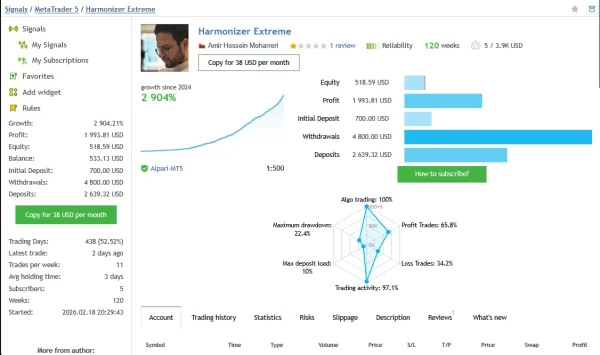
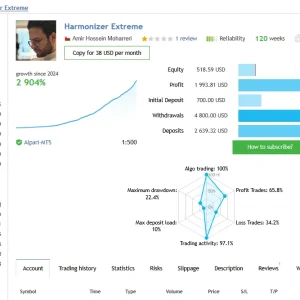
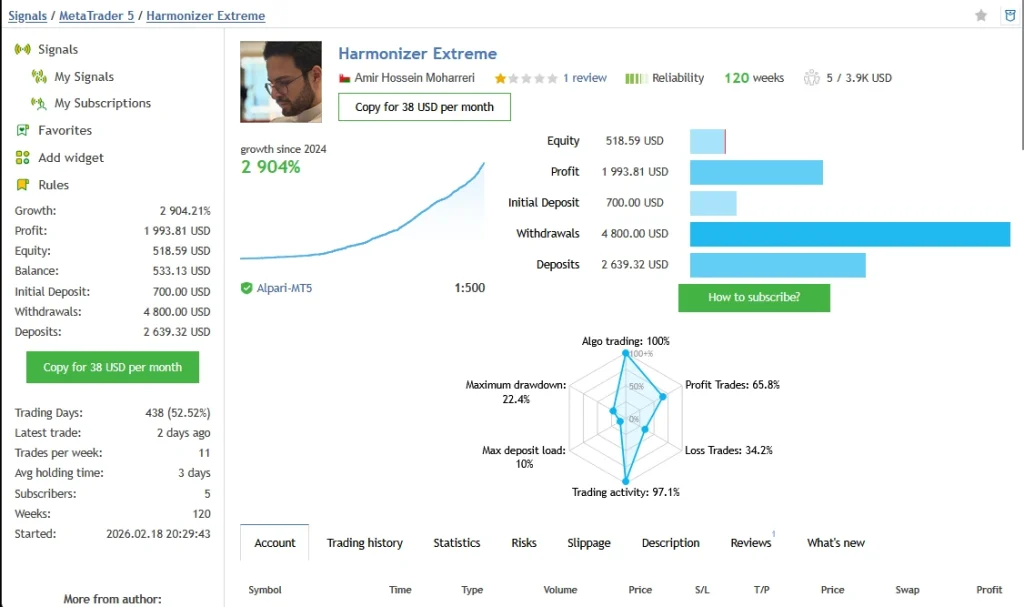
Public account results — Harmonizer Extreme
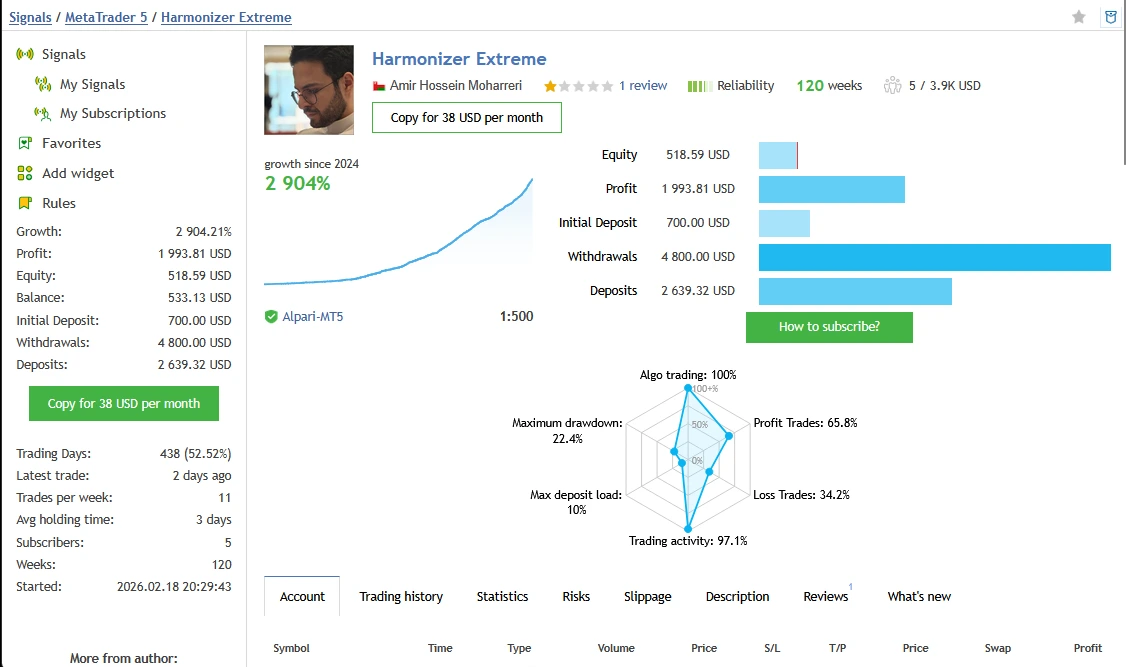
The developer’s performance link leads to the
Harmonizer Extreme MQL5 account. Its description explicitly identifies the
Extreme Risk preset and warns that the strategy uses a grid.
Snapshot checked 22 November 2026: the page showed
2,904.21% growth,
$1,993.81 profit and
1,300 trades. Relative drawdown was
14.81% by balance and
22.42% by equity.
It displayed a
$700 initial deposit,
$2,639.32 additional deposits,
$4,800 withdrawals,
$533.13 balance and
$518.59 equity. Those cash flows mean the headline growth figure should not be presented as a simple return on an untouched $700 deposit.
The account showed
Alpari-MT5,
1:500 leverage and an average holding time of
three days. Its notices include no swap charges. A broker charging overnight swaps can therefore produce different basket costs.
How to use this evidence
These figures describe one account with its own history and risk settings. They do not establish the maximum future drawdown or what your purchase will earn.
The page displayed 120 weeks of history alongside a separate signal start field dated February 2026. Do not treat the history figure as proof that the current retail version was monitored unchanged for that whole period.
Balance reflects closed transactions; equity also includes open positions. Compare the same drawdown measure across records. Past performance does not guarantee future results. Buying the EA is separate from subscribing to copy trades.
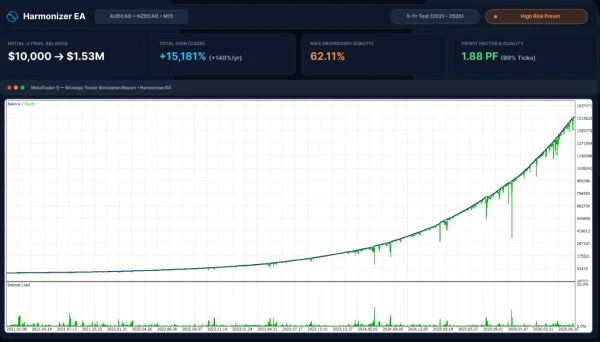
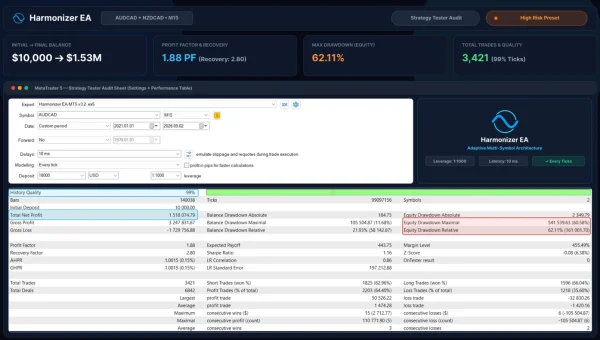
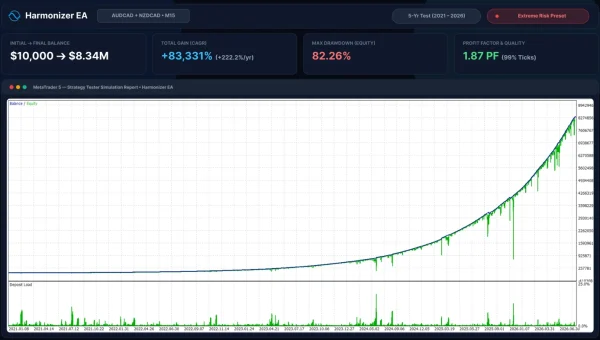
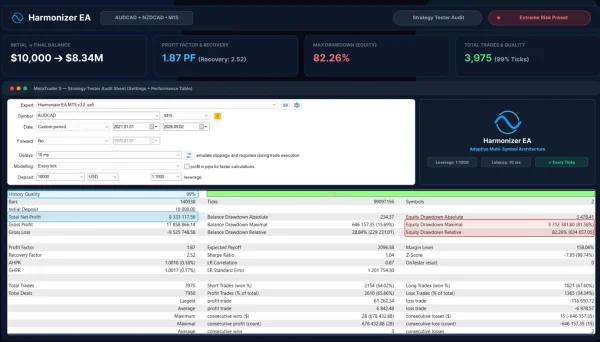
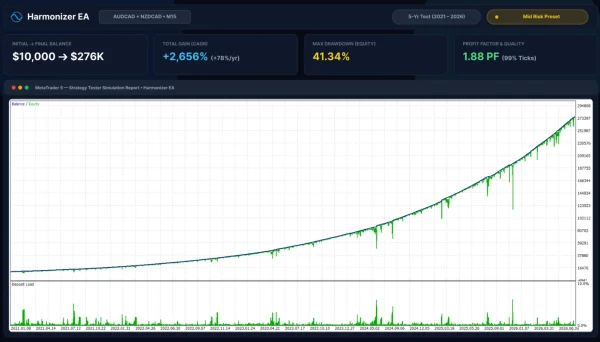
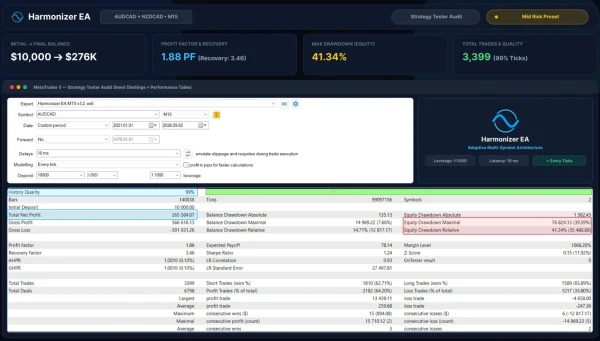
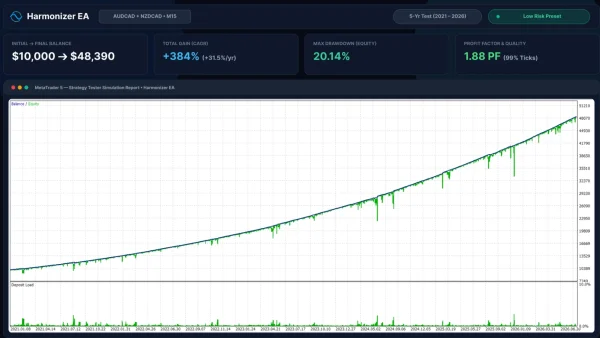
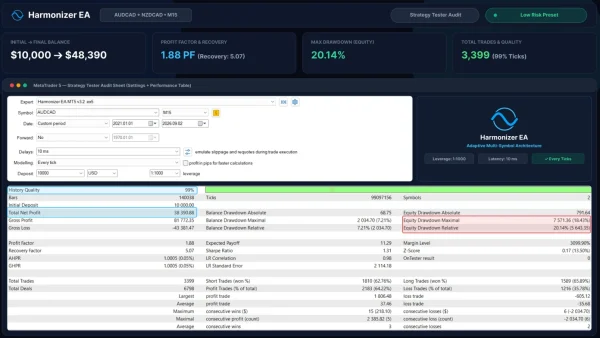
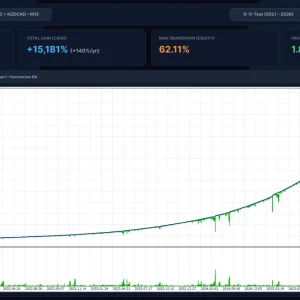
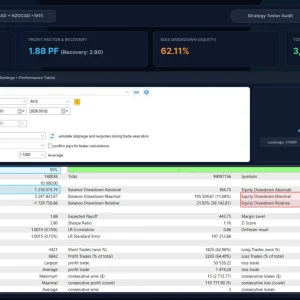
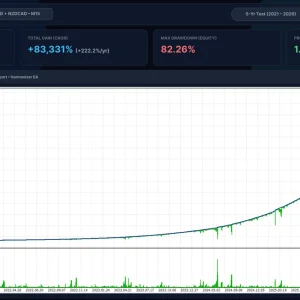
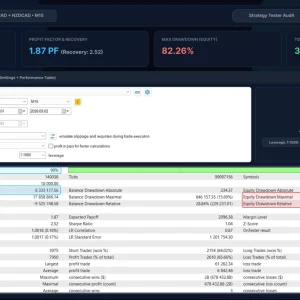
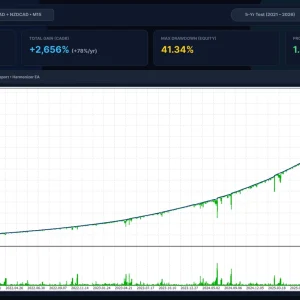
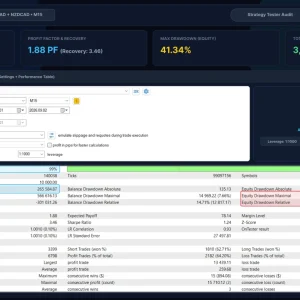
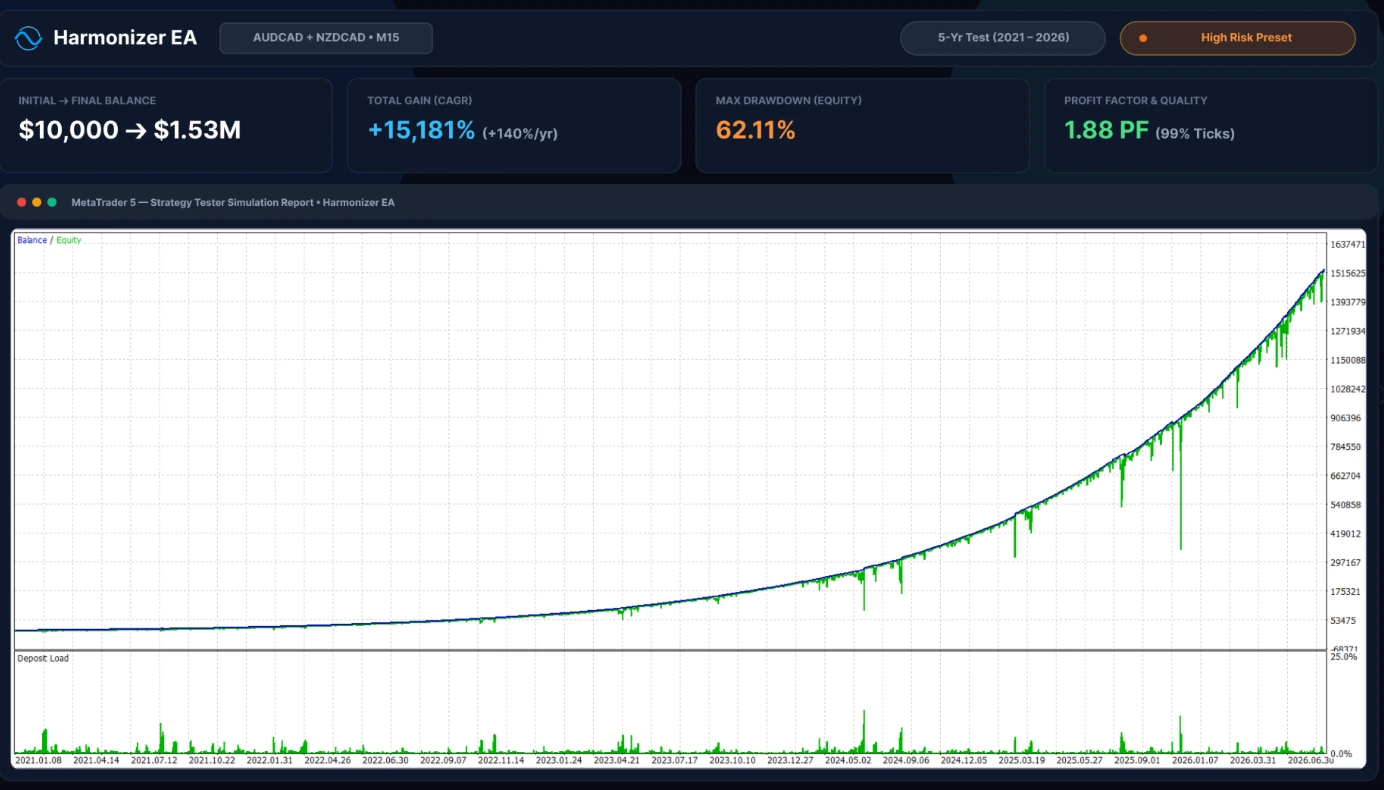
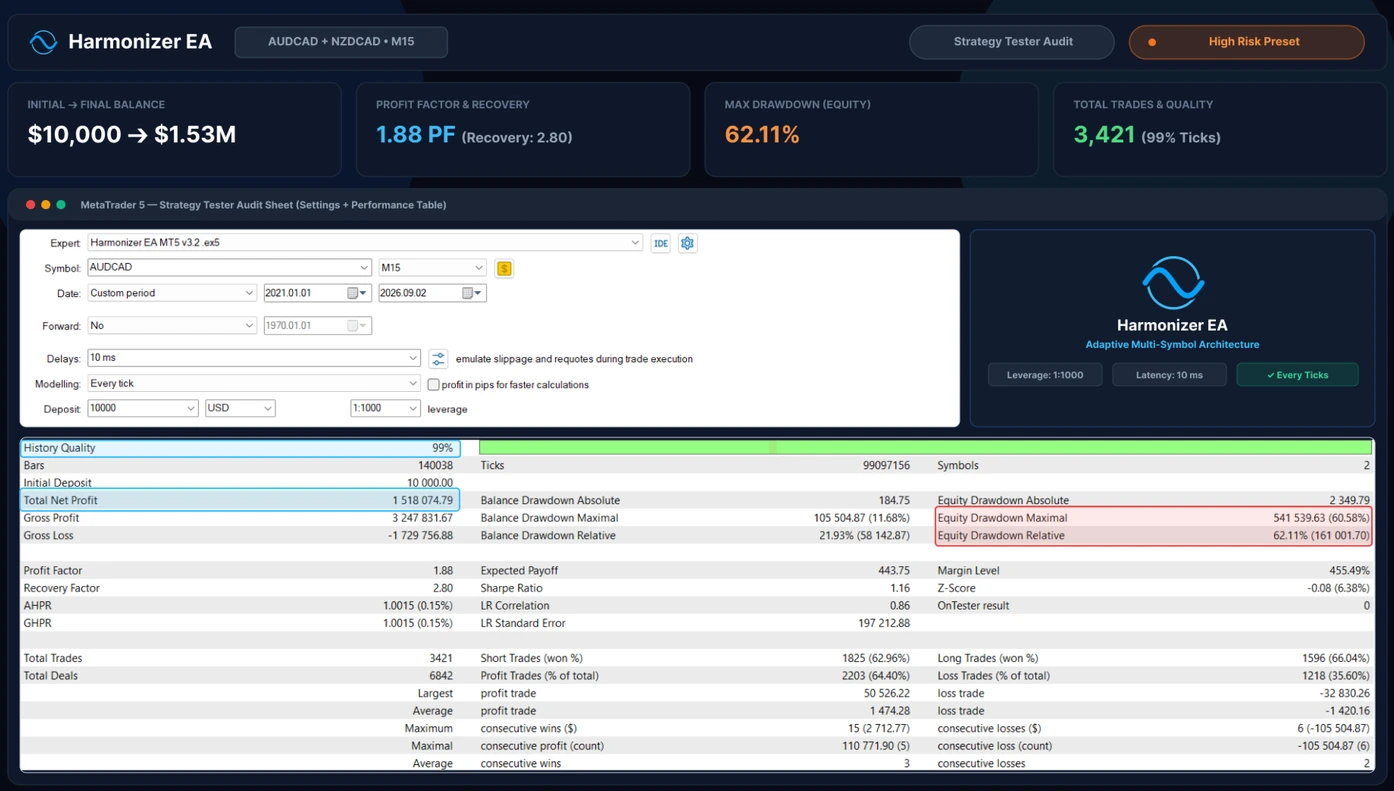
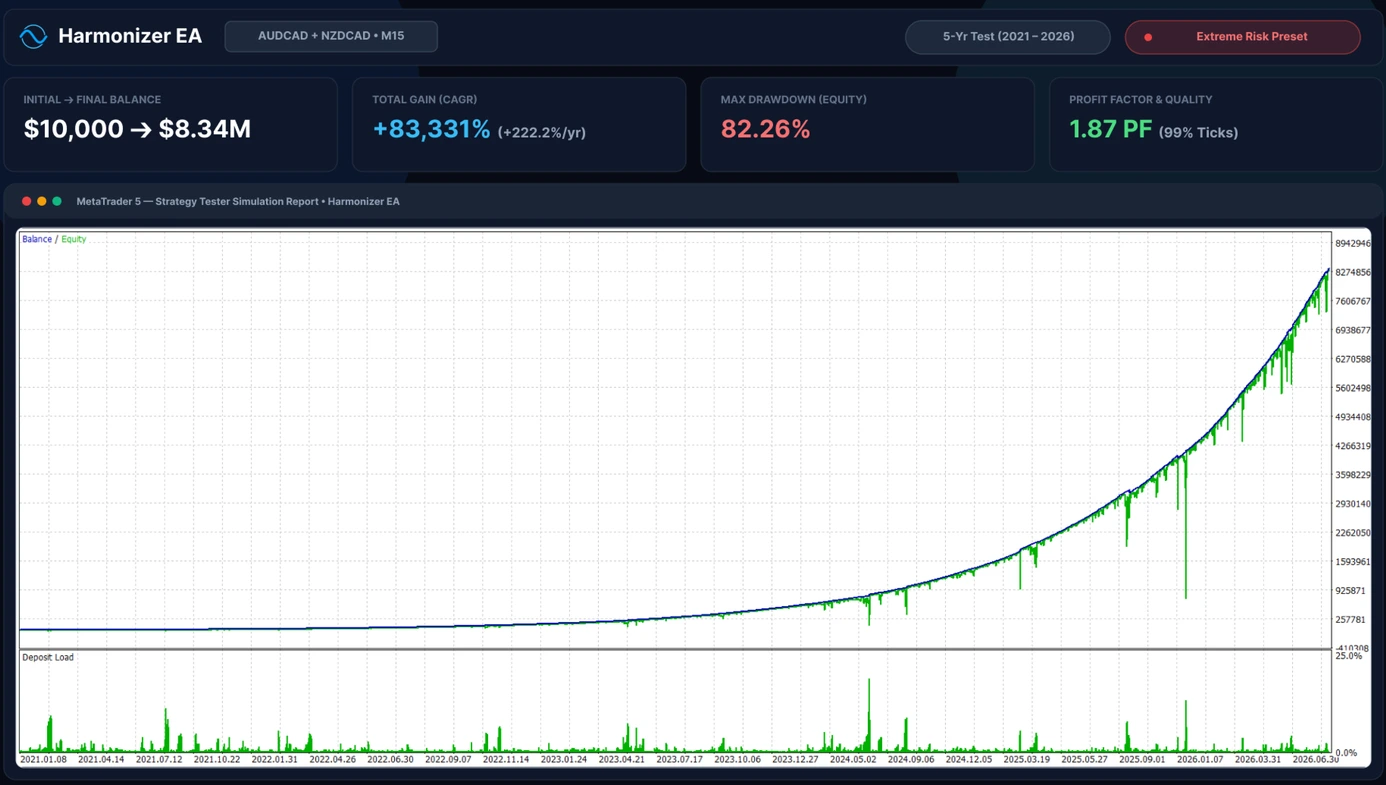
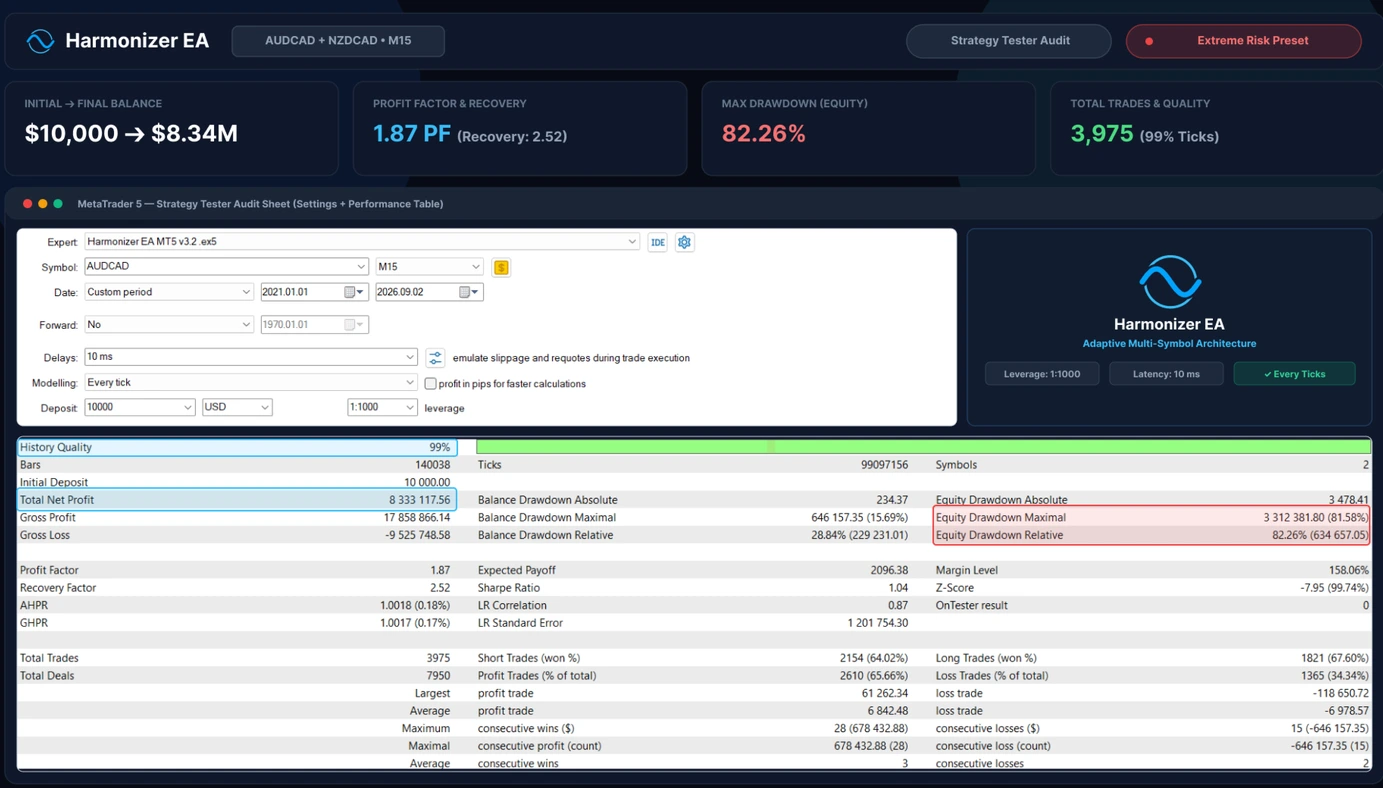
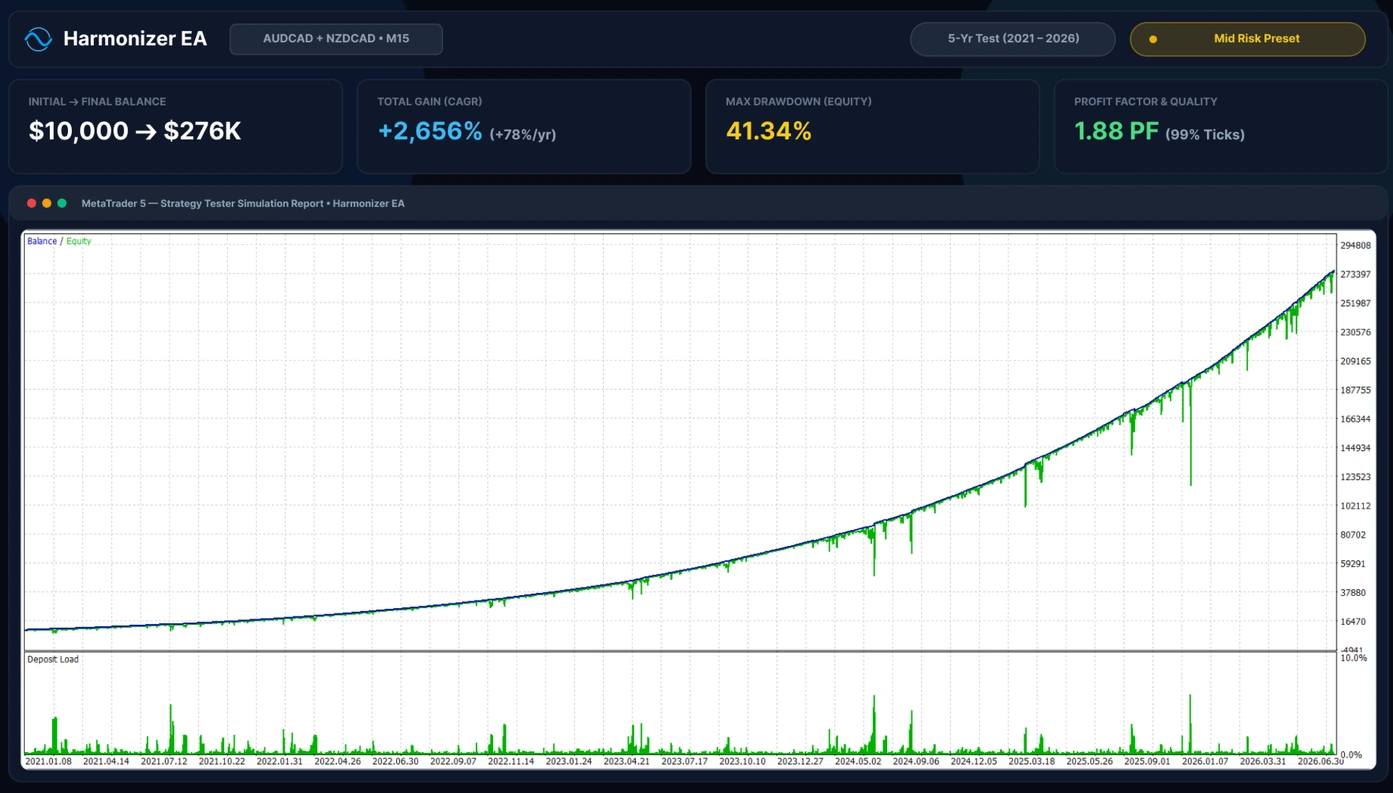
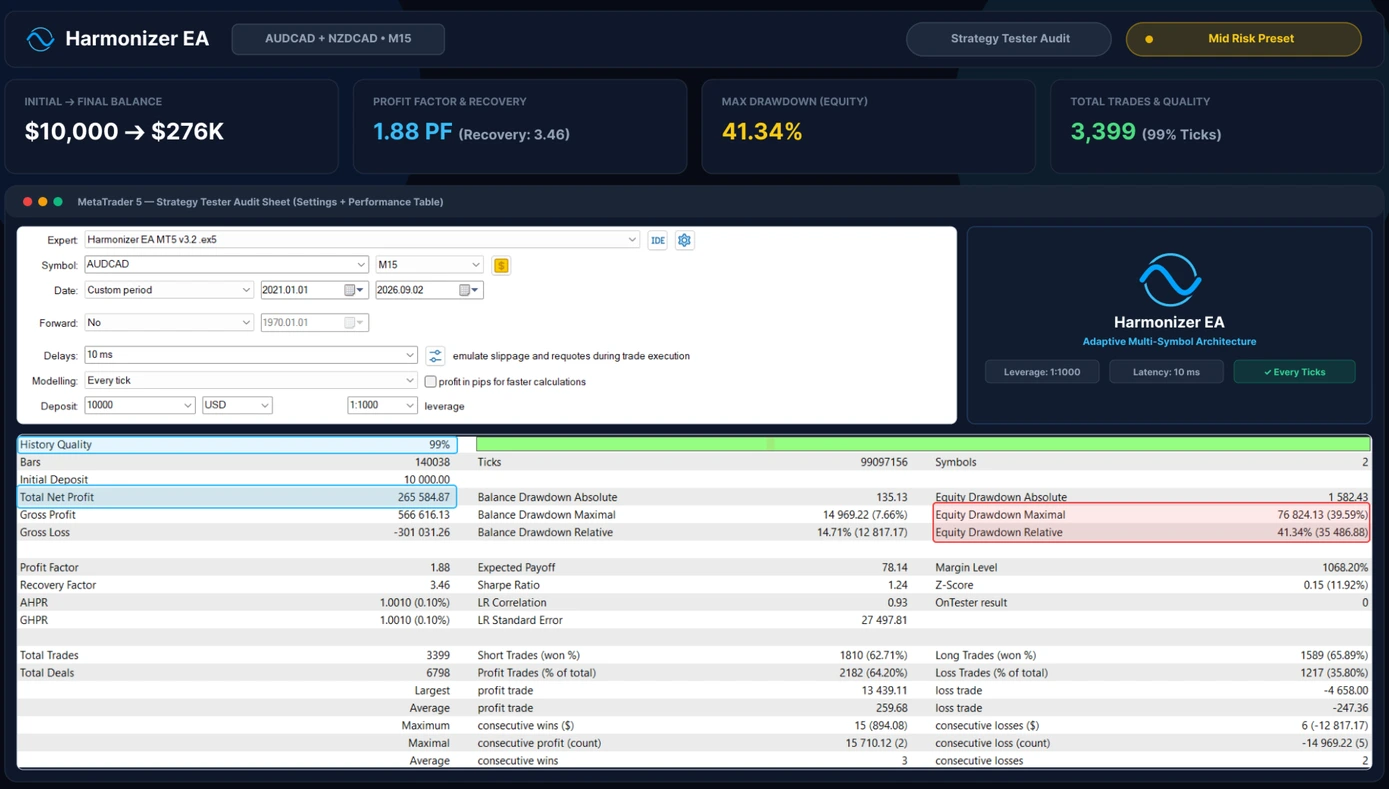
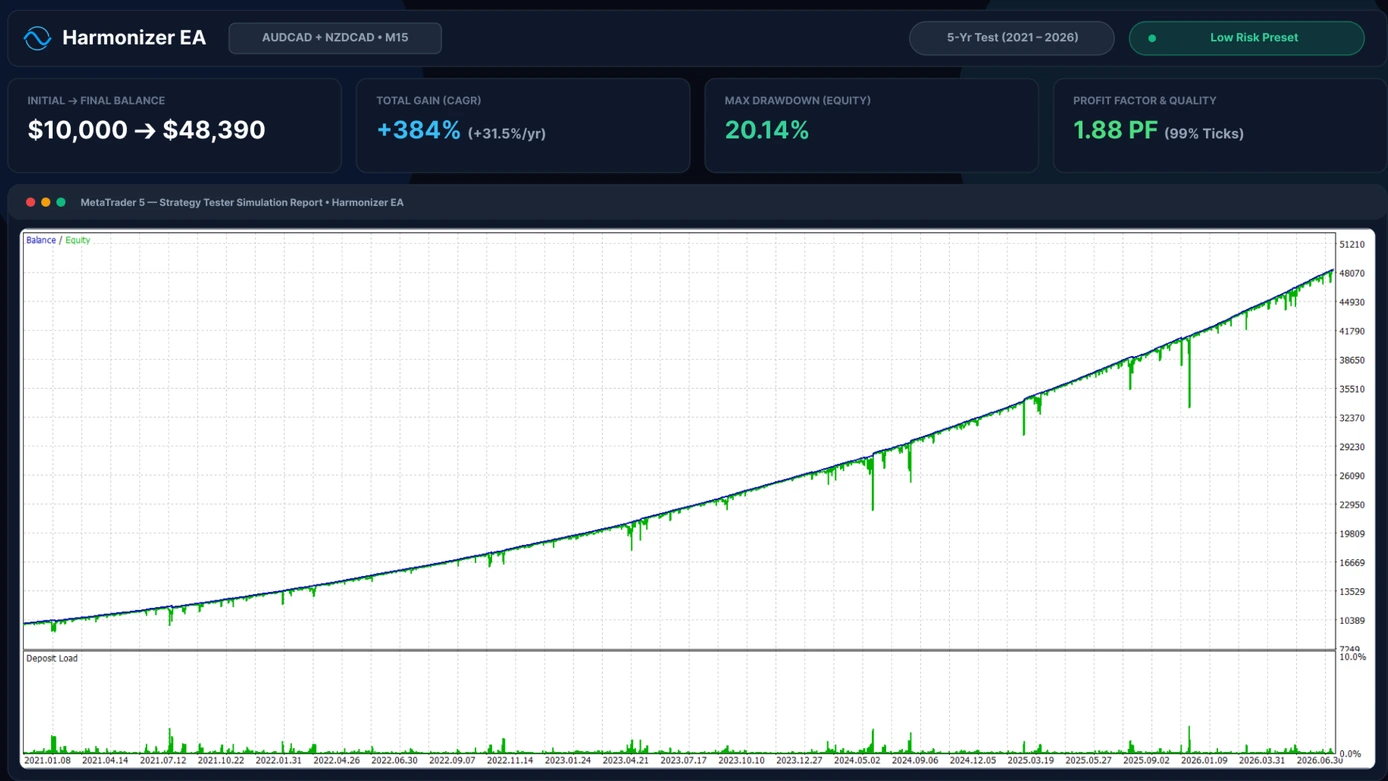
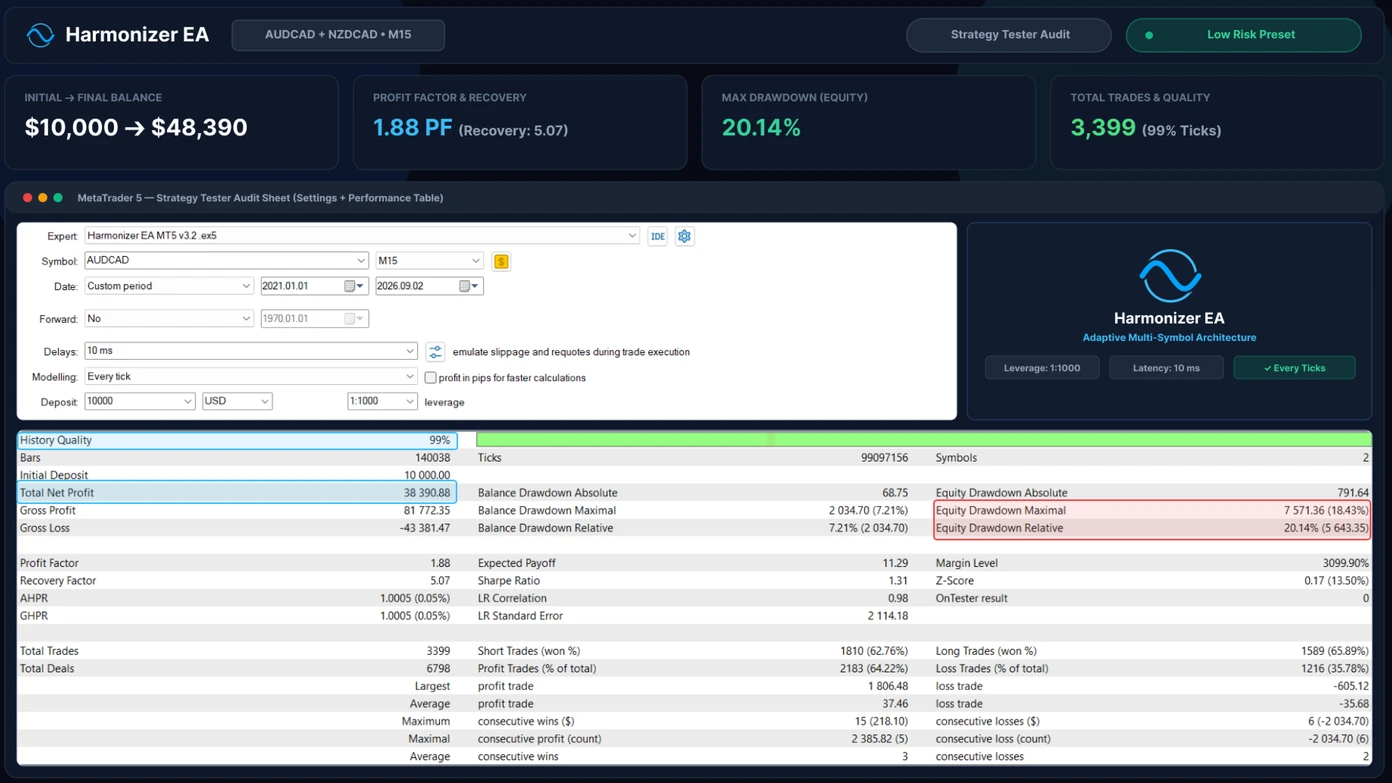
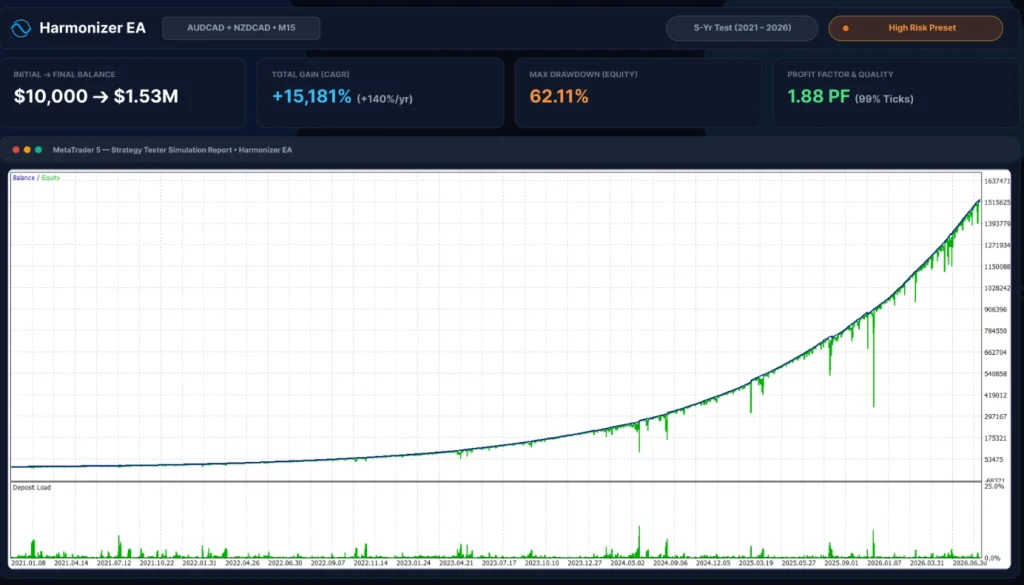
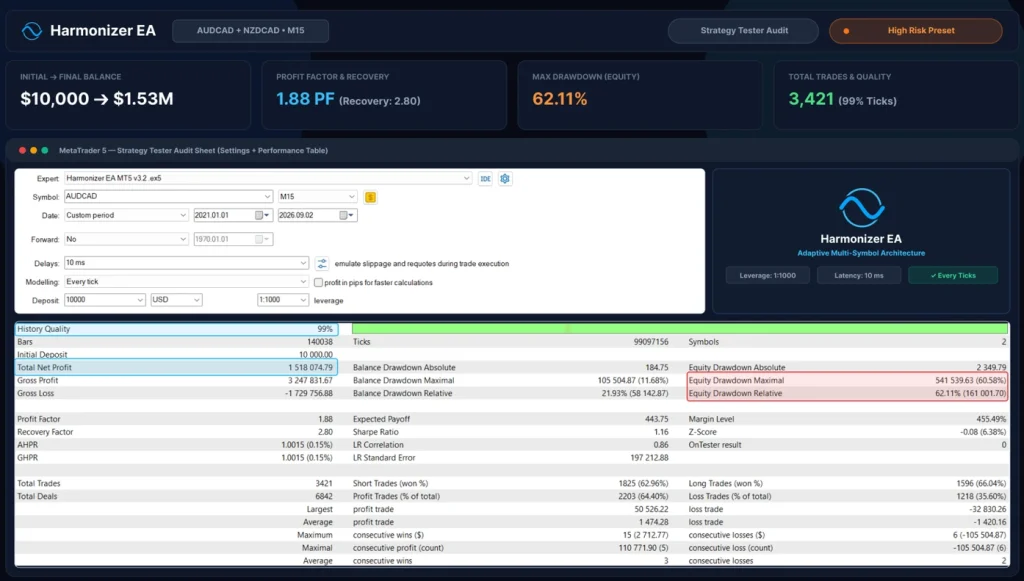
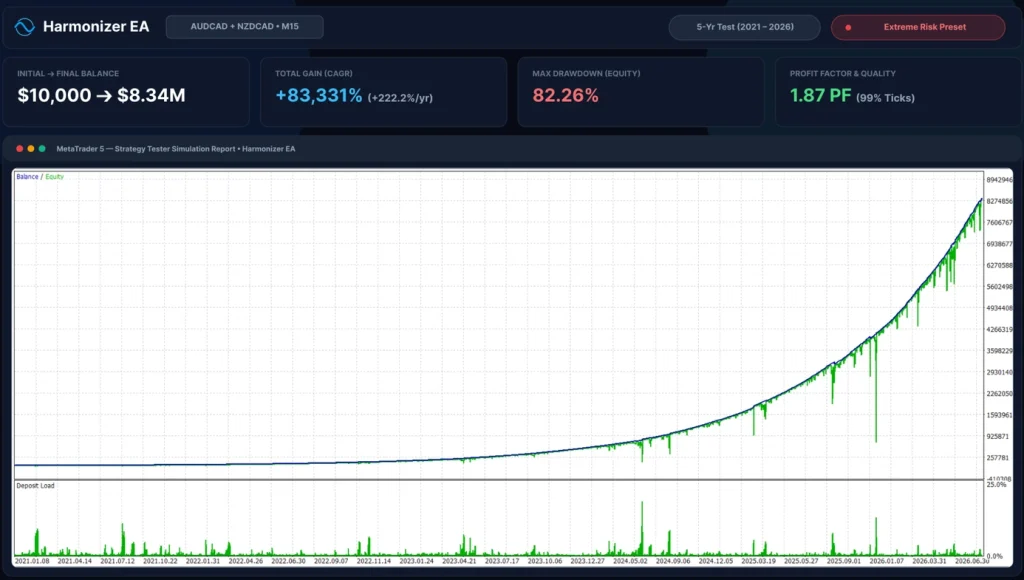
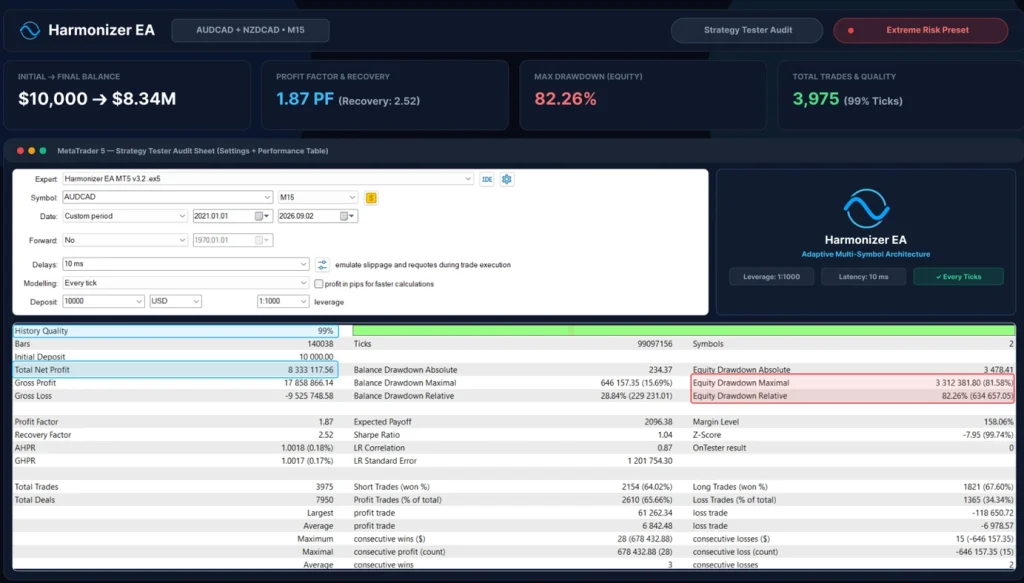
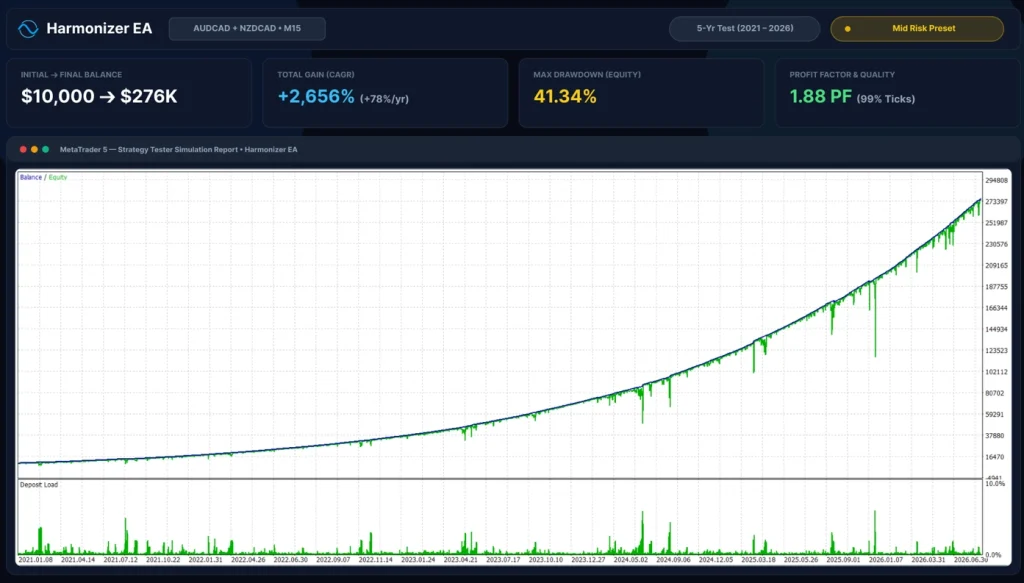
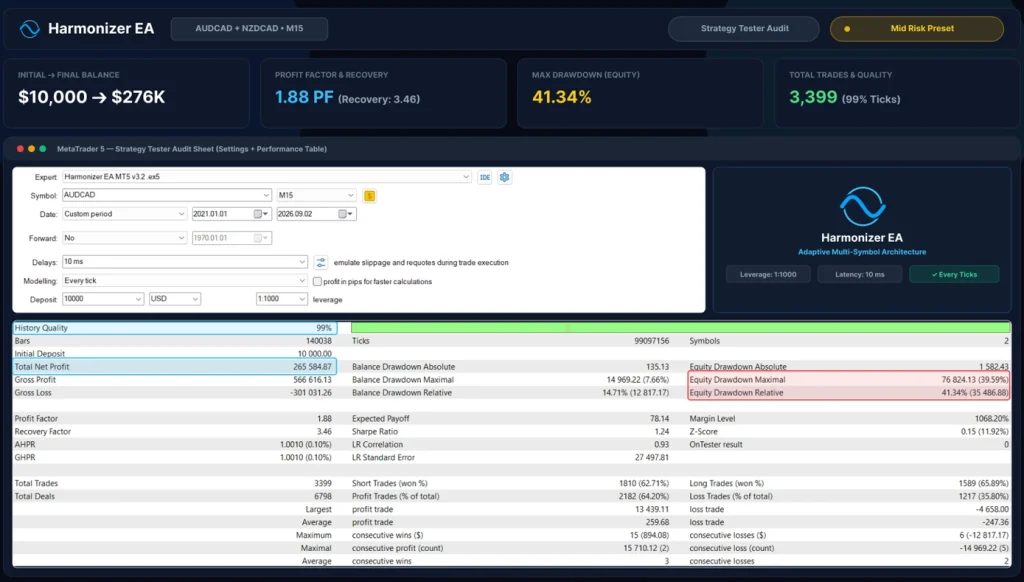
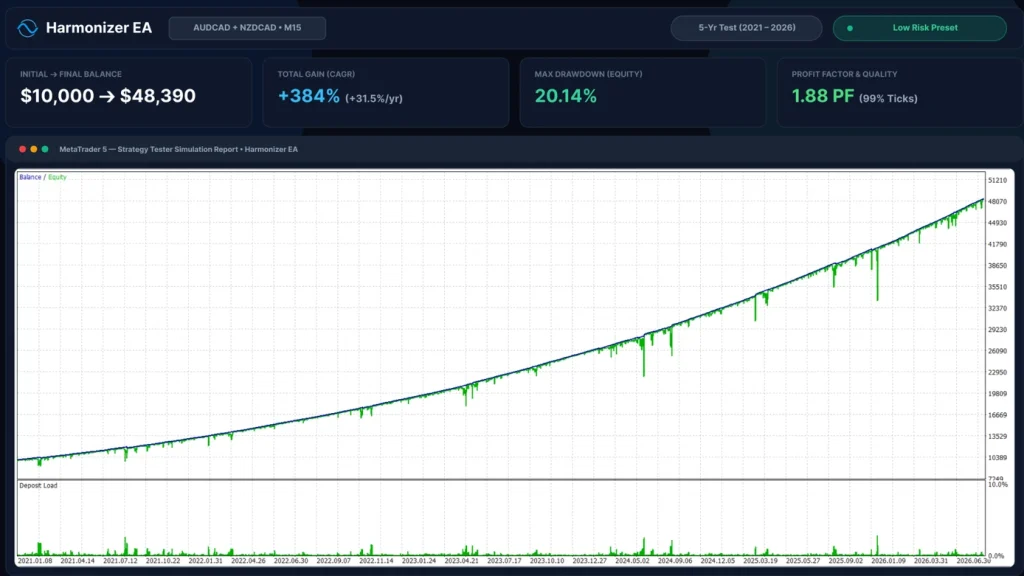
Backtest results
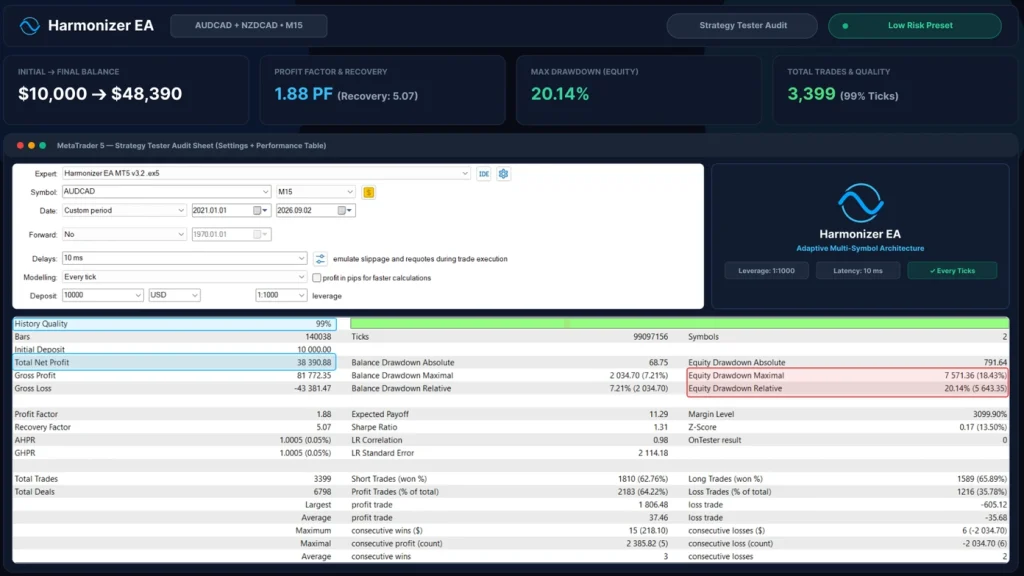
How to install Harmonizer in MT5
- Download the files listed in your order and extract any ZIP.
- Follow our MT5 Expert Advisor installation guide for your delivery format.
- Use the chart and timeframe specified in the setup table.
- Attach the EA and check account mode, trading symbols, sizing and drawdown settings.
- If your package includes a matching preset, load the SET file in MT5 and review the imported values.
- Enable trading for a demo test. Check Experts and Journal for errors.
Observe the complete position sequence where possible. Record floating loss, margin use, total volume and holding time. A short profitable test does not establish long-term safety.
Is Harmonizer suitable for you?
It may interest traders who understand multi-position trading and can monitor their account. It is a poor fit if you expect guaranteed income or cannot tolerate losing capital.
Before buying, use our guide on
how to choose a forex Expert Advisor to compare evidence, costs and loss handling.
Delivery, updates and support
Check your package table for delivery and update coverage. Read
Delivery & Downloads for general order-access help.
For setup assistance, contact
Product Support with your order number, EA version, MT5 build, broker symbol names and exact error. Hide private details and never share your trading password.
Read the
Refund Policy before buying. Technical support does not guarantee trading profit.
Frequently asked questions
Is Harmonizer a grid EA?
Yes. Its entry spacing can adapt, but that does not remove the risks of holding several positions.
Is the public signal using default settings?
Its description says Extreme Risk. Do not use its results as a forecast for a different preset.
Which version will I receive?
The version in the purchase table defines your order. The developer’s latest release does not establish which file a store supplies.
Do I need a SET file?
Follow the setup guidance above. If a separate preset is provided with your order, check that it matches your version and intended account conditions.
Can I start with less than the published balance guidance?
This page does not establish that a smaller account is suitable. Check the smallest trade size, margin and combined exposure instead of reducing capital and hoping the same settings will work.
Does the daily drawdown setting guarantee prop firm compliance?
No. Check the firm’s current EA rules and how it measures daily loss. Reset times, open losses and other account activity can matter. A software option is not firm approval.
Can I run it on MT4 or a phone?
This offer is for MT5 desktop. An EX5 does not run in MT4, and the mobile app does not host a desktop EA. Keep the trading terminal running on a suitable computer or VPS.
Will my broker give the same results?
No. Spreads, commission, swaps, margin rules and execution can differ. Check overnight costs as well as entry costs.