What is Vortex EA MT5?
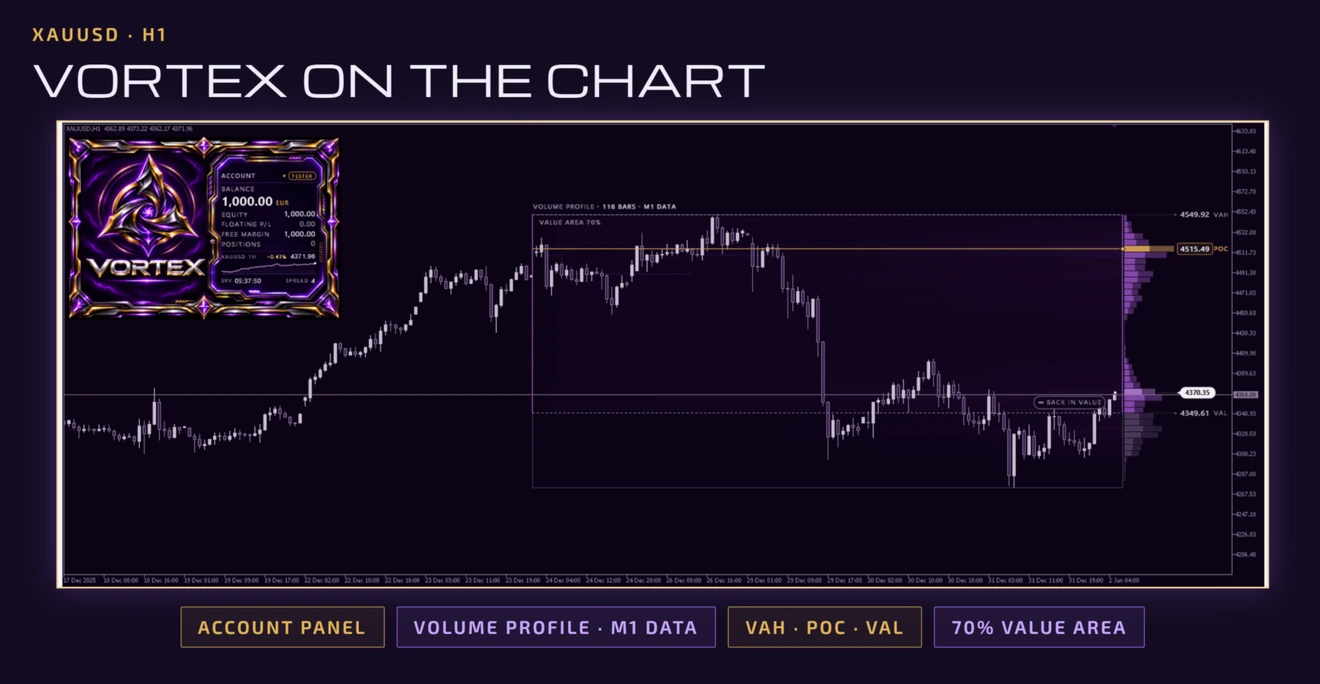
Vortex is an automated Expert Advisor with separate strategies for XAUUSD and GBPUSD. Each has its own trading logic, schedule and position management.
The useful question is how each strategy handles a losing trade. Sharing a panel does not mean they share the same risk rules, and running two markets does not guarantee that losses will offset each other.
How do the two strategies differ?
| Strategy |
Developer description |
What to check |
| Strategy 1 — Gold |
Fixed stop loss, take profit and trailing management; no grid, martingale, adverse averaging or recovery cycles claimed |
Position size, stop distance and total loss exposure |
| Strategy 2 — GBPUSD |
Proprietary adaptive management of several positions |
Maximum combined volume, losing-cycle exits and margin use |
The no-grid and no-martingale statements apply explicitly to Gold. Do not extend them to GBPUSD without documentation of its position-management rules.
If you are comparing recovery methods, our guide to
grid, martingale and breakout EAs explains what to inspect. The GBPUSD engine’s exact classification was not independently established.
A stop loss defines a planned exit. Gaps, slippage and execution problems can still make the actual loss different.
Setup and account requirements
| Setup item |
Published guidance |
| Platform |
MetaTrader 5 desktop |
| Markets |
XAUUSD and GBPUSD |
| Chart period |
H1 |
| Starting balance |
$300 minimum; $1,000 recommended |
| Leverage |
1:100 minimum; 1:500 recommended |
| Broker |
Low-spread ECN / RAW account |
| VPS |
Recommended |
| Account mode and tested MT5 build |
Confirm for the supplied file |
These are developer references, not guaranteed funding requirements or loss limits. Broker contract sizes, margin and selected risk levels matter. Higher leverage changes required margin; it does not reduce the price loss on an unchanged position.
The published instructions say to attach the EA to an H1 chart of the intended symbol. They do not establish that one attachment automatically trades both markets. Confirm the installation method for your build before adding instances.
Settings to review before enabling trading
Start with the selected strategy and the sizing method. A risk-level number is not automatically a percentage of account equity. Check how the software converts it into volume.
Review stop and target distances in the broker’s actual units. For a multi-position setup, assess the largest combined volume and how a losing cycle closes.
Also check trading permissions, symbol suffixes, time settings and any account-level controls. A value in a disabled field is not an active protection.
Avoid loading a preset simply because its filename contains “Vortex.” This offer and the separately named Vortex Gold EA have different listings and settings.
Public signal evidence — what does it show?
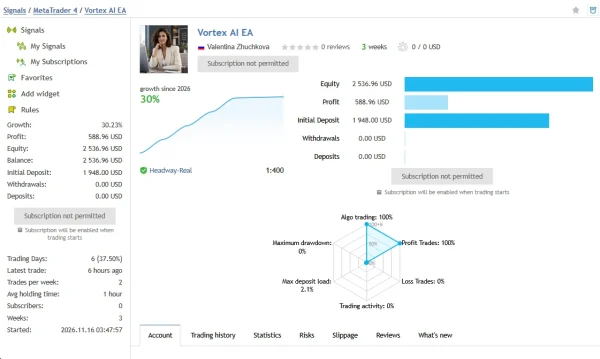
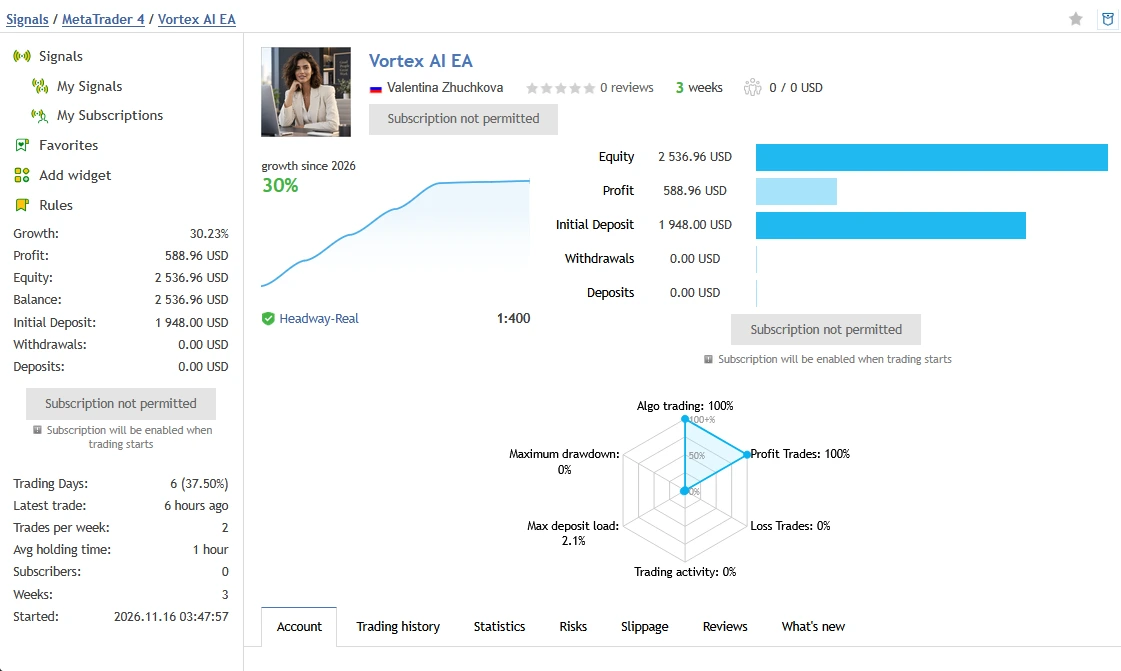
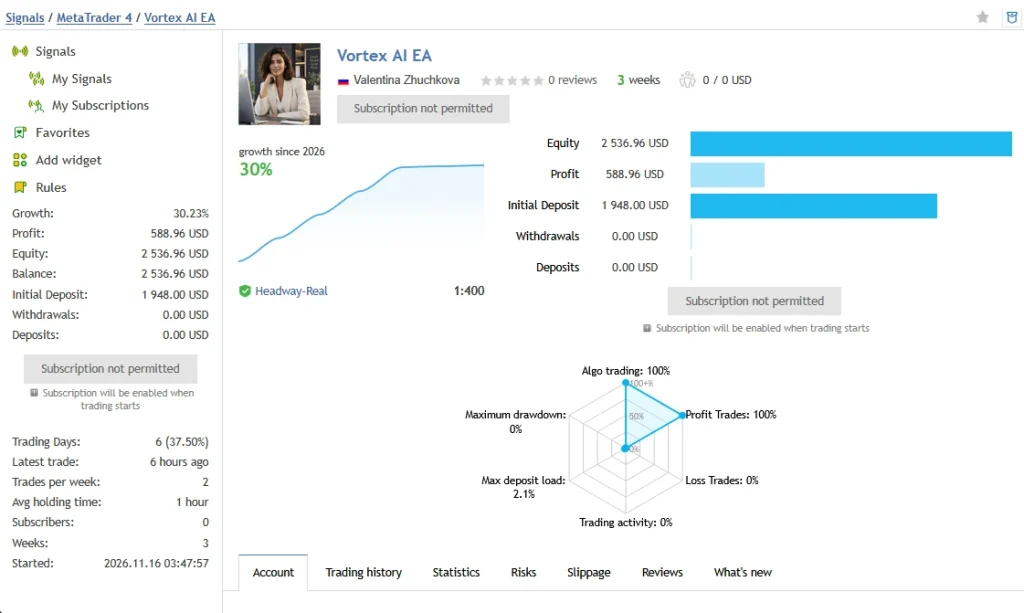
The developer links the
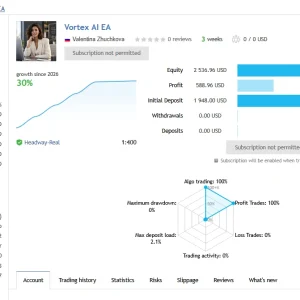
Vortex AI EA signal on MQL5 for its Gold strategy.
The signal page is labelled MetaTrader 4, while this offer is for MT5.
Snapshot checked 24 November 2026: it displayed
29.61% growth,
$576.72 profit, a
$1,948 initial deposit, and balance and equity of
$2,524.72. No additional deposits or withdrawals were shown.
The account had
four trades, all winners, and displayed
0.00% relative balance and equity drawdown. It showed
Headway-Real,
1:400 leverage, one week displayed and a start field dated 16 November 2026. Its latest-trade field said 11 days ago, and subscriptions were unavailable with the message that they would open when trading starts.
Why this is limited evidence
The timing fields do not establish that these trades were monitored after signal registration. Four wins cannot establish a dependable win rate, typical loss size or future drawdown.
The platform mismatch also means this is not direct proof that your supplied MT5 file produced the same trades. It does not establish GBPUSD live performance.
A zero displayed drawdown is not a promise of zero risk. Our guide to
drawdown in forex trading explains why historical loss figures need context.
Past performance does not guarantee future returns. Buying the EA is separate from subscribing to trade copying.
Backtests: separate simulations from live results
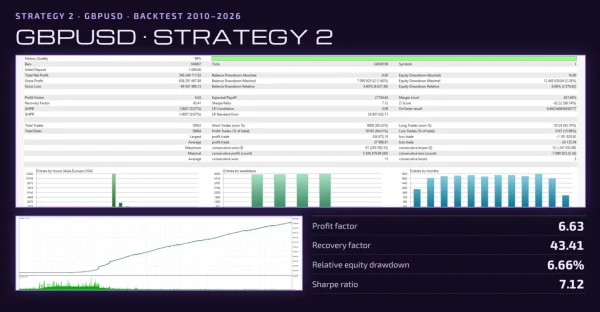
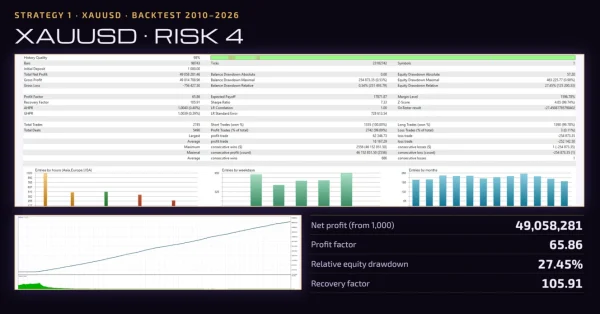
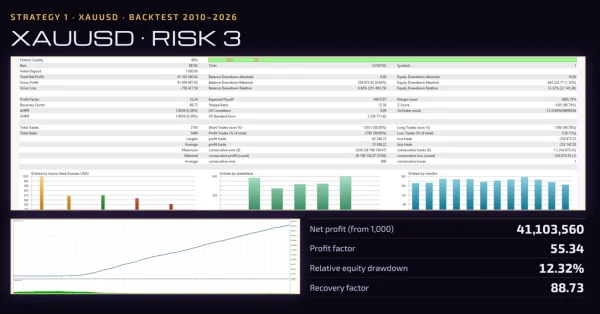
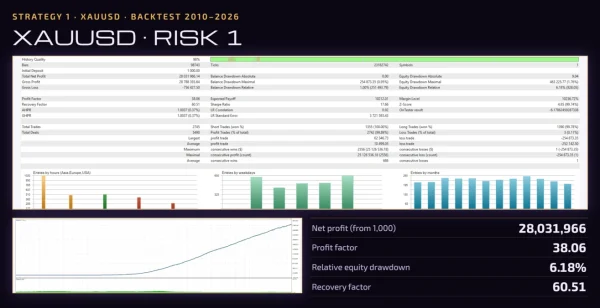
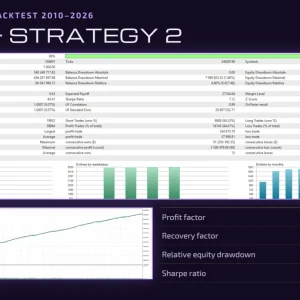
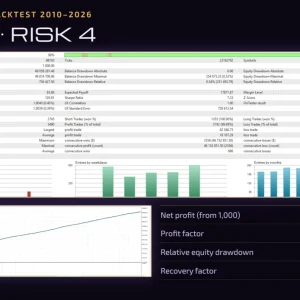
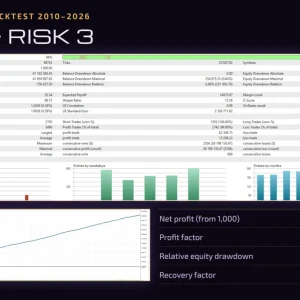
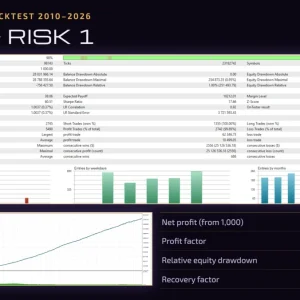
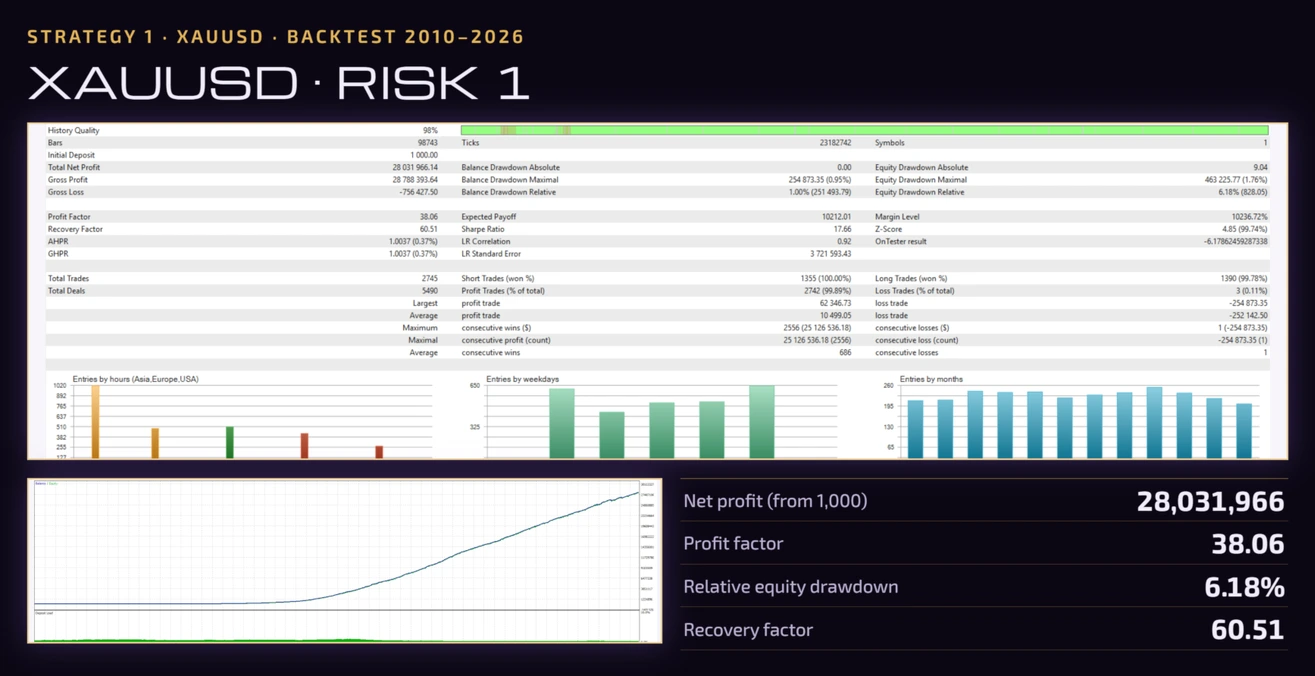
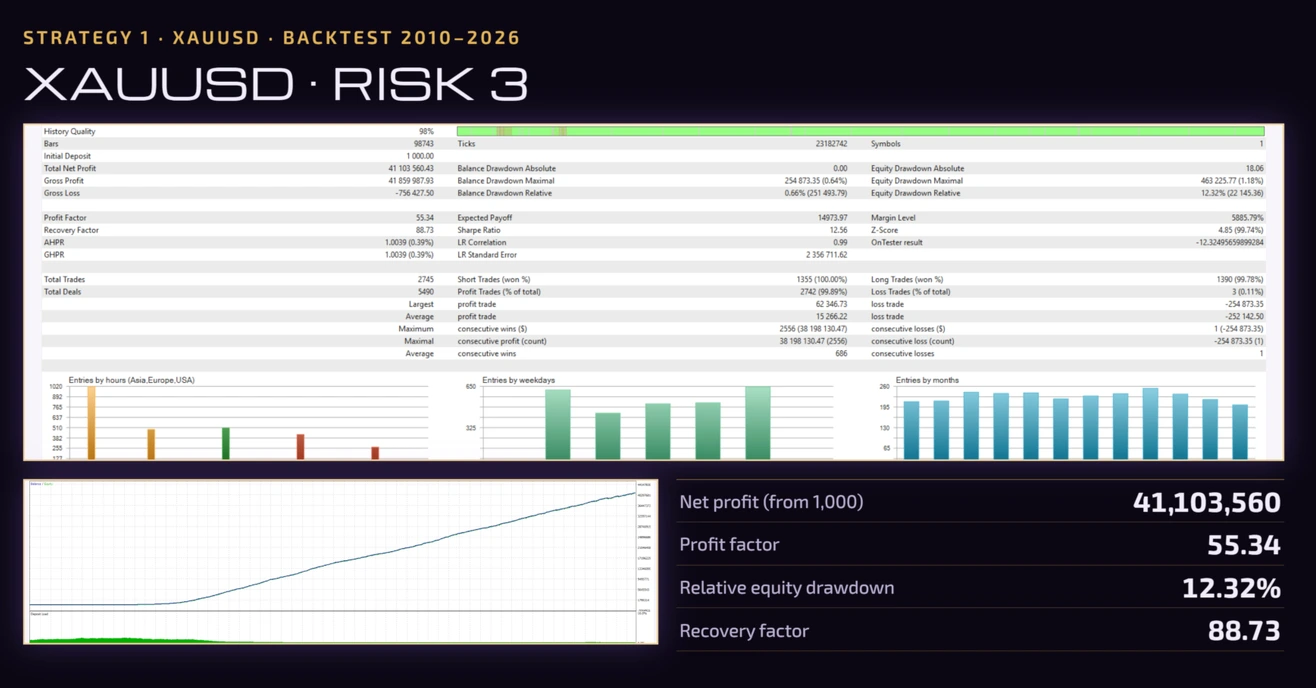
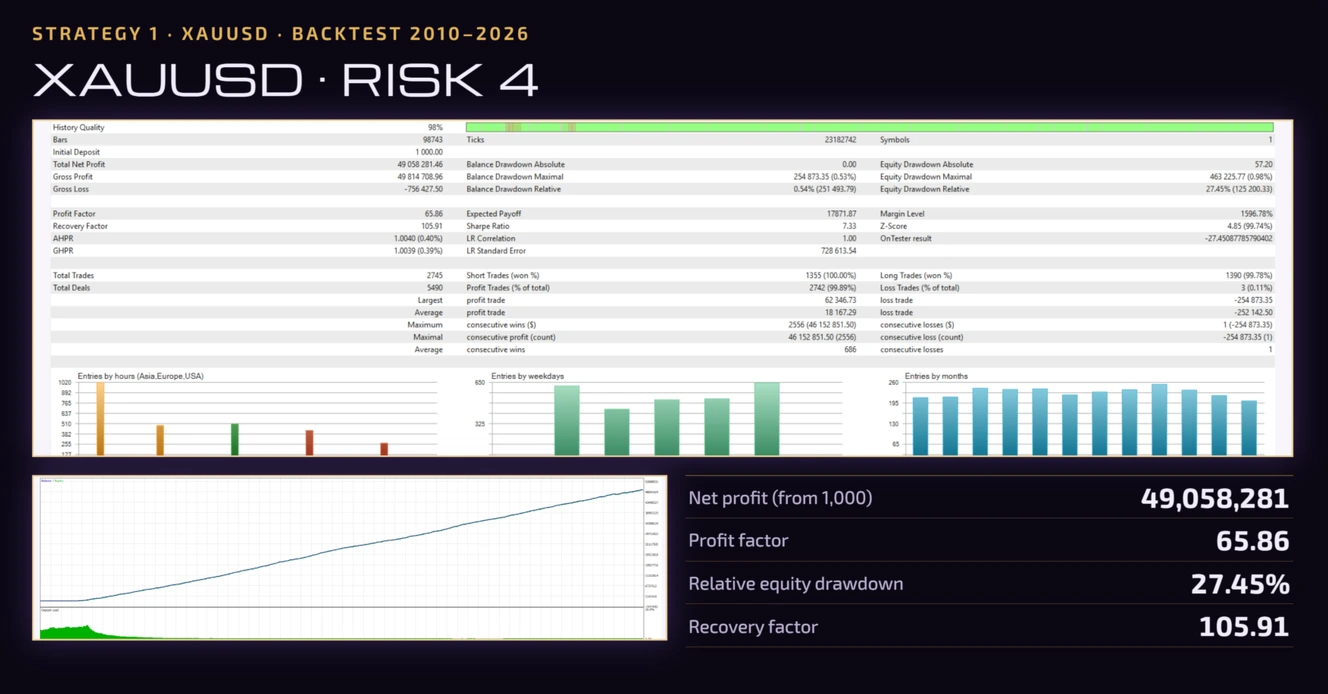
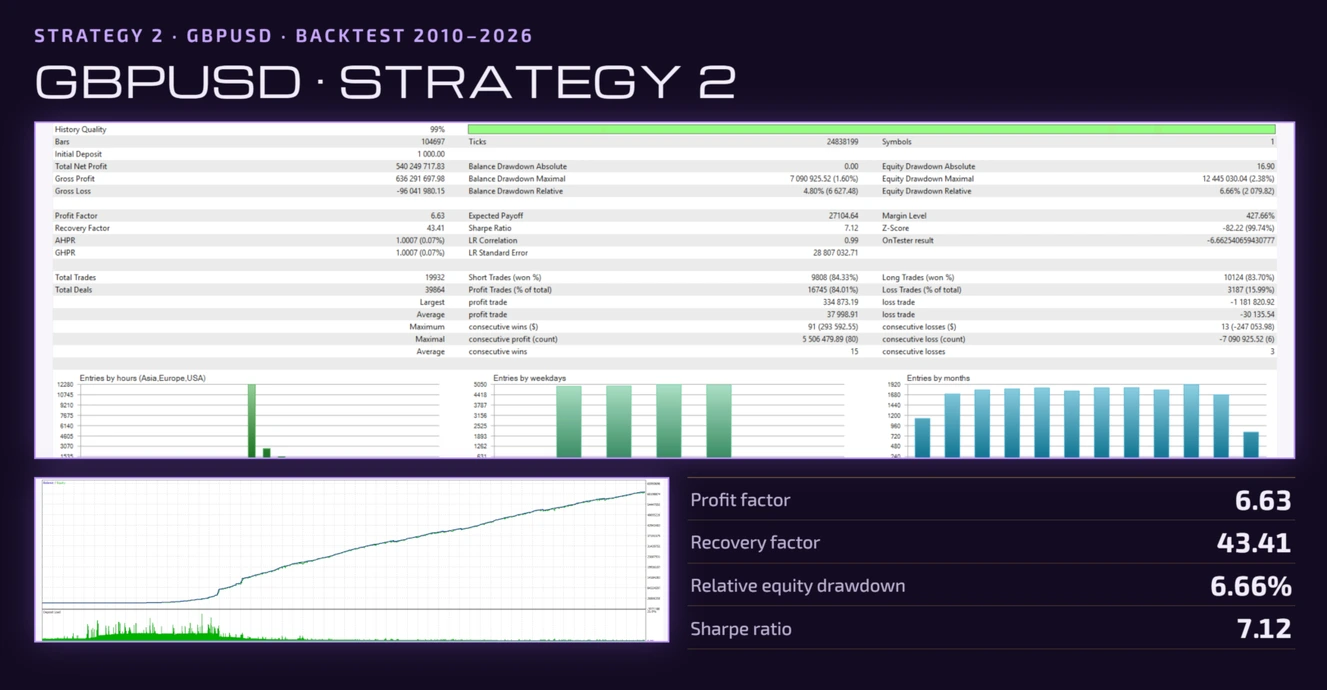
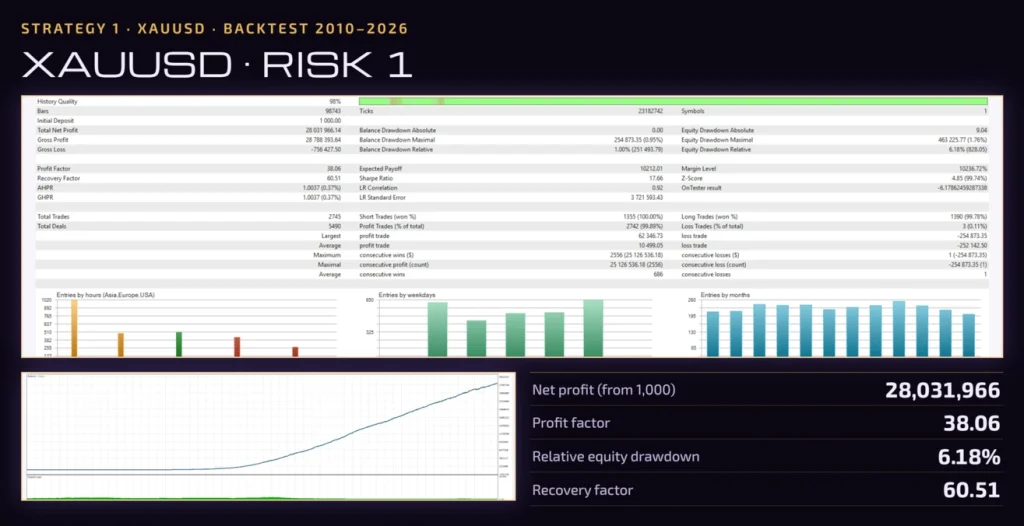
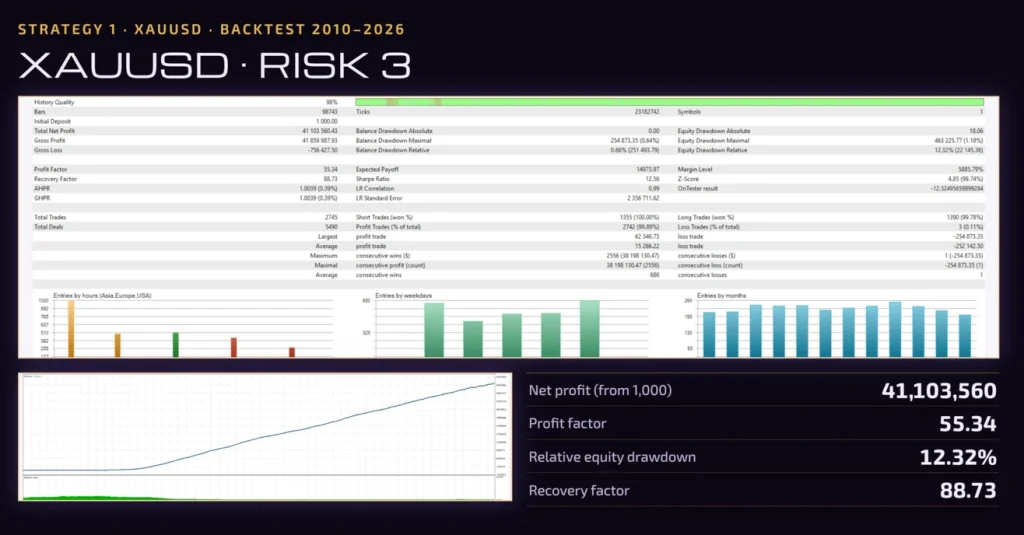
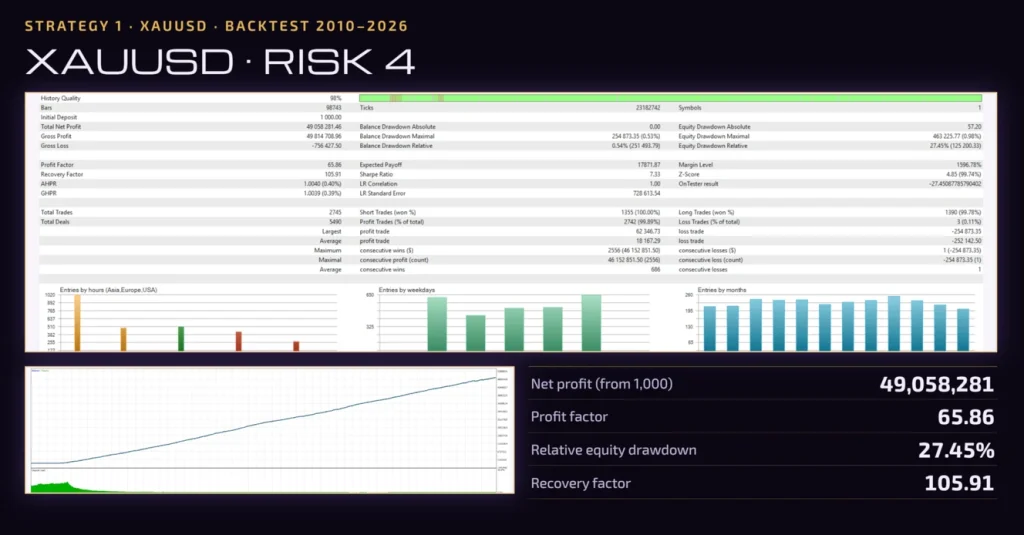
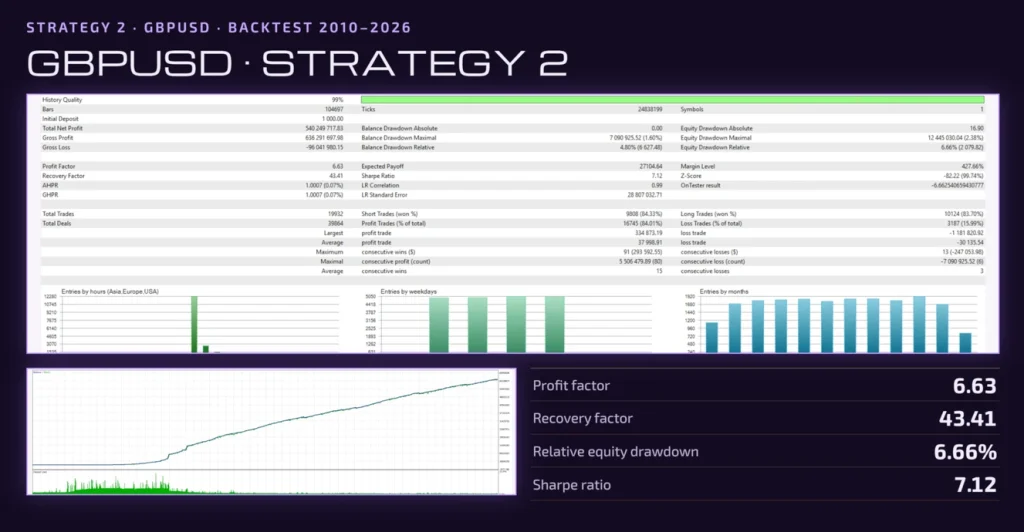
The developer publishes 2010–2026 tests with compounding from a 1,000 starting deposit. These are historical simulations, not realised customer returns.
Large compounded totals can depend on assumptions that differ from live execution, including broker volume limits, spread, liquidity, commission and slippage. A high history-quality label does not independently validate the strategy.
Before relying on a report, obtain its version, preset, data source and full equity statistics. Compare the same drawdown field across tests; balance drawdown excludes open-position losses.
We have not independently reproduced these tests. The live signal above does not validate the full simulation period or both strategies.
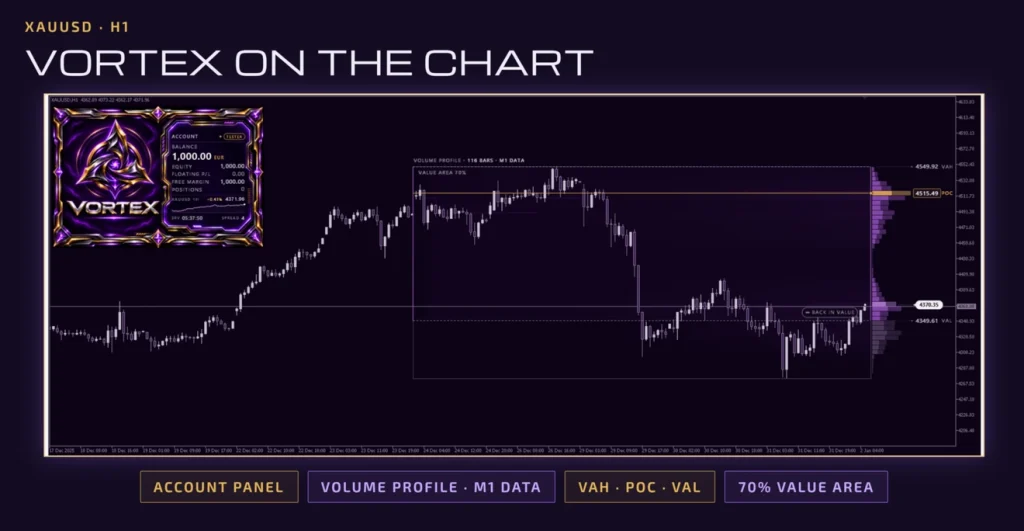
How to install and test Vortex in MT5
- Download your package and check the files against the order details.
- Follow our MT5 Expert Advisor installation guide for your delivery format.
- Open the intended market using the chart period shown in the setup table.
- Select the correct strategy and review sizing, exits, symbol names and permissions.
- If a matching preset is supplied, load the SET file in MT5 and check its imported values.
- Enable trading for a demo test. Read the Experts and Journal tabs for errors.
Test each strategy separately before evaluating a combined setup. Observe open losses, margin use, holding times and order sizes. A short run of winners does not establish long-term suitability.
Is Vortex suitable for your account?
It may interest traders who want to assess two distinct automated approaches and can monitor their account.
Before buying, make sure the supplied configuration is clear and that you understand the GBPUSD engine’s exposure. If you need predictable income or cannot tolerate loss, this evidence does not establish those outcomes.
Our guide on
how to choose a forex Expert Advisor can help you compare documentation, evidence and purchase terms.
Delivery, updates and support
Check the purchase table for delivery and update coverage. Read
Delivery & Downloads for general order-access help.
For an installation issue, contact
Product Support with your order number, version, MT5 build, chosen strategy and exact error. Hide private account details and never share your trading password.
Read the
Refund Policy before purchasing. Technical support does not guarantee trading returns.
Frequently asked questions
Is this the same as Vortex Gold EA v3.15?
No. This page covers Vortex EA MT5, MQL5 product 208763. Vortex Gold EA has a different listing. Its reviews, versions and presets should not be transferred to this offer.
Does Vortex trade both markets from one chart?
Do not assume that. Confirm the intended instance and strategy-selection setup for your delivered build.
Does the GBPUSD strategy also avoid grid and martingale?
The public description does not establish that. Its management is described as adaptive and can involve several positions. Check its losing-cycle rules before trading.
Is the linked signal an MT5 account?
No. The retrieved page labels it as MT4. It is developer-linked evidence with a very small sample, not a proven MT5 record.
Does the 100% win rate mean it cannot lose?
No. It describes four winning trades in the retrieved sample. It does not predict the next trade or establish a maximum loss.
Which version and SET files will I receive?
The completed purchase table defines the package. A title or preset offered by another website does not define your order.
Can I use it on a funded account?
Check the firm’s current rules on EAs, multiple positions and loss limits. Neither a stop loss nor a preset establishes approval or guarantees a pass.
Can I run it from my phone?
The mobile app does not host desktop EAs. Keep MT5 running on a suitable computer or VPS while the software needs to manage trades.